
Overview
Connect X/Twitter to Taskade and post on autopilot. Wire a trigger like a project update or a deadline to an X action, and your milestone updates, blog promos, and event announcements ship on their own. Your AI agents can post and reply too.
TL;DR: Publish to X/Twitter automatically from your Taskade automations. Three actions push posts out for you, Create Post, Create Reply, and Delete Post, so updates ship without a manual step. Connect the same X/Twitter tool to your AI agents and they can post and reply on their own across 100+ integrations.
X/Twitter at a Glance
An automation watches for something to happen, then posts for you. A trigger pulls an event in, like a task moving to Done or a scheduled time. Taskade runs your steps. An X action pushes the post out. You can also flow a real-world signal, like a new mention, into a task so your team sees it and replies.
The top row pushes content out of Taskade. The bottom row brings signals back in as work your team can act on.
Twitter/X Automation
When a trigger occurs, such as a project update or a task deadline, Taskade creates posts and replies on X/Twitter automatically.
Note: Visit our Automation Guide to learn more.
Twitter/X Triggers & Actions
Here are the triggers & actions you can use in your workflows:
| Action | Description |
|---|---|
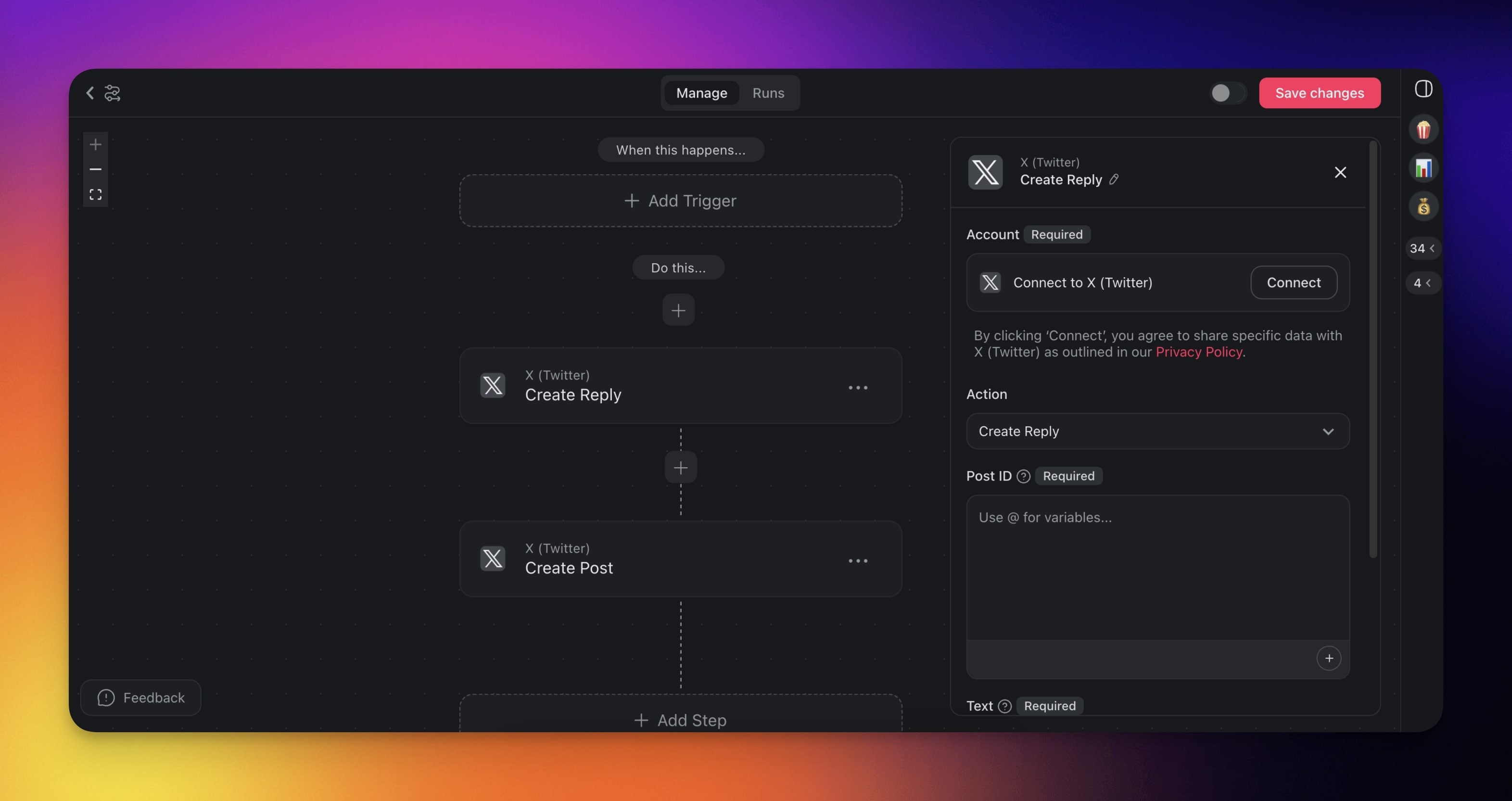
| Create Post | Creates a new post on X/Twitter from a specified account. |
| Create Reply | Creates a reply on X/Twitter to a specified post. |
| Delete Post | Deletes a post by its ID. |
Twitter/X Automation Settings
Connector options give you full control over the Twitter/X automation:
| Field | Description |
|---|---|
| TEXT | The text of your Twitter/X post. |
| POST ID | The ID of the post you want to reply to. |
Reference Links to Posts
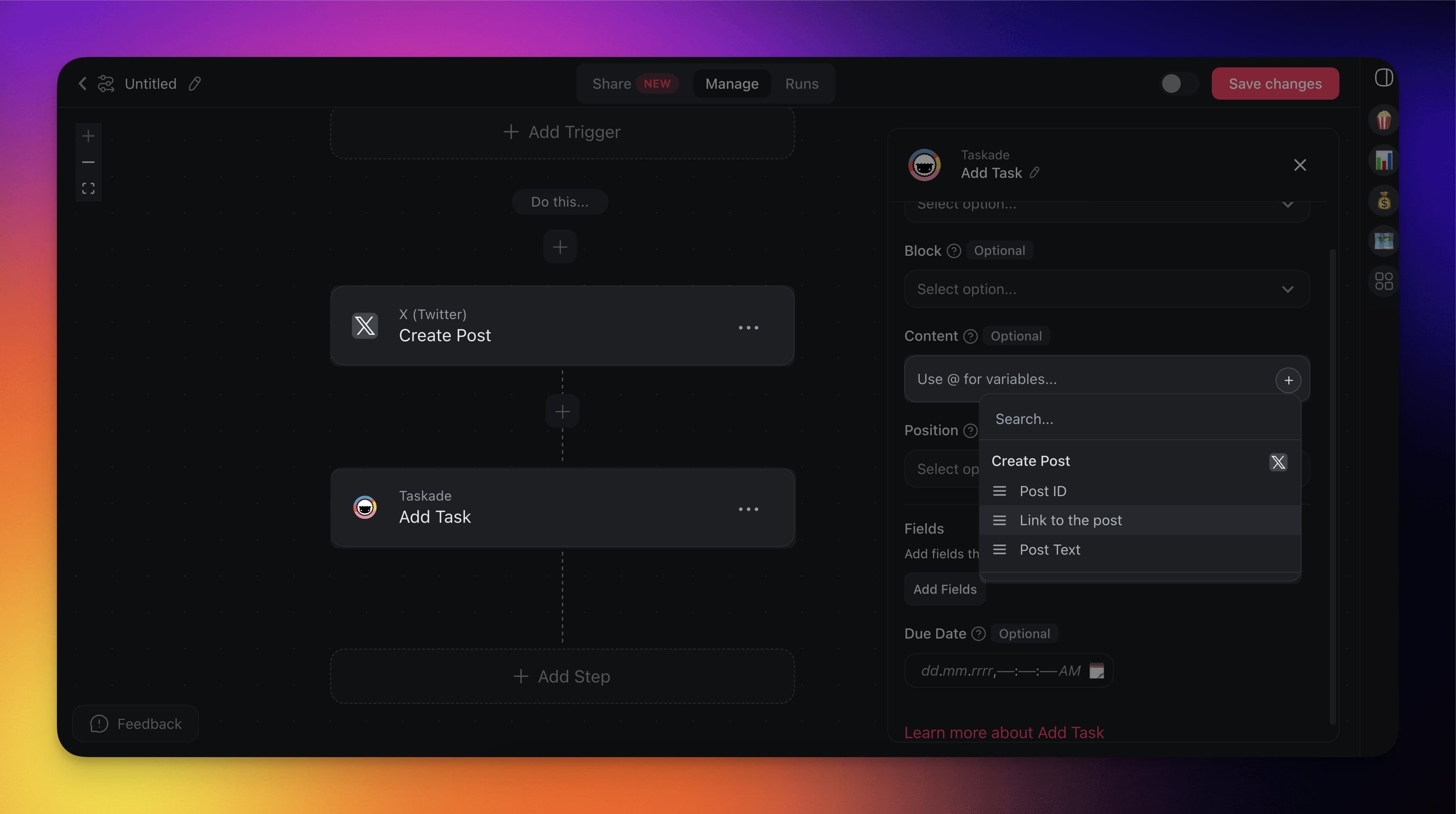
You can reference links to new posts in subsequent automation steps.
- Add the Create Post action to your automation flow.
- Reference Link to the post in the next automation action.
Twitter/X Use Cases
Here are a few ways to use the Twitter/X connector:
| Use Case | Description |
|---|---|
| Share project milestones with followers | Automatically post updates about significant project milestones on X/Twitter to keep followers and potential clients informed. |
| Promote blog posts | Automatically post new blog articles or significant updates to a WordPress site on X/Twitter to drive traffic and engagement. |
| Customer service alerts | Automatically notify followers and customers on X/Twitter about service outages or downtime. |
| Event announcements | Announce scheduled webinars or events on X/Twitter to increase awareness. |
| Client feedback collection | Announce new feedback forms on X/Twitter to gather valuable client feedback and insights. |
Set Up the X/Twitter Integration
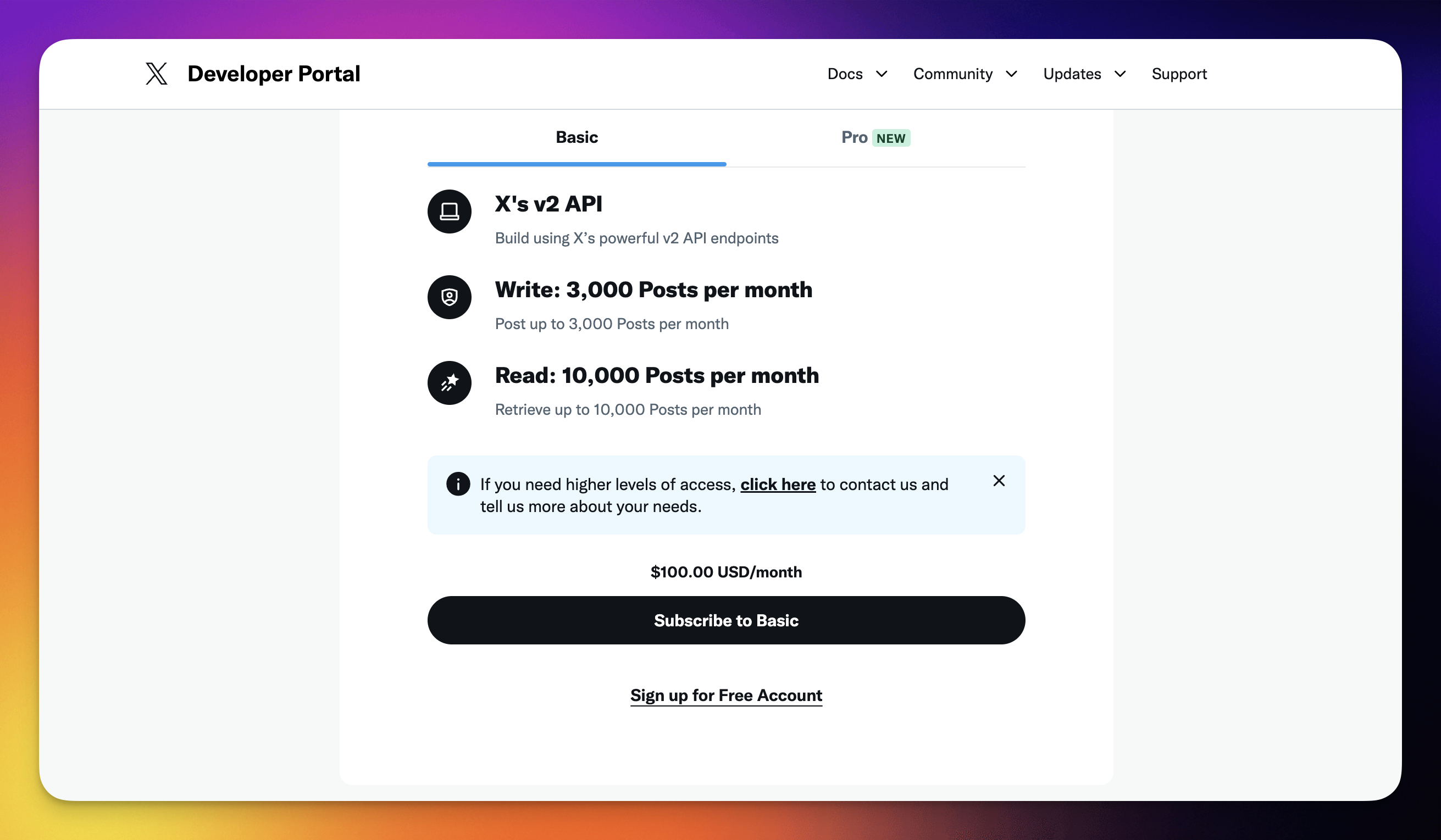
- Go to https://developer.x.com/en/portal/petition/essential/basic-info?plan=basic.
- (method 1): Sign up for a paid subscription.
- (method 2): Click Sign up for Free Account to get access to the X API.
On the next page, describe your use case.
(example): "We use Twitter's API to schedule posts with Taskade, a task management platform, to coordinate team responsibilities, prepare assets, and ensure posts are on-brand. This helps track past tweets, maintain consistency, and ensure compliance with X's terms and conditions for reliable social media management."
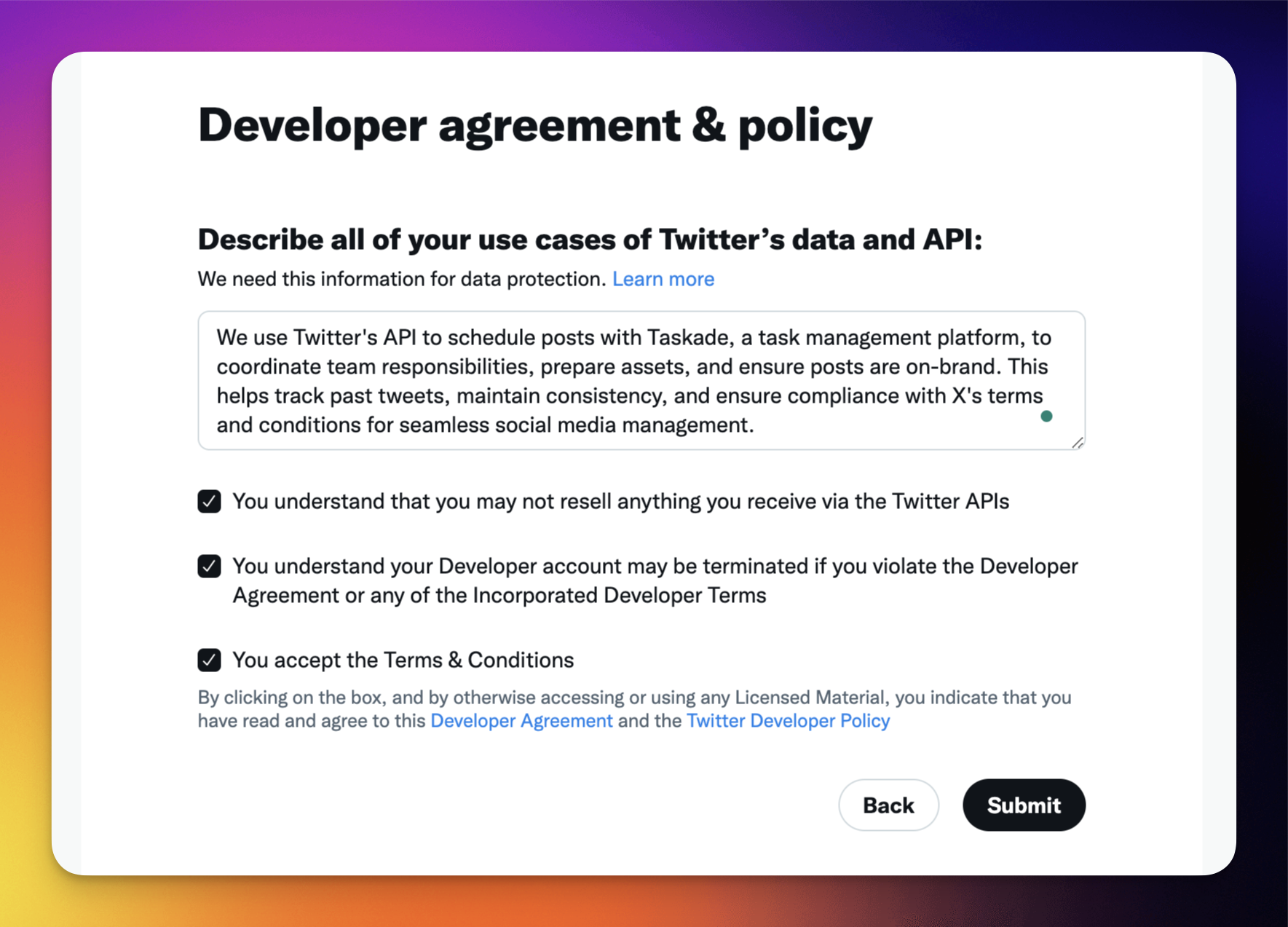
- Click Submit to proceed.
- Under default project, click Set up in the Use authentication settings section.
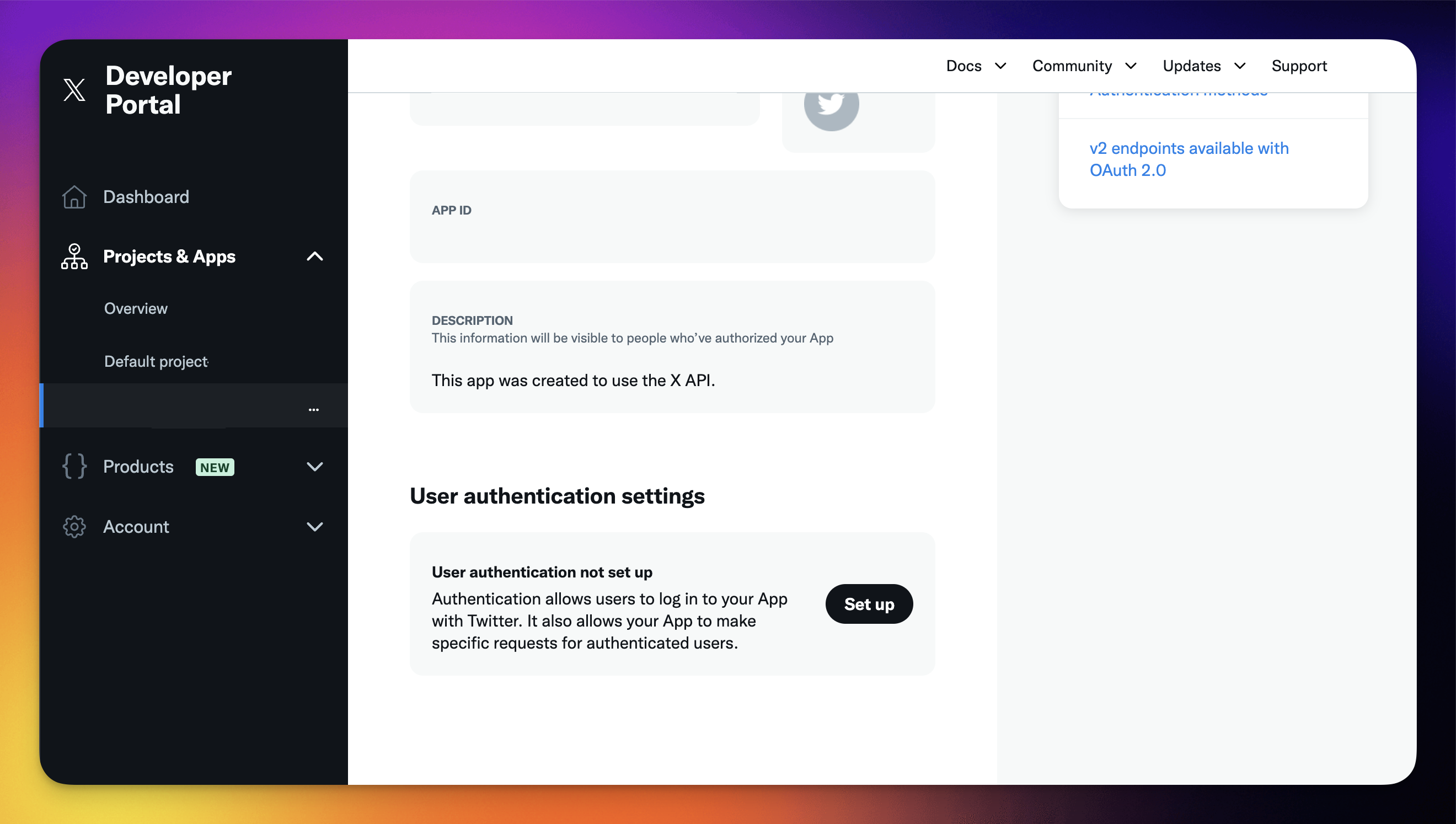
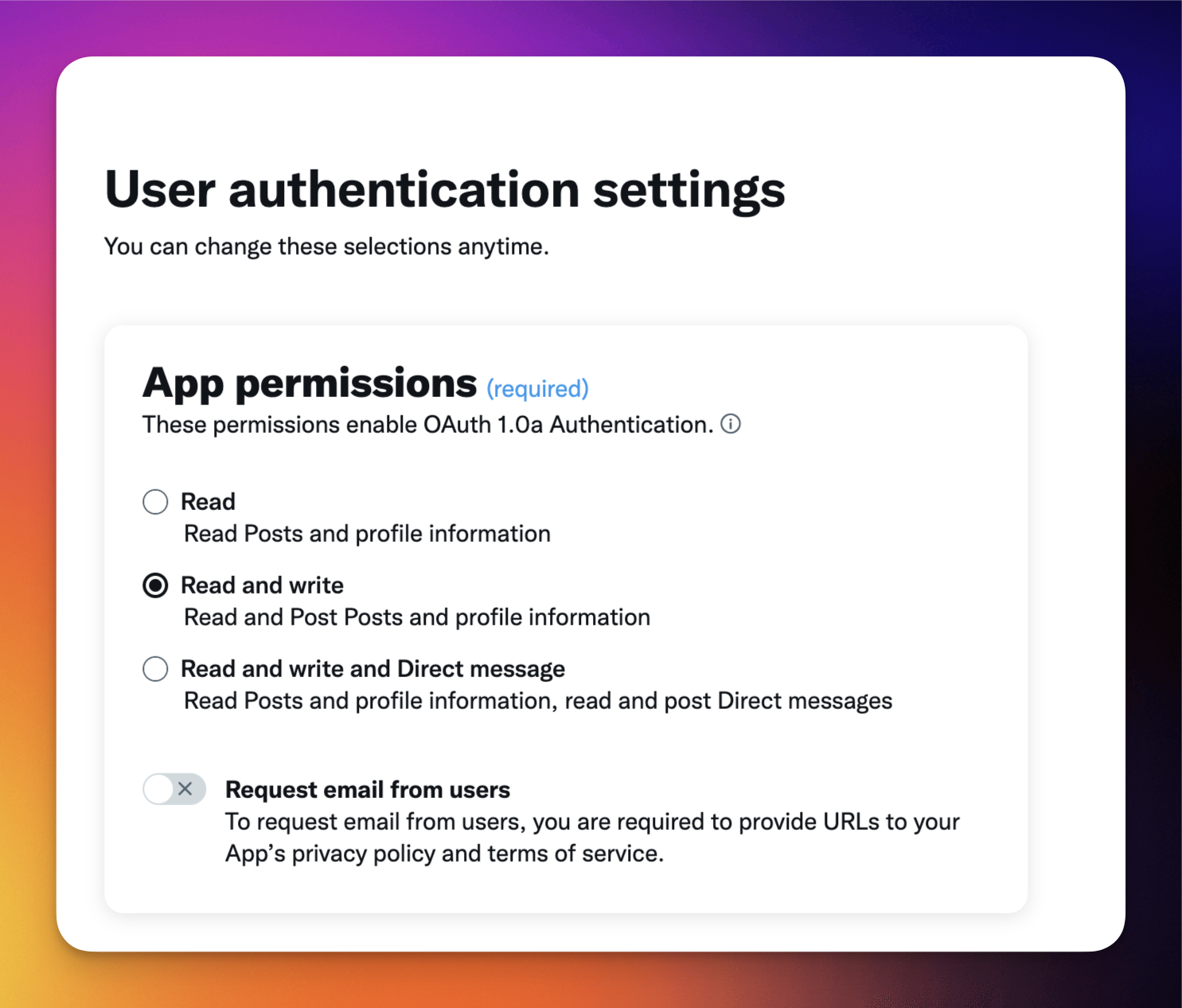
- In the next step, select Read & Write.
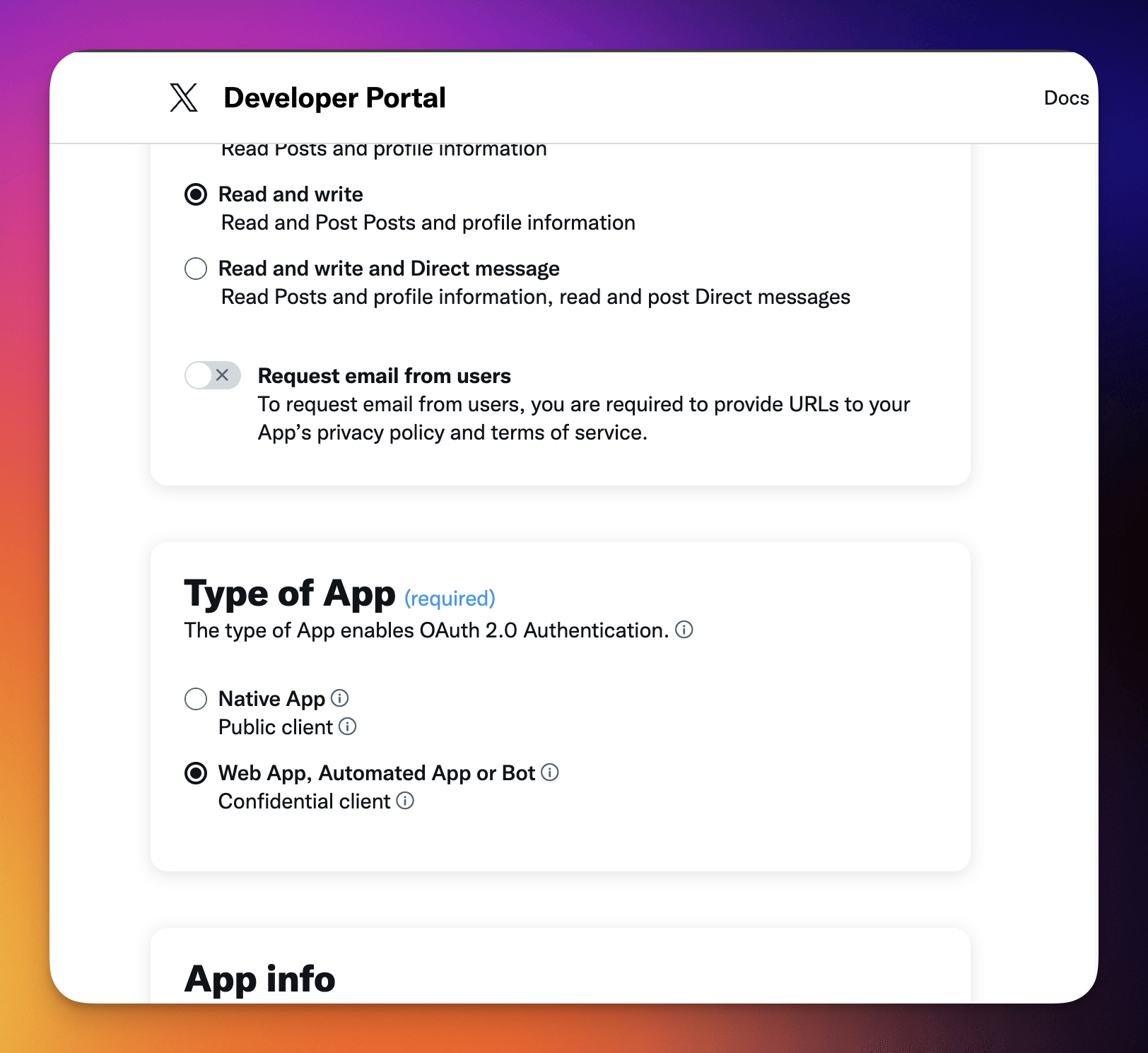
- Under Type of App choose Web App.
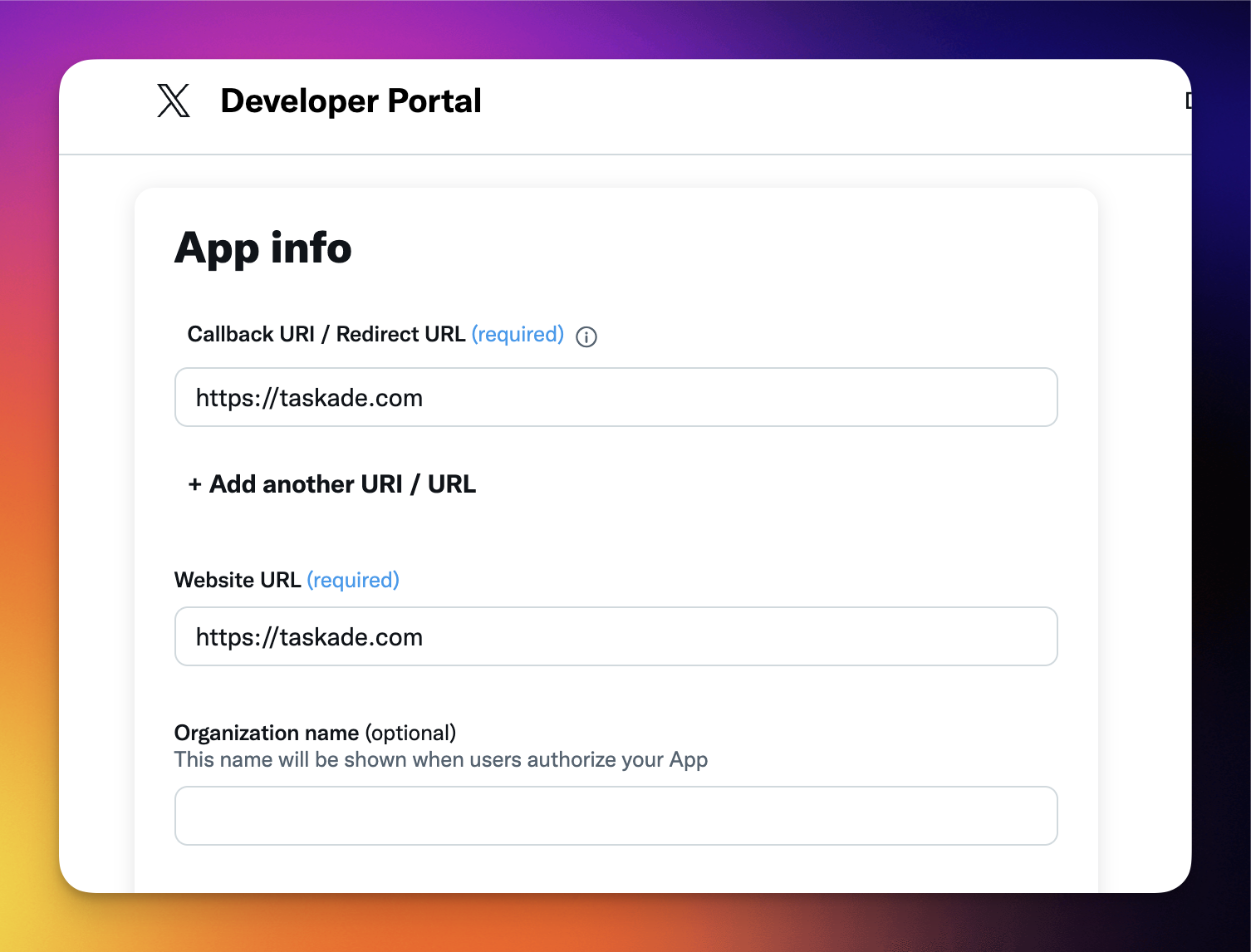
- For Callback URL and Website URL use https://taskade.com.
- Click Save at the bottom of the page.
- In the Developer Portal, choose the Keys and Tokens tab.
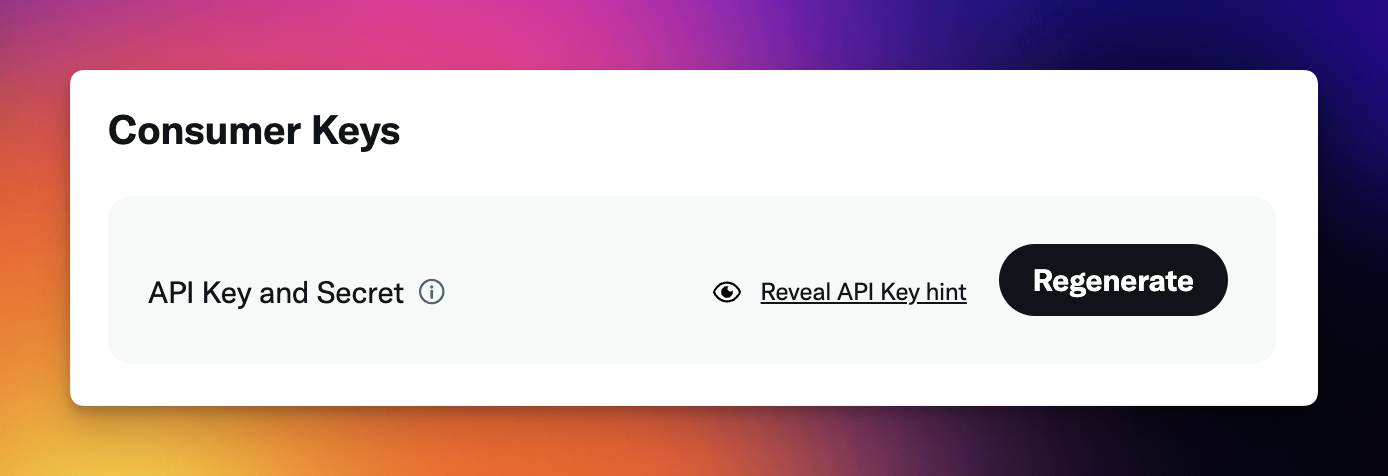
- Re-generate the API Key and Secret.
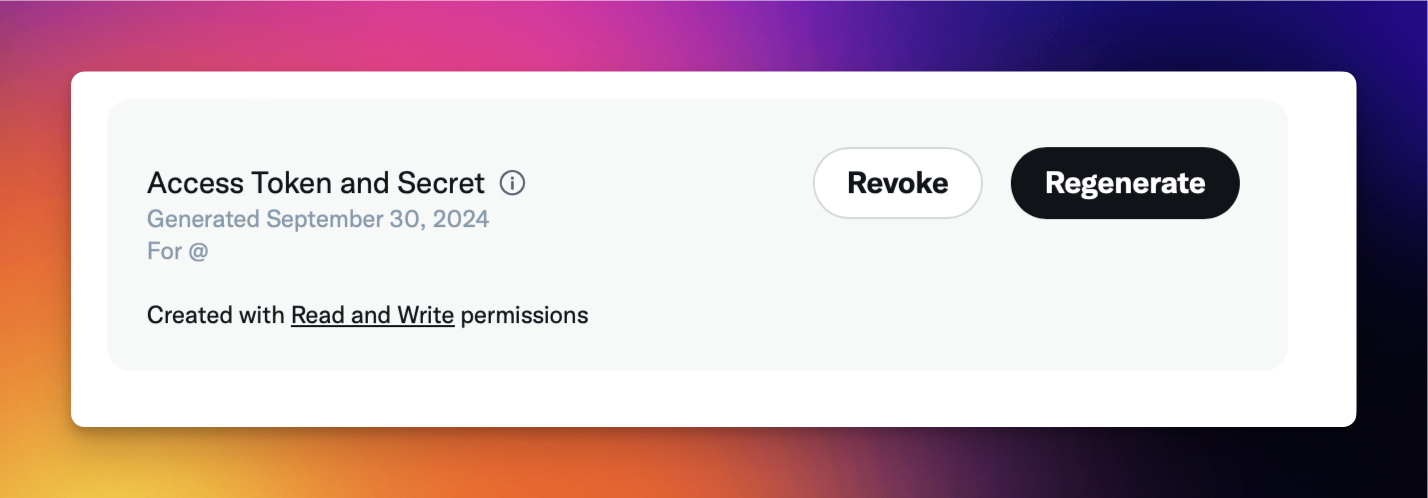
Next, re-generate Access Token and Secret.
Save this information somewhere. You will need it later!
Make sure Created with Read and Write permissions is visible at the bottom.
In Taskade:
- Go to the Automations tab.
- Click ➕ Add Step and select Create Post via X.
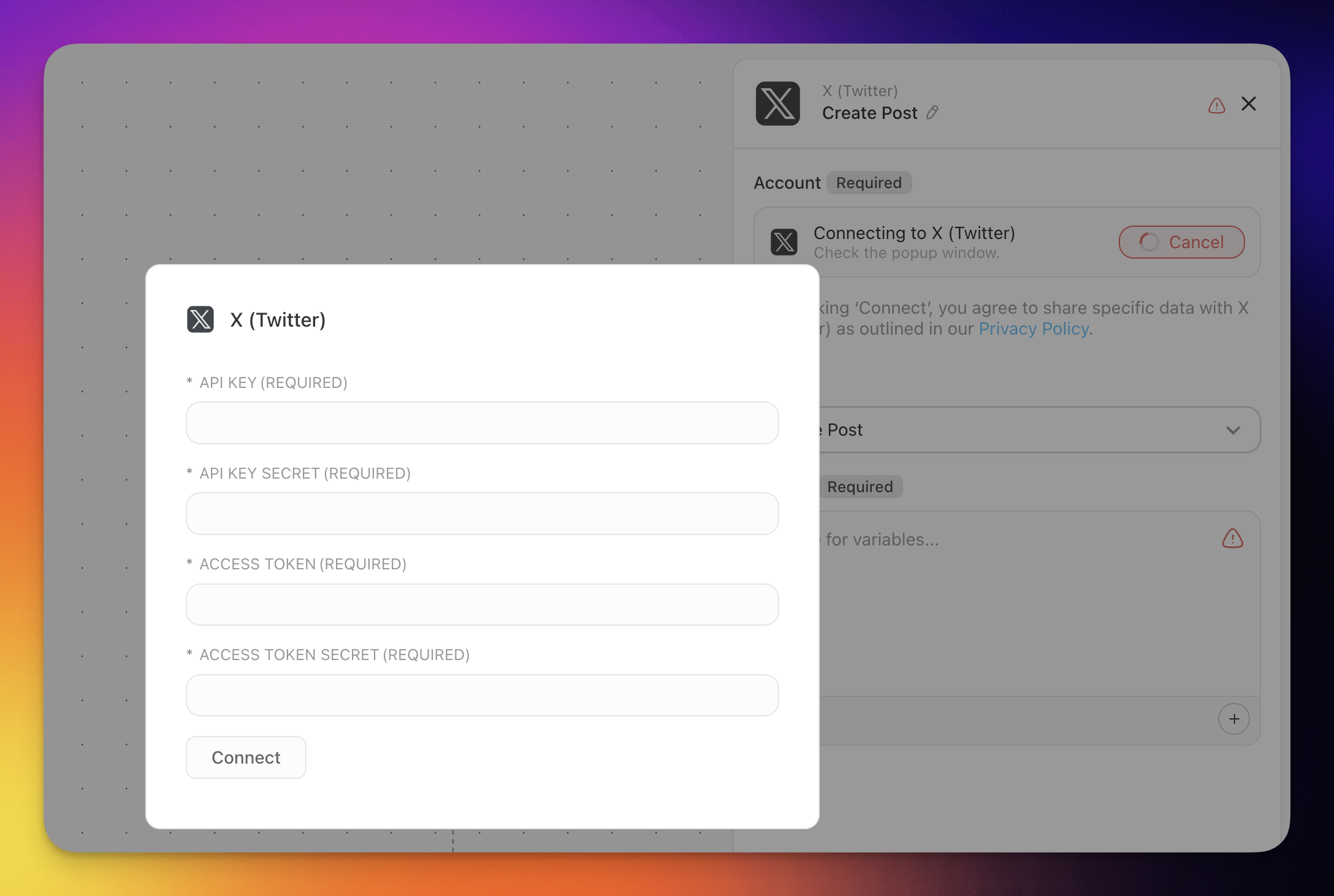
- Click Connect.
- Paste the API Key, API Key Secret, Access Token, Access Token Secret.
- Continue building your automation as usual.
X/Twitter Agent Tools
Connecting your Custom AI Agents with the X/Twitter tool empowers them to create posts and replies based on agent interactions.
💡 Note: Visit our guide to AI Agent Tools to learn more.
- Go to the Agents tab at the top of your workspace/folder.
- (1) Select an existing agent or (2) create a new one.
- Click ✏️ Edit agent in the top-right corner.
- Go to the 🔧 Tools tab on the left.
- Click ➕ Add tool and choose the X/Twitter tool from the list.
- Click Connect to configure the integration using your API credentials (see the setup section above).
- Click Update to save the changes.
Your agent can now publish posts and create replies on X/Twitter as part of its workflows.
Disconnect X/Twitter
To remove the X/Twitter integration from your workspace:
- Open the Automations tab in your workspace or folder.
- Locate the automation that uses the X/Twitter connector.
- Click the X/Twitter step and select Disconnect.
- Confirm the disconnection.
To remove X/Twitter from an AI Agent:
- Go to the Agents tab and select the agent.
- Click ✏️ Edit agent and go to the 🔧 Tools tab.
- Find the X/Twitter tool and click Remove.
- Click Update to save.
Available Capabilities
| Type | Capability | Description |
|---|---|---|
| 🔧 Action | Create Post | Creates a new post on X/Twitter |
| 🔧 Action | Create Reply | Creates a reply to a specified post |
| 🔧 Action | Delete Post | Deletes a post by its ID |
Build a social command center
You are already tracking mentions and scheduled posts somewhere, in a spreadsheet, a pinned chat, or your head. Put that bridge inside Taskade. Describe it to Taskade Genesis and it builds a live social command center that connects X/Twitter to the rest of your work.
Your team opens one board that shows what is queued, what shipped, and which mentions need a reply. New mentions land as tasks with an assignee. Approved posts publish through the Create Post action on schedule. The same app reaches across 100+ integrations. A milestone in your project can announce itself on X and ping your team at the same time, with no one watching the feed.
Build your social command center with Taskade Genesis →
Related guides
- Social integrations: LinkedIn, Facebook, Instagram, Reddit
- Triggers and Actions: the building blocks of every automation
- AI Agent Tools: connect X/Twitter to an agent
- Brand Voice: keep on-brand X content
- Marketing Agents: specialized social agents