
Overview
Connect Webflow to Taskade to act on form submissions and manage CMS content, the collections and items behind your Webflow site. A new response can create a task or notify your team. The same automation can create, retrieve, update, and publish Webflow collection items.
TL;DR: Connect Webflow to Taskade automations. Sign in with Webflow once, then start automations from New Form Submission. Use the CMS actions to list sites and collections, then create, retrieve, update, and publish items. Pass each result to later content or lead follow-up steps.
The Webflow connector is available on paid plans.
One Webflow form submission, handled end to end:
  🌐  Webflow form submitted
        │
        ▼
  ⚡  Taskade automation runs
        │
        ▼
  ✅  Task created + team notified in Slack
Connect Webflow
Connect Taskade with Webflow before you add a trigger or action.
- Open an automation. Add a Webflow trigger or action.
- Choose the Webflow connection option shown in the step.
- Approve access through Webflow.
- Select the site, collection, form, or item that the step needs.
See the Automation Guide for the complete setup flow.
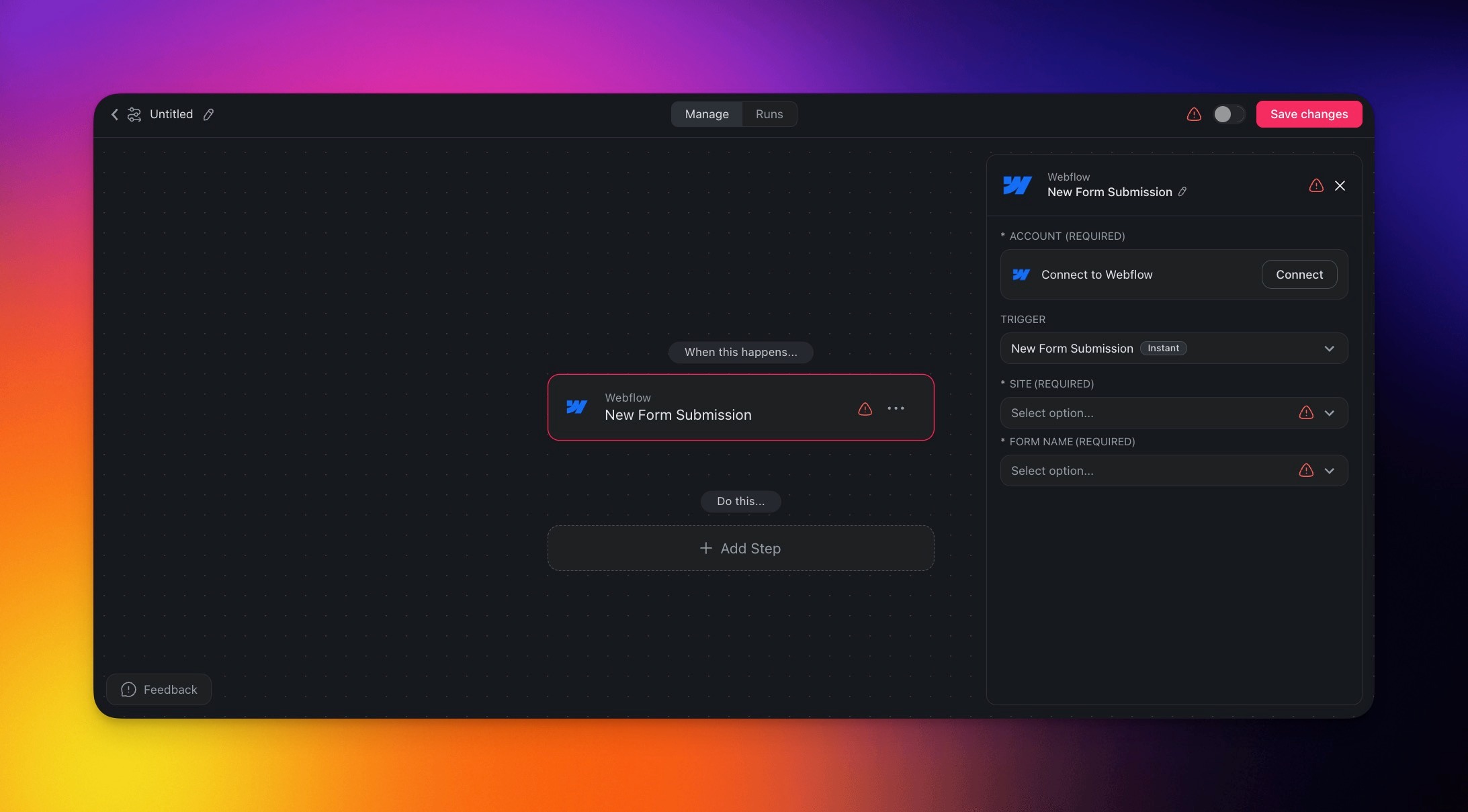
Start From a Form Submission
When Webflow receives a response, use New Form Submission to start an automation.
| Field | Description |
|---|---|
| (required) Site | Select which Webflow site you want to monitor for new form submissions. |
| (required) Form Name | Specify which form within the site triggers the automation. |
Manage Webflow CMS Content
Add Webflow actions after any trigger. Use outputs such as site, collection, and item IDs in later steps.
| Action | Result |
|---|---|
| List Sites | Returns the Webflow sites available to the connection. |
| List Collections | Returns the CMS collections for a selected site. |
| Create CMS Item | Creates a staged item with a name, a slug (its web address name), and field data. |
| Get CMS Item | Retrieves one CMS item and its field data. |
| Update CMS Item | Changes the fields of an existing CMS item. |
| Publish CMS Item | Publishes a staged CMS item to the live site. |
Build Common Webflow Automations
Combine the form trigger and CMS actions with other Taskade integrations.
- Create a Taskade follow-up task and notify a Slack channel when a lead submits a form.
- Add an approved article to a Webflow collection, then publish it.
- Retrieve a CMS item, update selected fields, and keep the item ID for the next step.
- Copy form responses to Google Sheets or HubSpot before the sales team follows up.