
Overview
Taskade's RSS automation connector lets you build automations around the latest content from your favorite sources, so you always know what is happening.
TL;DR: RSS feeds power your Taskade automations with 1 trigger. It pulls new content in from any RSS feed you track. Add one URL or many, and your workspace reacts the moment something is published. Use it to curate newsletters, log items to a sheet, or summarize stories with AI.
Note: Visit our Automation Guide to learn more.
RSS Triggers
Here are the RSS triggers you can use in your workflows:
| Trigger | Description |
|---|---|
| New Item In Feed | Triggers when new content is published to the RSS feed you track. |
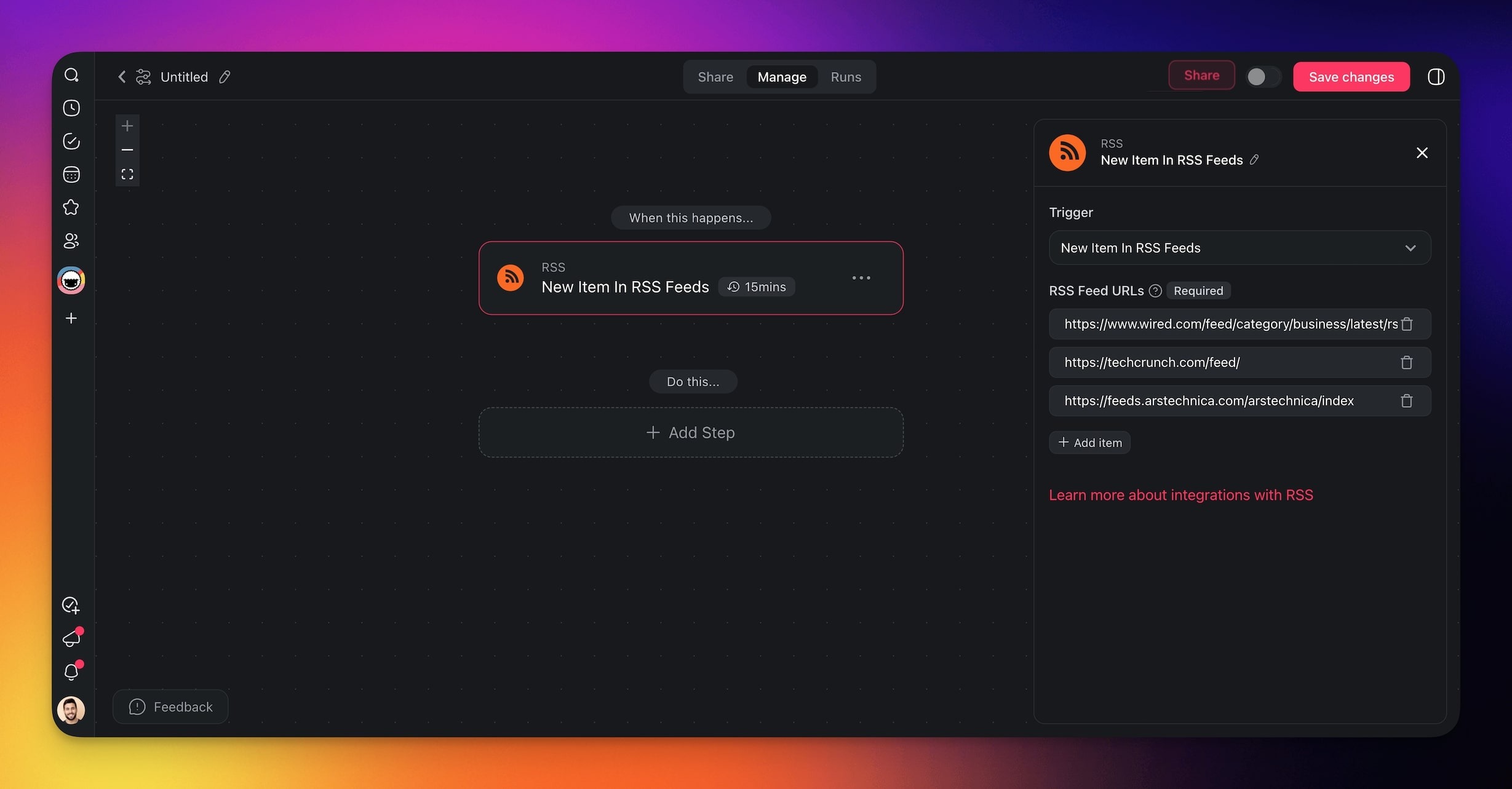
| New Item In RSS Feeds | Triggers when new content is published to any of several RSS feeds you track. |
Pick the multi-feed trigger to watch several feeds at once, then hand each new item to the rest of your automation:
┌─ New Item in Feed (RSS trigger) ───────────┐
│ Feed URLs                                   │
│  1. blog.acme.com/feed.xml                  │
│  2. status.acme.com/rss                     │
│  3. competitor.com/news/feed                │
│                                             │
│      [ Test ]        one trigger, 3 feeds   │
└─────────────────────────────────────────────┘
        ▼ fires on every new item
   Summarize with AI ▸ Post to Slack ▸ Log to Sheet
Automation Settings
Connector options give you full control over the RSS automation:
| Field | Description |
|---|---|
| (required) RSS Feed URL | The URLs of the RSS feeds to monitor. |
Test RSS Feeds
Some RSS feeds can return incorrect results or return no results at all. Use the "Test" feature to make sure that the connected RSS feeds work as expected.
- Set up the RSS trigger.
- Add RSS feeds to the trigger.
- Click Test in the sidebar to fetch new RSS items.
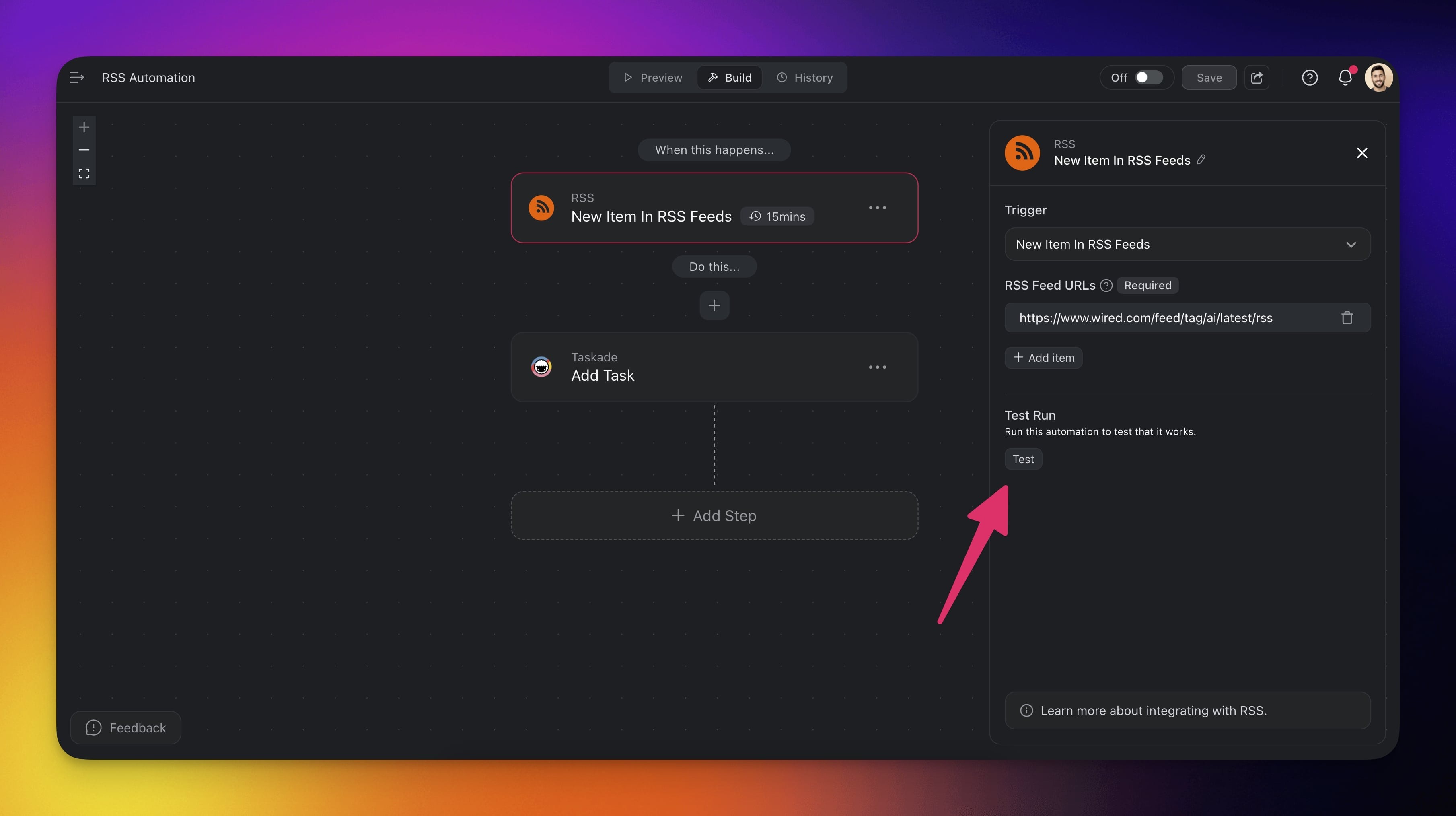
- Test the feed in the pop-up window.

Use Cases
Here are a few ways to use the RSS connector:
| Use Case | Description |
|---|---|
| Automate newsletter dispatches | Send a curated email to your subscribers automatically when new items are added to RSS feeds. The email can include a summary, direct links, and any additional commentary to engage your audience. |
| Review RSS content | Generate a task inside a project for team members to review or repurpose new content from RSS feeds. This ensures that every piece of content is reviewed or leveraged for further use. |
| Send real-time content updates | Post a real-time notification in a designated Slack channel whenever new content is added to RSS feeds. This keeps the team informed about fresh content without any manual work. |
| Track new content | Automatically log new RSS feed items into a Google Sheets document. Capture key details like the title, publication date, and links for easy content tracking. |
| Kick off projects | Initiate a new project in your task management system based on a predefined template whenever significant content is published to RSS feeds. This is particularly useful for content marketing or promotional campaigns. |
| Summarize RSS content with AI | Use AI to automatically summarize new RSS feed items. The summaries can then be shared across various platforms or used as the basis for new content. |
Use this integration as an AI agent tool. See Tools for AI Agents.
Available Capabilities
| Type | Capability | Description |
|---|---|---|
| ⚡ Trigger | New Item In Feed | Fires when a new item appears in the tracked RSS feed |
| ⚡ Trigger | New Item In RSS Feeds | Fires when a new item appears in any of several tracked feeds |
Related guides
- YouTube. Channel-based content trigger.
- Scrape Webpage · Transcribe YouTube. Content extraction actions.
- Knowledge Kit. Self-updating RSS-powered agent.
- Agent Knowledge. Feed RSS items into agent memory.