
Overview
Zapier lets you connect Taskade to third-party apps and automate your work. Sync tasks, updates, and data across multiple platforms. This means less manual work for you and more time spent on the work that matters.
TL;DR: Zapier works both ways inside Taskade automations. A trigger pulls Taskade events in, like Task Due, so your workspace reacts automatically. An action pushes data back out, like Create Task, so updates happen on their own. One connection covers both directions across 5,000+ apps.
Here is what a finished two-step Zap looks like, one Taskade trigger wired to one action:
┌────────────────────────────────────────────┐
│  ⚡ Zap: Task Due  →  Add Row               │
├────────────────────────────────────────────┤
│  Trigger   Taskade · Task Due               │
│            Project: Paper Route             │
│  Action    Google Sheets · Add Row          │
│            Sheet: Overdue Log               │
│                                  [ Turn on ]│
└────────────────────────────────────────────┘
Taskade Automation
🥳 Important: Taskade now offers a new way to automate your workflow. Set up native, AI-powered automations from within your workspace. Visit Getting Started with Automation to get started.
With Taskade AI, you can:
- 🪄 Generate automated workflows using built-in triggers and actions.
- 🤖 Deploy autonomous AI Agents that will assist you with repetitive tasks.
- 🦾 Build automated AI teams that collaborate on projects 24/7.
Create a Zap
Before you add Zaps, create a Zapier account. You can also sign up using the Zapier Integration page in Taskade settings.
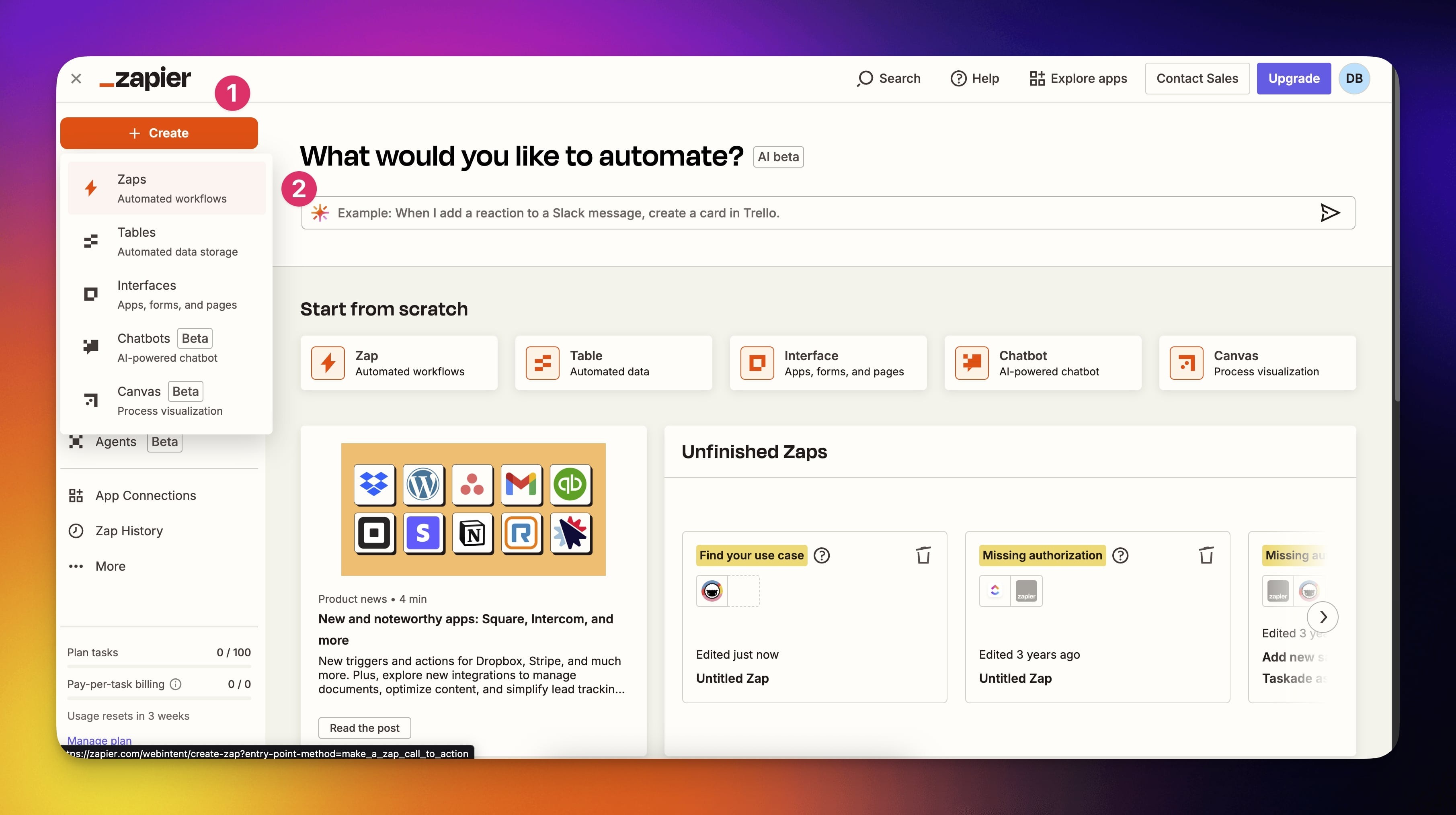
- In Zapier Dashboard, click the ➕ Create button (1) on the left → Zaps (2).
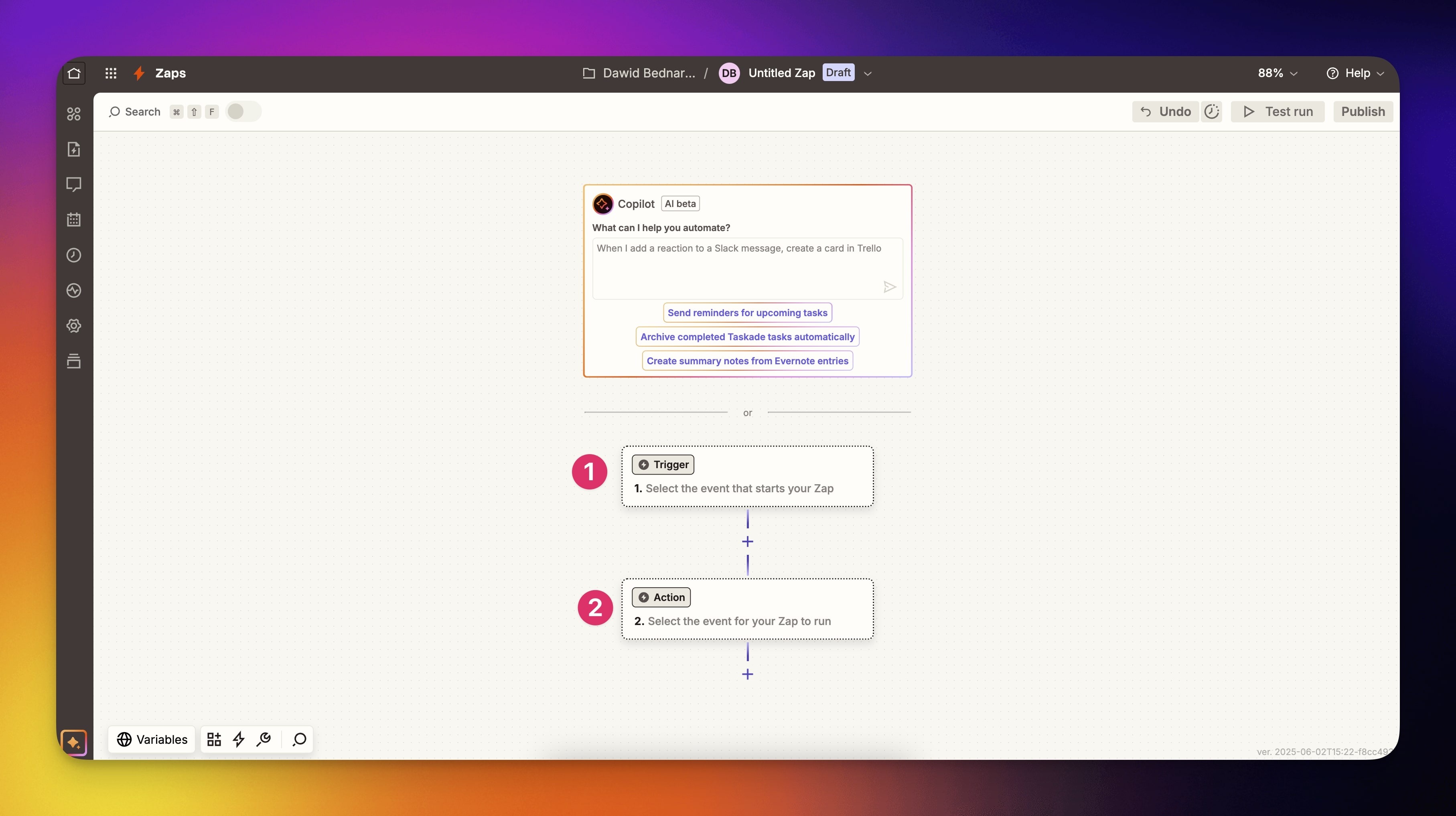
- Select Taskade as either a Trigger (1) or an Action(2)(see the next section).
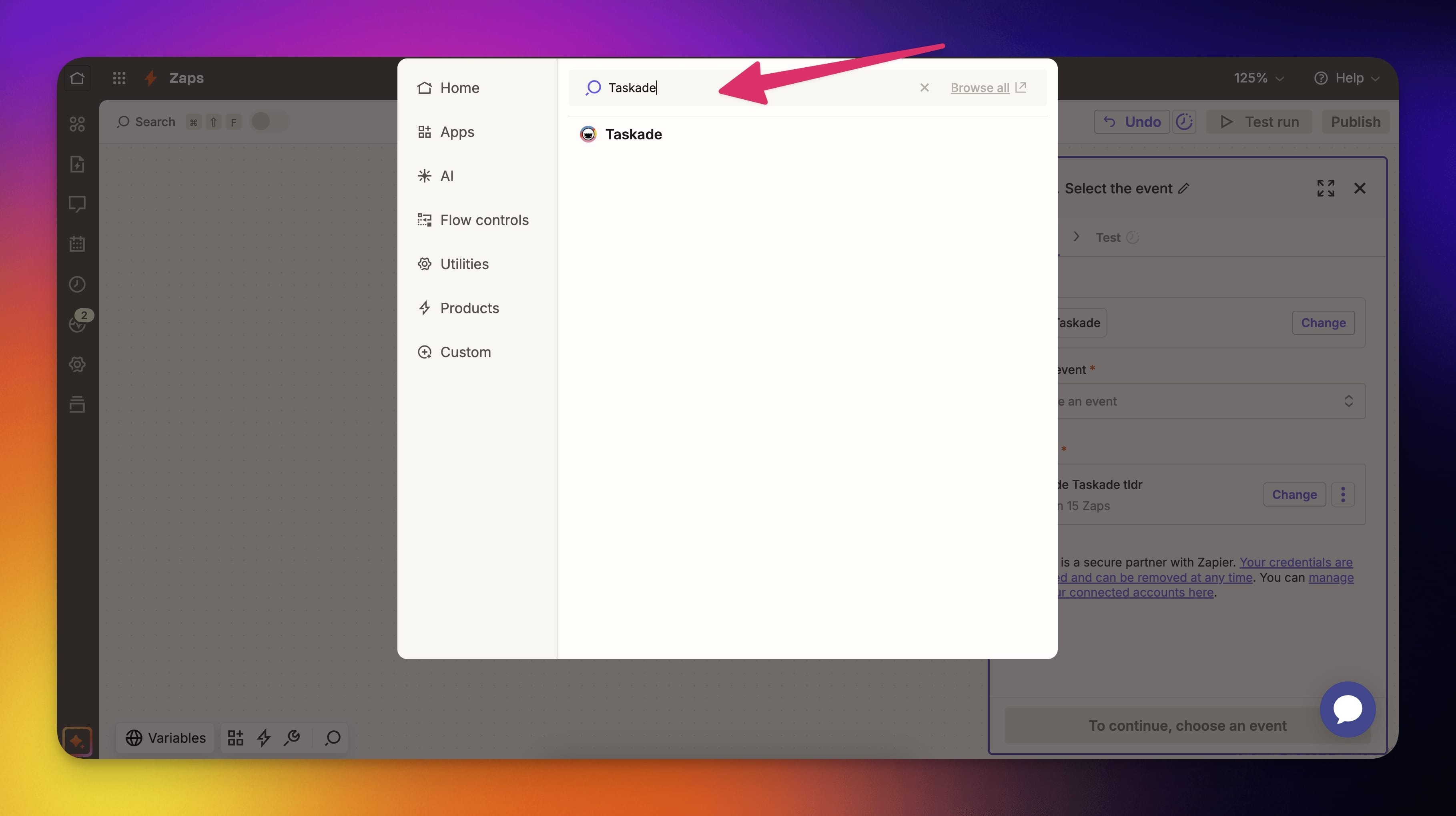
- Navigate the categories or use the search bar at the top.
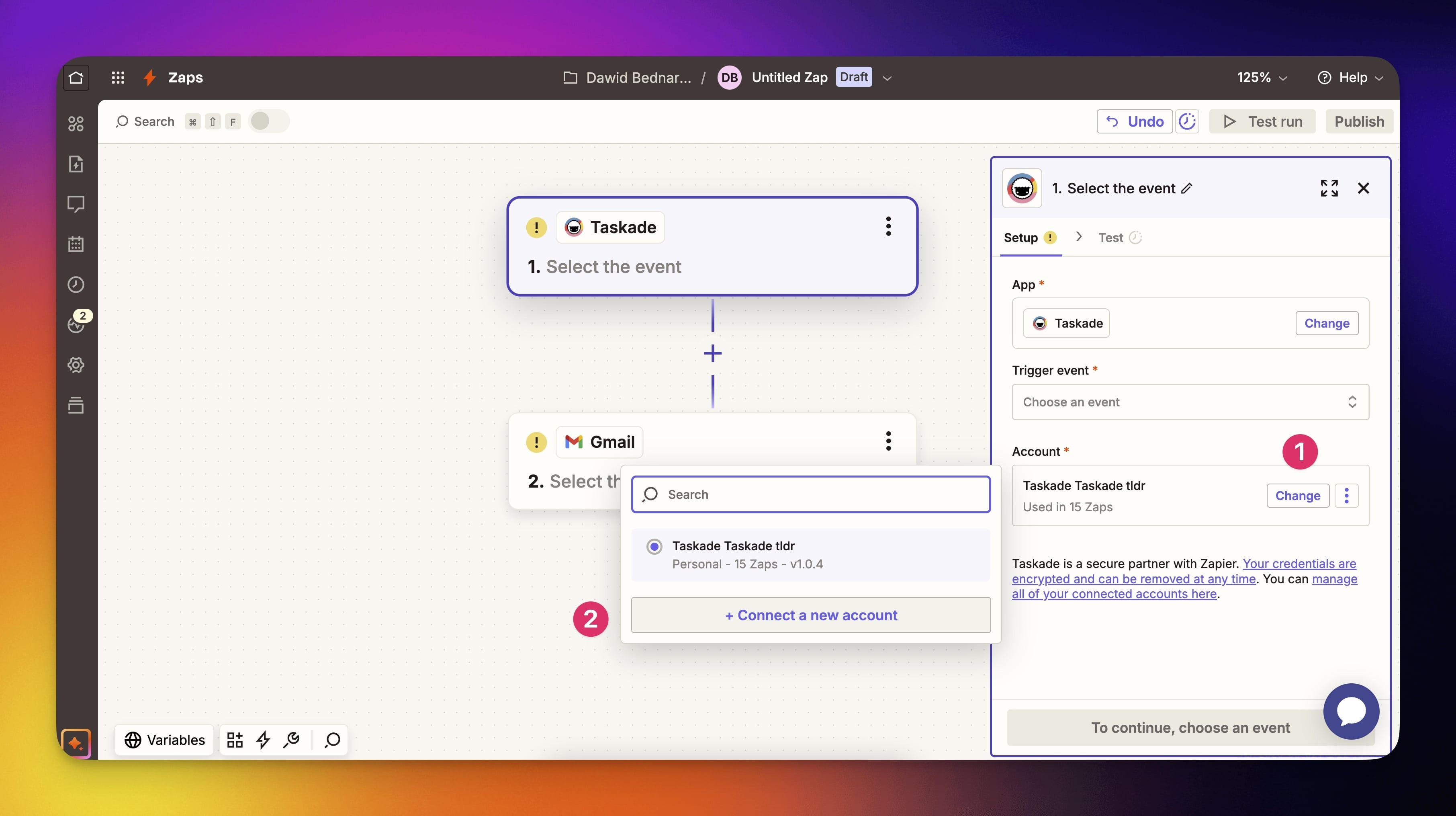
- Connect (1) or change (2) your Taskade account.
- Customize the selected action/ trigger on the right.
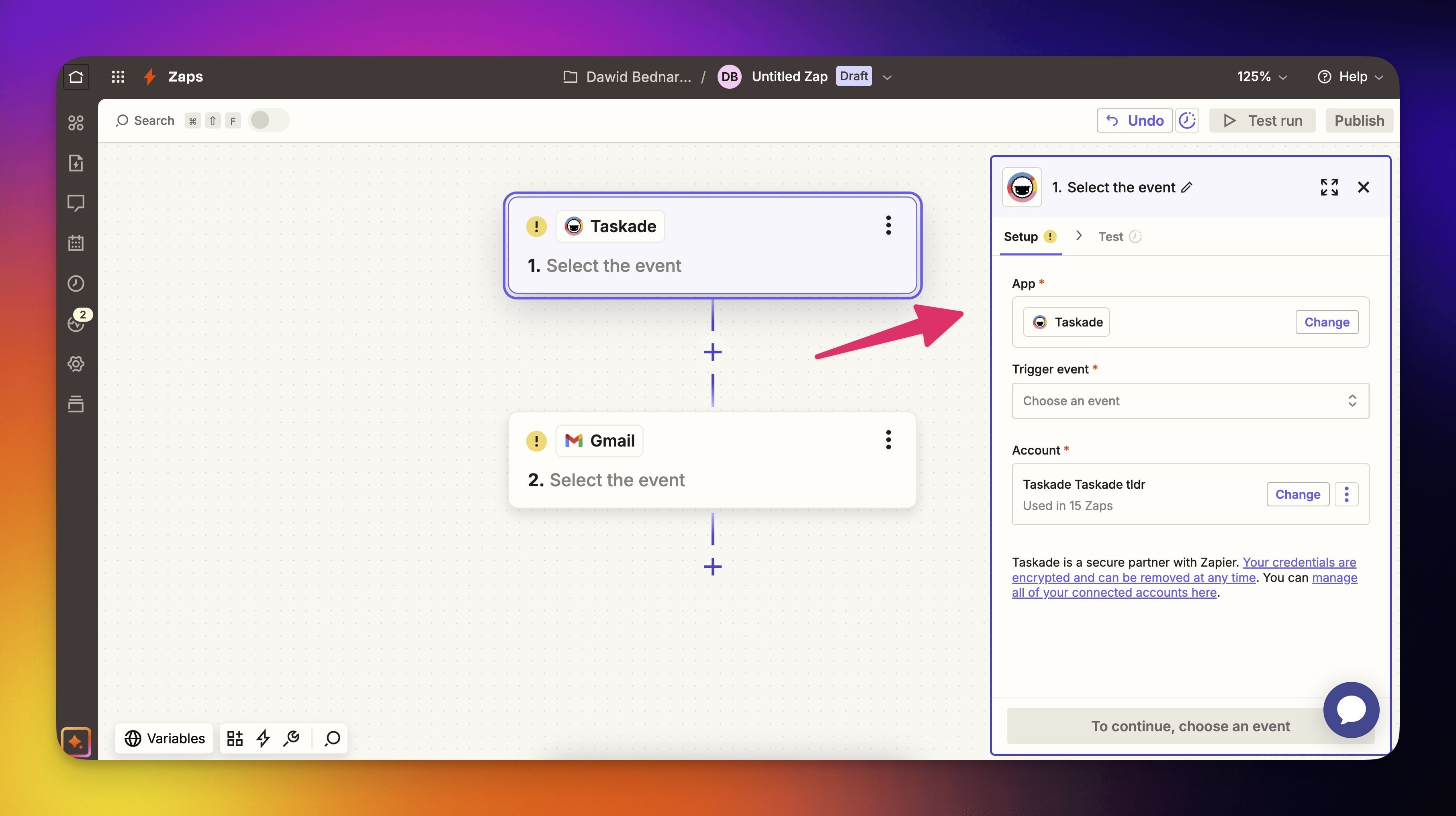
- Test your automation, and you are good to go!
💡 Note: Read the Basics of creating a Zap to learn more about Zap workflows.
Triggers
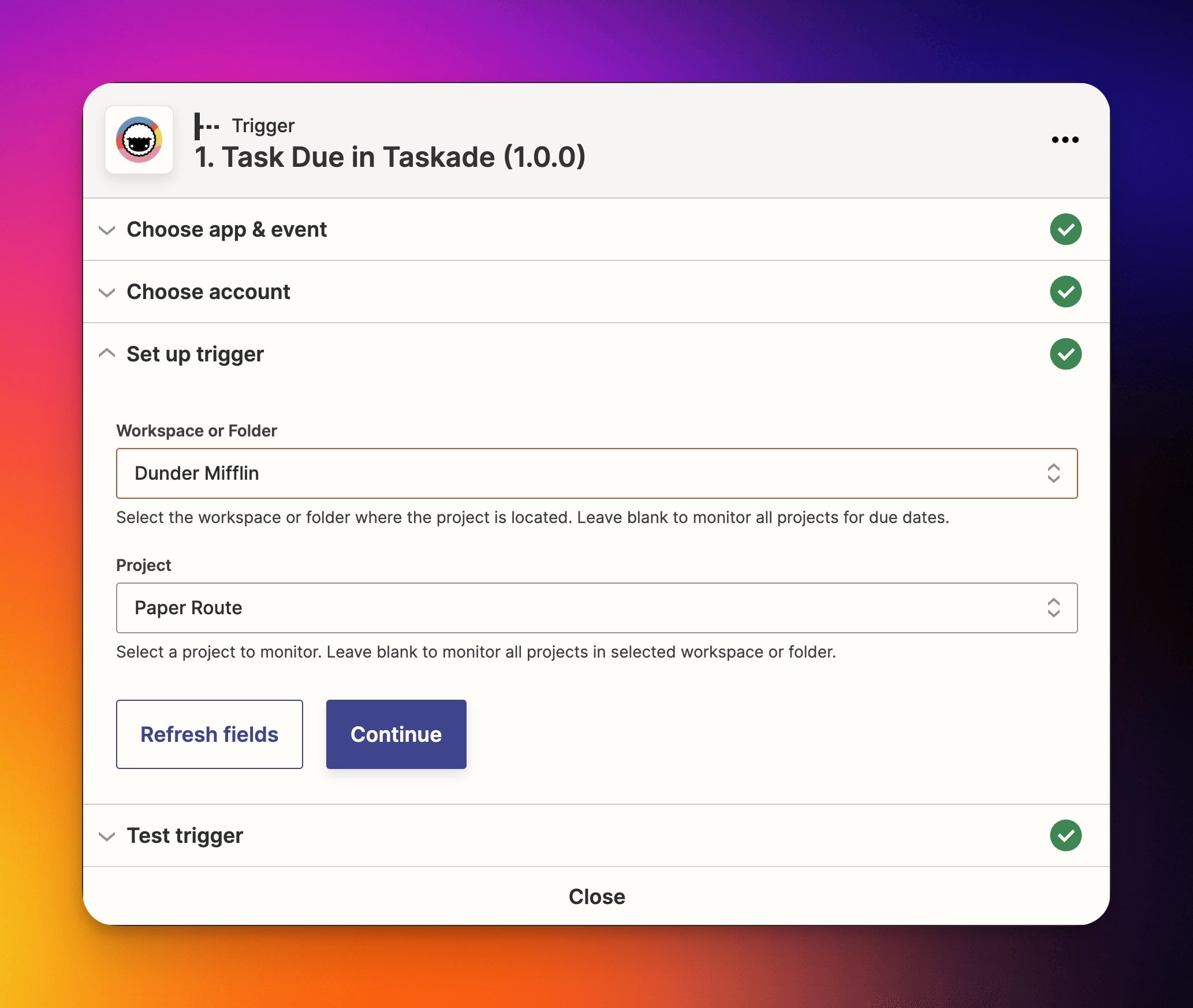
When creating a Zap workflow, you can use the Task Due trigger.
In this example, the trigger monitors the Paper Route project inside the Dunder Mifflin workspace. You can leave the workspace/folder blank to monitor all projects.
Actions
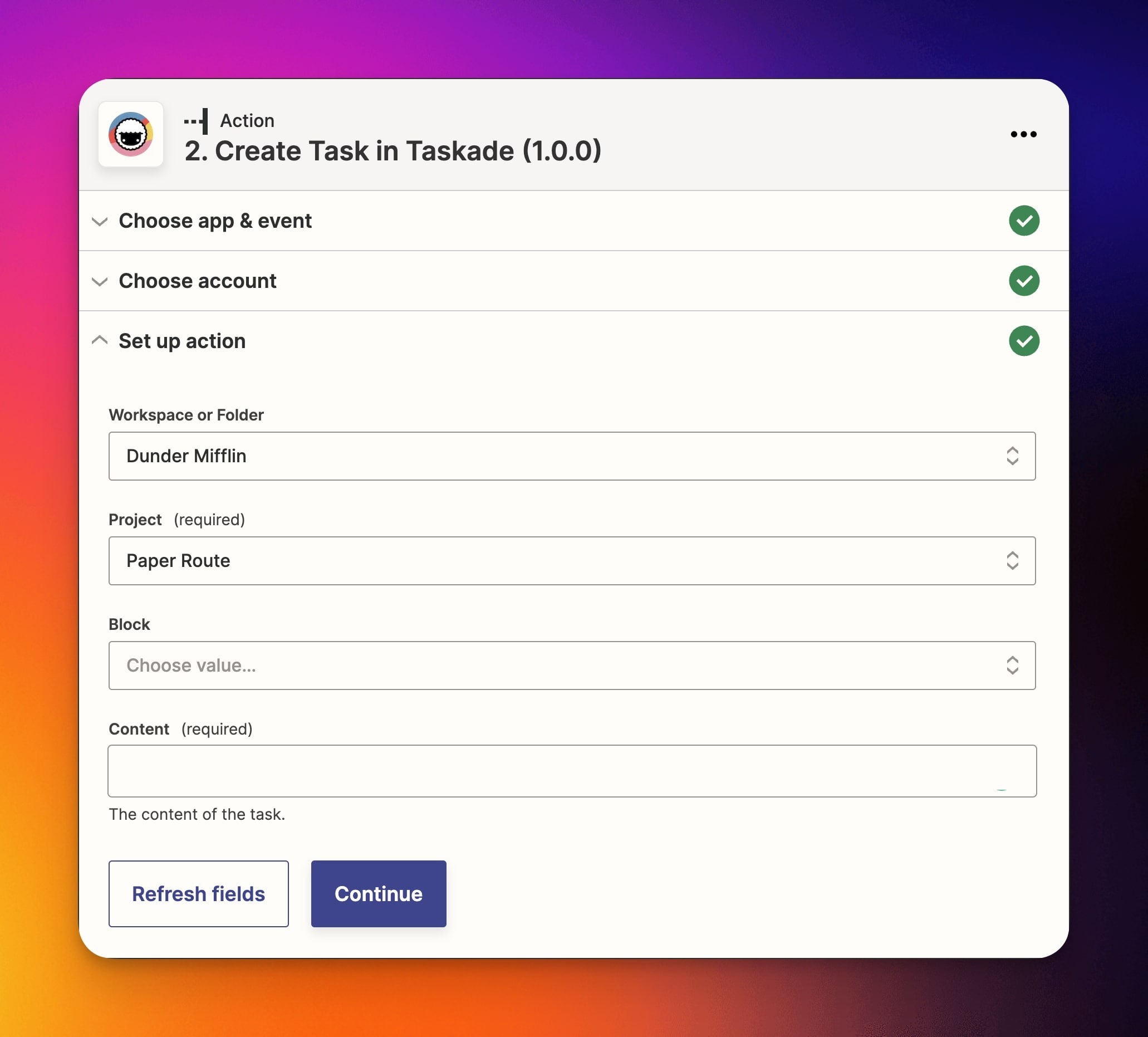
In addition to Triggers, you can also use the Create Task action.
In the example below, a new task will be created in the Paper Route Project in the Dunder Mifflin workspace. You can select a Block within the Paper Route Project to refine the location. Use the content field to port trigger data for the task name.
💡 Note: Depending on your Zapier plan, actions can take up to 15 minutes to appear in your Projects. But the task due trigger synchronizes instantly.
Use this integration as an AI agent tool. See Tools for AI Agents.
Native vs. Zapier
Taskade now has 100+ native integrations across 10 categories. Most popular tools work directly inside Taskade with no Zapier hop required. Keep Zapier for the long-tail apps Taskade does not yet support natively:
| Pattern | Native in Taskade | Zapier still needed? |
|---|---|---|
| Slack / Discord / Teams ↔ Taskade | ✅ | No |
| Gmail / Google Calendar / Sheets | ✅ | No |
| GitHub / Linear / Jira | ✅ | No |
| Stripe | ✅ | No |
| Shopify | Not yet, on hold | Yes, until Shopify ships |
| HubSpot / Salesforce / Apollo | ✅ | No |
| Long-tail / niche SaaS | Partial | Yes, use Zapier as a bridge |
Related guides
- Webhooks. Direct webhook bridge for any service.
- HTTP Request. Outbound API calls.
- Public API. Programmatic Taskade access.
- Integrations Directory. Browse 100+ native integrations.