
Overview
The OneDrive integration lets you instantly upload your documents from the cloud directly into your projects or tasks or as agent knowledge.
TL;DR: Connect OneDrive to pull cloud files straight into Taskade. Upload documents to a project, task, chat, or comment, or add them as knowledge sources for your AI agents. Sign in once and your OneDrive files are one click away from any workspace.
📝 Note: Be sure to check our Box, Google Drive, and Dropbox integrations.
OneDrive lives in the Add-ons menu. Open it, hover Upload File, then pick OneDrive:
┌──────────────────────────────┐
│  ➕ Add-ons        /onedrive │
├──────────────────────────────┤
│  📎 Upload File          ▸    │
│       ┌──────────────────┐    │
│       │ 💾 OneDrive    ✓ │    │
│       │ 🗂 Google Drive  │    │
│       │ ☁ Dropbox        │    │
│       │ 📦 Box           │    │
│       └──────────────────┘    │
└──────────────────────────────┘
Files can land in four places. Use this map to pick the right one:
| Upload surface | What it is for |
|---|---|
| Project or task | Attach a file to work. Also shows up in the media manager. |
| Project chat | Share a file in the conversation next to your project. |
| Comment | Drop a file into a specific comment thread. |
| Agent knowledge | Feed a file to an AI agent as a knowledge source. |
Connect Your OneDrive Account
- Follow any of the file upload methods below.
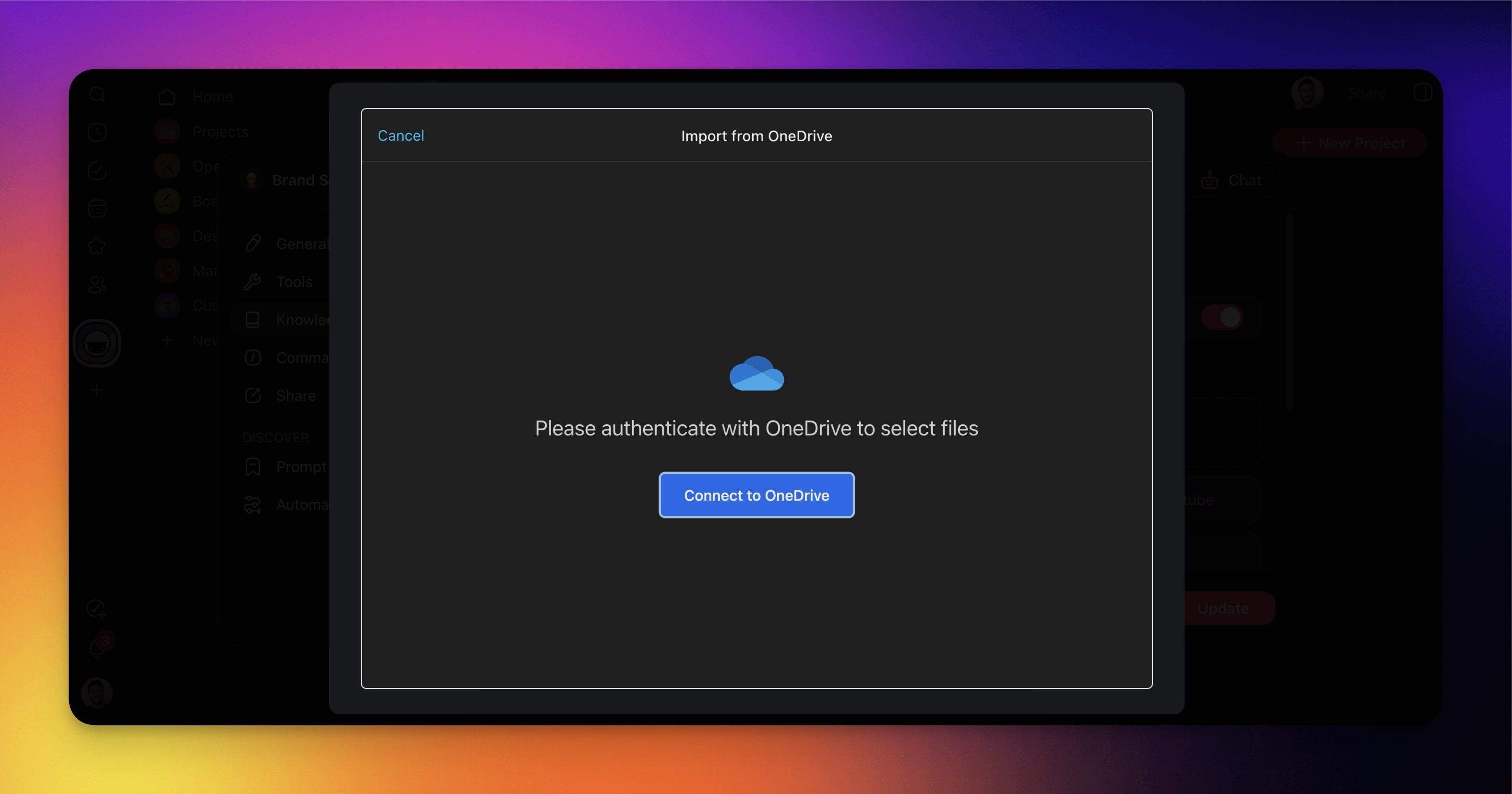
- You will see a sign-in window after selecting OneDrive from the prompt window.
- Log into your OneDrive account with your email and password.
- Grant Taskade access to your OneDrive account.
Files as Agent Knowledge
You can use your OneDrive files to fine-tune your AI agent's knowledge:
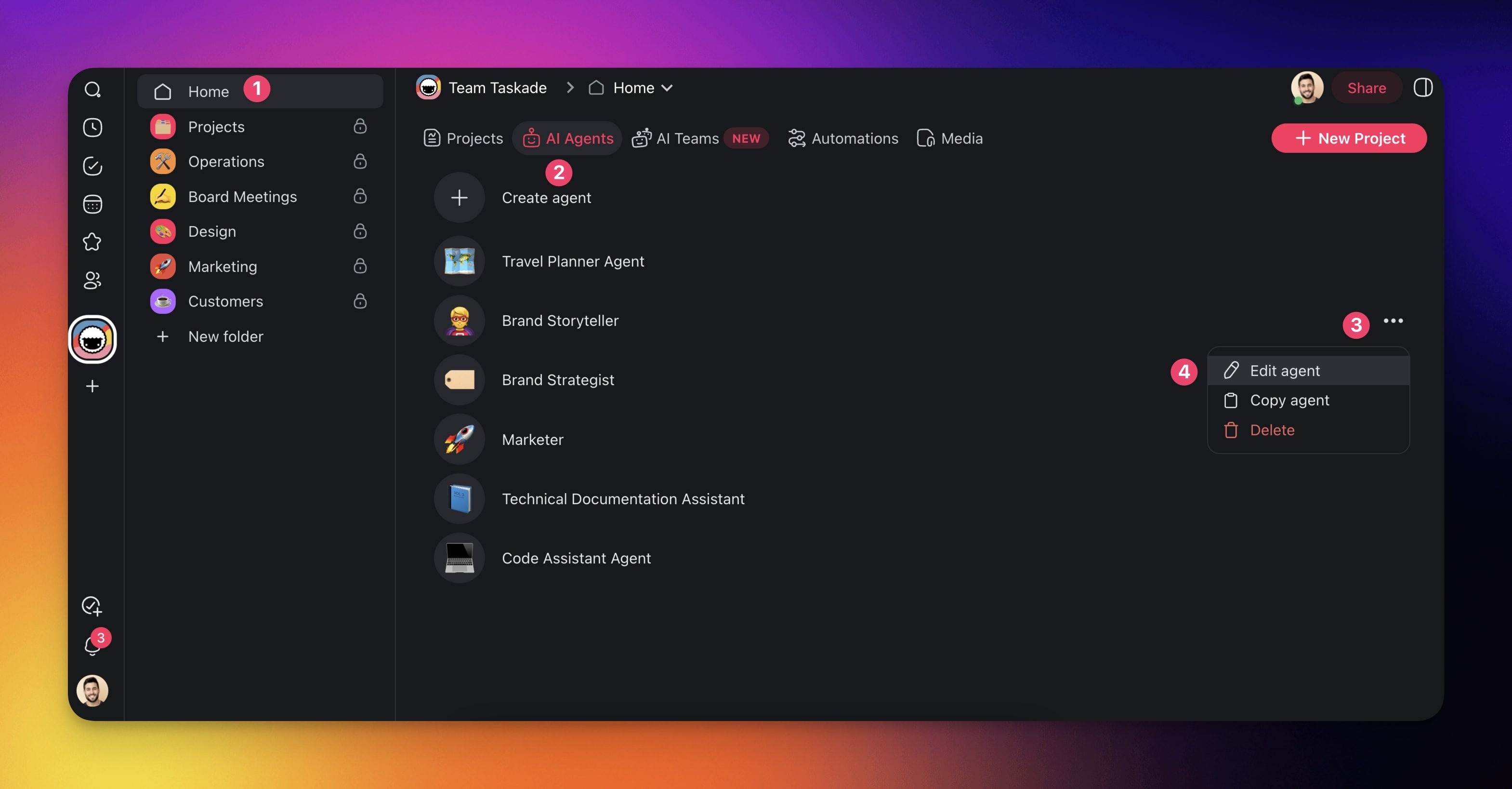
Go to your workspace or folder.
Go to the Agents tab at the top.
Click the three dots ··· next to an agent.
Select ✏️ Edit agent.
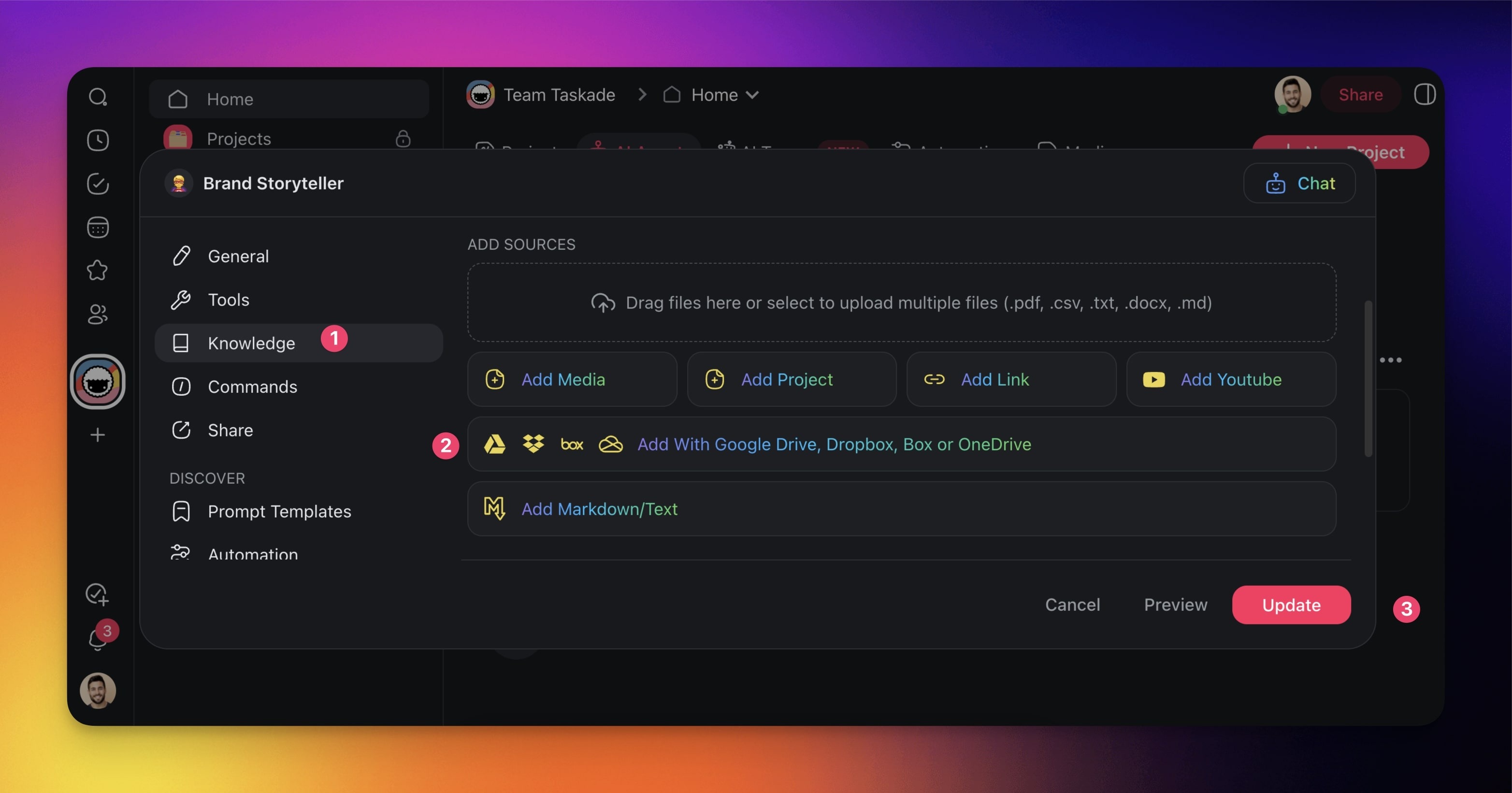
Click the Knowledge tab on the left.
Choose Add With Google Drive, Dropbox, Box or OneDrive.
Click Update to save the changes.
Upload Files to a Project or Task
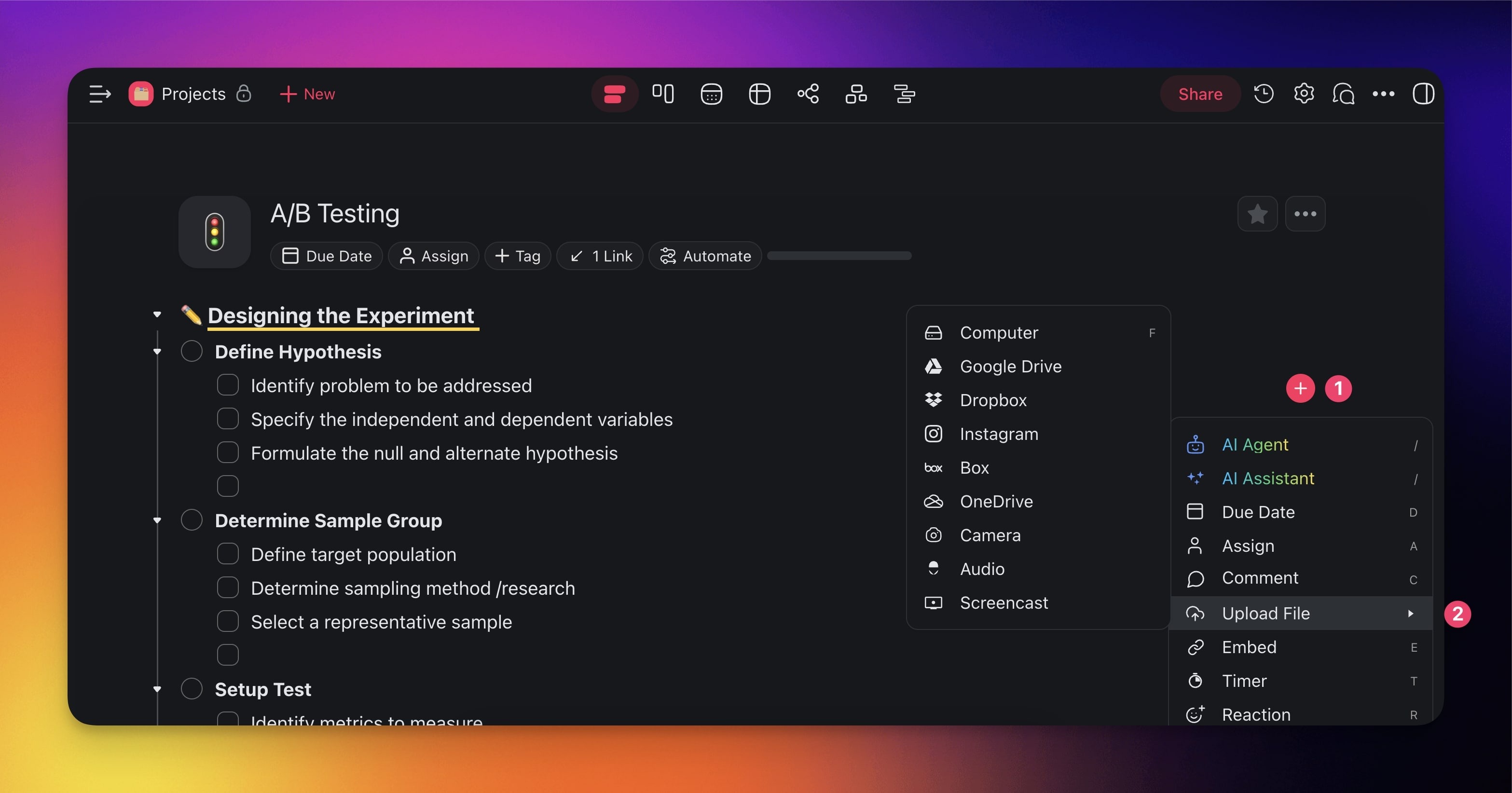
- Open a Project.
- Open the Add-ons menu (click the plus icon or use /googledrive).
- Hover over Upload File
- Choose OneDrive from the dropdown menu.
- Select the files you want to upload.
- Press the Select button.
- Confirm which files you want to upload and press Upload.
Upload Files to a Project Chat
- Click the Cloud Icon at the bottom of the chat box.
- Choose OneDrive.
- Select the files you want to upload.
- Press the Select button.
- Confirm which files you want to upload and press Upload.
Upload Files to a Comment
- Open a Project.
- Open the Add-ons menu (click the plus icon or use /comment).
- Choose Comment.
- Click on Upload File
- Choose OneDrive from the popup menu.
- Select the files you want to upload.
- Press the Select button.
- Confirm which files you want to upload and press Upload.
Learn more about automation workflows in Automations: The Execution Pillar.
Use this integration as an AI agent tool. See Tools for AI Agents.
💡 Tip: Files from cloud integrations can be used as knowledge sources for your AI agents.
Related guides
- Google Drive · Dropbox · Box. Other storage integrations.
- Drive Upload. Universal upload helper.
- Microsoft Teams. Companion Microsoft integration.
- Agent Knowledge. Use OneDrive files as agent knowledge.