
Overview
Calendar integrations in Taskade let you see scheduled tasks and projects in your calendar of choice! You can currently sync with Apple, Google, and Outlook Calendar.
TL;DR: Generate a calendar feed URL in Taskade and subscribe to it from Apple Calendar, Google Calendar, or Outlook to see your scheduled tasks and projects alongside your other events. The feed is read-only and one-way, so for live updates in both directions use Google Calendar Two-Way Sync.
Note: Taskade also supports Google Calendar Two-Way Sync!
There are two ways to see Taskade in your calendar. Here is the tradeoff at a glance:
| Feature | Calendar Feed | Google Calendar Two-Way Sync |
|---|---|---|
| Direction | One-way, read-only | Two-way |
| Works with | Apple, Google, Outlook | Google Calendar |
| Changes flow | Taskade into your calendar | Both directions |
| Plan | Any plan | Paid Workspace |
| Best for | Glancing at deadlines | Managing tasks from either side |
Enable Calendar Integrations
Here is how you can create your first calendar integration:
- Click your profile avatar in the bottom-left corner.
- Select ⚙️ Settings from the list and go to the Integrations tab.
- Select Calendar Feed ➡ Generate API Token.
- Copy the URL under How to Sync and follow the instructions below.
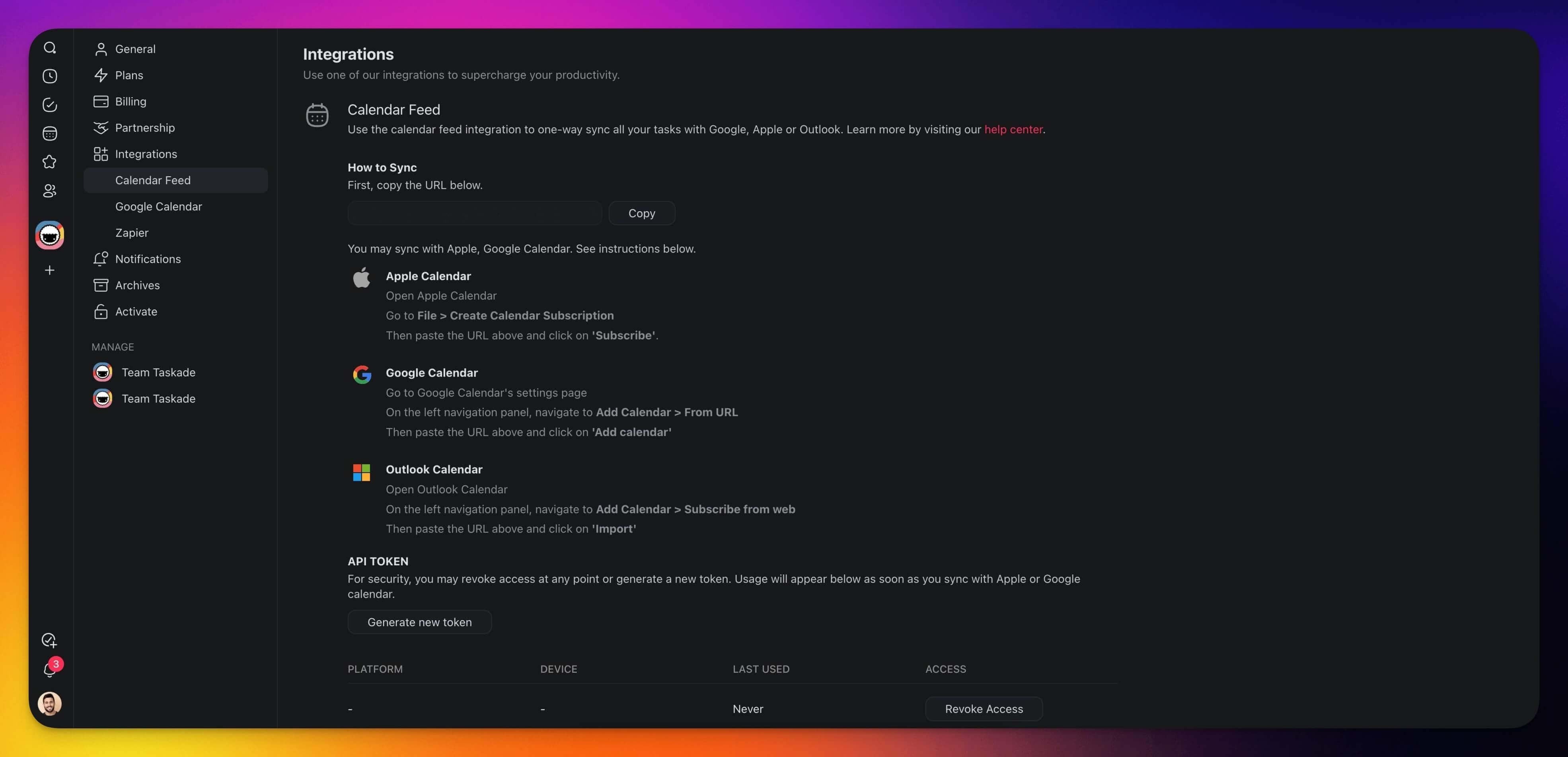
Apple Calendar
- Open the Apple Calendar.
- Go to File ➡ Create Calendar Subscription.
- Then paste the URL above and click Subscribe.
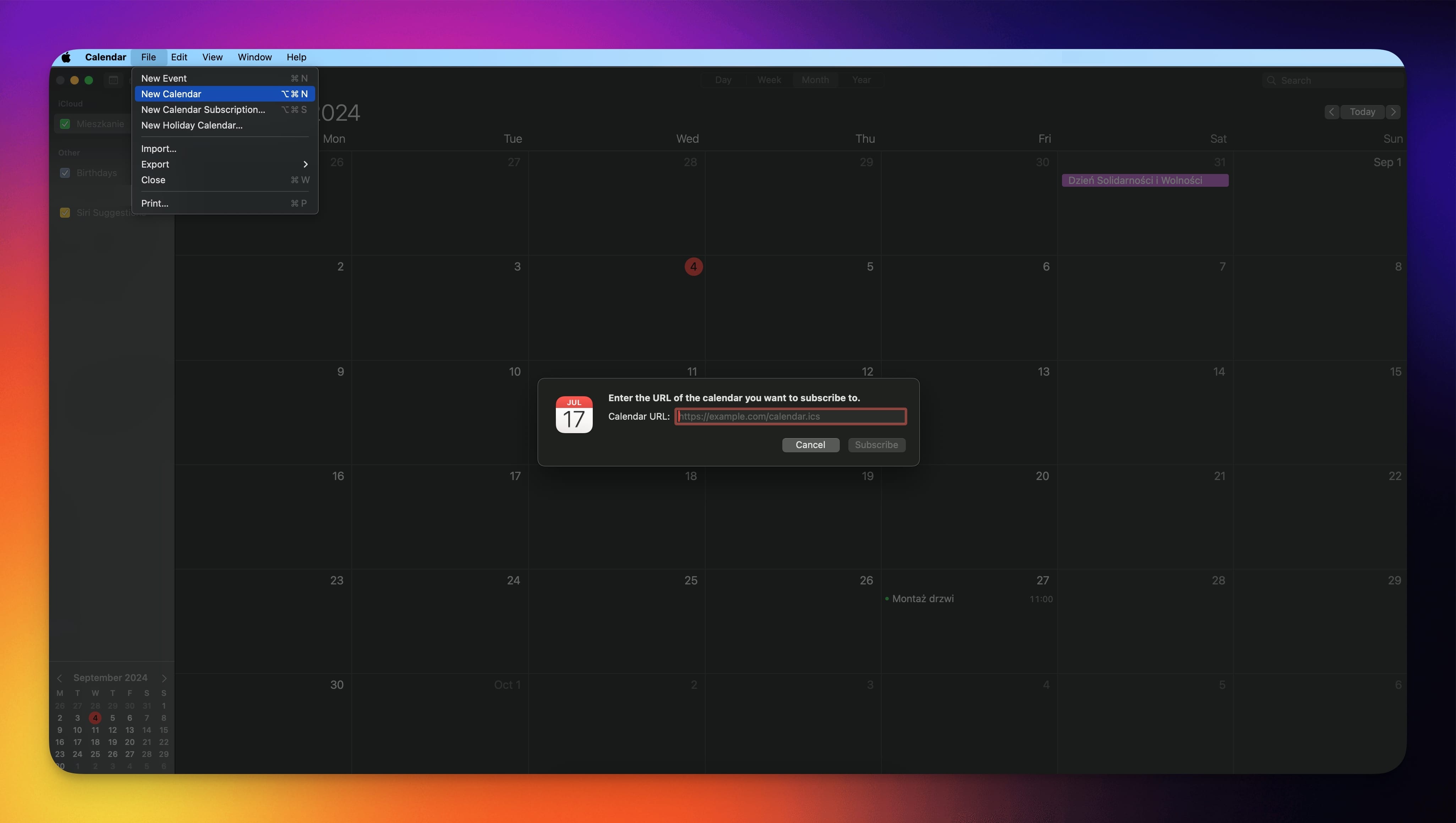
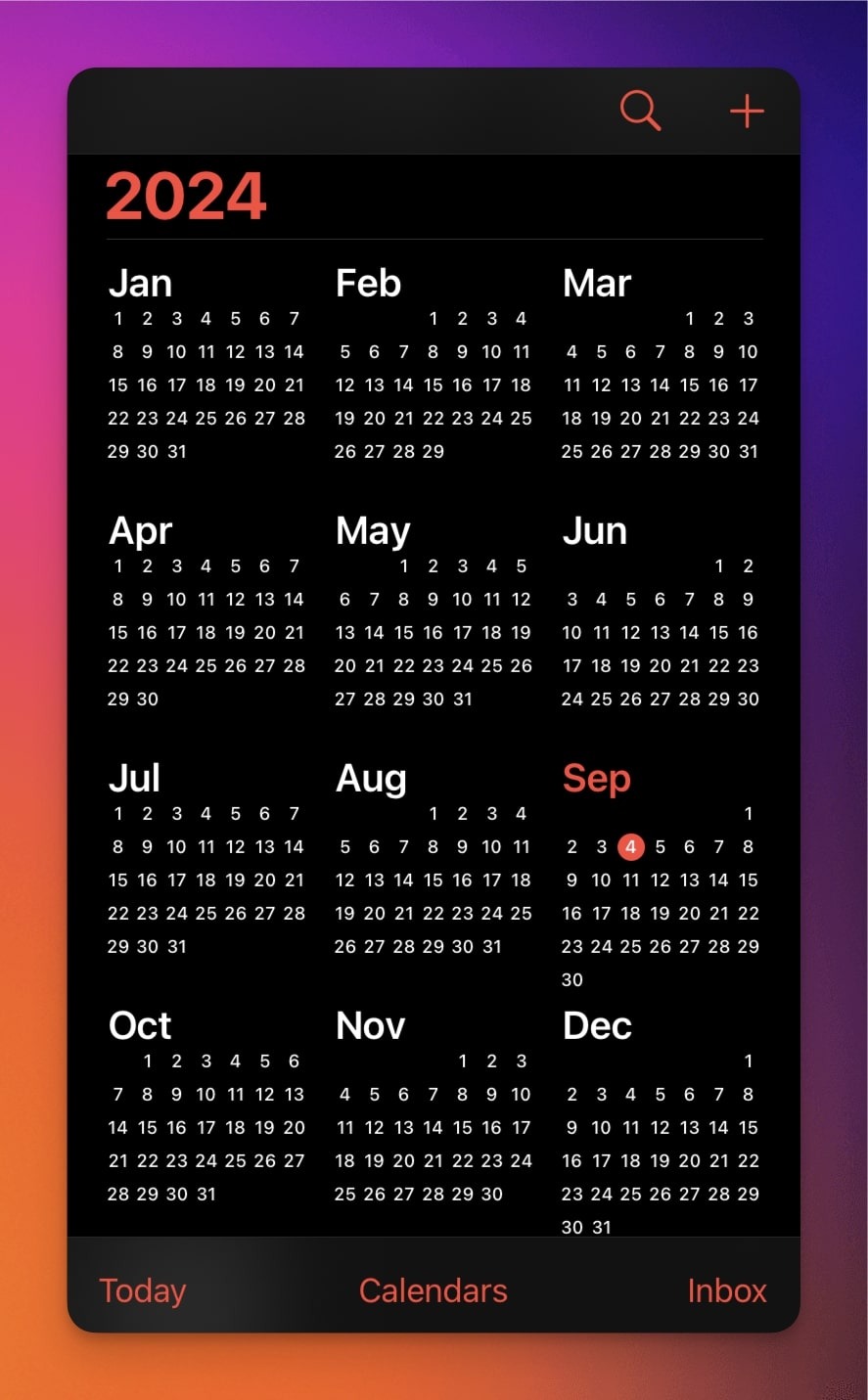
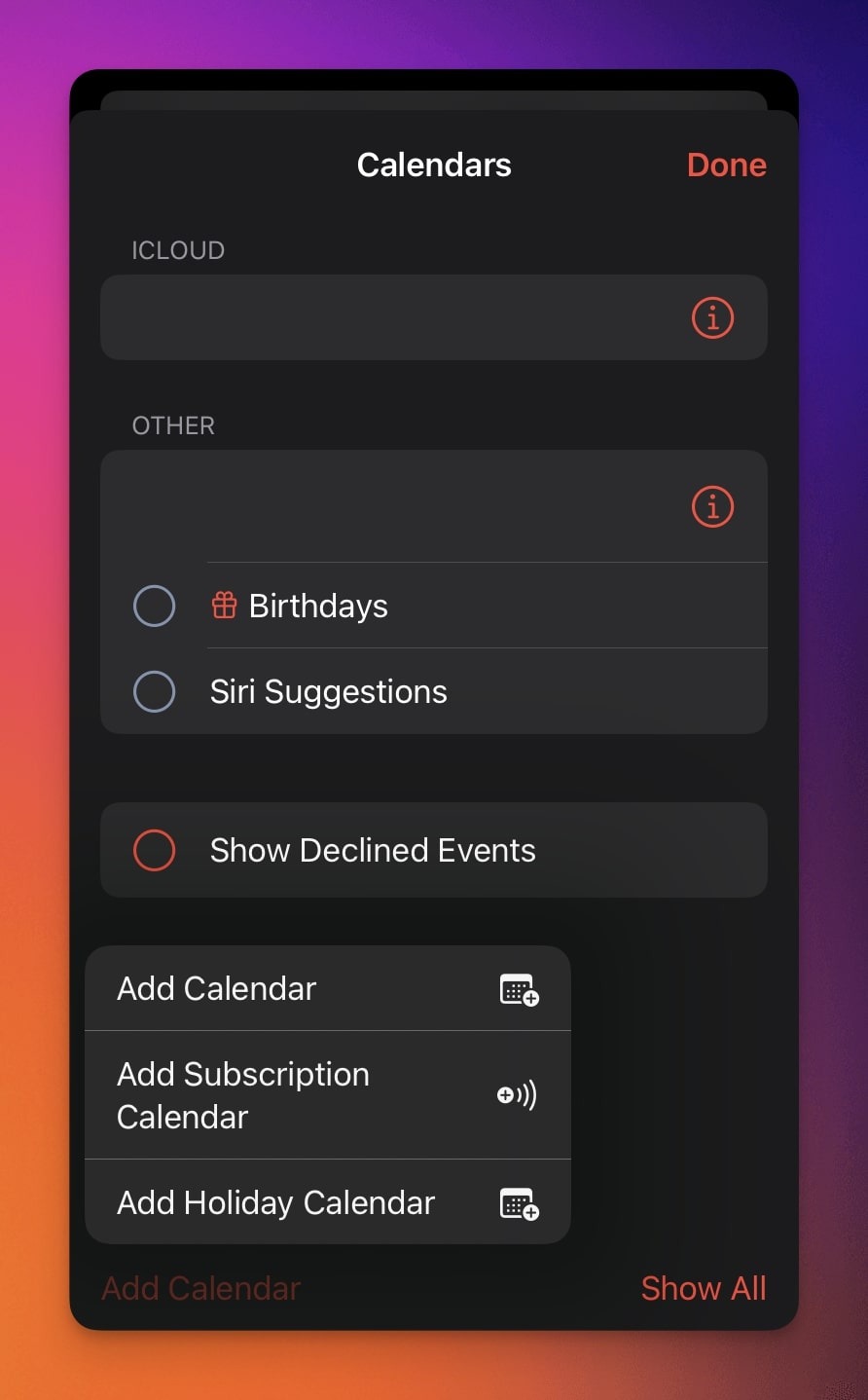
Apple Calendar (iOS)
- Copy the generated API token.
- Open the Apple Calendar and click Calendars.
- Click Add Subscription Calendar.
- Paste in the URL link.
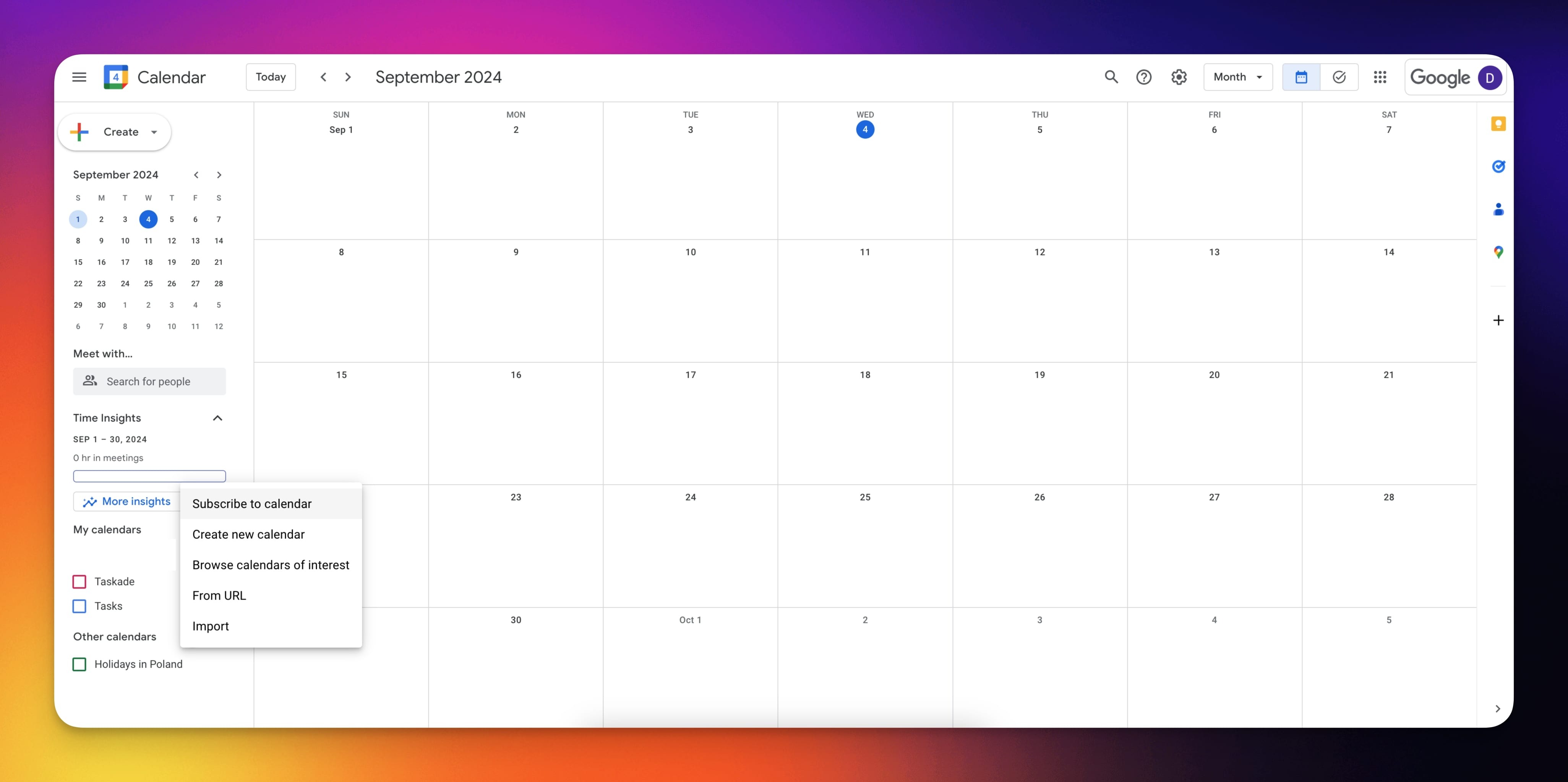
Google Calendar
- Go to the Google Calendar settings page.
- Click the ➕ button next to Other calendars.
- Choose From URL and paste the token.
Outlook Calendar
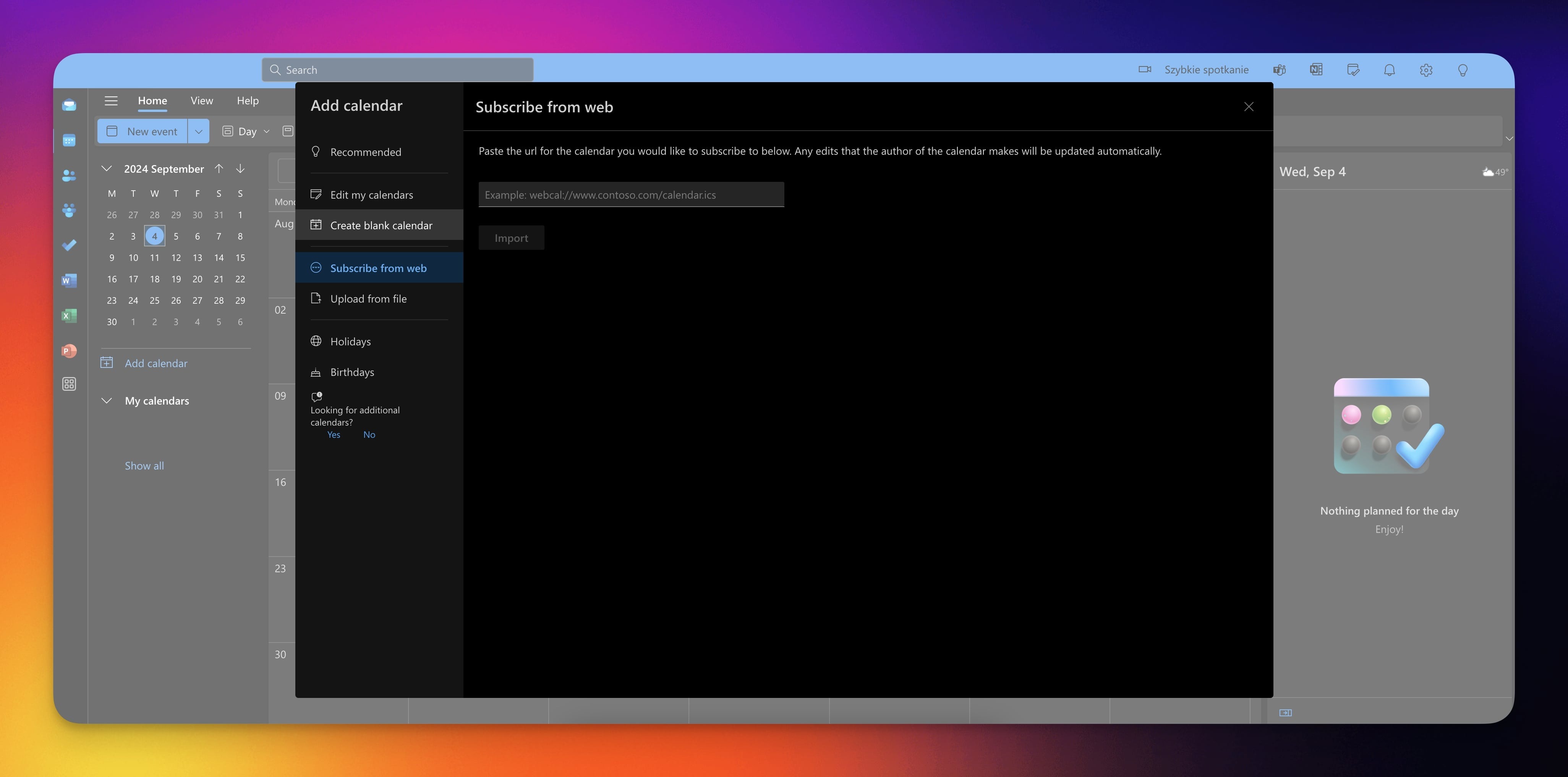
- Sign in to www.outlook.com.
- At the bottom of the page, select Calendar.
- In the navigation pane, select Add calendar.
- Choose Subscribe from web from the list.
- Paste the URL from the first step.
Note: Your calendar's subscription refresh rate sets the update frequency. Configure this in your calendar app's settings.
Tips
- Refresh rate. Calendar subscription feeds refresh at intervals set by your calendar app (typically every 15 minutes to a few hours). If updates feel delayed, check your calendar app settings.
- Read-only sync. The calendar feed is one-way: Taskade tasks appear in your external calendar, but changes made in your calendar app are not pushed back to Taskade. For two-way sync, use Google Calendar Two-Way Sync.
- Multiple feeds. If you want to keep personal and team calendars separate, you can generate a calendar feed URL for each workspace.
- Regenerate your token. To revoke access, regenerate the API token in Settings → Integrations. The old URL stops working immediately.
Learn more about automation workflows in Automations: The Execution Pillar.
Use this integration as an AI agent tool. See Tools for AI Agents.
Related guides
- Google Calendar · Calendar Sync. Live two-way calendar sync.
- Calendly. Automate meeting bookings.
- Project Calendar View. See tasks on a calendar.