
Overview
The Taskade Chrome Extension replaces your New Tab page. Your projects and ideas stay one tab away. Set Taskade to open in a new browser tab. Use the Web Clipper to capture content from the web.
TL;DR: The Taskade Chrome extension puts your projects one tab away. Install it from the Chrome Web Store, then choose what your new tab opens to, like your last project, dashboard, or calendar. Use the Web Clipper to save highlighted text or pages straight into a project.
💡 Note: All browser extensions support Markdown syntax. Visit Markdown Support to learn about all the other ways you can use Markdown in Taskade.
Add the Extension
- Go to the chrome web store and click Add to Chrome.
- Click Add extension to confirm the installation in the pop-up prompt.
- Set Chrome to open Taskade in a new tab.
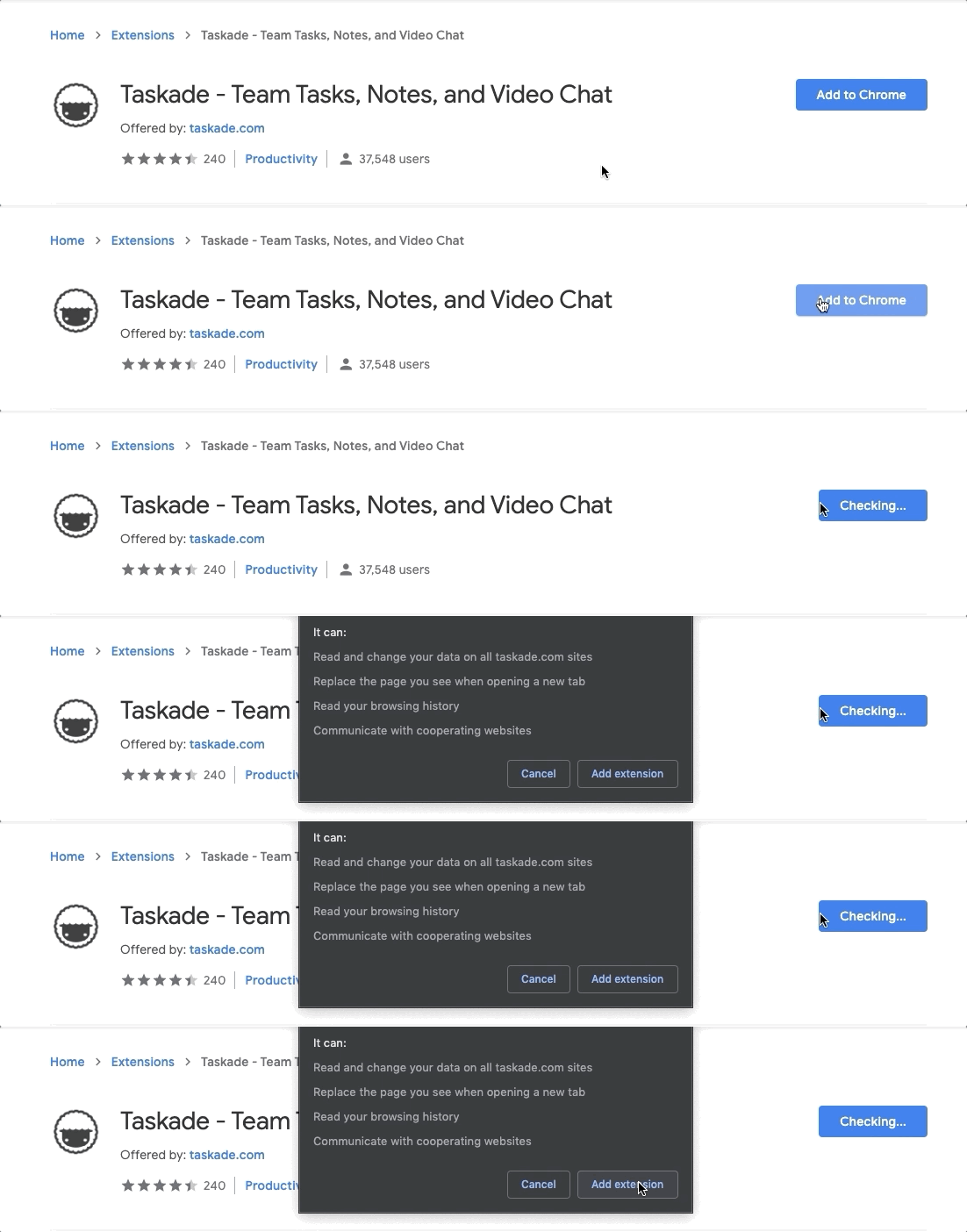
Note: If other extensions change tab behavior, reinstall the Taskade extension in a different order to restore compatibility.
Customize Extension Options
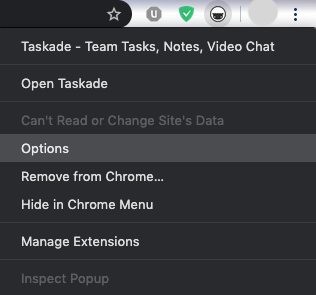
Right-click the Taskade logo in the Chrome toolbar.
Click Options to manage the extension.
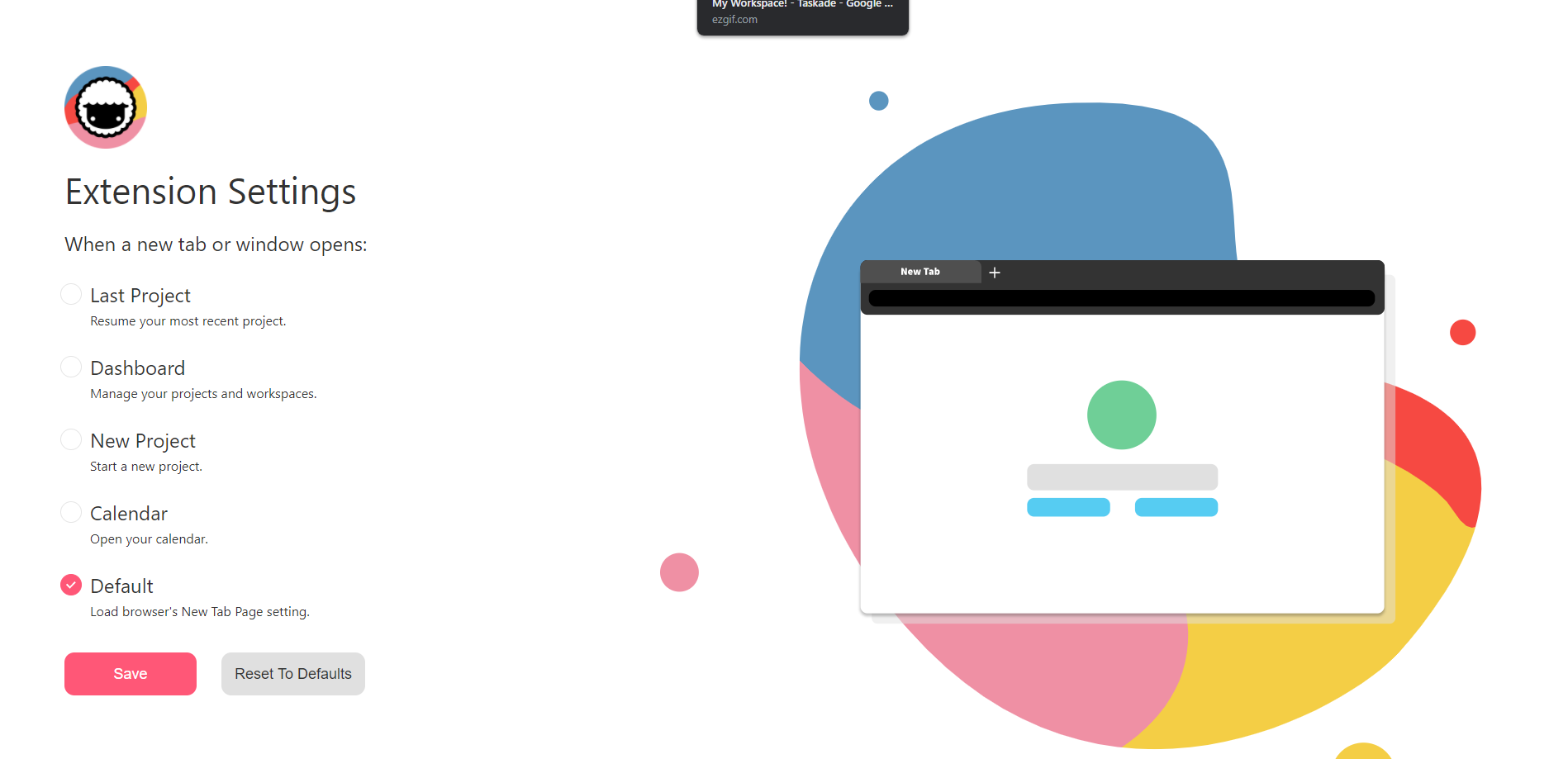
Customize Taskade's behavior when opening a new tab:
- 👈 Last Project (resume your most recent Project)
- 🎛 Dashboard (manage your Projects and Workspaces)
- 🌱 New Project (Start a new Project)
- 🗓 Calendar (Open the Taskade Calendar)
- ⭐️ Default (open a default new tab in your browser)
- Click Save to confirm your choice.
Here is the new-tab picker you set in Options:
┌──────────────────────────────────────────┐
│  Taskade  ·  New tab opens to     [ Save ]│
├──────────────────────────────────────────┤
│  ◉  👈  Last Project                       │
│  ○  🎛  Dashboard                          │
│  ○  🌱  New Project                        │
│  ○  🗓  Calendar                           │
│  ○  ⭐  Default browser tab                │
└──────────────────────────────────────────┘
Your browser now opens Taskade on every new tab.
Tips
- Pin the extension. Click the puzzle-piece icon in Chrome's toolbar. Then click the pin icon next to Taskade. The extension stays visible, one click away.
- Use the Web Clipper. Right-click any highlighted text or page and select Add to Taskade to clip content directly into a project. Learn more in the Web Clipper guide.
- Extension conflicts. If another extension overrides your new-tab page, disable that extension. You can also reinstall Taskade last, so that Taskade takes priority.
- Keyboard shortcut. After you install the extension, you can set a custom keyboard shortcut in
chrome://extensions/shortcuts.
💡 Tip: Use the browser extension alongside Taskade Genesis to capture ideas and build AI-powered workflows from anywhere.
Related guides
- Firefox Extension · Edge Extension · Brave Extension. Other browser builds.
- Web Clipper. Save web content into projects.
- Extension Settings. Customize new-tab behavior.
- Quick Add Widget. Add tasks from your desktop tray.