
Overview
This integration connects your Facebook account with Taskade. Once set up, you can build automations that automatically create text posts and photo posts on Facebook whenever certain Taskade events occur.
TL;DR: Facebook actions let your Taskade automations publish to a page you manage on their own. Use Create Post for a standard text post, Create Post with Image for a photo, or Create Video Post for a video. Milestones, new content, and event reminders go out without manual posting.
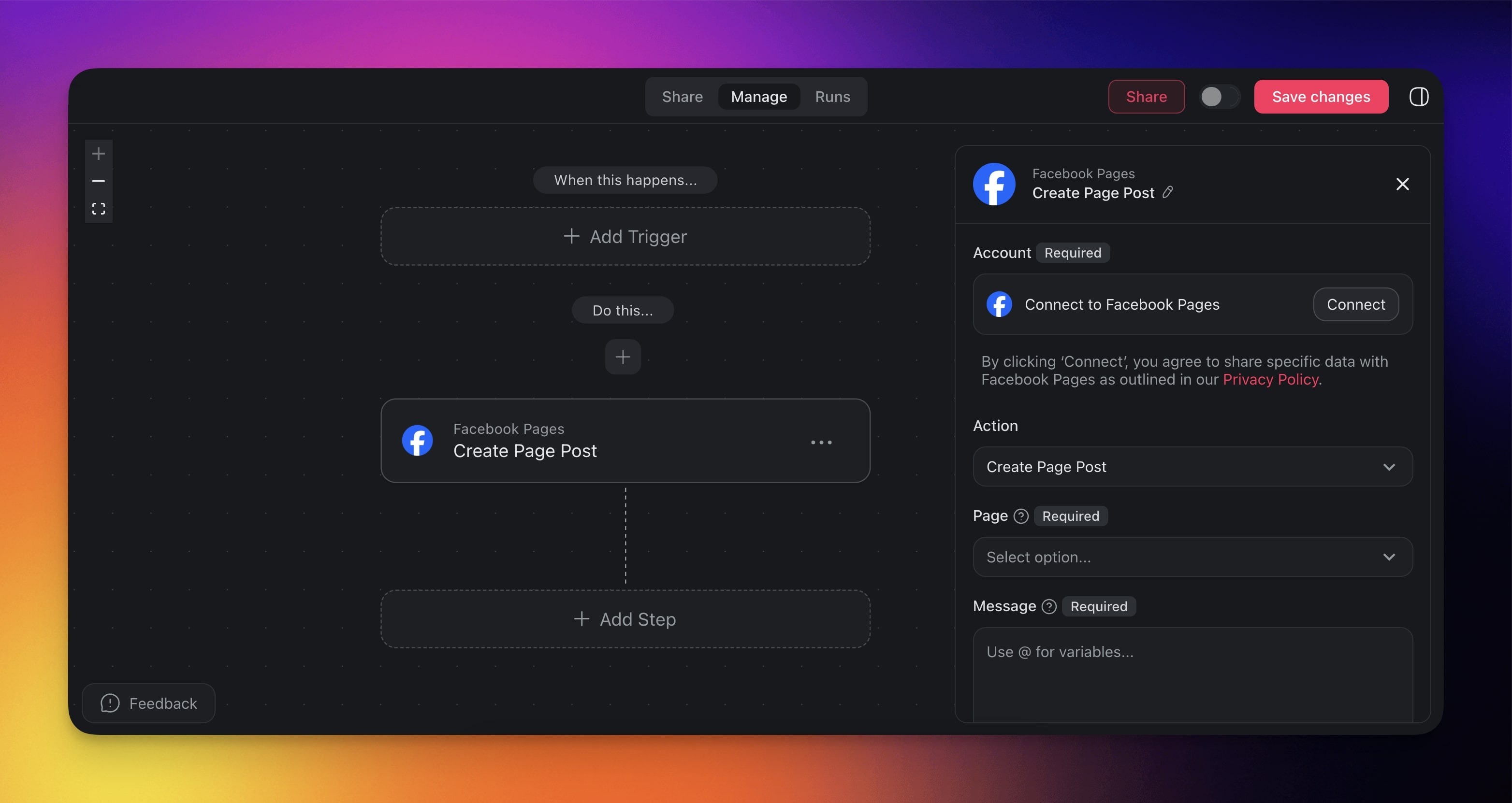
Facebook Automation
Configure Taskade to automatically create posts or photo posts on your Facebook account. A trigger starts the post. For example, a completed project milestone can create a post, and an important update can send a photo post.
Note: Visit our Automation Guide to learn more.
Facebook Actions
Here are the actions you can use in your workflows:
| Action | What it does |
|---|---|
| Create Post | Creates a post on a Facebook Page you manage. |
| Create Post with Image | Creates a post with an image on a Facebook Page you manage. |
| Create Video Post | Creates a video post on a Facebook Page you manage. |
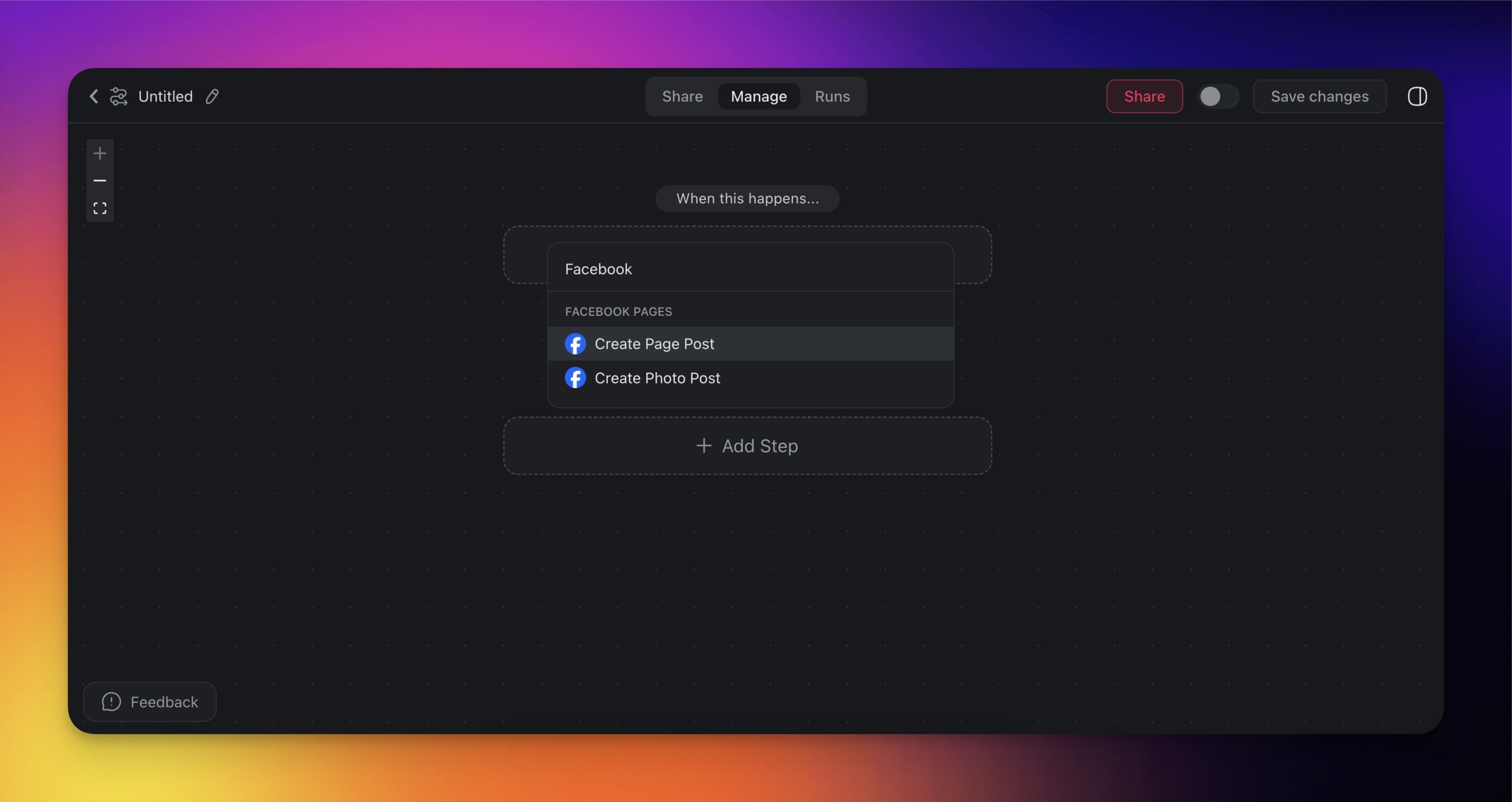
Automation Settings
Connector options give you full control over the Facebook automation:
| Field | Description |
|---|---|
| (required) Page | The page you want to post to. |
| (required) Message | The text content in the message. |
| (optional) Link | The link you want to include in the post. |
| (required) Photo | The URL to the image you want to post. |
| (optional) Caption | The caption for the linked image. |
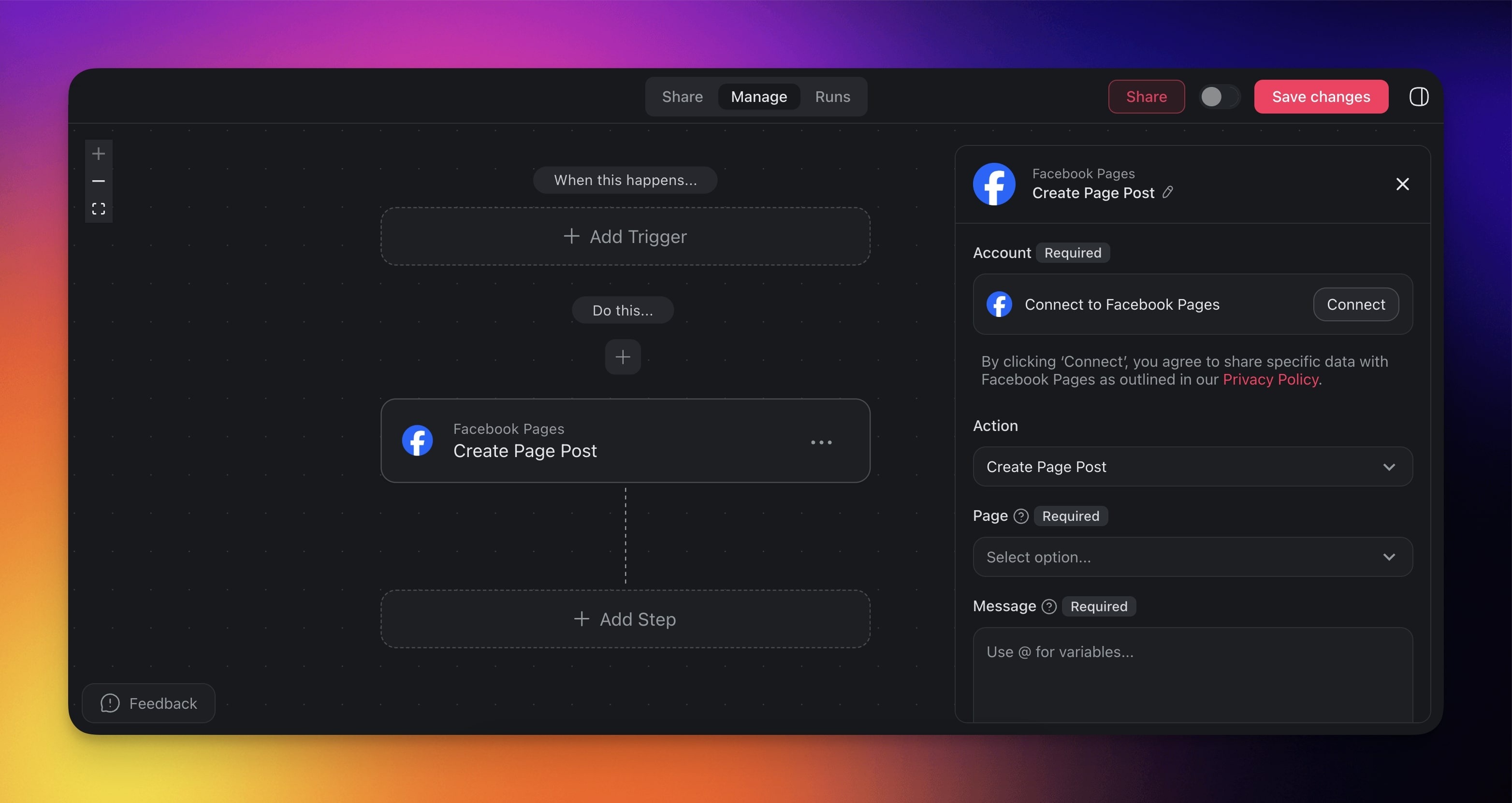
Set Up the Integration
Add one of the Facebook actions to your flow.
Click Connect in the right sidebar to configure the integration.
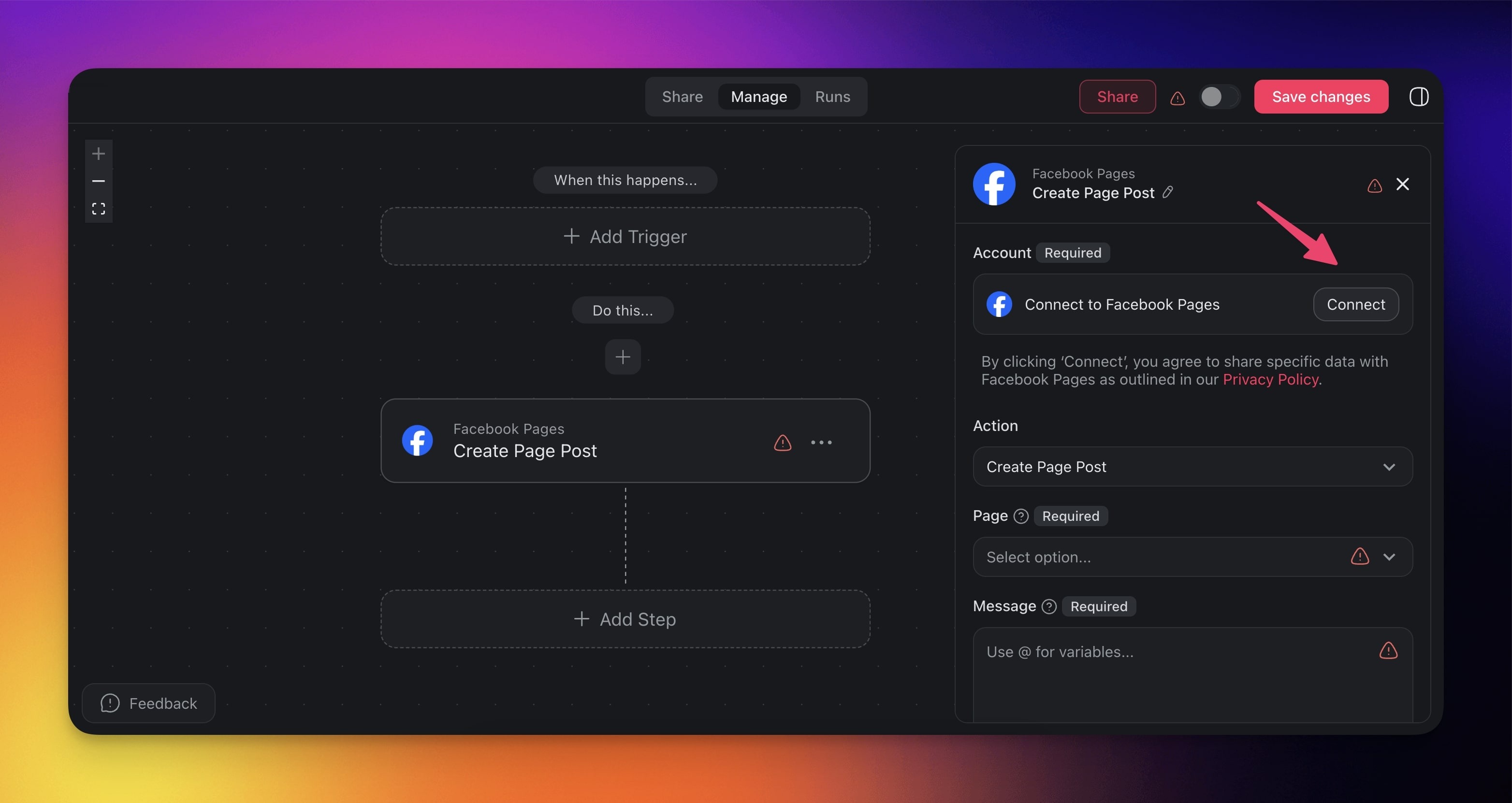
Log in to your Facebook account.
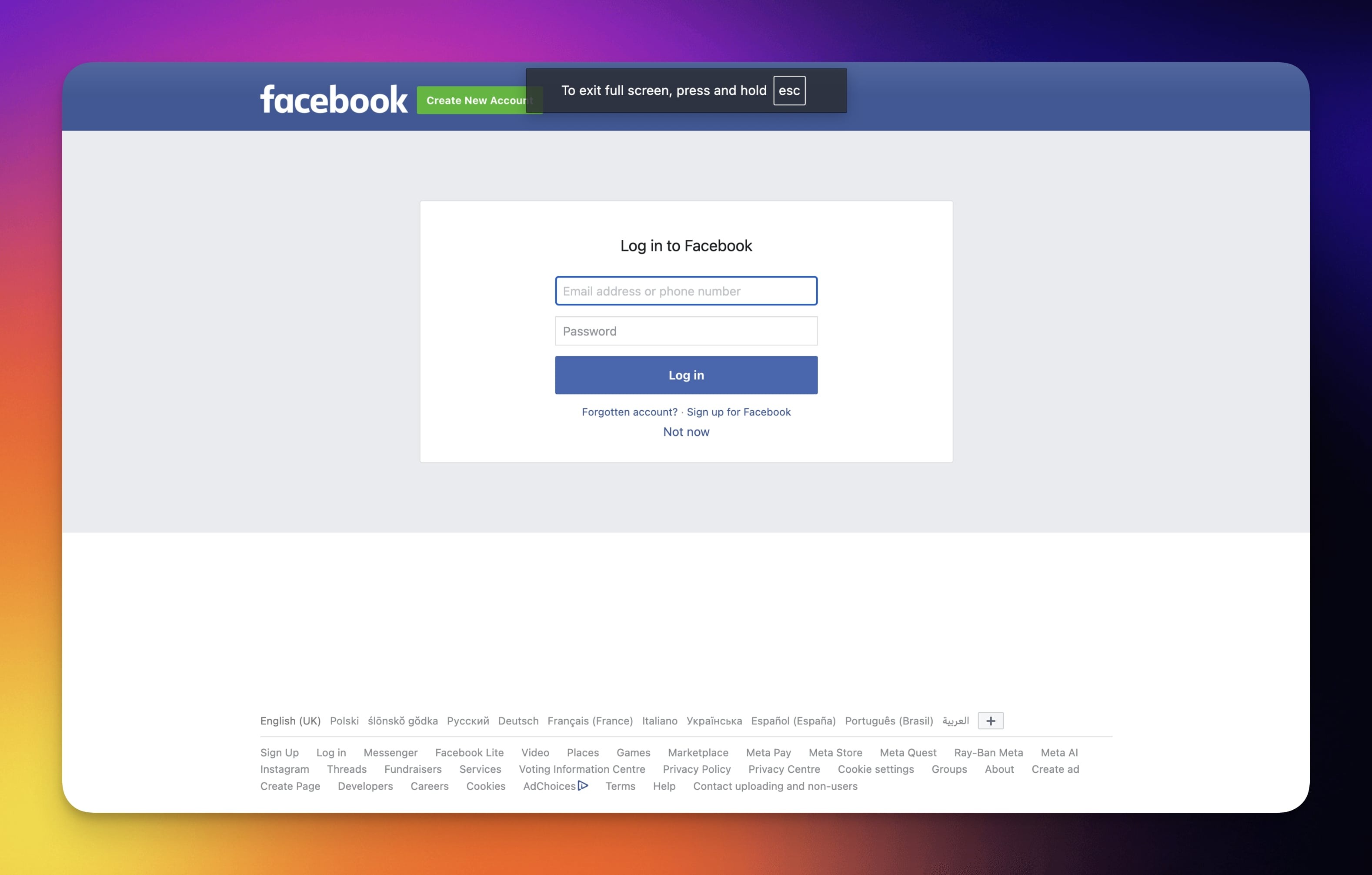
Make sure you are logged into the correct account.
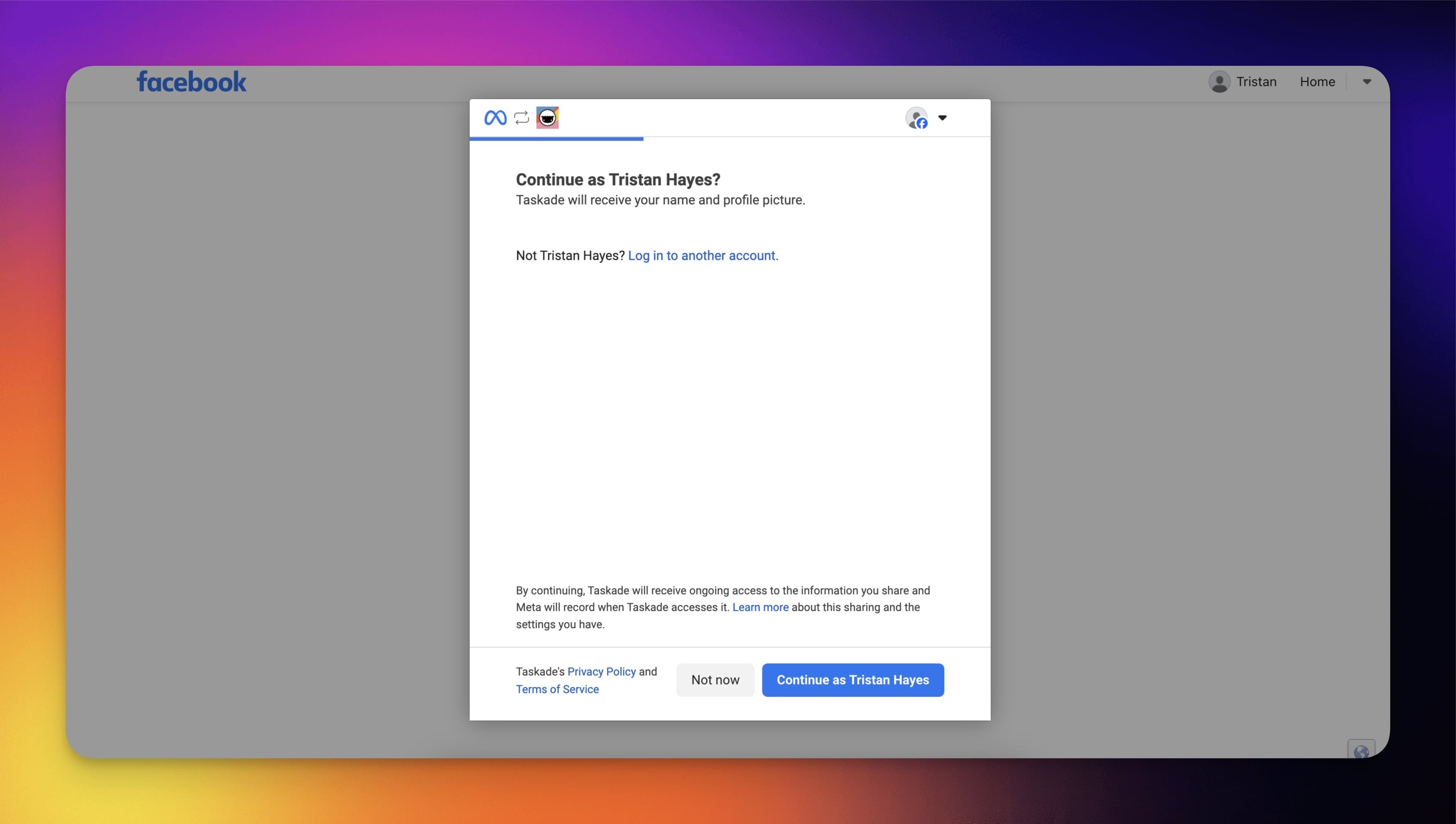
- Review and confirm permissions.
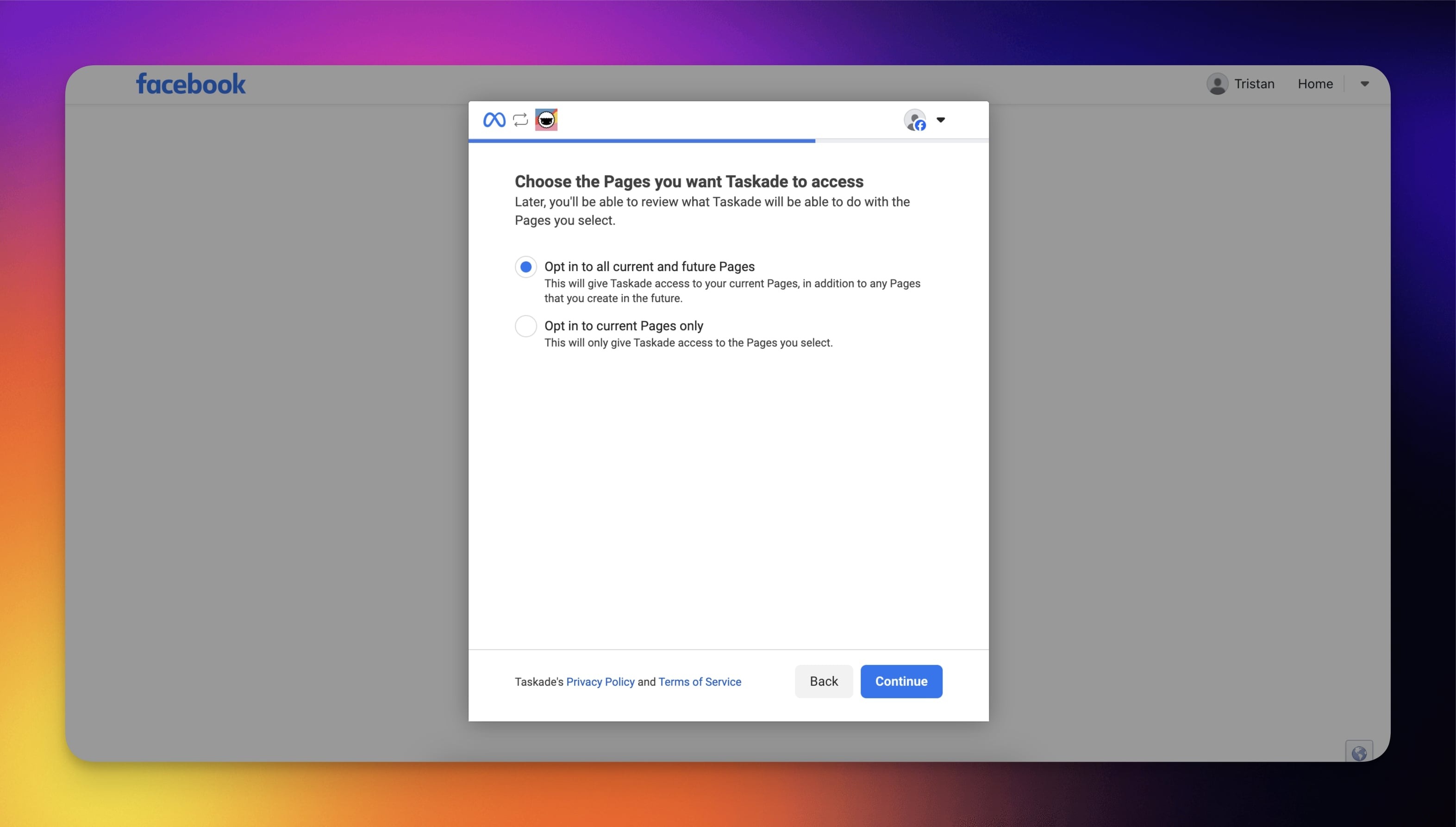
- Finish the configuration process.
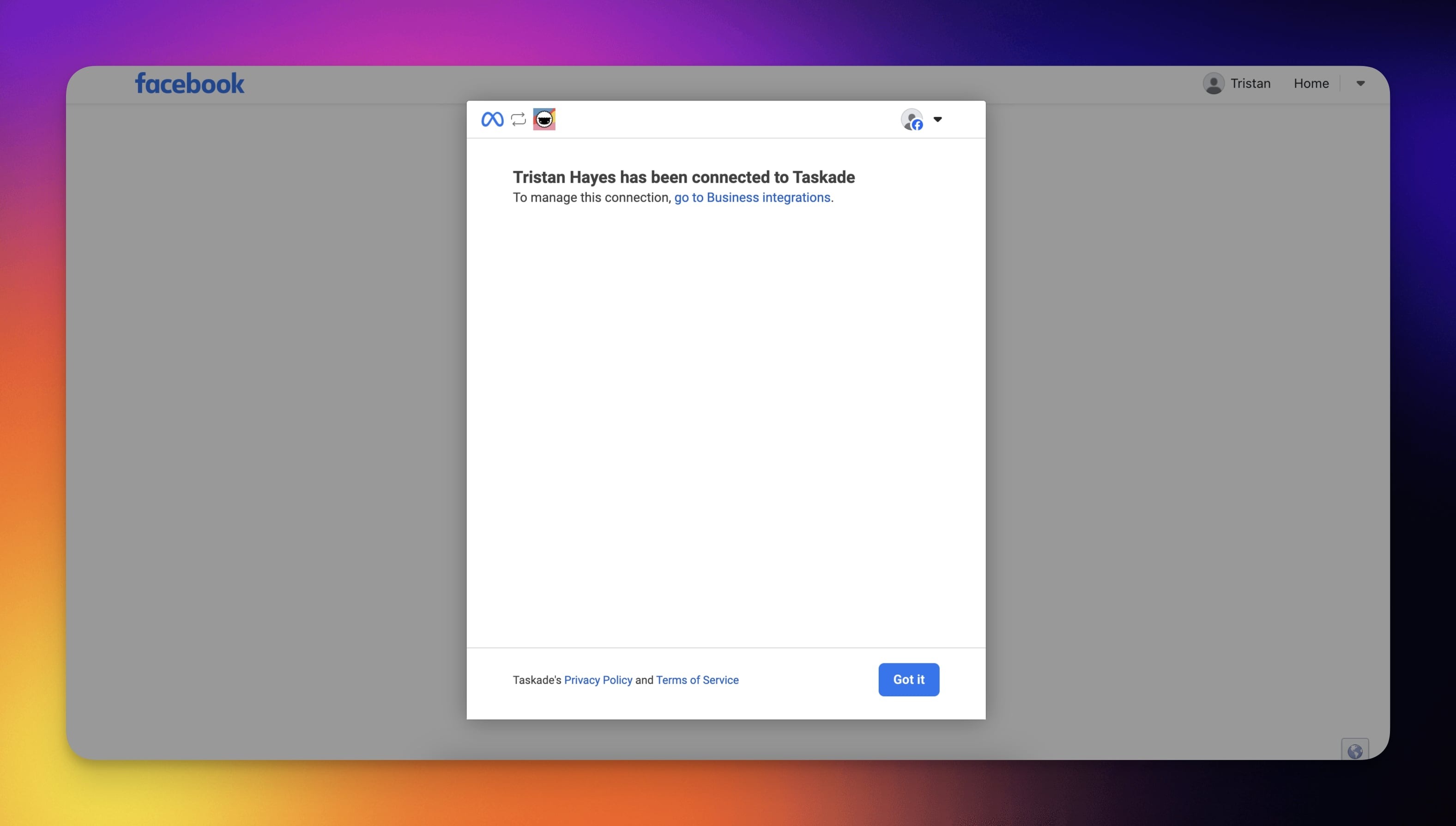
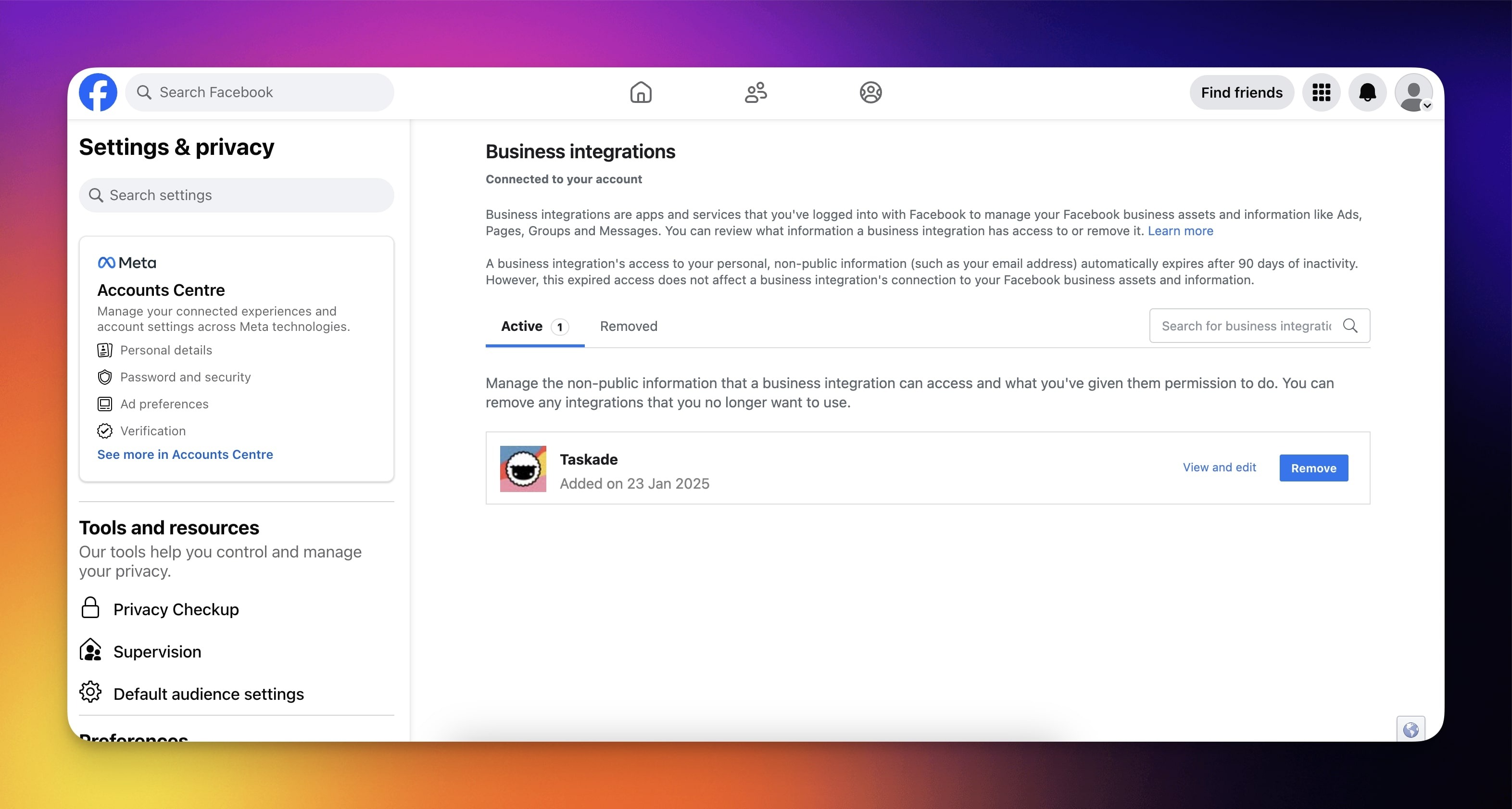
(optional) Click go to Business integrations to review the connected accounts.
Here, you can edit the integrations settings or disconnect your account.
Reference Links to Posts
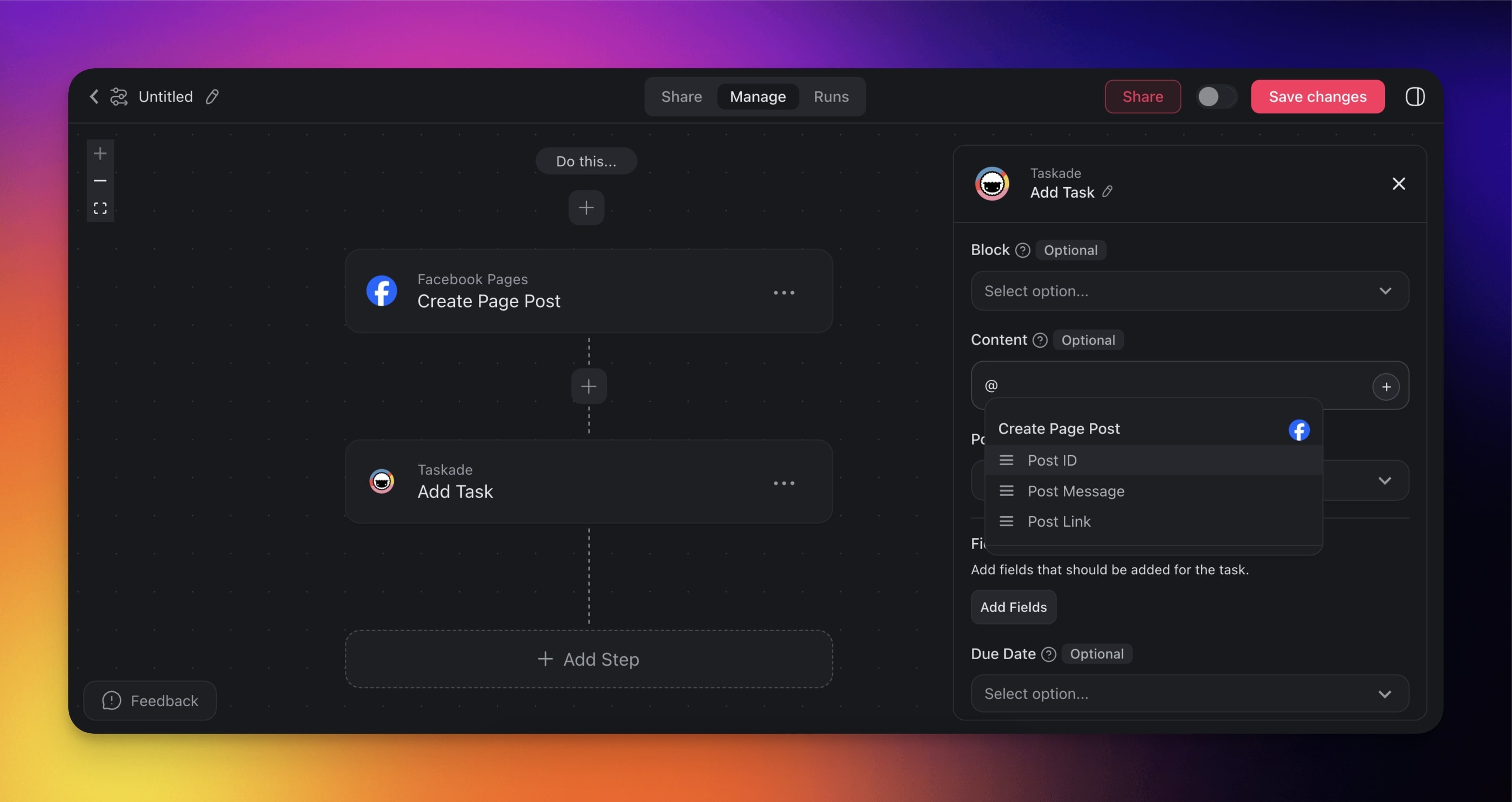
You can reference links to new posts in subsequent automation steps.
- Add the Create Post or Create Post with Image action to your automation.
- Reference Link to the post in the next automation action.
Use Cases
Not sure how to use the Facebook connector? Here are a few ideas:
| Use Case | Description |
|---|---|
| Share project milestones | Automatically post updates about significant project completions or milestones to keep your community informed. |
| Promote new content | Share blog articles, product launches, or new landing pages to drive traffic and engagement from your Facebook network. |
| Send event reminders | Announce or remind followers about upcoming webinars, meetups, or virtual events, ensuring everyone stays in the loop. |
| Gather feedback | Post surveys or feedback forms to collect ideas from your audience, improving your projects or products. |
| Send weekly summaries | Publish a short recap of completed tasks or project progress to update stakeholders or team members on Facebook. |
| Celebrate team achievements | Share celebrations of team wins, such as hitting sales goals, launching new features, or welcoming new hires. |
Available Capabilities
| Type | Capability | Description |
|---|---|---|
| 🔧 Action | Create Post | Create a post on a Facebook Page you manage |
| 🔧 Action | Create Post with Image | Create a post with an image on a Facebook Page you manage |
| 🔧 Action | Create Video Post | Create a video post on a Facebook Page you manage |
Related guides
- X / Twitter · LinkedIn · Instagram · Reddit. Other social integrations
- Custom AI Agents. Agents that post to Facebook pages
- Brand Voice. On-brand social content generation