
Overview
Collect data-rich leads by integrating Apollo with Taskade. Automatically retrieve details such as LinkedIn profiles and other relevant contact information.
TL;DR: Apollo works inside Taskade automations as 1 action, Enrich User Information. A workspace trigger like Task Added or Task Assigned starts the automation, then the Apollo action pulls a contact's full profile from an email or LinkedIn URL. Your leads get enriched with job title and contact details automatically.
Connect & Configure Apollo
Before you use Apollo in Taskade, configure the integration:
- Log into your Apollo account and navigate to Settings ➡ Integrations.
- Choose the API option from the list and click Connect.
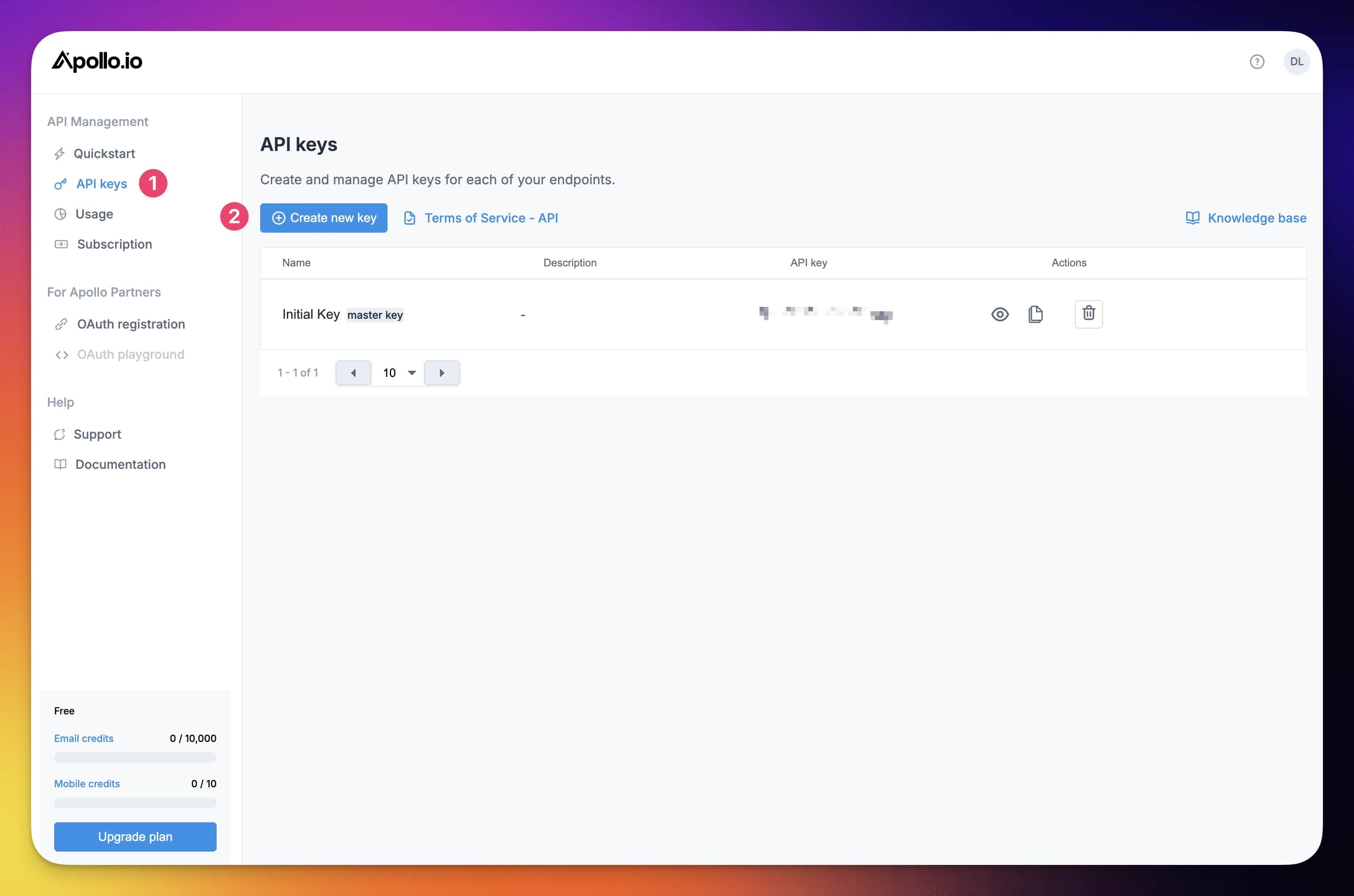
- Click API keys in the sidebar on the left (1) ➡ click Create new key (2).
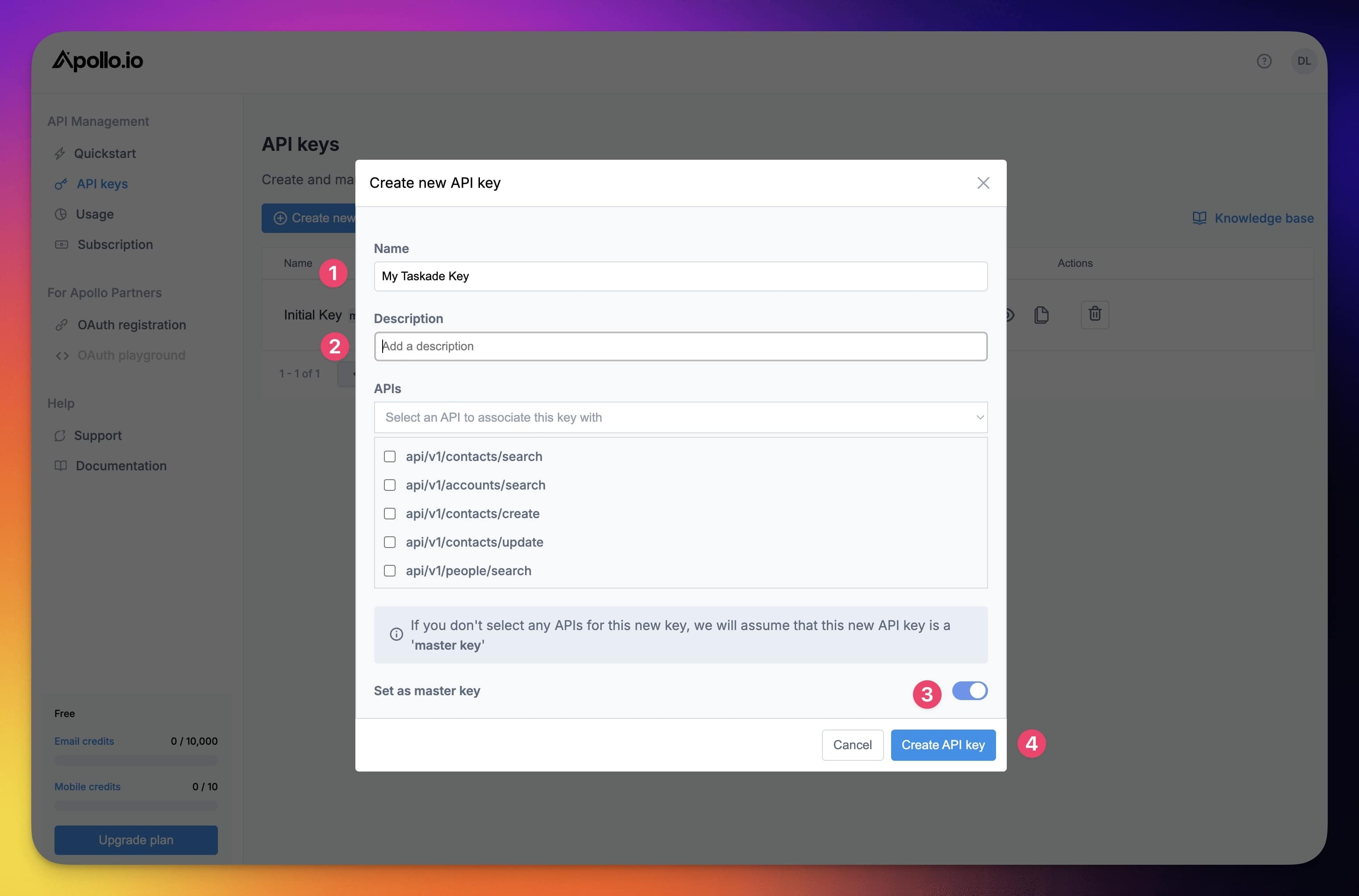
- Choose a name for your API Key (1) and add a description (2).
- Once you are done, click Create API key (4).
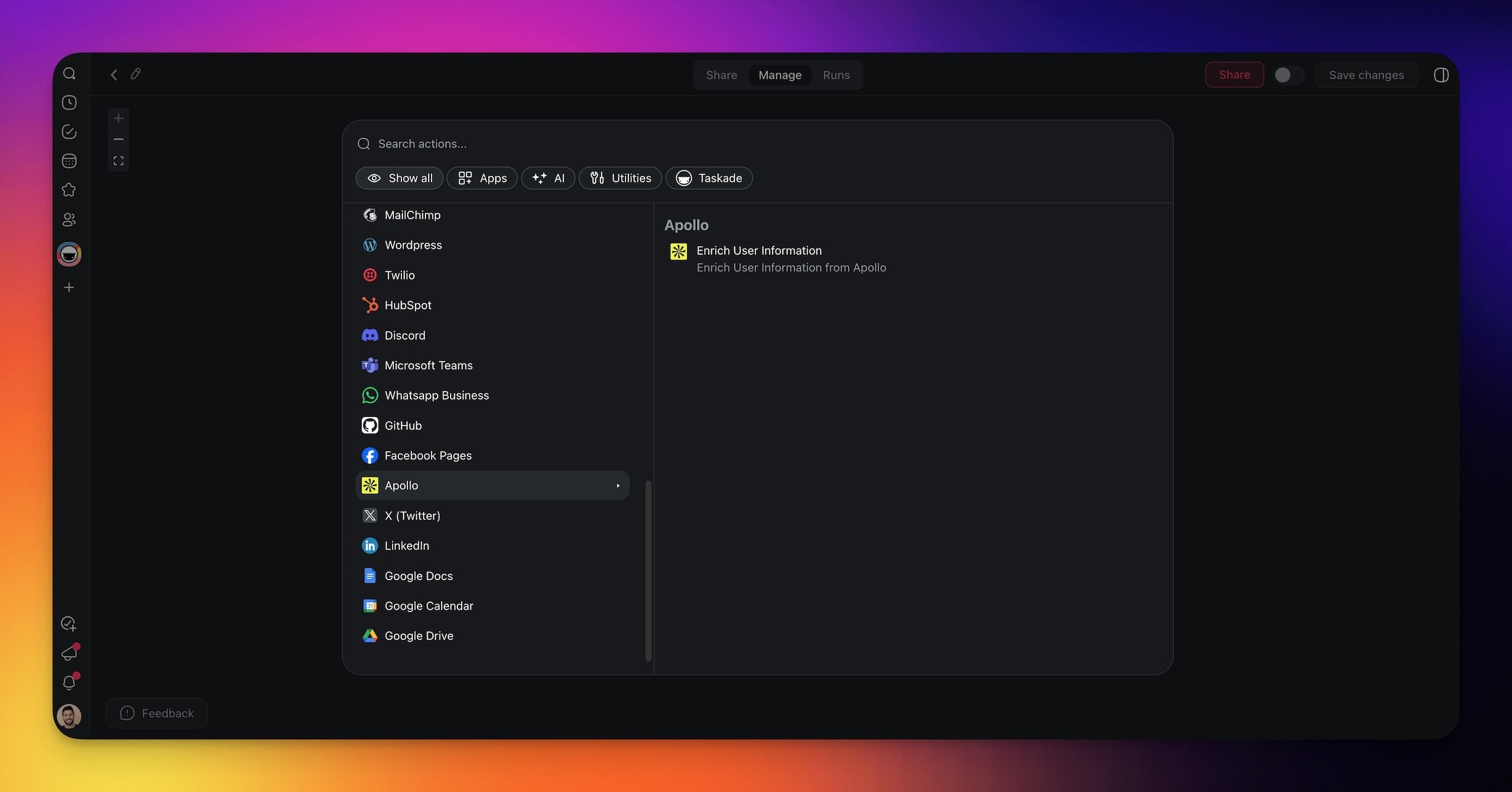
In Taskade, add Apollo as an action in your automation.
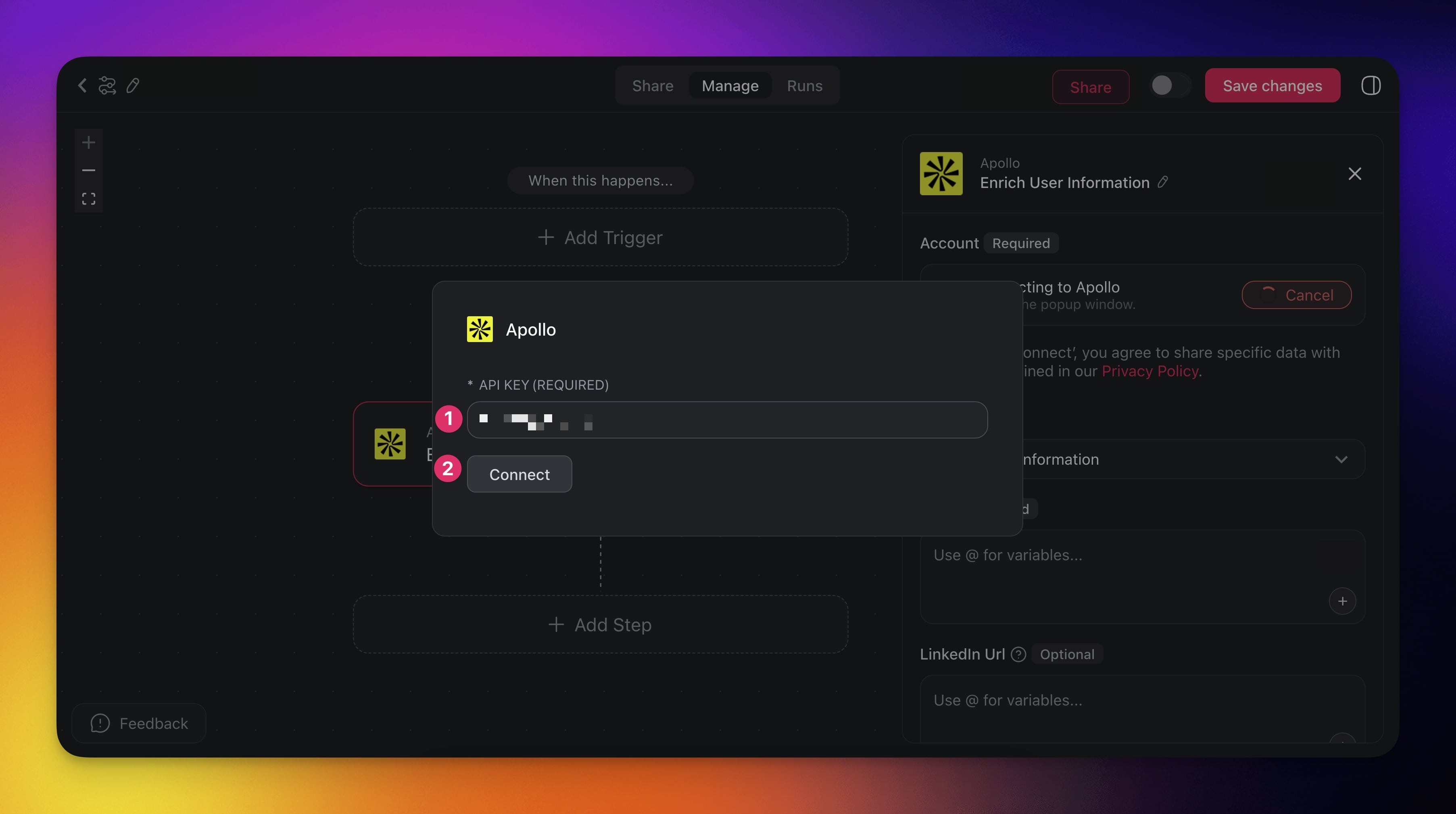
Click Connect in the sidebar to enable the integration.
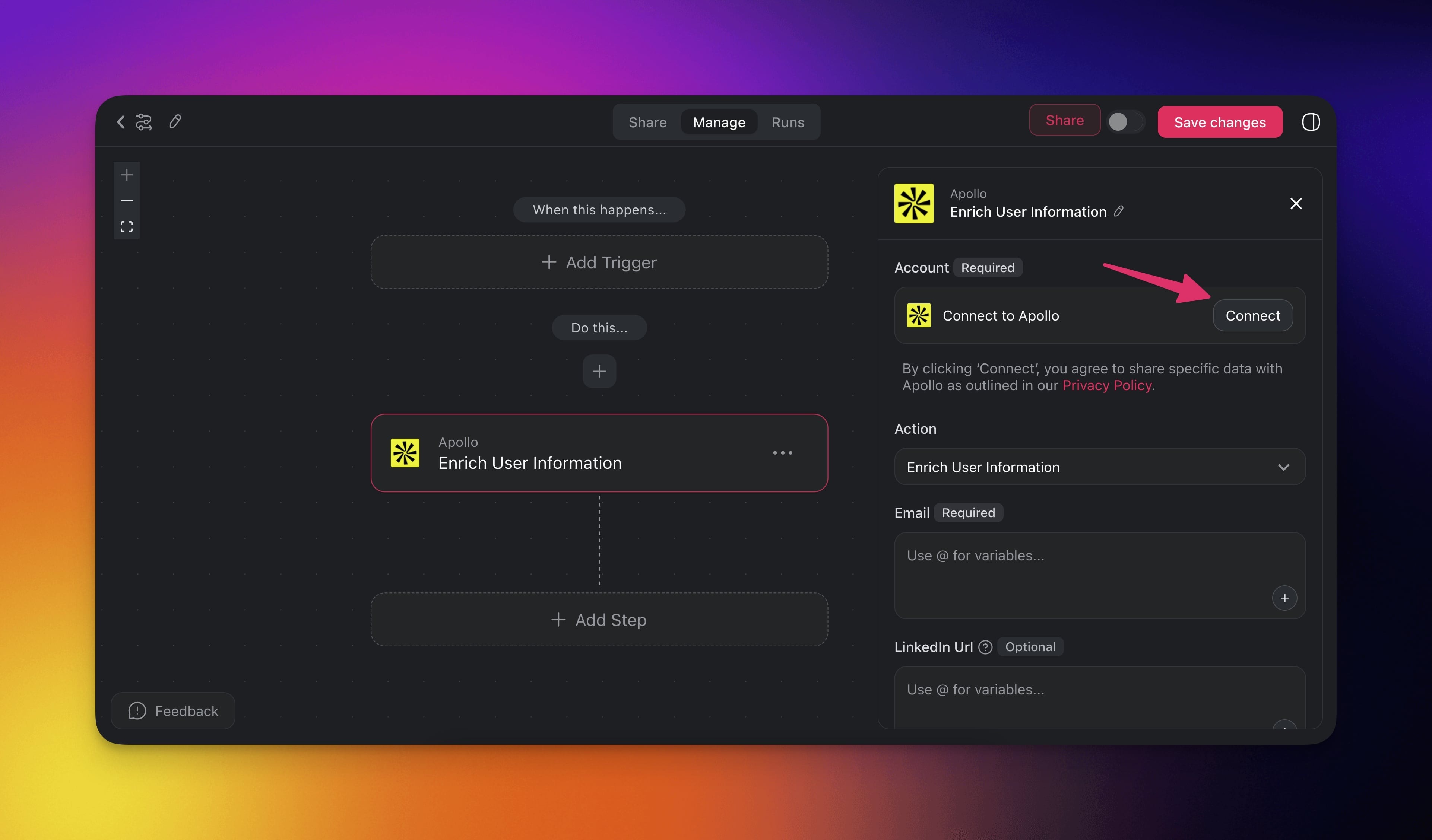
- Enter your API key and click Connect.
Build Apollo Automations
Use Apollo in your automations to retrieve detailed user information and enrich your CRM contacts with useful data.
💡 Note: Visit our Automation Guide to learn more about automations.
Add Apollo as an Action
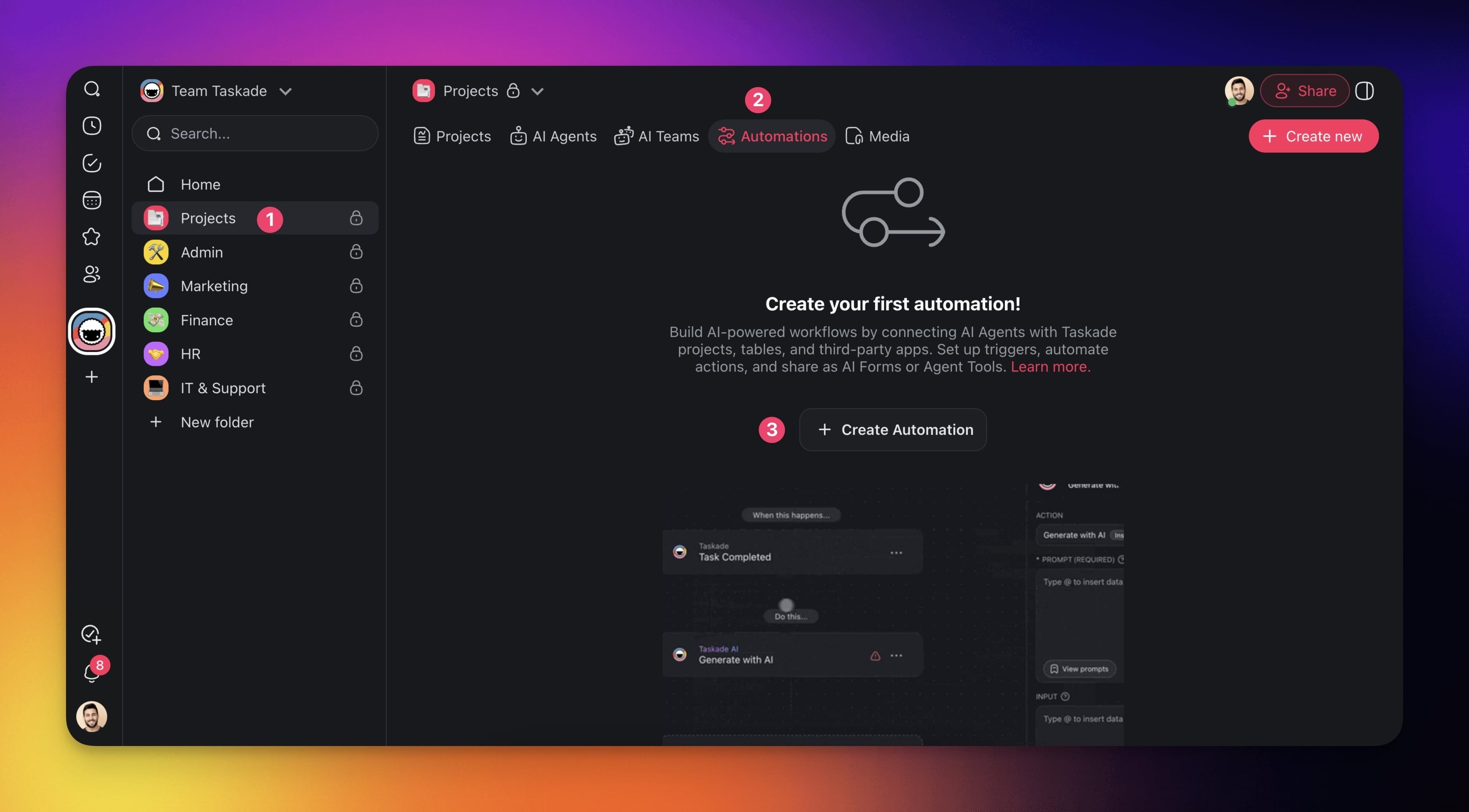
Go to the Automations tab in your workspace or folder.
Click ➕ Create automation.
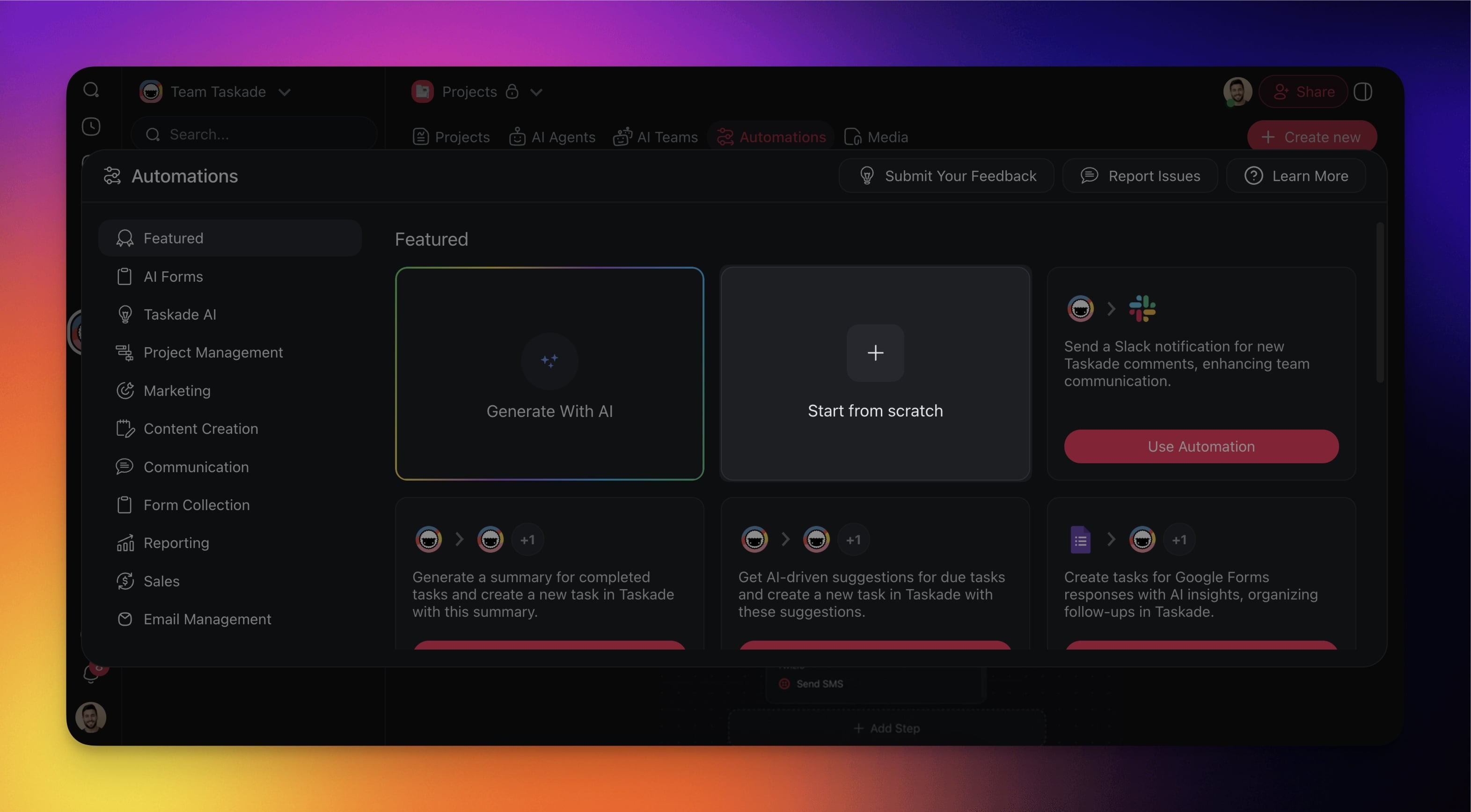
- Select the Start from scratch tile.
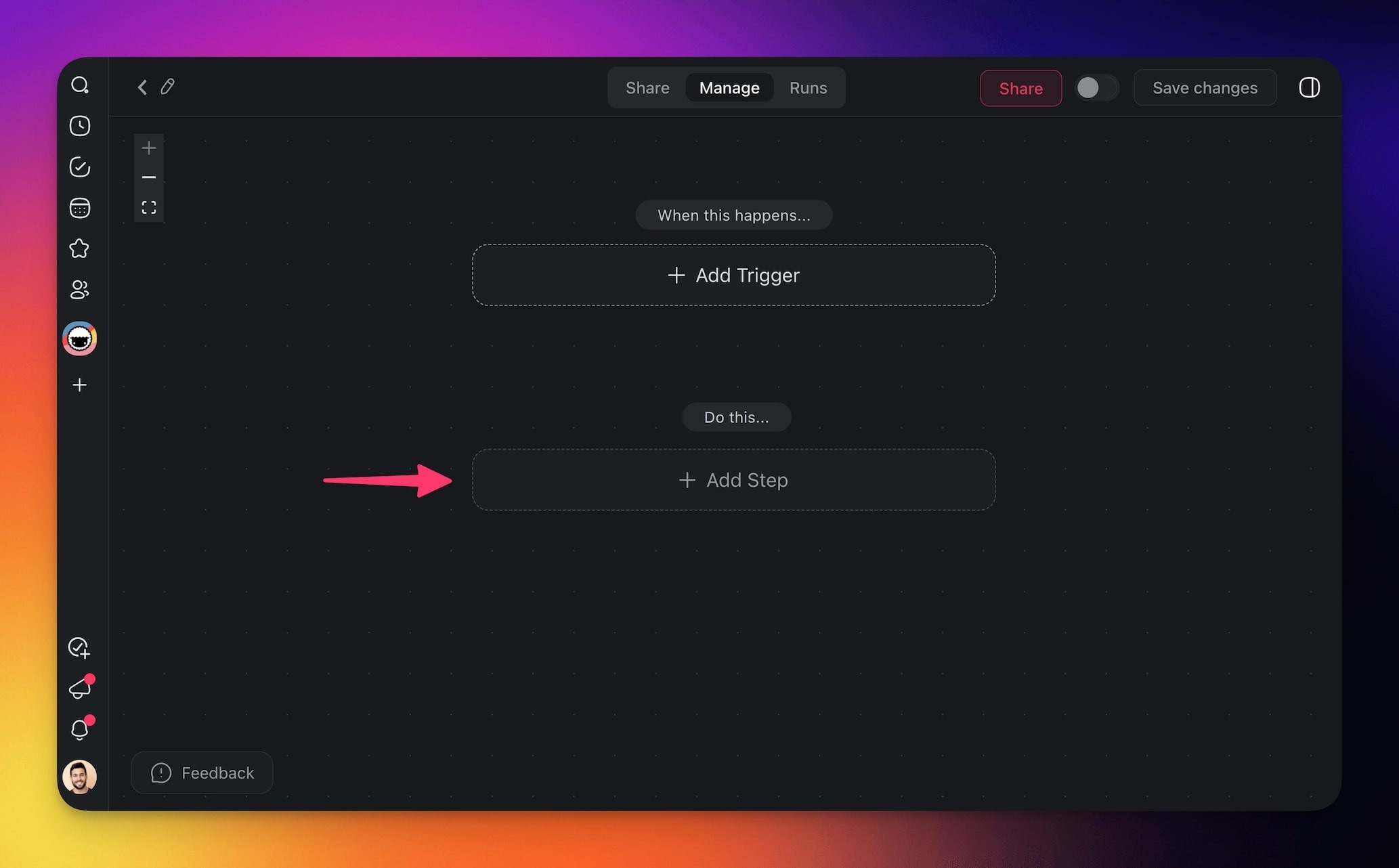
- Click ➕ Add Step.
- Choose the Apollo action from the list.
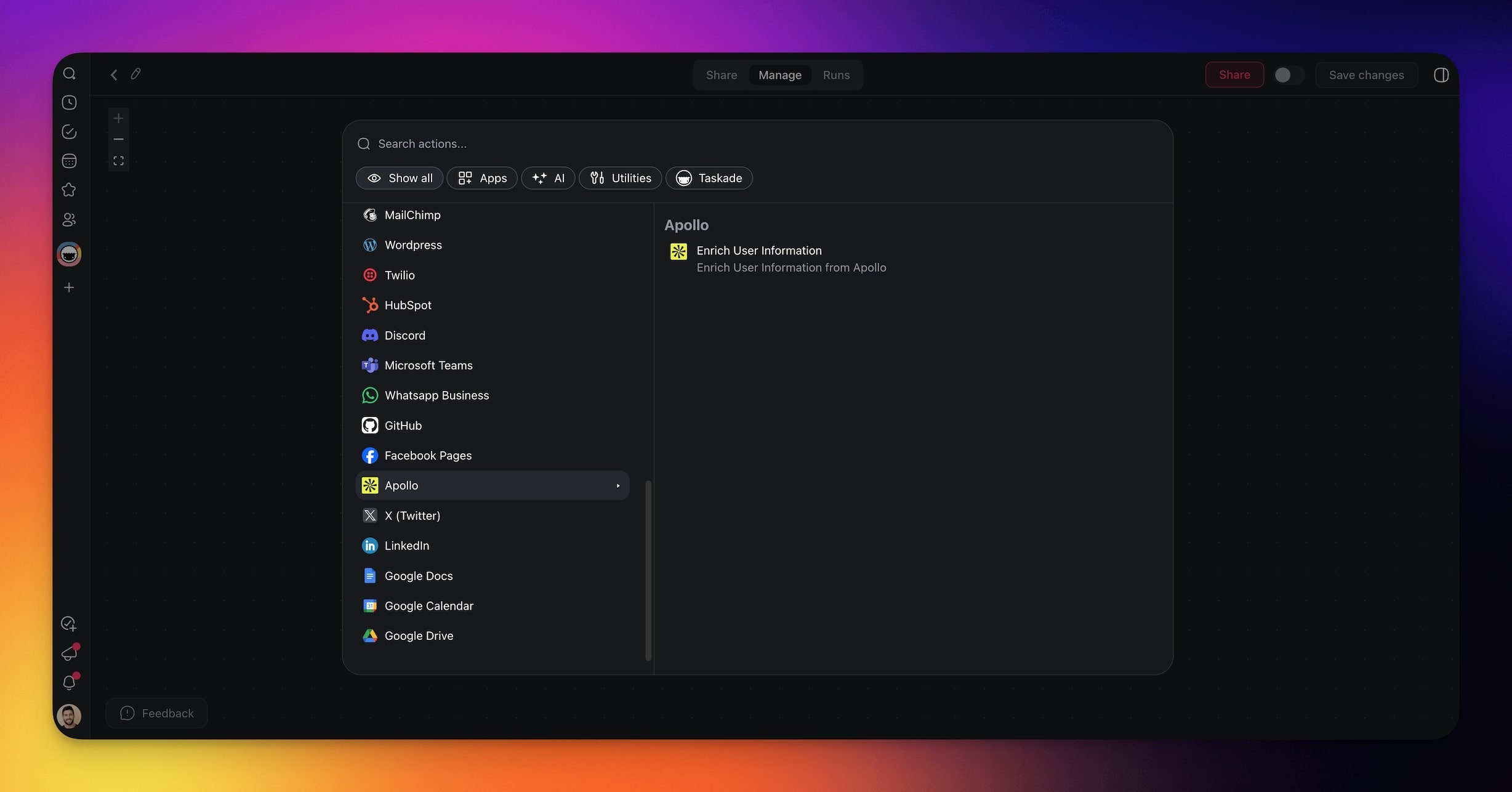
Click Connect to enable the integration and connect it to your Apollo account.
Configure the action in the sidebar on the right.
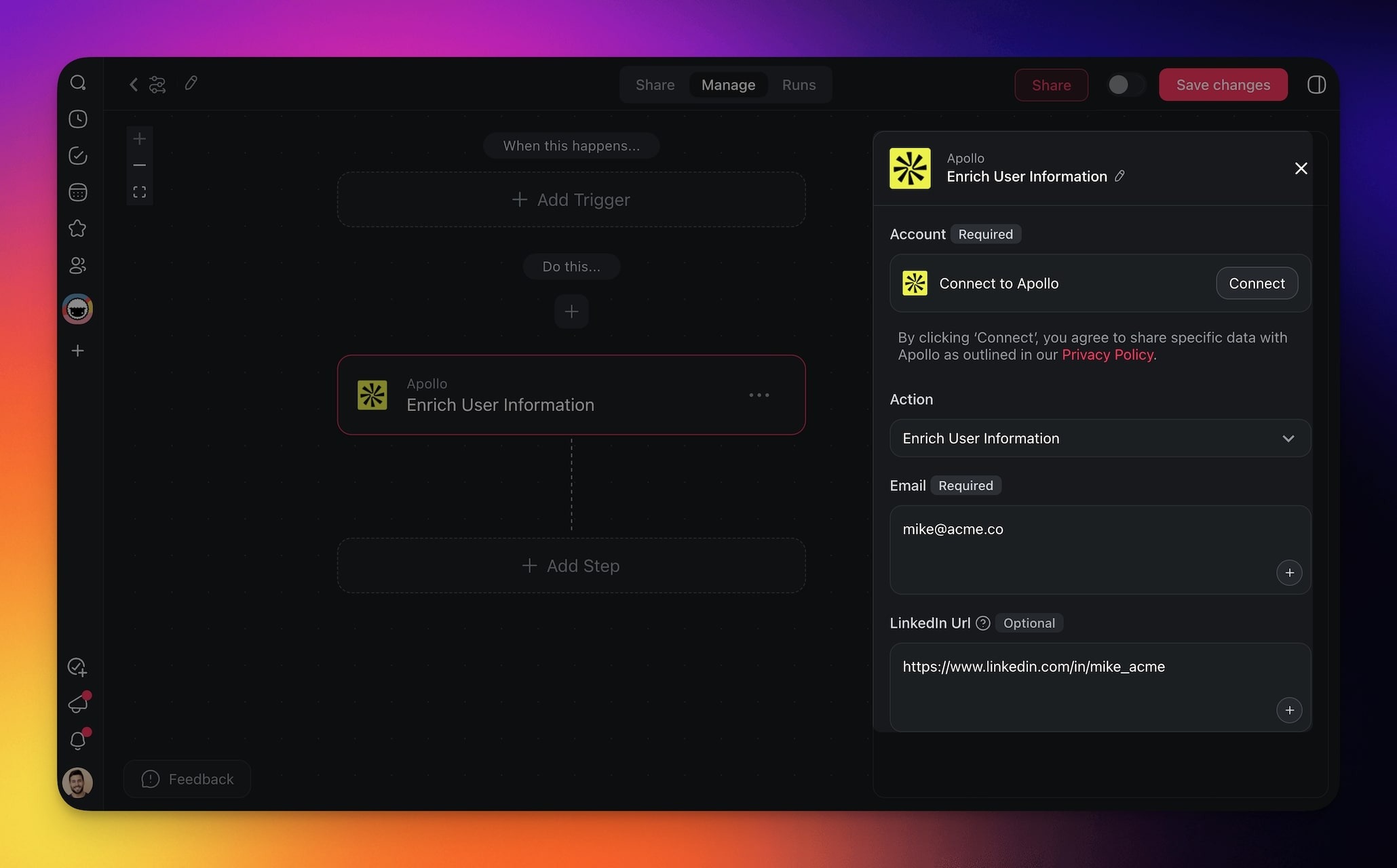
- Add a trigger and additional steps to the automation.
- Click Save changes in the top-right corner.
- Toggle the automation on in the top-right corner.
Apollo Actions
| Enrich User Information | Retrieve detailed user information from Apollo using an email or LinkedIn profile URL. Enhance contact data with insights for sales, recruitment, and outreach. |
|---|
Automation Settings
Connector options give you full control over the Apollo automation.
Action: Enrich User Information
| (required) Account | Connect your Taskade account to an Apollo account before you start. |
|---|---|
| (required) Email | Provide the lead’s email address to fetch their details. |
| (optional) LinkedIn URL | Enter the lead’s LinkedIn profile URL for additional insights. |
Here is what the Enrich User Information action looks like in the sidebar:
┌──────────────────────────────────────────┐
│  🔍 Enrich User Information                │
├──────────────────────────────────────────┤
│  Account *      Apollo · connected   ✅    │
│  Email *        {{ contact.email }}        │
│  LinkedIn URL   {{ contact.linkedin }}     │
│                 (optional)                 │
├──────────────────────────────────────────┤
│  Returns: job title, company, phone, more  │
└──────────────────────────────────────────┘
Use Cases
Here are a few ways to use the Apollo connector:
| Use Case | Action Flow |
|---|---|
| Auto-enrich new inbound leads | ✅ Trigger: Task Added ➡️ Apollo enriches the contact using email ➡️ Updates custom fields with job title, etc. ➡️ Assigns task to a sales rep |
| Enrich leads when assigned | ✅ Trigger: Task Assigned ➡️ Apollo fetches profile details ➡️ Updates task with enriched data ➡️ Sends DM to the assignee via Slack |
| Update leads on pipeline stage change | ✅ Trigger: Custom Field Updated ➡️ Apollo re-enriches the lead ➡️ Updates task fields ➡️ Sends update to relevant stakeholders |
| Daily sales prep briefing | ✅ Trigger: Schedule (e.g., daily at 8 AM) ➡️ Finds assigned lead tasks ➡️ Enriches each lead via Apollo ➡️ Shares summaries via Slack or email |
| Screen job applicants | ✅ Trigger: Task Added ➡️ Apollo enriches applicant info ➡️ Updates task fields ➡️ Notifies the recruiter in Slack or comment |
| Automated contact enrichment & outreach drafting | ✅ Trigger: Task Added (new contact) ➡️ Apollo enriches contact ➡️ AI Agent drafts outreach email ➡️ Task is updated with all info ➡️ Check Gmail for new replies |
Use this integration as an AI agent tool. See Tools for AI Agents.
Available Capabilities
| Type | Capability | Description |
|---|---|---|
| 🔧 Action | Enrich User Information | Performs the enrich user information operation |
Related guides
- HubSpot · Salesforce · Mailchimp. Other CRM and outbound integrations.
- Gmail. Send personalized email from sequences.
- Tools for AI Agents. Power sales agents with Apollo data.
- Automation Actions. Full action catalog.