
Overview
You can add Taskade widgets to your MacOS desktop, bringing a new level of convenience to managing your daily workflow. Desktop widgets let you see your tasks, projects, and upcoming deadlines at a glance, without opening a browser or the Taskade app.
TL;DR: Add Taskade widgets to your macOS desktop to see tasks, projects, and deadlines at a glance without opening a browser or app. Install the Taskade desktop app, pick Small, Medium, or Large from the widget gallery, and your widgets update in real time as you work.
Widgets update in real time, so any changes you make in Taskade are reflected on your desktop automatically.
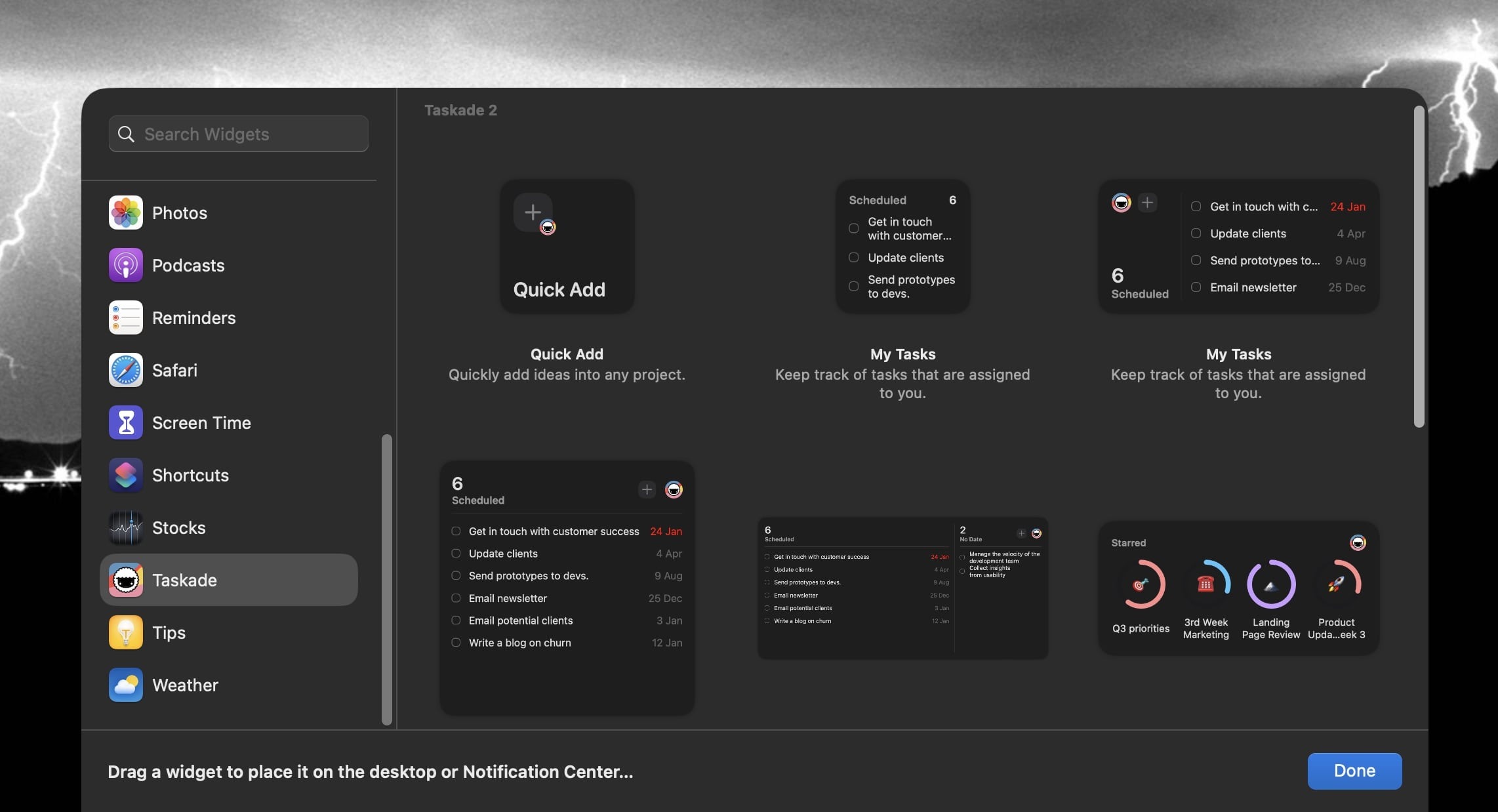
Add Desktop Widgets
Press the Control key and right-click your desktop wallpaper.
Select Edit Widgets... from the drop-down menu.
Search for the Taskade widget in the widget gallery.
There are two ways to add widgets from the gallery:
- Click the widget or the ➕ plus button next to it.
- Drag the widget to the desired location on the desktop.
To change the position of the new widget, drag it to a different location.
When you are finished adding widgets, click Done in the bottom-right corner.
Note: You need the Taskade desktop app installed on your Mac for widgets to appear in the widget gallery.
Remove Widgets
- Press the Control key and right-click the widget.
- Choose Remove Widget from the drop-down list.
Widget Sizes
Taskade desktop widgets come in three sizes. Pick the one that fits how much you want to see at a glance.
| Size | What it shows |
|---|---|
| Small | A compact task list for quick reference. |
| Medium | More tasks with extra detail, such as due dates. |
| Large | A full project overview with task status and priority indicators. |
To change the widget size, remove the current widget and add a new one in your preferred size from the widget gallery.
Tips
- Place widgets strategically. Put your most important project widget where you see it first after you minimize all windows.
- Combine with Quick Add. Use the Quick Add widget in your menu bar to add tasks. You do not need to open the app. The tasks appear on your desktop widget at once.
- Multiple widgets. You can add several Taskade widgets to track different projects or workspaces side by side.
💡 Tip: Use the browser extension alongside Taskade Genesis to capture ideas and build AI-powered workflows from anywhere.
Related guides
- Quick Widget. Quick Add widget setup.
- Mobile Widgets. iOS and Android home-screen widgets.
- Browser Extensions. Capture from any browser tab.
- Quick Add. Native Taskade quick capture.