
Overview
Transcribe YouTube Video converts video audio into text. You can read and reference the content, search for specific information, or reuse the text in documents and presentations. The extracted transcript can be passed to downstream actions like Agent or Categorize with AI for summarization, translation, or classification.
TL;DR: Transcribe YouTube Video runs as a step inside an automation. It takes a YouTube URL and pushes back a full text transcript you can read, search, or reuse. Feed it to downstream actions like Agent or Categorize with AI for summaries, translation, or classification.
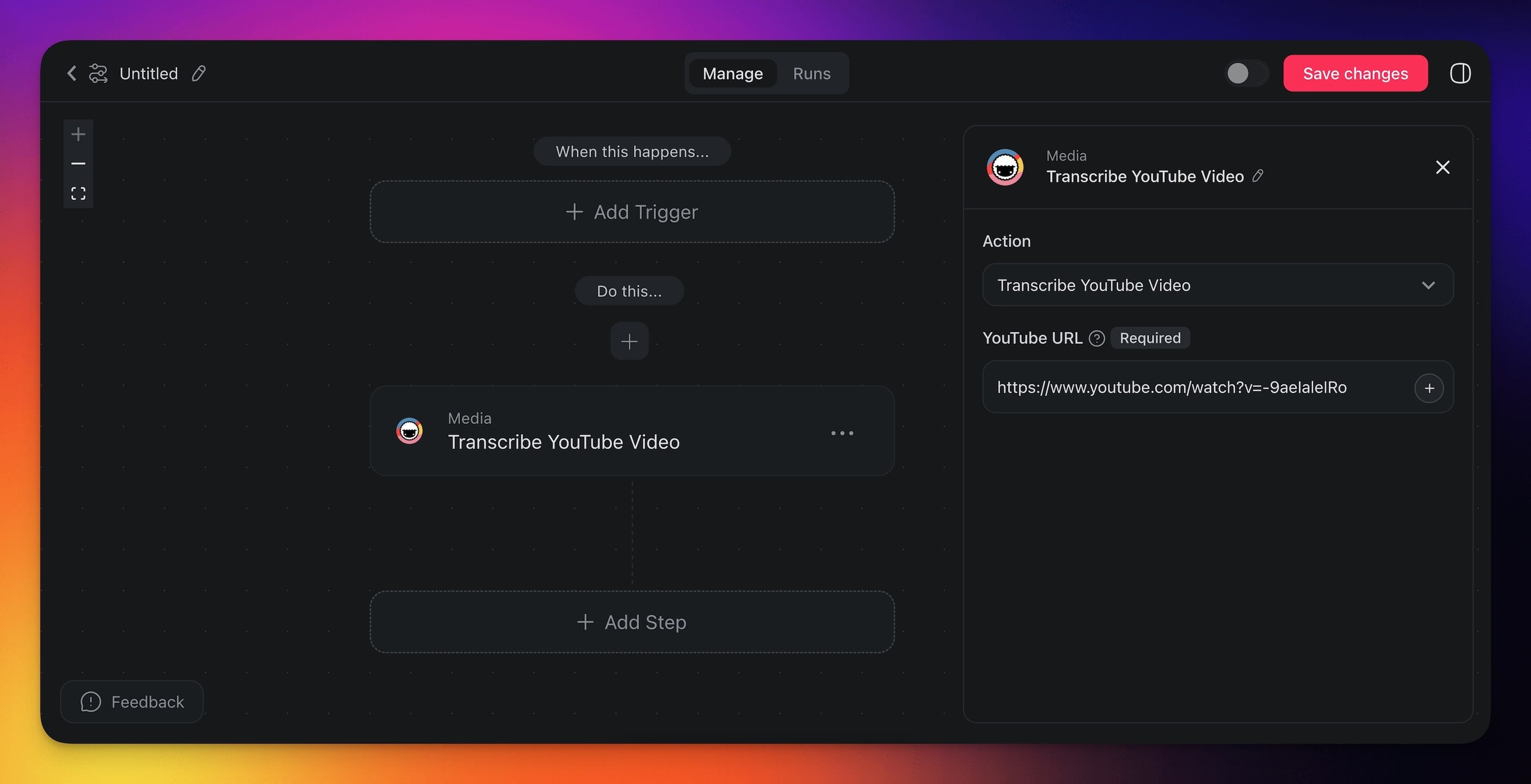
How to Use It
- Click ➕ Add Step and choose the Transcribe YouTube Video action.
- Specify the URL for the source video.
- Finish the automation or add more steps for further processing.
You can reference the URL from a previous trigger or action by typing the @ symbol in the URL field.
Transcribe YouTube Settings
Connector options give you full control over the Transcribe YouTube Video automation:
| 🏷️ Field | 🔤 Description |
|---|---|
| URL | Enter the YouTube video URL to extract its transcription. |
Transcribe YouTube Use Cases
Not sure how to use the Transcribe YouTube Video action? Here are a few ideas:
| 🪄 Use Case | 🔤 Description |
|---|---|
| Video content indexing | Convert YouTube videos into text to make it easier to index and search for specific topics or keywords within the video. |
| Educational resource creation | Transcribe YouTube lectures or tutorials to create study guides, notes, or supplementary materials for students. |
| Content repurposing | Transcribe YouTube videos to repurpose the content into blog posts, articles, or social media updates. |
| Accessibility enhancement | Provide text transcripts of YouTube videos to make them accessible to individuals with hearing impairments or for those who prefer reading over watching videos. |
| Competitive research | Transcribe competitor webinars or product demos and feed the text into an AI agent for structured analysis. |
Tips
- Summarize the transcript: After transcribing, pass the text to an AI or Agent step to generate a concise summary or extract key takeaways.
- Create projects from videos: Combine with the Create Project action to automatically generate a new project populated with the transcript content.
- Batch workflows: Use a Webhook trigger to accept YouTube URLs from an external tool and transcribe them on demand.
Related guides
- File Convert Action. Convert PDFs, DOCX, and more to text.
- Scrape Webpage. Sibling for HTML content.
- Agent Knowledge Action. Feed transcripts into agents.
- Media Upload. Save video reference to Media Files.
- RSS Integration. Monitor channels for new videos.