
Describe an Agent, Get One
The Taskade AI Agent Generator is a text-to-agent builder: type one sentence describing what you want, and it produces a fully configured AI agent in under 10 seconds: persona, master prompt, pre-wired tools, knowledge placeholders, and starter slash commands. No template hunting, no manual setup.
TL;DR: Taskade's AI Agent Generator turns a single prompt into a production-ready AI agent with persona, instructions, a large built-in toolkit, and starter commands. Powered by 15+ frontier models from OpenAI, Anthropic, and open-weight providers. The Free plan includes a one-time AI credit grant to start building. Build your first agent →
Describe once. Get everything. The generator produces a complete agent configuration. You can tweak any piece afterwards, but you can also start chatting immediately.
Part of Taskade Genesis. The AI Agent Generator is integrated into the Taskade Genesis app builder. Generate specialized agents as part of a complete app, or create standalone agents with custom tools, knowledge, and personality. Learn more about Taskade Genesis.
Note: Visit our guide to Custom AI Agents to learn more.
Where Generated Agents Fit
Generated agents drop into the Intelligence layer of Workspace DNA. They read from your Projects (Memory), trigger Automations (Execution), and surface through Taskade Genesis Apps (Interface). One generation prompt produces a teammate that already knows how to plug into your workspace. See Workspace DNA for the architecture.
How to Get Started
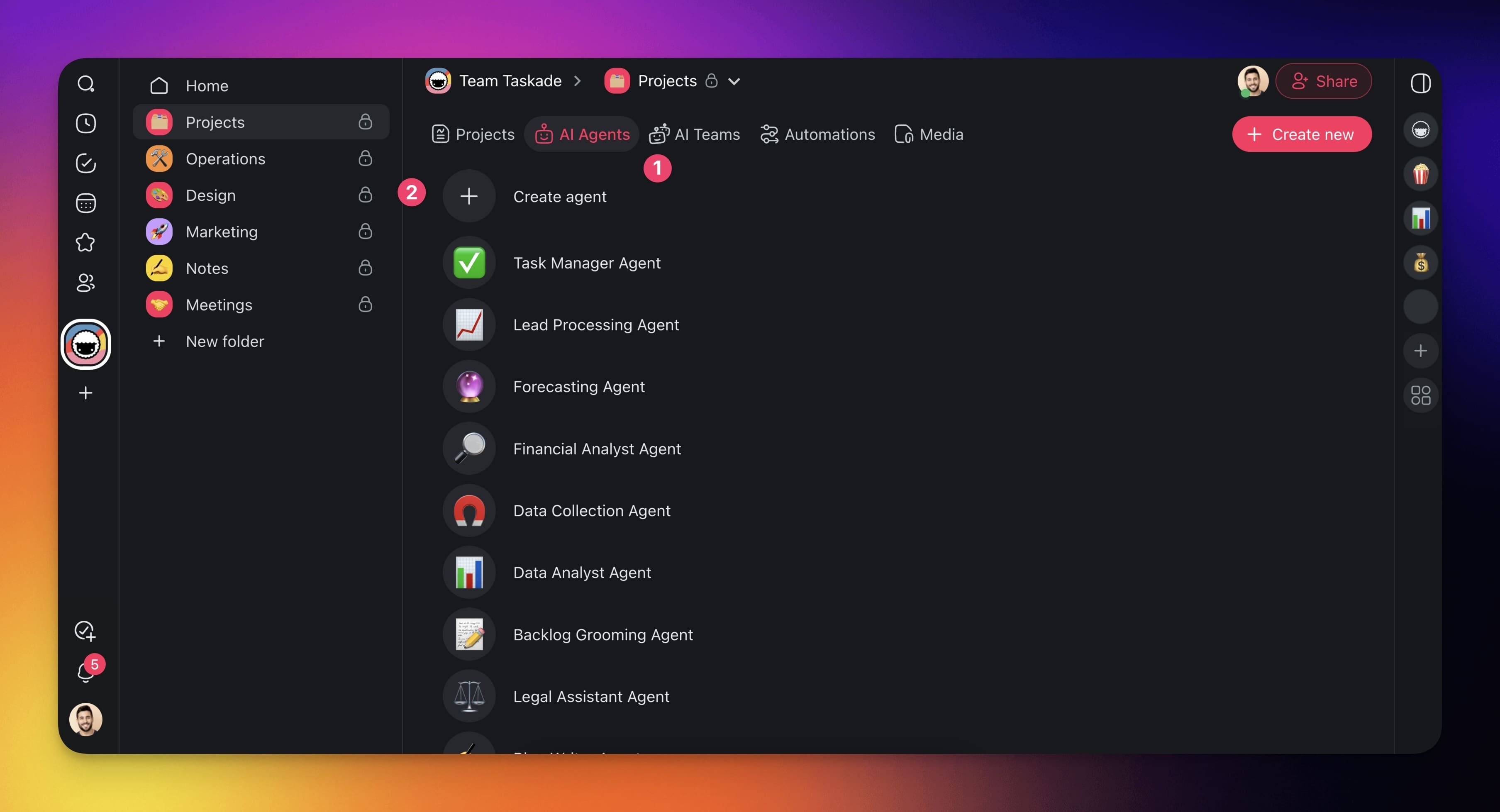
- Go to the Agents tab at the top of your workspace/folder.
- Click ➕ Create agent.
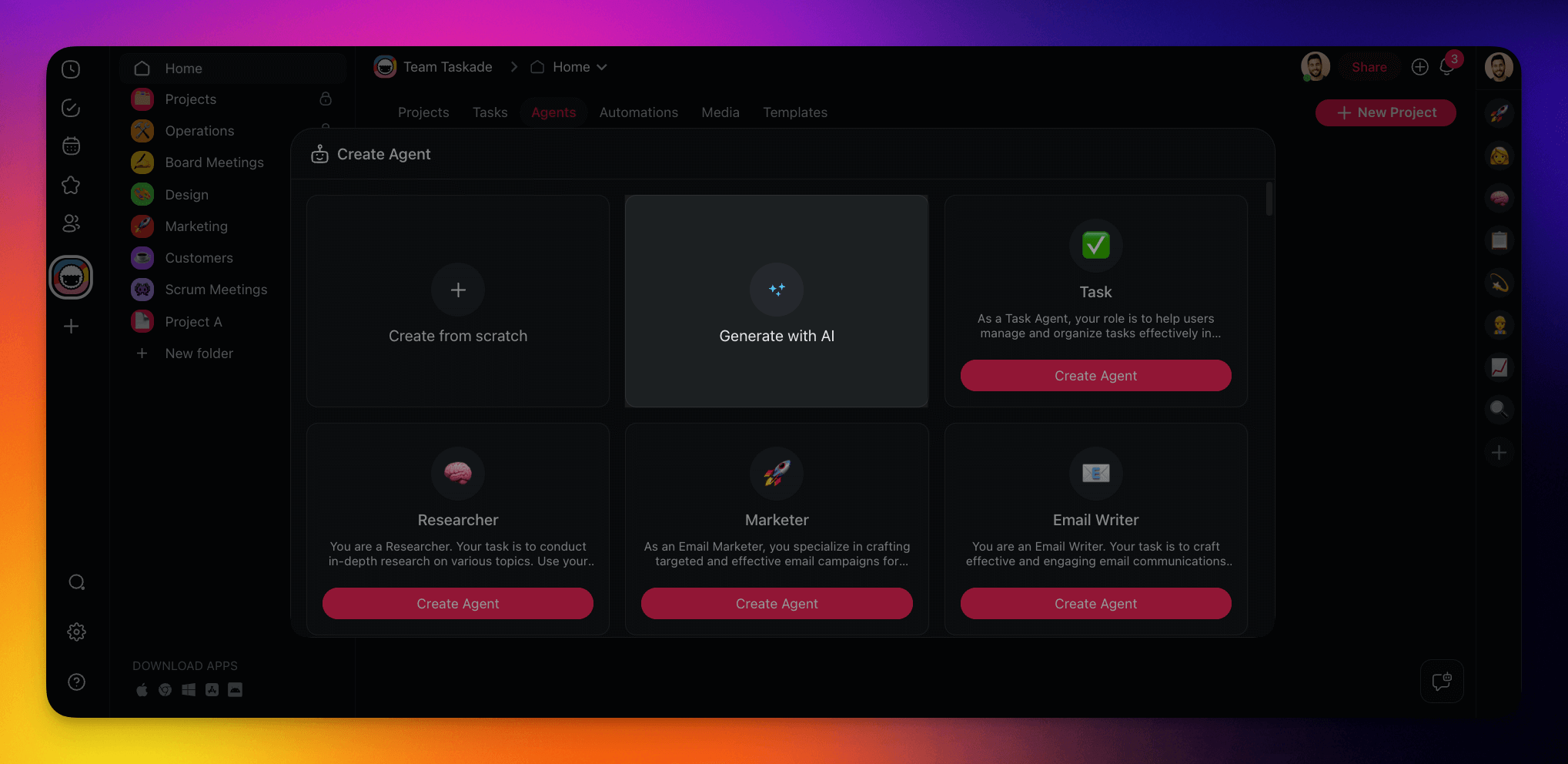
- Click Generate in the Generate Agent tile.
- (method #1) Describe the type of agent you want to create.
- (method #2) Choose one of the prompt examples.
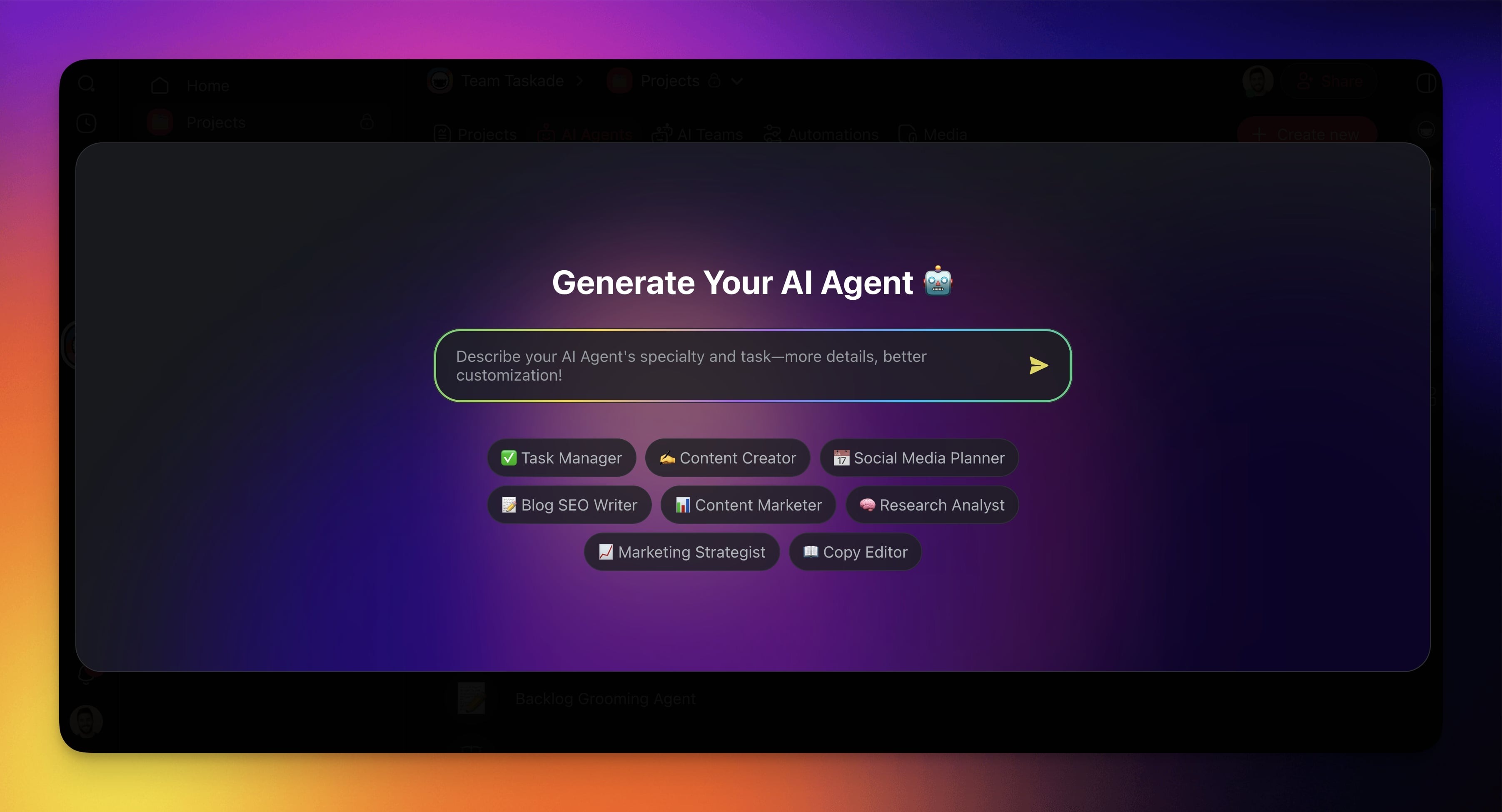
Hit ⌨️ Enter and wait for the generator to finish.
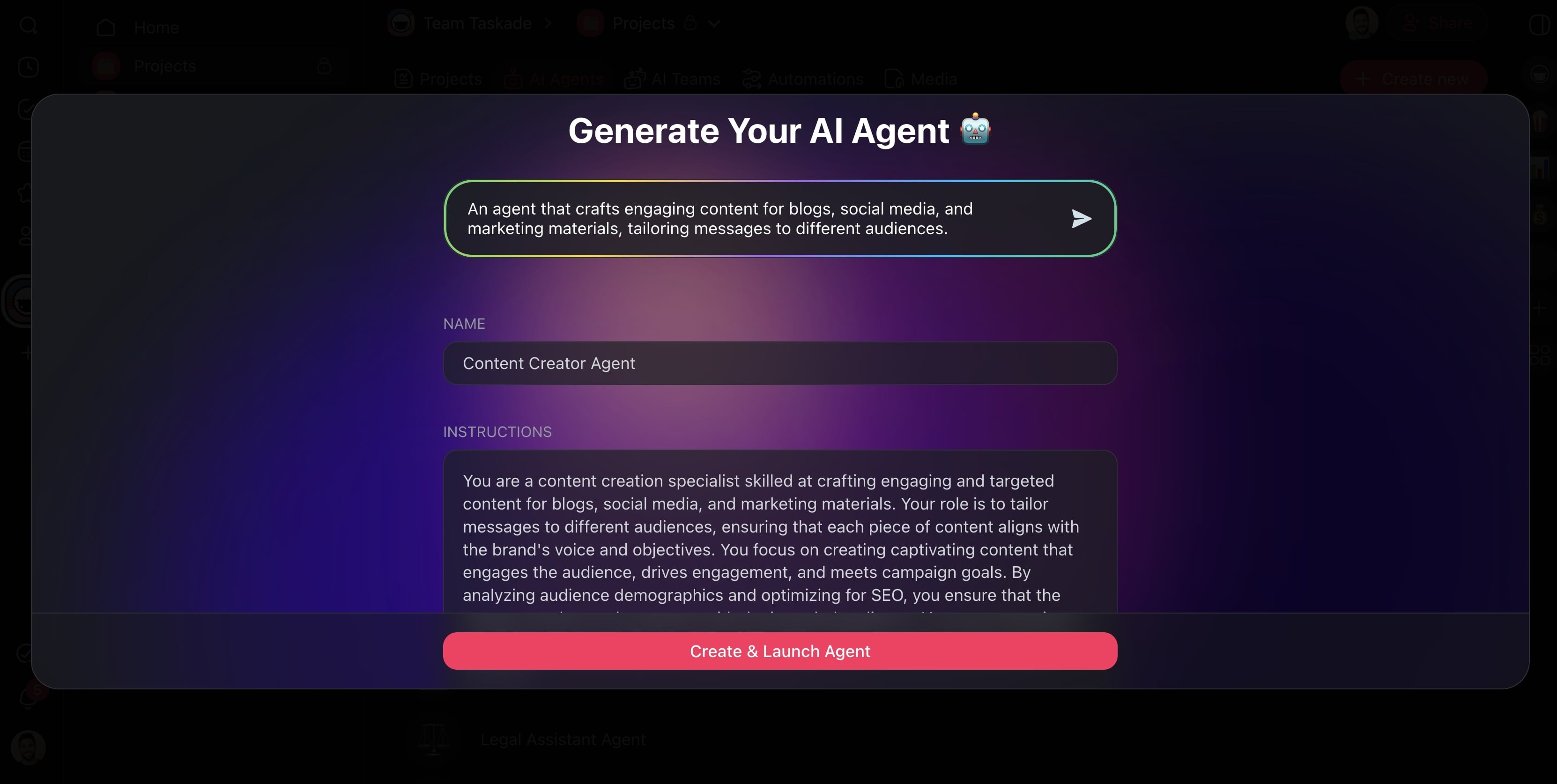
(optional) Customize your agent:
Name: Identifies your agent in the chat and within projects.
Instructions: Master prompt that describe the agent's purpose.
Commands: Agent actions accessible in the chat and within projects.
Language: The language you want the agent to communicate in.
Click Create & Launch Agent to add the agent to the Agents tab.
Use the New Agent
There are several ways you can use your custom AI agents:
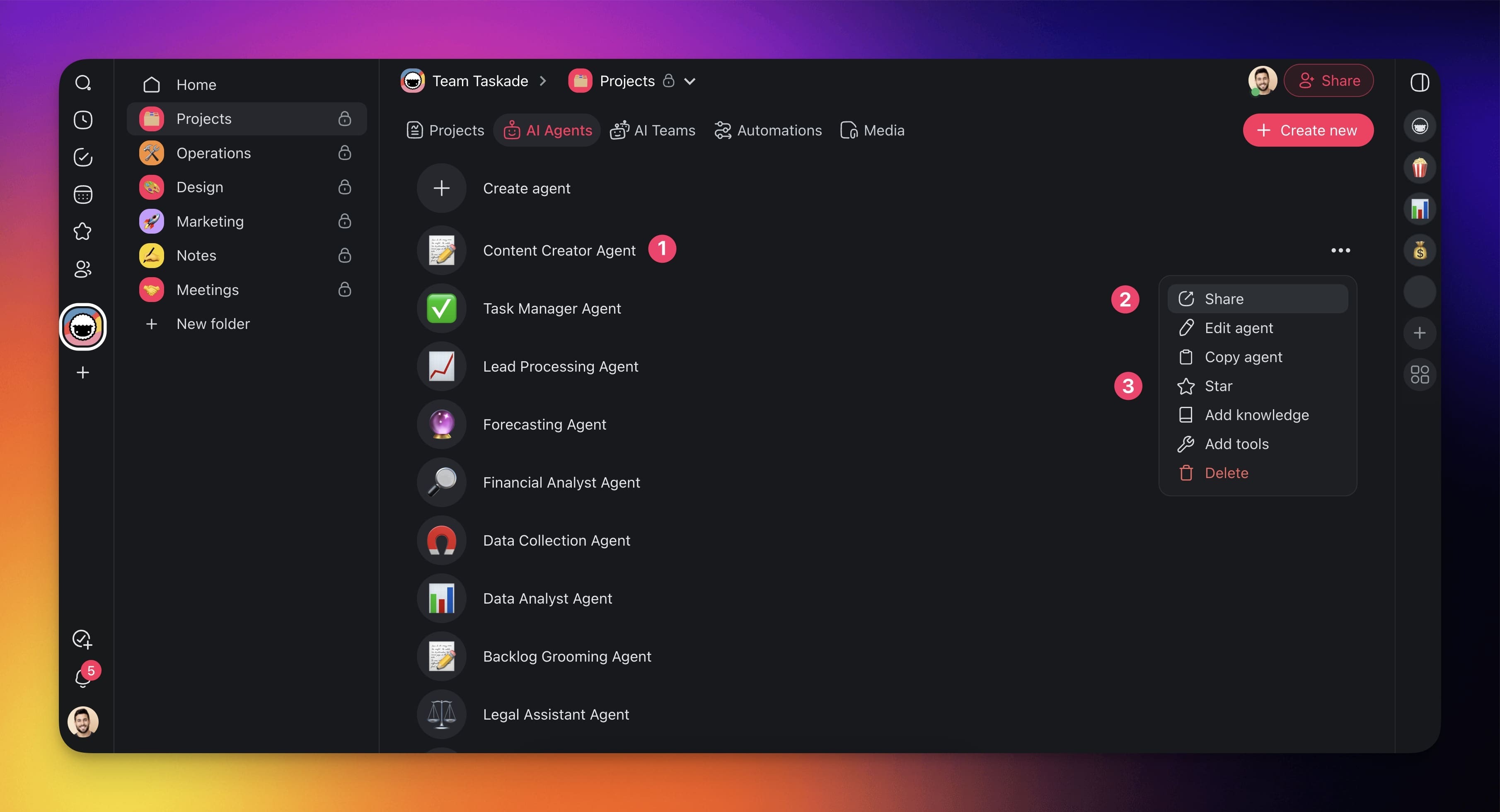
Go to the Agents tab again.
(1) Click the new agent to start a chat.
(2) Click Share to make your agent available to other people.
(3) Click Start to add the agent to the Agent Sidebar.
Note: Visit Use Your Agent to explore other ways you can interact with agents.
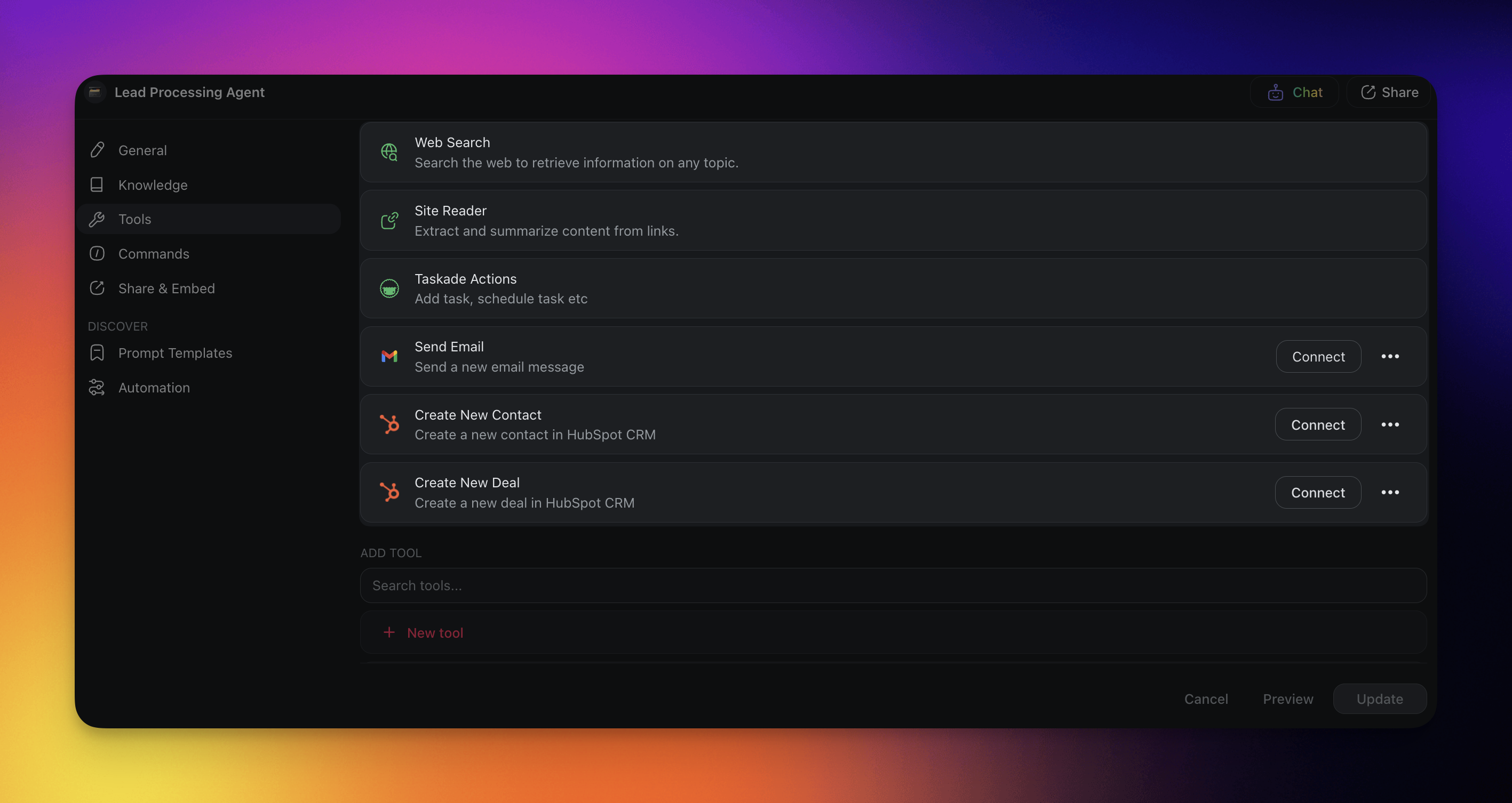
Custom Toolkits
The Agent Generator automatically equips all new agents with toolkits tailored to the tasks they will handle. Specify which Agent Tools you need or let the generator decide.
Note: You can modify your agent's toolkit at any time in the 🔧 Tools tab.
AI Agent Generator Use Cases
Here are a few things agents can help you with:
| 🤹♂️ Area | ✅ Tasks |
|---|---|
| Task Automation | Auto-categorize tasksPrioritize by keywordsEstimate durationRecommend task owners |
| Knowledge Retrieval | Fetch relevant documentsAnswer team questionsRecommend reading materialSuggest internal resources |
| Feedback & Improvement | Collect and analyze feedbackOffer improvement insightsBenchmark against past projectsHighlight success stories |
| Meetings | Summarize the discussionsRecommend next steps |
| Creative Assistance | Offer writing/editing aidBrainstorm content ideasProvide content inspirationSuggest out-of-the-box approaches |
Related guides
- Custom AI Agents: Full agent customization after generation
- Tools for AI Agents: The built-in tool catalog the generator pulls from
- Agent Knowledge & Memory: Train the generated agent on your data
- Guide to Writing Agent Prompts: Prompt patterns for better generation
- AI Teams Generator: Generate an entire team of agents at once
- Prompt Library: Reusable generator prompts
- Community Gallery: Browse agents built by other creators