# Twitter/X Integration
> Connect X/Twitter to Taskade to auto-publish posts and replies from your automations, and let AI agents post and track mentions for you.
- Source: https://www.taskade.com/learn/connect/twitter-x
- Section: Connect
- Updated: 2026-11-09
- Index of all pages: https://www.taskade.com/learn/llms.txt
## Overview
Connect X/Twitter to Taskade and post on autopilot. Wire a [trigger](https://www.taskade.com/learn/automation/triggers) like a project update or a deadline to an X [action](https://www.taskade.com/learn/automation/actions), and your milestone updates, blog promos, and event announcements ship on their own. Your AI agents can post and reply too.
> **TL;DR:** Publish to X/Twitter automatically from your Taskade [automations](https://www.taskade.com/learn/automation/automations-execution). Three actions push posts out for you, Create Post, Create Reply, and Delete Post, so updates ship without a manual step. Connect the same X/Twitter tool to your [AI agents](https://www.taskade.com/learn/agents/agent-tools) and they can post and reply on their own across [100+ integrations](https://www.taskade.com/integrations).
> 💡 **Note**: Twitter/X is a premium integration. An automation that uses it needs a paid plan.
---
### X/Twitter at a Glance
An automation watches for something to happen, then posts for you. A trigger pulls an event in, like a task moving to Done or a scheduled time. Taskade runs your steps. An X action pushes the post out. You can also flow a real-world signal, like a new mention, into a task so your team sees it and replies.
```mermaid
flowchart LR
A[Event in Taskade
task done, deadline, schedule]:::pink --> B[Taskade automation
build the post text]:::blue
B --> C[Create Post / Create Reply
action on X/Twitter]:::green
D[Signal worth tracking
new mention or keyword]:::orange --> E[Taskade automation
capture and route]:::blue
E --> F[Create task + alert your team]:::purple
classDef pink fill:#2a1225,color:#ff8fa3,stroke:#ff2d60,stroke-width:2px
classDef blue fill:#0d1b2a,color:#7dd3fc,stroke:#38bdf8,stroke-width:1.5px
classDef green fill:#0d1a0e,color:#86efac,stroke:#22c55e,stroke-width:1.5px
classDef orange fill:#1a140a,color:#ffb74d,stroke:#e65100,stroke-width:1.5px
classDef purple fill:#1a0d24,color:#ce93d8,stroke:#6a1b9a,stroke-width:1.5px
```
The top row pushes content out of Taskade. The bottom row brings signals back in as work your team can act on.
---
### Twitter/X Automation
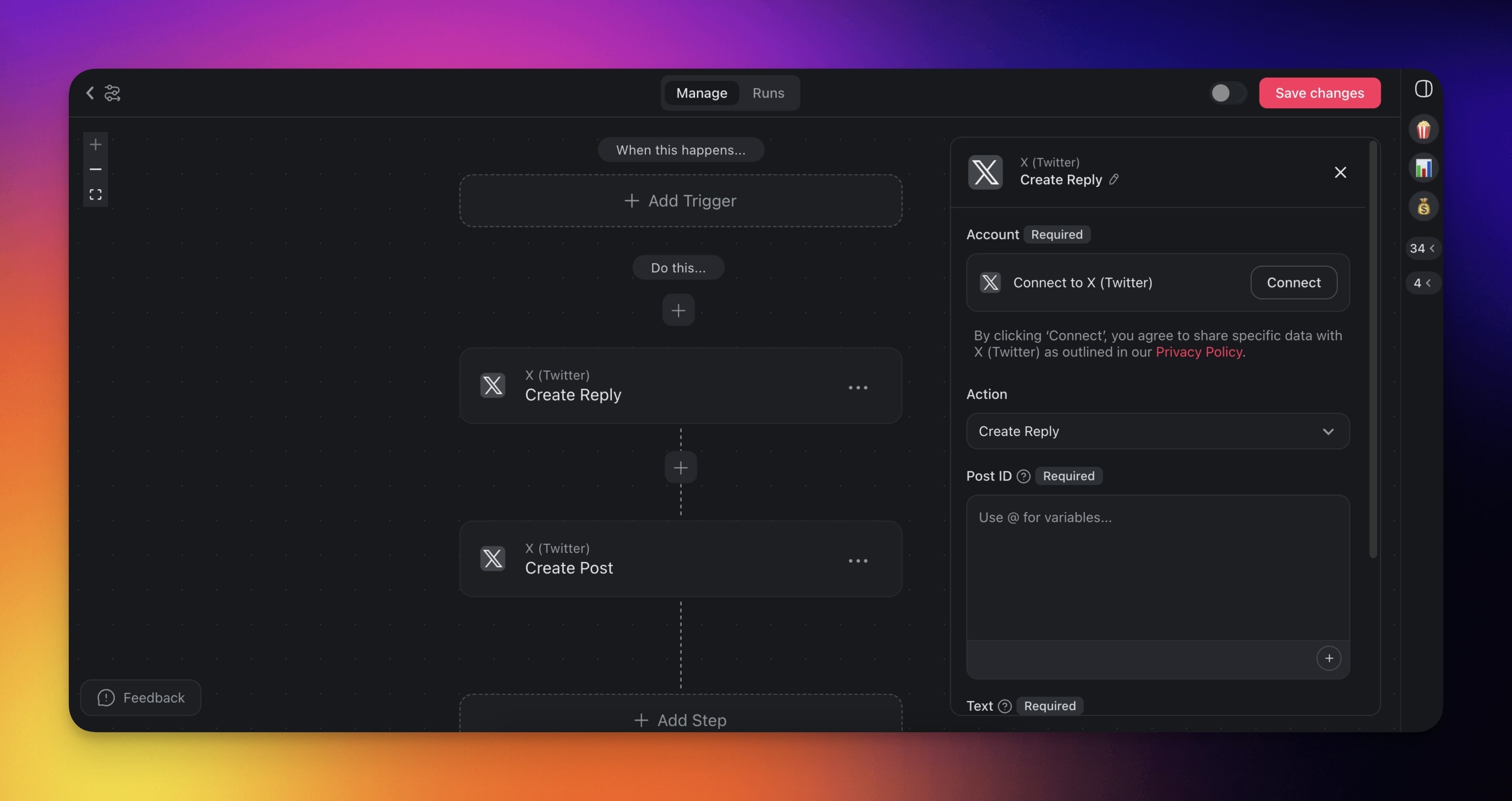
When a trigger occurs, such as a project update or a task deadline, Taskade creates posts and replies on X/Twitter automatically.
> 💡 **Note**: Visit our [Automation Guide](https://www.taskade.com/learn/automation/automations-execution) to learn more.
---
## Twitter/X Triggers & Actions
Here are the [triggers](https://www.taskade.com/learn/automation/triggers) & [actions](https://www.taskade.com/learn/automation/actions) you can use in your workflows:
| Action | Description |
| --- | --- |
| **Create Post** | Creates a new post on X/Twitter from a specified account. |
| **Create Reply** | Creates a reply on X/Twitter to a specified post. |
| **Delete Post** | Deletes a post by its ID. |
---
### Twitter/X Automation Settings
Connector options give you full control over the Twitter/X automation:
| Field | Description |
| --- | --- |
| TEXT | The text of your Twitter/X post. |
| POST ID | The ID of the post you want to reply to. |
---
### Reference Links to Posts
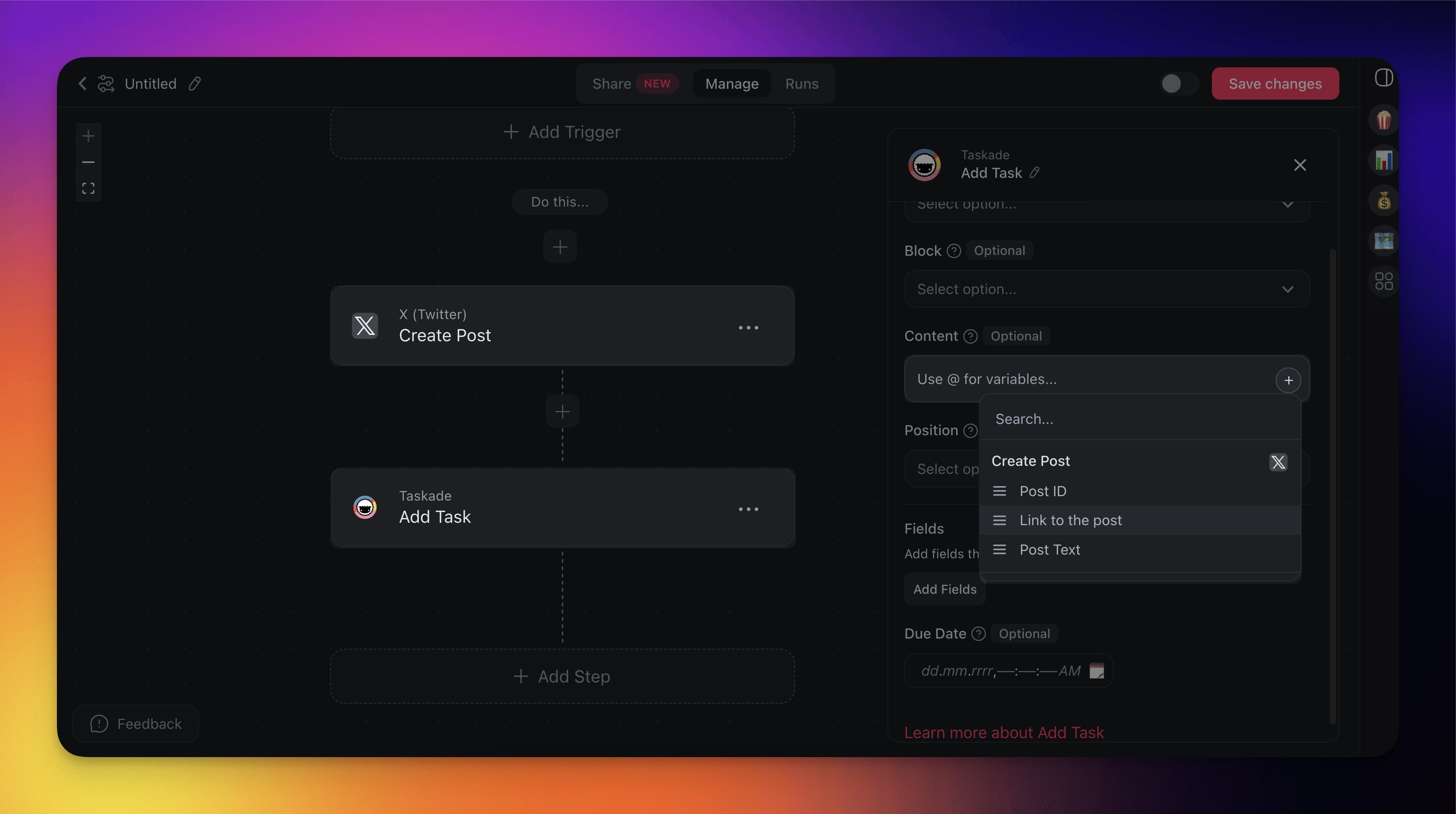
You can reference links to new posts in subsequent automation steps.
1. Add the **Create Post** action to your automation flow.
2. Reference **Link to the post** in the next automation action.
---
### Twitter/X Use Cases
Here are a few ways to use the Twitter/X connector:
| Use Case | Description |
| --- | --- |
| Share project milestones with followers | Automatically post updates about significant project milestones on X/Twitter to keep followers and potential clients informed. |
| Promote blog posts | Automatically post new blog articles or significant updates to a WordPress site on X/Twitter to drive traffic and engagement. |
| Customer service alerts | Automatically notify followers and customers on X/Twitter about service outages or downtime. |
| Event announcements | Announce scheduled webinars or events on X/Twitter to increase awareness. |
| Client feedback collection | Announce new feedback forms on X/Twitter to gather valuable client feedback and insights. |
---
## Set Up the X/Twitter Integration
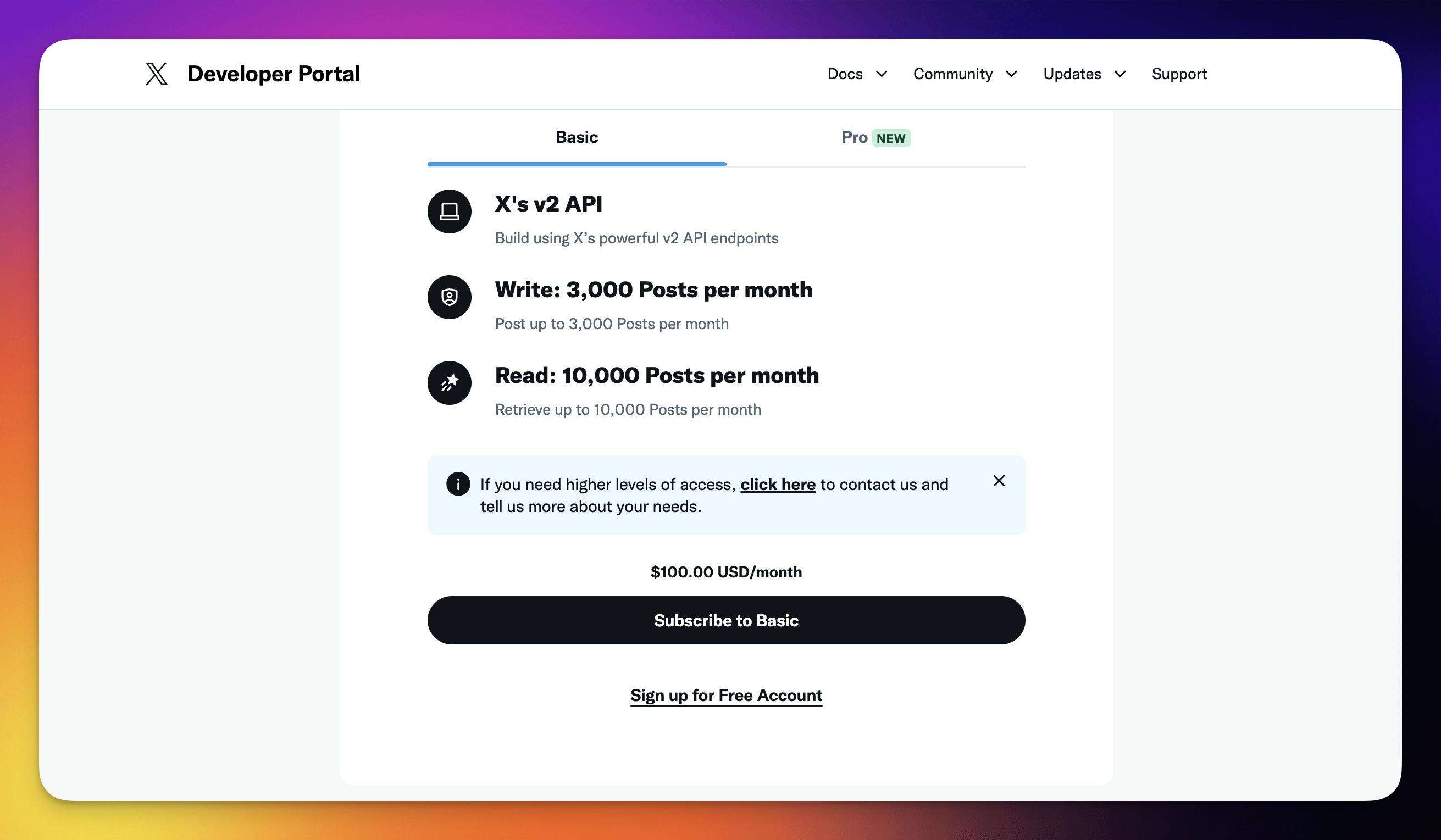
- Go to [https://developer.x.com/en/portal/petition/essential/basic-info?plan=basic](https://developer.x.com/en/portal/petition/essential/basic-info?plan=basic).
- (method 1): Sign up for a paid subscription.
- (method 2): Click **Sign up for Free Account** to get access to the X API.
- On the next page, describe your use case.
- (example): "We use Twitter's API to schedule posts with Taskade, a task management platform, to coordinate team responsibilities, prepare assets, and ensure posts are on-brand. This helps track past tweets, maintain consistency, and ensure compliance with X's terms and conditions for reliable social media management."
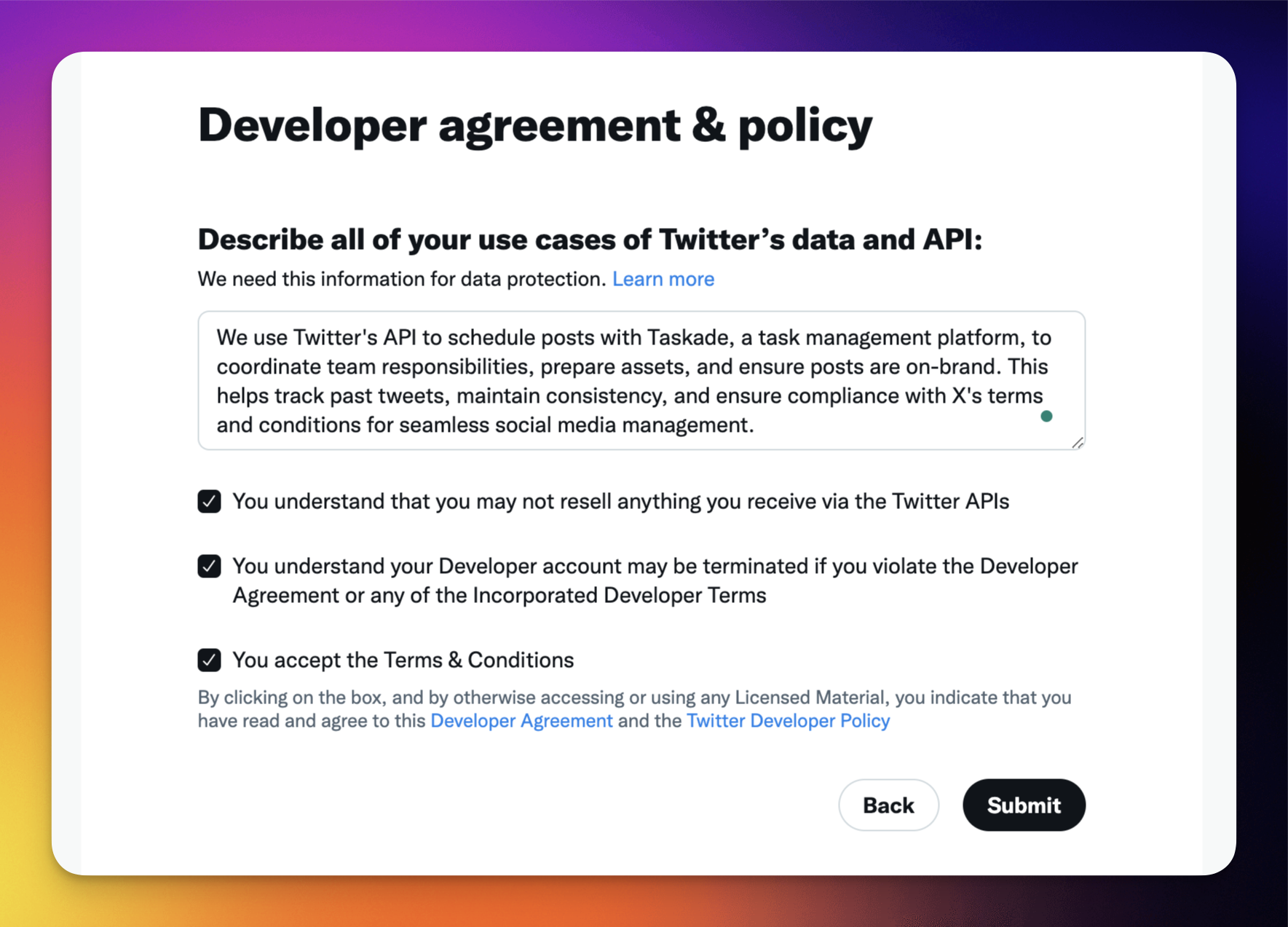
- Click **Submit** to proceed.
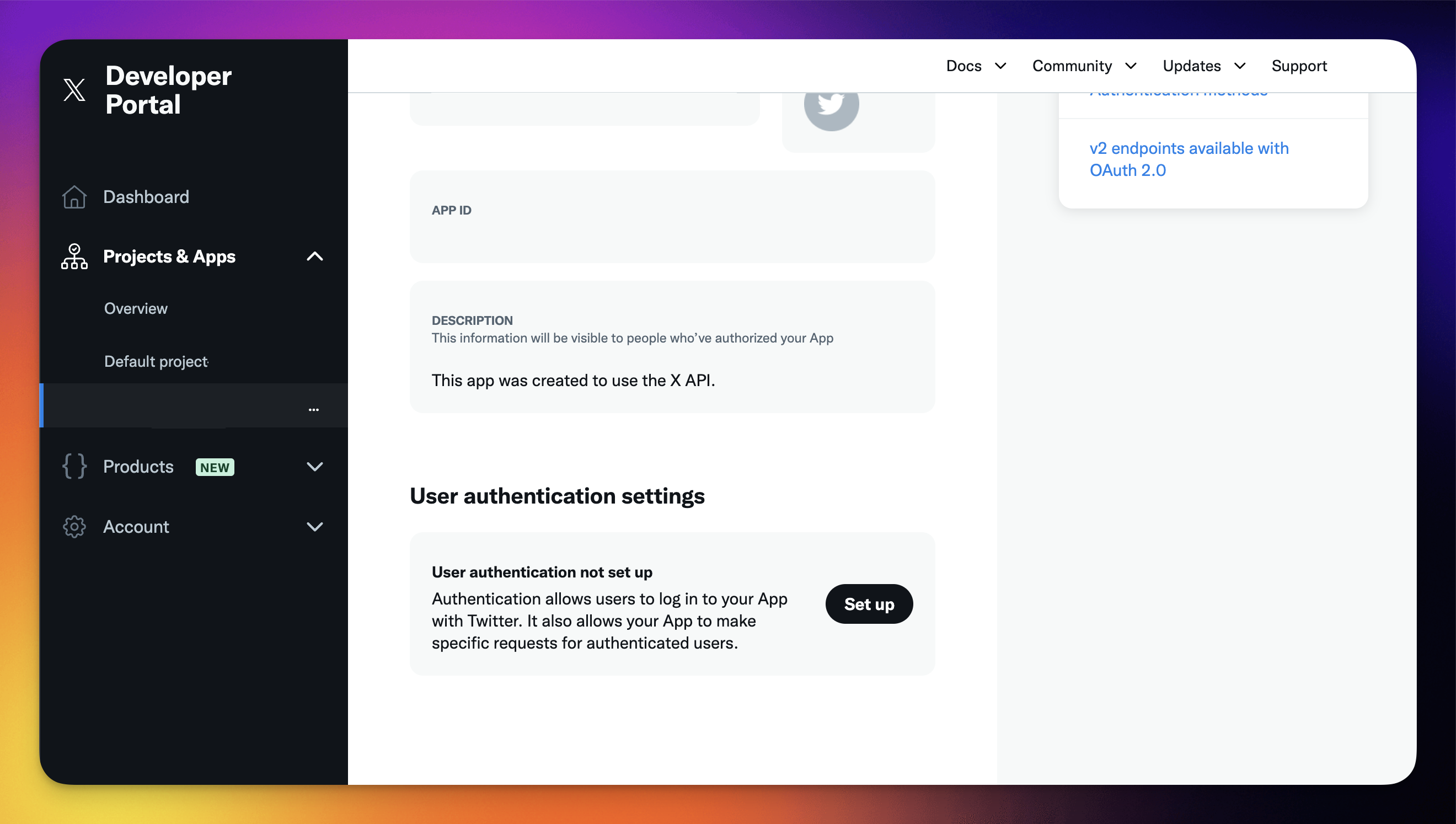
- Under default project, click **Set up** in the **Use authentication settings section**.
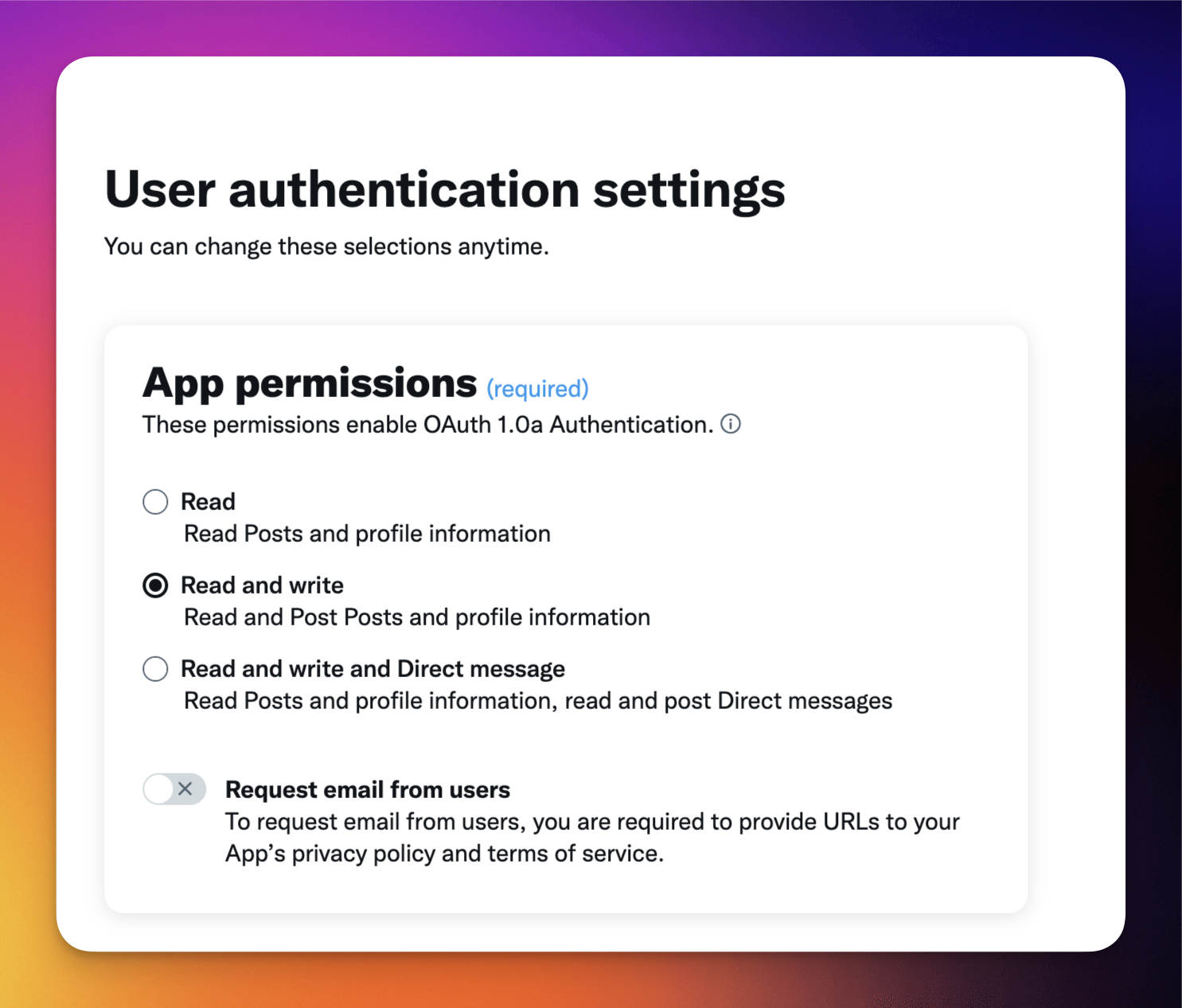
- In the next step, select **Read & Write**.
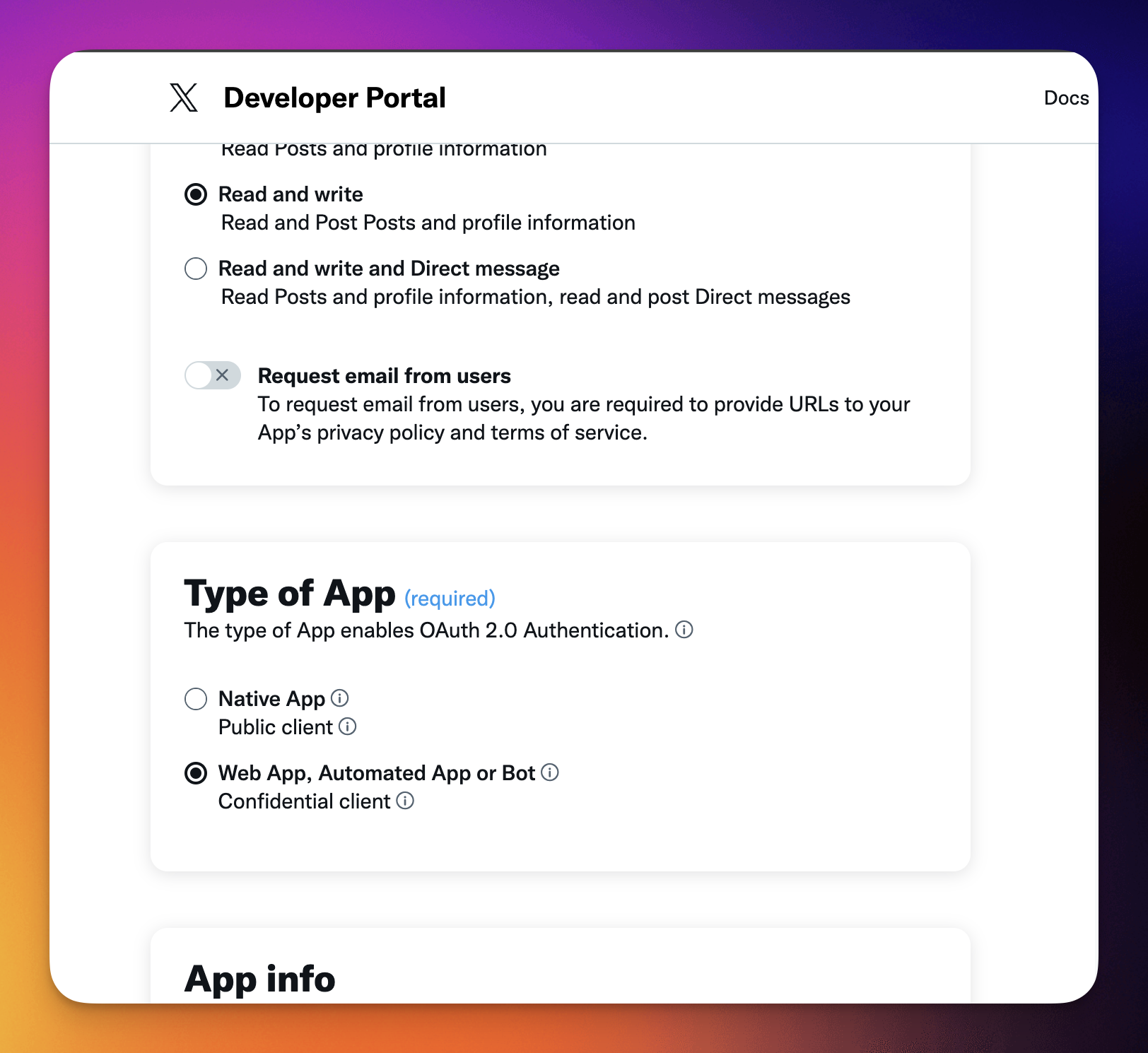
- Under **Type of App** choose **Web App**.
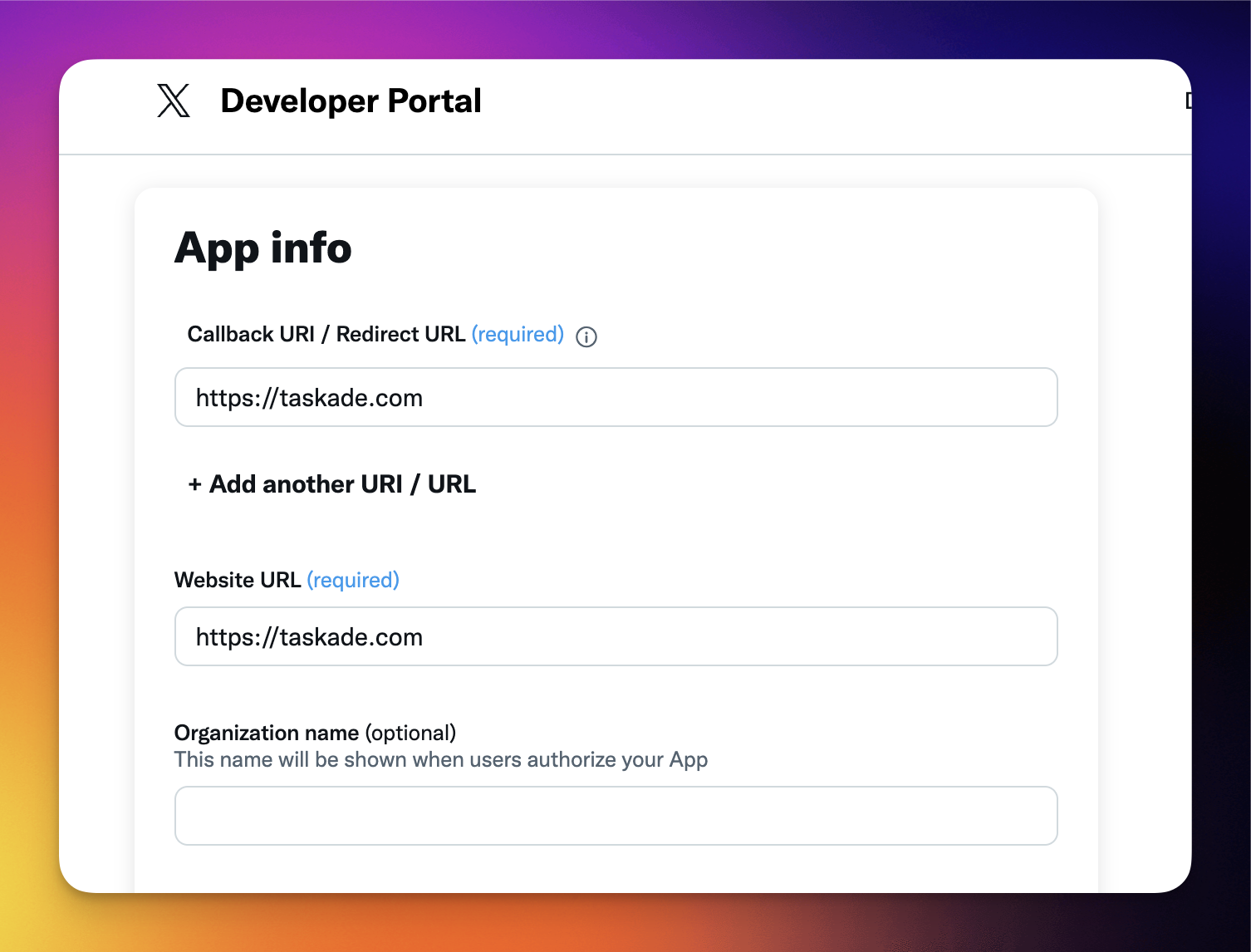
- For **Callback URL** and **Website URL** use [https://taskade.com](https://taskade.com/).
- Click **Save** at the bottom of the page.
- In the **Developer Portal**, choose the **Keys and Tokens** tab.
- Re-generate the **API Key and Secret**.
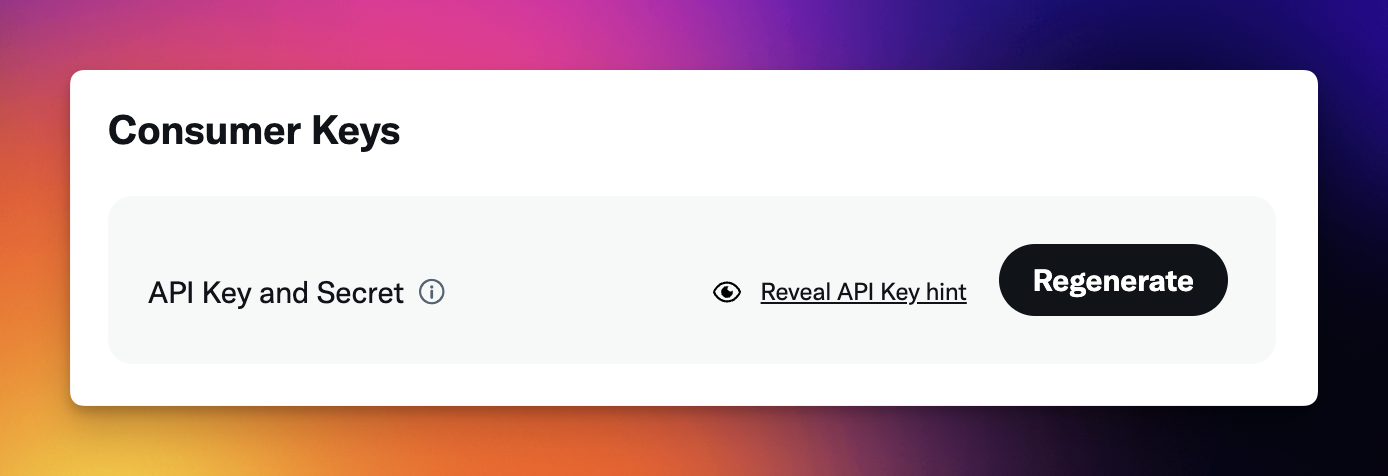
- Next, re-generate **Access Token and Secret**.
- Save this information somewhere. You will need it later!
- Make sure **Created with Read and Write permissions** is visible at the bottom.
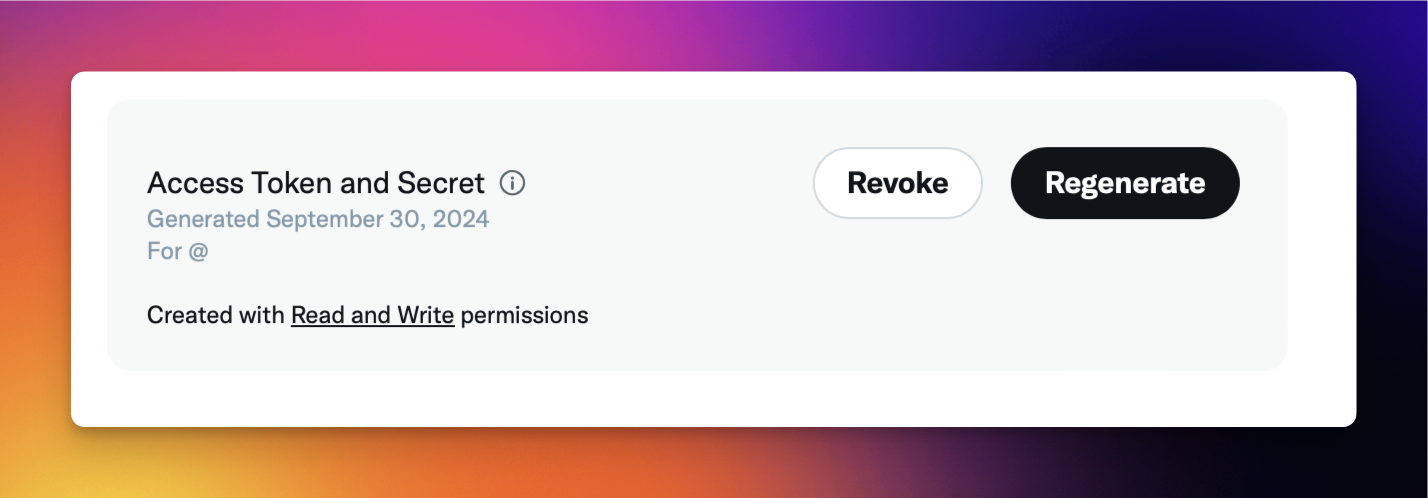
In Taskade:
- Go to the **Automations** tab.
- Click ➕ **Add step** and select **Create Post via X**.
- Click **Connect**.
- Paste the **API Key**, **API Key Secret**, **Access Token**, **Access Token Secret**.
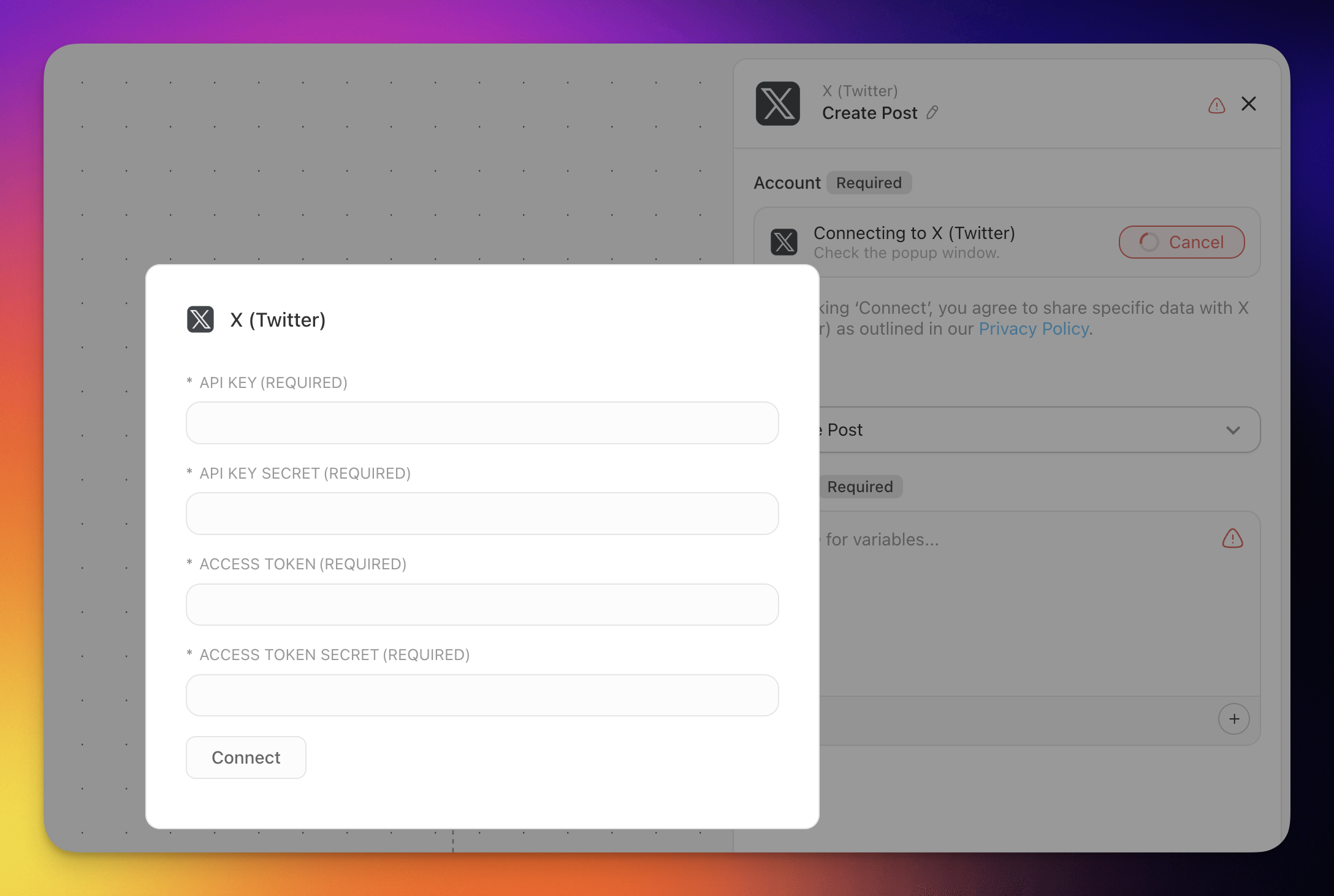
- Continue building your automation as usual.
---
### X/Twitter Agent Tools
Connecting your Custom AI Agents with the X/Twitter tool empowers them to create posts and replies based on agent interactions.
> **💡 Note**: Visit our guide to [AI Agent Tools](https://www.taskade.com/learn/agents/agent-tools) to learn more.
1. Go to the **Agents** tab at the top of your workspace/folder.
2. **(1) Select an existing agent** or **(2) create** a **new one.**
3. Click ✏️ **Edit agent** in the top-right corner.
4. Go to the 🔧 **Tools** tab on the left.
5. Click **➕ Add tool** and **choose the X/Twitter tool** from the list.
6. Click **Connect** to configure the integration using your API credentials (see the setup section above).
7. Click **Update** to save the changes.
Your agent can now publish posts and create replies on X/Twitter as part of its workflows.
---
### Disconnect X/Twitter
To remove the X/Twitter integration from your workspace:
1. Open the **Automations** tab in your workspace or folder.
2. Locate the automation that uses the X/Twitter connector.
3. Click the X/Twitter step and select **Disconnect**.
4. Confirm the disconnection.
To remove X/Twitter from an AI Agent:
1. Go to the **Agents** tab and select the agent.
2. Click ✏️ **Edit agent** and go to the 🔧 **Tools** tab.
3. Find the X/Twitter tool and click **Remove**.
4. Click **Update** to save.
---
#### Available Capabilities
| Type | Capability | Description |
| --- | --- | --- |
| 🔧 Action | Create Post | Creates a new post on X/Twitter |
| 🔧 Action | Create Reply | Creates a reply to a specified post |
| 🔧 Action | Delete Post | Deletes a post by its ID |
---
### Build a social command center
You are already tracking mentions and scheduled posts somewhere, in a spreadsheet, a pinned chat, or your head. Put that bridge inside Taskade. Describe it to [Taskade Genesis](https://www.taskade.com/create) and it builds a live social command center that connects X/Twitter to the rest of your work.
Your team opens one board that shows what is queued, what shipped, and which mentions need a reply. New mentions land as tasks with an assignee. Approved posts publish through the Create Post action on schedule. The same app reaches across [100+ integrations](https://www.taskade.com/integrations). A milestone in your project can announce itself on X and ping your team at the same time, with no one watching the feed.
[Build your social command center with Taskade Genesis →](https://www.taskade.com/create)
---
### Related guides
- [Social integrations](https://www.taskade.com/learn/connect/linkedin-integration): [LinkedIn](https://www.taskade.com/learn/connect/linkedin-integration), [Facebook](https://www.taskade.com/learn/connect/facebook-integration), [Instagram](https://www.taskade.com/learn/connect/instagram-integration), [Reddit](https://www.taskade.com/learn/connect/reddit-integration)
- [Triggers](https://www.taskade.com/learn/automation/triggers) and [Actions](https://www.taskade.com/learn/automation/actions): the building blocks of every automation
- [AI Agent Tools](https://www.taskade.com/learn/agents/agent-tools): connect X/Twitter to an agent
- [Brand Voice](https://www.taskade.com/learn/genesis/brand-voice): keep on-brand X content
- [Marketing Agents](https://www.taskade.com/learn/genesis/marketing-agents): specialized social agents