
TL;DR: Build a self-improving marketing team in Taskade Genesis. Copywriter, social, email, and SEO agents all read the same brand voice doc (Memory). They publish to live channels (Execution). Analytics flow back as fresh examples next week. 100+ integrations included. Your campaigns get smarter with every send. Build a marketing app →
What Are Custom AI Agents?
Custom AI agents are specialist teammates for your marketing work. A copywriter, a social agent, an email agent, and an SEO agent all read the same brand voice doc and publish to live channels. Point them at one shared brand memory, and every campaign gets sharper than the last. With 100+ bidirectional integrations, your agents pull in analytics and push out posts, emails, and pages.
💡 Note: See Custom AI Agents to learn how agents work internally.
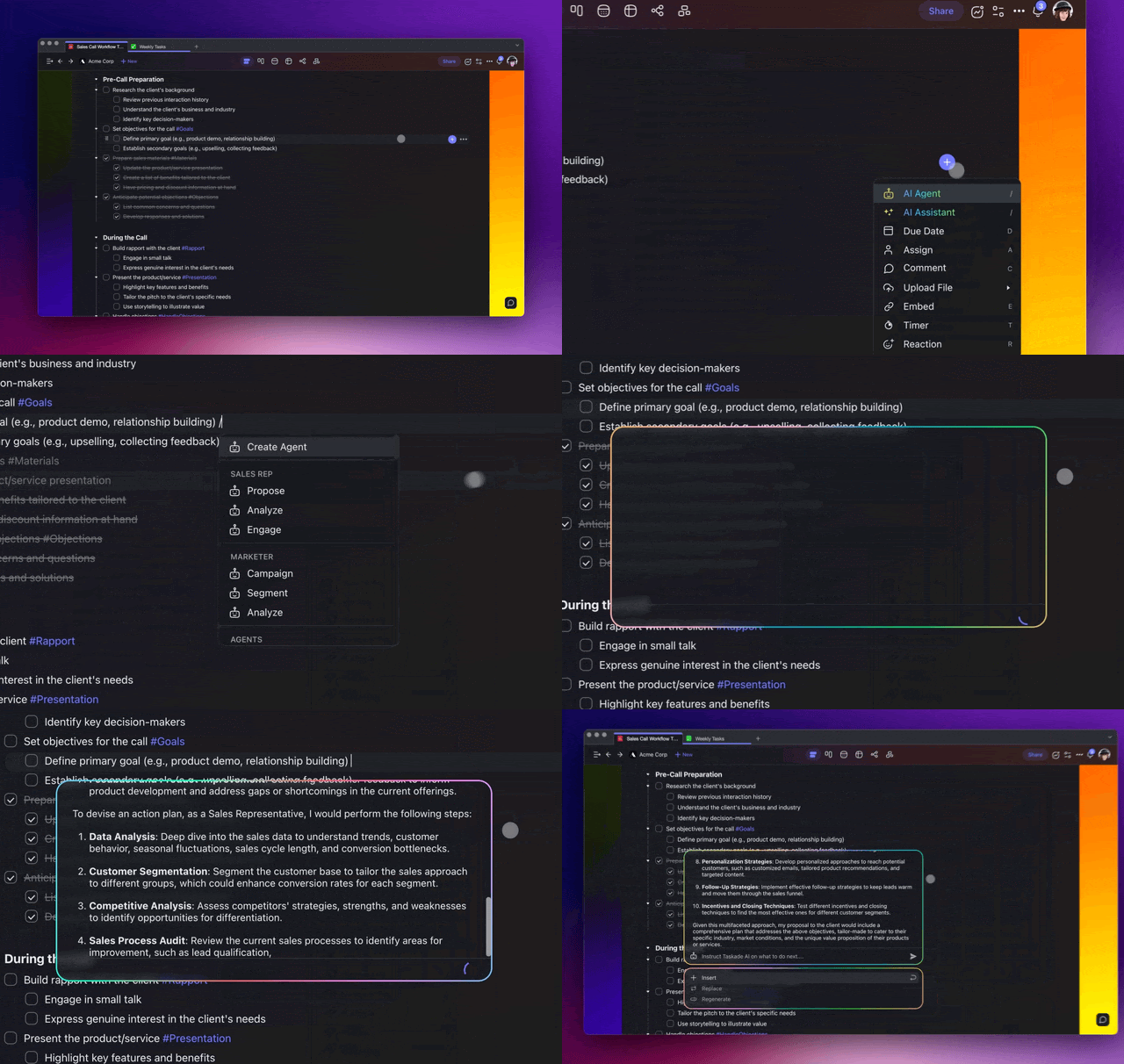
What Can AI Agents Do?
AI Agents can be anything you want them to be. They can help you stay on top of marketing data, manage campaigns, or enhance communication strategies.
Here are a few top use cases you can start with:
| Content Creation | Agents can write articles, blog posts, and other text content, adapting their style for different audiences and topics. |
|---|---|
| Content Editing | Your agents will review written content for grammar, style, and clarity, suggesting improvements for engaging and error-free text. |
| Campaign Scheduling | Agents can assist you in planning the timing and placement of marketing campaigns for optimal impact. |
| Research | A custom agent will conduct market and customer research. It will gather insights and compile a list of resources. |
| Generating Ideas | Agents can quickly generate creative ideas for marketing, new products, or strategies. |
| Email Marketing | Use agents to personalize email content for different audience segments and optimize sending times for increased engagement. |
| Market Analysis | Agents will examine market conditions, competitor actions, and consumer behavior, providing actionable business insights. |
| Branding Strategy | Your custom AI agent can help you develop a coherent and appealing brand story, align visual elements, and ensure consistent messaging across all communication channels. |
Choose a Marketing Agent
To skip the setup, pick one of the default AI agents. Each one comes with the skills, commands, and knowledge you need.
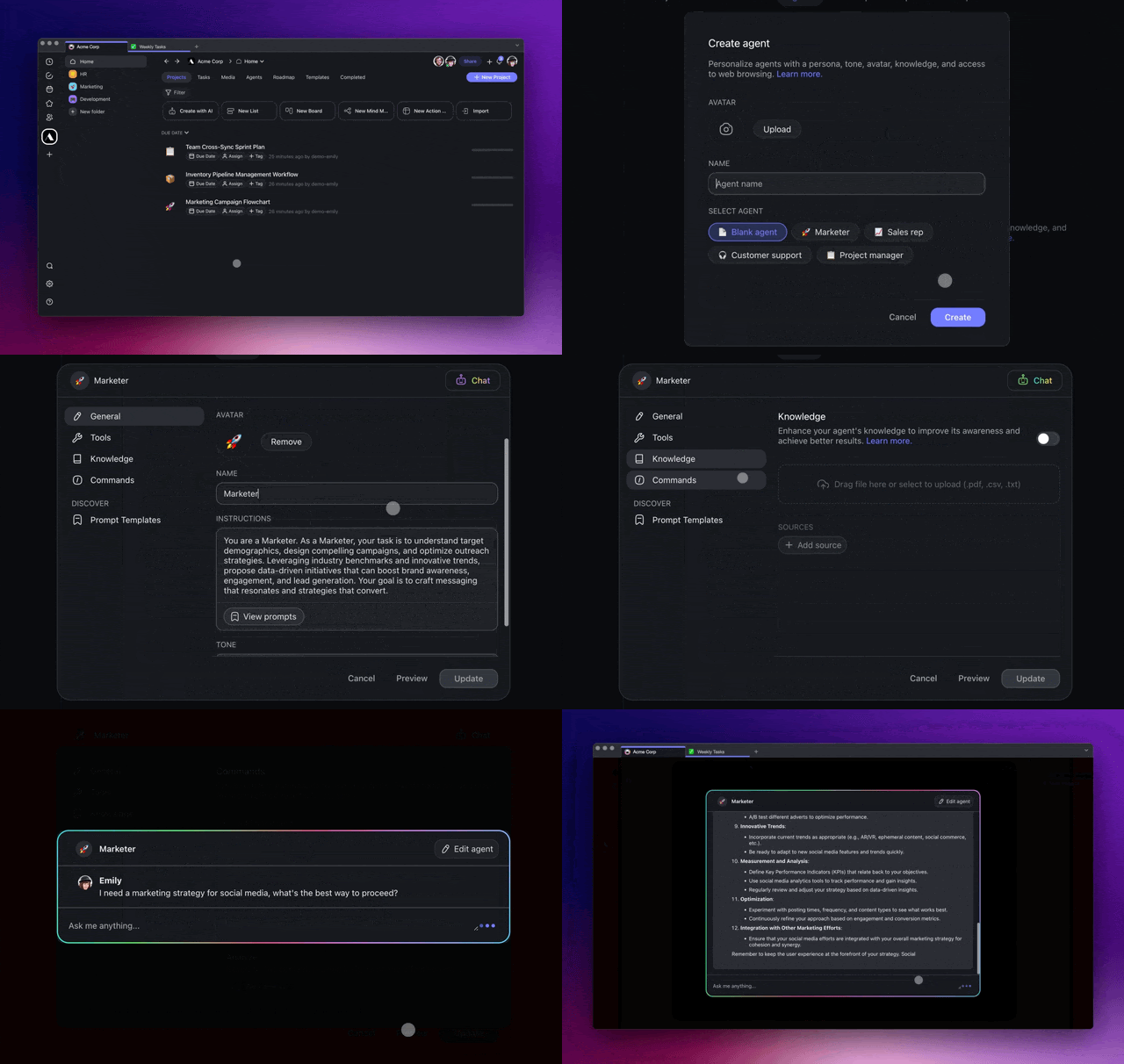
Go to the Agents tab at the top of your workspace/folder.
Click ➕ Create agent to open the agent creator.
Use one of the available agent templates.
| 👥 Agent Type | 🔤 Description |
|---|---|
| Marketer | The Marketer agent specializes in crafting and executing marketing strategies. It analyzes trends and optimizes campaigns for better engagement and reach. |
| Research | This agent is your go-to for deep-diving into any topic. It gathers and analyzes data, providing comprehensive insights for informed decision-making. |
| Content Creator | Focused on producing high-quality content, this agent helps in writing, editing, and textual content creation, tailoring messages to your audience. |
| SEO | The SEO agent is designed to optimize your online presence. It fine-tunes website content for better search engine rankings and improved visibility. |
| Brand Strategist | This agent helps in shaping and maintaining your brand identity. It develops branding strategies that resonate with your target audience and stand out in the market. |
Create a Custom Marketing Agent
If no template fits, create a custom marketing agent for your needs. You define the general behavior of the agent and each individual command.
- Go to the Agents tab at the top of your workspace/folder.
Click ➕ Create agent to open the agent creator.
Create a unique name for your custom agent.
Select an avatar or upload your own.
Click Create to save the new agent.
In the Agents tab, select the agent you created in the previous step.
Choose the Commands tab on the left.
Click ➕ New command and define the prompts:
🔤 Name: Pops up when you type / + "command name"
⏩ Prompt: Defines the behavior of the custom command.
🛠️ Tools: Enable additional tools and skills:
🧭 Background Task: Execute commands in the background.
🧭 Web Search: Give the agent internet access.
Click Create to save the changes.
Open a project in the workspace/folder where you created the agent.
Type / and the name of your custom command, for example "/task breakdown"
A partial command name is enough.
Press ⌨️ Enter to execute the command.
Self-Improving Marketing Team
A team of specialized marketing agents, each with their own playbook, collaborating around a shared brand memory and feeding back what works:
Four specialist agents read the same brand memory. Their output lands on published channels. Analytics flow back into the brand memory as fresh examples, "this subject line converted 12%, this one 2%", so next week's campaigns are informed by last week's results.
Related guides
- Brand Voice. Build the single brand document every agent reads.
- Multi-Agent Teams. Coordinate multiple marketing agents.
- Agent Knowledge & Memory. Load brand assets into agent memory.
- App Analytics. Measure Taskade Genesis-published landing pages.
- Community Profiles. Publish case studies back to the community.
- Create Your First App. Ship a campaign microsite in minutes.