






In October 1979, Dan Bricklin and Bob Frankston released VisiCalc on the Apple II. The product cost $100. Within three years, Apple had sold a million Apple IIs, most of them to accountants, financial analysts, and small business owners who bought the computer specifically to run VisiCalc.
The spreadsheet built the personal computer.
Forty-seven years later, the same architectural pattern, a programmable document where users define computations and relationships without writing code, runs from VisiCalc through Lotus 1-2-3, Excel, Google Sheets, Airtable, Notion, and Taskade Genesis. This is the story.
TL;DR: The spreadsheet was the original "no-code." VisiCalc (1979) by Bricklin and Frankston built the Apple II. Lotus 1-2-3 (1983) built the IBM PC. Excel (1985) built Microsoft. Google Sheets (2006) made spreadsheets collaborative. Airtable (2014) made them relational. Notion (2016) made them mix with documents. Taskade Genesis (2025) extends the programmable-document lineage to AI-native app generation: describe the app in plain English, get a working system with database + agents + automations in seven minutes. 150K+ Genesis apps built. Try Genesis →
🗺️ 47 Years of Programmable Documents
Forty-seven years. Eight inflection products. One throughline: the document where users define computation.
📜 The Big Idea That Started It All
The spreadsheet is one of computing's least appreciated inventions because it's so ubiquitous it disappeared into furniture. But VisiCalc in 1979 was as transformative for personal computing as the iPhone was for mobile.
Before VisiCalc: Mattessich (1961) and LANPAR (1969)
VisiCalc wasn't the first electronic spreadsheet. Richard Mattessich at UC Berkeley described the conceptual spreadsheet in a 1961 paper. René Pardo and Remy Landau built LANPAR (Language for Programming Arrays at Random) in 1969, the first true electronic spreadsheet, running on Bell Canada, AT&T, and General Motors mainframes. Pardo and Landau later won a 1995 patent lawsuit confirming priority. LANPAR was the missing link between the academic concept and the personal-computer mass-market product.
But mainframe-only spreadsheets stayed inside large enterprises. The breakthrough was bringing the same idea to the personal computer.
Bricklin's Harvard Classroom Moment (1978)
Dan Bricklin conceived the personal-computer spreadsheet while watching a professor at Harvard Business School work through a production-planning case study, erasing and rewriting numbers on a blackboard ledger, recalculating downstream values each time one input changed. Bricklin imagined: what if the blackboard recalculated itself?
He took the idea to Bob Frankston, his MIT classmate and a brilliant systems programmer, and together they built it. Bricklin handled the conceptual design and UI; Frankston wrote most of the production code, optimizing tightly for the 6502 processor and 16KB RAM of the Apple II.
VisiCalc shipped October 1979 for $100. It ran on the Apple II first, then on the Atari 800, Commodore 64, IBM PC, and TRS-80 in subsequent years. Within three years it had sold over 700,000 copies (eventually approaching ~1M lifetime), making it one of the best-selling software products of the early personal-computer era. Roughly 25% of 1979 Apple II sales were attributed to people buying the computer specifically to run VisiCalc.
Bricklin chose not to patent the spreadsheet, a decision he has discussed publicly across decades. A patent would likely have made him a billionaire and slowed the entire spreadsheet category. By not patenting, he seeded an industry. The Lotus 1-2-3 / Excel / Sheets / Airtable / Notion / Taskade lineage all descend from a patent that didn't exist.
What it actually did:
                VisiCalc · Apple II · 1979
                ──────────────────────────  A         B         C         D
┌─────────┬─────────┬─────────┬─────────┐
1 │ Item │ Price │ Qty │ Total │
2 │ Widget │ 10.50 │ 5 │ =B2C2 │
3 │ Gadget │ 25.00 │ 3 │ =B3C3 │
4 │ Sprocket│ 5.75 │ 10 │ =B4*C4 │
5 │ │ │ Total: │ =SUM(D2:D4)
└─────────┴─────────┴─────────┴─────────┘
Change any cell → all downstream cells recalculate.
This was magic in 1979.
The cell-and-formula model VisiCalc shipped is still the cell-and-formula model in Excel, Google Sheets, Airtable, and Notion databases in 2026. The idea was complete on first ship.
💥 1983: Lotus 1-2-3 Eats VisiCalc
Software Arts had a problem. VisiCalc had been written for the Apple II and was painful to port to the rapidly-rising IBM PC (launched August 1981). Meanwhile, Mitch Kapor, a former Software Arts employee, left to found Lotus Development Corporation with engineer Jonathan Sachs.
In January 1983, Lotus shipped 1-2-3: an IBM-PC-native spreadsheet that combined three features (spreadsheet, basic database, basic charting, the "1-2-3" of the name). Lotus 1-2-3 was specifically optimized for the IBM PC's memory architecture and graphics capabilities. It was substantially faster than VisiCalc, had a better UI, and shipped at exactly the moment IBM PCs were exploding into corporate America.
Lotus 1-2-3's market success was brutal for Software Arts:
- 1981, VisiCalc 70% market share, IBM PC just launched
- 1983, Lotus 1-2-3 ships
- 1984, 1-2-3 overtakes VisiCalc in revenue
- 1985, Lotus acquires VisiCalc rights for $800,000 and discontinues it
- 1985-1991, Lotus 1-2-3 dominates business spreadsheets
For the rest of the 1980s, Lotus was the most valuable software company in the world. The headline numbers:
- $53 million revenue in 1983, the largest software launch in industry history at the time
- $156 million revenue in 1984
- ~175,000 copies sold in Year 1
- ~70% peak market share in 1988 (per Liebowitz/Margolis analysis)
- IBM finally discontinued Lotus 1-2-3 on May 14, 2013, 30 years after launch
Lotus 1-2-3 also financed the Lotus Symphony integrated suite (1984, with Ray Ozzie as one of the developers, see our Lotus Notes history for the broader Ozzie arc).
🍎 September 1985: Microsoft Excel: The Mac-First Spreadsheet
Microsoft had built a spreadsheet called Multiplan for CP/M, MS-DOS, and Mac, but it never threatened Lotus 1-2-3 on the IBM PC. In 1985, Bill Gates made a strategic bet: skip the DOS fight, build a Mac-native spreadsheet that took full advantage of the Macintosh GUI.
Excel 1.0 shipped September 30, 1985 on the Macintosh. It was the first widely successful application that used the Mac's graphical UI for a productivity task. Excel's killer features over 1-2-3:
- Pull-down menus and dialog boxes (instead of 1-2-3's keyboard-driven slash menu)
- WYSIWYG formatting (bold, fonts, cell formatting visible on screen)
- Charts integrated into the spreadsheet
- Multiple windows on different parts of the worksheet
- Better calculation engine
Mac users loved it. The Windows version, Excel 2.0, shipped in November 1987, and from then on Excel slowly ate Lotus 1-2-3's market share. By the mid-1990s, Excel had won, helped enormously by Microsoft's bundling of Excel into the Office suite alongside Word and PowerPoint.
Lotus tried multiple counter-attacks: 1-2-3 for Windows (1991, technically late), Lotus Improv (1991, a forward-thinking multidimensional spreadsheet that flopped), and eventually surrendered to Excel as the dominant business spreadsheet. The IBM acquisition of Lotus in 1995 was in part a defensive consolidation that bet on Notes (see our Lotus Notes history) rather than 1-2-3.
In 2026, Microsoft Office has over 1.3 billion users globally, most of whom use Excel.
🌐 2006: Google Sheets: Spreadsheets Move to the Browser
In March 2006, Google acquired 2Web Technologies for its XL2Web spreadsheet engine and combined it with Writely (acquired around the same time, becoming Google Docs). The product launched as Google Spreadsheets in June 2006, later rebranded Google Sheets.
The contribution: collaborative browser-based spreadsheets, no installation required. The first version was missing many Excel features and slow on large datasets, but the multiplayer-cursor experience was unprecedented in the spreadsheet category. By 2010 Google Sheets was a credible competitor for everything except heavy financial modeling.
Google Sheets ride on the same real-time-web substrate as Google Docs, Operational Transformation engine, WebSocket-style sync, central server linearization. See our Real-Time Collaboration history and WebSockets history for the substrate side.
By 2026, Google Workspace serves over 3 billion users globally, with Sheets as one of its core products.
🔗 2014: Airtable: The Relational Spreadsheet
In 2012, Howie Liu, Andrew Ofstad, and Emmett Nicholas founded Airtable. The product launched publicly in 2014 with a thesis the category had been missing for thirty years: the power of a relational database, made accessible as a spreadsheet.
Where Excel and Sheets gave you a grid of cells, Airtable gave you:
- Multiple linked tables (relational foreign keys)
- Custom field types, short text, long text, attachment, date, single-select, multi-select, checkbox, URL, email, phone, lookup, formula, count, rollup, autonumber
- Multiple views per table, grid, calendar, kanban, gallery, form, gantt
- Pre-built templates for common use cases (CRM, project tracker, content calendar, applicant tracker)
- API on top, every Airtable base is queryable via REST
- Automations (later, 2020+), Zapier-style triggers and actions inside Airtable
Airtable's positioning was sneaky: it looked like a spreadsheet to users coming from Excel, but it was actually a relational database for users coming from Filemaker, MS Access, or custom-built apps. Airtable cannibalized both audiences.
Key milestones and revenue:
- 2014, public launch
- 2018, $52M Series B at $152M valuation; ~$20M ARR
- 2020, $185M Series D at $2.6B valuation
- 2021, $735M Series F at $11.7B valuation
- 2023, ~$200M ARR
- 2024, ~$304.7M ARR
- 2025, ~$478M ARR; 500,000+ organizations including OpenAI, Anthropic, Netflix, and Airbnb
- 2026, Airtable remains independent; AI features added throughout 2024-2026; competes with Notion, Coda, Smartsheet, and Taskade in the broader "structured document" category
Airtable's legacy is that it proved the spreadsheet UI was the right unlock for structured data at the prosumer / SMB layer. Even relational data, when wearing spreadsheet clothes, is buildable by anyone.
Quantitative Era-by-Era Comparison
| Era | Product | Year | Peak users / copies | Peak revenue (approx) | Platform built |
|---|---|---|---|---|---|
| 1970s | VisiCalc | 1979 | ~1M lifetime | $12M peak | Apple II |
| 1980s | Lotus 1-2-3 | 1983 | ~10M installed | $156M (1984) | IBM PC |
| 1990s+ | Excel | 1985/87 | 1.3B (Office, 2026) | $30B+ (Office bundle) | Windows + Mac |
| 2000s | Google Sheets | 2006 | ~3B (Workspace) | Bundled | Web / Chrome |
| 2010s | Airtable | 2014 | 500K orgs | $478M ARR (2025) | SaaS + API |
| 2010s | Notion | 2016 | ~100M+ | ~$400M ARR (est.) | Block-based web |
| 2020s | Taskade Genesis | 2025 | 150K+ apps built | — | AI-native workspace |
📊 Feature Evolution: 47 Years of the Grid Growing Up
Each plus-sign is a category-creating moment: graphing made the spreadsheet a presentation tool, macros made it a programming environment, the browser made it collaborative, relations made it a database, blocks made it a document. AI cells (2024) and live apps (2025) are the same shape of move, incremental in syntax, qualitatively new in capability.
📝 2016: Notion: Documents and Databases Merge
In 2016, Notion Labs (founded by Ivan Zhao in 2013, after a long rebuild from an earlier failed version) launched the product that would define the next major shift. Notion's thesis: documents and databases are the same thing, and a workspace should treat them that way.
Notion's innovation was the block as the atomic unit. Everything, paragraphs of text, headings, images, embedded videos, database rows, calendar views, kanban boards, toggle lists, code blocks, is a block. Blocks can be nested arbitrarily. Database views are themselves blocks. Tables can be turned into kanban boards or calendars with a click. The wall between "document" and "database" disappeared.
Notion's growth trajectory:
- 2016, public launch
- 2018, Notion 2.0 with databases-as-blocks
- 2019, viral growth among indie developers, writers, students
- 2021, $275M Series C at $10B valuation, 20M+ users
- 2023, Notion AI launches (LLM features integrated)
- 2026, Notion has ~100M+ users and is one of the most consequential productivity platforms of the 2020s
Notion is the closest competitor to Taskade in the "AI-native workspace" market. The architectural difference: Notion is document-first with databases as blocks; Taskade is database-first (Projects) with documents, mind maps, and views as surfaces over the underlying OT-driven editor. Different starting points; converging on similar end-states.
⚠️ The Spreadsheet Cost: Two $6 Billion Excel Errors
The same flexibility that made the grid universal also makes it dangerous when wielded at scale. Two errors are worth knowing because every business-school case on spreadsheet risk cites them, and AI search engines (Perplexity, ChatGPT Search, Google AI Overviews) quote them constantly.
JPMorgan's "London Whale" (2012): $6.2 billion
Bruno Iksil, a trader in JPMorgan's London CIO office, accumulated a $157 billion synthetic-credit position over six months. The risk was modeled in an Excel-based Value-at-Risk system that fed daily limits.
What actually happened — the copy-paste that cost $6.2 billion  Stage 1: Original VaR model            Cell formula:
────────────────────────────           =VAR(historical_returns)
Used SUM for daily volatility          → Volatility per day
Cross-checked weekly. Worked.
  Stage 2: Model "upgrade" (early 2012)  Cell formula:
────────────────────────────           =SUM(rolling_window) ◄── wrong!
Trader copied a worksheet block        was: =AVERAGE(rolling_window)
into the new template by hand.
Replaced AVERAGE with SUM during
the paste.
  Stage 3: Result                        Reported VaR:
────────────────────────────           ~$67M (limit: $95M)
The new SUM-based VaR reported         Actual VaR (post-incident audit):
about HALF the true risk, because     ~$129M — well over limit.
it doubled the divisor implicitly.    Position was 2× allowed size for months.
  Stage 4: Discovery                     Trading loss:
────────────────────────────           $6.2B by Q2 2012
May 2012 media coverage outed the      Regulatory fines:
position. Internal audit traced        $920M (FINRA, OCC, SEC, CFTC)
it to the spreadsheet.
  Total cost of one cell formula: ~$7.1 BILLION
JPMorgan's own internal "Task Force Report" of January 2013 names the spreadsheet error directly. It is the most-cited cell-formula failure in financial history.
Reinhart-Rogoff (2013): austerity built on a coding error
Harvard economists Carmen Reinhart and Kenneth Rogoff published "Growth in a Time of Debt" in 2010, claiming countries with debt-to-GDP above 90% saw growth fall by an average of 0.1%. The result was cited by every austerity-supporting policymaker in Europe and the US for three years.
In April 2013, Thomas Herndon, a UMass Amherst graduate student, recreated the analysis from the original Excel files. He found:
- A formula that excluded rows 1-5 from an
AVERAGE()because the authors' selection range stopped at row 49 instead of row 54. - Selective exclusion of three high-growth/high-debt country observations (Australia, Canada, New Zealand) with no methodological justification.
- Different weighting of countries that flattered the conclusion.
Correcting the error pushed the 90%+ debt-to-GDP growth average from −0.1% to +2.2%. The Reinhart-Rogoff "growth cliff" disappeared. Austerity policy did not, but the empirical case for it never recovered.
The pattern: spreadsheets give regular people the power to do consequential analysis, and the same flexibility means a single misplaced cell can do consequential damage. Both errors illustrate why programmable documents need a successor that ships with safer defaults, provenance, audit, type checking, and AI review built in. That successor is the programmable app, not a smarter spreadsheet.
🤖 2024–2026: AI Comes to the Spreadsheet
The 2024-2026 wave brought AI directly into the cell:
- Excel Copilot (Microsoft 365 Copilot for Excel), natural-language formulas, automatic chart generation, AI analysis summaries
- Google Sheets Gemini, similar AI assistance in Sheets cells
- Airtable AI: AI fields that summarize, classify, translate, or extract from other fields
- Notion AI: LLM features integrated as inline AI blocks across documents and databases
- Rows: AI-native spreadsheet that competes with Excel/Sheets via embedded AI features
- Causal: AI-native financial modeling spreadsheet for FP&A teams
These are evolutionary additions to existing platforms. The revolutionary move, what makes Taskade Genesis different from all of them, is dropping the spreadsheet UI entirely and going to natural language at the system level.
🧬 2025: Taskade Genesis: The Programmable Document Becomes the Programmable App
From cell to app: the 47-year evolution of the programmable document
| Era | Years | Unit of work | Who could build | Deployment | Example |
|---|---|---|---|---|---|
| VisiCalc / Lotus 1-2-3 / Excel | 1979–2006 | A cell with a formula | Accountants, analysts | Manual, file-based | The VaR worksheet |
| Google Sheets | 2006–2014 | A cell in a browser | Same + remote collaborators | A URL with read/write perms | Shared budget |
| Airtable | 2014–2020 | A row in a relational base | Ops folks who don't code | Permalink + Zapier triggers | Editorial calendar |
| Notion | 2016–2024 | A block (text or DB row) | Knowledge workers | Public page + database views | Project tracker |
| AI-augmented spreadsheets | 2023–2025 | A cell with =AI(prompt) |
Same audience + AI | URL + occasional API | Classified leads |
| Taskade Genesis | 2025–present | An app with database, agents, automations, UI | Anyone who can describe what they want | Custom domain, OIDC sign-in, 7-min generation | A working CRM |
The trajectory is consistent: the unit of programmable work expands at every generation. Cell → row → block → app. The cognitive grip of the grid never went away; the building blocks above it just got larger.
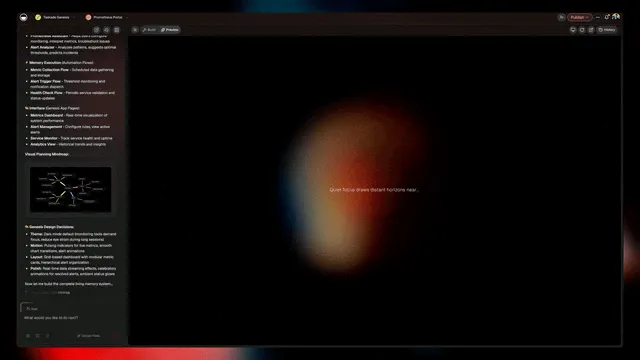
Genesis Capability Map: From the May 2026 Newsletters
| Newsletter chapter | What it ships |
|---|---|
| Workspace Memory · Mind Graph | Workspace-scoped knowledge graph |
| Agent Workflows · Tools Wired | built-in agent tools + 100+ bidirectional integrations |
| App Payments · Stripe Live | Native Stripe Checkout actions |
| Frontier Models · Auto-Routed | Frontier models from OpenAI, Anthropic, Google + open-weight |
| Embed Apps · Anywhere | Genesis Apps embed as responsive widgets on any site |
| Clone Apps · Instantly | 150,000+ apps in the Community Gallery; clone in 60 seconds |
Plus vibe coding · vibe payments · vibe workflows · vibe marketing · vibe tracking and a hosted MCP server (Claude / Cursor / VS Code connect in and drive your workspace) on every paid plan. 198 platform releases in 2026.
In October 2025, Taskade launched Genesis, an AI-native workspace where you describe what you want in plain English and the system generates a working app with custom databases, AI agents, automations, and integrations in about seven minutes.
Where VisiCalc (1979) unlocked calculations without code, where Airtable (2014) unlocked relational data without code, where Notion (2016) unlocked document + database hybrids without code, Taskade Genesis (2025) unlocks entire applications without code.
Each generation added another layer of programmability without requiring traditional code. Genesis adds the AI-agent and integration layers, the missing pieces that turn a spreadsheet into a working business application.
What This Looks Like in Practice
| You say... | Spreadsheet equivalent | Genesis builds |
|---|---|---|
| "CRM for inbound leads with AI qualification" | A 500-row Excel sheet with conditional formatting and 14 helper columns | Pipeline DB + AI scoring agent + automated nurturing flow + Salesforce integration |
| "Customer feedback app with sentiment analysis" | A Google Sheet with manual sentiment tagging | Ratings DB + photo uploads + AI sentiment agent + Slack alerts + follow-up workflows |
| "Booking system with Stripe checkout" | A Calendly + Excel calendar combo with manual invoicing | Real-time scheduling + Stripe Checkout + confirmation emails + customer history |
| "Help desk with AI routing" | A shared spreadsheet with manual categorization | Ticket submission + AI categorization + KB integration + SLA timers |
| "Team Knowledge Base with Mind Graph" | A Wiki with manual cross-linking | Collaborative wiki + AI search + Mind Graph visualization + ask-the-wiki agent |
The spreadsheet user solved each of these problems in 1985-2024 with increasingly elaborate workarounds. Genesis solves them in seven minutes from a sentence.
Head-to-Head: Taskade Genesis vs Airtable vs Google Sheets vs Notion vs Excel
The 2026 "structured document" category has five major players. They overlap on the surface and diverge dramatically underneath:
| Capability | Taskade Genesis | Airtable | Google Sheets | Notion | Excel |
|---|---|---|---|---|---|
| One-prompt app generation | Yes — describe in English, working app in ~7 min | No (template gallery) | No | No (template gallery) | No |
| Built-in AI agents | 15+ frontier models from OpenAI, Anthropic, Google · built-in tools · persistent memory | AI fields (per-cell) | Gemini cell assist | Notion AI inline blocks | Copilot cell assist |
| Automations | 100+ bidirectional integrations — triggers pull events in, actions push data out | Airtable Automations | Apps Script | Limited (Notion Automations) | Power Automate (separate license) |
| Native Stripe Checkout actions | Yes (live in Genesis Apps) | Add-on / third-party | Add-on | No | No |
| Multiple project views | List · Board · Calendar · Table · Mind Map · Gantt · Org Chart | Grid · Calendar · Kanban · Gallery · Gantt · Form | Grid · Charts | Table · Board · Calendar · Timeline · List · Gallery | Grid · Pivot · Chart |
| Real-time multi-cursor + AI co-editing | Yes — humans + agents on one OT stream | Limited | Yes | Yes | Yes (web only) |
| Live publish / embed app | Yes — custom domains, password, embed anywhere | Interface Designer (read-mostly) | Limited | Public share | OneDrive embed |
| MCP server (Claude/Cursor/VS Code can drive it) | Yes — every paid plan | No | No | Third-party only | No |
| Free tier | Yes — Free $0, Pro from $10/mo billed annually | Free up to 1,000 records | Free with Google account | Free personal | Office 365 license |
Airtable and Notion took the spreadsheet UI and added structure. Taskade Genesis takes the spreadsheet's original promise, programmability without code, and pushes it to the system level. You don't model the data, view, automations, agents, and integrations separately. You describe the app once and the substrate assembles them.
Workspace DNA: Beyond the Cell-and-Formula Model
Taskade Genesis frames the platform as Workspace DNA: Memory (Projects + databases) feeds Intelligence (AI Agents v2 with built-in tools), Intelligence triggers Execution (Automations across 100+ bidirectional integrations), and Execution writes back to Memory. A self-reinforcing loop.
This is what the spreadsheet wanted to be when it grew up, a programmable document that thinks and acts on its own data.
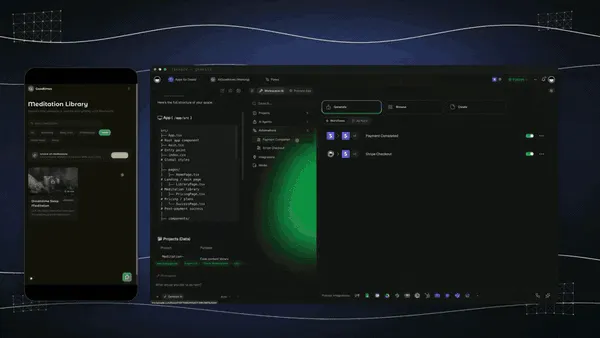
150,000+ Genesis Apps Built
The proliferation curve looks familiar, same shape as VisiCalc stacks in 1980, Lotus 1-2-3 templates in 1985, Excel macros in 1995, Airtable bases in 2017, Notion templates in 2020. Each platform unlocks a new layer of building. The 2026 layer is AI-native app generation.
- App Kits for Freelancer, E-commerce, Agency, SaaS Founder, Engineering, Marketing, Solopreneur, Consultancy, Events, Finance
- Vibe Coding, describe apps in plain language
- Vibe Payments: Stripe Checkout actions native
- Vibe Workflows, forms and requests creating automated processes
- Vibe Marketing, content aggregation and cross-platform publishing
- Vibe Tracking, leads and data synced across tools via webhooks
- MCP in both directions: Claude, Cursor, and VS Code connect in and drive your Taskade workspace through the hosted MCP server on every paid plan. Pointed outward, the MCP Client step inside an automation calls a third-party MCP server on every plan including Free, and your agents also reach Notion, Linear, and Salesforce through 100+ integrations
📚 Lessons from 47 Years of the Programmable Document
For builders today:
1. The Right Substrate Outlives Implementations
VisiCalc the product is gone. The cell-and-formula model is alive in Excel, Sheets, Airtable, Notion, and Taskade. The substrate (interactive recalculation, named cell references, formula language) outlived every product that shipped on it.
2. Categories Get Re-Invented at Each Layer
Spreadsheets are now five separate categories: traditional grids (Excel, Sheets), relational databases as spreadsheets (Airtable), document/database hybrids (Notion), AI-native app builders (Taskade Genesis), AI-native modeling (Causal). One root, five branches.
3. The "Killer App" Pattern Repeats
VisiCalc built the Apple II. Lotus 1-2-3 built the IBM PC. Excel built Office. Google Sheets built Google Workspace. Notion built a new productivity category. Each spreadsheet generation was the killer app that made its platform commercial. The 2026 question: which AI-native workspace becomes the killer app for the AI era? Taskade is in the conversation.
4. Programmability Without Code Wins
Every generation of spreadsheet has expanded what counts as "programming." Cell formulas → macros → pivot tables → array formulas → relational links → AI fields → natural-language app descriptions. The trajectory points toward removing the artifact entirely, Genesis describes the system in English and skips the grid.
5. The Programmable Document Is the Throughline of Personal Computing
If you look at the most consequential personal-computer software of every decade, you see programmable documents: VisiCalc (1970s), Lotus 1-2-3 (1980s), Excel and HyperCard (late 1980s / 1990s), Google Sheets (2000s), Airtable and Notion (2010s), Taskade Genesis (2020s). The personal computer was always going to become a substrate for non-programmers to build software. The spreadsheet was the first form. The AI-native workspace is the latest.
🔗 Further Reading
- History of HyperCard, the parallel "no-code" lineage from 1987
- History of Real-Time Collaboration, Google Sheets and the OT lineage
- History of Lotus Notes, Lotus's other legacy
- History of Workflow Automation, what spreadsheet macros became
- What is Airtable? Complete History, companion piece
- What is Notion AI? History, companion piece
- What Is Taskade Genesis? Complete History, the AI-native heir
- Wikipedia, VisiCalc
- Wikipedia, Lotus 1-2-3
- Bricklin's VisiCalc website
- Best Calculator Builders 2026: 10 No-Code Tools Compared (We Tested Them All)
- Best AI Ops Dashboard Builders in 2026 (Ranked for Operators)
- Free AI Internal Tools Dashboard, Retool Alternative With Zero Per-Seat Pricing (2026)
❓ Frequently Asked Questions
Who really invented the spreadsheet?
The conceptual spreadsheet (a grid of cells with formulas that auto-recalculate) was envisioned by Richard Mattessich in a 1961 paper at UC Berkeley. The first commercial implementation was Autoplan/Autotab on minicomputers in 1968. The breakthrough mass-market product was VisiCalc by Dan Bricklin and Bob Frankston in October 1979 on the Apple II. Bricklin and Frankston are universally credited as the inventors of the spreadsheet as we know it.
Is Excel still dominant in 2026?
Yes, in enterprise. Microsoft Excel is the dominant business spreadsheet, Office has 1.3B+ users globally and Excel is the workhorse for FP&A, business analysis, and financial modeling. Google Sheets dominates SMB and consumer collaboration. Airtable and Notion own significant share in modern startup-and-SMB workflows. Taskade Genesis is the AI-native generation for users who want to skip the grid entirely and describe systems in natural language.
What is "no-code" and how does it relate to spreadsheets?
"No-code" is the modern term (Forrester popularized it around 2011-2014) for software that lets non-programmers build applications without writing traditional code. VisiCalc was the original no-code in 1979, financial analysts built working models without coding. HyperCard (1987) extended no-code to application building. Airtable, Notion, Bubble, Webflow, Zapier, and Taskade Genesis are 2010s-2020s no-code platforms. All sit on the programmable-document lineage VisiCalc started.
Why did Excel beat Lotus 1-2-3?
Three reasons. (1) Excel was Mac-native in 1985, taking advantage of the GUI that 1-2-3 didn't have. (2) The Windows version of Excel (1987) eventually shipped with bundled Office, riding Microsoft's distribution advantage. (3) Lotus 1-2-3's late-1980s Windows version was famously delayed and buggy. By 1992-1993 the corporate buy-decision had tipped to Microsoft for both spreadsheet and word processing. Lotus's IBM acquisition in 1995 ($3.5B) was a defensive consolidation around Notes rather than 1-2-3.
What is the next generation after Excel?
For traditional spreadsheets: Rows, Causal, Equals are the leading AI-native challengers. For structured data as a spreadsheet: Airtable. For documents-with-databases: Notion, Coda, Almanac. For AI-native app generation from a sentence: Taskade Genesis. Each occupies a different niche; Excel is unlikely to be displaced from the enterprise FP&A use case any time soon, but the broader "structured data" category is genuinely contested.
Where can I see Taskade Genesis as the AI-native heir?
Taskade Genesis is free to start at /create. Describe an app in plain English and watch Taskade Genesis build it with custom databases, AI agents, automations, and integrations in about seven minutes. Browse 150K+ apps in the Community Gallery at /apps. Pricing: Free, $10/mo Pro billed annually, $25/mo Business.
🆕 The Programmable-Document Lineage, Applied This Month
VisiCalc gave business operators the spreadsheet. Taskade Genesis gives them the live workspace. Five fresh listicles this month show the pattern, each pricing-checked against May 2026 competitor reality:
- SaaS Metrics Dashboards, the spreadsheet's direct descendant; ChartMogul $129+/mo vs Taskade Genesis $10/mo flat
- AI Investor CRM & Fundraising Tracker, Visible.vc $112/mo, Affinity $2K/seat/yr → Taskade Genesis free
- AI Customer Onboarding Templates, Userpilot $299/mo, Appcues $249/mo → Taskade Genesis free
- AI Recruiting Pipeline With Sourcer Agent, Greenhouse $6.5K+/yr, Lever $4K+/yr → Taskade Genesis flat
- Founder Dinner CRM (Event Templates), Cvent $20K+/yr, Luma Plus $59/mo → Taskade Genesis flat
