

TL;DR: Workspace DNA lets one prompt give you a finished app. It builds client portals, CRMs, dashboards, and team logins. Four pieces make it run: your data (Projects), your AI agents, your automations, and the app screens people click. Open
/memoryin your workspace sidebar to see how they connect, or read the Memory Graph guide.
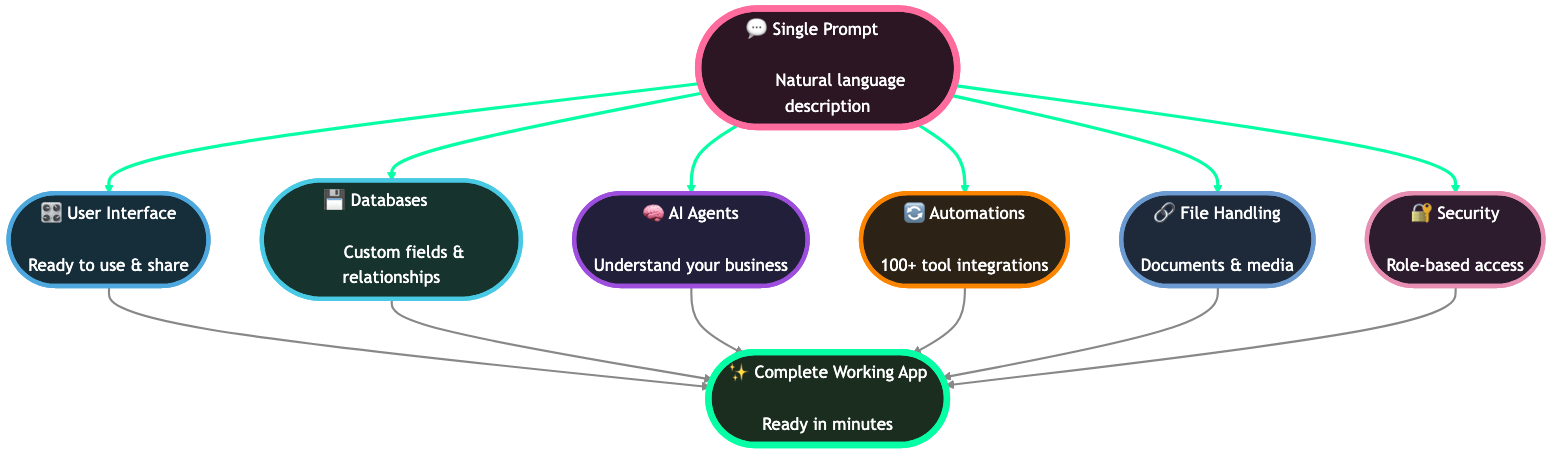
Describe the app you need, and Taskade Genesis builds the whole thing. You get a real working app, not a folder of code to configure. Do you want a CRM that captures leads, a booking page that sends confirmations, or a client portal with logins? Describe it in plain words. Four pieces then fit together like the strands of a DNA molecule. They are your data (Projects), your AI agents, your automations, and the app screens people see. Taskade Genesis builds all four at once, wires them together, and puts them live on a web address.
When we say "complete," we mean it. A single prompt gives you:
- 💾 Projects (Memory): Structured databases with custom fields, real-time multiplayer sync, and every project view. You can export CSV from Table, List, Board, Calendar, Mind Map, and Org Chart.
- 🧠 Custom AI Agents (Intelligence): Assistants with knowledge bases, a large built-in toolkit, and access to 15+ frontier models from OpenAI, Anthropic, and open-weight providers.
- 🔄 Automations (Execution): Durable workflows that connect 100+ external services with branching, looping, filters, and AI steps.
- 🎛️ App UI (Interface): Polished screens connected to your live data. Share them, or publish them on your own web address.
- 🔗 Media (cross-cutting knowledge): Every file you upload becomes searchable context that every other layer can read.
- 🔐 Security: Role-based access from Owner to Viewer, automatic security certificates on custom domains, password-protected apps, and client and team logins.
See Your Workspace DNA Live
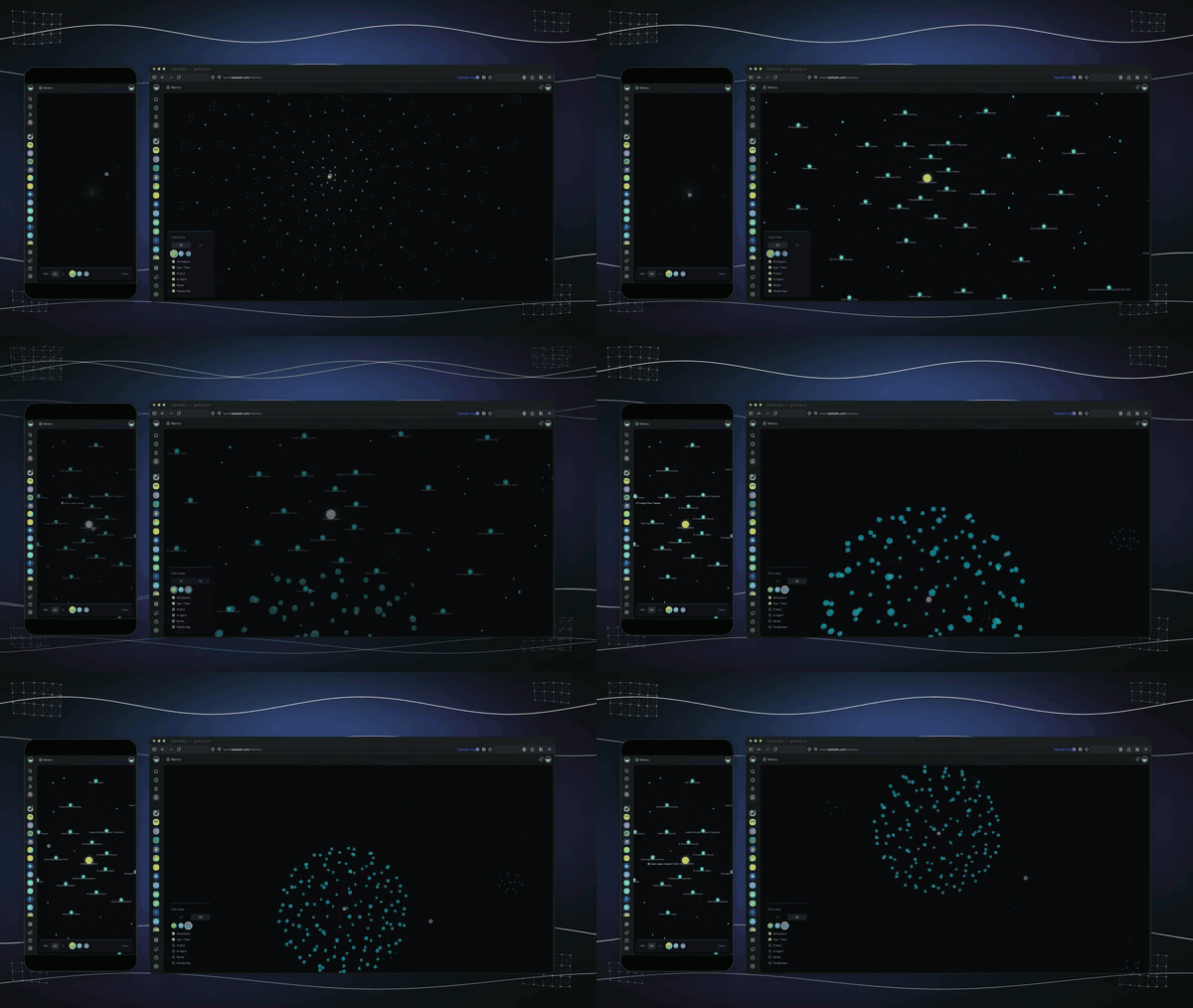
This is what your workspace looks like inside Taskade. Every project, agent, and automation in a workspace becomes a node on its DNA Map, and Memory shows every workspace and published app in your account. Every line is a real reference between them. The graph lights up automatically as you build, so a healthy workspace is one you can actually see.
Open DNA Map in your workspace sidebar to explore your own graph. Click any item to see its connections, then open it in Taskade. Open Memory from the left ribbon to see every workspace at once. See the Memory Graph guide for how to spot unused items, find related context, and feed the right items into your next Taskade Genesis prompt.
What You Can Build
Taskade Genesis works for any industry and any problem. You describe what you need, and it builds it. This is Build Without Permission in action.
| What You Ask For | What Taskade Genesis Builds | Powered By Your DNA |
|---|---|---|
| "Build a customer feedback app" | Complete system with ratings, sentiment analysis, photo uploads, manager alerts, follow-up workflows | Your menu items, service standards, past feedback patterns, resolution strategies |
| "Create a booking system for my business" | Real-time scheduling, payment processing, automated confirmations, customer history, staff optimization | Your services, pricing, availability rules, customer preferences, booking patterns |
| "I need a CRM to capture and organize leads" | Multi-source capture, AI qualification scoring, automated nurturing, pipeline tracking, forecasting | Your sales process, customer segments, qualification criteria, winning patterns |
| "Build an onboarding portal for my clients" | New hire forms, equipment provisioning, training checklists, document collection, milestone tracking | Your org structure, role definitions, policies, equipment inventory, training materials |
| "Create an AI-powered help desk system" | Ticket submission, AI-powered routing, knowledge base integration, SLA tracking, satisfaction surveys | Your support categories, team structure, resolution processes, common issues |
What Makes It Different
Unlike every other app builder on the market, Taskade Genesis does not start with empty templates or generic forms. It reaches into your existing Workspace DNA.
Everything you already built becomes the living foundation for your app. That includes your projects, AI agents, automations, documents, and accumulated knowledge:
- ✅ Your projects become the memory of the app.
- ✅ Your AI agents become its intelligence.
- ✅ Your automations become its execution layer.
- ✅ Your documents become its knowledge.
Human DNA contains genetic instructions for life. Your workspace contains digital instructions for your apps. That means every app you create is unique.
vs. Code Generators
| Capability | Bolt.new | Lovable | V0 | Cursor | Taskade Genesis |
|---|---|---|---|---|---|
| Output | Code files | React code | UI components | Code edits | Running system |
| Database layer | Bring your own | Separate Supabase | None | None | ✅ Native (Projects) |
| AI agents | None | None | None | Editor only | ✅ Built-in with knowledge + tools |
| Automations | None | None | None | None | ✅ 100+ integrations |
| Logins & access | Manual | Manual | None | None | ✅ Password protection + role-based access + single sign-on (beta) |
| Custom domains | External | External | No | N/A | ✅ Your own web address with automatic security certificate |
| Analytics | External | External | None | None | ✅ Built-in dashboard |
| Marketplace | No | No | No | No | ✅ Community Gallery |
| Time to live app | 10–30 hours | 8–20 hours | 4–8 hours | varies | 2–15 minutes |
The cost difference is real. A CRM with AI follow-up normally costs $145 to $1,450 per month. That price combines a developer, a database, a login system, automation, AI, analytics, and a custom domain. Taskade Genesis includes all four DNA layers on a single plan, and paid plans add capacity.
The Four DNA Layers
Every Taskade workspace is built from four interconnected building blocks. They are not isolated features. They form a self-reinforcing loop. Data feeds intelligence, intelligence triggers execution, and execution updates data. The App UI shows all of it to end users in real time.
The solid arrows are the active loop. A user fills a form (UI → Memory). An agent analyzes the entry (Memory → Intelligence). An automation fires a Slack alert (Intelligence → Execution). The result writes back to the project (Execution → Memory). The dashed arrows are Media: every file you upload becomes searchable knowledge that all four layers can read.
A Concrete Example
Picture a field-service business that runs an operations dashboard built with Taskade Genesis. A customer submits a new job request through the app screen (Interface). Taskade saves that request as a record in the jobs project (Memory). An AI agent (Intelligence) reads the request, flags it as urgent, and assigns the nearest technician.
An automation (Execution) then texts the customer a confirmation and adds the job to the team calendar. The dashboard updates instantly, so the owner sees the new job appear. Every layer played a part. Nobody wired anything by hand. That is Workspace DNA.
The Assembly Order
When you describe an app to Taskade Genesis, Taskade Genesis assembles all four layers in a strict order. Each layer depends on the layers before it:
The order matters. The App UI needs Projects for data, Agents for chat, and Automations for events. If a layer comes in the wrong order, the wiring breaks. Taskade Genesis keeps this order automatically. You describe the app, and it handles the assembly.
Memory: Projects
In Taskade Genesis, "Memory" means living context, information that:
- It keeps the relationships between data points.
- It gathers meaning over time.
- It takes an active part in intelligence.
- It gives context to other systems.
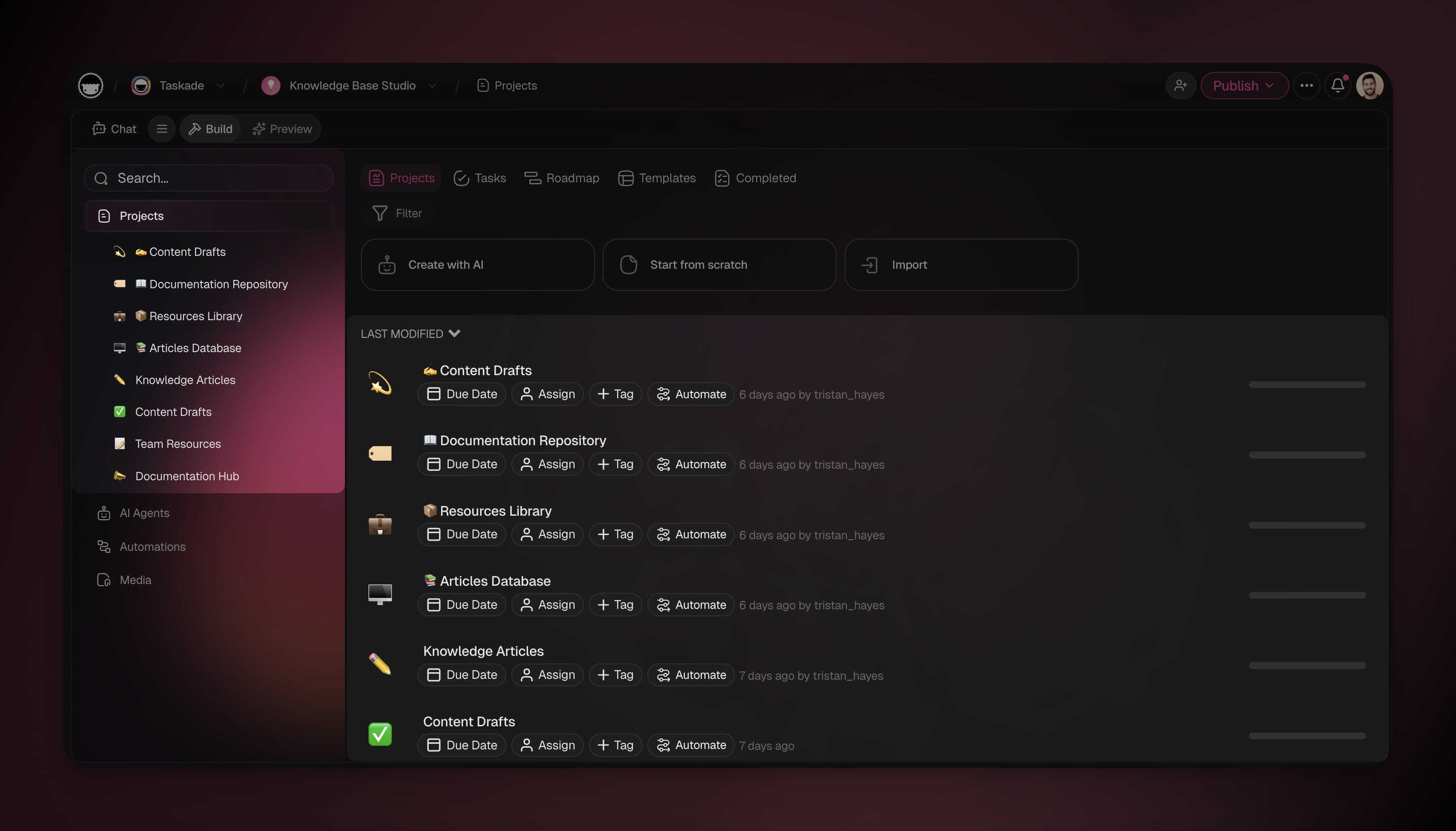
What Taskade Genesis creates when you build an app:
| App Type | Memory Structure |
|---|---|
| Customer Feedback | • Feedback database with rating fields• Contact information storage• Comment and photo attachments• Follow-up status tracking• Resolution history |
| Booking System | • Appointment database• Client information profiles• Service catalog• Staff schedules• Payment records |
| Inventory Management | • Product database• Stock level tracking• Supplier information• Reorder history• Sales patterns |
Intelligence: AI Agents
Intelligence means AI agents that do far more than answer questions. These are:
- Persistent teammates that never reset.
- Continuously learning systems that accumulate expertise.
- Context-aware assistants that understand your business.
- Decision makers that reason, not only retrieve.
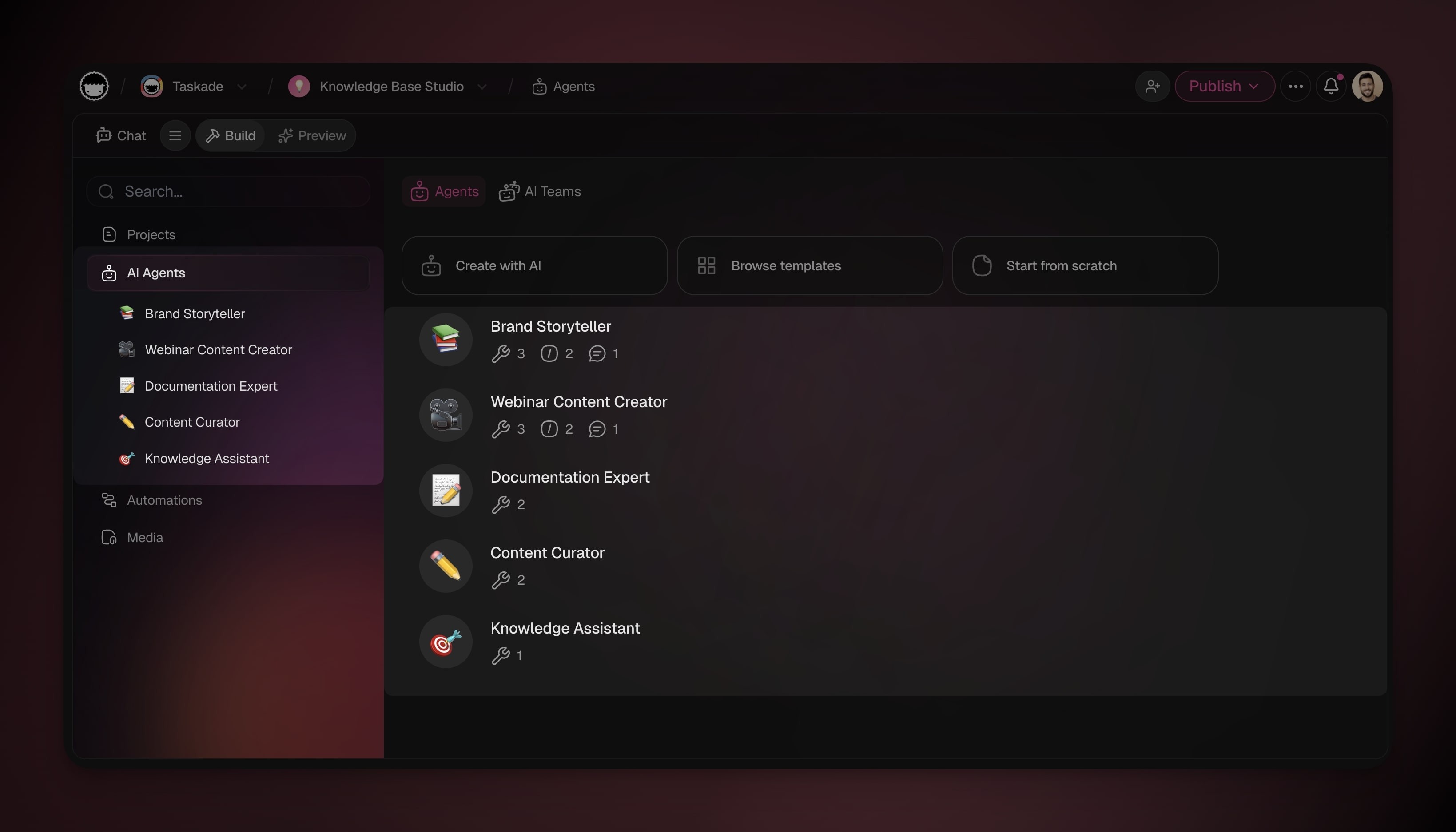
What Taskade Genesis creates when you build an app:
| App Type | Agent Intelligence |
|---|---|
| Real Estate Portal | 🎓 Trained on:• Property listings• Market data• Client preferences• Neighborhood information |
| ⚡️ Capabilities:Property matchingMarket trend analysis• Client qualification• Tour scheduling optimization | |
| Healthcare Patient Management | 🎓 Trained on:• Appointment types• Provider schedules• Insurance policies• Treatment protocols |
| ⚡️ Capabilities:• Symptom triage• Appointment routing• Insurance verification• Follow-up coordination | |
| E-Learning Course Platform | 🎓 Trained on:• Course content• Student performance data• Learning paths• Assessment results |
| ⚡️ Capabilities:• Personalized recommendations• Progress tracking• Content difficulty adjustment• Study plan generation |
Execution: Automations
Execution means the automations that work as the nervous system of your app. They are the reflexes and responses that keep your app reactive and alive.
- Event detection across your entire system.
- AI-powered processing with agent decisions.
- Multi-step orchestration of complex processes.
- Integration across 100+ external tools.
- Adaptive execution that learns from outcomes.
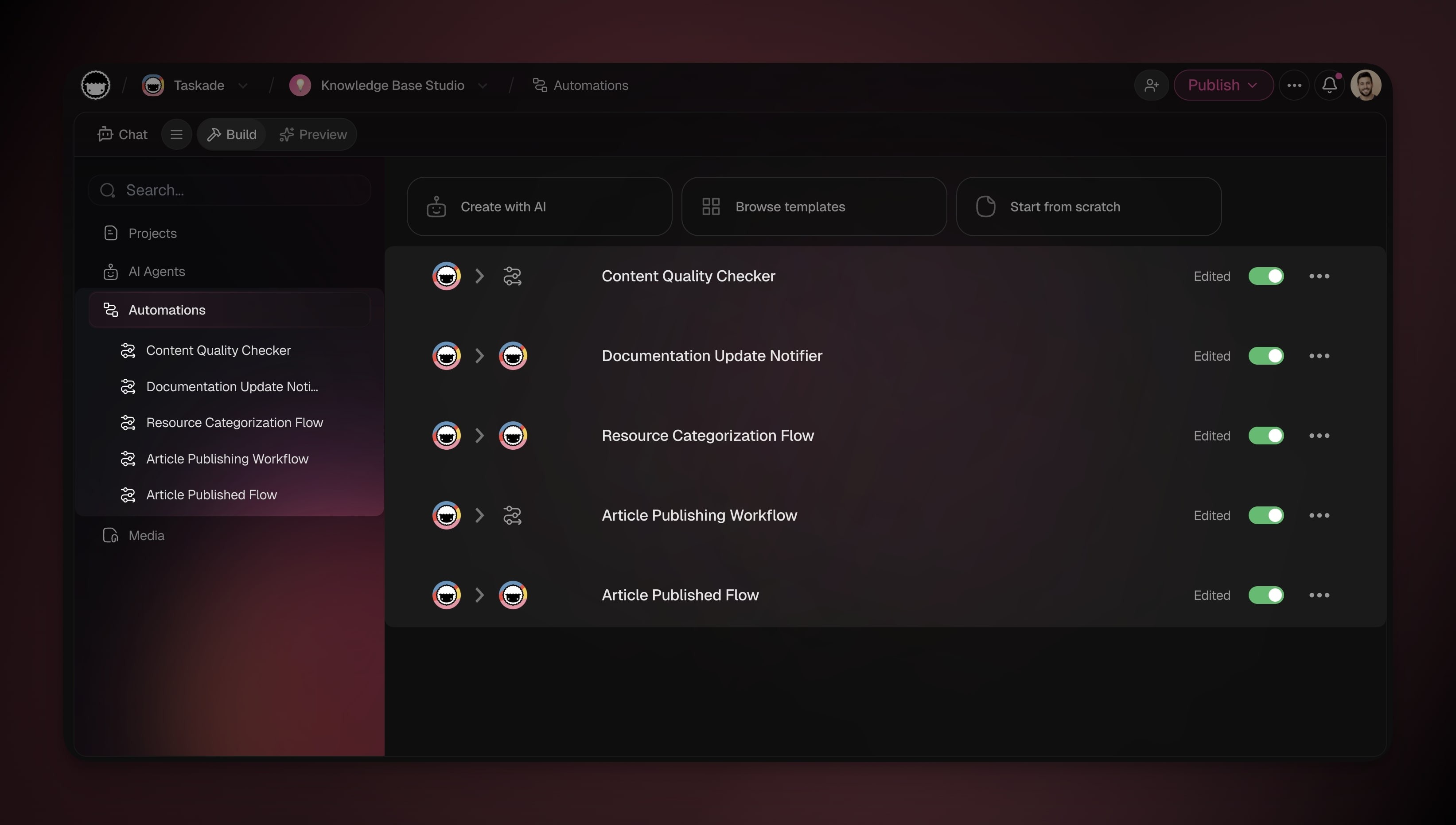
What Taskade Genesis creates when you build an app:
| App Type | Automation Workflows Created |
|---|---|
| Booking System | • Confirmation Flow: |
| → Form submitted→ Check availability→ Process payment→ Send confirmation email→ Create calendar event→ Update availability | |
| Customer Feedback | • Alert Workflow: |
| → Low rating received→ Agent analyzes severity→ Slack alert to manager→ Create follow-up task→ Log to database | |
| Inventory Management | • Reorder Trigger: |
| → Stock below threshold→ Agent calculates optimal quantity→ Email supplier with details→ Post Slack alert→ Create purchase order→ Track delivery |
Interface: App UI
The fourth DNA layer is the App UI. These polished screens tie Memory, Intelligence, and Execution together into something people can click. When Taskade Genesis builds an app, it creates the screens automatically and connects them live to your projects, agents, and automations.
- Live data: Every form, table, and dashboard reads straight from your projects and updates in real time.
- Built-in agent chat: Drop a custom agent into any screen as a chat helper. Ask Taskade EVE to add a history screen, so visitors can reopen the chats they started.
- Buttons that do things: Clicks, form submissions, and field changes can start your automations.
- Custom domains: Publish on
app.yourbrand.comwith an automatic security certificate (see Custom Domains). - Logins for your clients and team: Password protection, real persistent sign-in, and single sign-on (beta), without any login code (see App Users).
- Multiple looks: Minimalist, material, glassmorphism, dark mode, brand-matched, and more (see App Styles).
- Your own logo and link previews: Full branding for real-world use.
What Taskade Genesis creates when you build an app:
| App Type | App UI Generated |
|---|---|
| Customer Feedback | Public submission form, manager dashboard, sentiment chart, ticket detail page, agent chat widget |
| Booking System | Calendar picker UI, time slot grid, customer portal, admin schedule view, payment confirmation page |
| Inventory Management | Product table view, low-stock alerts dashboard, supplier directory, order tracking page, restock workflow trigger |
The App UI is the layer end users actually see. Without the other three layers, it is only a shell. The whole point of Workspace DNA is that all four layers are inseparable.
Knowledge: Media
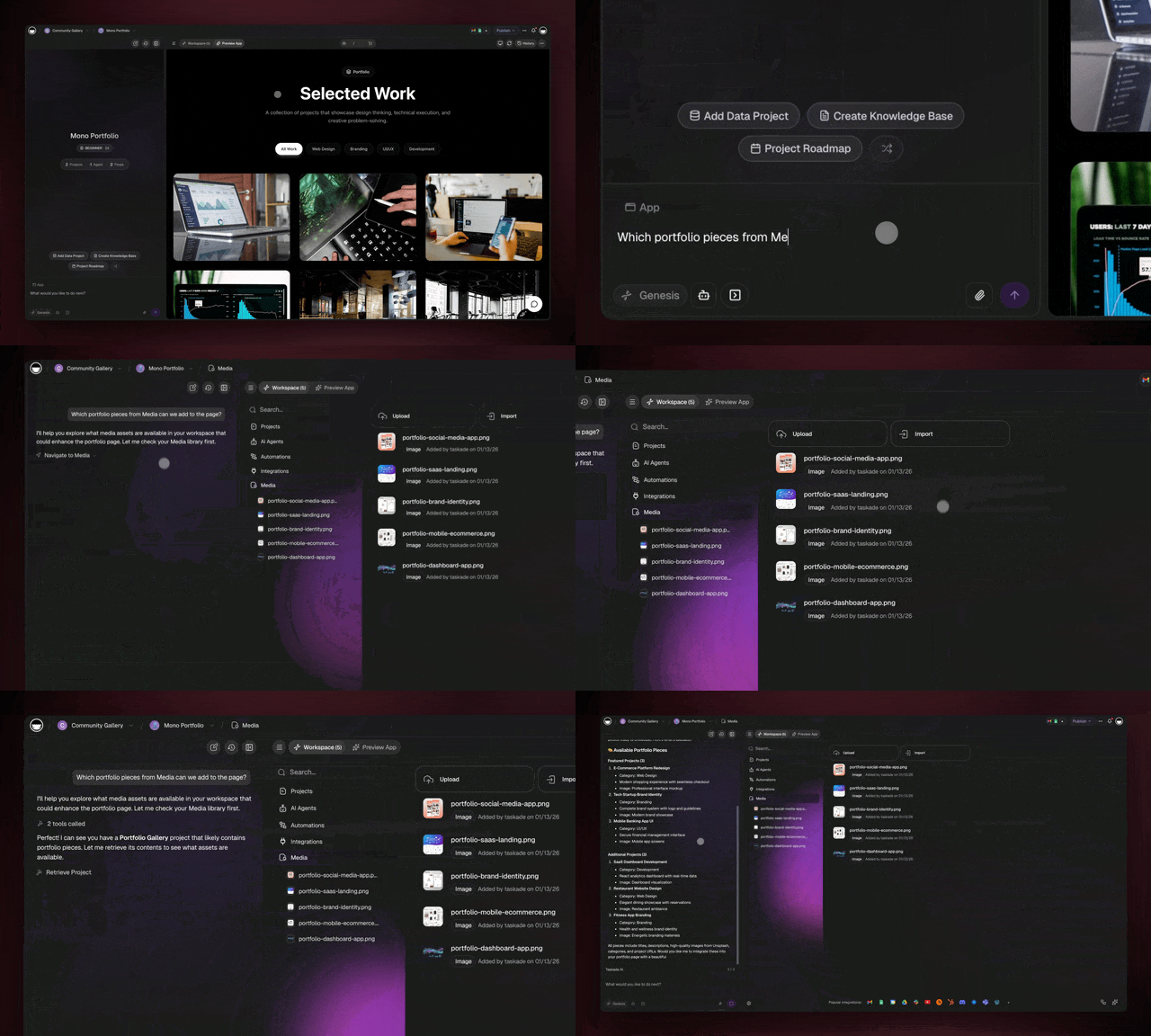
Every file you upload to Taskade becomes part of your Workspace DNA. It turns into an active knowledge source for your agents, automations, and apps.
- Files uploaded directly to Media.
- Files attached to projects and Taskade Genesis apps.
- Images generated inside the chat or by agents.
- Assets reused across your app UI and workflows.
| What You Store | How It Powers Your Workspace |
|---|---|
| PDFs and documents | Agents can read, summarize, and answer questions from them |
| Images and screenshots | Used directly in app UI, dashboards, and product/service listings |
| Generated images | Auto-saved from chat and reusable across apps and projects |
| Uploaded data files | Automations can reference and process them as part of existing/new workflows |
| Project attachments | Automatically aggregated into Media, no manual upload needed |
Creating New Memory
Every action generates results that flow back into your project databases.
- 🤖 When an automation runs, it writes structured data back to your projects.
- 🔄 Your AI agents connected to projects automatically inherit new information.
- 🧬 Your living workspace gets smarter every time people interact with your apps.
🧠 Self-reinforcing system: Automations capture real-world data, such as customer responses, transaction outcomes, task completions, and support chats. They write that data to projects. Your agents then read this expanded memory at once.
What is used as memory:
| Action Type | Memory Created | Workspace Learns |
|---|---|---|
| Email Sent | • Delivery status• Open/click tracking• Response captured• Time to reply | • Best email timing• Effective templates• Response prediction• Subject optimization |
| Payment Processed | • Transaction record• Receipt generated• Payment method used | • Conversion rates• Optimal pricing• Payment preferences |
| Task Completed | • Completion time• Who completed it• Outcome captured• Effort logged | • Time estimation• Team performance• Bottleneck identification• Process optimization |
| Customer Interaction | • Feedback stored• Sentiment analyzed• Follow-up scheduled• Satisfaction tracked | • Customer patterns• Issue resolution• Retention factors• Churn prediction |
This feedback loop makes everything smarter:
- Workflows that succeed more often get reinforced.
- Workflows that fail get adjusted.
- Timing gets optimized based on outcomes.
- Decision points improve from real-world results.
Taskade EVE: Unified Intelligence
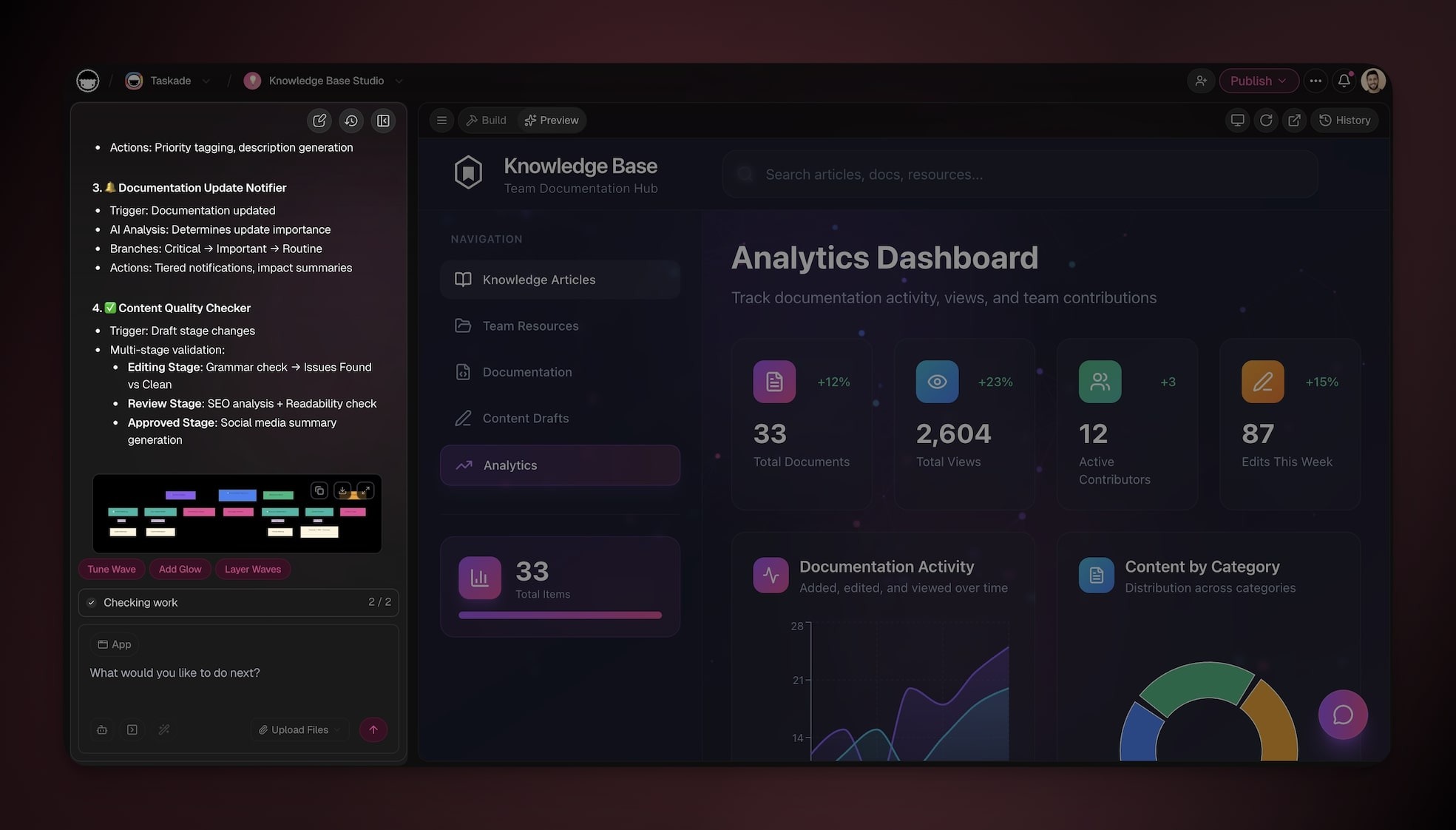
Taskade EVE is Taskade's central AI assistant. This meta-agent operates across all four DNA layers. Custom agents are specialists you build for specific jobs. Taskade EVE is the generalist. It reads your projects, creates custom agents, wires automations, and builds full Taskade Genesis apps from one prompt.
When you open Taskade, Taskade EVE:
- Reads your entire Workspace DNA, including projects, agents, automations, App UI, and files.
- Understands holistic context across all four layers.
- Makes decisions about what to generate or how to respond.
- Learns continuously from every interaction and outcome.
Taskade EVE Across the Layers
Taskade EVE is what makes the four DNA layers work together as a living system:
| DNA Layer | How Taskade EVE Powers It |
|---|---|
| Memory (Projects) | Understands project data · extracts patterns and relationships · generates structured databases · maintains semantic connections |
| Intelligence (Agents) | Trains custom agents on knowledge · routes queries to the right model · provides context-aware responses · enables multi-agent collaboration |
| Execution (Automations) | Interprets automation triggers · makes conditional decisions · generates dynamic content · captures and structures results |
| Interface (App UI) | Generates React components · binds them to live project data · wires up agent chat widgets · publishes to custom domains |
| Media (Files) | Reads and extracts insights · powers agent knowledge · supplies assets to app UI · aggregates files from interactions |
The Bicameral Mind
The bicameral mind is the foundation of Taskade EVE. Ancient humans heard one part of their brain as an external "voice" that guided their actions.
Taskade EVE represents a modern bicameral partnership. Human consciousness works in symbiosis with AI awareness, instead of two hemispheres inside one brain.
When you describe what to build, you enter a cognitive partnership:
Your mind:
- Intent, goals, domain knowledge, and creative vision.
- The understanding of what has to happen, and why.
Taskade EVE's intelligence:
- Technical implementation, pattern recognition, and optimization.
- The translation of your vision into working systems.
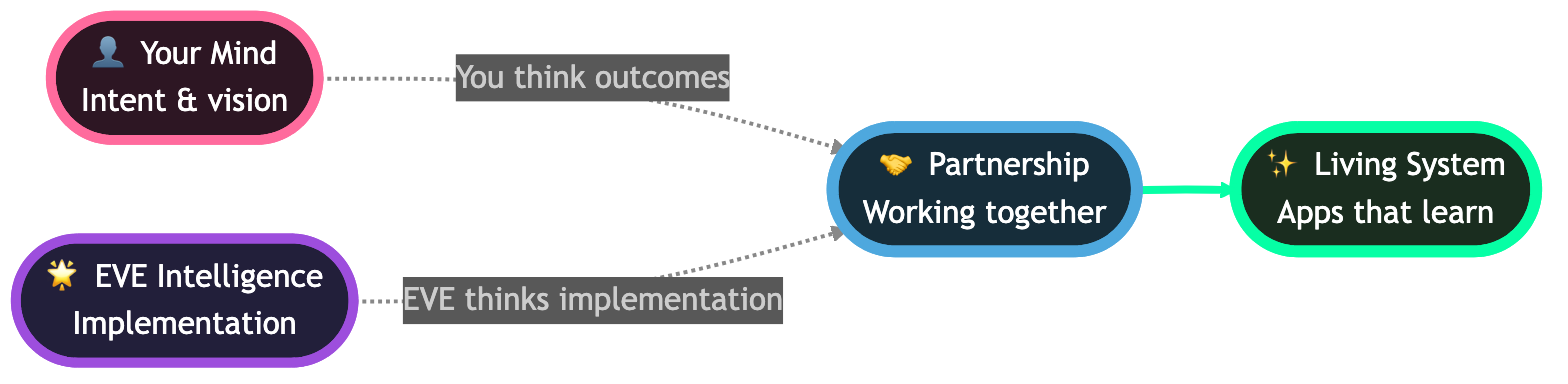
Together, this creates a symbiotic consciousness where:
- You think at the level of outcomes ("I need a customer feedback system")
- Taskade EVE thinks at the level of implementation (database schemas, logic)
- The boundary between "human work" and "AI work" dissolves
- What emerges is something neither can create alone
What Taskade EVE Can Do
Taskade EVE can directly create, modify, and orchestrate everything in your workspace.

Build Taskade Genesis Apps
You: "Build a customer feedback app with sentiment analysis"
Taskade EVE: Generates complete app with projects, agents, and automations
Create & Manage AI Agents
You: "Create an agent trained on our product documentation"
Taskade EVE: Creates agent, indexes docs, configures knowledge base
Configure Automations
You: "When a task is marked complete, send a Slack notification"
Taskade EVE: Creates automation with trigger, action, and conditions.
Manage Projects & Tasks
You: "Create a project for Q1 marketing campaigns"
Taskade EVE: Creates structured project with relevant sections.
Answer Questions
You: "Which projects have overdue tasks?"
Taskade EVE: Scans workspace and provides list with details
Edit & Modify Existing Work
You: "Update the 'Customer Support' agent to be more empathetic"
Taskade EVE: Modifies agent training and behavior
Next steps
You now know how Taskade Genesis works. You understand the DNA of your workspace.
You have two paths forward.
Start building. Open your Taskade workspace and describe something you need. It can be a simple tool, an automation, or a problem you want to solve.
You can also read these guides to build your Taskade Genesis skills:
Start with Taskade Genesis
- Create Your First App: A step-by-step walkthrough of your first build.
- Write Your First Taskade Genesis Prompt: How to describe what you need.
- Master the Taskade Genesis UI: The Taskade Genesis user interface in detail.
Master Projects (Memory)
- Understand Projects & Databases: Advanced database structures.
- Add Taskade Genesis Context: How to structure project data for smarter apps.
Deploy AI Agents (Intelligence)
- Manage Agent Memory: Learn the core principles of AI memory.
AI Models: Workspace DNA is powered by 15+ frontier models from OpenAI, Anthropic, and open-weight providers. Use Auto mode to let Taskade route each request to the optimal model.
Living Apps Built with Workspace DNA
Browse more in the Community Gallery
Vibe Coding & Living Software
Taskade Genesis pioneered vibe coding. You describe what you want in plain language, and Taskade Genesis builds the complete application. Traditional vibe coding tools generate code files. Taskade Genesis creates living software: apps that think, learn, and evolve through Workspace DNA.
How it works:
- Vibe Coding: Describe your app in plain language, and Taskade Genesis builds it.
- Vibe Payments: Stripe-powered payment flows that trigger automations.
- Vibe Workflows: Forms, bookings, and requests that start automated processes.
- Vibe Marketing: Content aggregation and cross-platform publishing on autopilot.
- Vibe Tracking: Leads, deals, and data synced across tools with webhooks.
MIT Technology Review named vibe coding one of the "10 Breakthrough Technologies of 2026". Taskade Genesis takes it further: from text-to-code to text-to-app.
Related guides
- Memory Graph: Open
/memoryto see your Workspace DNA. - Create Your First App: A step-by-step build walkthrough.
- Taskade Genesis Overview: What Taskade Genesis is, and why it is different.
- Taskade Genesis FAQ: Common questions, with answers.
- Custom AI Agents: The Intelligence layer in depth.
- Projects & Databases: The Memory layer in depth.
- Automations Execution: The Execution layer in depth.
- Custom Domains: Publish apps on your own domain.
- Community Gallery: Browse live apps.
Deep reading
- Workspace DNA Architecture: The engineering story behind the Memory to Intelligence to Execution loop.
- How to Win With AI in 2026: The workflow-first operator playbook built on Workspace DNA.
- Training AI Agents Like Employees: The reinforcement loop that makes the Intelligence layer lock onto your taste.
- The 2026 Productivity Playbook: The curated hub that links agents, automations, and Taskade Genesis apps.