







import IFrame from '@/components/ui/IFrame';
TL;DR: Taskade ranks first among 2026 knowledge base tools because it pairs structured Projects with AI agents that read every page and answer questions across them. Notion, Confluence, GitBook, Slab, and Document360 store knowledge but make you search and synthesize yourself. The live AI knowledge base below is cloneable into your free workspace. Build your AI knowledge base free →
▲ ■ ● This is live. Click "Use this app" inside the iframe above to clone this AI knowledge base into your free workspace.
Compare with: for a wiki that writes and updates itself, see AI wiki tools that write and update themselves. For personal note-taking, see knowledge base apps for personal note-taking. For a team-wide AI knowledge layer, see AI knowledge management tools for teams.
What Makes a Knowledge Base "Best" in 2026?
The knowledge base category has bifurcated in 2026 along a single axis: AI-native or AI-added. AI-added means a traditional wiki (Notion, Confluence, GitBook) with a "Summarize this page" button bolted on. AI-native means the knowledge base architecture assumes AI agents read every page as their working memory, and the structure of the pages was designed for that, not for human-only reading.
The distinction shows up in three places. First, search: AI-added tools offer keyword + summarize. AI-native tools offer full-text + semantic vector + file content OCR. Second, agents: AI-added tools provide a chat sidebar that summarizes one page. AI-native tools have persistent agents that read the entire workspace and answer questions across pages. Third, automation: AI-added tools require Zapier/Make to act on a change. AI-native tools have first-class automations that fire on knowledge-base events.
This guide ranks the 10 leading knowledge base tools against those three dimensions plus traditional wiki essentials, collaboration, permissioning, search quality, structure, custom domains, and total cost at team scale.
┌─────────────────────────────────────────────────────────────────┐
│           AI-Added vs AI-Native Knowledge Base                  │
├─────────────────────────────────────────────────────────────────┤
│                                                                 │
│  AI-ADDED                          AI-NATIVE                    │
│  ──────────────────                ──────────────────           │
│  Wiki + AI sidebar                 Workspace + agent layer      │
│  Summarize one page                Read entire workspace        │
│  Keyword search + summary          Full-text + semantic + OCR   │
│  No native automation              First-class automations      │
│  AI is extra cost                  AI is included               │
│                                                                 │
│  Notion · Confluence               Taskade                      │
│  GitBook · Slab · Doc360           (sole AI-native entry)       │
│                                                                 │
└─────────────────────────────────────────────────────────────────┘
The 10 Knowledge Base Tools Ranked
1. Taskade: Best AI-Native Knowledge Base
Verdict: The only AI-native entry. Persistent agents read the entire workspace, multi-layer search retrieves the right context automatically, and automations fire on knowledge-base events. Top pick for any team that wants the knowledge base to do work, not just store it.
Taskade's knowledge base architecture is built around the Workspace DNA loop. Every Project is a knowledge unit, pages, structured fields, linked records, and multiple views over the same content (List, Board, Calendar, Table, Mind Map, Gantt, Org Chart). AI agents v2 have persistent memory across the workspace, so when someone asks "what's our refund policy" the agent retrieves the policy Project, the recent edits, and the related onboarding doc, and answers with citations.
Multi-layer search is the differentiator. The full-text index handles keyword queries. The semantic HNSW index (1536-dimension vectors) handles meaning-based queries ("what do we charge enterprise customers?" matches the pricing Project even if it does not contain the word "enterprise"). The OCR layer indexes file content inside uploaded PDFs and images. So a contract you uploaded as PDF is searchable like a native Project.
One question fans out across three search layers, then converges into a single cited answer, the retrieval path bolt-on AI wikis never run.
The automation layer is where the knowledge base does work. When a new policy is added, an automation can post to Slack, send a Gmail digest to affected teams, update Salesforce, and sync to a backup Notion workspace, all bidirectional via the 100+ integrations.
Pricing: Free $0 · Pro $10/mo (10 seats, billed annually) · Business $25/mo (unlimited) · Max $100/mo · Enterprise $250/mo. AI agents and automations included at every tier, starting with Free.
Where it wins: AI-native architecture, multi-layer search, persistent agents, native automation, real free tier.
Where it has ceilings: If you want a static-site documentation site (think GitBook for an OSS project), Taskade is over-featured. For internal team knowledge, it is the natural fit.
2. Notion: Best Document-First Wiki
Verdict: Most popular wiki in 2026 and excellent at document-style pages. AI is a $10/user/month add-on that summarizes one page at a time, not a persistent agent layer.
Notion's strength is document quality. The block-based editor, the linked databases, the templates ecosystem, Notion has set the bar for what "wiki page" means in 2026. For teams that primarily produce long-form documents, internal SOPs, and project briefs, Notion is the most familiar choice.
Notion AI ships as a separate $10/user/month add-on. It does "summarize this page", "translate this page", "improve writing on this selection", and Q&A scoped to a single page or database. The Q&A across the workspace exists but is shallower than Taskade's persistent agent layer, Notion AI does not maintain ongoing context, cannot trigger automations, and cannot take actions on external services. It is a feature, not an architecture.
Pricing: Free (limited) · Plus $12/user/mo · Business $18/user/mo · Enterprise custom. Notion AI: $10/user/mo extra.
Where it wins: Document editor quality, template ecosystem, brand familiarity.
Where it has ceilings: AI is bolt-on and extra cost, no native automation engine, per-user pricing is steep at team scale.
See the full Notion vs Taskade Genesis comparison.
3. Confluence: Best Enterprise Wiki in the Atlassian Ecosystem
Verdict: Mature, deeply enterprise. The natural fit if you already use Jira and Bitbucket. AI features feel bolted-on and the per-user pricing makes Confluence harder to recommend over AI-native alternatives.
Confluence has been the enterprise wiki for over a decade. The integrations with Jira (link a doc to a ticket, embed a Jira board on a Confluence page), Bitbucket (link to code), and Atlassian SSO are unmatched if you live in the Atlassian world. The space-based permissioning is more granular than most competitors.
Atlassian Intelligence (the AI layer) does summarize, draft, and Q&A. But the focus is on writing assistance, not on the knowledge base as an agentic system. There is no persistent agent layer with cross-page memory, no native automation engine that fires on Confluence events, and the UI feels slower than the AI-native generation.
Pricing: Free (10 users) · Standard $6.05/user/mo · Premium $11.55/user/mo · Enterprise custom. Atlassian Intelligence is included on Premium and up.
Where it wins: Atlassian ecosystem, granular permissions, enterprise compliance.
Where it has ceilings: Per-user pricing, AI feels bolt-on, slow UI compared to modern wikis.
4. Document360: Best Customer-Facing Knowledge Base
Verdict: Specialized for customer-facing help centers. Strong analytics on what visitors search for. Less useful for internal team knowledge.
Document360 focuses on the customer-help-center use case, Intercom-style help articles, public knowledge bases for SaaS products, branded help portals. The analytics dashboard (what visitors search for, what they fail to find, what they click) is more sophisticated than internal-team wikis.
For internal team knowledge, Document360 is over-built for the public-facing job and under-built for the workspace job. There is an AI assistant for drafting articles, but no persistent cross-document agent and no native automation layer.
Pricing: Standard $149/project/mo · Professional $299/project/mo · Business $399/project/mo · Enterprise custom. Pricing is per-project (knowledge base instance), not per-user.
Where it wins: Customer-facing help center features, visitor analytics.
Where it has ceilings: Pricing is steep for small teams, internal-team workflows are limited.
5. GitBook: Best Developer Documentation
Verdict: Excellent for product and API documentation. Strong markdown-first workflow. Limited beyond developer docs.
GitBook's strength is developer documentation, Markdown-first, Git-backed content, beautiful default themes, and OpenAPI integration for auto-generated API references. For an OSS project or a developer-focused SaaS, GitBook is the natural choice.
GitBook AI (the AI features) provides Q&A scoped to the docs site and basic draft assistance. It is closer to a chatbot-over-docs than to an agentic knowledge base, useful for visitors looking up answers, less useful for an internal team coordinating work.
Pricing: Free (limited) · Plus $5/user/mo · Pro $8/user/mo · Enterprise custom.
Where it wins: Developer docs, Markdown workflow, Git integration, OpenAPI support.
Where it has ceilings: Niche to developer docs, no native automation, limited agent layer.
6. Slab: Best Modern Wiki for Mid-Size Teams
Verdict: Clean modern wiki with strong search. Smaller than Notion and Confluence but well-executed. AI features are basic.
Slab is the "if Notion were smaller" wiki, clean editor, strong search, simple permissioning, good integrations with Slack and GitHub. For a mid-size team that finds Notion overwhelming and Confluence dated, Slab is a reasonable middle path.
The AI features (Slab AI) are basic, Q&A, summarization, draft assistance, and lag the AI-native tools by a generation. There is no persistent agent, no native automation, and no semantic search at the depth Taskade offers.
Pricing: Free (10 users) · Startup $6.67/user/mo · Business $12.50/user/mo · Enterprise custom.
Where it wins: Clean UI, strong full-text search, Slack/GitHub integration.
Where it has ceilings: AI is basic, no automation engine, smaller ecosystem.
7. Guru: Best Knowledge Base Embedded in Workflow
Verdict: Specialized for embedding knowledge into the tools your team already uses (Slack, Chrome, Salesforce). Strong for support and sales teams.
Guru's bet is that the knowledge base should appear inside the workflow rather than be a separate destination. The Chrome extension surfaces relevant cards while you are in any tab. The Slack bot answers questions in-channel. The Salesforce integration surfaces cards next to accounts. For support and sales orgs, Guru is uniquely effective.
The "card" abstraction (vs page abstraction) is good for atomic knowledge but limiting for long-form docs. Guru AI adds summarization and Q&A but is again bolt-on, not architectural.
Pricing: All-in-One $15/user/mo · Enterprise custom.
Where it wins: Workflow embedding (Slack, Chrome, Salesforce), card abstraction for atomic knowledge.
Where it has ceilings: Limited for long-form docs, per-user pricing, no native automation.
8. BookStack: Best Open-Source Self-Hosted Wiki
Verdict: Free, self-hosted, no vendor lock-in. Excellent if you want to own the data. No AI features.
BookStack is a free, open-source, self-hosted wiki. The data is yours, the install is straightforward (Docker, LAMP), and the book/chapter/page structure is intuitive for hierarchical documentation. For privacy-conscious orgs, regulated industries, or anyone who has been burned by SaaS lock-in, BookStack is the right answer.
The trade-off is everything you get from a SaaS, no AI, no managed updates, no integrations, no automation. You run it, you maintain it, you secure it. Worth it if data sovereignty is the top priority.
Pricing: Free (self-hosted). Hosting and maintenance costs are yours.
Where it wins: Self-hosted, free, data sovereignty, no lock-in.
Where it has ceilings: No AI, no native automation, maintenance burden, no cloud-managed option.
9. Outline: Best Open-Source Modern Wiki
Verdict: Modern wiki with the polish of Notion and the freedom of self-hosting. Smaller ecosystem than the leaders.
Outline is the modern self-hosted wiki, clean editor, Markdown export, real-time collaboration, decent search. For teams that want Notion-style UX without giving up data control, Outline is the natural pick. There is also a managed cloud option.
The AI features (Outline AI) are basic, summarize, Q&A, and lag the AI-native leaders. The ecosystem (integrations, templates, community) is smaller than Notion or Confluence.
Pricing: Free (self-hosted) · Cloud $10/user/mo · Business $20/user/mo · Enterprise custom.
Where it wins: Self-hosted option, modern UX, real-time collaboration.
Where it has ceilings: Basic AI, smaller ecosystem, less integration depth.
10. Tettra: Best AI Q&A Wiki for Slack Teams
Verdict: Built specifically for Slack-first teams. Strong Q&A. Less useful as a comprehensive workspace.
Tettra's pitch is "knowledge base that answers questions in Slack". The product is tightly coupled to Slack, questions asked in Slack get answered from the Tettra wiki, gaps are flagged for the team to fill, and verified answers feed back into the wiki. For Slack-first orgs, this loop is genuinely useful.
For broader workspace use (project management, docs, collaboration beyond Q&A), Tettra is narrow. The AI features focus on Q&A rather than agentic action.
Pricing: Basic $5/user/mo · Scaling $10/user/mo · Professional $20/user/mo.
Where it wins: Slack-native Q&A, knowledge-gap flagging.
Where it has ceilings: Narrow to Q&A use case, no broader workspace features.
Pricing Wedge: What You Actually Pay at 10 Users
The per-user pricing on most knowledge base tools compounds fast at team scale. Below is the actual annual cost for a 10-person team, including AI add-ons where applicable.
| Tool | Per-user cost | AI add-on | All-in / 10 users / year |
|---|---|---|---|
| Taskade Pro | $10/mo flat for 10 seats | Included | $120/year |
| Notion Plus + AI | $12 + $10 = $22/user/mo | Required for AI | $2,640/year |
| Confluence Premium | $11.55/user/mo | Included | $1,386/year |
| Slab Business | $12.50/user/mo | Basic AI included | $1,500/year |
| Document360 Pro | $299/project/mo (10 users included) | Included | $3,588/year |
| GitBook Pro | $8/user/mo | Basic AI included | $960/year |
| Guru All-in-One | $15/user/mo | Included | $1,800/year |
| Outline Cloud | $10/user/mo | Basic AI | $1,200/year |
| Tettra Scaling | $10/user/mo | Included | $1,200/year |
| BookStack | Free (self-hosted) | None | ~$300/year (hosting + ops) |
Taskade Pro at $10/month for 10 seats is the only flat-rate plan in this list with AI agents and 100+ automations included. The per-user-per-month plans look reasonable at 10 users; they compound brutally at 50 or 100 users, Notion + AI at 100 users is $26,400/year vs Taskade Business at $25/month for unlimited seats ($300/year).
When to Pick Which: Decision Matrix
| Your situation | Best pick | Why |
|---|---|---|
| Want an AI knowledge base that answers across pages | Taskade | Only AI-native option with persistent agents |
| Small/mid team that wants AI included | Taskade | $10/mo flat for 10 seats, no AI add-on |
| Heavy Atlassian shop | Confluence | Jira/Bitbucket integration |
| Document-heavy team familiar with Notion | Notion + AI add-on | Familiarity, template ecosystem |
| Customer-facing help center | Document360 | Visitor analytics, branded portal |
| Developer/API documentation | GitBook | Markdown, Git, OpenAPI |
| Self-hosted/data sovereignty | BookStack or Outline | Own your data |
| Slack-first Q&A workflow | Tettra | Slack-native loop |
| Support/sales team with Salesforce | Guru | Workflow embedding |
The Workspace DNA Loop in a Knowledge Base
The loop is what makes Taskade structurally different from a wiki + AI sidebar. Memory (Projects) holds the knowledge with structured custom fields. Intelligence (Agents) retrieves the relevant Projects via multi-layer search and answers with citations. Execution (Automations) fires when knowledge changes, posting digests to Slack, updating Salesforce, sending Gmail summaries to affected teams. Each layer feeds the next.
Notion + AI, Confluence + AI, GitBook + AI. These are all the same shape: wiki + chat sidebar. The chat sidebar is bounded to the page you are looking at, has no cross-page persistent context, and cannot trigger automations. The architectural difference between bolt-on AI and AI-native is the difference between asking the librarian a question and having the librarian actively maintain the library.
What the GIFs Show
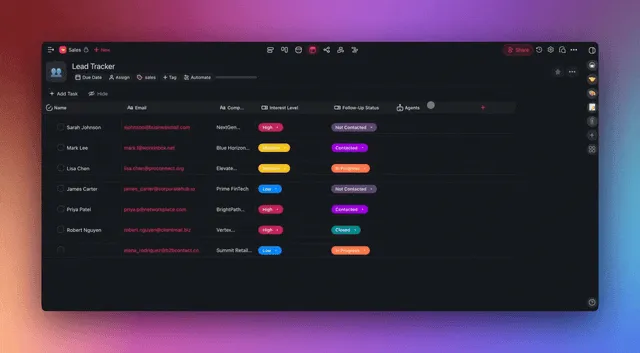
The agent history view above shows how an AI agent maintains persistent memory across conversations in the workspace, every question, every retrieval, every action becomes part of the agent's working context. Notion AI and Confluence AI do not maintain this kind of persistent state across sessions.
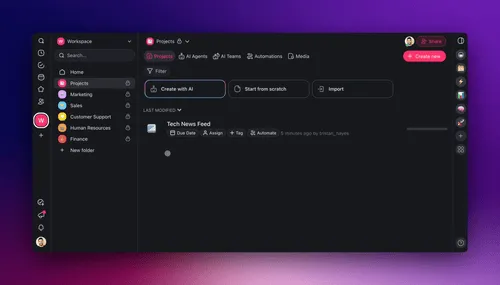
The "train on unlimited links" feature above lets an agent absorb external web pages, internal docs, and uploaded PDFs as part of its knowledge base. The multi-layer search (full-text + semantic + OCR) makes everything retrievable in the same query.
FAQ
What is the best AI knowledge base in 2026?
Taskade, the only AI-native entry on this list. Persistent agents read the entire workspace, multi-layer search (full-text + semantic + OCR) retrieves the right context automatically, and 100+ bidirectional automations fire on knowledge changes. AI is included free to start, with Pro from $10/month billed annually; no $10/user add-on like Notion AI.
Is Notion a good knowledge base?
Yes for document-style pages and template ecosystem. No for AI-native workflows, Notion AI is a $10/user/month add-on that summarizes one page at a time. For teams that want AI agents reading across the workspace, Taskade is structurally better.
Can I use ChatGPT as a knowledge base?
ChatGPT can answer questions, but it has no persistent shared memory for your team, no integration with your documents, and no automation layer. A real knowledge base, Taskade, Notion, Confluence, provides shared structured storage. The AI-native option (Taskade) adds the chat layer to the shared storage rather than relying on a separate consumer chat tool.
How does AI search differ from full-text search?
Full-text search matches keywords. Semantic search matches meaning, "what do we charge big customers?" matches the pricing Project even if the word "big" never appears in it. Taskade uses multi-layer search (full-text + semantic HNSW vectors + file content OCR). Notion, Confluence, GitBook, Slab are full-text + summarize.
Can a knowledge base trigger automations on changes?
Taskade: yes, native automations with 100+ bidirectional integrations. Notion, Confluence, GitBook, Slab: no native automation. You need Zapier or Make to bridge to external services. The latency, reliability, and observability are worse with bridges than with native automation.
What is the best knowledge base for a remote team?
Taskade. The combination of real-time collaboration (CRDT-backed), persistent agents that answer cross-time-zone questions, and automation digests via Slack/Gmail makes async knowledge sharing more efficient than wiki + chat tooling.
Can AI write a knowledge base article from scratch?
Yes, with Taskade. EVE (the meta-agent) or any AI agent v2 can draft a new article from a prompt, populate fields from existing Projects, and route the draft through a review automation. The Ask-Questions tool clarifies ambiguity mid-draft.
Which knowledge base supports SCO/version history?
All major tools (Taskade, Notion, Confluence, GitBook) support page version history. Taskade adds full workspace-level version history through the underlying Projects layer.
Is Confluence cheaper than Notion?
Confluence Standard ($6.05/user/mo) is cheaper than Notion Plus + AI ($22/user/mo) per seat. Both are more expensive than Taskade Pro ($10/month flat for 10 seats with AI included).
Can I migrate from Notion to Taskade?
Yes. Taskade's import tools support Notion exports (Markdown bundles), Confluence exports, CSV files, and bulk uploads. Once imported, Notion pages become structured Taskade Projects that agents can read and reason over.
What is the difference between a knowledge base and a wiki?
In 2026 the terms overlap. Traditionally a wiki was peer-edited content with simple permissioning; a knowledge base was more structured (categories, tags, search analytics) and often customer-facing. Modern tools (Taskade, Notion, Confluence) cover both use cases, the difference now is internal vs external facing and how much structure you want.
Can I publish my knowledge base on a custom domain?
Taskade: yes, via Genesis Apps with Genesis Auth (OIDC/SSO). Document360, GitBook, Notion: yes on paid plans. Confluence: limited via Cloud add-ons. Slab, Tettra: limited.
Does the AI cite sources in answers?
Taskade: yes, answers include links to the source Projects. Notion AI: limited citations. GitBook AI: yes for docs site Q&A. Confluence AI: limited. This is critical for trust, answers without citations are not useful in regulated environments.
Related Reading
- AI Wiki Tools That Write and Update Themselves — the wiki-focused sibling of this ranking
- Knowledge Base Apps for Personal Note-Taking — for individuals, not teams
- AI Knowledge Management Tools for Teams — the broader AI knowledge management category
Build your AI knowledge base in minutes. Try Taskade free →, 11,000 credits, basic views, persistent agents, 100+ bidirectional integrations. No credit card required.
▲ ■ ● Memory · Intelligence · Execution.