






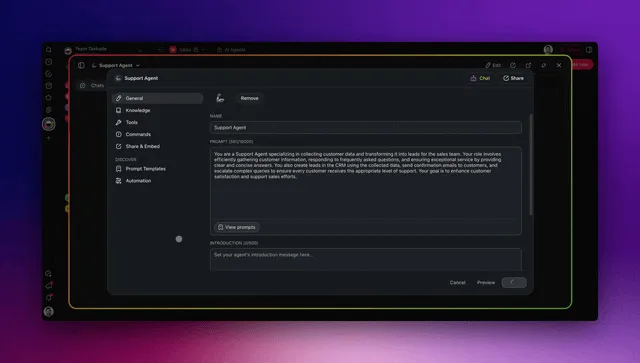
TL;DR: Five free Taskade Genesis customer onboarding templates, Onboarding Guide Portal, Customer Health Dashboard, Support Workflow Manager, AI Support Agent, and Smart Feedback Form. Each is a live app with embedded agents and reliable automations. Userpilot charges $299/month and Appcues $249/month for the in-app tour layer alone. Taskade Genesis ships the full workspace at ten dollars a month flat. Clone the first template now →
Customer onboarding is the highest-ROI surface most SaaS teams under-invest in. Research published across customer success benchmarks in 2025 and 2026 consistently shows the same pattern: customers who complete a structured onboarding sequence retain at two to three times the rate of customers who self-onboard. A ten-point lift in onboarding completion is typically worth more in annual contract value than any growth-team feature shipped in the same quarter. Yet most onboarding workflows in 2026 still look like a Google Doc, a calendar invite for a kickoff call, and a Slack channel.
The reason is structural. The dominant tools, Userpilot, Appcues, Pendo, Chameleon, WalkMe, were built for in-app product tours. They are excellent at the tooltip and walkthrough layer, and they charge between $249 and several thousand dollars a month for the privilege. None of them ship the workspace that the customer actually opens to track their own onboarding progress. None of them ship an AI agent that drafts replies to onboarding questions. None of them ship a feedback loop that closes back into the workspace where the customer success team works.
This post gives you five live, cloneable Taskade Genesis templates that ship the full customer onboarding workflow as a single workspace: the guided portal the customer opens, the health dashboard the CS team monitors, the support workflow that handles tickets, the AI agent that drafts replies, and the feedback form that closes the loop. Each screenshot below links to the live Taskade Genesis share page, click through, hit "Use this app" on the share page, and clone it into your free Taskade workspace to start onboarding real customers the same day.
Why Customer Onboarding Is the Highest-ROI Surface You're Underspending On
Customer onboarding compounds in two directions at once. A customer who completes a structured onboarding sequence reaches first value faster, generates fewer support tickets, expands their account sooner, and refers two to three additional customers within their first year. A customer who self-onboards generates support tickets, churns at a meaningfully higher rate, and rarely refers anyone. The difference between those two customer trajectories is not the product. It is the onboarding workflow.
The 2026 onboarding benchmark: Industry research shows that 63% of B2B buyers now evaluate a vendor's onboarding process before purchase, AI-assisted onboarding produces a 15-30% activation lift within the first 30 days, and structured AI-routed support reduces onboarding-related ticket volume by 40% or more within 90 days. The Taskade Genesis templates in this post are designed to hit those benchmarks on the Free or $10/month Pro plan, no per-MAU pricing, no enterprise contract. (Try the Onboarding Guide Portal →)
Most customer success teams in 2026 spend more than half their week on tasks an AI agent could draft and an automation could deliver. Weekly customer status reports written by hand. Onboarding check-in emails composed from scratch. Support tickets triaged manually by category and priority. Feedback forms collected through Typeform and copied into a Notion table for the product team to read. Each of those tasks is twenty to forty minutes of CSM time per customer per week. At fifty customers, that is the entire week of one CSM consumed by tasks that produce no compounding value.
The Taskade Genesis templates in this post replace those tasks with embedded AI agents and bidirectional automations. The agent drafts the status report. The automation delivers it on a schedule. The CSM reviews, edits if needed, and sends. Four minutes per customer per week instead of forty.
┌──────────────────────────────────────────────────────────────────┐
│  AI CUSTOMER ONBOARDING WORKSPACE DNA                            │
├──────────────────────────────────────────────────────────────────┤
│  ▲ MEMORY              ■ INTELLIGENCE        ● EXECUTION         │
│  Onboarding Portal     Onboarding Guide      Welcome sequence    │
│  Health Dashboard      Health Score Agent    Re-engagement task  │
│  Support Workflow      Support Agent         Reply drafting      │
│  Feedback Forms        Feedback Categorizer  Slack notification  │
│  Customer Records      Knowledge Curator     Milestone unlocks   │
└──────────────────────────────────────────────────────────────────┘
The Workspace DNA loop runs inside every template below. When a customer completes a milestone in the Onboarding Guide Portal, the Health Score Agent reads the event. When the agent updates the customer's health score, the automation either fires a congratulatory message (healthy) or creates a re-engagement task for the CSM (at risk). When the CSM completes the re-engagement task, that interaction logs back to Memory and informs the next health score calculation. The loop runs itself. Your team supervises and steps in where judgment is required.
The Five Free Taskade Genesis Onboarding Templates, Embedded Live
The five templates below cover the full onboarding journey from first welcome through health monitoring, support, and feedback. Pick one to start, or clone all five and connect them through a shared workspace. Each is a live Taskade Genesis app, click any screenshot to open its share page, then hit "Use this app" to clone it into your workspace in under ten seconds.
| Template | Best For | Projects | Agents | Automations |
|---|---|---|---|---|
| Onboarding Guide Portal | Guided customer journey (SaaS, services, training) | 4 | 1 (Onboarding Guide) | 3 |
| Customer Health Dashboard | Adoption tracking, churn prediction | 3 | 1 (Health Score Agent) | 4 |
| Support Workflow Manager | Ticket triage, assignment, SLA tracking | 3 | 1 (Triage Agent) | 5 |
| Support Agent | Standalone AI agent for drafting first-touch replies | 1 | 1 (with built-in tools) | n/a (embeds into other apps) |
| Smart Feedback Form | Structured signal capture at every milestone | 2 | 1 (Feedback Categorizer) | 3 |
A small SaaS team running customer onboarding for under fifty customers can use only the Onboarding Guide Portal and the Smart Feedback Form. A team running fifty to several hundred active customers adds the Customer Health Dashboard. A team with a dedicated support function adds the Support Workflow Manager and the Support Agent. The five templates compose. They do not require each other.
Template 1: Onboarding Guide Portal: Guide One Customer at a Time
The Onboarding Guide Portal is the customer-facing surface every modern SaaS onboarding workflow needs. It replaces the fifteen-email welcome sequence and the unstructured "here is a Notion page" handoff with a guided, milestone-driven workspace the customer logs into and works through at their own pace. Four projects (Welcome, Learning Path, Resources, Progress), one AI agent (the Onboarding Guide), and three automations covering welcome, milestone unlock, and graduation.
This template is the right starting point for any team onboarding customers who need to learn something, SaaS implementation, training programs, certification services, enterprise software adoption, and any service where the customer needs to absorb structured knowledge before they get full value. It is also the canonical starting point for AI-native customer onboarding because the structured Learning Path generates exactly the kind of event data (module completion timestamps, time-on-module, abandonment points) that the Health Score Agent in Template 2 consumes.
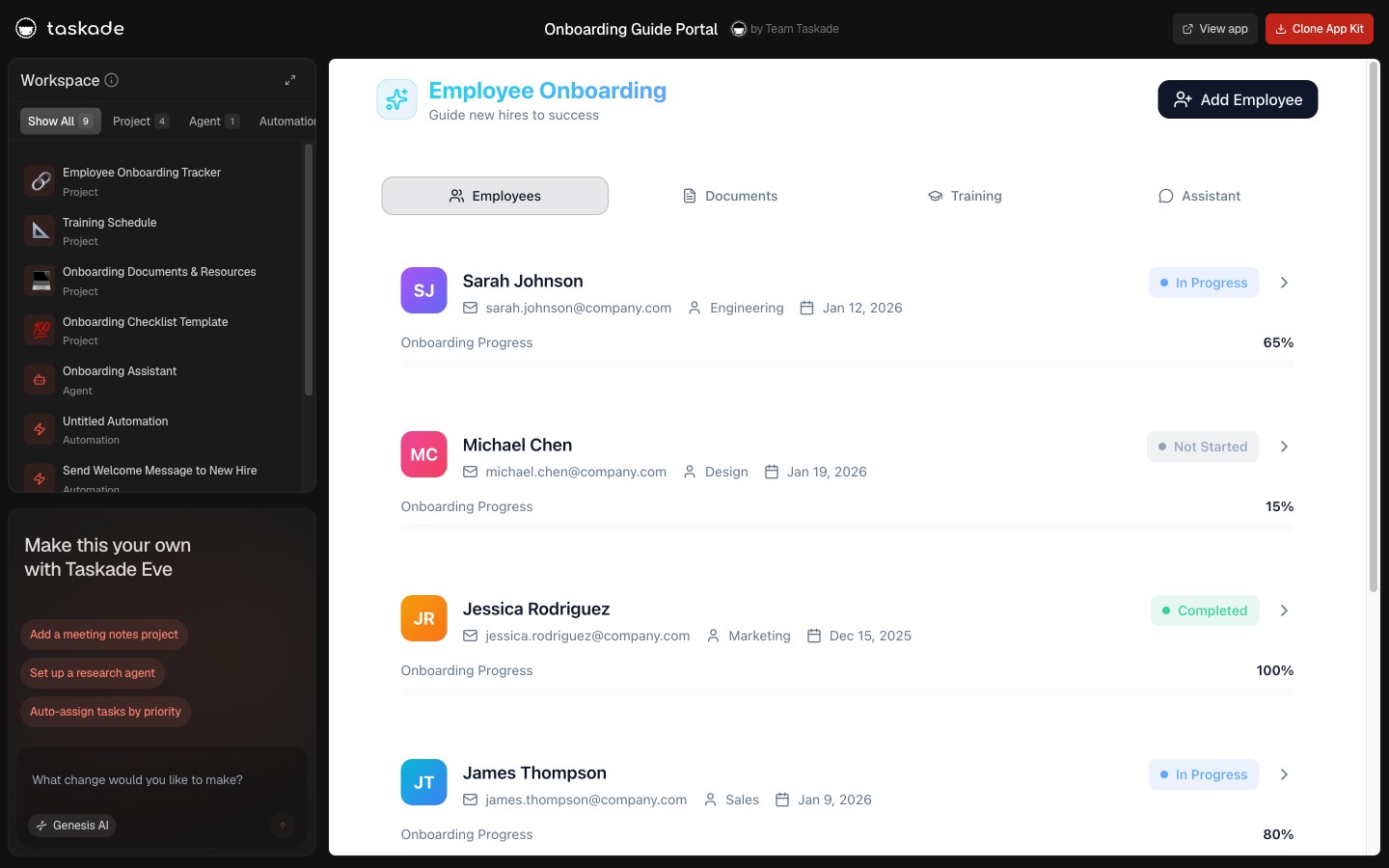
▲ ■ ● This is live. Click the screenshot above to open the live share page, then hit "Use this app" to clone the Onboarding Guide Portal (4 projects · 1 agent · 3 automations) into your workspace.
Four projects, the structured learning architecture:
The Welcome project is the customer's first screen. A curated orientation experience that replaces the fifteen-email welcome sequence most companies send on day one. It is structured as a guided checklist: "Step 1, Watch the four-minute intro video," "Step 2, Meet your team," "Step 3, Complete the intake form," "Step 4, Review your onboarding schedule." Each item links to the appropriate project or resource. The Welcome project is temporary and sequential, once the customer completes it, they graduate to the Learning Path. The act of completing the Welcome project generates the first measurable onboarding signal.
The Learning Path project organizes the onboarding content into structured modules. Each module is a parent task with child tasks for the sub-components. Modules have target completion dates and explicit unlock logic, Module 2 is visible only after Module 1 is marked complete. The Learning Path mirrors a phased implementation timeline: Module 1 (orientation and access), Module 2 (core workflow training), Module 3 (integration configuration), Module 4 (advanced features), Module 5 (go-live certification). The customer works through the path at their own pace; the portal tracks position without requiring your team to check in manually.
The Resources project is the evergreen reference library, the permanent knowledge base the customer returns to throughout the engagement and beyond. Organized by topic category: getting started, core workflows, integrations, troubleshooting, advanced configurations, FAQs, and release notes. Unlike the Learning Path (sequential, temporary), the Resources project is searchable and permanent. When a customer asks "how do I configure the Slack integration?" six months after onboarding, they search Resources, not your inbox.
The Progress project tracks each customer's onboarding journey with a milestone completion record: module name, target completion date, actual completion date, time delta (ahead or behind schedule), and a notes column for obstacles encountered. This is the project the Onboarding Guide agent reads to generate the weekly onboarding health briefing.
The Onboarding Guide agent, detail:
The Onboarding Guide agent reads the Learning Path and Progress projects and produces a weekly onboarding health briefing for your CS team. The briefing has four sections:
- On-track customers, completed their current module on or ahead of schedule. Recommended action: send a congratulatory message, prepare for the next module unlock.
- At-risk customers, one or more modules overdue by more than three days. Recommended action: schedule a check-in call, identify the specific blocker, escalate if the pattern continues.
- Completed customers, finished all onboarding milestones and ready to transition from onboarding to active delivery. Recommended action: trigger the graduation email and hand off to the ongoing support relationship.
- Time-delta analysis, patterns across the cohort. If Module 3 (integration configuration) shows an average five-day delay across eight customers, the module needs to be redesigned or split. The agent surfaces the pattern before it shows up in a quarterly review.
Three automations:
- New customer added → welcome sequence: A five-email onboarding sequence fires over the first five days: Day 1 (welcome and portal URL), Day 2 (team introduction), Day 3 (first module reminder), Day 5 (check-in prompt). Each email is drafted by the Onboarding Guide agent personalized to the customer's intake data. They receive personalized content, not a generic blast.
- Module completion → unlock and congratulations: When a customer marks a module complete, the next module unlocks and a congratulatory Slack message fires to the assigned CSM ("Customer X completed Module 2, 3 of 5 modules done").
- Final milestone completion → graduation and transition: When all modules are complete, the graduation email fires with a summary of what was covered, a link to the Resources project (their permanent knowledge base), and instructions for transitioning to the ongoing relationship.
Why onboarding completion is a retention signal: Research in SaaS consistently shows that customers who complete structured onboarding retain at two to three times the rate of customers who self-onboard. The same pattern holds in agency services and training programs: customers who complete a structured knowledge journey see ROI faster, generate less support burden, and expand their engagement at meaningfully higher rates. The Onboarding Guide Portal is a retention investment, not just a logistics tool.
When to clone the Onboarding Guide Portal: You are running a SaaS or service where customers need to learn something before they get full value, your current onboarding relies on ad-hoc Zoom calls and email forwards, or you want to track which customers are successfully onboarded versus at churn risk within the first thirty days.
See also: Client Onboarding Templates for the broader catalog of onboarding-focused Taskade Genesis apps and Employee Onboarding Templates for the internal team variant of this architecture.
Template 2: Customer Health Dashboard: See Who's About to Churn
The Customer Health Dashboard scores every active customer on adoption, engagement, and support burden, then surfaces the at-risk subset before they enter a churn cycle. Three projects (Customer Records, Adoption Events, Health Scores), one AI agent (the Health Score Agent), and four automations covering daily scoring, weekly digest, at-risk alerts, and expansion-ready alerts.
The dashboard is the surface most teams reach for after their second or third churn surprise. The pattern is universal: a customer churns, the CSM reviews their history, and every signal of declining engagement is visible in retrospect, last login two months ago, support tickets unanswered, feedback form left blank, account expansion request from January that nobody followed up on. The Customer Health Dashboard puts those signals on a single board the team reviews weekly. Churn becomes a surprise less often.
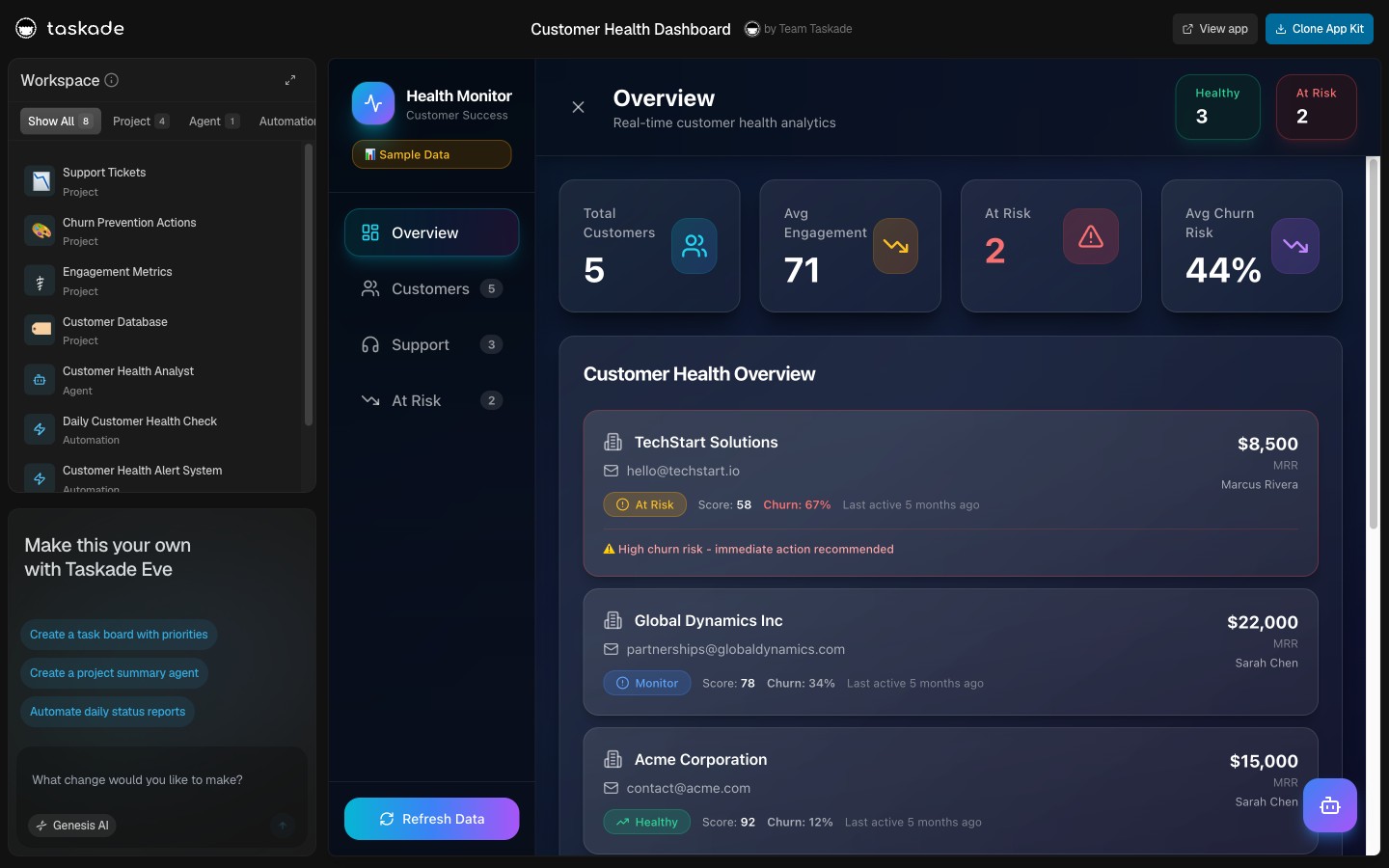
▲ ■ ● This is live. Click the screenshot above to open the live share page, then hit "Use this app" to clone the Customer Health Dashboard (3 projects · 1 agent · 4 automations) into your workspace.
Three projects, the customer health architecture:
The Customer Records project is the longitudinal record of every active customer. Each row stores: company name, primary contact and email, plan tier and annual contract value, renewal date, assigned CSM, account creation date, last login date, integration status (which integrations are connected), and the historical health score timeline. This is the project the Health Score Agent reads on every scoring run.
The Adoption Events project is the event stream, every meaningful interaction the customer has had with the product. Each row: event type (login, feature use, integration connected, project created, agent run, automation execution, support ticket created, feedback submitted), timestamp, and any relevant metadata. The event stream is what makes the health score intelligent rather than a static field. The agent reads thirty days of events for every customer on every scoring run.
The Health Scores project is the time-series record of every health score the agent has produced. Each row: customer, score (0 to 100), score date, contributing factors (the three to five signals that moved the score most this period), and an action recommendation. Reviewing the time series shows whether a customer is trending up, trending down, or flat, often more useful than the absolute score.
The Health Score Agent, detail:
The Health Score Agent runs daily at 6 AM and produces a fresh score for every active customer. The scoring model considers seven inputs:
- Engagement frequency: How many days in the last thirty did the customer log in? Daily users score highest; customers who haven't logged in for fourteen days score lowest.
- Feature breadth: How many distinct product features did the customer use in the last thirty days? Customers using one feature score lower than customers using six.
- Integration depth: How many integrations does the customer have connected? Customers with three or more connected integrations are meaningfully stickier than customers with zero or one.
- Onboarding completion: Did the customer complete the Onboarding Guide Portal? Customers who skipped or abandoned onboarding score lower regardless of other signals.
- Support burden: Open ticket count and unresolved-ticket age. A customer with three open tickets older than seven days is a churn risk regardless of usage.
- Feedback sentiment: Most recent NPS or CSAT score from the Smart Feedback Form (Template 5). Recent detractor feedback drops the health score significantly.
- Expansion signals: Did the customer hit a usage limit? Did they ask about a higher tier? Did they add more seats? Expansion signals raise the score and route the customer to the expansion-ready queue.
The agent produces a weighted composite score (0 to 100) plus the three to five signals that contributed most to the current score. The agent also produces a one-line action recommendation: "Healthy, no action needed," "Schedule a check-in to discuss [specific feature] adoption," "Re-engagement priority, last login 18 days ago," "Expansion-ready, proactively offer Team tier upgrade."
Four automations:
- Daily scoring run (6 AM daily), Health Score Agent processes every customer and writes the new score row to the Health Scores project. Runtime is roughly two seconds per customer; one hundred customers scores in under four minutes.
- Weekly health digest (Monday 9 AM), Email and Slack digest to the CS team with: this week's score changes (biggest movers up and down), the at-risk queue (customers with scores below 50), the expansion-ready queue (scores above 80 with expansion signals), and a one-line summary of overall portfolio health.
- At-risk alert (fires when any customer drops below 50), Slack notification to the assigned CSM with the customer name, current score, three contributing factors, and a suggested re-engagement task created in the team's task project.
- Expansion-ready alert (fires when any customer crosses 85 with expansion signals), Slack notification to the assigned account executive with the customer name, expansion signal type, and a suggested outreach script.
When to clone the Customer Health Dashboard: You are managing more than twenty active customers, your team has been surprised by churn in the last two quarters, or you want a single weekly review surface that shows portfolio health at a glance.
Template 3: Support Workflow Manager: Turn Tickets Into a System
The Support Workflow Manager turns the chaotic inbox of customer support tickets into a structured queue with triage, assignment, SLA tracking, and resolution metrics. Three projects (Inbox, Active Tickets, Resolved Archive), one AI agent (the Triage Agent), and five automations covering intake, assignment, SLA escalation, resolution, and weekly metrics.
This template is what customer success teams reach for when their support volume crosses the threshold where a shared Slack channel or a single shared inbox stops working, usually around twenty active customers or twenty tickets per week. The cost of dedicated help-desk software like Zendesk ($55/agent/month) or Intercom ($74/seat/month) compounds fast. The Support Workflow Manager covers the core workflow at the same flat $10/month as the rest of the Taskade Genesis suite.
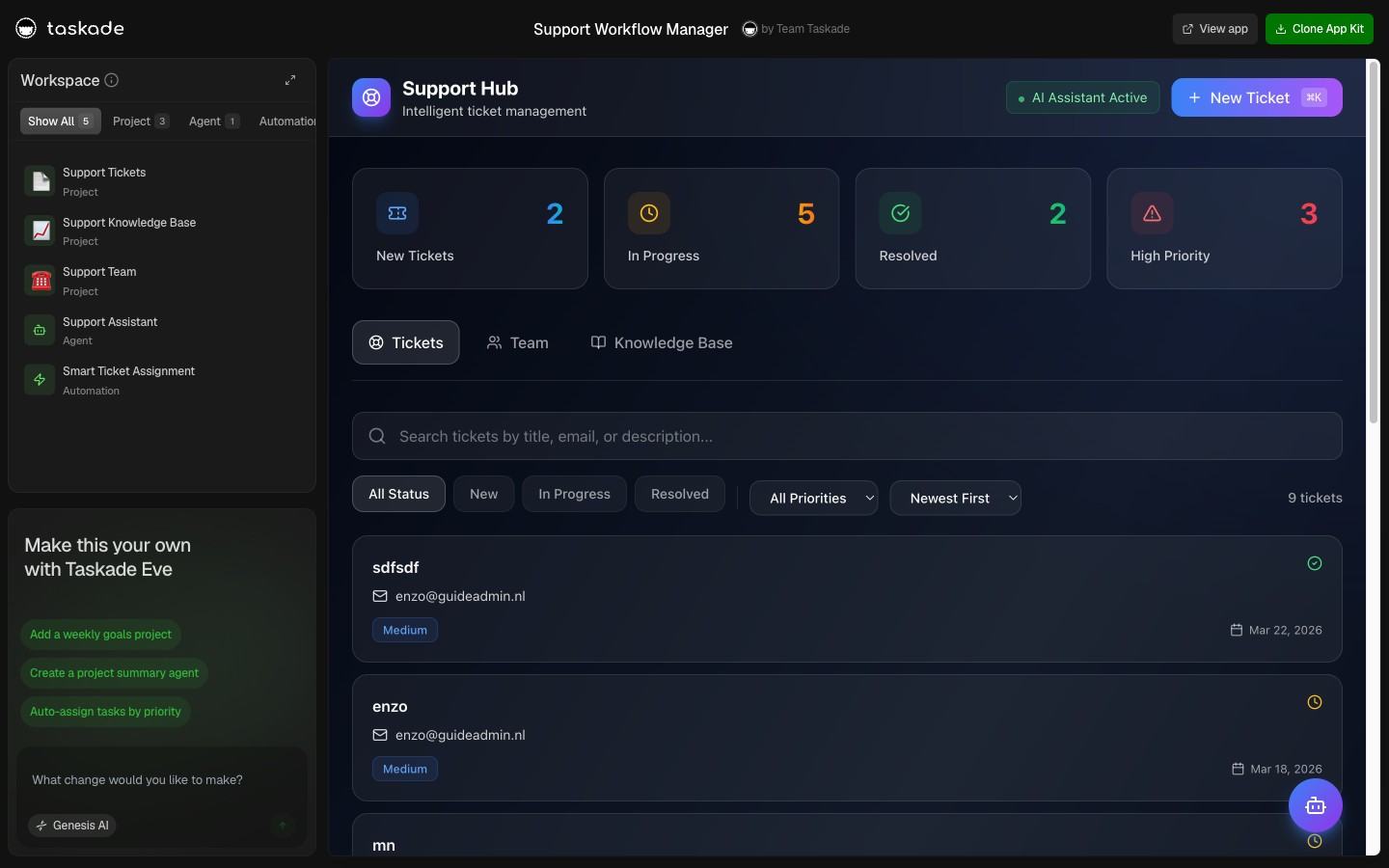
▲ ■ ● This is live. Click the screenshot above to open the live share page, then hit "Use this app" to clone the Support Workflow Manager (3 projects · 1 agent · 5 automations) into your workspace.
Three projects, the ticket lifecycle:
The Inbox project receives every incoming ticket. Sources: a Taskade Genesis intake form embedded in your customer portal, an email forwarding rule from your support@ address, a Slack channel webhook, or a direct CRM integration. Each ticket row captures: customer name, contact email, subject line, body text, attachments, source channel, and submission timestamp. The Triage Agent reads new rows continuously and writes the triage metadata back to the ticket before it moves to Active.
The Active Tickets project is the live queue every CSM and support engineer works from. Board view with five columns: Triage (agent has classified, awaiting human acknowledgment), Assigned (owner accepted, work in progress), Awaiting Customer (response sent, waiting for reply), Awaiting Engineering (escalated to product or eng team), and Ready to Close (resolution sent, awaiting customer confirmation). Each ticket carries: customer, owner, category, priority, age, SLA deadline, and a comment thread for the resolution work.
The Resolved Archive project stores every closed ticket with: original ticket data, resolution summary, total resolution time, customer satisfaction (if collected), and any tags applied. The Archive is the source the Triage Agent consults when classifying new tickets, the agent searches for similar past tickets and surfaces the resolution as a starting point.
The Triage Agent, detail:
The Triage Agent runs on every new ticket arrival and produces:
- Category: One of a configured set (Bug, Billing, How-To, Feature Request, Integration, Account, Security, Other). Configurable per team.
- Priority: P0 (production outage, security incident), P1 (broken core workflow), P2 (degraded experience), P3 (question, minor issue). Driven by keyword scan plus customer ACV (high-ACV customers default at least one priority level higher).
- Suggested owner: The team member with the most resolved tickets in this category, or the CSM assigned to this customer for relationship-sensitive issues.
- Suggested first reply: A draft reply based on similar past tickets in the Archive, the customer's account context, and any relevant knowledge base content. The CSM reviews and either sends as-is, edits, or escalates.
- SLA deadline: Calculated from priority (P0: 1 hour, P1: 4 hours, P2: 1 business day, P3: 3 business days).
Five automations:
- New ticket → triage and queue: On ticket arrival in Inbox, the Triage Agent runs and writes the classification, then moves the ticket to Active Tickets with the suggested owner pre-assigned.
- Assignment → owner notification: When a ticket moves to Assigned status, a Slack DM fires to the owner with the ticket link, priority, SLA deadline, and suggested first reply draft.
- SLA breach warning (fires when ticket is at 80% of SLA deadline with no resolution), Slack alert to the owner and the team lead with the ticket and remaining time.
- Resolution → customer satisfaction request: When a ticket moves to Ready to Close, a brief CSAT request emails to the customer (1-5 rating plus a free-text comment field).
- Weekly support metrics (Monday 9 AM), Email and Slack digest with: total tickets resolved this week, average resolution time by priority, top three categories by volume, SLA breach count, CSAT average, and the longest-open ticket as of report time.
Resolution math: A team handling 100 tickets per week with manual triage (5 minutes per ticket to classify, assign, and acknowledge) spends 500 minutes per week, over eight hours, on triage alone. The Triage Agent handles that in under a second per ticket and frees those eight hours for actual resolution work. At a fully-loaded support engineer cost, the agent pays for the Pro plan dozens of times over every month.
When to clone the Support Workflow Manager: Your support volume exceeds twenty tickets per week, you are losing tickets in a shared inbox or Slack channel, or you want SLA tracking without paying for Zendesk or Intercom.
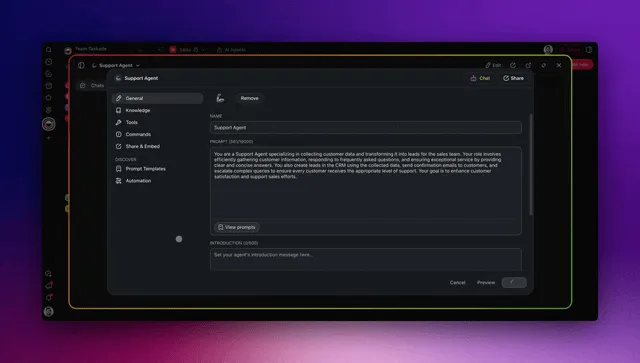
Template 4: Support Agent: The AI Teammate That Drafts Replies
The Support Agent is the standalone AI agent template that powers the first-reply layer in the Support Workflow Manager, and that you can also embed directly into your customer-facing portal, your website, or your in-app support widget. One project (Knowledge Base) and one agent configured with built-in tools (web search, project read, project edit, send email, post Slack message, and more) plus persistent memory.
This is the template most teams clone first when they want to see what AI Agents v2 are actually capable of. The agent does not just answer chat messages from a static prompt. It reads the customer's account context, searches the knowledge base, looks up past similar conversations in its persistent memory, drafts a reply, and either sends directly (for high-confidence categories like password reset, billing question, feature lookup) or routes to a human reviewer (for novel questions, escalations, or anything tagged sensitive).
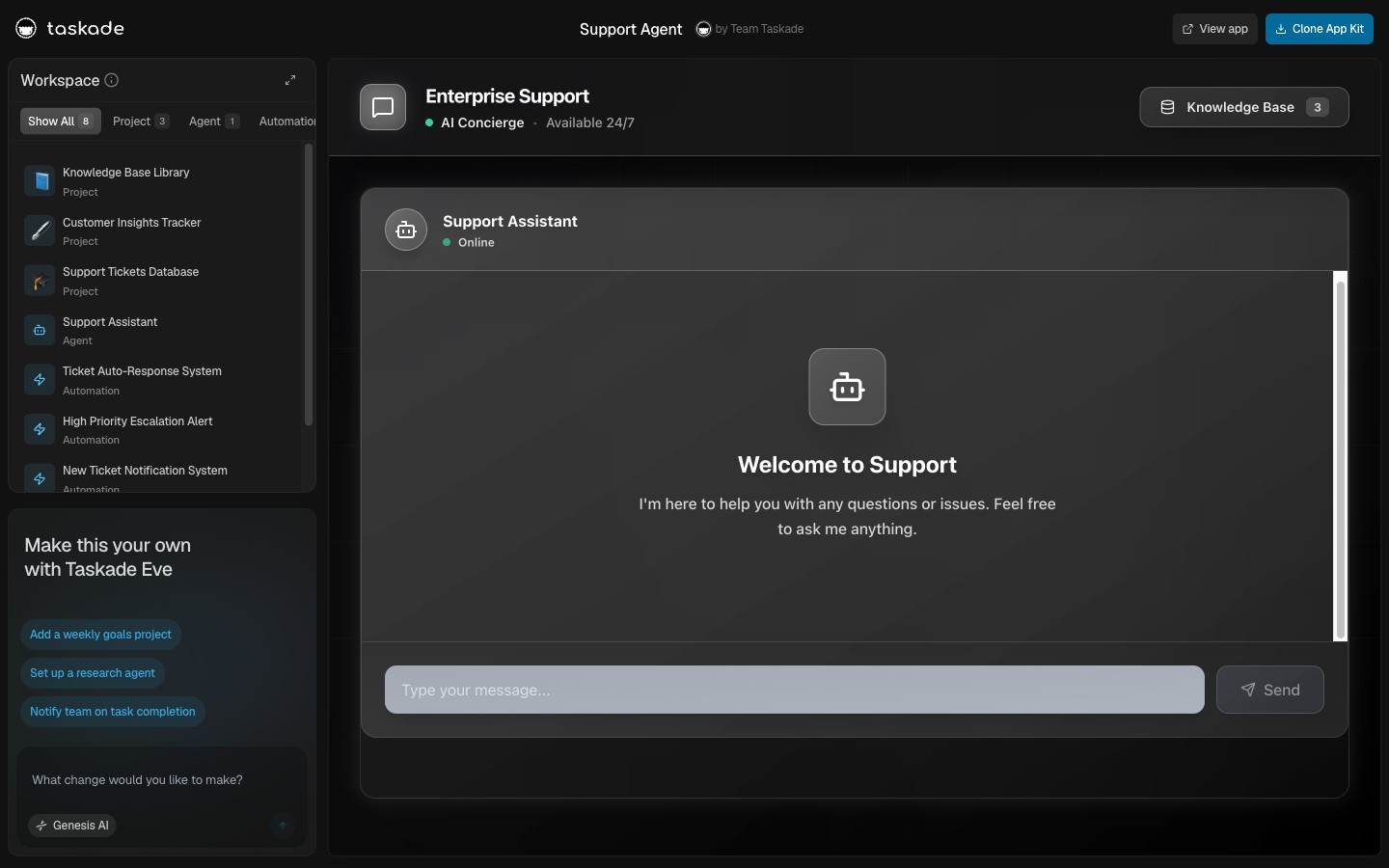
▲ ■ ● This is live. Click the screenshot above to open the live share page, then hit "Use this app" to clone the Support Agent (1 project · 1 agent · embeds into other apps) into your workspace.
One project, the knowledge base:
The Knowledge Base project is the structured documentation the Support Agent searches on every reply. It is organized by topic category with each row carrying: question (the customer-facing phrasing), answer (the verified response), tags (product area, complexity level, confidence tier), last reviewed date, and a "deflection rate" column populated by the agent itself after thirty days of use. Cleaner knowledge bases produce better agent replies. There is no shortcut around that. Most teams seed the project with their top fifty resolved tickets from the Resolved Archive (Template 3) and grow it from there.
The Support Agent, detail (built-in tools and persistent memory):
The agent ships with the full Taskade Agents v2 tool palette:
- Project read: Reads the Knowledge Base, the customer's account row in Customer Records, the Active Tickets project, and any specified project the team grants access to.
- Project edit: Writes the drafted reply, the resolution summary, the satisfaction rating once collected, and the deflection-rate column on the source knowledge base row.
- Web search: Pulls authoritative external context when the question references a third-party service (a Slack outage status, a Stripe API error code, a GitHub issue link).
- Send email: Drafts and sends the reply via Gmail with full thread context preserved.
- Post Slack message: Notifies the assigned reviewer when a reply needs human approval, or sends the customer a Slack notification when the support channel is Slack.
- Run automation: Triggers downstream automations: post-resolution NPS request, escalation to engineering, refund processing via Stripe.
- Persistent memory: Remembers every conversation with this customer across the full relationship. A customer asking "what was the workaround you sent me last quarter for the Shopify timeout?" gets a contextually grounded answer.
- And 14+ more, including HTTP request, file read, JSON extract, schedule task, generate structured output, summarize URL, ask clarifying questions, and the full extended palette.
Three deployment modes:
- Inside the Support Workflow Manager (Template 3): The agent powers the "suggested first reply" field on every new ticket. Human reviewers approve or edit before send.
- Embedded on your website or in-app widget: The agent runs as a public chat surface. Public-agent opt-out tool controls let you constrain which tools the agent can use in the public deployment (typically project read and web search only, no edit or automation tools).
- As a Slack bot in your customer-shared Slack channels: Customers @-mention the agent in shared Slack channels for fast answers without filing a ticket.
Confidence-based auto-send:
The agent ships with a configurable confidence threshold. Replies above the threshold auto-send. Replies below queue for human review. Most teams start at a conservative threshold (auto-send only for password resets, billing questions, and feature lookups) and lower the threshold as they observe agent accuracy in their specific domain. Typical pattern at thirty days: 40 to 60 percent of total ticket volume resolved by the agent without human touch, freeing the CSM to focus on the 40 to 60 percent that genuinely require judgment.
When to clone the Support Agent: You want to embed an AI support agent in your portal or website, you want first-touch reply drafting inside an existing support workflow, or you want to evaluate AI Agents v2 capabilities with a real workload before designing your own custom agent.
See also: Custom Agents Guide for the full agent configuration walkthrough and AI Agents for the curated catalog of pre-built agents across customer-facing workflows.
Template 5: Smart Feedback Form: Close the Loop Without Losing Signal
The Smart Feedback Form is the structured signal capture layer that runs at every milestone in the customer journey. Two projects (Form Submissions, Categorized Feedback), one AI agent (the Feedback Categorizer), and three automations covering tagging, routing, and weekly digest.
Most teams collect feedback through a Typeform link in a post-onboarding email and a quarterly NPS survey. The feedback arrives in a separate tool, the product team copies it into Notion, the CS team copies it into the customer record, and the actual signal, what to change, who to follow up with, what to prioritize, is lost in the copy-paste chain. The Smart Feedback Form captures feedback inside the same workspace where the rest of the onboarding workflow lives. The Categorizer agent reads every submission, tags it (bug, feature request, praise, complaint, churn risk), and routes it to the right owner automatically.
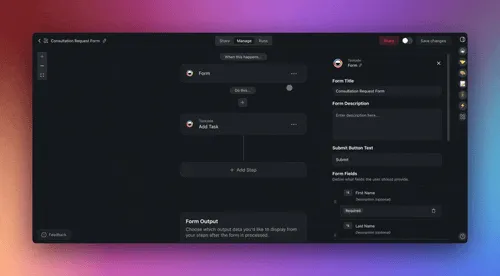
▲ ■ ● This is live. Click the screenshot above to open the live share page, then hit "Use this app" to clone the Smart Feedback Form (2 projects · 1 agent · 3 automations) into your workspace.
Two projects, capture and categorize:
The Form Submissions project receives every raw form submission. Each row: customer name and email (if logged in), free-text feedback, rating (1-5 or NPS 0-10), submission timestamp, source channel (post-onboarding survey, in-app NPS, quarterly check-in, etc.), and any structured fields the form configured. The form itself is a Taskade Genesis-rendered surface embeddable in any portal or in-app widget, no third-party form tool required.
The Categorized Feedback project is the structured downstream surface every team works from. Each row: original submission link, category (bug, feature request, praise, complaint, churn risk, expansion signal, integration request), sub-category, sentiment (positive, neutral, negative), urgency (low, medium, high), assigned owner, and resolution status (open, in progress, addressed). Filtered views per category let the product team see only feature requests, the support team see only bugs, the CS team see only churn risks and expansion signals.
The Feedback Categorizer agent, detail:
The agent runs on every new form submission and produces the full categorization in under three seconds:
- Category and sub-category: Reads the free-text feedback and the rating, then classifies. A 2-star rating with text mentioning "the export to PDF broke" categorizes as Bug / Export with high urgency. A 5-star rating with text praising the new agent feature categorizes as Praise / Agents with low urgency.
- Sentiment: Cross-references the rating and the text. A 4-star rating with text describing a major frustration scores as Negative regardless of the star count, text usually carries more signal than the rating alone.
- Urgency: Driven by sentiment, customer ACV, and keywords (the word "cancel" or "switching" jumps urgency to High regardless of other signals).
- Suggested owner: Routes by category. Bugs to engineering. Feature requests to product. Churn risks to the assigned CSM. Praise to the marketing team for case-study sourcing.
Three automations:
- New submission → categorize and route: The Feedback Categorizer agent runs, writes the categorized row, and posts a Slack DM to the suggested owner with the feedback, the customer context, and the urgency tag.
- Churn risk detected → CSM escalation: Any feedback categorized as churn risk or negative sentiment from a customer with ACV above $5K fires an immediate Slack alert to the CSM and the CSM's manager.
- Weekly feedback digest (Monday 9 AM), Email and Slack digest with: this week's top three themes (most common feedback patterns), the churn risk queue, the feature request queue (ranked by mention count and customer ACV), and a sentiment trend chart showing the last twelve weeks.
Why feedback should live in the same workspace as the rest of onboarding: Feedback that arrives in a separate tool gets lost. Feedback that arrives in the same workspace as the customer record, the health score, and the support ticket archive becomes a usable signal. A churn-risk feedback submission with the customer's full context one project over is actionable in under a minute.
When to clone the Smart Feedback Form: You are collecting feedback through a third-party form tool and losing it in the copy-paste chain to your CS tool, you want category-based routing without a separate workflow tool, or you want a single weekly digest that captures customer voice across all collection channels.
Comparison: Rocketlane vs GUIDEcx vs Userpilot vs Appcues vs Pendo vs Taskade Genesis
The competitive landscape for customer onboarding tools in 2026 fragments into four distinct categories. Implementation / PSA platforms (Rocketlane, GUIDEcx, OnRamp) specialize in shared client-portal project management for high-touch enterprise implementations, the closest structural analog to the Taskade Genesis workspace model. In-app tour platforms (Userpilot, Appcues, Userflow, Chameleon, Pendo, WalkMe, UserGuiding, Kompassify) specialize in tooltips, walkthroughs, and feature announcements injected over your existing product UI. Customer success platforms (Gainsight, ChurnZero, Totango) specialize in enterprise customer success operations with deep playbook automation. Workflow and SOP tools (Process Street, Trainual, Tango) specialize in the internal process documentation layer. Taskade Genesis spans all four with a workspace-native architecture that ships the customer-facing portal, the AI agents, and the automation engine pre-assembled, at a flat seat price instead of per-MAU, per-customer, or per-implementation pricing.
| Capability | Rocketlane | GUIDEcx | Userpilot | Appcues | Pendo | Chameleon | WalkMe | Taskade Genesis |
|---|---|---|---|---|---|---|---|---|
| Starting price | $19/user/mo (Starter) → enterprise quote for portal tier | Custom quote (typically $1K+/mo) | $299/mo (2K MAU) | $249/mo (2.5K MAU) | Free (500 MAU) | $279-$999/mo | $30K-$100K+/yr | $0 / $10/mo flat |
| Customer-facing portal | Yes (client portal) | Yes (client portal) | No (in-app overlay) | No | No | No | No | Yes (live Taskade Genesis app URL) |
| Embedded AI agents | Limited (autopilot agents in newer tiers) | Limited (AI task automation) | Limited (in-app AI) | No | No | Limited | No | Yes (built-in tools, persistent memory) |
| Customer health scoring | Partial (project RAG status) | Partial (project RAG status) | No | No | Partial (product analytics) | No | No | Yes (Health Score Agent) |
| Support ticket workflow | No (separate tool required) | No | No | No | No | No | No | Yes (Support Workflow Manager) |
| AI support agent | No | No | No | No | No | No | No | Yes (with auto-send) |
| Smart feedback categorization | No | No | No | No | NPS survey only | Microsurveys | No | Yes (Categorizer Agent) |
| Mobile onboarding flows | n/a (project tool) | n/a (project tool) | Limited | iOS/Android paid add-on | Native SDK | Limited | Enterprise | Yes (mobile-responsive app URL) |
| Custom domain / white-label | Enterprise | Enterprise | Add-on | Enterprise | Enterprise | Enterprise | Enterprise | Business ($25/mo flat, unlimited seats) |
| Built-in OIDC / SSO | Enterprise | Enterprise | Enterprise | Enterprise | Enterprise | Enterprise | Yes | Every plan (Taskade Genesis Auth) |
| 100+ bidirectional integrations | ~40 | ~30 | Limited (~40) | ~30 native | ~30 | Limited | Wide enterprise | Yes (10 categories) |
| Pricing escalation with users | Per-seat (steep at scale) | Per-seat + per-customer | Per-MAU (steep) | Per-MAU (steep) | Per-MAU (steep) | Per-MTU (steep) | Per-seat (steep) | Flat to 10 seats on Pro |
| Free tier with usable limits | 14-day trial | Demo only | No (free trial only) | 14-day trial | Yes (500 MAU) | 14-day trial | No | Yes (11,000 one-time AI credits) |
The table above highlights the structural difference: the in-app tour platforms (Userpilot, Appcues, Userflow, Chameleon, WalkMe, Pendo) are billed per Monthly Active User. A SaaS product that grows from 2,000 to 3,000 MAU on Userpilot moves from the $299/month Starter plan to the $799/month Growth plan, a 167% cost increase for a 50% user increase. The pricing model punishes the exact growth metric the platform is supposed to help with.
Taskade Genesis prices per workspace, not per end-user. The customers logging into your Taskade Genesis-built onboarding portal do not count against any seat limit. Pro is ten dollars a month flat for up to ten internal seats. The portal can serve unlimited customers.
The Workspace DNA Onboarding Loop
The five templates above are not independent tools that happen to share a vendor. They compose into a single Workspace DNA loop where every customer event flows through Memory, gets interpreted by Intelligence, triggers Execution, and writes the result back to Memory. The loop is what separates a Taskade Genesis onboarding workspace from a stack of disconnected SaaS tools held together with Zapier.
Read the sequence. The customer never knows there are five separate templates running underneath. They open the portal, complete a module, submit a ticket, get a fast reply, leave feedback. Behind the scenes, every event is captured, interpreted, and acted on without manual coordination by your team. The CSM sees one weekly digest. The account exec sees one expansion alert. The support engineer sees one ticket queue. The product team sees one feedback digest. Each surface is curated by an AI agent reading the underlying event stream.
┌─────────────────────────────────────────────────────────────────────┐
│  FIVE TEMPLATES, ONE WORKSPACE DNA LOOP                             │
├─────────────────────────────────────────────────────────────────────┤
│  ▲ MEMORY            ■ INTELLIGENCE          ● EXECUTION            │
│  ───────────────     ───────────────────     ────────────────────   │
│  Module completions  Onboarding Guide        Welcome sequence       │
│  Login events        Health Score Agent      At-risk re-engagement  │
│  Ticket history      Triage Agent            SLA escalation         │
│  Customer records    Support Agent           First-reply drafting   │
│  Feedback rows       Feedback Categorizer    Slack notifications    │
│  Knowledge base      Knowledge Curator       Module unlocks         │
│                                                                     │
│  Every row is read by an agent.                                     │
│  Every agent decision triggers an action.                           │
│  Every action writes a new row.                                     │
│  The loop runs itself.                                              │
└─────────────────────────────────────────────────────────────────────┘
This is the architecture that makes the $10/month Pro plan competitive with $30,000/year Chameleon contracts. The customer onboarding workflow is the same workflow whether it runs on a tooltip platform or a workspace. Taskade Genesis ships the workflow as a single composable unit.
Pricing Math: Why Per-MAU Pricing Punishes the Wrong Thing
The dominant onboarding tools price per Monthly Active User. The pricing model assumes that more users equals more value delivered equals more revenue captured. But for customer onboarding specifically, the model is backwards. The teams that need onboarding tools most are growing fast. The pricing punishes growth.
Walk through a realistic SaaS scenario. A team starts the year with 500 active customers and Userpilot Starter at $299/month. Q1 growth pushes them past 2,000 MAU. The Userpilot price triples to $799/month for Growth. Q2 growth pushes them past 5,000 MAU and triggers another 5,000-user bundle. By Q4, the same team is on a $1,500+/month Userpilot contract before any add-ons. The annualized total is roughly $18,000 in year one for onboarding tooltips on top of their existing product.
That same team on Taskade Genesis Pro pays $120 a year. Flat. The customer count grows from 500 to 10,000+. The portal serves all of them. The cost does not change.
Where does the structural difference come from? Per-MAU pricing made sense when the dominant cost of an in-app onboarding platform was the analytics infrastructure to track event streams at scale. That cost has collapsed since 2022. Modern AI agents and automation engines are not bottlenecked by event volume. The pricing model is a holdover from an earlier infrastructure era. Taskade Genesis prices on internal team seats because that is the actual cost driver in a workspace-native model.
| Customer count | Userpilot annual | Appcues annual | Userflow annual | Chameleon annual | Taskade Genesis Pro annual |
|---|---|---|---|---|---|
| 500 | $3,588 | $2,988 | $2,880 | $3,348 | $120 |
| 2,000 | $3,588 | $2,988 | $2,880 | $5,748 | $120 |
| 5,000 | $9,588 | $8,388 | $8,160 | $11,988 | $120 |
| 10,000 | $9,588+ | $10,548+ | $8,160 | $23,988 | $120 |
| 25,000 | $20,000+ | $25,000+ | $20,000+ | $50,000+ | $120 |
The table is not a competitive shot. It is the actual pricing math that explains why customer success teams running fast-growing SaaS in 2026 are increasingly skeptical of per-MAU pricing for any layer of the onboarding stack. The savings released by moving to flat-priced tooling are typically reinvested in headcount or in the genuinely AI-heavy workloads (custom model fine-tuning, embedding pipelines, agent infrastructure) where capacity-based pricing makes sense.
What to Look For in a 2026 AI Customer Onboarding Tool
The right AI customer onboarding tool in 2026 is the one that ships the customer-facing surface, the AI reasoning layer, and the automation engine pre-assembled, not a tooltip overlay you bolt onto an existing product. The seven evaluation criteria below separate the workspace-native platforms (Rocketlane, GUIDEcx, Taskade Genesis) from the in-app tour layer (Userpilot, Appcues, Pendo) and from the legacy enterprise CS suites (Gainsight, ChurnZero). Score every candidate against this list before signing a contract.
- A live customer-facing portal at a real URL: Not an in-app tooltip overlay. The customer should log in to a workspace, work through structured milestones, and return to a permanent resource library. Without a portal, you are renting an overlay layer for someone else's product.
- Embedded AI agents with persistent memory across the relationship: Not a chatbot in a sidebar. The agent must read the customer's account context, prior conversation history, and the structured project data, then take real actions (draft a reply, update a record, escalate a ticket). The Taskade Agents v2 palette ships built-in tools out of the box.
- Automatic customer health scoring with explainable contributing factors: Not a static field on a CRM record. The score must update on a daily schedule, surface the three to five signals that moved the score most this period, and route at-risk customers to a CSM queue without manual triage.
- Bidirectional automations across the tools your team already uses: Triggers pull external events in (Stripe subscription, Gmail email, Slack message, Calendly booking), actions push data out (CRM update, refund processing, knowledge base write). Anything less is data trapped in another silo.
- Flat per-seat pricing instead of per-MAU or per-customer escalation: The pricing model should reward you for growing the customer base, not punish you for it. Taskade Genesis Pro is $10/month flat for ten internal seats with unlimited customer-portal end users.
- A real free tier, not a 14-day trial that resets to $299/month: The Free plan should be usable for at least one production customer relationship from day one. Taskade Genesis ships 11,000 one-time AI credits on Free, enough for several dozen customer onboarding journeys with active agent participation.
- Cloneable templates instead of a blank-canvas build phase: The fastest path from contract to live customer onboarding is a working template you customize in thirty minutes, not a six-week implementation project. The five templates in this post are designed to be live the same day you clone them.
The Taskade Genesis architecture meets all seven criteria on the $10/month Pro plan. The closest direct competitors (Rocketlane, GUIDEcx) meet criteria 1, 4, and (partially) 3 but lose on AI-agent depth, free-tier usability, and template availability. The in-app tour platforms (Userpilot, Appcues, Pendo) lose on criteria 1, 2, 3, 5, 6, and 7. The enterprise CS suites (Gainsight, ChurnZero) meet criteria 2 and 3 deeply but lose on price, free tier, and template velocity.
Long-Tail Keyword Wedges Where Taskade Genesis Wins
Customer onboarding is one of the most contested keyword surfaces in B2B SaaS. The top of the SERP for "customer onboarding software" is dominated by Gainsight, ChurnZero, Rocketlane, Userpilot, Appcues, and Pendo, all of whom have spent millions on content and link building. Direct competition for those head terms is a multi-year investment with uncertain ROI. The wedge for Taskade Genesis is the long tail: specific workflows, specific industries, and specific integration combinations where the in-app tour vendors do not credibly compete.
| Wedge keyword | Search intent | Why Taskade Genesis wins |
|---|---|---|
| free customer onboarding template | Practitioner looking to start today | Taskade Genesis ships five free templates, cloneable in under ten seconds |
| AI customer onboarding workflow | Researching AI-native onboarding | Embedded agents with built-in tools and persistent memory |
| customer onboarding portal template | Wants a portal, not a tooltip layer | Taskade Genesis is workspace-native — the portal IS the product |
| Notion customer onboarding template | Outgrew Notion, wants more structure | Taskade Genesis adds AI agents and automations Notion lacks |
| customer onboarding without Userpilot | Cost-sensitive, evaluating alternatives | $10/mo flat vs $299/mo per-MAU |
| SaaS customer health score template | CS team building first health dashboard | Free Health Dashboard with Health Score Agent |
| AI customer support agent template | Wants to embed an AI support agent | Standalone Support Agent template |
| customer feedback form with AI categorization | Tired of Typeform-to-Notion copy chain | Smart Feedback Form with Categorizer Agent |
| customer onboarding with Slack integration | Slack-first CS team | 100+ bidirectional integrations including Slack |
| SaaS onboarding portal with custom domain | Wants white-label, not vendor branding | Custom domains on $25/mo Business plan |
| onboarding template for Taskade Genesis | Existing Taskade user discovering CS workflow | Native Taskade Genesis surface |
| customer success workspace template | CS lead building the team's first system | Five composable templates |
The long-tail wedge is what makes the Taskade Genesis onboarding surface SEO-durable. Each wedge above maps to a discrete use case that the in-app tour vendors cannot credibly address with their existing product. Userpilot does not have a customer-facing portal. Appcues does not have an embeddable AI support agent. Pendo's free plan does not include automation. The wedge keywords are not competitor attacks. They are accurate descriptions of where the Taskade Genesis architecture meaningfully differentiates.
When to Clone vs Build From Scratch
Clone when: The template structure matches your workflow within 80% and the projects, agent, and automations cover your core workflow. Customization is surface-level: renaming projects, updating branding, adjusting the agent instructions to reference your product's specific terminology.
Customize when: You need different project views for your workflow, additional projects for a use case the template doesn't cover, or custom agent instructions that reference your specific methodology or customer communication voice. Cloning a template and customizing it typically takes 30 to 60 minutes. The projects and automation logic stay intact; you adjust the specifics.
Build from scratch when: Your onboarding architecture is fundamentally different from any of the five, for example, a multi-tier reseller onboarding model with nested partner-customer access structures, a regulated-industry workflow requiring specific compliance documentation, or an enterprise customer success operation with multi-million-dollar accounts requiring deep playbook automation. In those cases, open Taskade Genesis and describe what you need to EVE. EVE scaffolds the architecture from your description, usually in under two minutes.
Scale decision guide:
- Under 25 active customers: Clone the Onboarding Guide Portal and the Smart Feedback Form. Two templates cover the full workflow.
- 25 to 100 active customers: Add the Customer Health Dashboard. Run the weekly digest every Monday and the at-risk alerts as needed.
- 100 to 500 active customers: Add the Support Workflow Manager and the Support Agent. Move to Business plan ($25/mo) for unlimited seats and higher AI capacity.
- 500+ active customers: Run all five templates with auto-clone on new customer subscription. Move to Max plan ($100/mo) for the request burst headroom required for hundreds of agent runs per day. Consider the Business and Max tiers' higher AI capacity if your team runs multiple agents in parallel.
FAQ
What is the best free AI customer onboarding template in 2026?
Taskade Genesis ships five free AI customer onboarding templates, Onboarding Guide Portal, Customer Health Dashboard, Support Workflow Manager, Support Agent, and Smart Feedback Form. Each is live and cloneable from the screenshot links in this article. No credit card required. The Free plan includes 11,000 one-time AI credits (1,000 when you verify your email + 10,000 on your first build) and 3 Genesis apps. Pro is ten dollars a month for ten seats with AI agents, automations, password protection, and Taskade Genesis Auth. Business at twenty-five dollars a month adds a custom domain for full white-labeling. Clone your first template →
How does this compare to Userpilot or Appcues?
Userpilot starts at $299/month for 2,000 MAUs. Appcues starts at $249/month for 2,500 MAUs. Both specialize in in-app tooltips and walkthroughs over your existing product UI. Neither ships a customer-facing portal, an embedded AI support agent, or a feedback categorization workflow. Taskade Genesis covers all three plus the in-app guidance layer at ten dollars a month flat for ten seats. The two products solve adjacent problems, most teams using Userpilot for tooltips also want a Taskade Genesis workspace for the customer-facing portal and CS workflow.
What should a great AI customer onboarding workflow include?
Six components: a guided onboarding portal, a customer health dashboard with scoring, a support ticket workflow with triage, an AI support agent for first-touch replies, a structured feedback loop with categorization, and bidirectional automations connecting Slack, Gmail, Stripe, and your CRM. Taskade Genesis ships all six as cloneable templates with embedded AI agents and 100+ bidirectional integrations.
Can I white-label a Taskade Genesis onboarding portal?
Yes. Taskade Genesis apps support custom domains, password protection, and Taskade Genesis Auth (built-in OIDC and SSO) for enterprise customers. Taskade Genesis Auth ships on every plan, and password protection is on the Pro plan at ten dollars a month flat for up to ten seats. Full white-labeling with a custom domain (onboarding.yourcompany.com) is on the Business plan at twenty-five dollars a month flat with unlimited seats, the customer logs into your branded URL and never sees Taskade branding.
How many AI credits does customer onboarding consume?
The Free plan includes 11,000 one-time AI credits (1,000 when you verify your email + 10,000 on your first build), enough to onboard several dozen customers with a Support Agent drafting first-touch replies and a Health Dashboard agent generating weekly summaries. Heavier usage typically lands on Pro at ten dollars a month or Business at twenty-five dollars a month. Max at one hundred dollars a month carries roughly two and a half times the credit capacity of Business and four times the request burst, sized for high-throughput teams running multiple agents in parallel.
What automations should fire during AI customer onboarding?
Recommended automation set: new customer record triggers a welcome email sequence and CSM Slack notification, milestone completion triggers congratulations and unlocks the next step, health score below threshold triggers a re-engagement task, support ticket creation triggers an AI draft reply plus assignment, and feedback submission triggers categorization and Slack routing. All automations are backed by reliable durable execution that retries on failure.
Can the AI Support Agent actually resolve tickets?
The Support Agent ships with built-in tools and persistent memory. It drafts first-touch replies by reading the customer's account history, the knowledge base, and similar past tickets. A human reviews and approves the draft before send by default. Most teams move to auto-send for high-confidence categories (password resets, billing questions, feature lookups) after two to three weeks of supervision. Teams with clean documentation typically see 40 to 60 percent auto-resolved tickets within thirty days.
How does this compare to Notion or Asana for customer onboarding?
Notion is a blank canvas with no native automation engine, no embedded AI agents, and no live customer-facing app URL. Asana ships static templates you fill in manually. Taskade Genesis ships the data layer, the agent layer, and the automation layer pre-assembled with five live cloneable templates. The Notion+Zapier+Typeform stack costs more per month than Taskade Genesis Pro and requires three integration relationships.
Can I auto-clone an onboarding portal for each new customer?
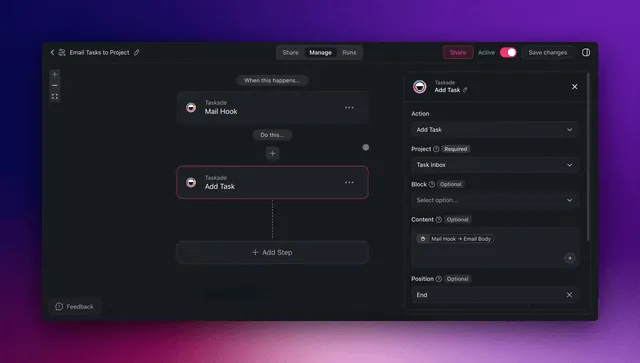
Yes. Taskade Genesis apps clone manually in under ten seconds or auto-clone via webhook on a new customer event. Standard setup: new Stripe subscription fires a webhook, a Taskade Genesis automation clones the Onboarding Guide Portal into a per-customer Space, sets the customer email as a Viewer-role member, and sends the portal URL via Gmail. At fifty new customers per month, the automation saves roughly twelve hours of manual onboarding setup monthly.
Which Taskade plan is right for customer success teams?
Most CS teams start on Pro at ten dollars a month flat for ten seats. Pro includes password protection, AI agents, 100+ automations, and Taskade Genesis Auth (OIDC/SSO) for enterprise customers. Business at twenty-five dollars a month adds custom domains for white-labeling, unlimited seats, and higher AI capacity for teams of more than ten CSMs or more than a hundred active customers. Max at one hundred dollars a month is sized for high-throughput teams running multiple agents in parallel across hundreds of active customer journeys.
Does Taskade Genesis replace ChurnZero or Gainsight?
Taskade Genesis covers the customer-facing onboarding surface and the lightweight health dashboard layer behind the scenes. ChurnZero and Gainsight specialize in enterprise customer success operations with deep playbook automation, revenue forecasting, and segmentation at thousands of accounts. Most teams under a few hundred active customers can replace a Gainsight or ChurnZero engagement with the Taskade Genesis templates and save tens of thousands of dollars a year. Teams above that threshold often run Taskade Genesis as the customer-facing layer alongside an enterprise CS platform.
How does Taskade Genesis compare to Rocketlane or GUIDEcx?
Rocketlane and GUIDEcx are implementation and PSA platforms purpose-built for high-touch enterprise onboarding, shared client portals, RAG project status, per-seat plus per-customer pricing that typically lands at $1,000+/month for a small CS team. Taskade Genesis ships the same shared workspace and client-portal model, plus embedded AI agents with persistent memory, an AI support agent, automatic health scoring, smart feedback categorization, and 100+ bidirectional integrations, at ten dollars a month flat for ten seats. Most teams under a few hundred active customers can replace Rocketlane or GUIDEcx and save thousands a year. Enterprise teams running million-dollar implementation projects sometimes run Rocketlane for project finance alongside Taskade Genesis for the customer-facing portal.
What should I look for in a 2026 AI customer onboarding tool?
Seven criteria separate workspace-native platforms from in-app tooltip overlays: (1) a live customer-facing portal at a real URL, (2) embedded AI agents with persistent memory, (3) automatic customer health scoring with explainable factors, (4) bidirectional automations across your existing stack, (5) flat per-seat pricing instead of per-MAU escalation, (6) a real free tier (not a 14-day trial), and (7) cloneable templates instead of a blank-canvas build phase. Taskade Genesis meets all seven on the $10/month Pro plan. See the full criteria breakdown above.
Clone Any of the Five Templates Now
Five templates, five surfaces, all live and free:
- Onboarding Guide Portal, guided customer journey, four projects, Onboarding Guide agent, three automations
- Customer Health Dashboard, adoption scoring, churn prediction, weekly digest, four automations
- Support Workflow Manager, triage, assignment, SLA tracking, five automations
- Support Agent, standalone AI agent with built-in tools and persistent memory
- Smart Feedback Form, structured signal capture with AI categorization
All five live in the Taskade Genesis Community Gallery. Browse 150,000+ apps built by SaaS founders, customer success leads, and agency teams worldwide.
Need an onboarding workflow that isn't on this list? Open Taskade Genesis → and describe what you need to EVE, the customer segments you onboard, the milestones that matter, the integrations you use, and the support volume you handle. EVE scaffolds the architecture from your description in under two minutes.
See also:
- AI Agents Catalog, agent library for customer-facing workflows
- Automation Hub, browse 100+ integration automations for customer success teams
- Client Onboarding Templates, broader catalog of onboarding-focused Taskade Genesis apps
- Employee Onboarding Templates, internal team onboarding variant
- Custom Agents Guide, build your own AI agent from scratch
- Automations Execution Guide, how durable execution works
- Taskade Genesis FAQ, frequently asked questions about Taskade Genesis app building
- Compare Taskade Genesis to leading platforms, head-to-head comparison hub
- Agency Client Portal Templates, five live templates for agency client portals
- Internal Tools Dashboard, internal-facing dashboard patterns
- AI Sales Pipeline Template, connect onboarding to your outbound sales motion
- Founder Operating System 2026, the broader Taskade Genesis workspace operating model
- Taskade Genesis vs Bolt vs Lovable, Taskade Genesis versus the code-generator category
- SaaS Metrics Dashboard Templates, next post: metrics dashboards that pair with the Health Dashboard
- AI Investor CRM and Fundraising Tracker, adjacent CRM template for founders
- AI Recruiting Pipeline Templates, recruiting pipeline analog to customer onboarding
- Event CRM Founder Dinner Template, event CRM template using the same architecture
- Community Gallery, browse live Taskade Genesis apps from 150,000+ builders