
Overview
Hiring is one of the highest-impact workflows you can hand to AI. Taskade Genesis runs the whole pipeline on the four layers of Workspace DNA, from a single prompt:
- Projects (Memory) store every candidate.
- Agents (Intelligence) score resumes against the JD.
- Automations (Execution) route the strong matches to your hiring manager.
- The App UI (Interface) is the form that candidates fill out.
TL;DR: Build an AI applicant screening pipeline in Taskade Genesis. The flow runs form intake → candidate project → screening agent → automation. The agent scores each resume against the JD and writes interview questions. The automation routes top matches to the hiring manager and sends personalized replies to the other applicants. Build a hiring app →
This guide shows how to use Taskade's Custom AI Agents for a faster, more effective applicant screening process. Here is the full flow you build:
Here is what we cover:
Hiring, on autopilot. Point Taskade Genesis at one job description, and it builds the whole loop. You get an intake form for candidates and a scoring agent that ranks each resume against your must-haves. An automation routes strong matches to your hiring manager, and everyone else gets a warm, personalized reply. Build it from one prompt in Taskade Genesis.
- 🔶 How to use AI to identify strong and weak points in resumes.
- 🔶 Matching candidate qualifications with job descriptions.
- 🔶 Creating interview questions that are relevant to the role
First, here are a few basic concepts.
What Are AI Agents?
AI Agents are small tools that automate routine tasks inside your projects. Each agent has unique knowledge, skills, and commands for more tailored support.
Check the video below to learn more. 👇
Applicant Screening Explained
The workflow for this use case is simple. We create an AI Agent and train it on the specific requirements of your job offering. This can include:
- 🔶 Qualifications
- 🔶 Experience
- 🔶 Technical skills
- 🔶 Soft skills
- 🔶 Language skills
- 🔶 Availability
- 🔶 Location
- 🔶 And many more...
For each applicant, we set up a separate project with their resume, cover letter, references, and any other documents they provided.
Finally, we deploy our custom AI agent into these projects. The agent analyzes the information and rates how well each applicant matches the job criteria.
The steps below show how to build it.
Create a Screening Agent
Creating a custom AI agent in Taskade is simple. You can set one up from scratch or use one of the existing agent templates to speed up the process.
For this task, we use the 📄 Resume agent template:
Go to the AI Agents tab in your workspace.
Click ➕ Create agent.
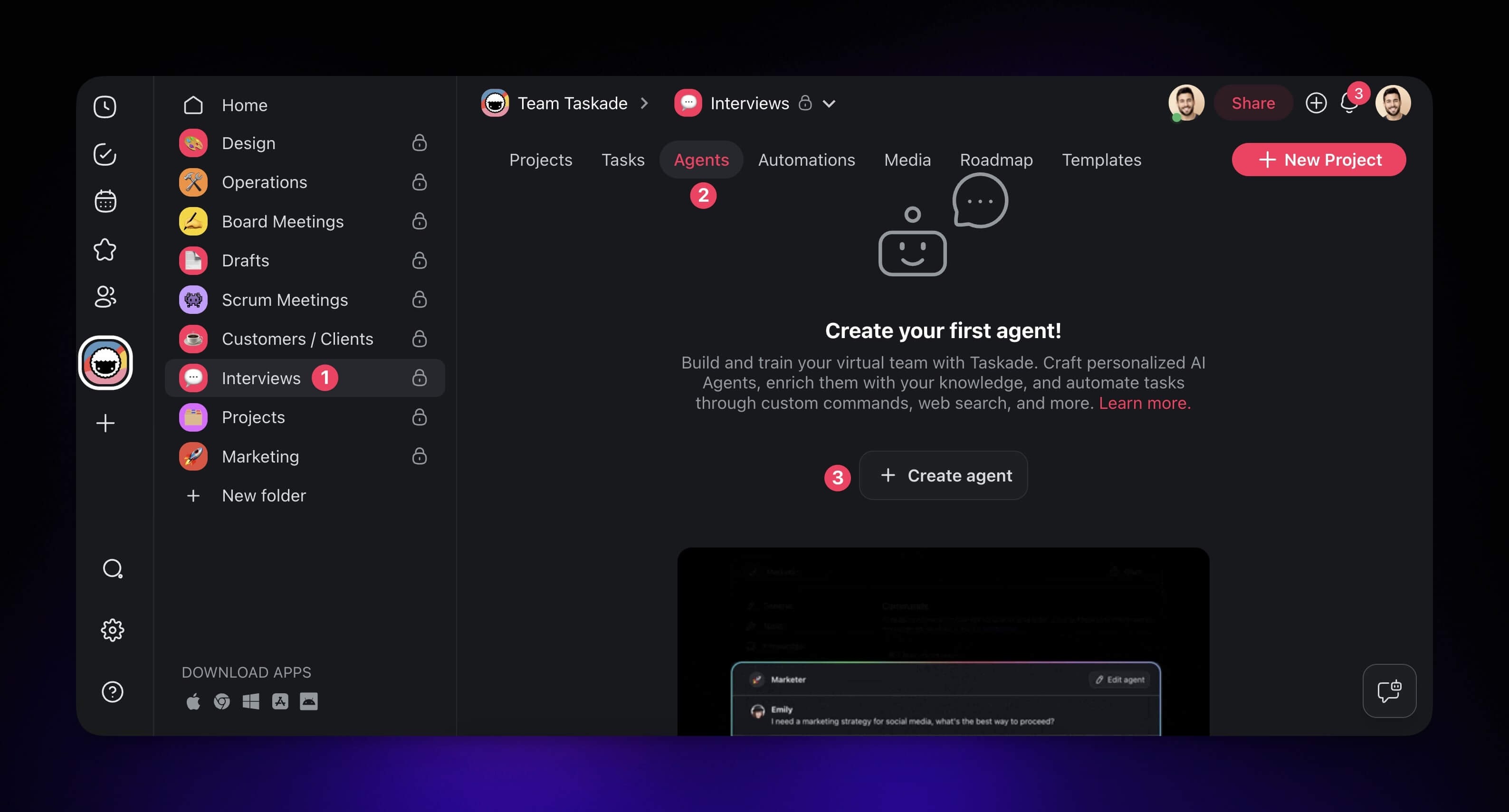
You are now in the Agent Creator:
- Choose the 📄 Resume agent template from the list.
- Create a unique name for your custom agent, for example Applicant Screening Agent.
- Select an avatar or upload your own.
- Click Create to save the new agent.
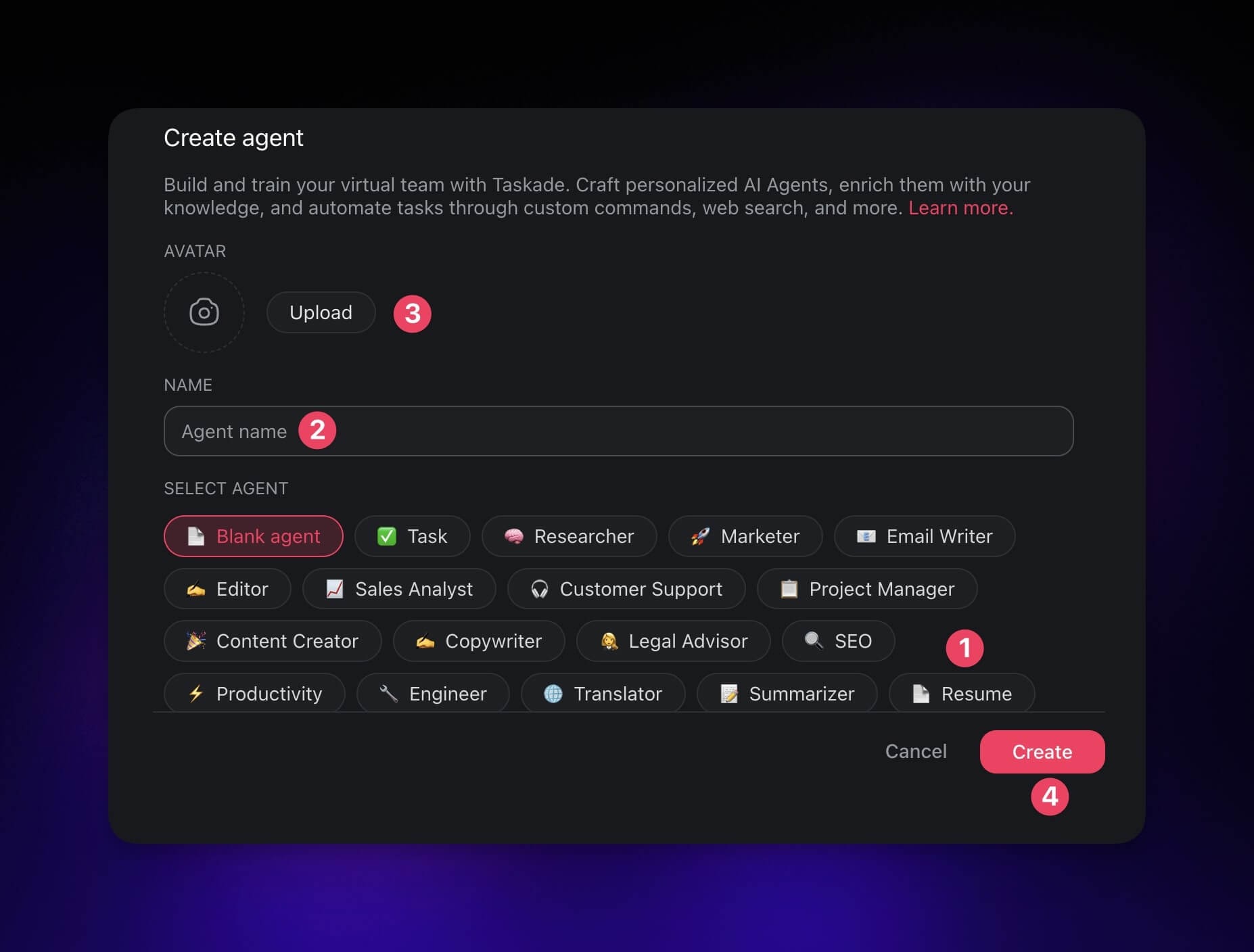
Train the Agent
The agent is in place. Now teach it what makes an ideal candidate for the job opening. The agent then reads and understands incoming resumes.
- Go to the AI Agents tab again.
- Hover the mouse cursor over the 🔎 Applicant Screening agent.
- Click the ✏️ Edit agent button on the right.
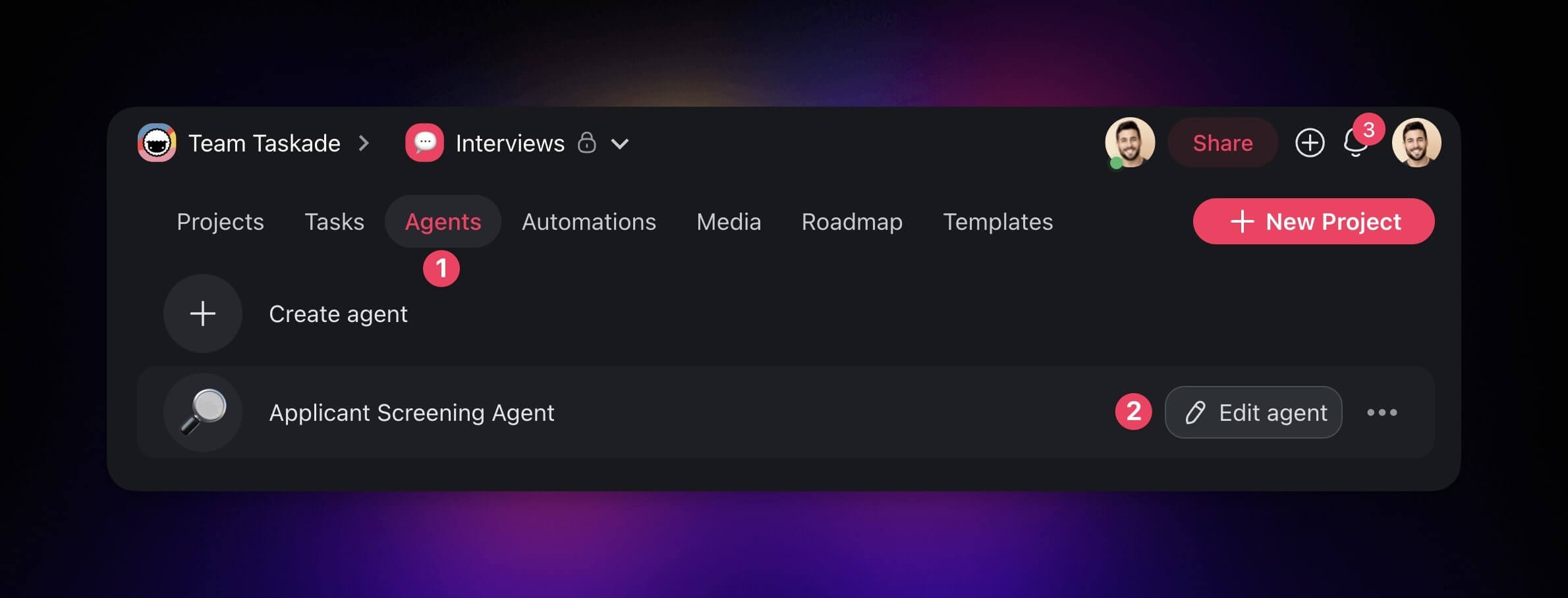
There are several options to teach the agent new things.
For our 🔎 Applicant Screening agent, we upload a job description and a list of generic interview questions for a Data Analyst position.
Choose the Knowledge tab on the left.
(method #1) Click the box under ADD SOURCES and select the file.
- (method #2) Drag & drop the file from your device.
- Enable the Knowledge toggle in the top-right corner.
- Click Update to save changes.
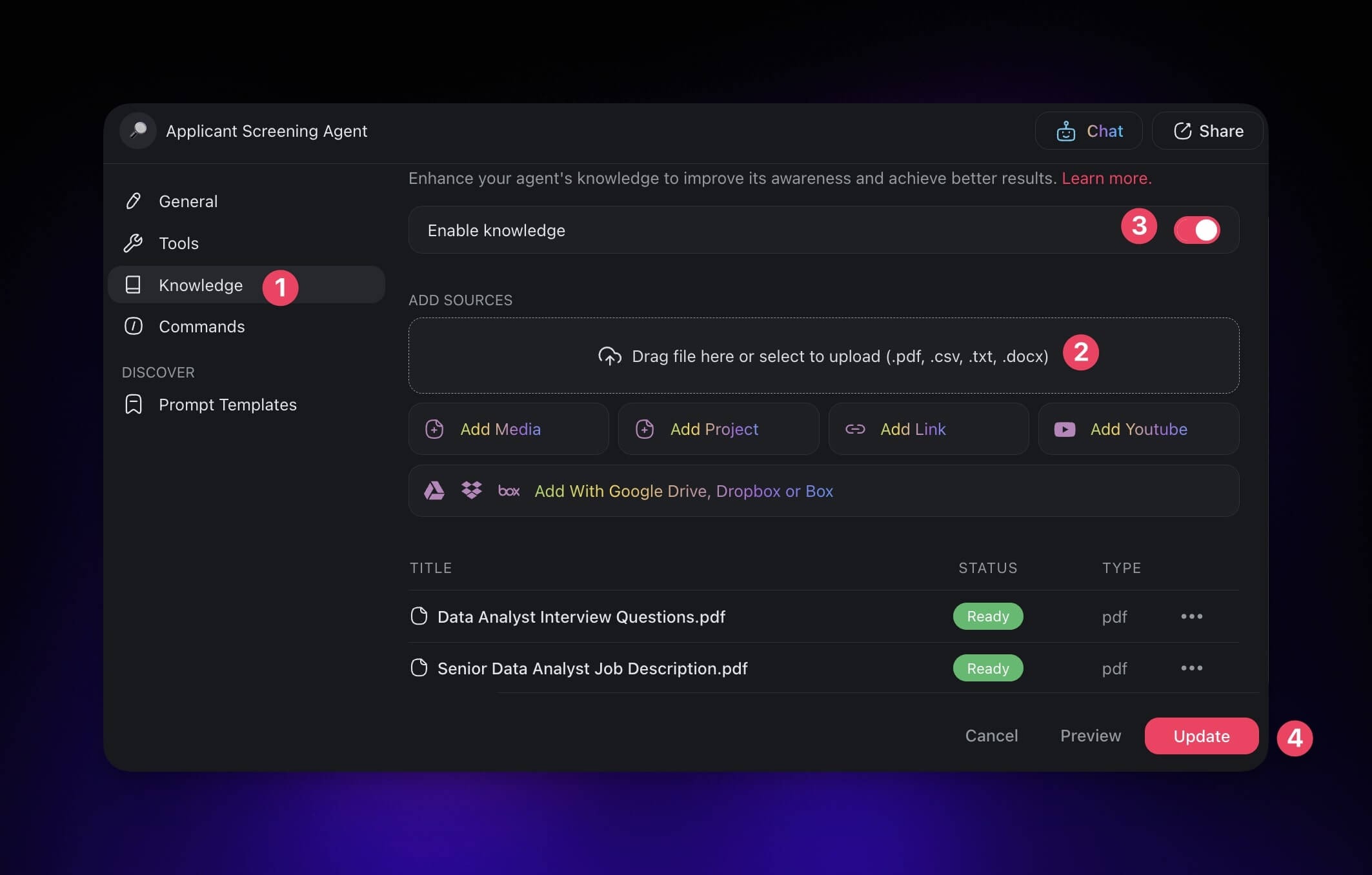
The 🔎 Applicant Screening Agent is ready. Put it to work.
Build Applicant Profiles
For this step, we use a project-based approach.
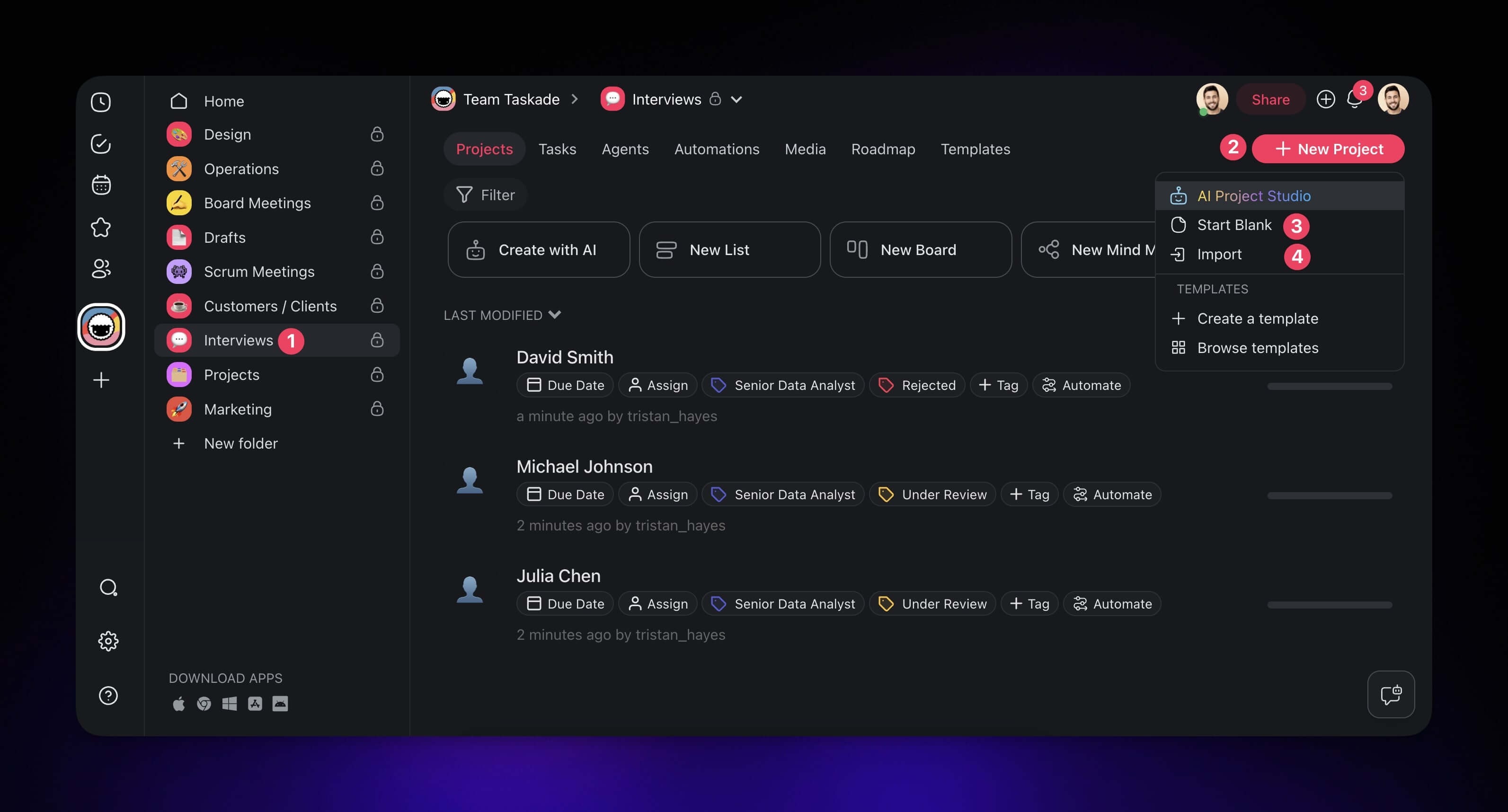
Each new project holds one candidate. You can then assess their experience and see where they stand in the hiring pipeline.
- (method #1) Create a new project manually:
- Open your workspace or folder.
- Click the ➕ New project button (top-right corner).
- Enter the candidate's name as the project title.
- (alternative method) You can also Import resumes with AI.
- Copy the candidate's accomplishments and experience into the project.
Skip the typing: Candidates can attach their resume to the application form and the automation reads it for you, including a scan or a phone photo of a printed CV. See Read Scanned Documents. Hand-copying is for paper you are holding.
Note: You can set up an automation flow that processes incoming applications automatically. Visit our Automation Guide to learn more.
One step remains.
Screen Applicants with AI
In this step, we use the 🔎 Applicant Screening agent to compare each applicant's experience and skills against the job description. The agent then reports which areas are a strong match and which ones fall short.
Start an agent chat:
Open one of the projects with candidates' profiles we created earlier.
Open the chat window (bottom-right corner).
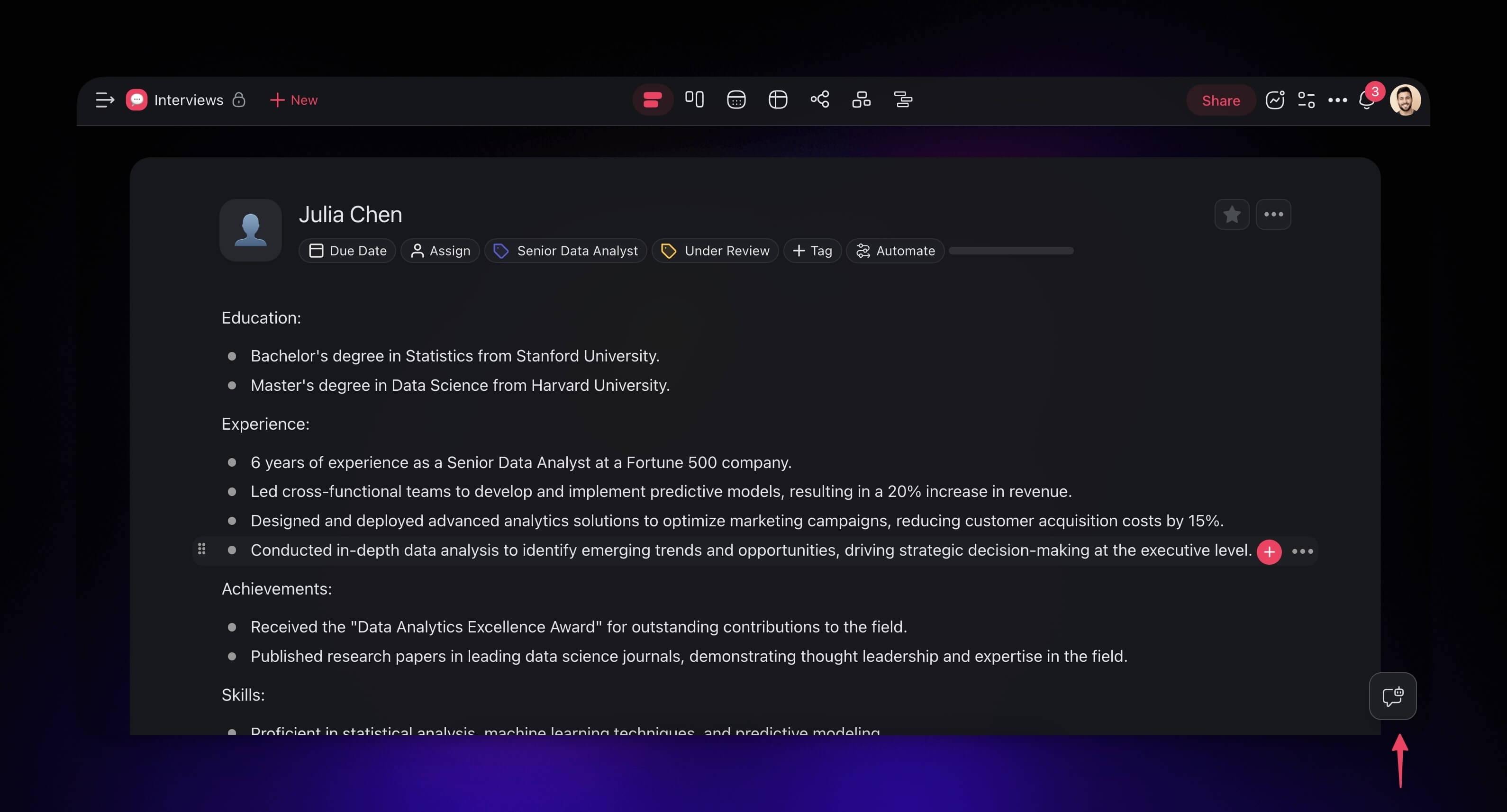
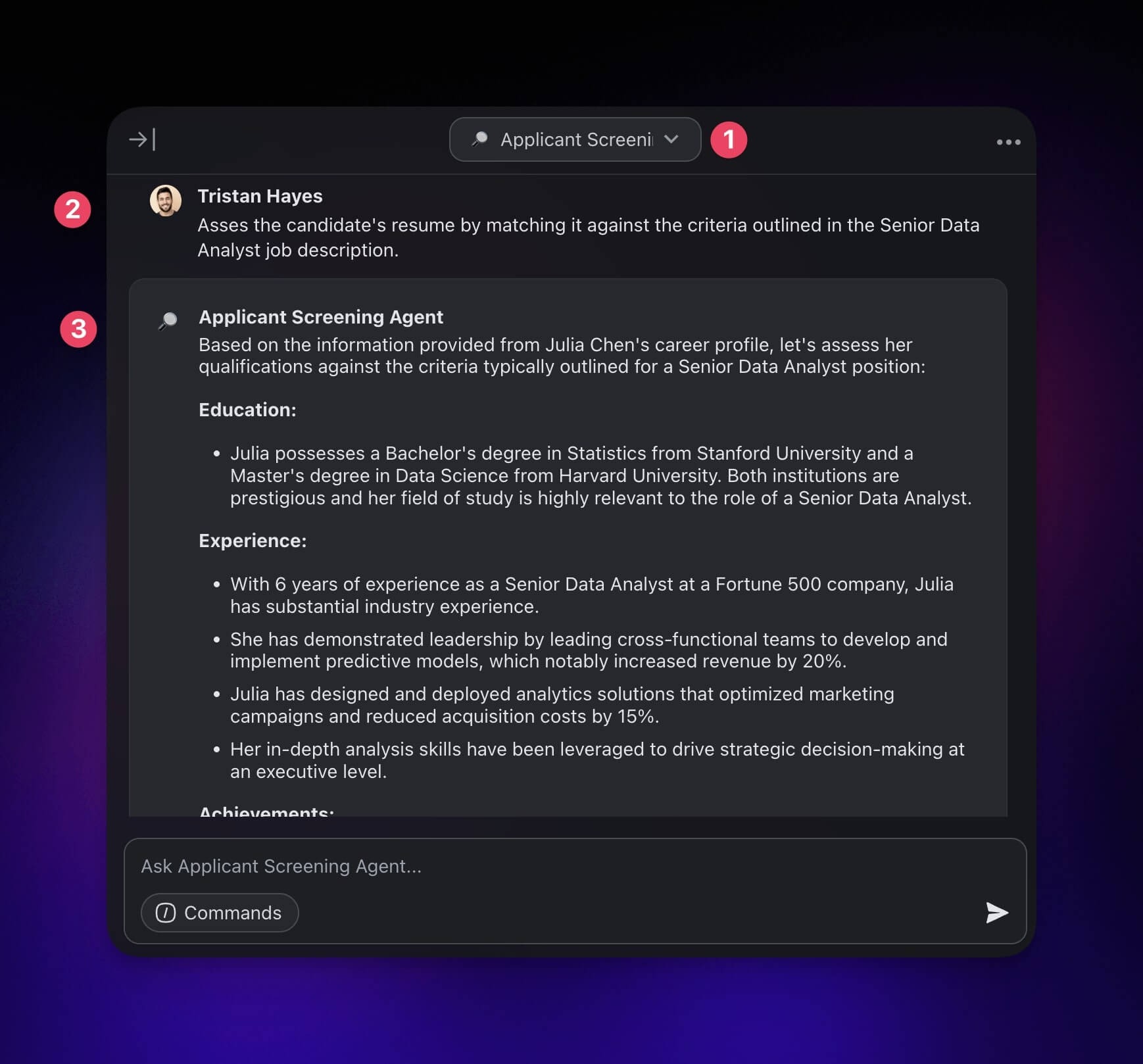
In the chat window:
- Open the drop-down at the top and choose the 🔎 Applicant Screening agent.
- Ask the agent to assess the candidate's resume by matching it against the criteria outlined in the job description. Wait for it to generate the output.
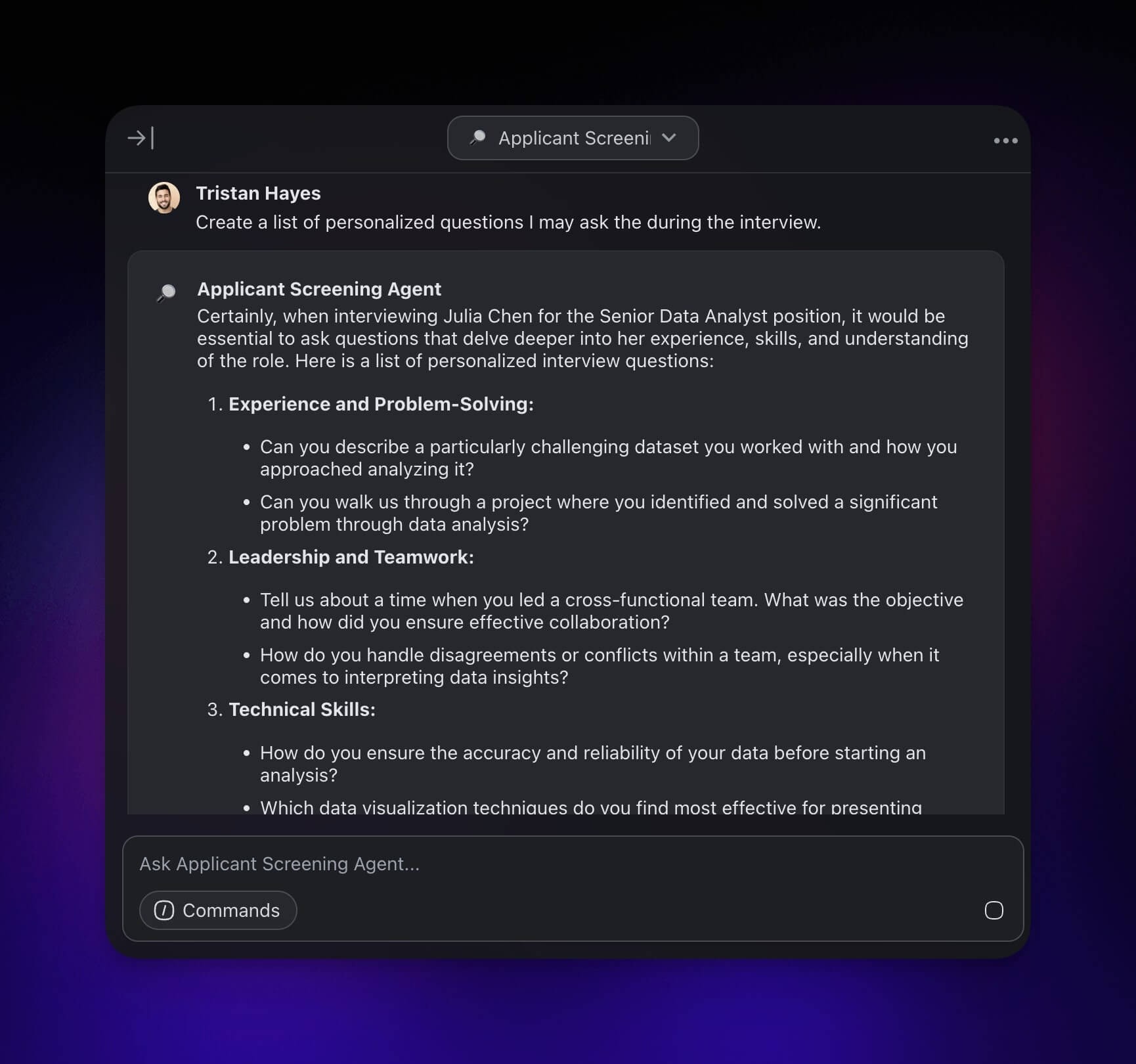
Finally, you can ask the agent to generate a list of personalized questions for the interview.
That is it!
Extend with Taskade Genesis
The tutorial above builds a screening agent manually. For a full-stack hiring app, with intake form, candidate database, scoring dashboard, and ATS integrations, describe it to Taskade Genesis in one prompt:
"Build a hiring pipeline for a senior engineer role. Include an application form with a resume upload, auto-score candidates against the job description, route matches above 80% to the hiring manager, and send personalized rejection emails to everyone else."
Related guides
- Custom AI Agents. Deeper guide on training agents.
- AI Agent Generator. Text-to-agent in one step.
- Agent Knowledge & Memory. How the agent reads your job description.
- Form Trigger. Auto-process incoming applications.
- Agent Action. Call an agent from inside an automation.
- Gmail Integration. Send follow-up emails automatically.
- Create Your First App. Build the hiring pipeline as a Taskade Genesis app.