
Overview
AI Forms let you build forms that collect data and automatically process it with AI. Use them to qualify leads, route support tickets, or gather customer feedback. Results are displayed instantly on the same page for quick follow-up.
TL;DR: The AI Forms trigger starts an automation the moment someone submits your form. Process the entry with AI to qualify leads, route tickets, or gather feedback, and show the result instantly on the same page. Route it through Filter Data or Branch to the right next step. Build it in Automations.
Forms are active automation entry points. A submission can immediately route through Filter Data, hit an Ask Agent step for AI classification, then Branch to the right action.
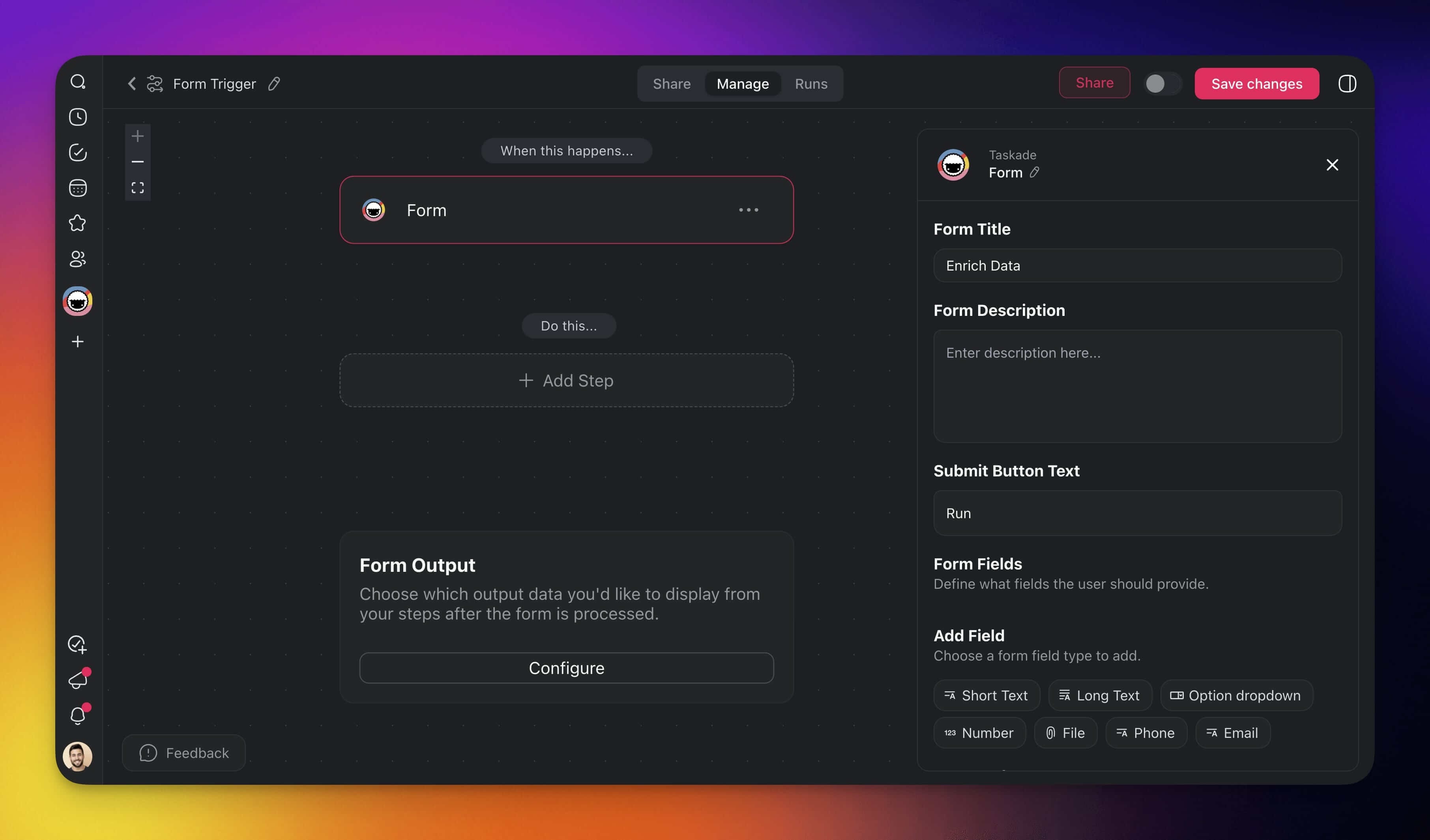
Trigger Settings
Connector options give you full control over the AI Forms trigger:
| 🎛️ Field | 🔤 Description |
|---|---|
| Form Title | Choose a unique title for your form. |
| Form Description | Describe the purpose of the form. |
| Submit Button Text | Choose a title for the submission button. |
| Form Fields | Define what fields the user provides. |
| Add Fields | Add various field types to the form. |
| Form End Page | Display an end screen with custom text. |
Create a New Form
- Go to the Automations tab in your workspace or folder.
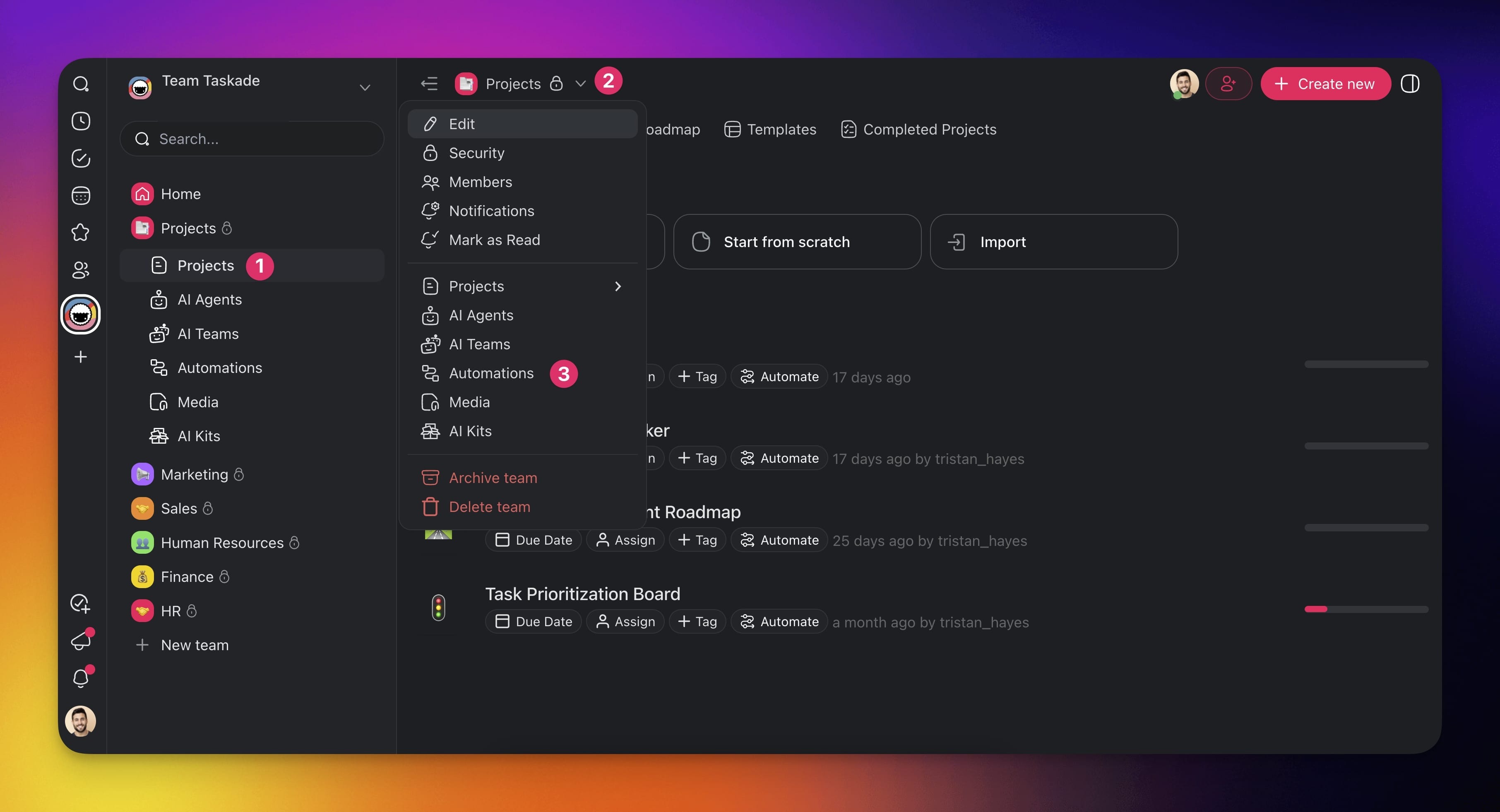
Create an automation flow using one of the available methods:
(1) Create with AI
(2) Browse templates (see the next section).
(3) Start from scratch
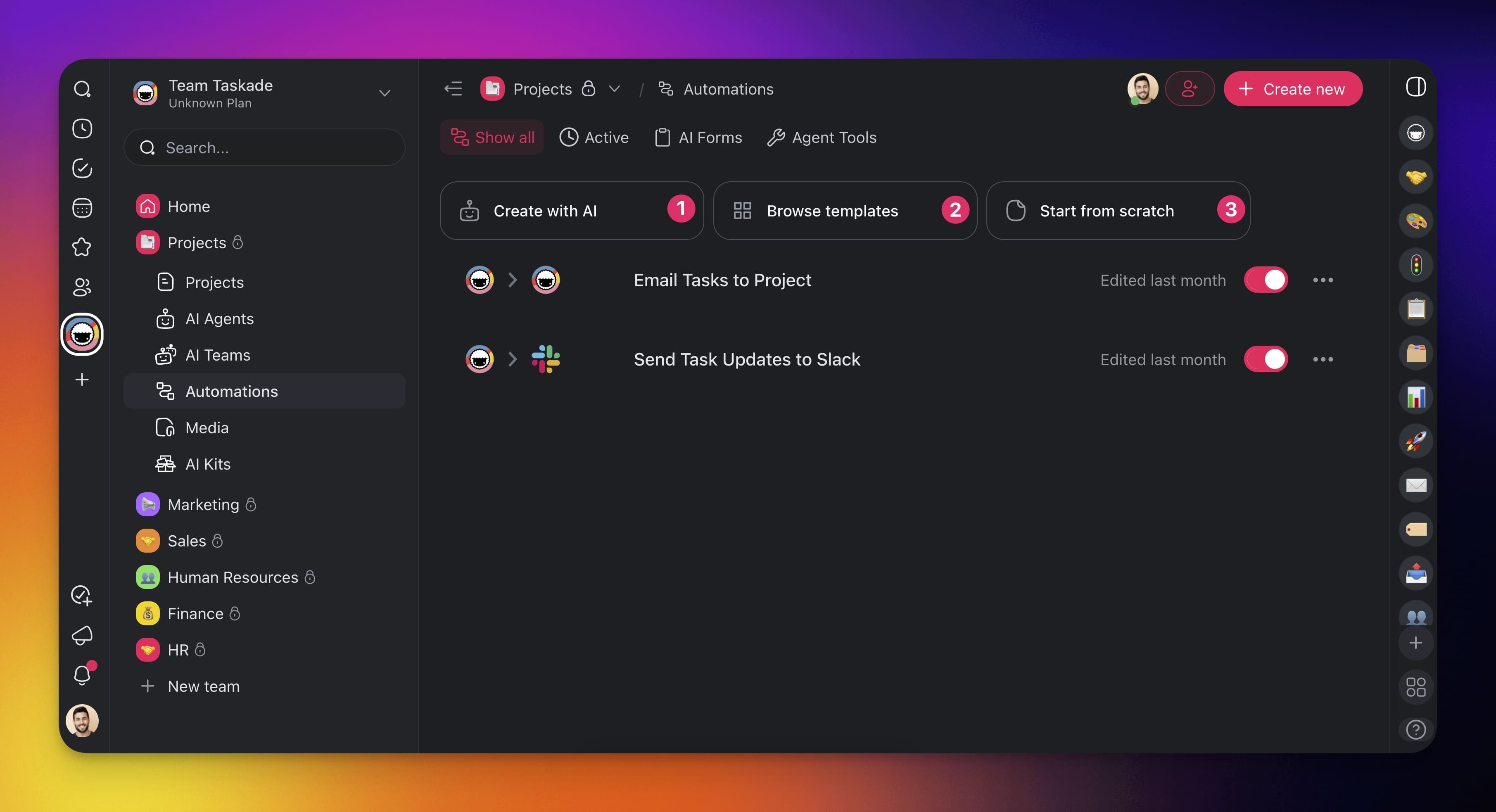
- Click ➕ Add Trigger→ Form.
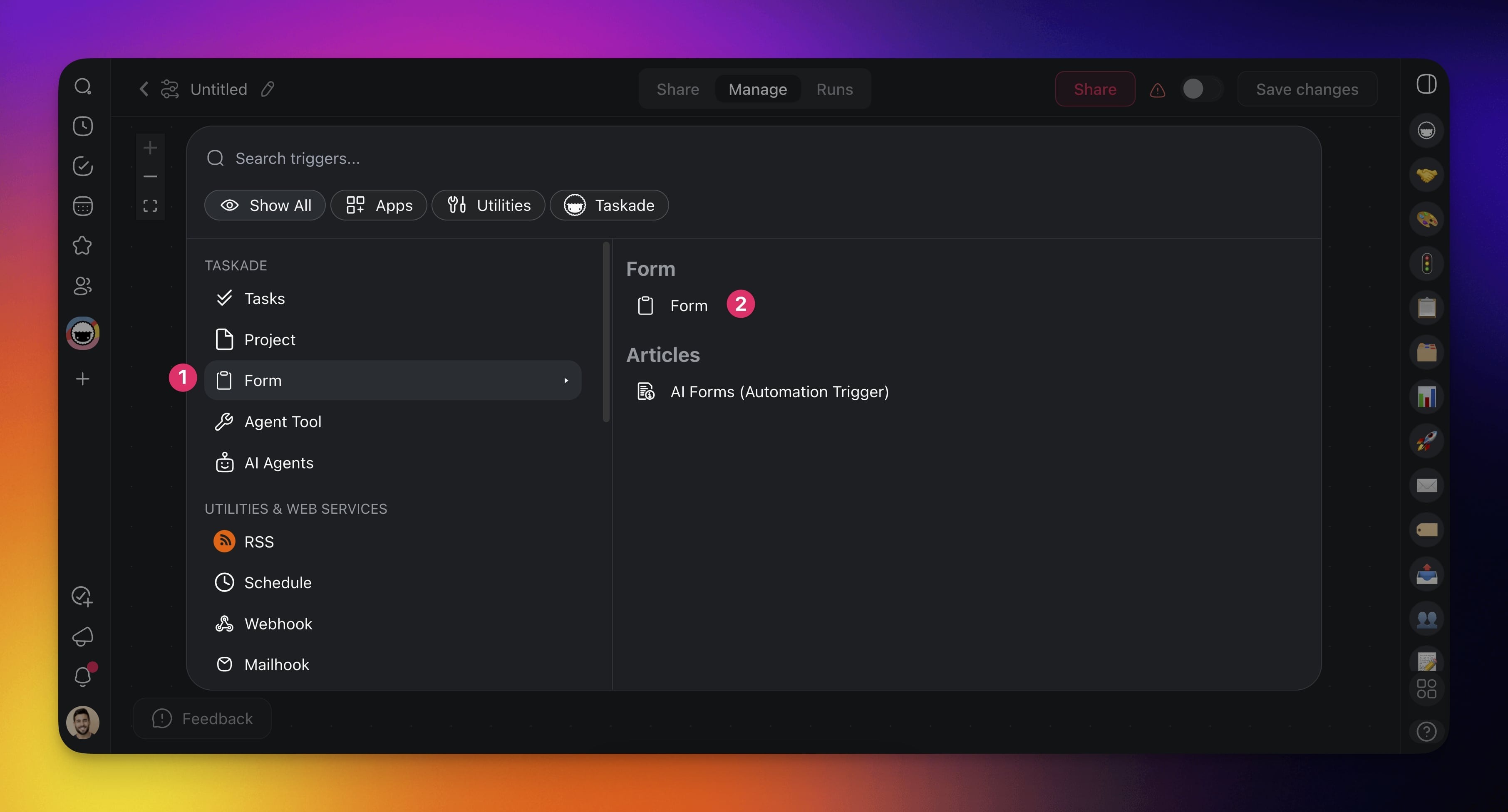
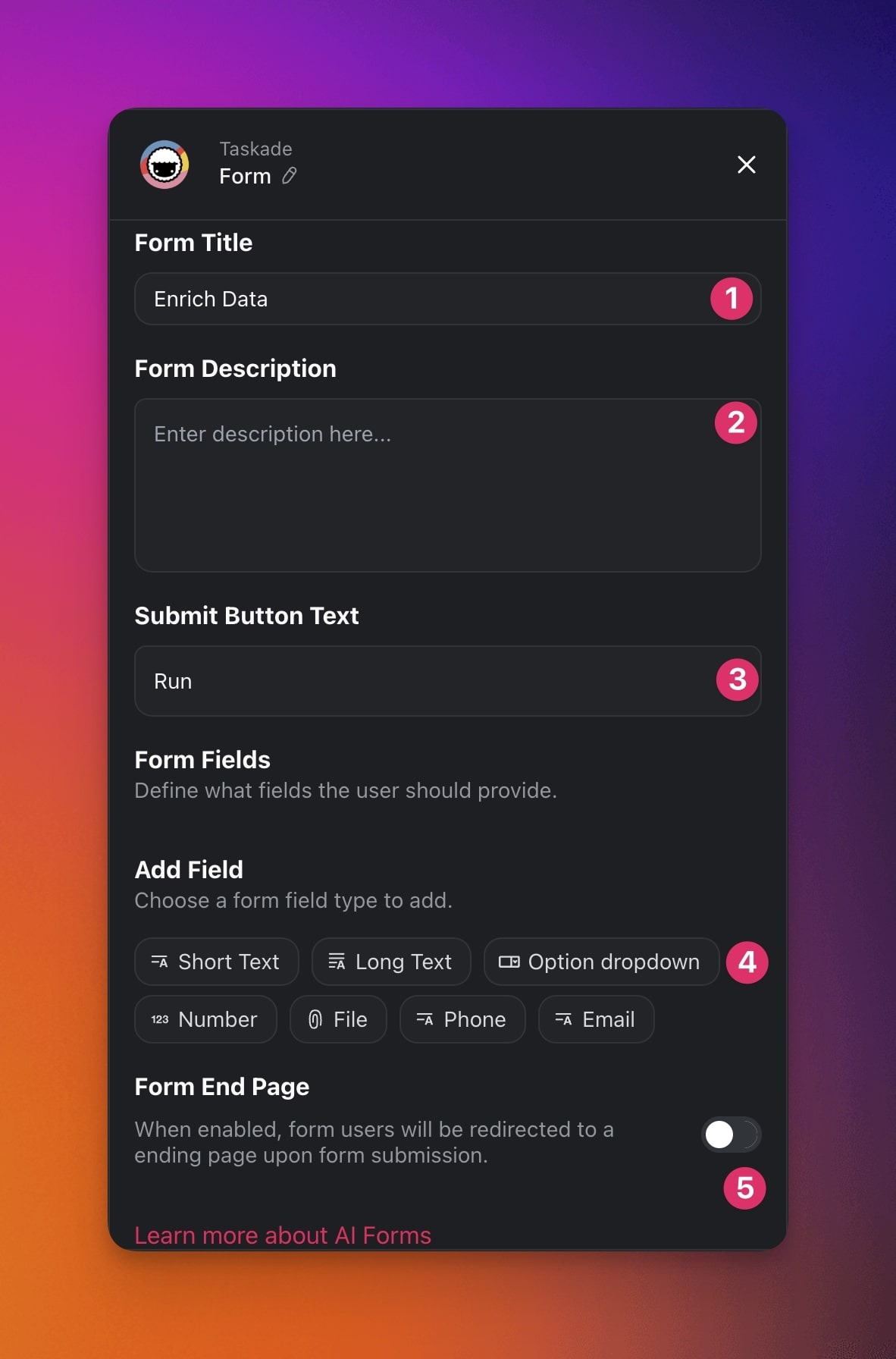
Specify the conditions for the trigger in the sidebar.
(1) Form Title: Choose a title for your form.
(2) Form Description: Describe the purpose of the form.
(3) Submit Button Text: Choose a label for the submission button.
(4) Form Fields: Add pre-defined form fields (see the next section).
(5) Form End Page: Type a thank you message for your form.
Choose Form Fields
The AI Form Trigger includes customizable fields to collect information.
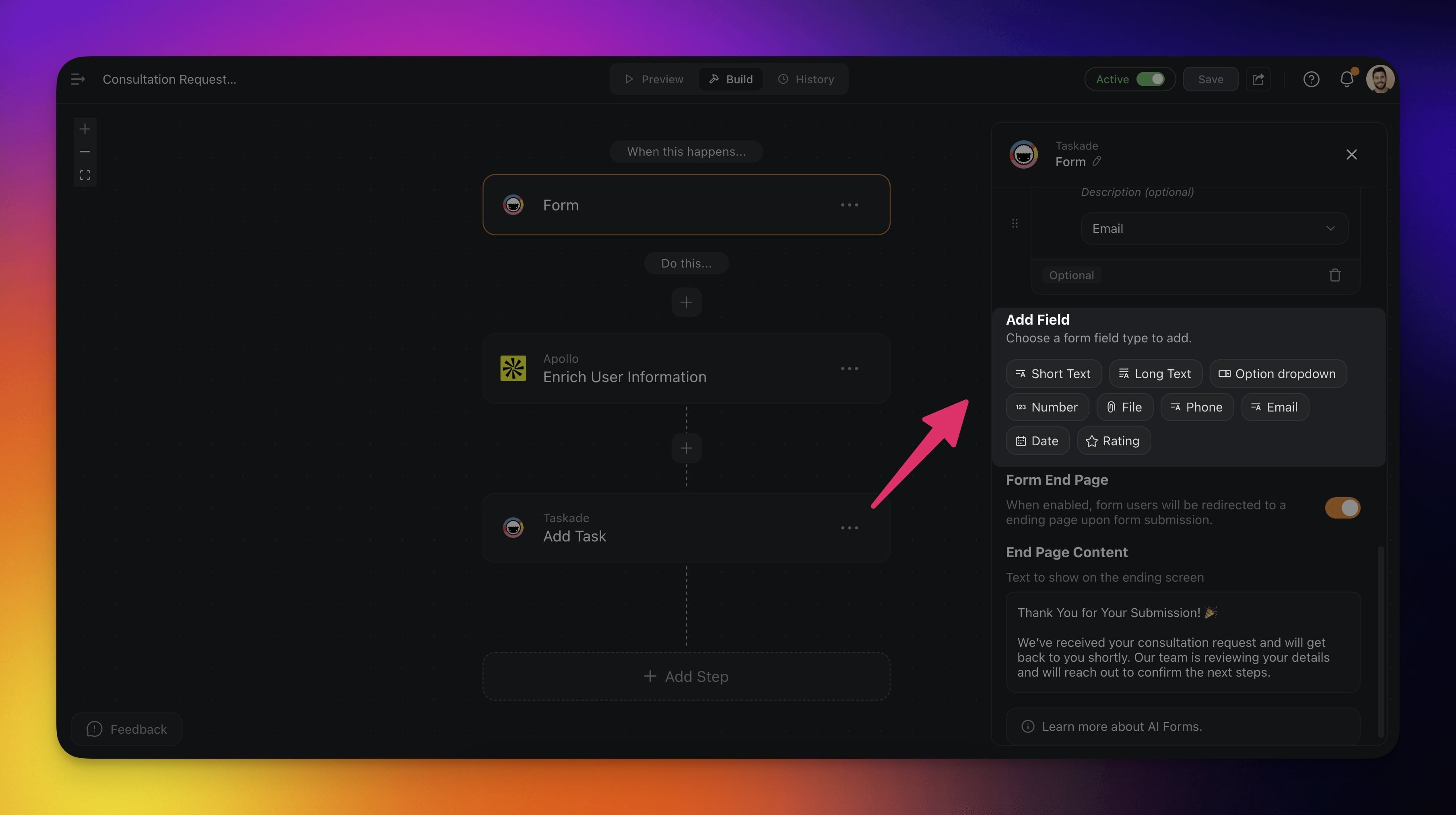
| Field | Description |
|---|---|
| Short Text | For short answers like a name or title |
| Long Text | For longer answers like a comment |
| Option Dropdown | A list of choices where one is selected |
| Number | For numbers like age or quantity |
| File | Lets users upload a file. The file is saved with the submission, and later steps can read what is inside it |
| Phone | For phone numbers |
| For email addresses | |
| Date | A calendar to pick a date |
| Rating | For giving a rating |
| Single-Select | Allow one option from a predefined list |
| Multi-Select | Allow multiple options from a predefined list |
| Checkbox | A yes or no toggle for consent or opt-ins |
| URL | Accept web addresses or links |
Use a Checkbox field for a simple yes or no, like an "I agree to the terms" consent box a visitor ticks before they can submit. The true or false value flows straight into your automation, so you can Filter Data or Branch on whether the box was checked.
Read What People Upload
A File field takes documents, slide decks, spreadsheets, ebooks, and photos of a page. The file is saved with the submission and shows up in the Media tab, where you can open it.
Add a Convert File to Text step after the trigger and type @ to point it at the File field. It hands back the words, including from a scanned PDF or a phone photo. Send that text to an Ask Agent step to pull out the parts you need, like the vendor and the total on an invoice.
Forms and uploads inside an app you publish work the same way. See File uploads in your app.
Start with AI Form Templates
Do not want to build forms from scratch? Start with one of the available templates:
- Click ➕ Add Trigger→ go to the Forms category.
- Choose a template on the right.
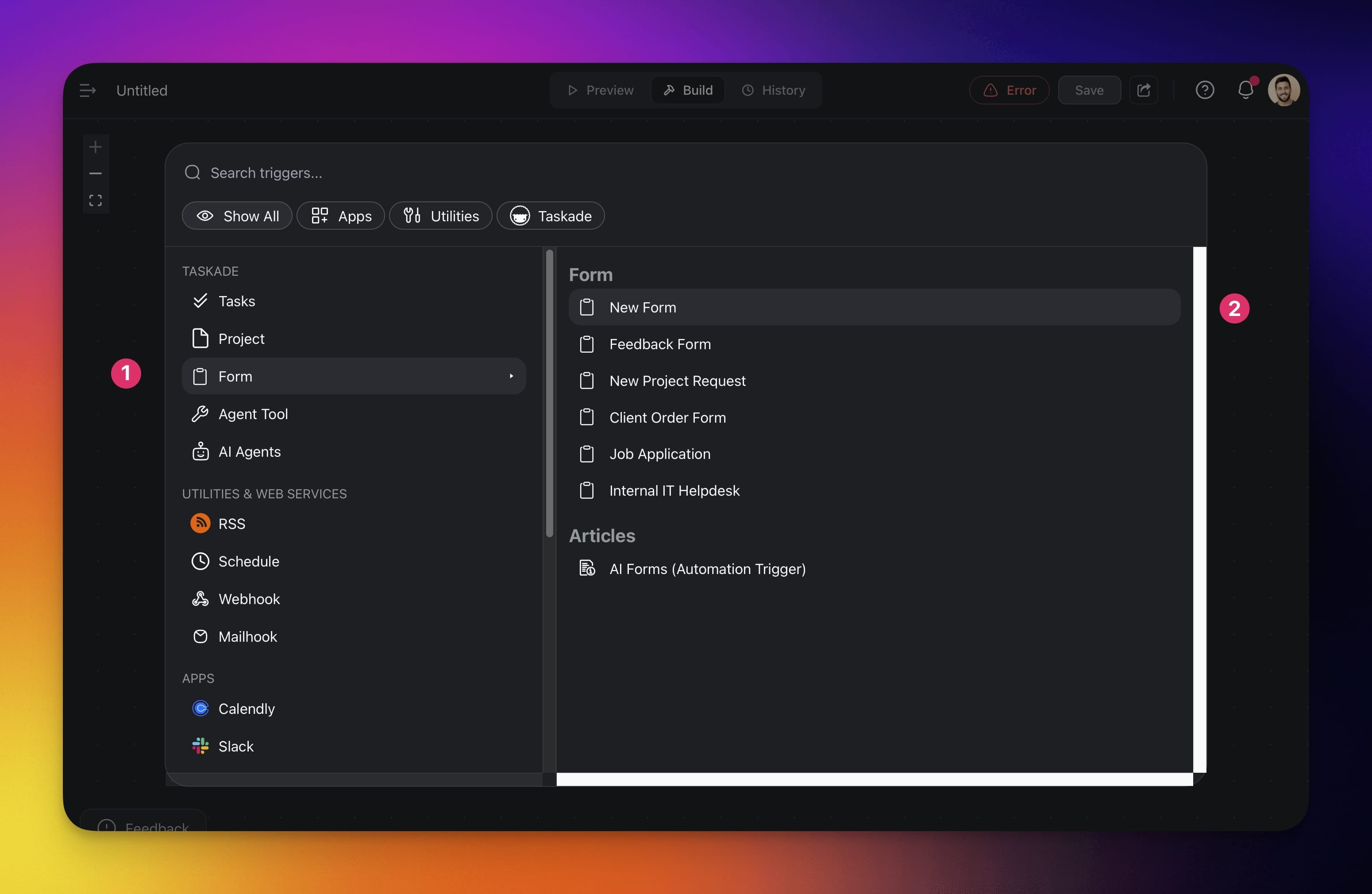
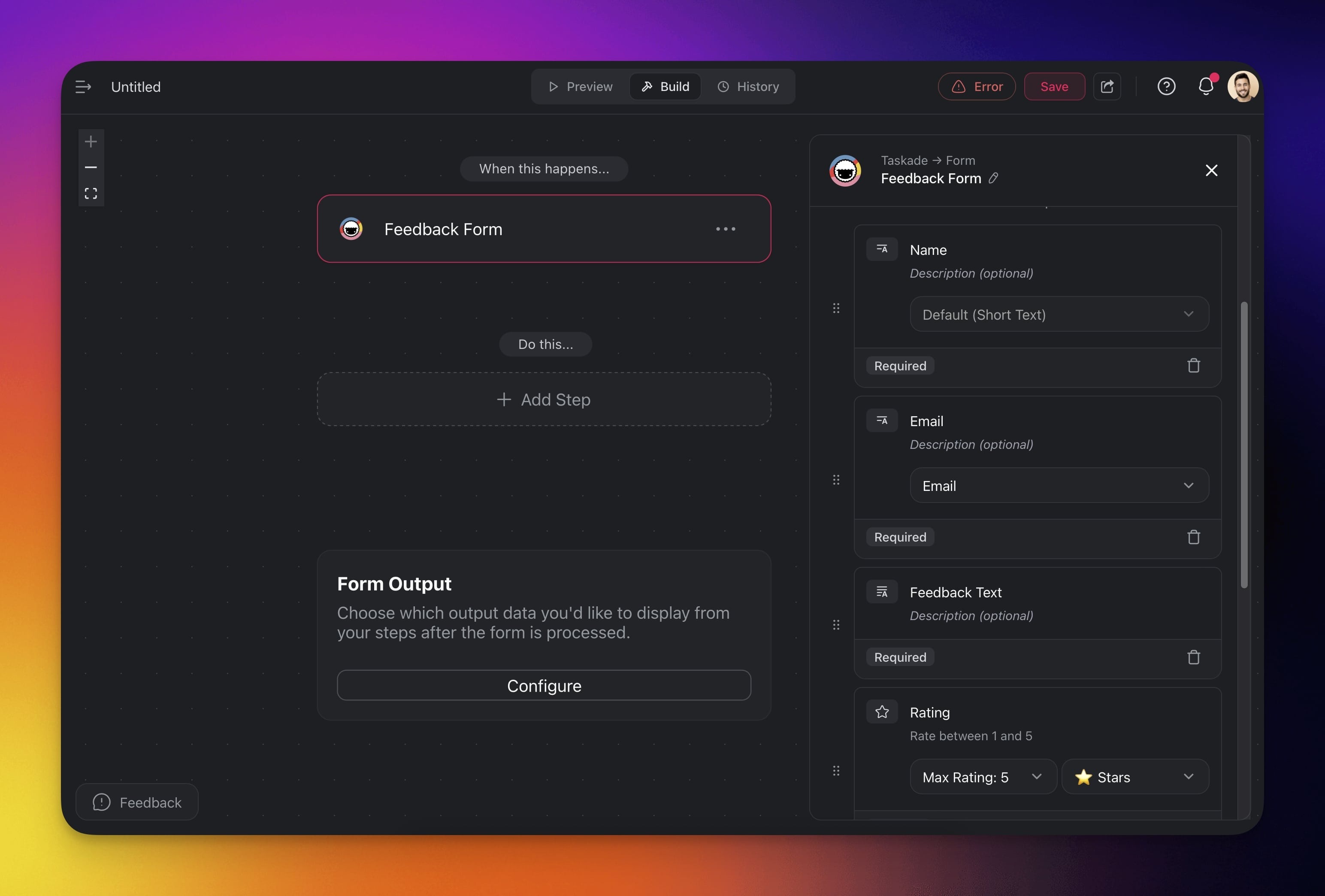
- Customize the AI form template.
Share and Use Forms
You can share a link to your form online or embed it on your website.
Go to the Automations tab.
Choose your form automation from the list.
Go to the Preview tab at the top.
(1) Use the run button to test the form.
(2) Click Publish in the top-right corner to share the form.
Configure Shared Forms
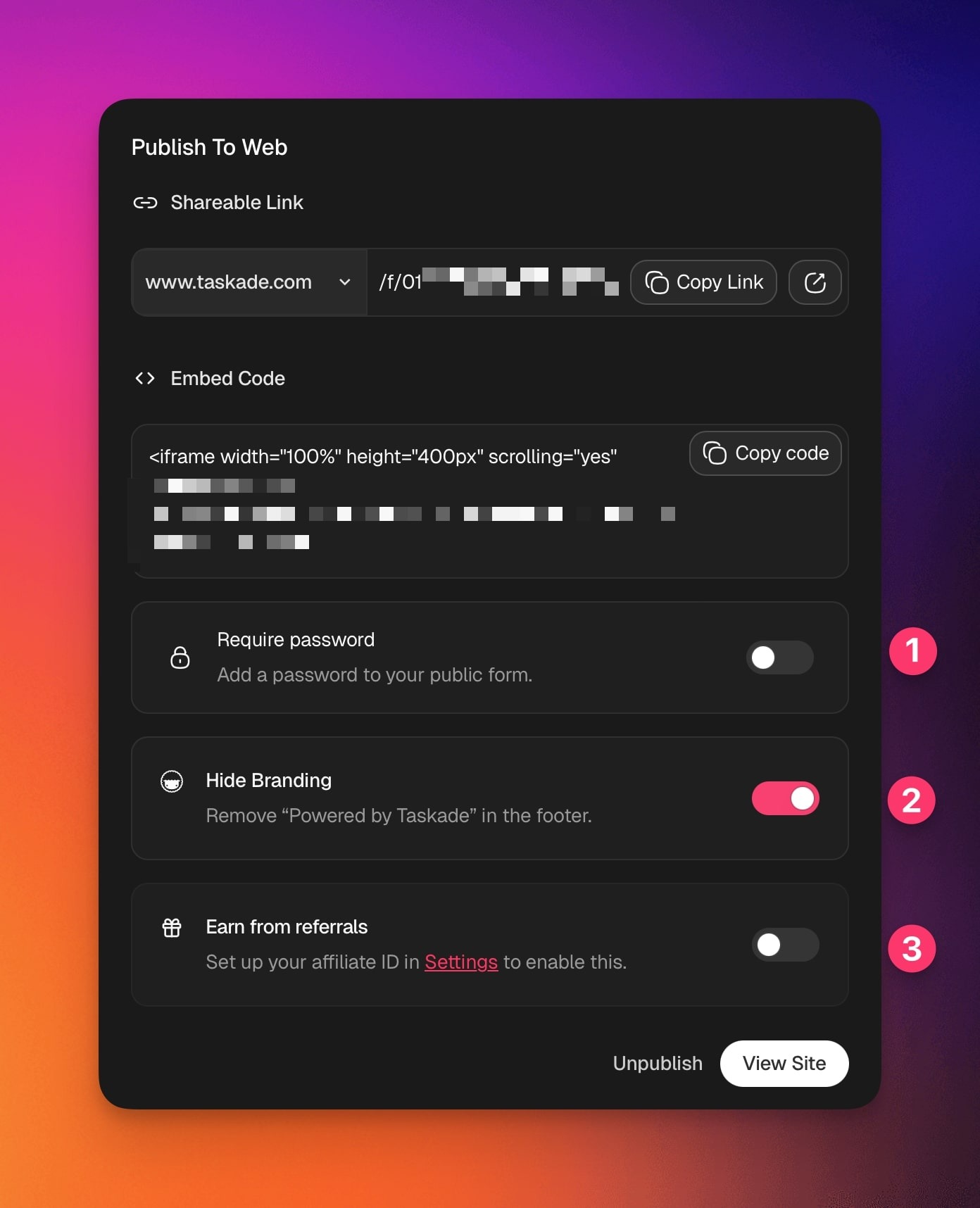
Before publishing your form, you can customize its visibility and appearance.
- Require Password: Toggle this on to protect your form with a password. Anyone who opens the link must enter the password before viewing or submitting.
- Hide Branding: Enable this option to remove the “Powered by Taskade” footer from your public form. Ideal for client-facing forms or white-label use.
- Earn from Referrals: Turn this on to enable affiliate tracking when users access your form. Set up your affiliate ID in Settings first.
Configure End Page
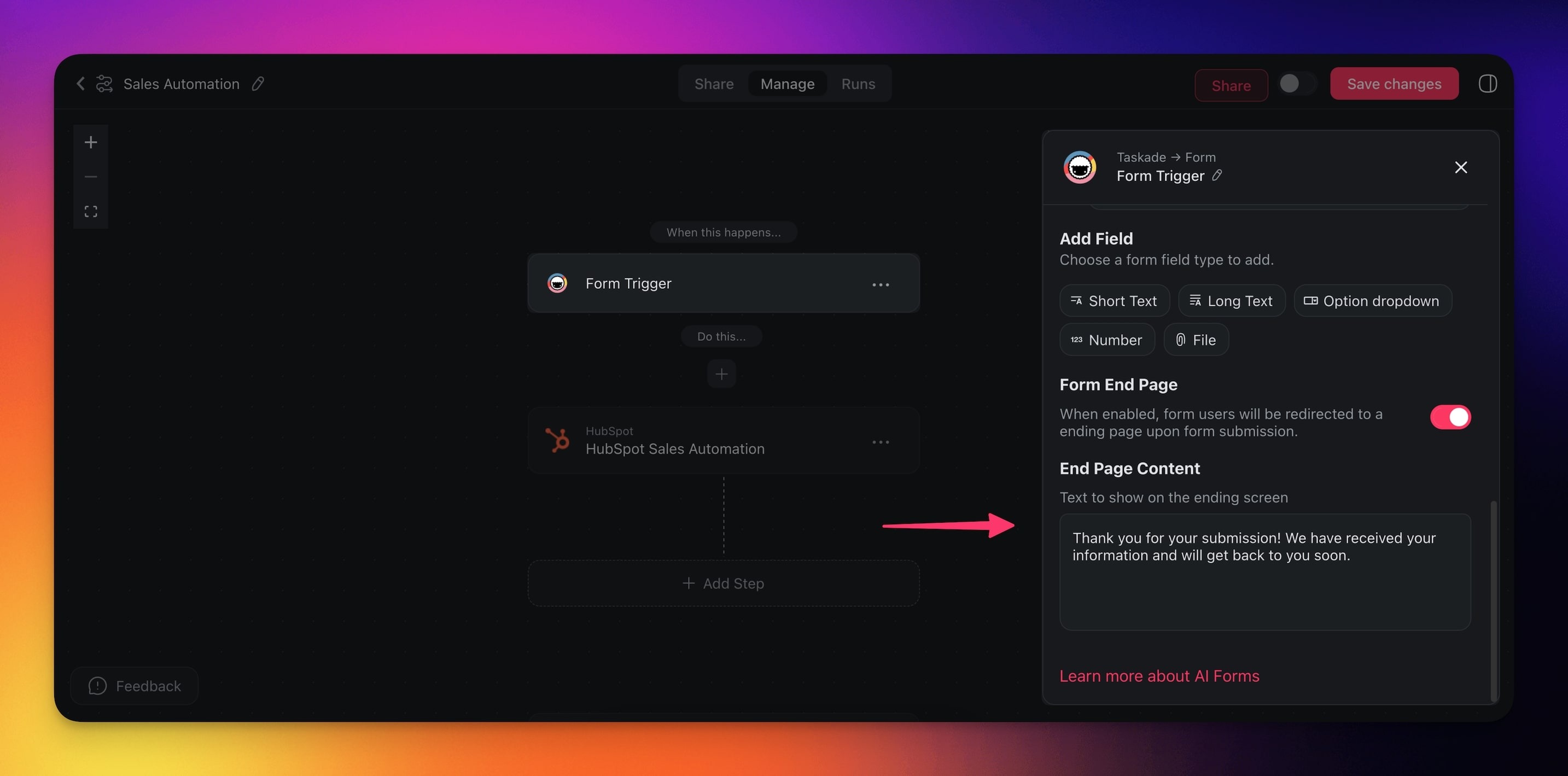
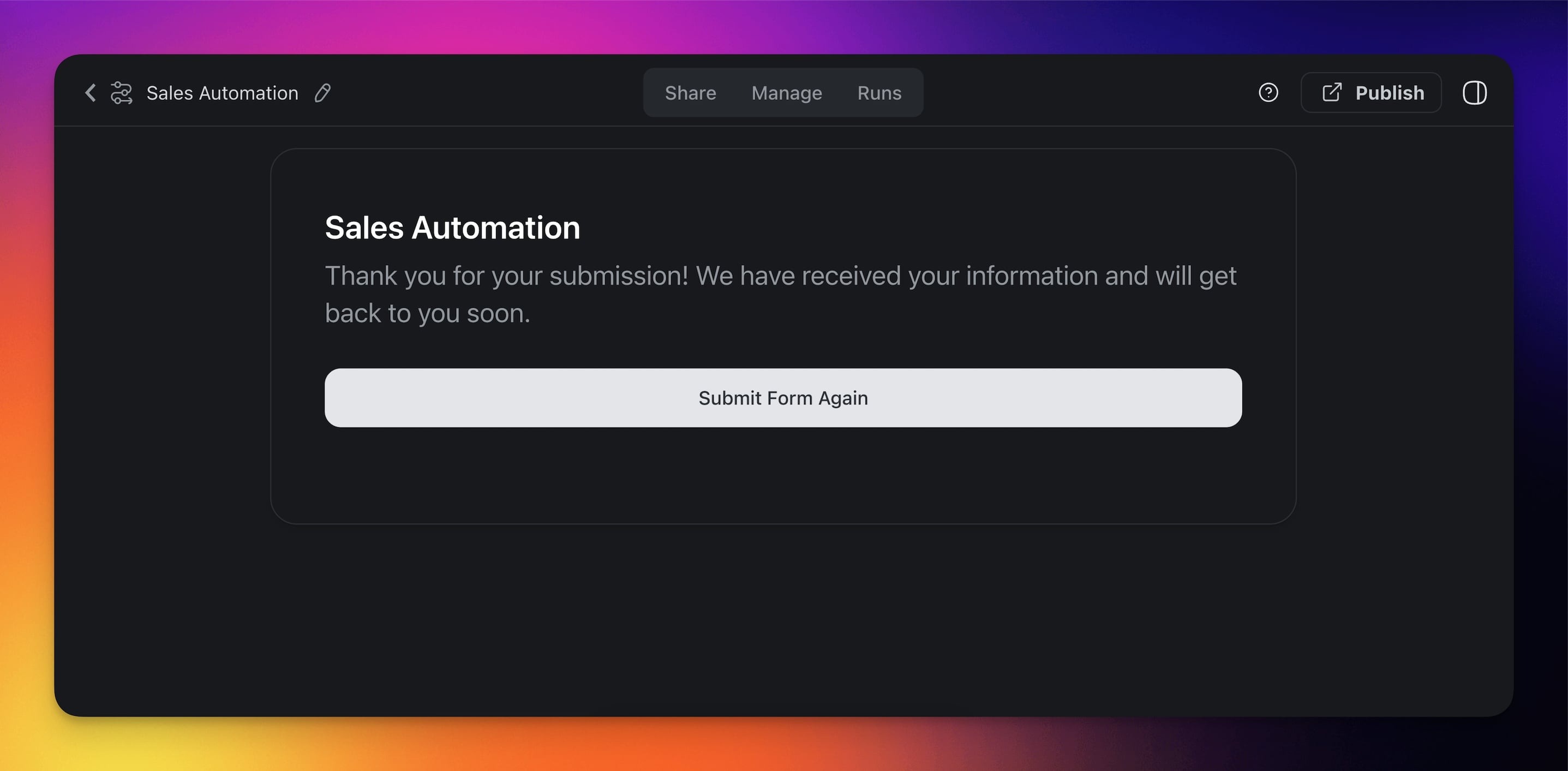
When enabled, Taskade redirects form users to an end screen with custom text.
- Add and configure the Form trigger (see the first section).
- Enable Form End Page in the right sidebar.
- Enter the text you want displayed on the ending screen.
- The end screen will appear after the form is submitted.
Use Cases
Not sure how to use the AI Forms connector? Here are a few ideas:
| 🪄 Use Case | 🔤 Description |
|---|---|
| Data collection | Create forms to collect data from users, such as surveys, feedback, or registrations. |
| Automated data processing | Use AI to automatically process the data collected from forms, generating reports or summaries. |
| Customer support | Automate the collection of customer support requests and route them to the appropriate department. |
| Lead generation | Capture leads through embedded forms on your website and automate follow-up actions. |
| Event registration | Manage event registrations and automate confirmation emails and reminders to attendees. |
| Interactive training modules | Develop interactive training modules where user inputs guide customized AI-generated training content. |
Related guides
- Webhooks. Generic JSON trigger counterpart.
- Mailhook. Email-based entry point.
- Convert File to Text. Read what people upload through a File field.
- Agent Action. Classify form submissions with AI.
- Structured Output. Typed AI processing of form data.
- Custom Domains. Publish forms on your own domain.