
TL;DR: Run your entire job search as a Taskade Genesis pipeline. You get an applications tracker (Memory), a resume agent that tailors each application (Intelligence), follow-up reminders (Execution), and interview prep. One living app replaces 5 tools and a messy spreadsheet. Build a job search app →
What You Will Build
A job search is a full pipeline, and most people run it across five browser tabs and a messy spreadsheet. Here you run the whole thing as one living Taskade Genesis app. It holds an applications tracker, a custom AI agent that tailors your resume per role, follow-up reminders, and interview prep. One source of truth ties them together. By the end you can:
- 🔶 Spot the parts of your resume that need work for a specific role.
- 🔶 Rewrite your accomplishments to match the job description.
- 🔶 Generate tailored interview questions before the call.
What Are AI Agents?
AI Agents are smart tools that automate tasks such as research and content creation. They save you time by handling routine activities inside projects.
Check the video below to learn more. 👇
Add Your Experience
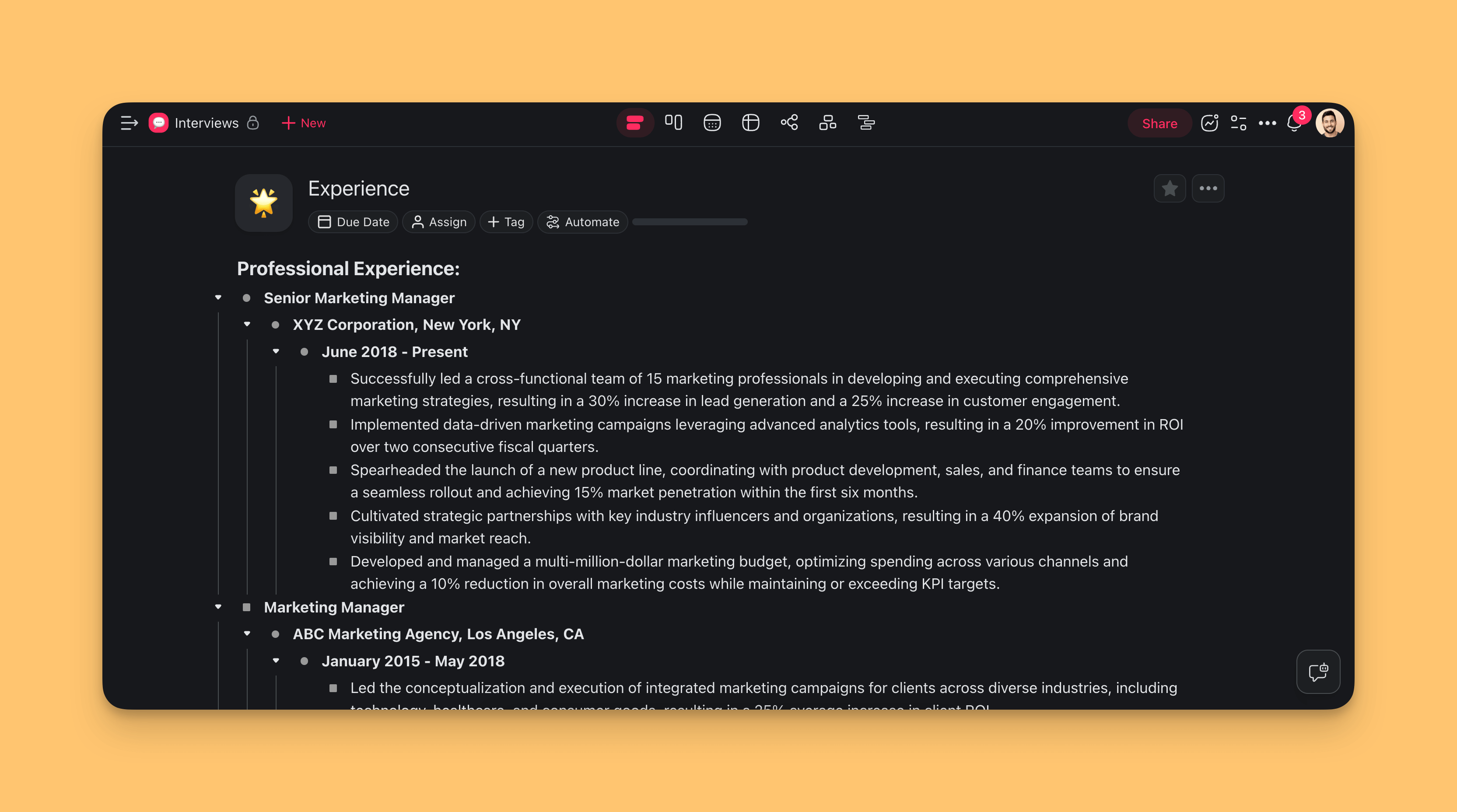
First, add your accomplishments and achievements into a Taskade project.
There are two ways to do that:
(method 1): Create a new project:
Open your workspace or folder.
Click the ➕ New project button (top-right corner).
Name your project, for example "Experience".
Copy your accomplishments from your resume into the project.
(method 2): Import your resume with AI:
Click the ➕ New project button in your workspace / folder (top-right corner).
Choose Import and Summarize Documents with AI.
Drag your resume document (.pdf, .docx, or .txt) into the pop-up menu.
Click ➕ Create Project to paste the summary into a new project.
Name your project, for example "Experience".
Your experience is now in Taskade. Continue to the next step.
Create and Train an Agent
There are two ways to build AI agents in Taskade. You can start from scratch (advanced method), or choose from dozens of AI agent templates.
This guide uses the 📄 Resume agent template.
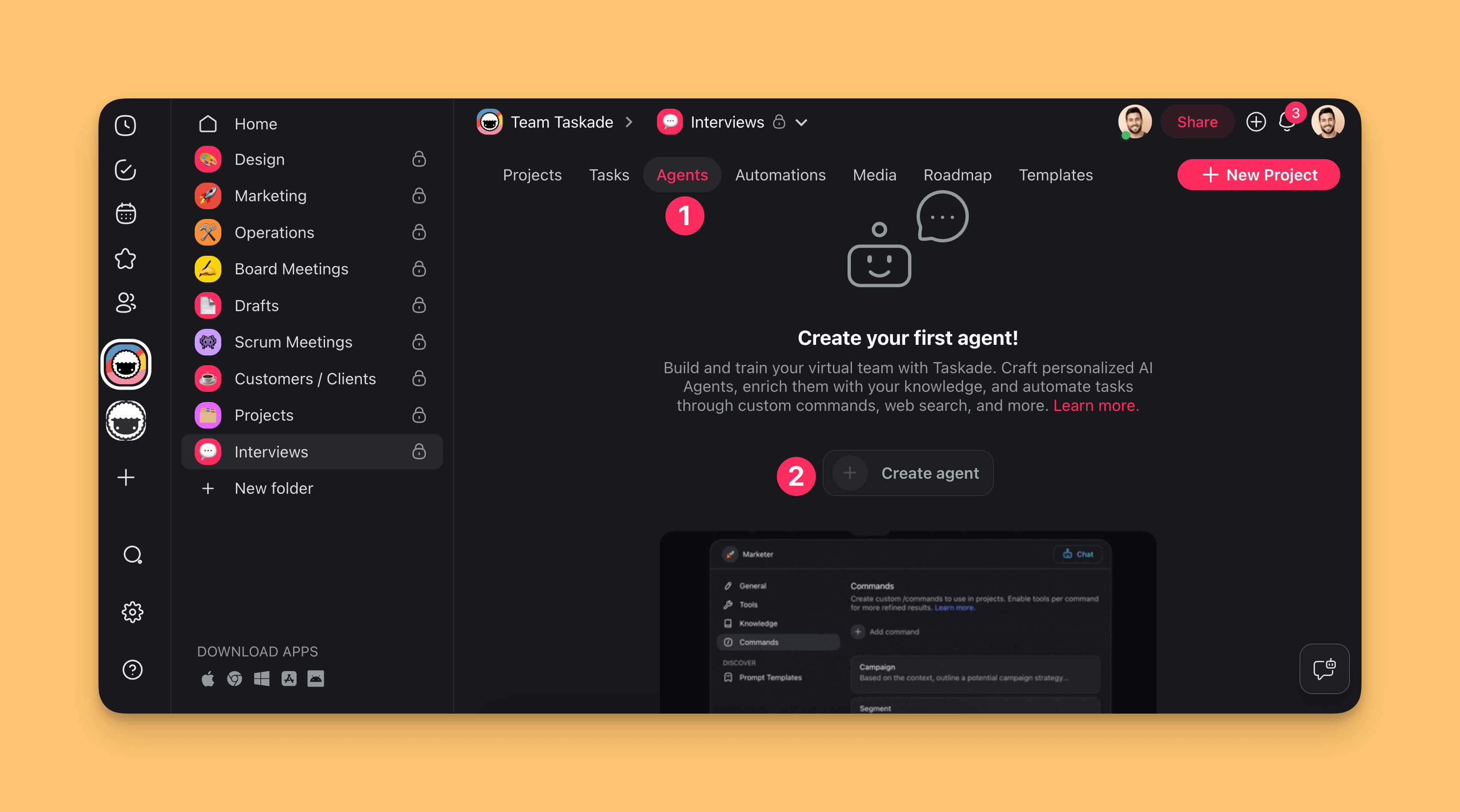
Go to the Agents tab in the workspace/folder.
Click ➕ Create agent.
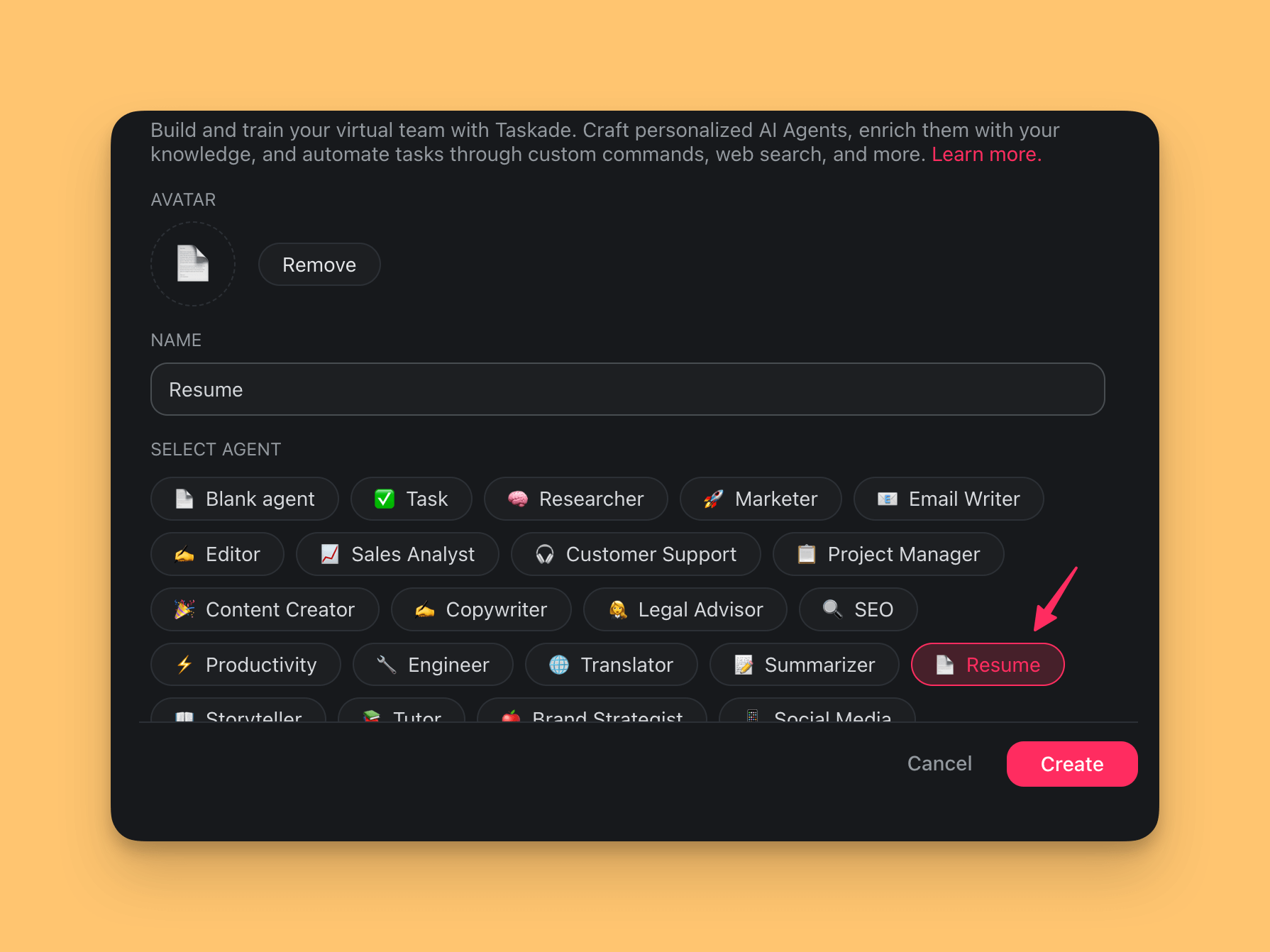
You are now in the Agent Creator:
- Choose the 📄 Resume agent template from the list.
- Create a unique name for your custom agent.
- Select an avatar or upload your own.
- Click Create to save the new agent.
Each agent is pre-trained on generic data. Build the knowledge base of the 📄 Resume agent with the description of the job you apply for.
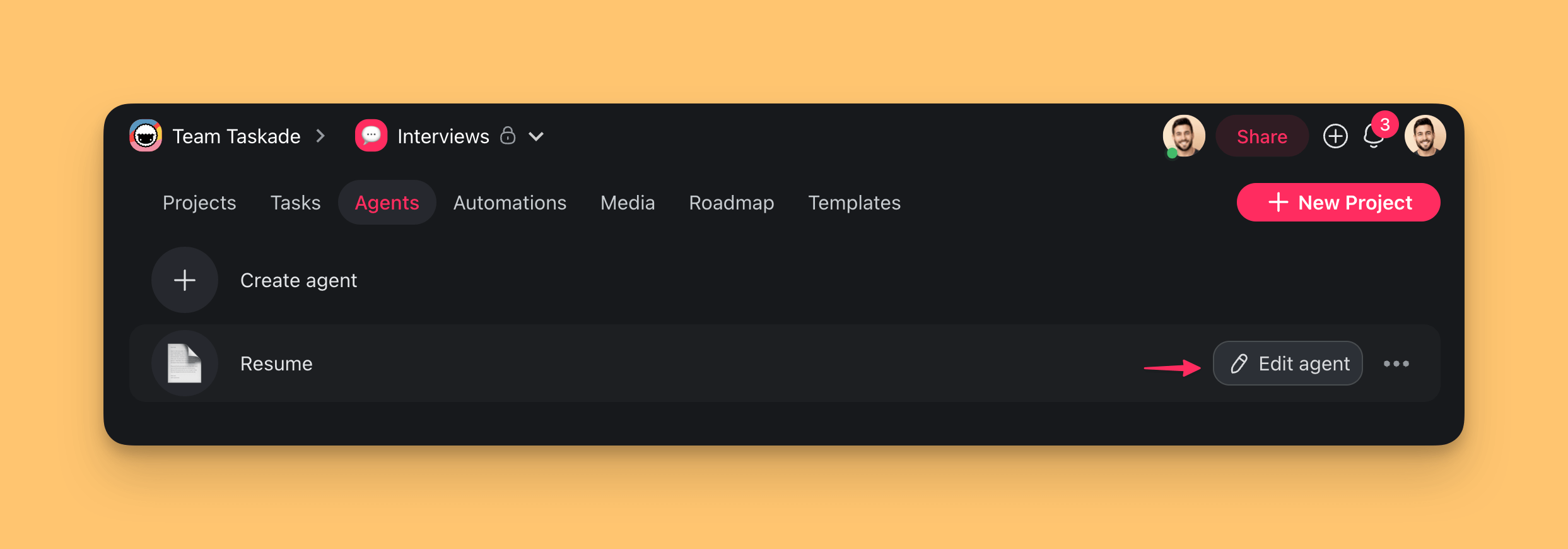
Go to the Agents tab in your workspace.
Hover the mouse cursor over the 📄 Resume agent.
Click the ✏️ Edit agent button on the right.
Choose the Knowledge tab on the left.
(method 1): Click the box under ADD SOURCES and select the file.
(method 2): Drag & drop the file from your device.
Enable the Knowledge toggle in the top-right corner.
Click Update to save changes.
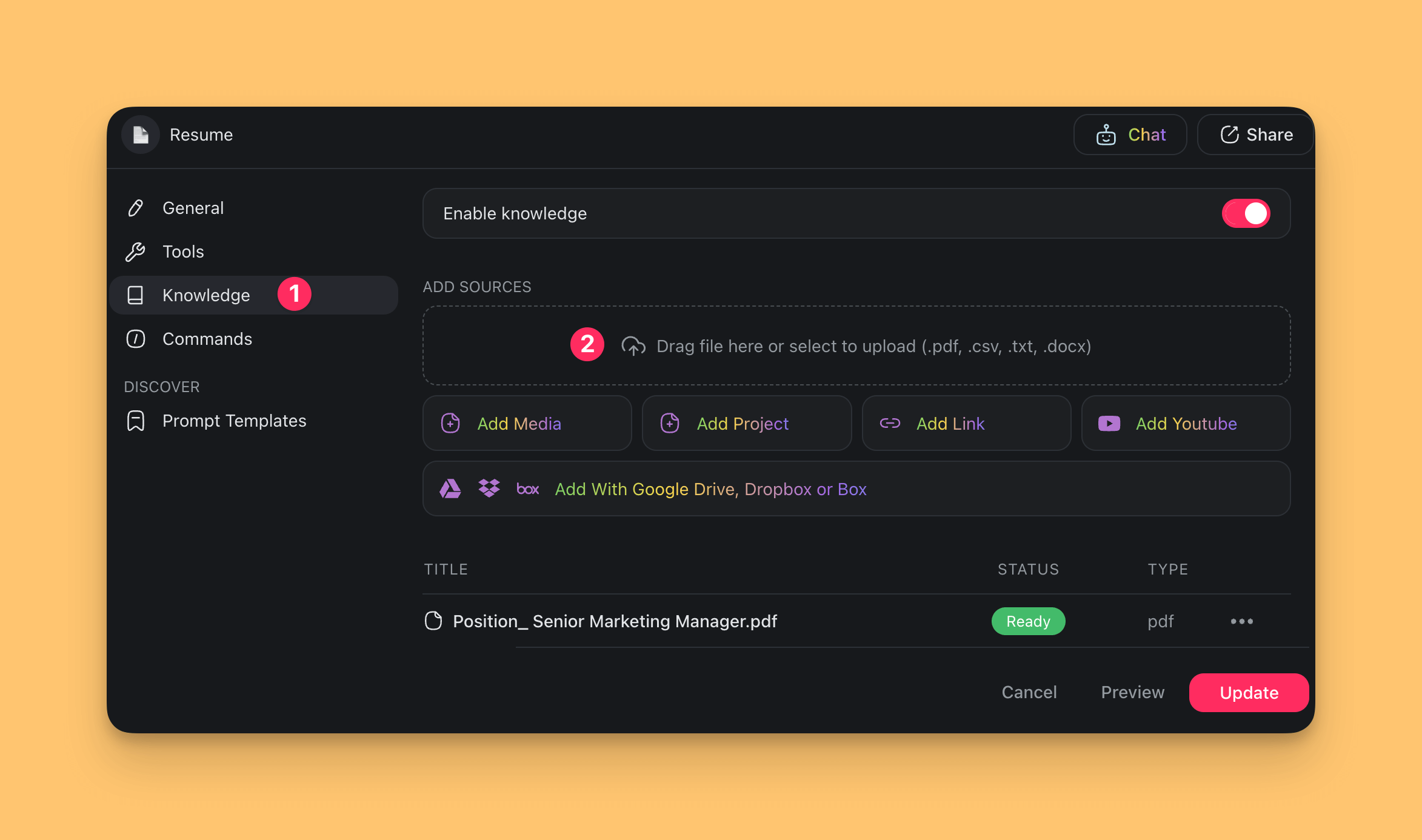
The 📄 Resume agent is ready. Put it to work.
Use AI to Upgrade Your Resume
Start an agent chat:
Open the "Experience" project from the earlier step.
In the chat, choose the 📄 Resume agent from the drop-down menu at the top.
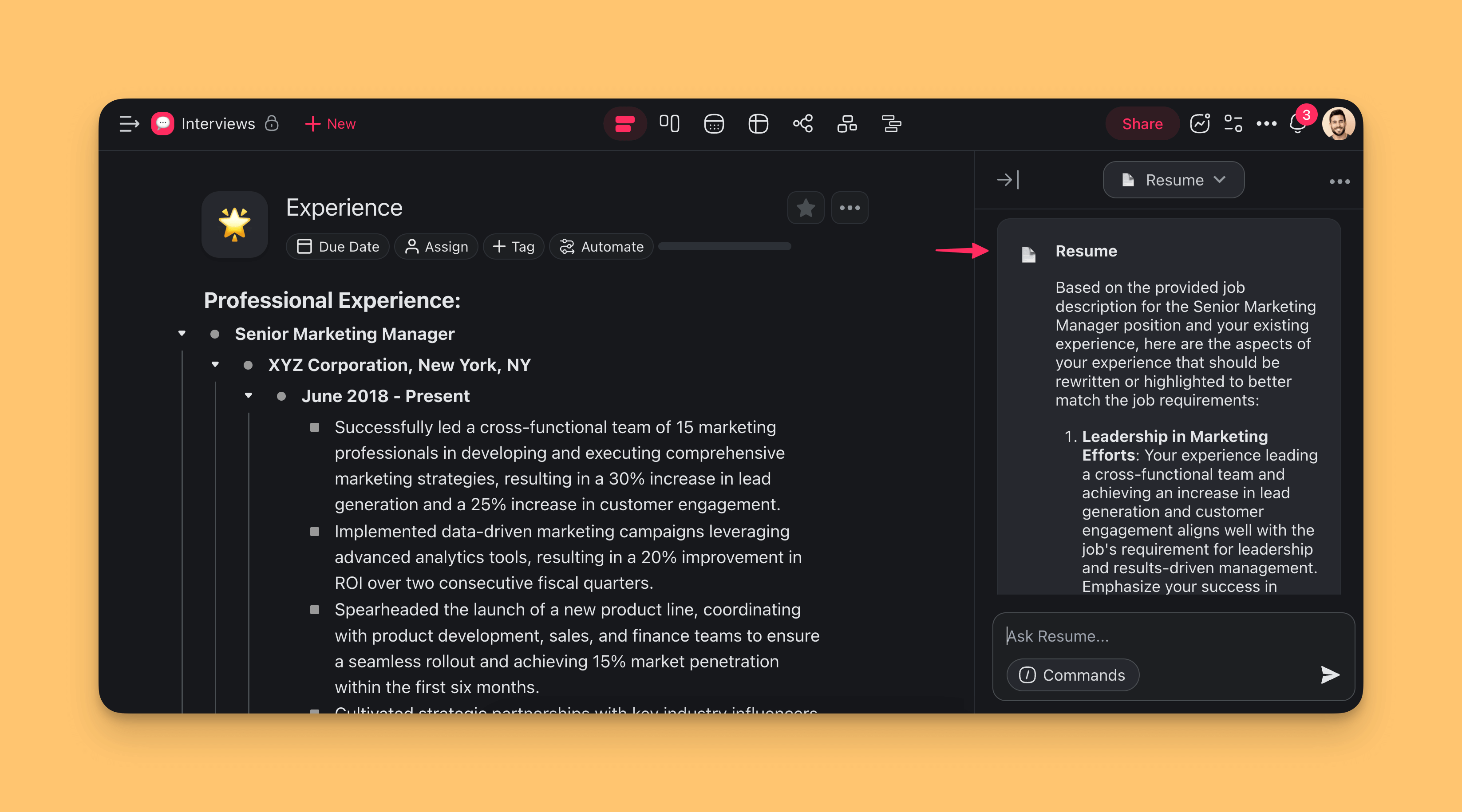
Ask the agent which accomplishments to edit for the job description in its knowledge base. Here are the results we received.
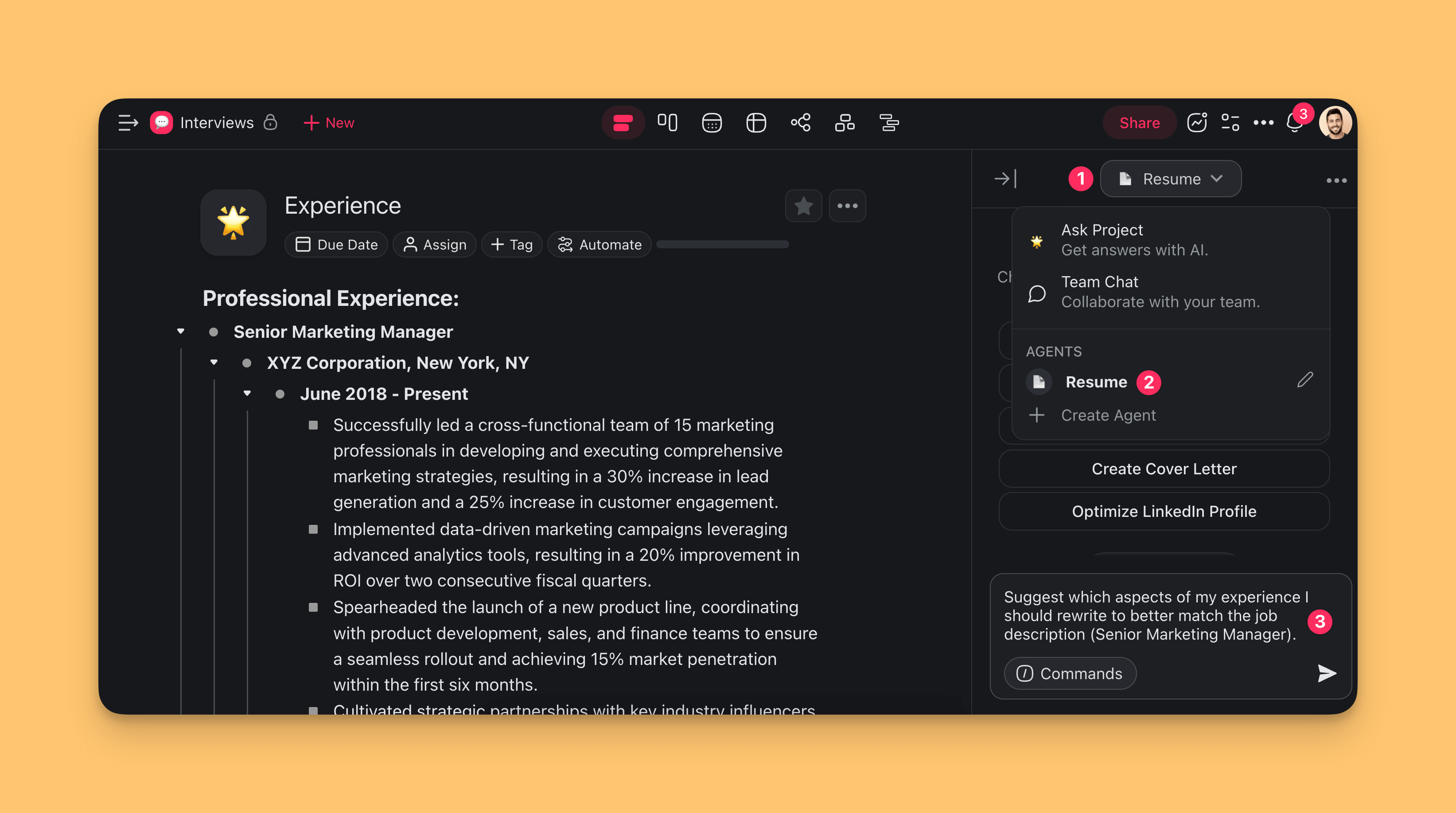
Wait for the agent to generate personalized recommendations.
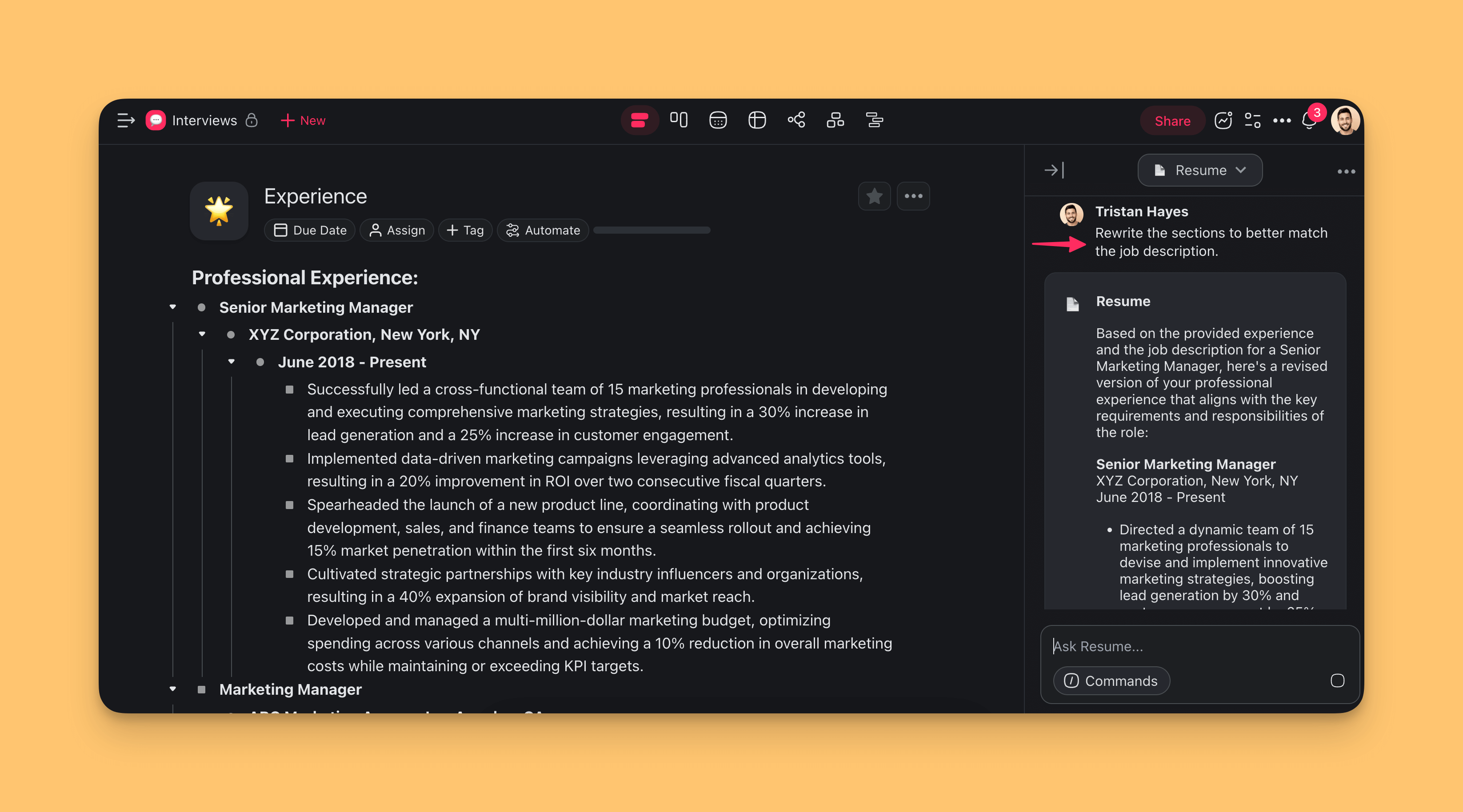
You can also ask the agent to rewrite some of your accomplishments to save time.
Interviewers often ask follow-up questions at the end of an interview. Ask the agent to generate practice questions from the job description.
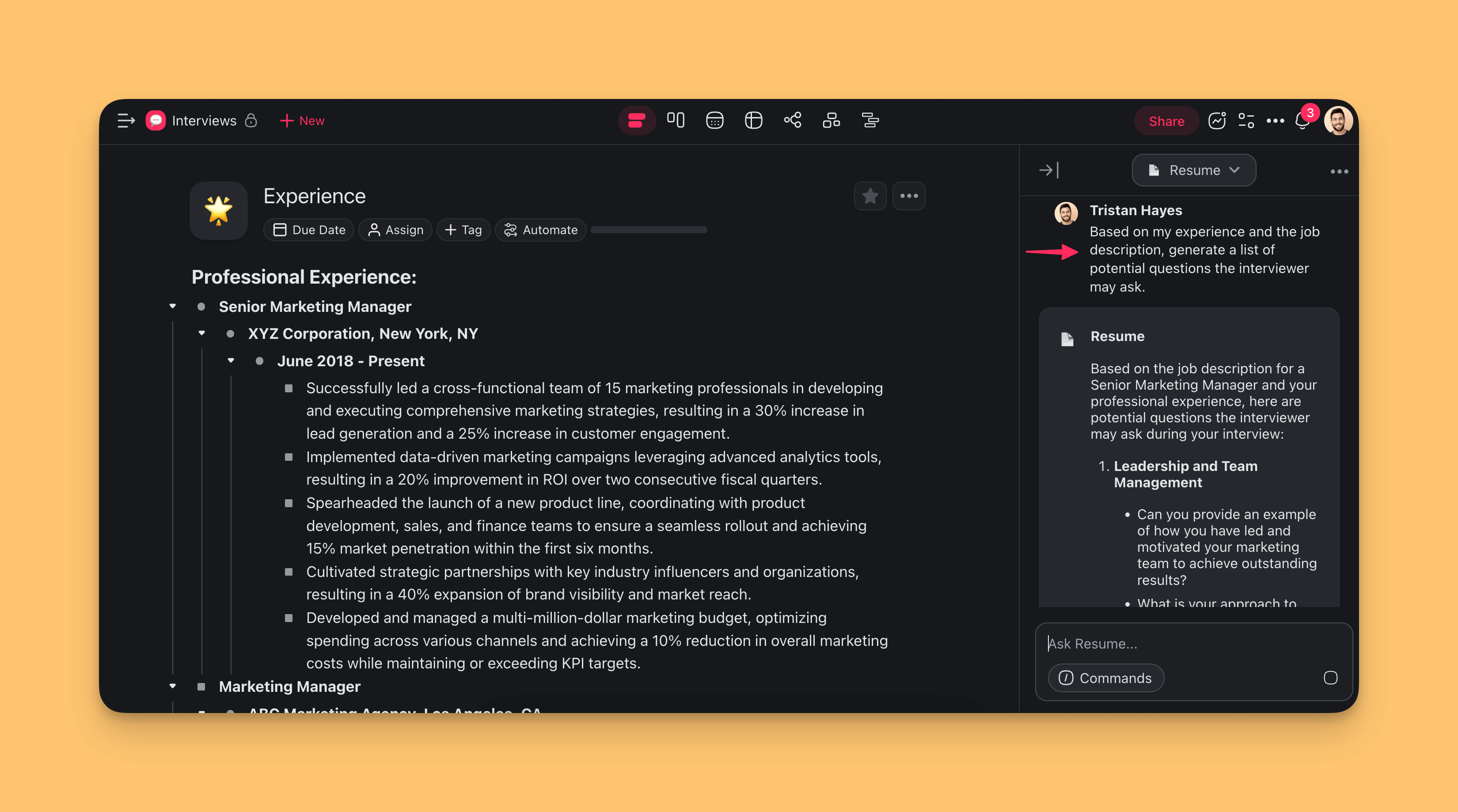
Your resume agent is now ready for each new application.
Your Job-Search Pipeline
A job search is a full pipeline. Most people run it in a messy spreadsheet. With Taskade, every stage is a structured project + agent + automation that feeds the next:
Every application is a row in the tracker. Every row gets a tailored resume, follow-up reminders, and interview prep, all tied back to the same source of truth.
Here is the tracker your whole search lives in, at a glance:
┌──────────────────────────────────────────────┐
│  🎯 Applications Tracker            [ + Add ] │
├──────────────────────────────────────────────┤
│  Company       Role          Stage           │
│  Northwind     Product Mgr    🟢 Interview    │
│  Acme Cloud    Sr PM          🟡 Applied      │
│  Vela Labs     Product Lead   🔴 Follow up    │
├──────────────────────────────────────────────┤
│  Next: prep questions for Northwind (Thu)     │
└──────────────────────────────────────────────┘
Related guides
- Custom AI Agents: Create the resume tailoring agent.
- Agent Knowledge & Memory: Load your full career history as agent context.
- Schedule Trigger: Weekly job search check-in automations.
- RSS Integration: Subscribe to job feeds.
- Gmail Integration: Auto-file recruiter replies.
- Workflow Generator: Describe your job search pipeline in plain English.