
Add an AI Agent to Any Step
Drop one of your Custom AI Agents into the middle of an automation and it reads the incoming data, decides what to do, and hands the result to the next step. Ask an agent a question, run a predefined command, and use the response in later steps. This is how you add real judgment, not only fixed rules, to an automation.
TL;DR: The Agent action runs an AI agent as a step inside an automation. Ask the agent a question or run a command. Then pass its response to the next step. It taps 15+ frontier models, custom tools, and project knowledge to classify, draft, or decide mid-workflow.
This means your automations are no longer limited to simple if-then logic. An AI agent can analyze data, draft content, classify information, or make decisions, and then pass the result to the next action in the chain. Agents can run any of the 15+ frontier models from OpenAI, Anthropic, and open-weight providers. They can also use custom tools, tap project knowledge, or coordinate with an agent team.
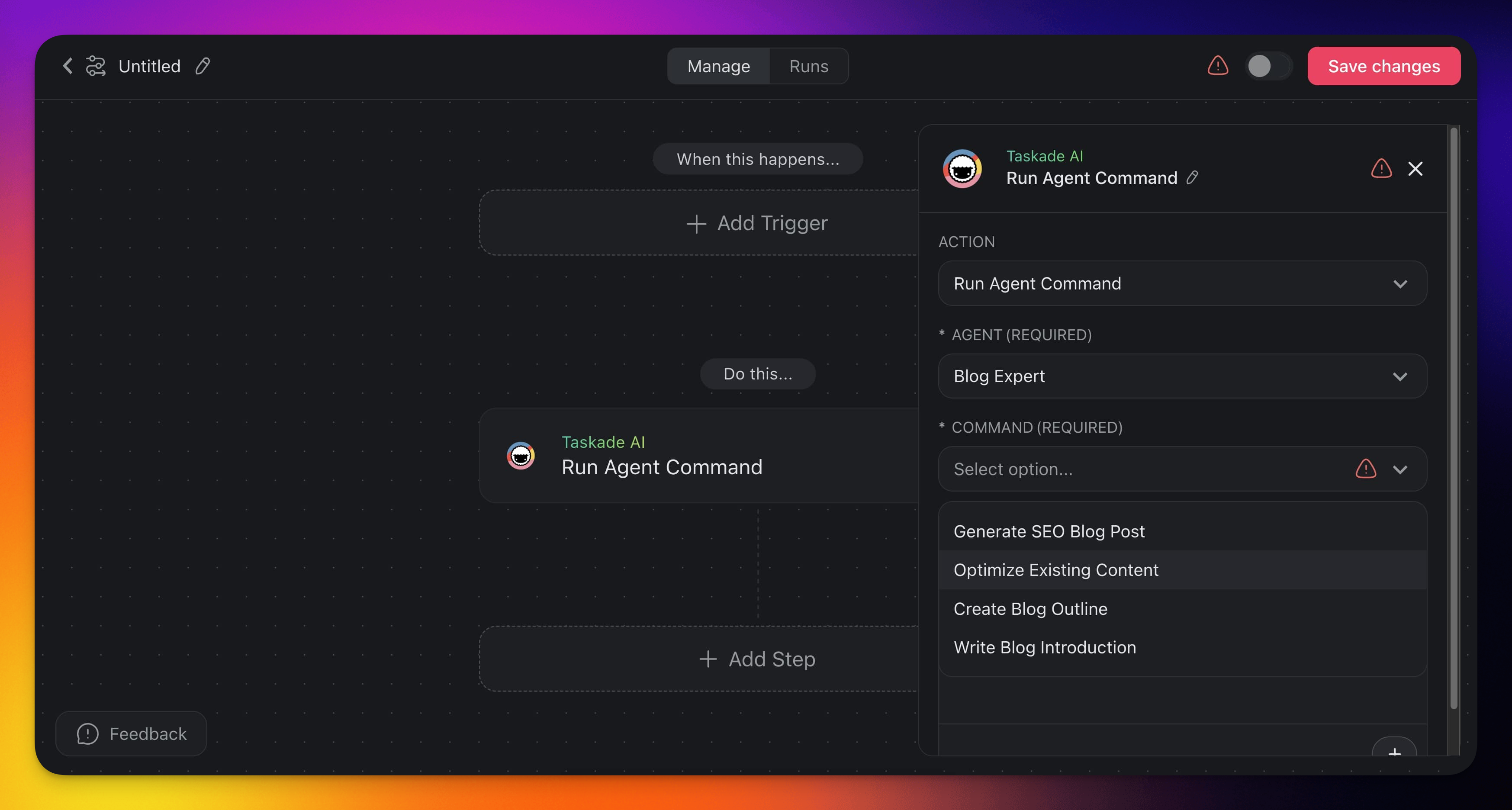
Custom Agent Actions
Here are the actions you can use in your automations:
| 🏷️ Field | 🔤 Description |
|---|---|
| (ACTION) Ask Agent | Uses a custom AI agent to respond to a query. |
| (ACTION) Run Agent Command | Uses a custom AI agent command. |
Agent Automation Settings
Connector options give you full control over Agent automations:
Action: Ask Agent
| 🏷️ Field | 🔤 Description |
|---|---|
| AGENT | Choose the AI agent to ask. This field is required. |
| INPUT | Type your question or command for the AI agent. You can type "@" or click the ➕ plus button to insert data dynamically. |
Action: Run Agent Command
| 🏷️ Field | 🔤 Description |
|---|---|
| AGENT | Select the AI agent that runs the command. This field is required. |
| COMMAND | Choose the specific command you want the AI agent to run. This field is required. |
| INPUT | If the command needs more input, add it here. You can type "@" or click the ➕ plus button to insert data. |
| OUTPUT (optional) | Add typed output fields the same way Ask Agent with Structured Output does. Each entry becomes a first-class variable downstream. |
💡 Structured output works on Run Agent Command too. Click ➕ Add Output to define typed fields (Text, Number, Boolean, Date, JSON Object, and more). The command's reply is parsed into those variables instead of returned as free-form text. Use it when a command needs to feed a Branch, Insert Row, or Update Custom Field downstream.
Example: A /qualify-lead command on a Sales Agent returns score (Number) + tier (Single Select). Wire tier into a Branch and score into an Update Custom Field. No prose parsing required.
Use Cases
Here are a few ways to use the Agent action in your automations:
| 🪄 Use Case | 🔤 Description |
|---|---|
| Email triage | Feed incoming emails to an agent that classifies them by urgency and drafts suggested replies. |
| Content generation | After scraping a webpage, ask an agent to summarize the content or rewrite it for a specific audience. |
| Data enrichment | Pass lead information through an agent that researches the company and appends context before creating a CRM entry. |
| Code review assistance | Send code snippets to an agent that checks for common issues and returns improvement suggestions. |
Tip: The Agent action works best when paired with data-gathering steps like Scrape Webpage or Search Web. Feed real-world data into your agent for more accurate, context-aware responses.
The Agent Brings Its Own Model
The Ask Agent step runs the agent exactly as it is set up, so it uses the model you picked in the agent's own settings. There is no model dropdown on the step itself. To change which model answers, open the agent and change it there.
- Open the agent and go to General → AI Model.
- Pick from the full model menu: Auto at the top, then the speed and reasoning tiers, then All Models with the credit cost beside each name.
- Save. Every automation that calls this agent picks up the change.
Want to choose a model per step instead of per agent? Use the Taskade AI step. Each Taskade AI step, from Ask AI to Categorize with AI, carries its own Model (optional) menu with TSK-Auto and the TSK tiers. See AI Models & Credit Costs for which tier fits which job.
Related guides
- Agent Team Action. Call an entire AI Team instead of one agent
- Agent Tool Action. Use an automation as a tool inside an agent
- Agent Knowledge Action. Write results back to agent memory
- Structured Output. Typed agent responses for branching
- Custom AI Agents. Build the agents this action calls
- Branch Action. Route based on agent output