
Overview
Type / to pick an outcome. Type @ to pull something in. Your whole workspace, from one prompt.
A slash command tells Taskade EVE do this exact thing instead of you writing a paragraph. An @ mention pulls a project, agent, or automation into the conversation as context.
TL;DR: Type
/in any Taskade EVE prompt to open the command menu. Start here pins three commands. Build an app and Run a task hold the outcome commands, such as/build,/plan,/automate, and/digest. Keep typing to search every integration action. See Chat modes.
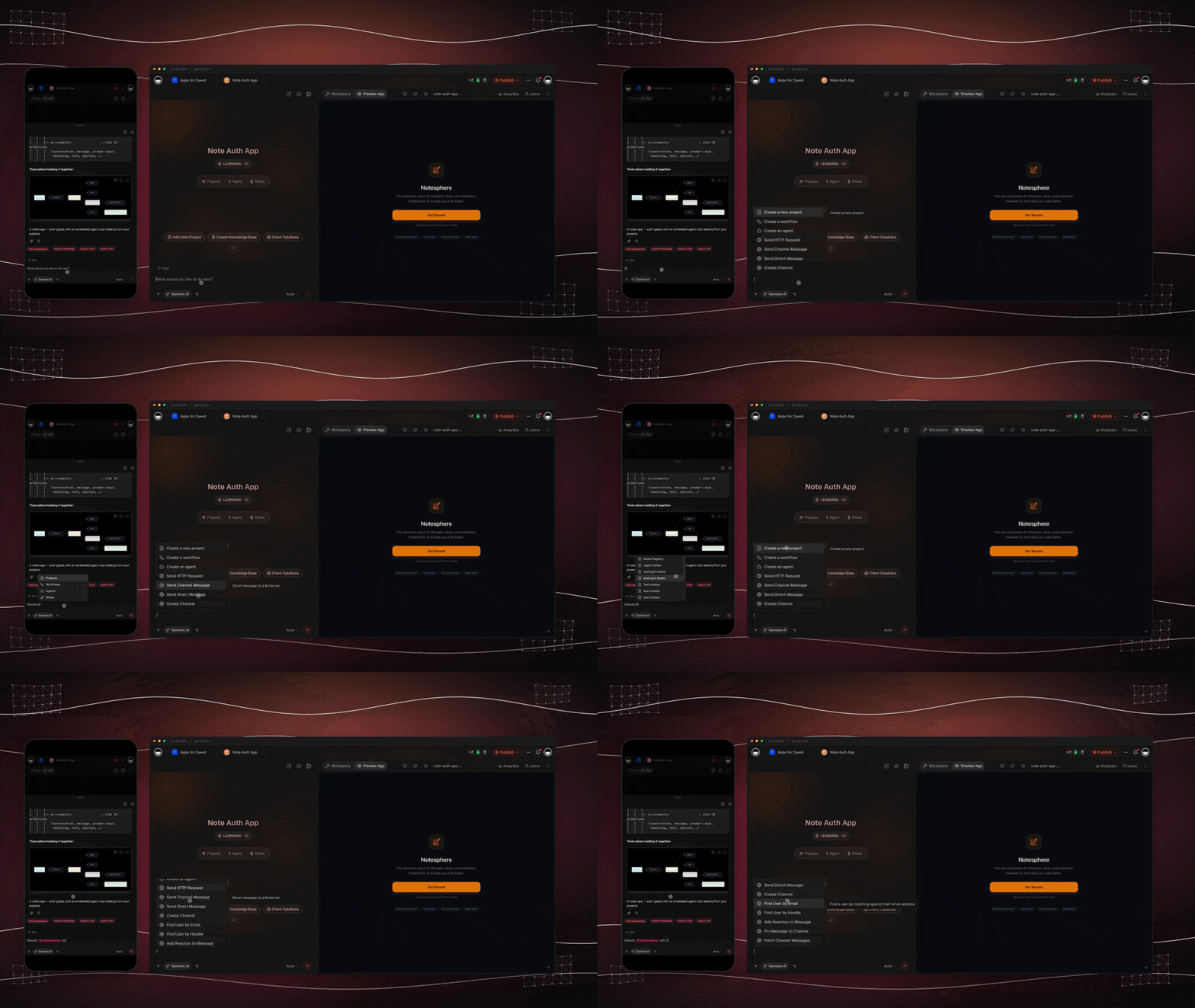
Open the command menu
- Click into any Taskade EVE prompt.
- Type
/. - Read the grouped list, or keep typing to search it.
- Click a command, then describe what you want in your own words.
The menu opens in four groups, in this order.
| Group | What it holds |
|---|---|
| Start here | The three things people create most |
| Build an app | Commands that make or repair a Taskade Genesis app |
| Run a task | Commands that get work done, often on a schedule |
| Integrations | Every connected app action, such as Gmail or Slack |
Each row shows a friendly title on the left and its one-word shorthand on the right. Type the shorthand to jump straight to the command. A repeat icon marks a command that builds something that keeps running on its own.
┌──────────────────────────────────────────────────────────┐
│  /                                                       │
├──────────────────────────────────────────────────────────┤
│  START HERE                                              │
│    Create a new project                        /project  │
│    Create a workflow                          /workflow  │
│    Create an agent                               /agent  │
│  BUILD AN APP                                            │
│    Build me an app                               /build  │
│    Plan an app                                    /plan  │
│  RUN A TASK                                              │
│    Automate this                          ⟳   /automate  │
└──────────────────────────────────────────────────────────┘
Create a project, automation, or agent
These three sit at the top of the menu before you type anything.
| Command | Picker title | What it does |
|---|---|---|
/project |
Create a new project | Starts a new project to hold your data |
/workflow |
Create a workflow | Sets up an automation |
/agent |
Create an agent | Creates an AI agent for your workspace |
Build an app
Use this group when the outcome is a Taskade Genesis app.
| Command | Picker title | What it does |
|---|---|---|
/build |
Build me an app | Turns an idea into a complete, running app |
/plan |
Plan an app | Outlines the app in build order before anything is generated |
/brainstorm |
Brainstorm ideas | Explores the goal and offers two or three approaches |
/design |
Polish the design | Gives the app a distinctive, intentional look |
/chat |
Add a chatbot | Adds an AI chatbot that answers from your data |
/login |
Add a login | Puts a sign-in in front of the app |
/check |
Check my app | Cross-checks your app data and reports problems, read-only |
/review |
Review app | Lists the projects, agents, and automations, then reports what is broken |
/repair |
Repair app | Diagnoses app data that is not loading or saving |
If an app will not load its data, start with /check or /repair. Both report before they change anything. See Fix errors in your app.
Run a task that keeps working
Use this group when the outcome is work getting done rather than a screen getting built.
| Command | Picker title | What it does |
|---|---|---|
/automate |
Automate this | Turns a repetitive task into an automation |
/schedule |
Schedule a flow | Runs something daily, weekly, or every few minutes |
/capture |
Capture leads | Collects contacts and submissions automatically |
/watch |
Watch a source | Watches a source and files each new item as a task |
/chase |
Chase overdue | Chases unpaid invoices or stalled leads on a schedule |
/digest |
Post a daily digest | Posts a daily or weekly digest of a project |
/report |
Compile a report | Compiles a recurring report on a schedule |
/run |
Run an automation | Runs a saved automation now, on demand |
/execute |
Execute the plan | Carries out an approved plan step by step |
/score |
Score records | Ranks contacts or leads with an AI score |
/enrich |
Enrich a contact | Fills in missing details on a contact record |
/estimate |
Estimate tasks | Writes an effort estimate into a custom field |
/team |
Build an AI team | Groups agents into a coordinated team |
/dream |
Tidy up memory | Merges and files what the workspace remembers, now instead of at the next daily pass |
The commands with a repeat icon build a running automation, not a one-off answer. Taskade EVE confirms the timing and the destination project before it turns one on. See Automations.
/dream runs once and builds no automation. It needs a finished build in the workspace first. See Taskade EVE Memory for what the tidy-up changes.
Search every integration action
Keep typing after the slash and the menu searches every connected app action as well. Type gmail to find the Gmail actions, or sheets for Google Sheets. Pick one and Taskade EVE runs that action for you.
Connect the account first. See Integrations for the full catalog.
Add context with @
Type @ and pick a project, agent, or automation. The item joins the conversation as context, so the command that follows acts on the thing you picked.
The mental model: @ is the noun, / is the verb.
@Sales pipeline  /automate  notify Slack on every new lead
└── the noun ──┘ └─verb──┘  └────── your description ─────┘
See Taskade EVE Mentions for what each mention type pulls in.
Related guides
- Chat modes. Point Taskade EVE at apps, projects, agents, or automations
- Taskade EVE. The meta-agent overview
- Taskade EVE Mentions. Pull workspace context into a prompt
- Prompt Library. Ready-made prompts for common builds
- How Taskade EVE Plans, Asks, and Acts. What the build loop shows you