
Taskade Genesis gives every prompt, agent, and automation access to frontier models from top AI labs. Pick a model per task, or let Auto mode decide. No vendor lock-in. Nothing to set up, and no rebuilds when a new model ships. To run on your own provider account, bring your own key instead.
The two-line summary. Use the deepest models for your hardest work and lighter models for routine work. Auto mode can make that choice for you. Want the deep dive on the open-source side? See 9 Best Open-Source AI LLMs in 2026, Ranked for Real Work.
Auto mode is TSK-1. TSK-1, the Taskade System Kernel, is the intelligence layer that coordinates frontier models from top AI labs into one running app. Most of the time you never have to pick a model. TSK-1 chooses for you, and you can still choose one yourself whenever you want. It is a kernel, not a from-scratch foundation model. See Introducing Taskade TSK-1 for how it works.
TL;DR: Taskade Genesis mixes frontier models from top AI labs in one app. Use lightweight models for cheap iterations and reasoning models for hard logic. Use long-context models for big documents. Taskade adds new frontier models as they ship, so your apps stay current with no rebuild. Build an app →
  ▲  Memory       feeds the prompt
  ■  Intelligence picks the model (Auto or manual)
  ●  Execution    runs the step
Available Models
Every step can use frontier models from top AI labs. Pick by job, or let Auto mode choose.
| Capability tier | Best for |
|---|---|
| Fast and cheap | Quick iterations, simple text, high-volume steps |
| Balanced everyday | Code generation, structured output, general reasoning |
| Deep reasoning | Hard logic, math, multi-step planning |
| Long-context | Big documents, long-context analysis, nuanced tasks |
| Open-weight value | Routine bulk sorting, cost-sensitive automations |
Model Choice by Surface
For Taskade Genesis Apps
Taskade Genesis automatically selects the best model for app generation. You can also specify a model preference in your prompt:
- Complex apps with heavy logic → Use reasoning-focused models
- Design-heavy apps → Use multimodal models that understand visual context
- Quick prototypes → Use fast generation models for rapid iteration
For AI Agents
Each AI agent can use a different model:
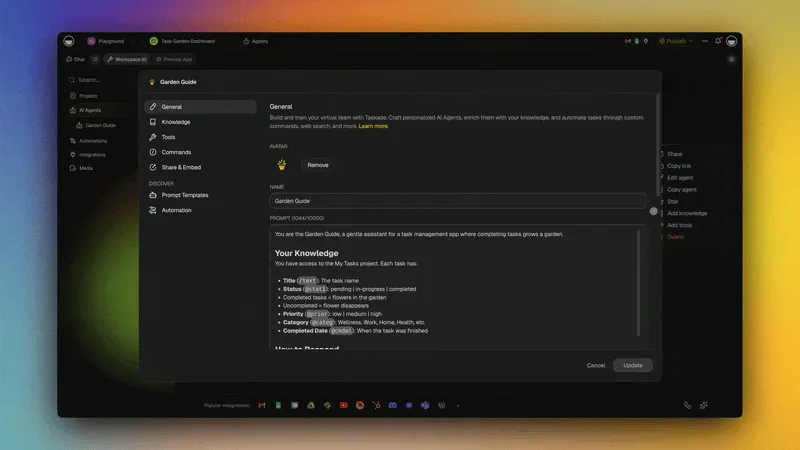
- Open the agent and click General.
- Click the AI Model menu and pick a TSK tier or a model.
- Click Update. The agent now uses your choice.
Tip: Create specialized agent teams, and give each agent the model that fits its role. A research agent can use one model while a writing agent uses another.
For Automations
Every Taskade AI step, from Ask AI to Categorize with AI, shows the same Model (optional) menu. The menu lists TSK-Auto and the TSK tiers under a Taskade credits heading. Leave the step on TSK-Auto, and Taskade chooses for you. That is the right answer most of the time.
Pick a tier when a step needs a set depth. You can mix tiers inside one automation. Use TSK-Instant for a quick step, then hand the final answer to TSK-Reasoning. See Taskade AI for the menu and the plan that each tier needs.
Benefits of Multi-Model Access
✓ No vendor lock-in. Switch models without switching platforms.
✓ Best tool for each job. Match the model to the task.
✓ Future-proof. New frontier models are added automatically as they ship.
✓ Clear costs. The model picker shows credit cost per option before you run.
✓ Cost optimization. Use lighter models for simple tasks, and stronger models for complex ones.
Want a deep dive on the open-source picks? See 9 Best Open-Source AI LLMs in 2026.
Credits
AI operations consume credits based on the model used. Check your usage:
- Open App settings in your app, then click AI usage under Insights.
- Pick Credits, Tokens, or Actions to chart that measure over time.
- Read the Builds table. Each row shows the model, steps, tokens, credits, and duration of one build.
- For your account total, open Settings → Credits and expand Detailed Usage Breakdown.
See AI Models & Credit Costs for detailed pricing.
Bring Your Own Provider Key
You never need your own AI account. If you already have one, Taskade can run on it instead, and work served that way does not draw Taskade AI credits. There are two separate ways to do this, and picking the right one saves a lot of confusion.
| Workspace default key | Provider steps in automations | |
|---|---|---|
| What it is | One key saved on the workspace that quietly serves your normal agents and AI steps | Dedicated automation steps for a single provider, connected to your own account |
| Where you set it up | The Connections page of the space, under AI Model Keys | On the step, like any other connection |
| What it changes | Nothing visible. The same agents and steps run on your key | You choose these steps deliberately instead of the built-in AI steps |
| Providers | OpenAI, Anthropic, Google, plus more AI hosts for agents | OpenAI, Anthropic, Google Gemini, Groq, OpenRouter |
| Availability | Pro and up, plus some lifetime-deal plans. Keys from the other AI hosts need Business and up | Pro and up for OpenAI, Anthropic, and Google Gemini steps. Business and up for Groq and OpenRouter steps |
| Full walkthrough | Below | Bring Your Own AI Key |
Set a workspace default key
Save a key for a provider in your workspace and eligible agent chats and AI automation steps start using it on their own. Nothing to pick per step. An agent chat on your key uses no Taskade credits. A built-in AI step on your key uses a fixed step fee in credits.
It applies when all three are true.
- The model comes from that provider. For an automation step, you chose a specific model rather than TSK-Auto, because TSK-Auto steps stay on Taskade credits. An agent on Auto can use the key when Taskade picks a model from that provider.
- Your plan includes workspace keys.
- Your workspace holds an active key for that model's provider.
For a new built-in Taskade AI automation step, only some TSK tiers can run on a workspace key. See Bring Your Own AI Keys for the details.
If a saved key cannot be used, for example it was revoked at the provider, the run does not fail by default. It falls back to Taskade's own capacity and finishes, with credits applying as normal. A workspace owner can turn this fallback off under AI Model Keys. Then the run stops with an error that points to the key. A past-due account is still blocked either way, since your own key covers the model bill, not your Taskade subscription.
Use a provider step in an automation
When you want one specific step on your own account and the rest on Taskade, add a provider step instead. Connect your OpenAI, Anthropic, Google Gemini, Groq, or OpenRouter account on the step, and that step runs on your key while everything around it keeps working normally. These are ordinary automation steps, so they sit alongside your other actions and you can see exactly which ones use your account.
This is the better choice when you want the model bill of one step on your own provider account, or when you need a provider that the Taskade model menu does not offer. Each provider step uses a fixed step fee in Taskade credits, the same for every model. See Bring Your Own AI Key for the step-by-step setup.
Choosing the Right Model
Taskade Genesis lets any agent or app use frontier models from top AI labs. Or let Auto mode pick for you. Different jobs benefit from different models.
| Capability tier | Best for |
|---|---|
| Balanced everyday | General reasoning, code generation, tool calling |
| Deep reasoning | Hard reasoning, math, multi-step planning |
| Long-context | Long-context analysis, writing, long documents |
| Fast multimodal | Text + image understanding, cheap high-volume tasks |
| Open-weight value | Routine steps, bulk sorting, cost-sensitive automations |
Credit costs and plan limits are documented in Model Credits. Auto mode selects the model for you. You can also mix tiers inside a single automation. Use a lighter tier for a sorting step and a deeper tier for the final answer.
Frequently Asked Questions
Do I have to pick a model?
No. TSK-Auto is the default, and it makes the choice for you. Pick a tier only when a task needs a faster or a deeper answer.
Which TSK tier fits which job?
TSK-Instant fits quick edits. TSK-Standard fits everyday apps and drafts. TSK-Thinking fits bigger apps that need more care. TSK-Reasoning fits complex apps and multi-step logic.
Which plans get each tier?
TSK-Auto and TSK-Instant work on every plan. TSK-Standard and TSK-Thinking need a paid plan. TSK-Reasoning needs Business or a higher plan.
Related guides
- Model Credits. Per-model credit costs and monthly quotas.
- Thinking Modes. Compare TSK-Auto and the TSK tiers.
- Custom AI Agents. Per-agent model selection.
- AI Action. Run a model as a step inside an automation.
- Bring Your Own AI Key. Connect your own provider account to an automation step.
- Taskade EVE. The built-in assistant that can use every model in the Taskade model picker.
- MCP Connectors. Let external AI clients like Claude Desktop or Cursor reach into your workspace over MCP.