
Overview
Taskade Genesis gives you clear recovery choices when a build or preview fails. You can retry a temporary issue, ask AI to repair an app error, inspect the details, or return to a working revision.
TL;DR: Failed build messages stay visible after reload, and errors are grouped into clearer categories. Use Try again for temporary failures and Fix with AI for app errors. A repair can need another attempt. If an error continues, copy its Error ID for support or restore a working App Revision.
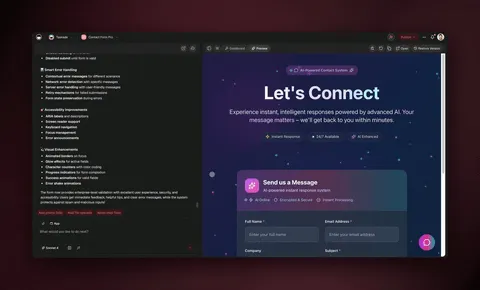
Choose the path that matches what you see. Taskade Genesis can recover many failures, but it does not promise that every error will repair itself.
Follow the Recovery Path
- Open Show error details to see what failed.
- Click Try again when the message points to a connection, timeout, or temporary service issue.
- Click Fix with AI when the preview reports an app error.
- Wait for Taskade Genesis to finish, then test the same action again.
- If the issue remains, describe the exact screen and action in chat.
Match the Error to an Action
| What you see | First action | If it continues |
|---|---|---|
| Connection or timeout message | Click Try again after a moment | Check your connection, then try once more |
| App failed to load | Open details, then click Fix with AI | Describe what you expected to see |
| Request is too large | Ask for one smaller change at a time | Start a new chat with a focused request |
| Usage or account message | Follow the action shown on the error card | Review your account settings |
| Repeated app error | Note the Error ID | Restore a working revision or contact support |
Keep Persistent Errors Visible
Reload the builder if you need to leave and return. A failed Taskade EVE turn stays in the conversation with the same Error ID instead of disappearing on refresh.
Copy the Error ID before contacting support. It identifies the failed request without asking you to paste private app data.
Tip: Include the page, button, and expected result in your follow-up. For example: "On the booking page, Submit stays disabled after every required field is complete."
Restore a Working Revision
Open App Revisions when repeated repair attempts do not clear the problem. Preview an earlier revision, look for the Live badge to identify what visitors currently see, and select Restore Version.
Restore is a dependable fallback, not a reason to keep retrying an unfixable edit. See Version History and Rollback for the full process.
Related guides
- Troubleshooting. Diagnose issues that continue after a repair attempt.
- Version History. Preview revisions, identify the live version, and restore a working state.
- Taskade EVE Assistant. Ask Taskade EVE to investigate and fix issues in plain English.
- GitHub Export & Import. Export to a real repo if you prefer git-based debugging.