

Overview
A published Taskade Genesis app comes with a real-time analytics dashboard built in. No tracking scripts, no separate analytics bill, no engineering work. You see visitors, pageviews, traffic sources, geography, and device breakdown in one place.
TL;DR: The App Analytics dashboard shows visits, pageviews, bounce rate, geography, traffic sources, and device breakdown for a published Taskade Genesis app, with no tags to install. It is available on Business plans and up. Google Search Console verification works on every plan, while eligible plans can also connect Google Analytics: see App SEO.
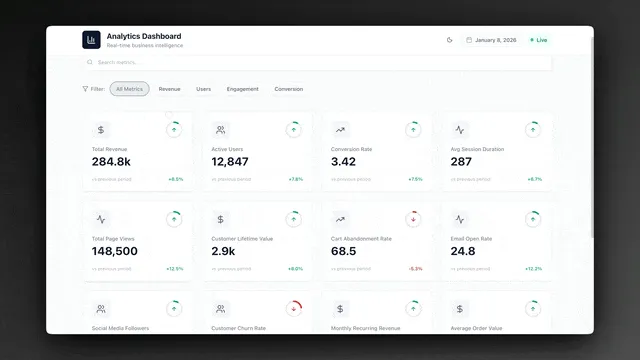
Note: App Analytics is available on Business plans and up. On other plans the Analytics tab still opens, but it shows a sample dashboard and an upgrade prompt instead of your own numbers. Current plan details are on the pricing page.
Access Analytics Dashboard
- Open your published Taskade Genesis app.
- Click App Settings (gear icon).
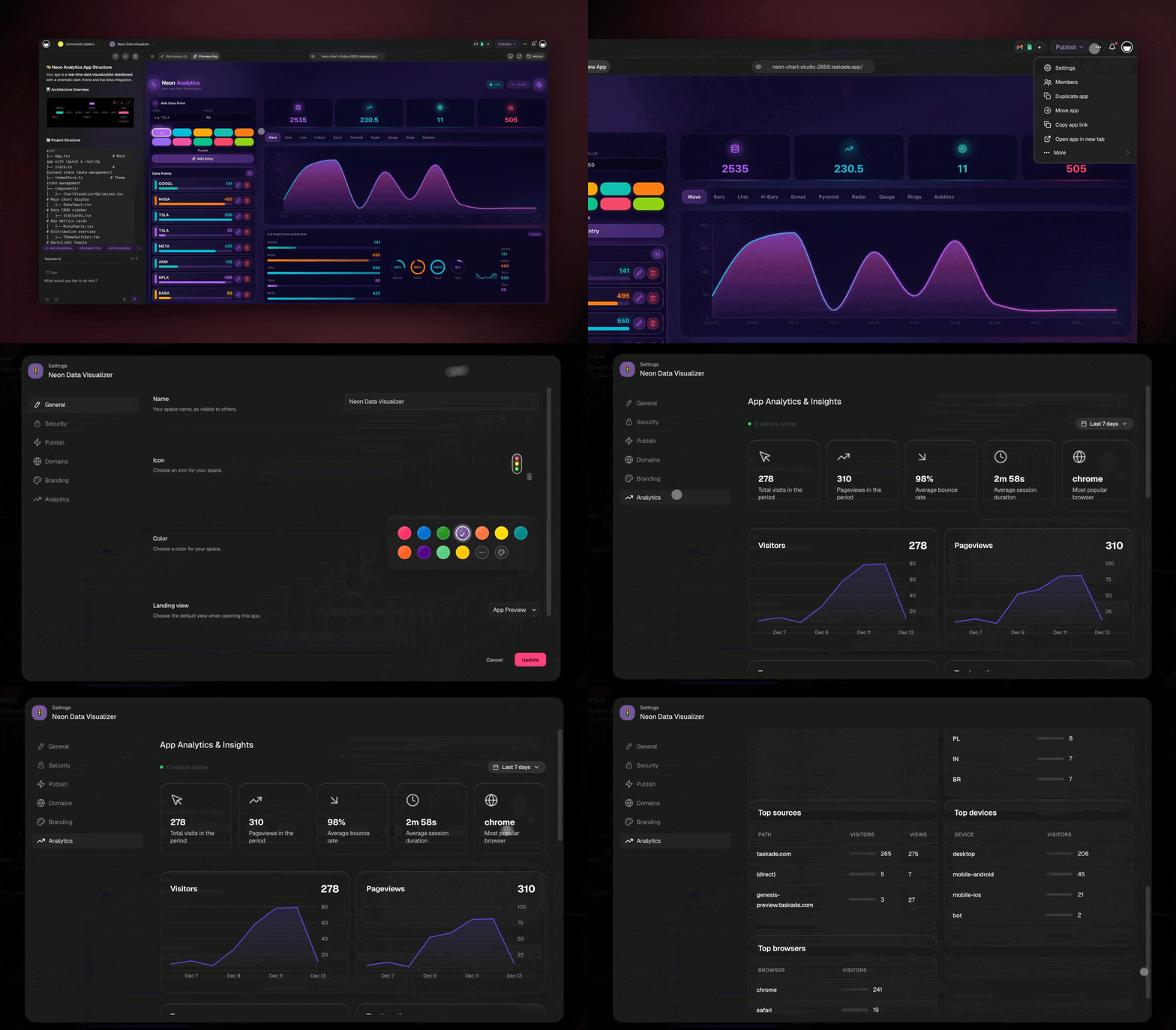
- Click Analytics in the settings menu
Note: Two things have to be true before numbers appear. The app has to be published, and the workspace has to be on a Business plan or higher.
What You Can Track
The analytics dashboard shows real-time metrics and trends for your Taskade Genesis app.
Summary (Top Cards)
- Total visits: Total number of visits in the selected period
- Pageviews: Total pageviews in the selected period
- Average bounce rate: Percentage of single-page sessions
- Average session duration: Average time users spend per session
- Most popular browser: Browser used by the most visitors
- Visitors online: Real-time count of active visitors
Time-Based Trends
- Visitors over time: Daily visitor trends (line graph)
- Pageviews over time: Daily pageview trends (line graph)
- Date range selection: View data for Last 7 days, Last 30 days, or custom ranges
Top Pages
- Page path: URL paths of your pages
- Visitors per page: Unique visitors to each page
- Views per page: Total views for each page
Geographic Distribution
- Top locations: Countries/cities of your visitors
- Visitors by location: Visitor count per location
Traffic Sources
- Top sources: Where your traffic comes from
- Visitors by source: Unique visitors per source
- Views by source: Total views per source
Device Analytics
- Top devices: Device types (desktop, mobile, tablet)
- Visitors by device: Unique visitors per device type
Browser Analytics
- Top browsers: Browsers used by visitors
- Visitors by browser: Unique visitors per browser
Tips for Using Analytics
- Check regularly: Review analytics weekly to spot trends.
- Compare time periods: Look at week-over-week or month-over-month changes.
- Focus on key metrics: Identify your most important goals and track those.
- Use insights for improvements: Let data guide your app updates.
- Monitor after changes: Check analytics after making updates.
Troubleshooting
Q: Why do I see no analytics data?
A: Check two things. Your app has to be published, and App Analytics needs a Business plan or higher. If the tab shows a sample dashboard with an upgrade prompt, the plan is what is holding it back.
Q: Can I measure visitors without App Analytics?
A: Yes. Google Search Console verification works on every plan. Adding your own Google Analytics measurement ID requires Business or higher. See App SEO for both options.
Q: How often is analytics data updated?
A: Analytics update in real-time as users interact with your app.
How Analytics Flow Works
Every visit to your published Taskade Genesis app is captured in real time and surfaced to the dashboard, with no tags to install and no config to write:
The loop is the point: you see what visitors do → you iterate → your agents learn from usage patterns → the app improves. That is living software.
What You'd Pay Without Taskade
| Traditional analytics stack | Monthly cost | Taskade Genesis (Business and up) |
|---|---|---|
| Mixpanel / Amplitude (basic tier) | $25–200 | ✅ Included |
| Event instrumentation work | Engineering time | ✅ Zero config, automatic |
| Custom dashboards | Dev cycles | ✅ Prebuilt real-time dashboard |
| Geographic / device / browser breakdown | Plus-tier upgrades | ✅ Included from day one |
Related guides
- Publishing Taskade Genesis Apps. Publish first, then the dashboard has something to show
- App SEO. Verify with Google and connect Analytics when your plan includes it
- Custom Domains. Analytics work on your branded URL
- App Analytics, Domains & Security →. Blog deep-dive on the production layer
- Community Gallery. See how creators use analytics to refine live apps
- Build your own →. Start a Taskade Genesis app