

Overview
The first prompt is the only one that matters. You can refine everything else later. A great Taskade Genesis prompt answers three questions in one sentence: who it is for, what they must do, and what happens next.
TL;DR: A perfect first Taskade Genesis prompt is one sentence: Audience + Problem + Action. "My photography clients need to book sessions and receive confirmations." Pick one core function. Save the third sentence for prompt #2. Your first prompt does not need to be perfect. Taskade Genesis is built to iterate. Write your first prompt →
Note: You need ONE prompt to start. You can add everything else later.
New to Taskade Genesis? Watch this short video first:
Write The First Prompt
Every successful first prompt answers three questions.
Audience
"My photography clients..." "Our dental patients..." "My sales team..."
Problem/Solution
"...need to book sessions..." "...want to schedule appointments..." "...has to track leads..."
Action
"...and receive confirmations" "...with available time slots" "...and see follow-up dates"
Formula
"My photography clients need to book sessions and receive confirmations"
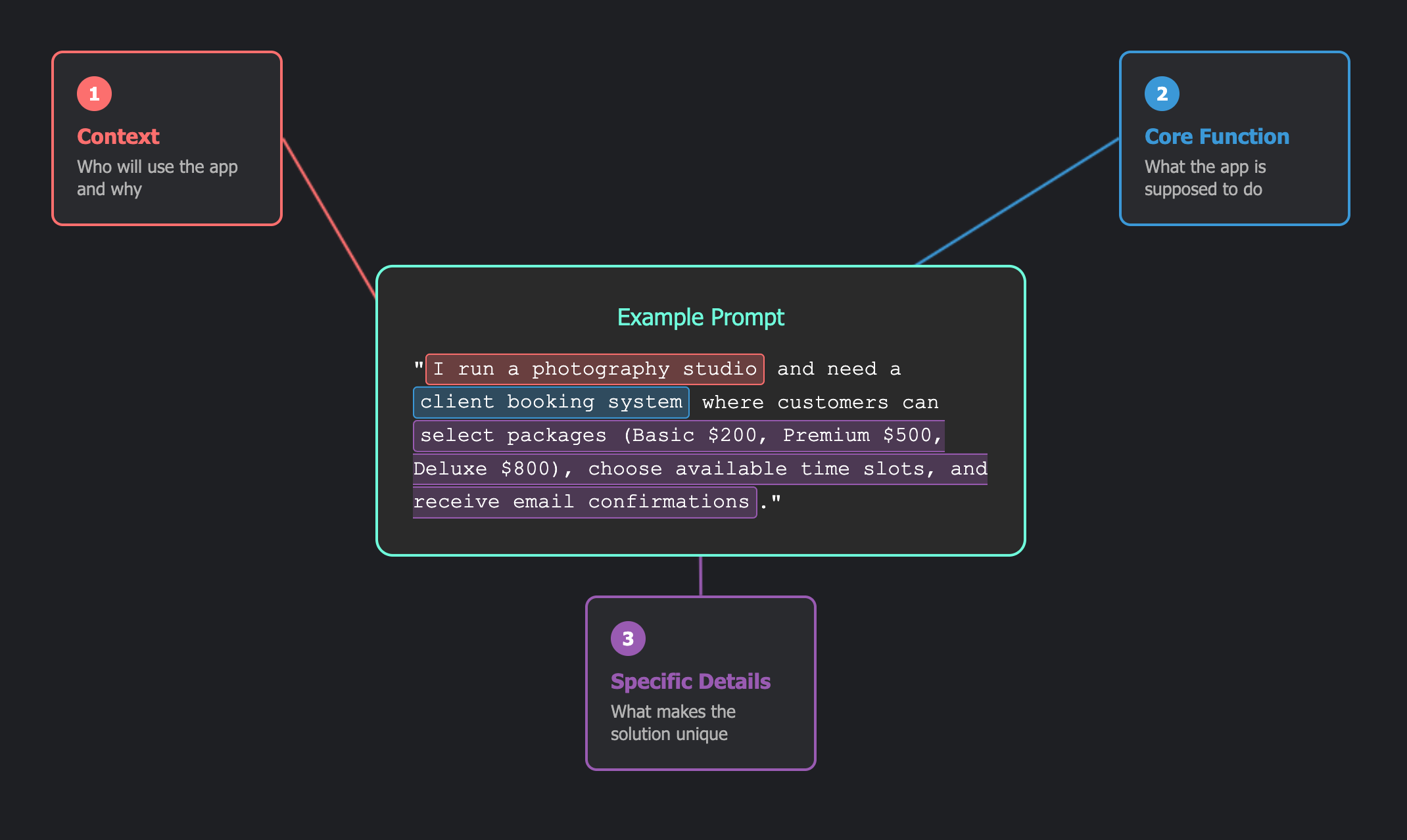
That is a perfect first prompt. Clear, focused, actionable.
Use the Right Words
Power Verbs
Start with these action words:
- Build a form that...
- Create a system for...
- Make a tool that...
- Design a dashboard showing...
Clarity Phrases
Add these for precision:
- Simple - keeps it focused
- Basic - avoids complexity
- For my [business type] - adds context
- That [does something] - defines the action
Follow the 2-Sentence Rule
Keep your first prompt to two sentences or fewer.
One Sentence (Best)
"Create a lead capture form for my real estate business with property preferences"
Two Sentences (Context)
"I run a yoga studio with 5 instructors. Build a class booking system that shows available sessions"
If you write a third sentence, save it for your second prompt.
Pick ONE Core Function
Keep your first prompt to one core function.
✅ Focused First Prompts:
- "Build a quote calculator for landscaping projects"
- "Create a waitlist for my restaurant"
- "Make a feedback form with star ratings"
❌ Too Many Functions:
- "Build a system that handles quotes, invoices, payments, exports, reminders, notifications, and customer management"
Note: You can add more features in 30 seconds after your calculator works.
Ideas/Solutions vs. Specs
Taskade Genesis handles all the technical details. You describe what you need.
Natural Business Language
- "Track which therapist is booked when"
- "Calculate project costs including labor"
- "Collect feedback after appointments"
Use Starter Kits
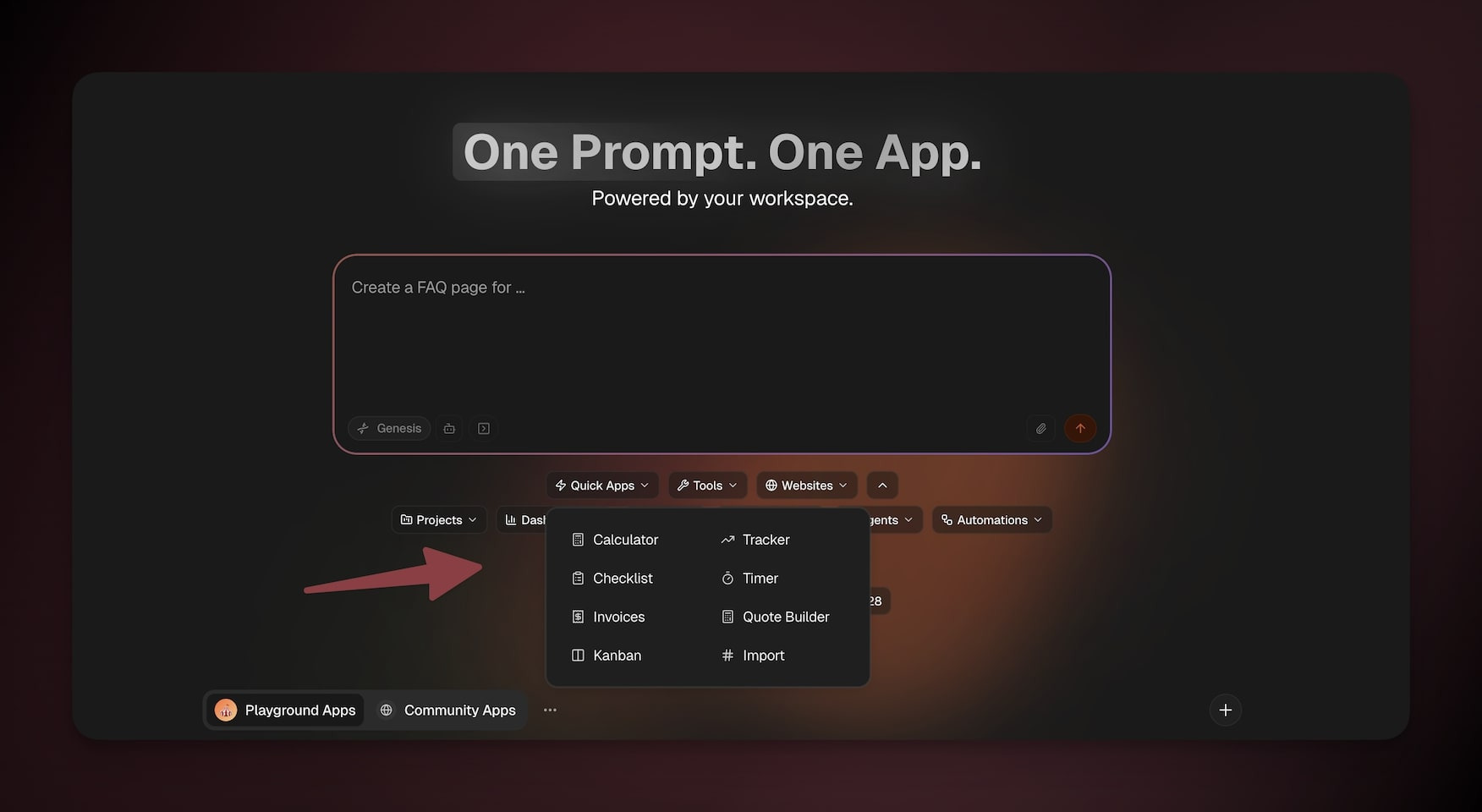
Not sure where to start? Choose a template first:
- Use the drop-downs to browse templates by category.
- Click a template to copy it to the prompt box.
- Customize the prompt before you send it.
Taskade Genesis = Adventure
Professional developers spend weeks planning. You can start building in one sentence and improve as you go. Your first prompt does not need to be perfect.
Imagine It. Build it. Iterate.
Good luck!
Related guides
- Taskade Genesis FAQ. Common questions about Taskade Genesis apps, pricing, and features
- A Maker's Guide to AI Prompts. Deeper prompt patterns
- Starter Prompts. 100+ tested prompts for common app types
- Prompt Library. Reusable prompts organized by use case
- Create Your First App. Step-by-step tutorial after your prompt is ready
- Adding Taskade Genesis Context. Upload files to make prompt #1 more specific
- Edit Visually with the Element Selector. Click any element and refine it with a prompt
- How Taskade EVE Plans, Asks, and Acts. See the live build process