
Overview
The Transform Array into String action converts the output of the Find Task(s) and Find Row(s) actions to a single, formatted string. You can pass the list of items (array) directly to later actions or AI Agents.
TL;DR: The Transform Array into String action runs as a step inside an automation. It flattens an array from Find Task(s) or Find Row(s) into one clean string your next step or AI agent can read, with your chosen delimiter between items.
Note: Be sure to explore other automation actions & triggers.
Use it whenever you need to flatten the result of Find Tasks or Find Rows into a clean string that an Ask Agent or Ask AI step can reason about.
How to Use the Action
Create a new automation or edit an existing flow.
Add the Find Task(s) or Find Row(s) action to your automation.
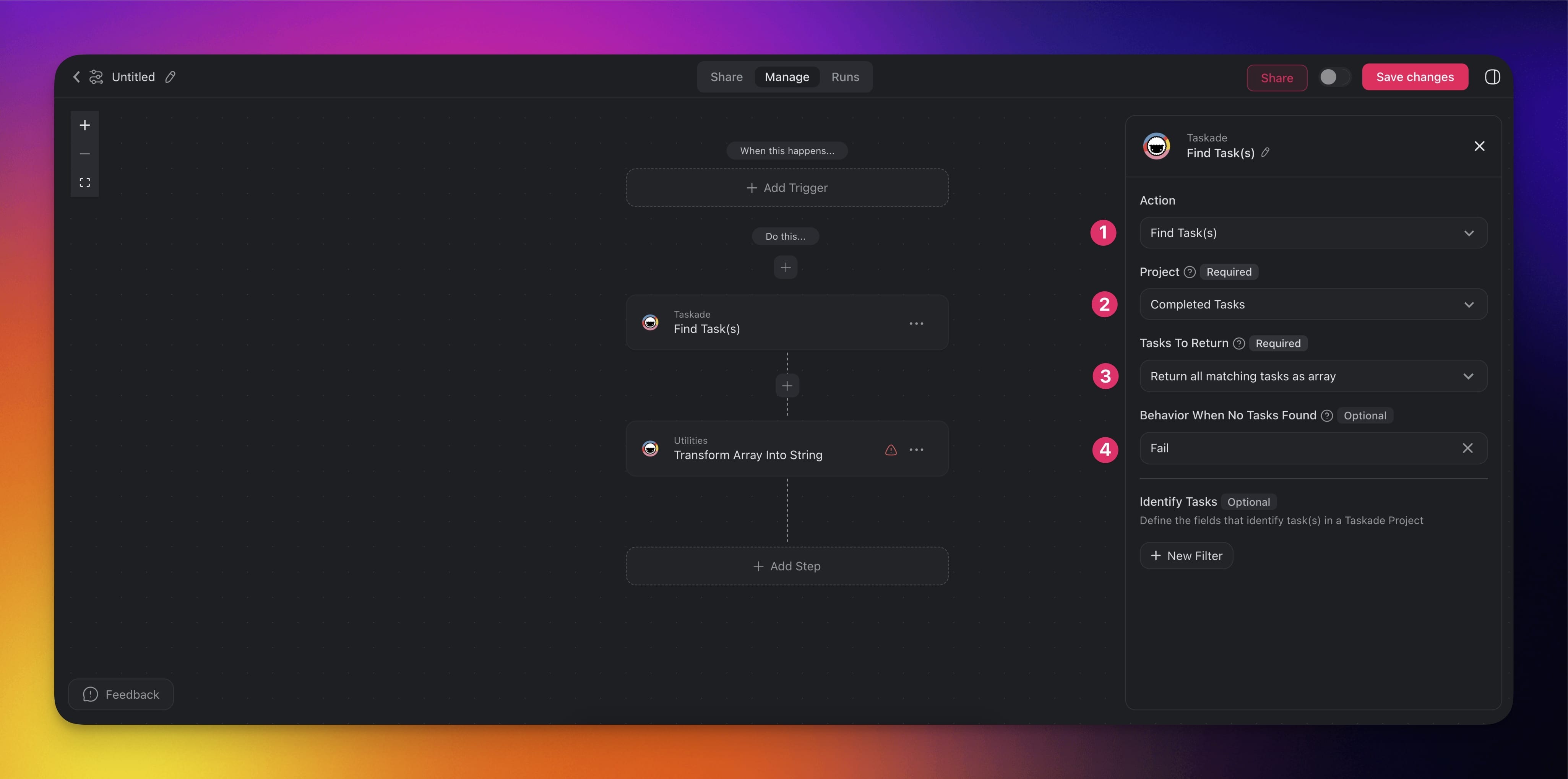
Configure the action to pull data from an existing project or a Google Sheet doc.
(2) Choose the project you want to search for tasks.
(3) Choose what to return:
- Return all matching tasks as array: Retrieves every task that meets your criteria and outputs them as a complete array.
- Return the first matching task: Retrieves only the first task that meets your criteria, ignoring any subsequent matches.
Decide what to do if no tasks are found:
- Continue: Proceeds with the automation.
- Fail: Stops the automation.
(optional) Add more conditions under Identify Tasks.
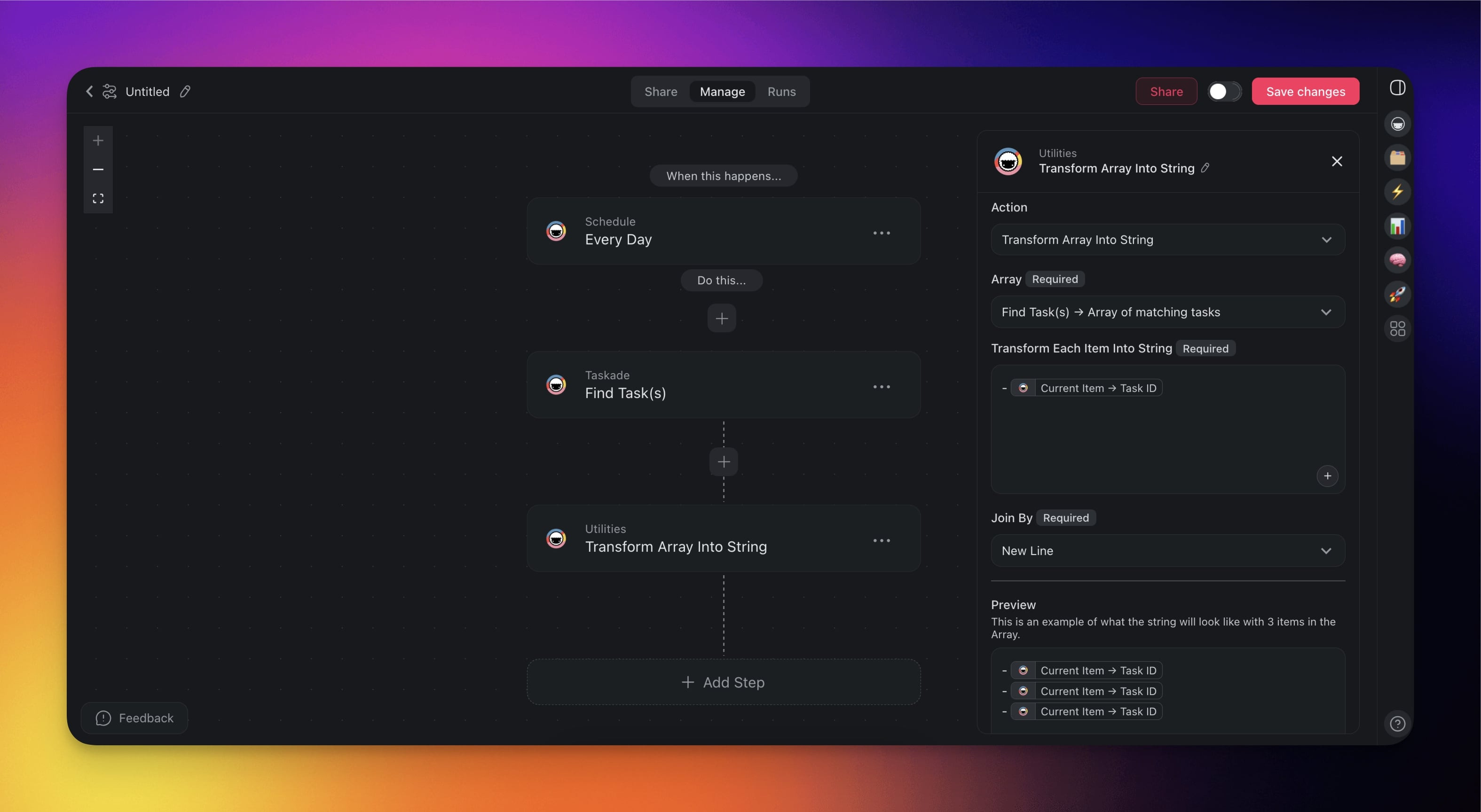
Add the Transform Array into String action and configure it:
Choose the array you want to transform.
Select the items to transform and structure the output.
Choose New Line under Join By to insert a new line between each item.
Note: You can preview the output of the action in the Preview section.
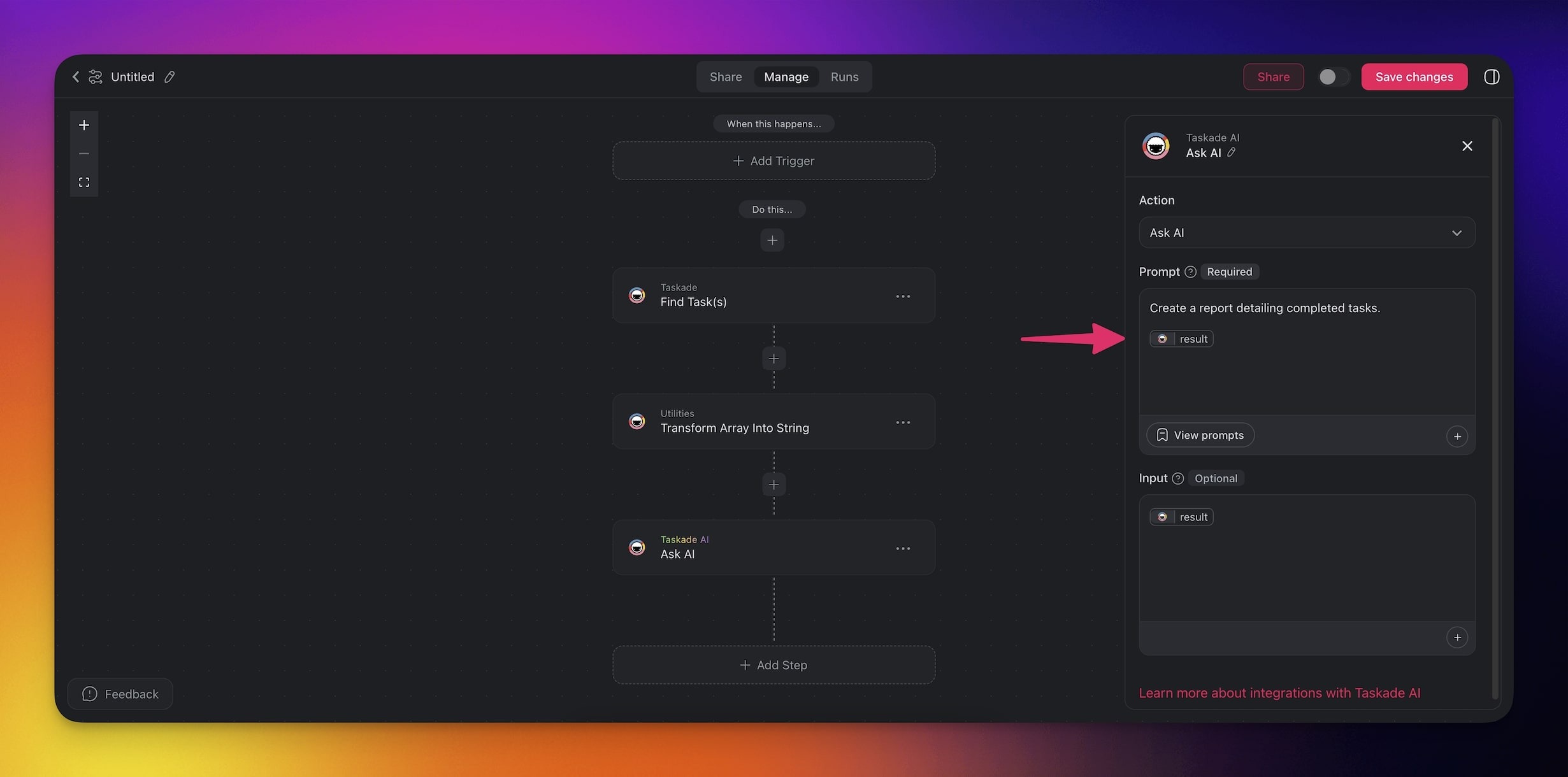
- Add more steps and reference the output of Transform Array into String.
- Add a trigger and configure it in the sidebar on the right.
Action Settings
You can control the output of the Transform Array into String action:
| 🏷️ Field | 🔤 Purpose |
|---|---|
| Array | Select the input array that you want to transform to a string. This is the output from Find Task(s) or Find Row(s) actions. |
| Transform Each Item to String | Choose the elements of the array to transform and structure the output. |
| Join By | Specify the delimiter inserted between each item in the transformed array. |
Use Cases
Not sure where to start? Here are a few ideas on how to use the action:
Daily Task Summary
Goal: Automatically compile a list of tasks and send it to your team.
Trigger: Schedule(Run daily at 9 AM)
Actions:
- Find Task(s): Retrieve all tasks created in the last 24 hours.
- Transform Array into String: Convert the task list into a formatted message.
- Send Channel Message (Slack) or Send Email (Gmail): Share the summary.
Meeting Notes Summary
Goal: Generate a summary of notes added to a project during a meeting.
Trigger: Project Completed
Actions:
- Find Task(s): Retrieve all notes and action items from the completed project.
- Transform Array into String: Turn the output of Find Task(s) into a string.
- Ask AI: Generate a summary of the notes and highlight key takeaways.
- Create Document (Google Docs): Save the summary to a new Google Doc.
Related guides
- Find Tasks. Upstream source of the arrays you transform.
- Loop Action. Iterate over each item instead of flattening to a string.
- Agent Action. Pass transformed strings to agents.
- Structured Output. The opposite direction: parse a string into structured output.