
Overview
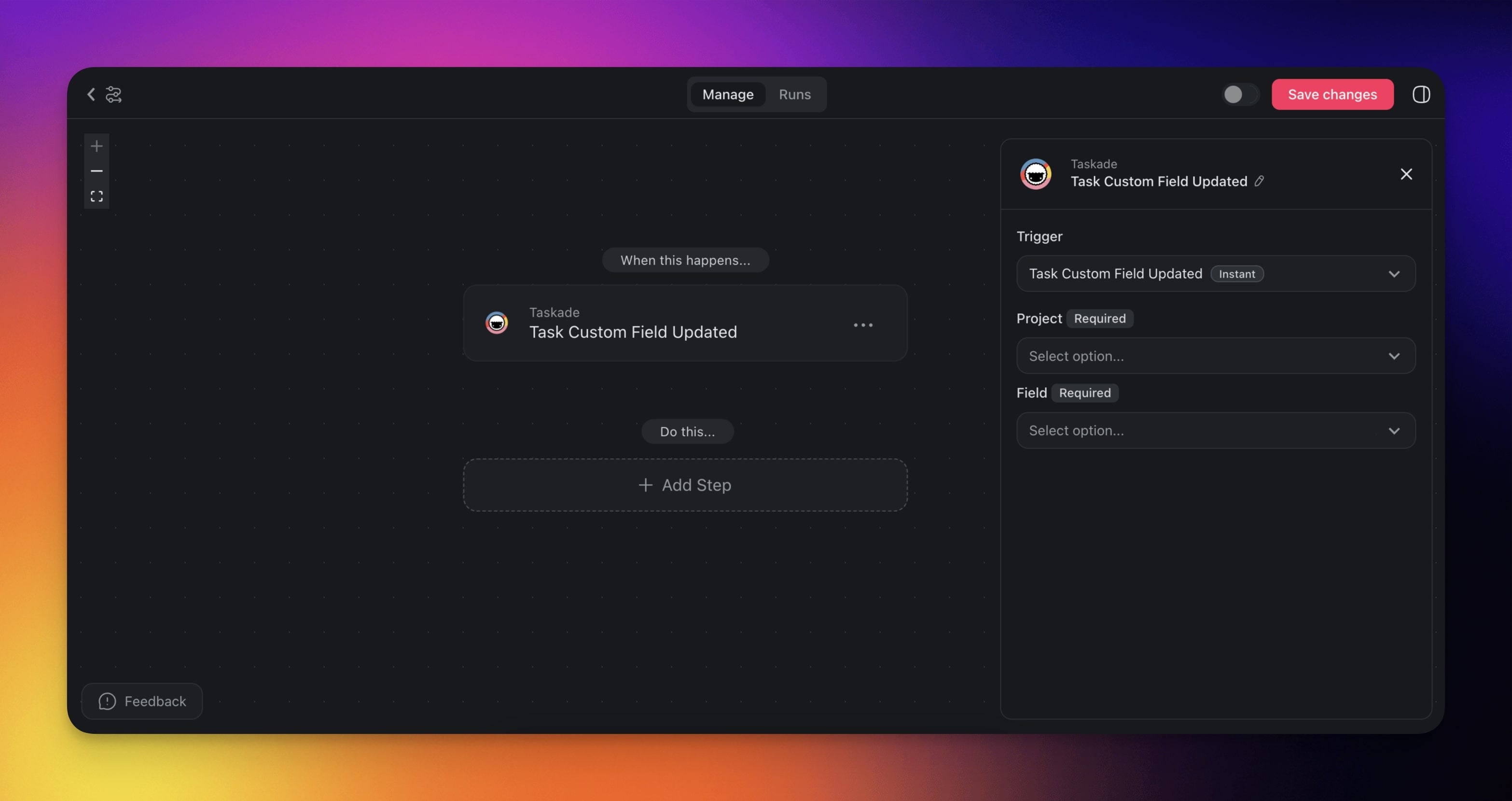
The Task Custom Field Updated automation trigger lets you kickstart automation flows whenever a custom field is updated within a project. You can use the custom fields trigger to track changes in task details, build dynamic tables, and react to status changes in real time.
TL;DR: The Custom Field Updated trigger fires the moment a custom field value changes in your project, so any column can start an automation. Use it to react to status changes, priority shifts, or deal-stage moves. Pair it with actions that push work back into your project.
For example, when a "Priority" field changes to "Urgent," you can automatically notify the team, reassign the task, or escalate it through a dedicated workflow, all without manual intervention.
Note: Be sure to check out custom fields automation actions next.
Field Updated makes any column in your project act like an event bus. Pair it with Branch on the new value, Ask Agent for AI reasoning, or push a webhook out to any of the 100+ integrations.
Custom Field Triggers & Actions
The custom fields automation lets you choose different triggers based on your specific needs. Here are the triggers you can use in your automations:
Note: Looking for additional custom fields triggers? Submit your request here.
| (TRIGGER) Task Custom Field Updated | Triggers when a custom field is updated. |
|---|
Custom Field Updated Settings
The custom fields automation settings let you control exactly which projects and custom fields are monitored for changes. You can set specific conditions to make sure that your automations run only under the right circumstances.
| Field | Description |
|---|---|
| PROJECT | Project monitored for updates. |
| FIELD | Custom field monitored for updates. |
Use Cases
Not sure how to use this trigger? Here are a few ideas:
| Use Case | Description |
|---|---|
| Status-based notifications | Send a Slack or email notification whenever a task's status field changes to "Blocked" or "In Review." |
| Priority escalation | Automatically reassign a task or alert a manager when the priority field is set to "Critical." |
| Deal-stage tracking | In a sales pipeline project, trigger follow-up actions when a deal's stage field moves to "Proposal Sent" or "Closed Won." |
| Approval workflows | Kick off an approval chain when a reviewer marks the "Approval" field as "Pending Review." |
| Reporting snapshots | Log field changes to an external spreadsheet or database for audit trails and historical reporting. |
Tip: Pair this trigger with the Update Custom Fields action to create chain reactions: one field change can automatically update related fields in the same or a different project.
Related guides
- Update Custom Fields Action. Write field values from automation.
- Custom Fields in Projects. Set up fields this trigger monitors.
- Branch Action. Route on new value.
- Agent Action. AI reasoning over field changes.