
Overview
The Task Assigned trigger lets an automation find when someone assigns a task. The automation can then start later actions, update workflows, or notify team members. The moment work is delegated, an automation can DM the assignee in Slack, create a Calendar block, or kick off an Ask Agent step to draft a starter checklist.
TL;DR: The Task Assigned trigger pulls a delegation event into Taskade. The moment a task is assigned to someone, your automation fires so you can react instantly. Notify the assignee, draft a starter checklist with an Ask Agent step, or create a Calendar block.
How to Use It
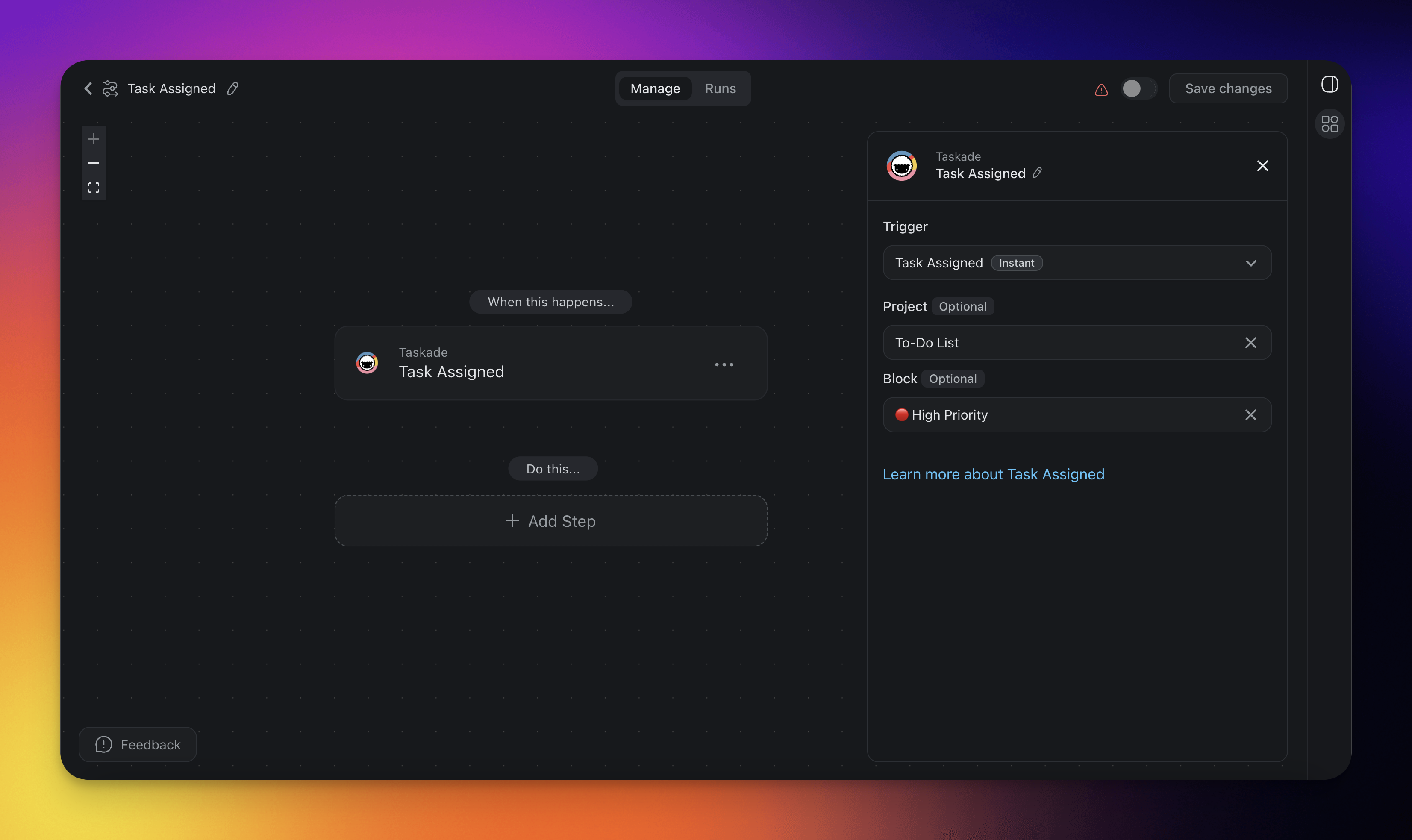
- Click ➕ Add Trigger and choose the Task Assigned trigger.
- Select a Project for the automation to monitor. If you select no project, the automation monitors all projects.
- Optionally, select a specific Block within the Project to monitor for changes.
- Add more steps for further processing.
Task Assigned (Settings)
Connector options give you full control over the Task Assigned automation:
| 🏷️ Field | 🔤 Description |
|---|---|
| Project (Optional) | Select the Project you want this trigger to watch. If you leave the project field blank, all projects are selected by default. |
| Block (Optional) | Select the Block you want this trigger to watch. If you leave the block field blank, all tasks in the project are monitored. Only Blocks inside the selected Project are available to pick. |
Task Assigned Use Cases
Not sure how to use the Task Assigned trigger? Here are a few ideas:
| 🪄 Use case | 🔤 Description |
|---|---|
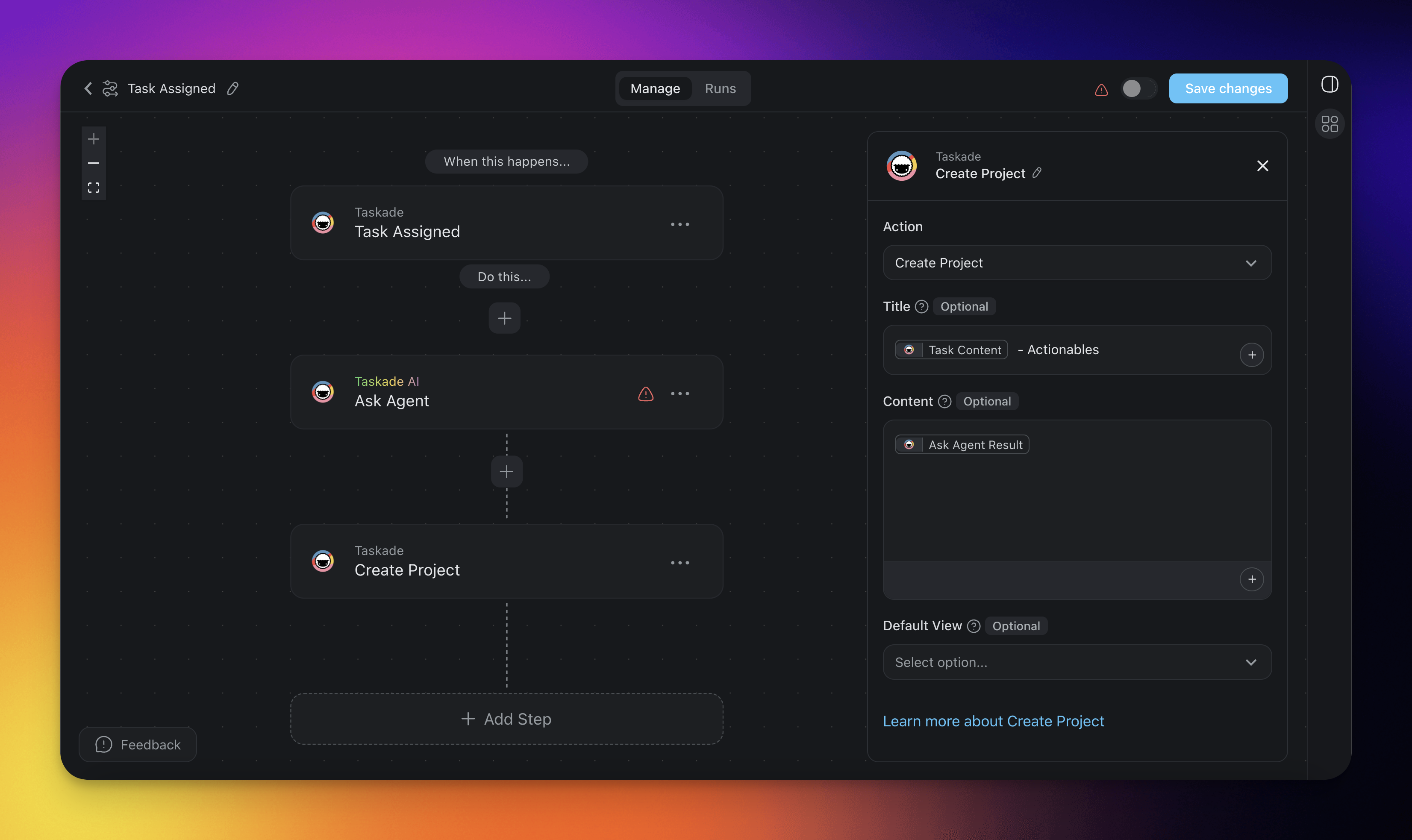
| Create Actionables | When a task is assigned to a user, automatically generate a new project that outlines possible action items. This keeps every next step defined and organized, and nothing gets overlooked. |
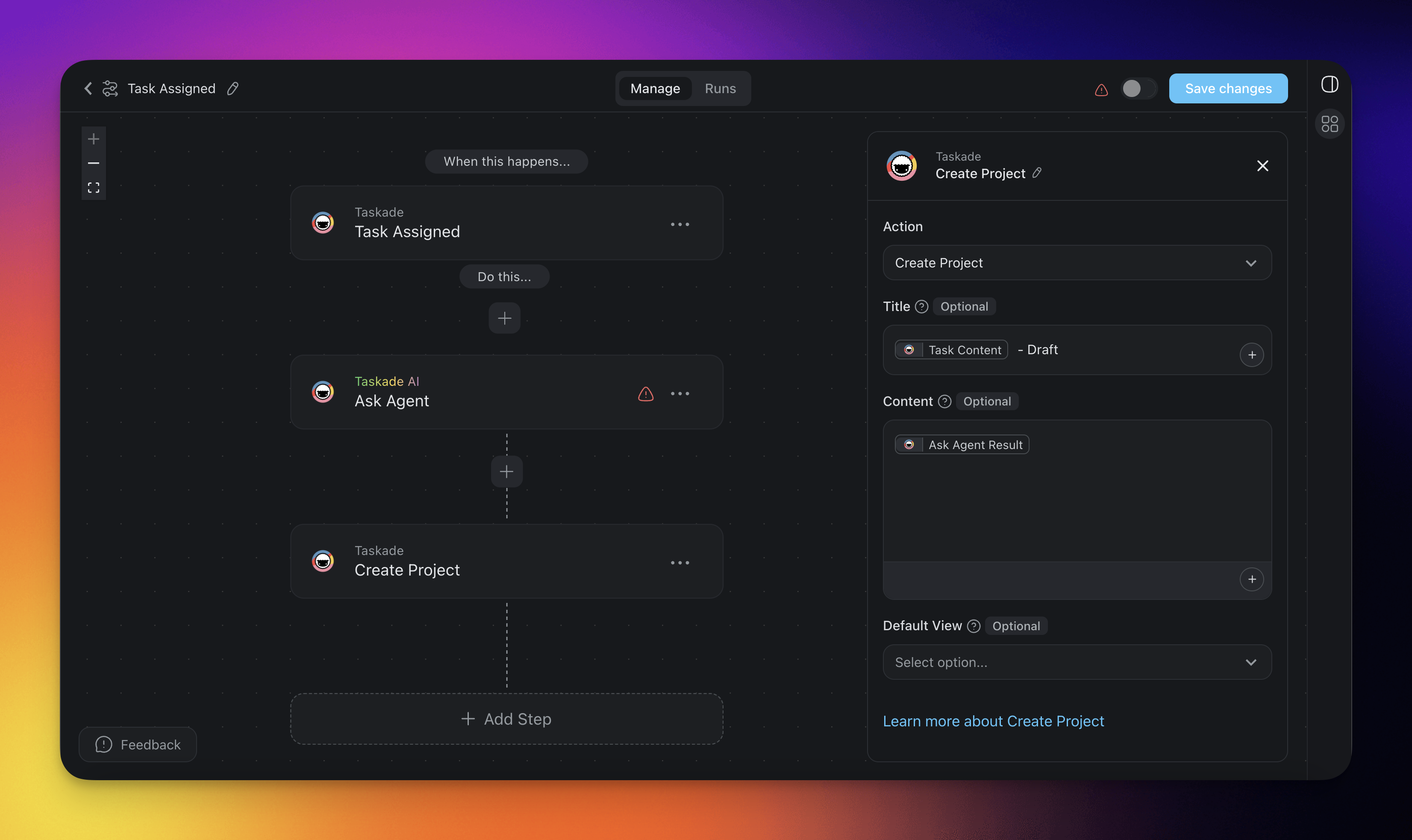
| Create Article Draft | When a task is assigned, automatically generate a draft article based on initial guidelines. The user can then review, refine, and finalize the content. This gives every writing task a structured starting point. |
Create Actionables
Create Article Draft
Related guides
- Assign Task Action. Delegate from automation.
- Task Added, Task Completed, Task Due. Other lifecycle triggers.
- Permissions. The role-based access, from Owner to Viewer, that this trigger respects.
- Branch Action. Vary flows per assignee.