
Overview
With Convert File to Text you can turn many file formats into plain text inside an automation. Use it to read, analyze, or process the contents of a document without opening it by hand. The extracted text can then be passed to subsequent actions such as Categorize with AI or the Agent action for further processing.
TL;DR: Convert File to Text turns a document into plain text inside an automation. Point it at a file someone uploaded through your form or published app, or at one already in your workspace. It reads scanned and photographed pages too. Feed the text to Ask Agent or Categorize with AI.
Convert File to Text reads PDF, Word (DOCX), PowerPoint (PPTX, PPT), Excel (XLSX, XLS), EPUB, CSV, TXT, and Markdown. If a PDF is a scan, or the page is a photo someone took on a phone, Taskade reads the words off the image for you. There is nothing to switch on and no extra step to add. Reading the words off a scan or a photo works on files up to 20 MB. Typed documents and spreadsheets have no separate ceiling in this step, so the limit is whatever your plan allows on an upload.
| 🏷️ File kind | 🔤 What comes back |
|---|---|
| PDF with selectable text | The document text, in reading order. |
| Scanned or photographed PDF | The words read off the page. No setting to turn on. |
| Photo of a page (PNG, JPG, WebP, HEIC) | The words read off the image. HEIC is the format an iPhone camera makes. |
| Word (DOCX) | The document text. |
| PowerPoint (PPTX, PPT) | The text from every slide. |
| Excel (XLSX, XLS) | The cell values as text. |
| CSV | The rows as text. |
| TXT and Markdown | The file contents. |
| EPUB | The book text. |
GIF and BMP images are not read this way. Reading off the page happens in the Convert File to Text step, so put that step in your automation and point it at the file. For the longer walkthrough, see Read scanned documents.
Reading the words off an image uses AI credits, the same as any other AI step. A file that already has selectable text is read straight through and does not use them. See AI Credits and Models.
Convert File to Text is the bridge between unstructured files and AI. Chain it with Ask Agent for summarization, Categorize with AI for classification, or Add Knowledge to Agent to permanently teach an agent.
How to Use It
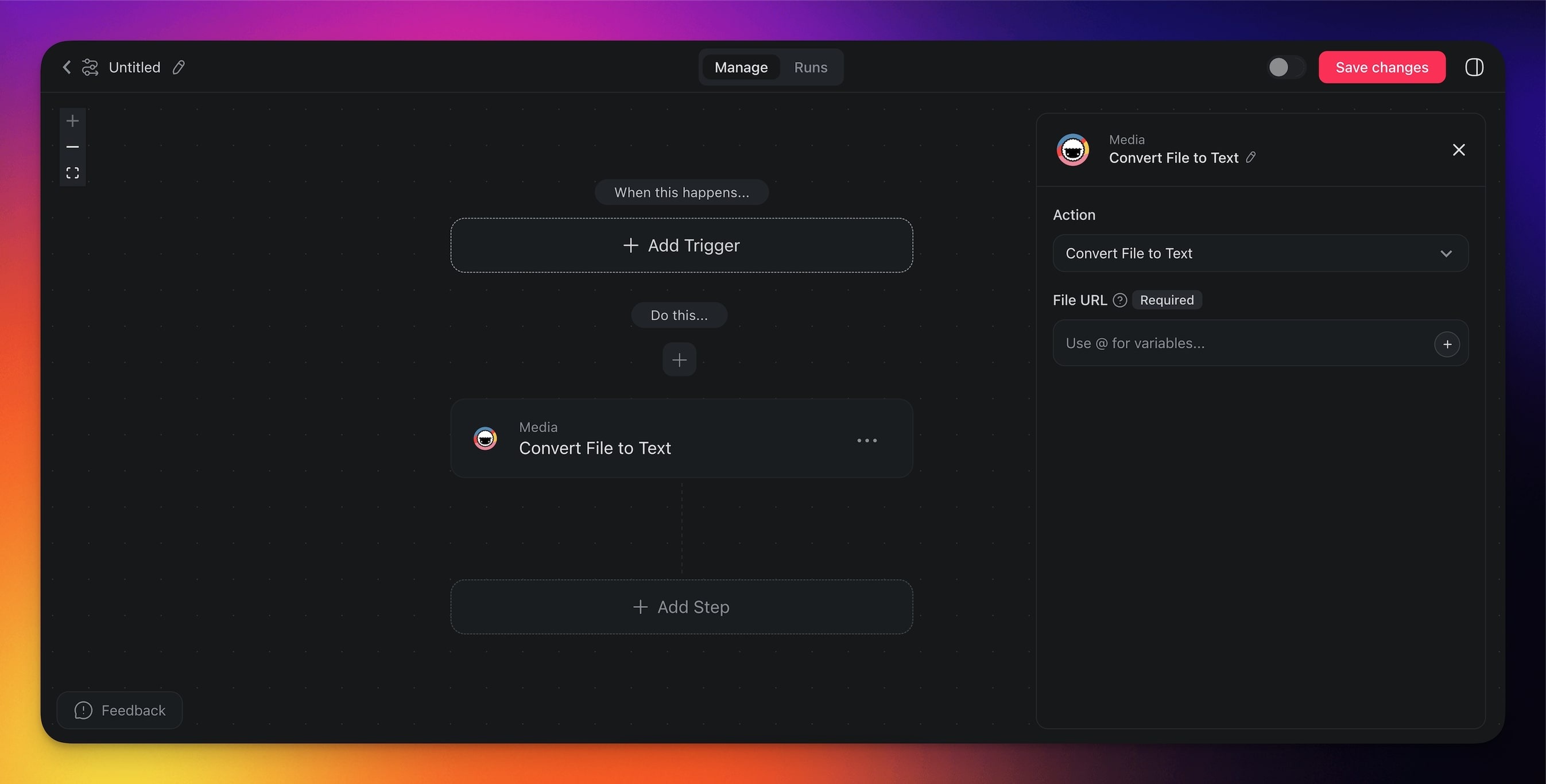
Click ➕ Add Step and choose the Convert File to Text action.
Point the step at the file. Two paths:
- A file someone uploaded. Type @ and pick the File field from your form trigger, or the upload from an app you published. See File uploads in your app.
- A file already in your workspace. Paste its link from Media Files, or type @ and pick it.
The file has to live in the workspace the automation runs in. A link to a file somewhere else on the internet is not read, so save it to your workspace first and point the step at that.
Finish the automation or add more steps for further processing.
Worked example. Someone photographs a supplier invoice and submits it through your form. Convert File to Text reads the page. An Ask Agent step pulls out the vendor, the date, and the total, and writes a row into your project.
You can reference the URL from previous actions/triggers by typing the @ symbol in the file URL field.
Convert File to Text (Settings)
Connector options give you full control over the Convert File to Text automation:
| 🏷️ Field | 🔤 Description |
|---|---|
| URL | The file to read. Type @ to pick a file someone uploaded through your form or your published app, or paste the link to a file in your workspace. The file must belong to the workspace the automation runs in. |
Convert File to Text Use Cases
Not sure how to use the Convert File to Text action? Here are a few ideas:
| 🪄 Use Case | 🔤 Description |
|---|---|
| Document analysis | Read scanned contracts, photographed receipts, and faxed forms into text for review or data entry. |
| Content aggregation | Convert multiple file types into text for compiling reports or summaries. |
| Email parsing | Extract text from email attachments to process or store information. |
| Legal document review | Convert legal documents into text for easier review, search, and indexing. |
| Data entry automation | Automatically convert files into text for input into databases or spreadsheets. |
Tips
- Chain with AI. After converting a file to text, pass the output to the Agent action to summarize, translate, or extract key data points.
- Batch processing. Use an Interval trigger to periodically convert and process files from a shared folder or URL.
- Dynamic URLs. Insert the file URL from a previous step using the @ reference so your automation can handle different files each time it runs.
Related guides
- Read scanned documents. Scans and phone photos, start to finish.
- File uploads in your app. Take documents from the people using your app.
- AI Forms. Collect the file with a File field.
- Transcribe YouTube. Video counterpart.
- Scrape Webpage. Web page counterpart.
- Agent Knowledge Action. Feed converted text into agents.
- Media Files. Where files live in Taskade.