
Overview
TL;DR: Add Project to Agent Knowledge turns any Taskade project into a live, refreshable knowledge source for an AI Agent. Pair with Schedule for nightly syncs and your agent always answers from current data, the Memory → Intelligence loop of Workspace DNA in one action.
Use the Add Project to Agent Knowledge action to keep agents up to date with the latest tasks, documents, or research so they can respond more accurately. Your projects become the agent's brain, refreshed automatically as work happens. This is the cleanest way to wire the Memory layer of Workspace DNA directly into the Intelligence layer.
Your agent's Knowledge panel after the nightly sync runs:
┌──────────── 🤖 Support Agent ─────────────┐
│ Knowledge sources                         │
│   📁 Product Docs        synced 02:00 ✅   │
│   📁 Open Tickets        synced 02:00 ✅   │
│   📁 Release Notes       synced 02:00 ✅   │
│ Answers now reflect tonight's updates.    │
└───────────────────────────────────────────┘
How to Use It
- In your automation, add a new ➕ Add Step.
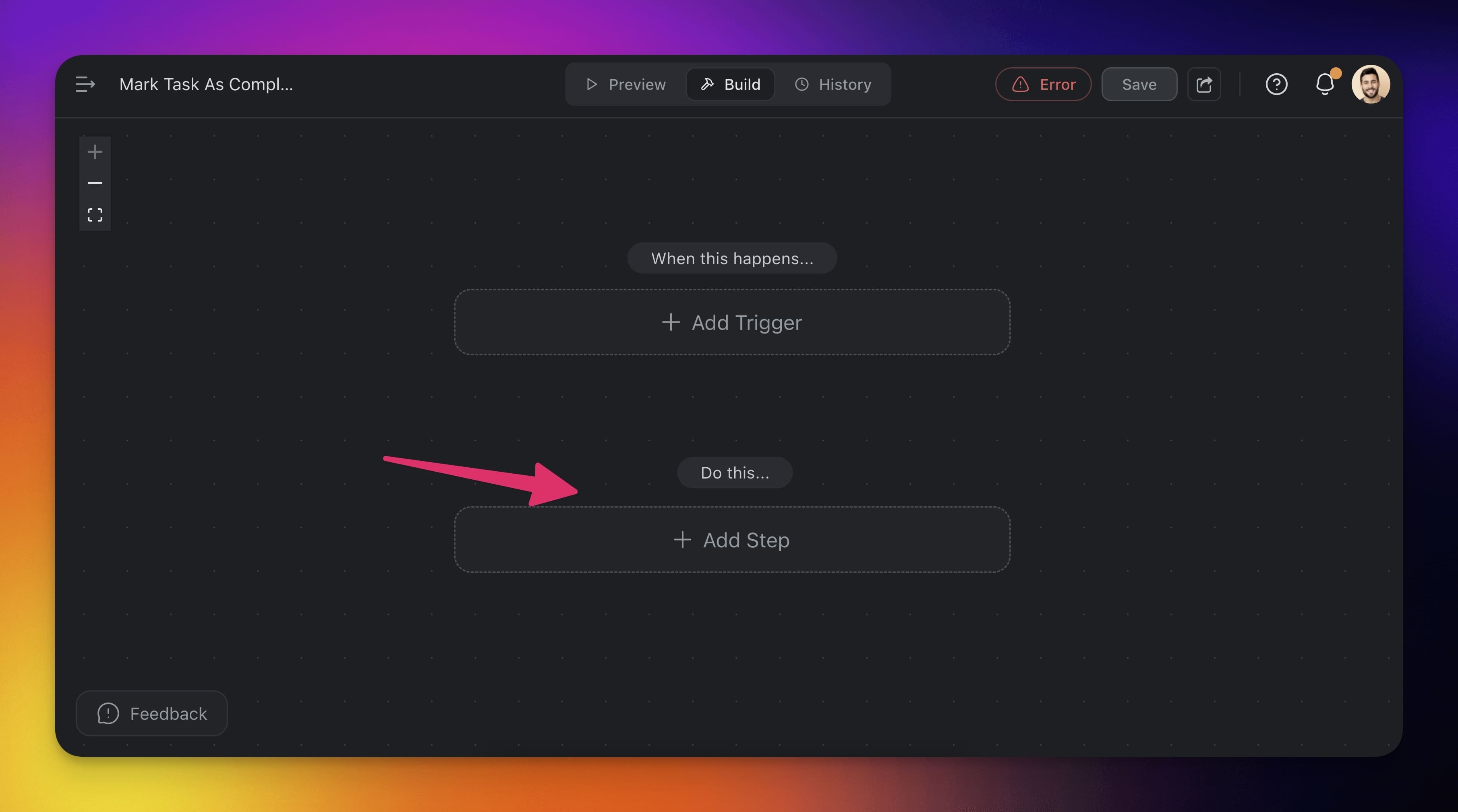
Choose the Add Project to Agent Knowledge action.
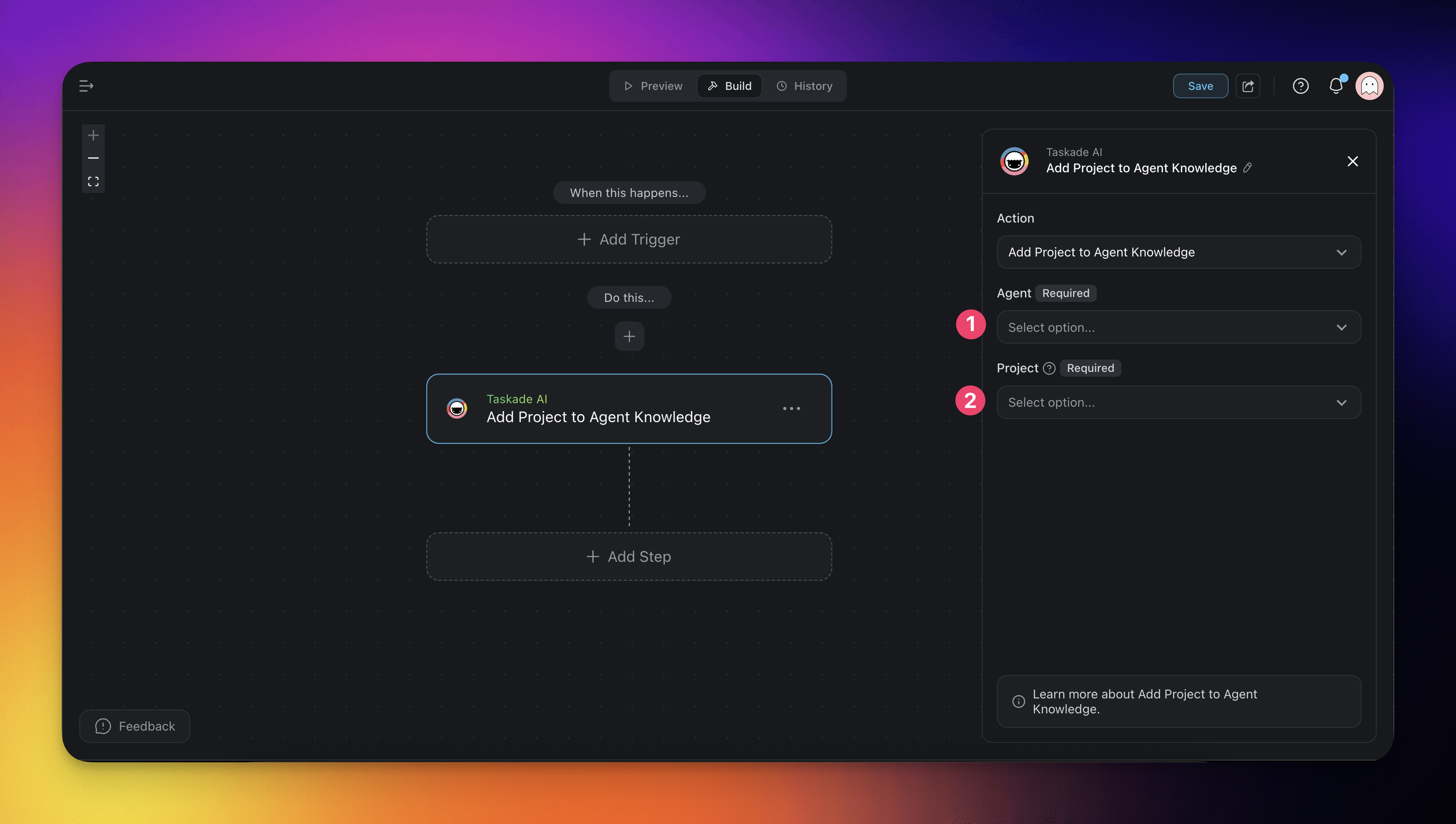
Configure the action in the sidebar on the right:
Select the AI Agent you want to update.
Choose the Project you want to add as knowledge.
Action Settings
| 🏷️ Field | 🔤 Description |
|---|---|
| (required) Agent | Select the AI Agent you want to train. (Required) |
| (required) Project | Select the project that will be added to the agent’s knowledge. (Required) |
| 🪄 Use Case | 💭 Scenario | ⚙️ Action Flow |
|---|---|---|
| Train agents on new work | A new project is created with information the agent needs. | Automatically add the project to the agent’s knowledge base to ensure it stays current. |
| Keep agents updated | Ongoing projects are updated frequently. | Add the project to the agent regularly so it has access to the latest content. |
| Enable context-aware responses | You want the agent to answer using specific project content. | Add the relevant project so the agent can reference details in conversations. |
| Support onboarding | You want agents to learn from past projects to help new team members. | Feed previous projects into the agent so it can assist with onboarding questions. |
| Power research assistants | An agent helps summarize or respond to research projects. | Automatically sync research-focused projects to make the agent smarter and faster. |
| Prepare agents for launches | A feature launch or campaign project is ready. | Train the agent on the launch plan so it can help answer team or customer questions. |
FAQ
How often do I need to refresh project knowledge?
For active projects, a nightly Schedule is a good default. For slower-moving reference projects, weekly is fine.
Does adding the same project twice create duplicates?
No. Each refresh replaces the prior version of that project's knowledge entry, so the agent always reasons over the latest content.
Can one agent learn from multiple projects?
Yes. Run the action once per project, or chain several Add Project to Agent Knowledge steps in a single flow.
Related guides
- Agent Knowledge Action. Add specific text or files to agent memory.
- Agent Knowledge & Memory. How knowledge sources work in agents.
- Custom AI Agents. Build the agent first.
- Schedule Trigger. Nightly knowledge refresh.