
Overview
Search Web allows an automation to gather information from the web, perfect for daily news digests, lead enrichment, or pre-meeting briefings. Pair with Ask Agent for AI summarization and Add Task to drop the result into a project.
TL;DR: Search Web is an action step inside an automation that runs a live search query against the internet and pulls the results back for downstream steps to use. Feed those results into an AI agent or Add Task to turn fresh web data into reports, briefings, or project items.
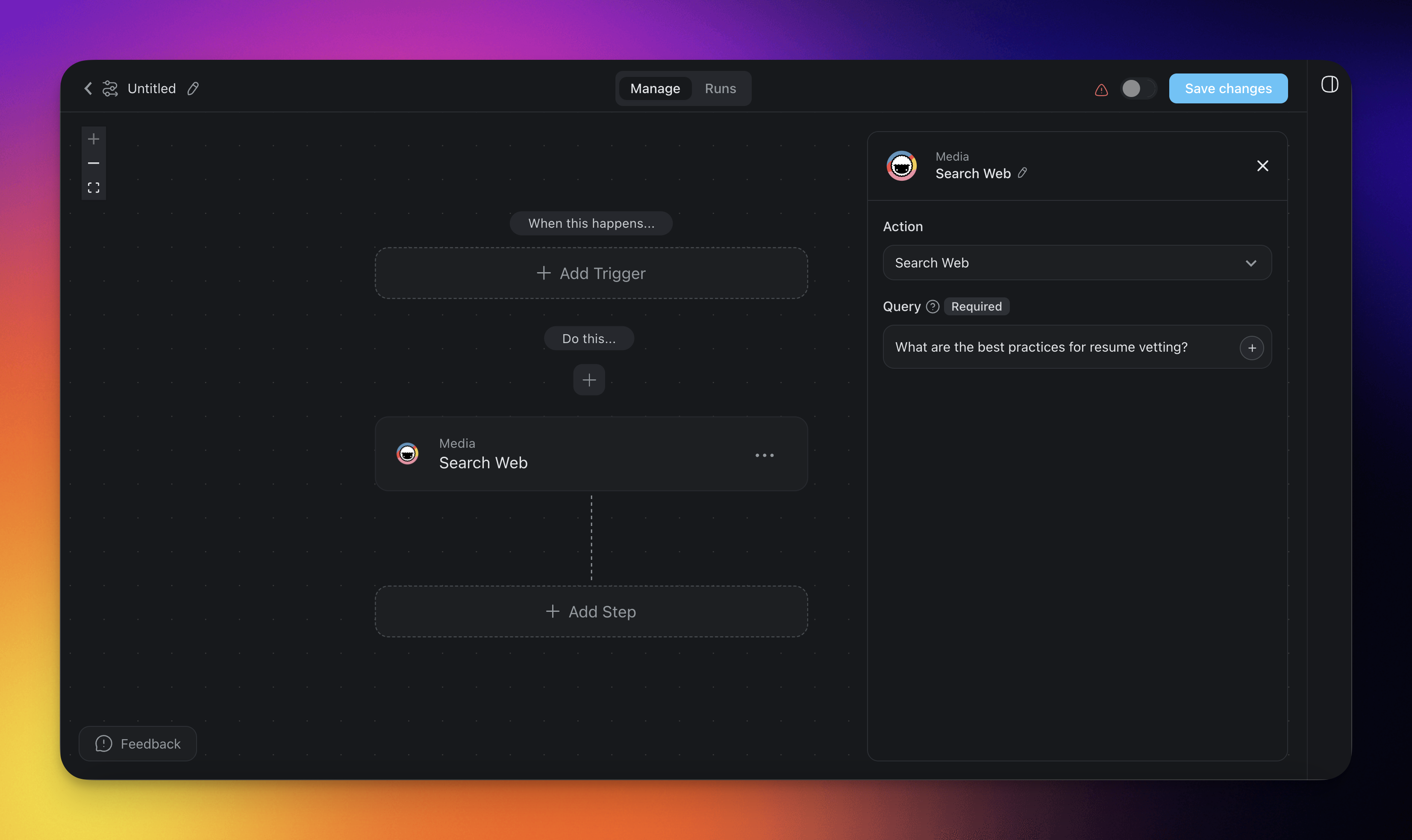
How to Use It
- Click ➕ Add Step and choose the Search Web action.
- In the Query field, enter the search terms, for example "latest project management trends". You can also insert a variable from an earlier step.
- Finish the automation or add more steps for further processing.
Search Web (Settings)
Connector options give you full control over the Search Web automation:
| 🏷️ Field | 🔤 Description |
|---|---|
| Query | Enter the search query you want to use to search the web. |
Search Web Use Cases
Not sure how to use the Search Web action? Here are a few ideas:
| 🪄 Use case | 🔤 Description |
|---|---|
| Resume checking | Search the web for information about an applicant and verify whether the details listed in the resume match publicly available information. |
| Research and data collection | Use Search Web to gather up-to-date information from various online sources. This makes research for reports, articles, or presentations faster. |
| Automated content curation | Automatically pull relevant web content to generate curated newsletters, blog posts, or social media updates based on the latest trends and topics. |
| Market and competitor analysis | Search for the latest market trends, competitor news, or product reviews. Analyze the results and add them to your business strategies. |
| Fact-checking and verification | Cross-reference claims or statistics mentioned in a document with current web sources to confirm accuracy. |
Tips
- Dynamic queries: Insert data from a previous trigger or action using the @ reference so each automation run searches for different terms based on live input.
- Chain with AI: Pass the search results to the Agent action to have an AI agent summarize findings, compare sources, or draft a report.
- Combine with Scrape Webpage: Use Search Web to find relevant URLs, then follow up with the Scrape Webpage action to extract full-page content from the top results.
Related guides
- Scrape Webpage. Extract full-page content from search results.
- Agent Action. AI-summarize search results.
- HTTP Request. Call specialized search APIs.
- Schedule Trigger. Recurring research digests.