
Overview
The Task Due trigger lets an automation find when a task reaches its due date. Task Due is the deadline-aware sibling of New Due Date: New Due Date fires when a deadline is set. Task Due fires when the deadline arrives.
TL;DR: The Task Due trigger starts an automation the moment a task's due date arrives, so you can react to deadlines automatically. Use it to schedule posts, send reminder emails, or kick off any follow-up the instant a task comes due.
How to Use It
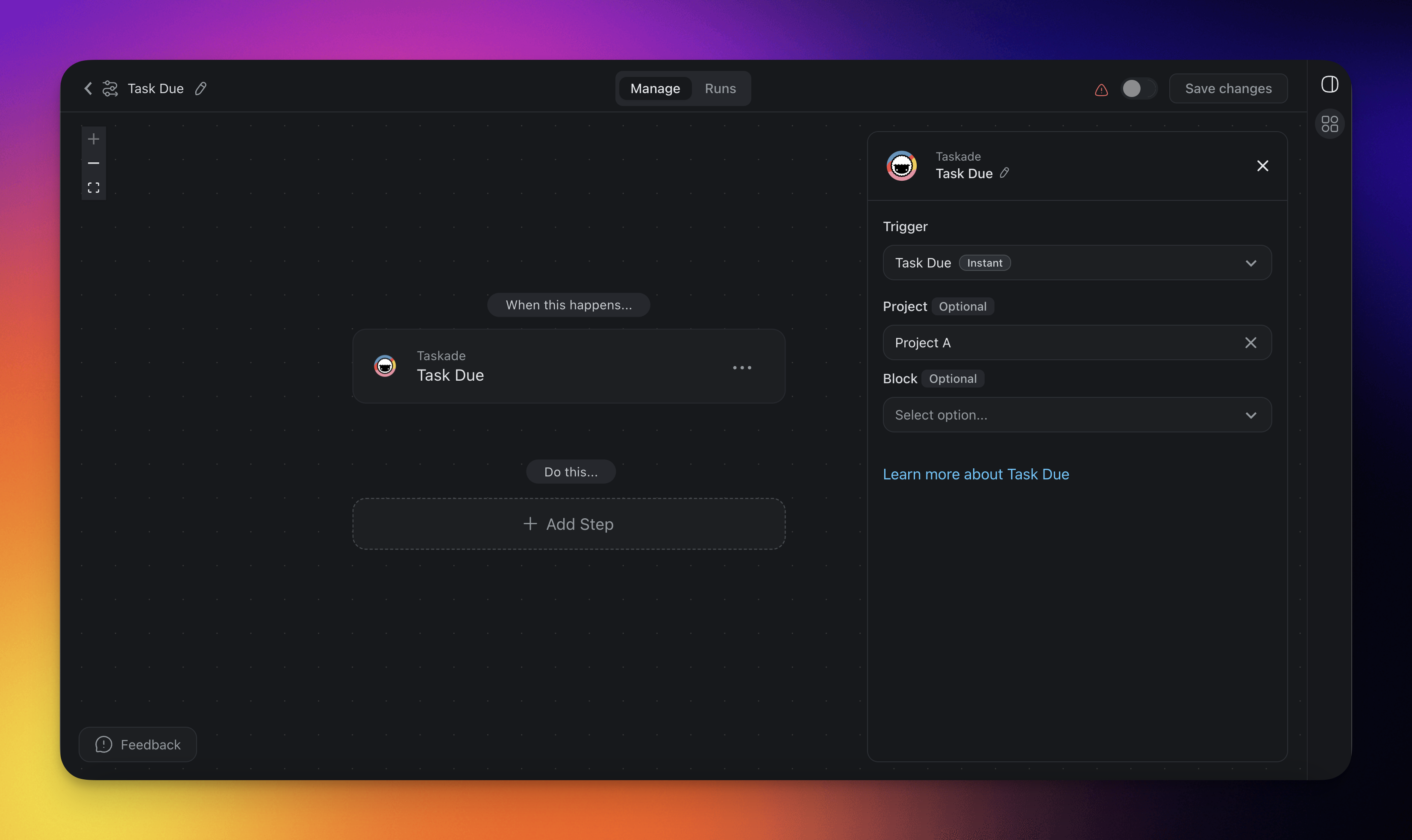
- Click ➕ Add Trigger and choose the Task Due trigger.
- Select a Project for the automation to monitor. If you select no project, the automation monitors all projects.
- Optionally, select a specific Block within the Project to monitor for changes.
- Add more steps for further processing.
Task Due (Settings)
Connector options give you full control over the Task Due trigger:
| 🏷️ Field | 🔤 Description |
|---|---|
| Project (Optional) | Select the Project you want this trigger to watch. If you leave the project field blank, all projects are selected by default. |
| Block (Optional) | Select the Block you want this trigger to watch. If you leave the block field blank, all tasks in the project are monitored. Only Blocks inside the selected Project are available to pick. |
Task Due Use Cases
Not sure how to use the Task Due trigger? Here are a few ideas:
| 🪄 Use case | 🔤 Description |
|---|---|
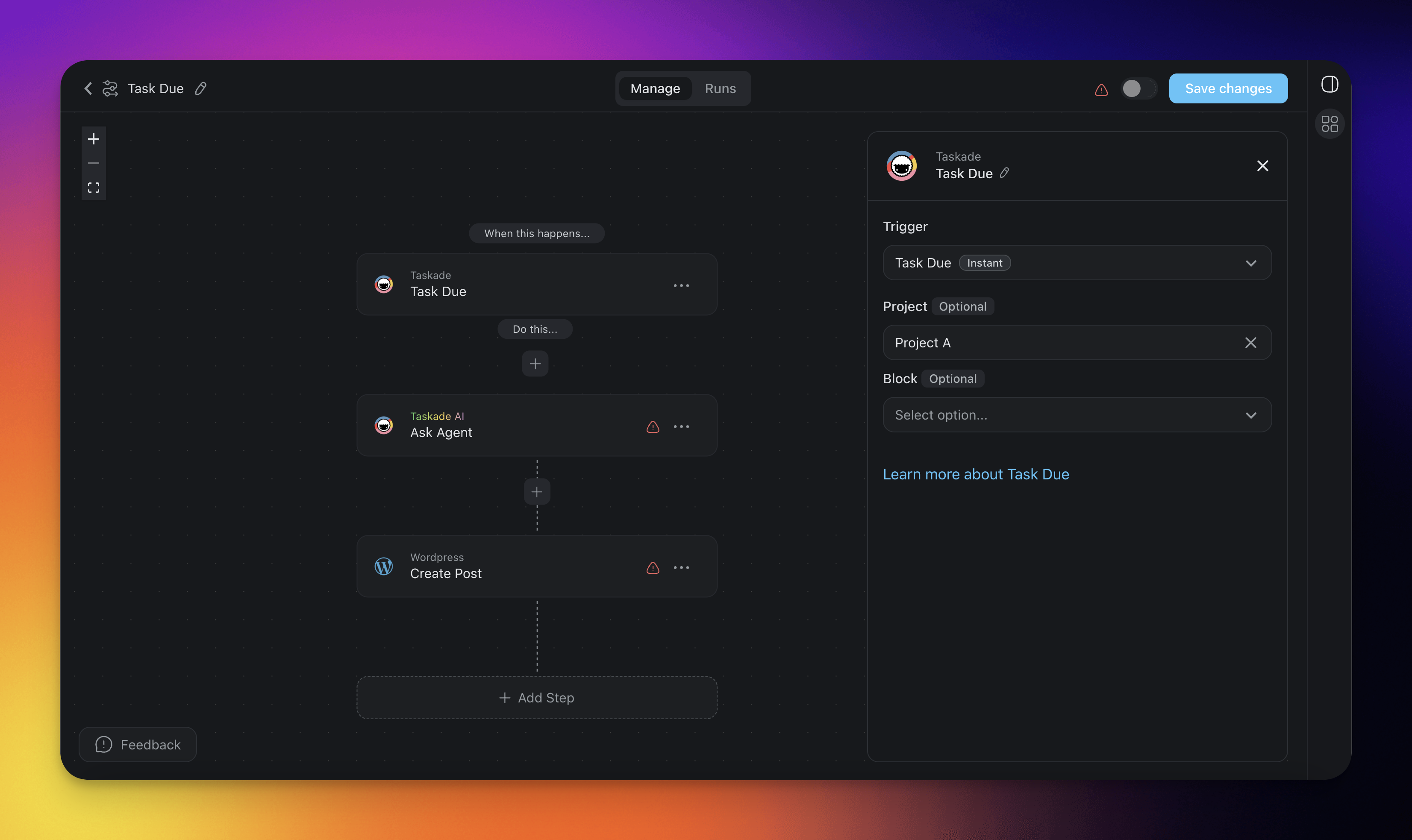
| Schedule Posts | Automatically generate and publish a WordPress post using AI agents when a task's due date is reached, ensuring timely content delivery. Using multiple tasks with due dates allows you to create regularly scheduled posts automatically. |
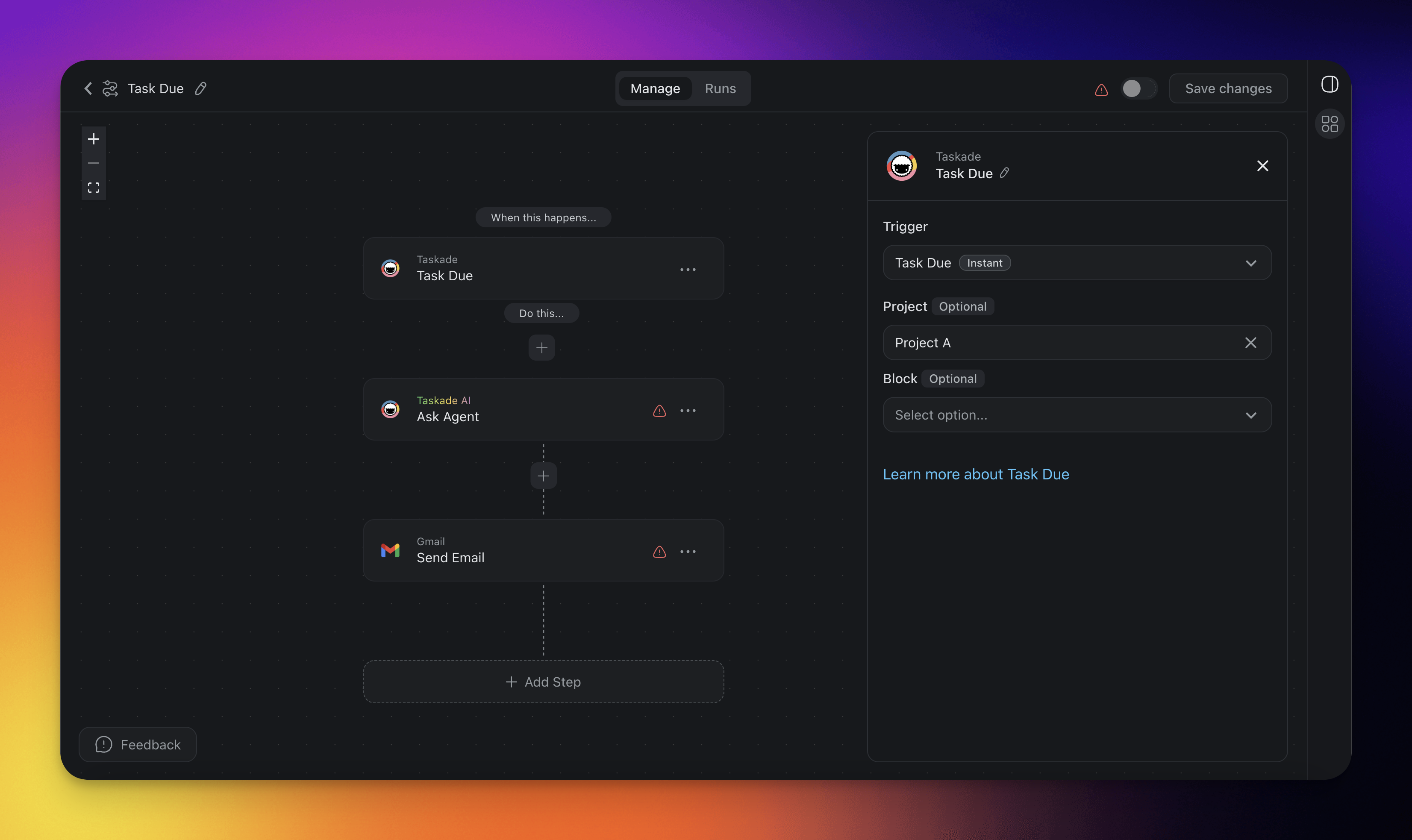
| Schedule Emails | Automatically send an email when a task's due date is reached, making it easy to notify team members, clients, or stakeholders, initiate follow-up actions, or update workflows. This ensures timely communication and helps keep projects on track. |
Schedule Posts
Schedule Emails
Related guides
- New Due Date Trigger. Fires when a deadline is set.
- Schedule. Cron-style recurring flow.
- Delay Action. Wait before firing.
- Branch Action. Escalate overdue items.