
Overview
Agent Public Chat Ended initiates actions when a public agent conversation concludes. The trigger activates if the conversation remains inactive for 5 minutes. The data returned includes the entire conversation transcript, which you can then pass to subsequent actions for analysis, storage, or follow-up.
TL;DR: Agent Public Chat Ended is a trigger. It pulls a finished public chat into Taskade after the conversation sits idle for 5 minutes. Your automation gets the full transcript, so the next actions can analyze, store, or follow up automatically. See Agent Inbox.
This trigger is especially useful for customer-facing agents that are embedded on your website or shared with a public link. Every time a visitor finishes chatting with your agent, the automation kicks in automatically.
Note: Visit Public Agent Inbox & Share & Embed AI Agents to learn more.
Every chat session ends with a full transcript. It can flow into Categorize with AI for sentiment, into Add Knowledge to Agent for self-improvement, or into a CRM through the 100+ integration library.
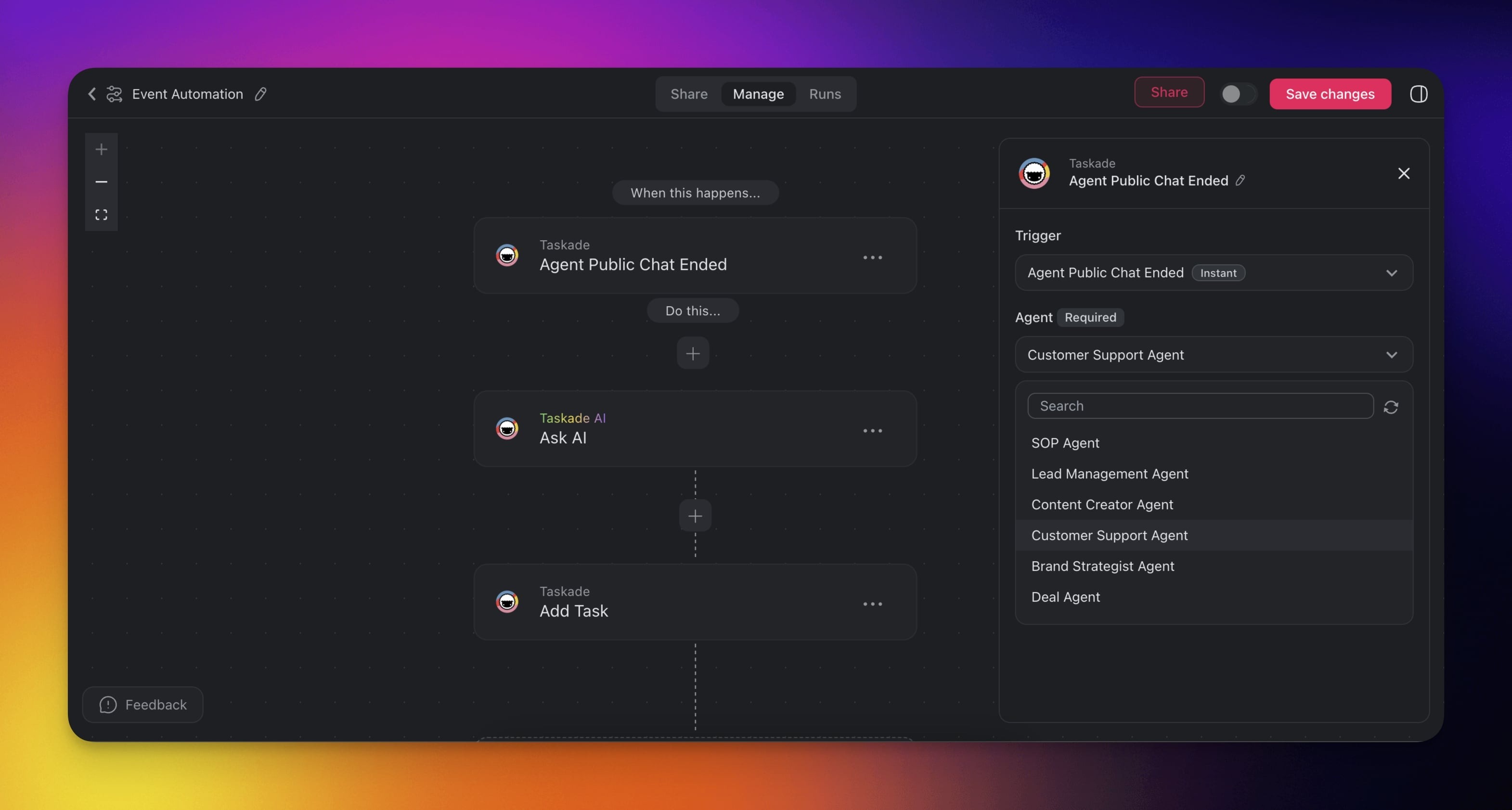
Trigger Settings
Connector options give you full control over the trigger:
| 🎛️ Field | 🔤 Description |
|---|---|
| (required) Agent | Choose the public agent you want to monitor. |
How It Works
- A visitor starts a conversation with your public agent.
- The conversation becomes inactive for 5 minutes, then the trigger fires.
- The full conversation transcript is passed to the next step in your automation.
- Subsequent actions can analyze, store, or act on the conversation data.
Use Cases
Not sure how to use the trigger? Here are a few ideas:
| 🪄 Use Case | 🔤 Description |
|---|---|
| Customer support enhancement | Use AI to analyze conversation logs to identify common issues and improve customer support processes. |
| Automated CRM updates | Automatically update your CRM system with data from conversations to maintain accurate customer records. |
| Feedback collection | Collect feedback from customers immediately after they interact with the agent to improve service quality. |
| Follow-up management | Automatically schedule and manage follow-up actions based on conversation details to ensure timely responses. |
| Support ticket generation | Convert conversations into support tickets or action items to ensure issues are tracked and addressed. |
| Service quality monitoring | Use conversation logs to monitor and improve the quality of customer interactions across your support team. |
Tip: Chain this trigger with the Categorize with AI action to automatically score sentiment or classify the conversation topic before routing it to the right team.
Related guides
- Agent Inbox: Where public chats land
- Sharing & Embedding: Publish agents to the web
- AI Categorize: Analyze conversation transcripts
- Agent Knowledge Action: Feed conversations back as agent memory