
Onboard From a Proven Structure
Start every client, sprint, and campaign with the same proven project layout, without rebuilding it by hand. The Project Template action creates a fresh project from a template you choose the instant a trigger fires, so work begins fully structured. No more copy-pasting last quarter's project and cleaning up the leftovers.
TL;DR: The Project Template action runs as a step inside an automation and spins up a fresh project from a template you choose. Pair it with any trigger so onboarding, sprints, and launches start fully structured without manual setup or copy-pasting last quarter's project.
Templates capture your best-practice project layouts: task hierarchies, descriptions, assignees, due-date offsets, and custom fields. When the automation fires, a fresh copy of the template is created in your workspace, ready for your team to start working.
One trigger fires, and a ready-to-run project appears:
📁 Client Onboarding: Acme Co
 ├─ ☐ Send welcome packet
 ├─ ☐ Collect brand assets
 ├─ ☐ Set up shared workspace
 └─ ☐ 30-day check-in   (due +30d)
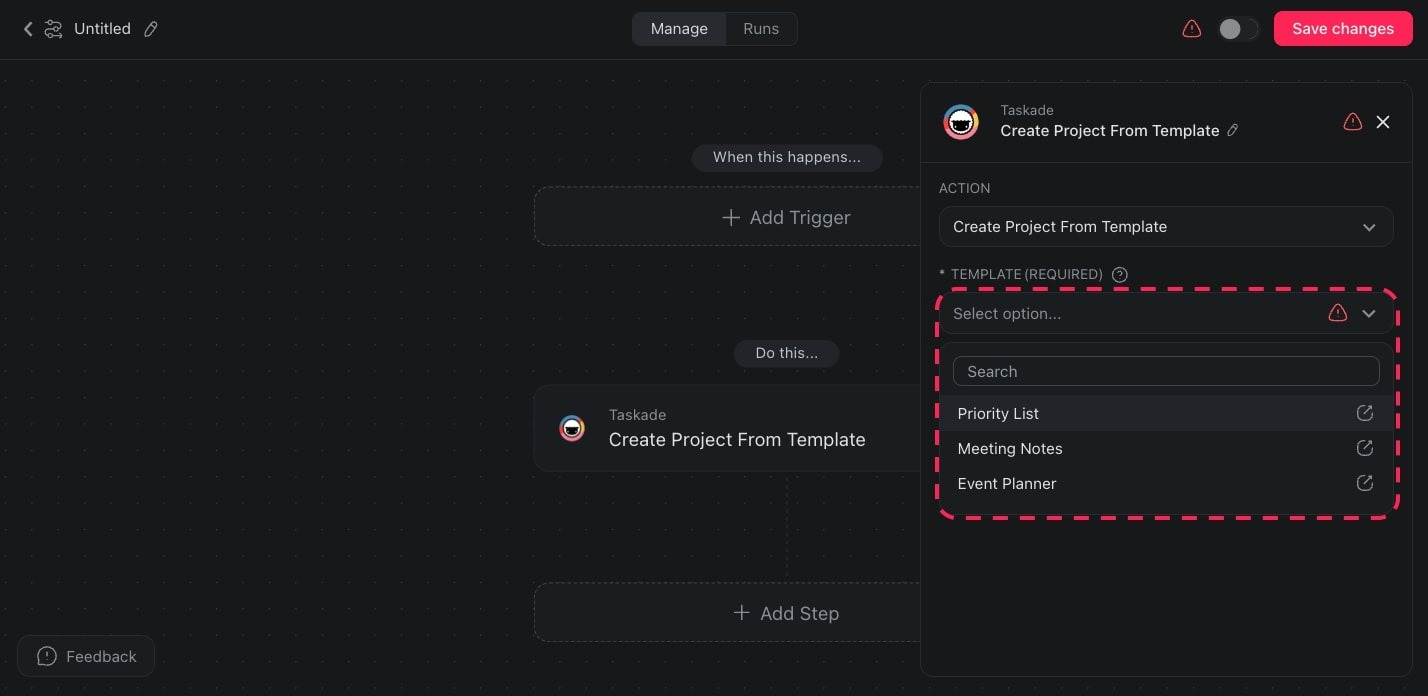
Template Triggers & Actions
Here are the triggers & actions you can use in your automations:
| Action | Description |
|---|---|
| Create a Project from Template | Create a new project from a custom or pre-defined template in the workspace. |
You can pair this action with any available trigger. For example, combine it with the Webhook trigger so an external event (a new deal in your CRM, a form submission, or an incoming email) automatically spins up a fully structured project.
Project Template Settings
Connector options give you full control over the Project Template automation:
| Field | Description |
|---|---|
| TEMPLATE | Choose the template you want to use to create the new project. |
| TITLE | Type a title for the new project. You can type the title directly or click ➕/type "@" to insert data dynamically. |
Use Cases
Not sure how to use the Project Template action? Here are a few ideas:
| Use Case | Description |
|---|---|
| Client onboarding | Automatically create a structured onboarding project every time a new client signs up, complete with checklists and milestones. |
| Sprint planning | Trigger a new sprint project from a template at the start of each cycle, pre-loaded with recurring tasks and assignees. |
| Campaign launches | Spin up a marketing campaign project with predefined channels, deliverables, and deadlines whenever a campaign is approved. |
| Employee onboarding | Generate a new-hire checklist project for HR, IT setup, and team introductions as soon as a hire is confirmed. |
Tip: Combine the Project Template action with the Agent action to have an AI agent populate the newly created project with context-specific content.
Related guides
- Create Project. Blank project without a template.
- Add Task. Add tasks to the templated project.
- Form Trigger. Common entry point for template spawns.
- Agent Action. AI-populate the template.
- Use Templates. How to create templates in the first place.