
Overview
The Update Custom Fields automation action in Taskade lets you automatically update custom fields in projects. This keeps your tasks up-to-date and accurate without manual edits. It also keeps custom fields aligned with project goals as work progresses.
TL;DR: Update Custom Fields is an action that runs as a step inside an automation. When a trigger fires, this action writes new values back into your project's custom fields, so dates, statuses, and scores stay accurate without manual edits. Pair it with the Field Updated trigger for fully event-driven projects.
For instance, when a task is completed you can automatically set a "Completed Date" field, update a "Status" dropdown, or increment a progress counter, all within the same automation flow.
Note: Be sure to check out custom fields automation triggers next.
Combine Update Custom Fields with Field Updated triggers and you have a fully event-driven workspace. Every automation can write back into structured project data, which then powers Table View, Gantt, and downstream automations.
Update Custom Fields Actions
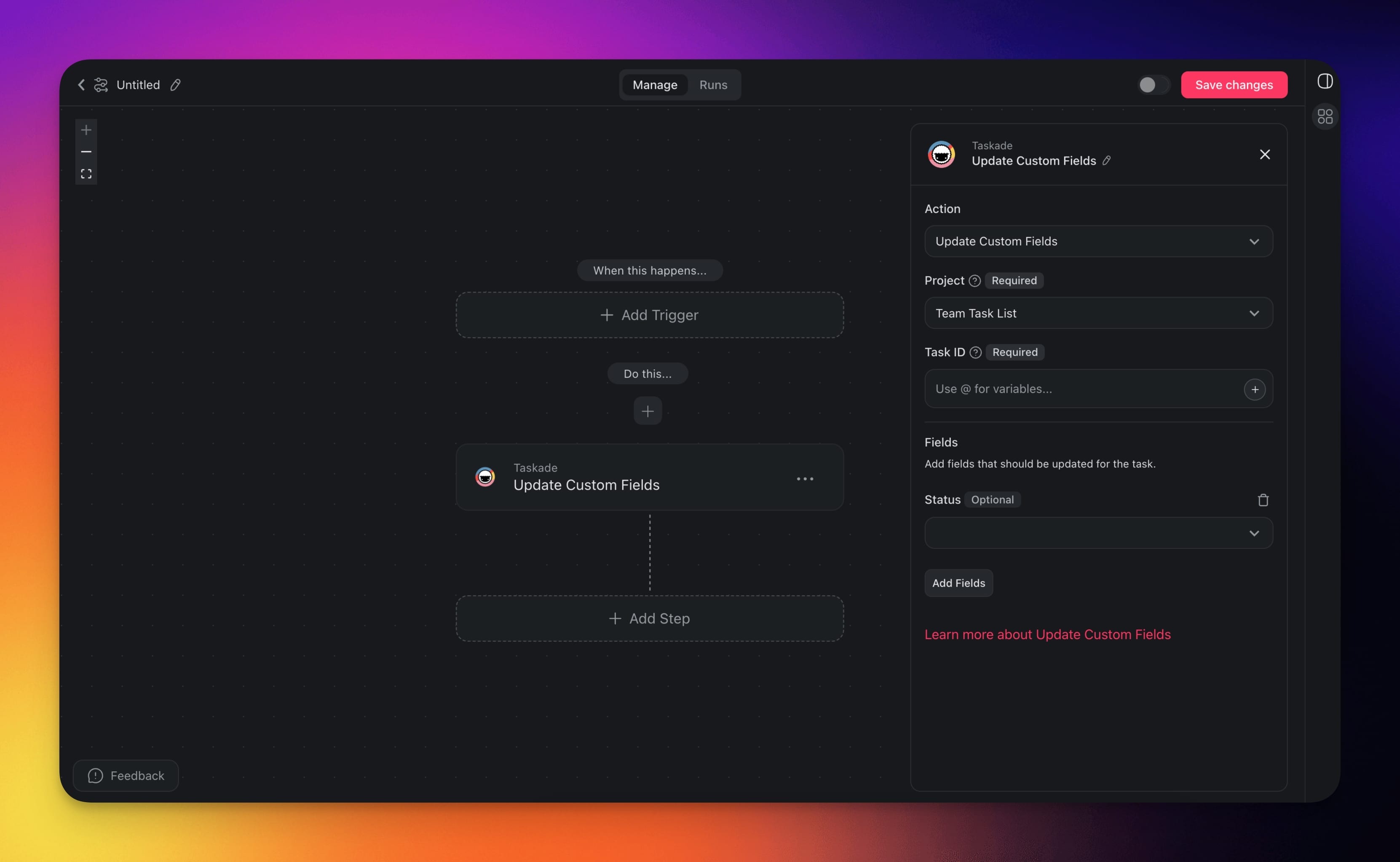
The custom fields automation lets you choose different actions depending on specific needs. Here are custom fields actions you can use in your automations:
Note: Looking for additional custom fields actions? Submit your request here.
| (ACTION) Update Custom Fields | Update custom fields within projects. |
|---|
Custom Fields Settings
The custom fields automation settings let you control exactly how and when custom fields are updated. You can set specific conditions to make sure that updates happen only under the right circumstances. Here is the full list of available options:
| Field | Description |
|---|---|
| PROJECT | ID of the target project. |
| TASK ID | ID of the task you want to update. You can insert this dynamically using the @ reference from a previous trigger. |
| FIELDS | Add the fields that should be updated along with their new values. |
Use Cases
Not sure how to use this action? Here are a few ideas:
| Use Case | Description |
|---|---|
| Auto-stamp completion dates | When a task is marked done, automatically write the current date into a "Completed On" custom field. |
| Pipeline stage updates | Move a deal to the next stage by updating its "Stage" field after a follow-up email is sent. |
| Score or rating assignment | Use the Categorize with AI action to evaluate content, then write the score into a custom field for easy filtering. |
| Cross-project syncing | Update a summary field in a reporting project whenever the source project's field changes, keeping dashboards current. |
Tip: Combine this action with the Custom Field Updated trigger to create chain reactions. One field update can trigger another automation that updates more fields.
Related guides
- Field Updated Trigger: React to field changes
- Custom Fields in Projects: Set up fields to update
- Add Task: Set initial field values on creation
- Structured Output: Typed AI output for field updates
- AI Categorize: AI-driven field classification