
Overview
The Add Knowledge to Agent automation action lets you grow your AI agent’s knowledge base automatically. You can pass in content from a variety of sources, structured or unstructured, and Taskade will store it as searchable knowledge.
TL;DR: Add Knowledge to Agent runs as a step inside an automation and writes new content into an AI agent's knowledge base. Feed it a webpage, YouTube video, file, or plain text, and every future Ask Agent call reasons over what you added. This is how agents learn automatically.
💡 Note: Visit Add Project to Agent Knowledge to learn how to automatically train your agents using dynamic project data.
You can pipe the result of a Scrape Webpage, Transcribe YouTube, or Search Web step directly into an agent's brain, and any future Ask Agent call will reason over it. This is how agents learn automatically from the world around them.
How to Use It
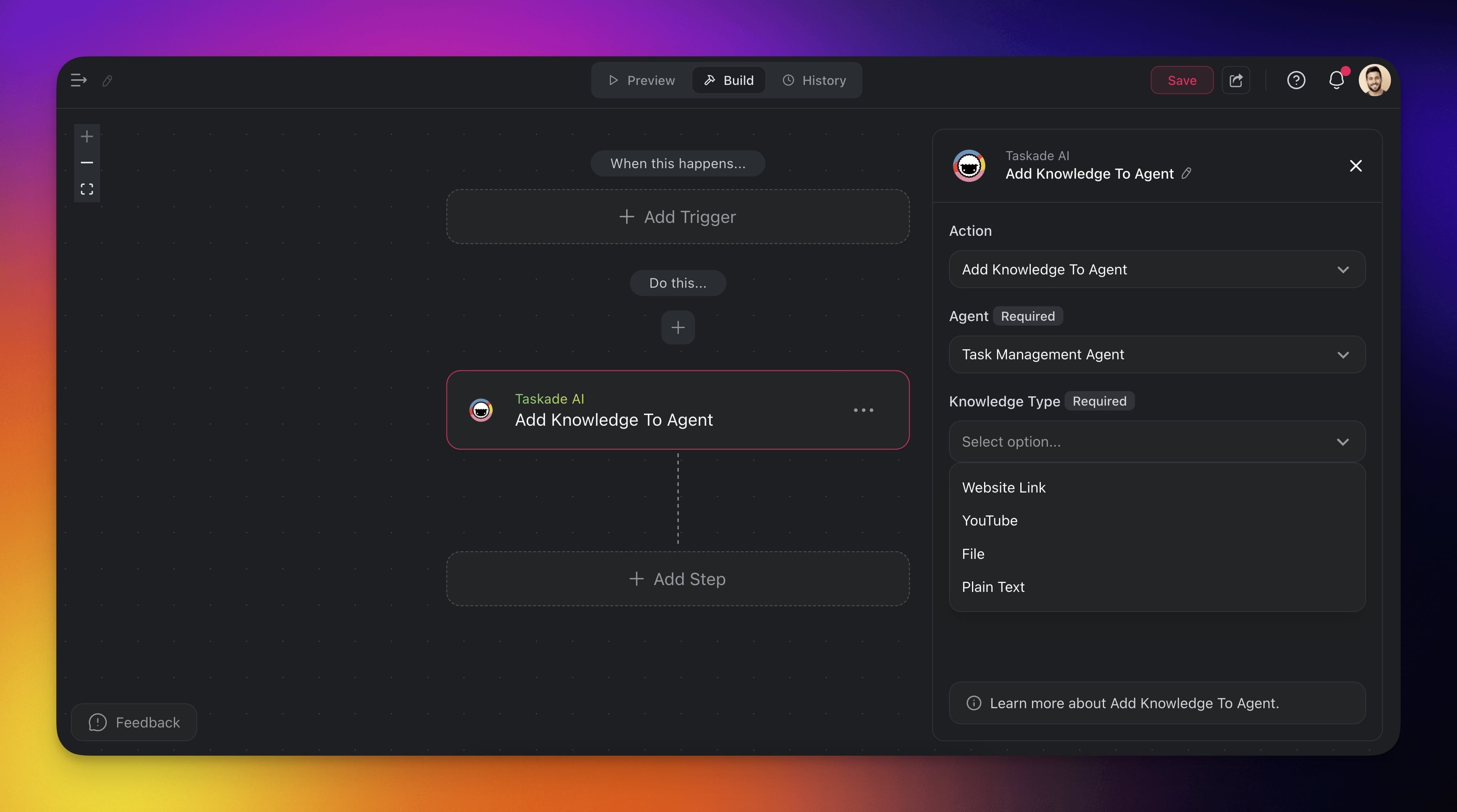
Click ➕ Add Step and choose the Add Knowledge to Agent action.
Configure the action in the sidebar.
Select the agent you want to fine-tune.
Choose the type of knowledge you want to add:
- Website Link
- YouTube
- File
- Plaintext
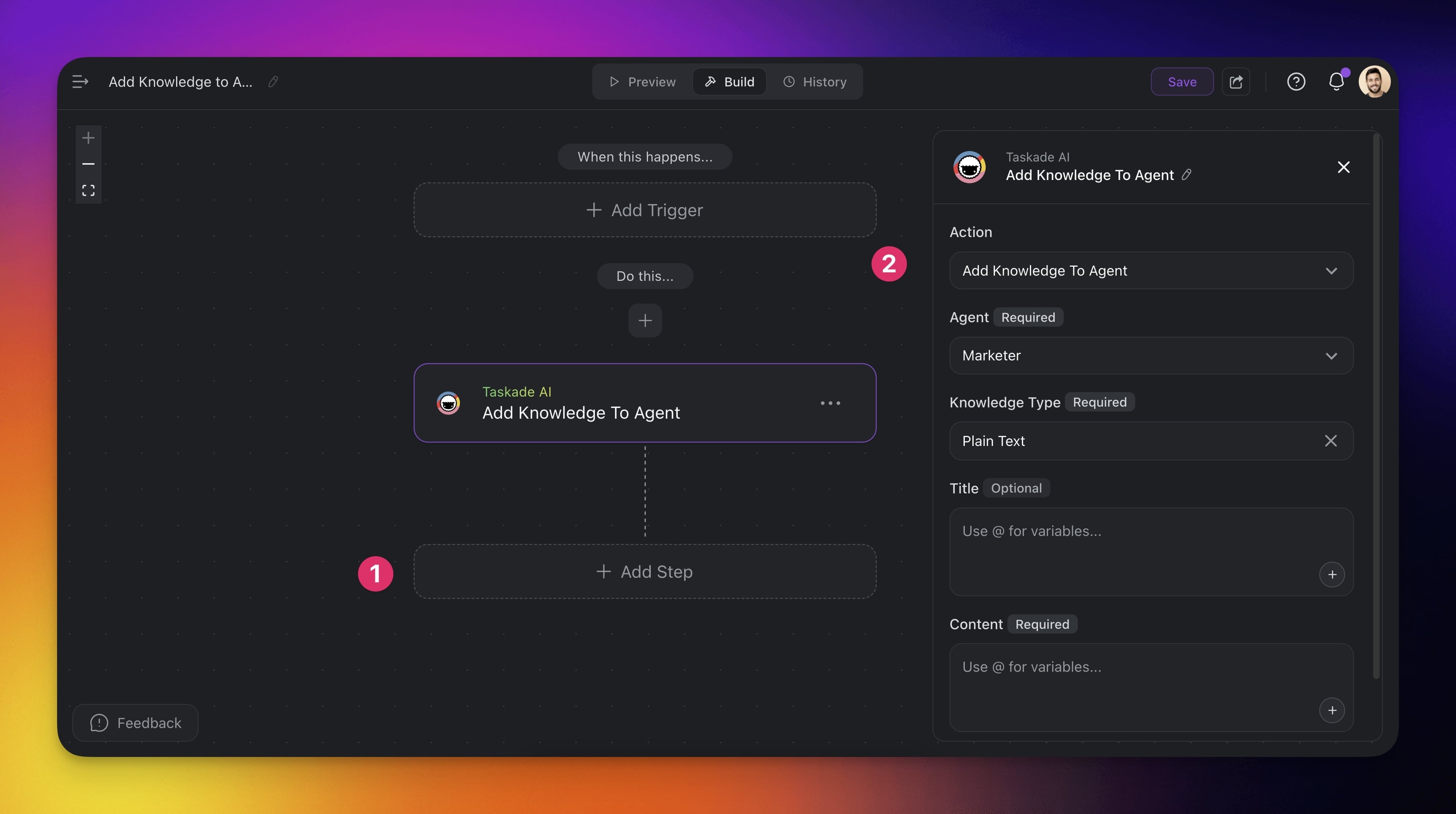
- Finish the automation or add more steps for further processing.
Add Knowledge to Agent Settings
Connector options give you full control over the Add Knowledge to Agent automation:
| 🏷️ Field | 🔤 Description |
|---|---|
| (required) Agent | The agent that will be fine-tuned. |
| (required) Knowledge Type | The type of knowledge to be added. |
| (required) File Download | The URL of the knowledge source. |
| (required) YouTube URL | The URL of the YouTube video. |
| (optional) Title | The title of the knowledge file. |
| (required) Content | The content of the knowledge file. |
Add Knowledge Use Cases
Not sure how to use the Add Knowledge to Agent action? Here are a few ideas:
| 🪄 Use Case | ⏩ Action Flow |
|---|---|
| Expand industry knowledge | ✅ Trigger: Schedule (weekly) ➡️ Action: Scrape Webpage (industry blog) ➡️ Action: Add Knowledge to Agent (with scraped content) |
| Incorporate company policies | ✅ Trigger: New File (Google Drive Trigger) ➡️ Action: Convert File to Text (PDF of policy) ➡️ Action: Add Knowledge to Agent (with content) |
| Update product information | ✅ Trigger: New Row (in Google Sheets) ➡️ Action: Find Row(s) with product update details ➡️ Action: Transform Array to String ➡️ Action: Add Knowledge to Agent |
| Integrate training materials | ✅ Trigger: Task Added (video URL in a "Training" project) ➡️ Action: Transcribe YouTube Video ➡️ Action: Add Knowledge to Agent |
| Update compliance documents | ✅ Trigger: New File (legal folder in Google Drive) ➡️ Action: Convert File to Text ➡️ Action: Add Knowledge to Agent (extracted text) |
Related guides
- Project Knowledge Action. Use a whole project as knowledge
- Scrape Webpage, Transcribe YouTube, File Convert. Common upstream steps
- Agent Knowledge & Memory. How knowledge sources work inside agents
- Custom AI Agents. Create the agent that receives the knowledge