






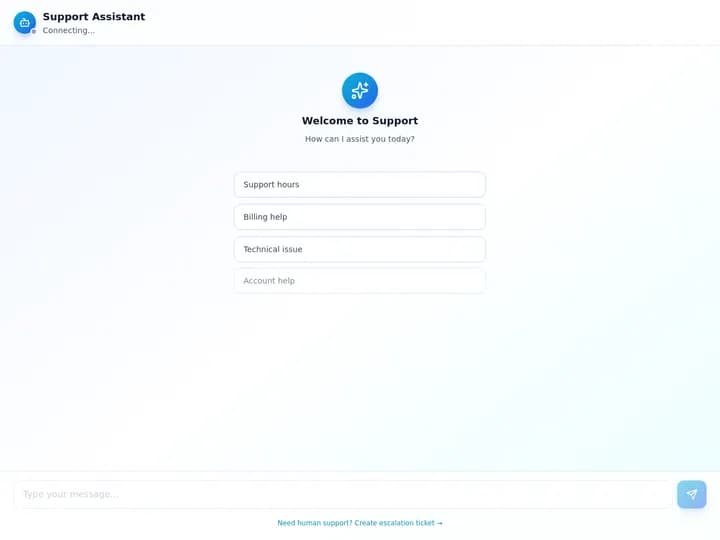
Every AI app builder demo ends the same way: a prompt goes in, a polished app comes out, and everyone claps. The demo never shows week three, when a button stops working, a credit meter hits zero, or a teammate asks where the customer data actually lives.
This comparison covers five builders that non-technical people actually shortlist in 2026: Lovable, Bolt, Replit, Base44, and Taskade Genesis. We score what you live with after the first build, including one test almost nobody runs: how well each product's own documentation teaches a non-coder when the build stalls.
TL;DR: Lovable, Bolt, and Replit generate code with a hosted backend. Base44 keeps more of the stack inside its platform. Taskade Genesis builds the app inside a workspace where data, AI agents, and automations are already connected. All four competitors run their docs on Mintlify, and Lovable's help center is the best of them. Build an app free
Which AI App Builder Is Best in 2026?
There is no single winner, because the five products make different promises. Lovable suits polished front ends and owned code. Replit covers the widest range, web to mobile. Bolt is the fastest path to a hosted full-stack project. Base44 is the most all-in-one code builder. Taskade fits teams that want the app running with agents and automations attached.
| Builder | Best for | What you get | Free plan | Paid from |
|---|---|---|---|---|
| Taskade | Teams running a live app with agents and automations | App + workspace data + agents + automations | Yes, publishes live apps | $10/mo billed annually |
| Lovable | Designers and founders who want owned code | React front end + Lovable Cloud backend | 5 credits/day, 30/month | $25/mo |
| Replit | Builders who want web and mobile in one place | Full codebase + PostgreSQL + hosting | Starter, one published app | $20/mo billed annually |
| Bolt | Fast full-stack prototypes | Code + Bolt Cloud database and hosting | 1M tokens/mo, 300K/day | $25/mo |
| Base44 | Solo builders who want everything built in | App + built-in NoSQL backend + auth | 25 message credits/mo | $16/mo billed annually |
Pricing was read from each vendor's own pricing page and help center on September 23, 2026. Confirm current numbers before you buy.
How we compared them
We read each vendor's pricing page and walked each help center from its first-app guide outward: the sidebar, the quick start, one feature page, the troubleshooting pages, and the machine-readable files (llms.txt, markdown copies of each page). Then we mapped the path a non-technical person takes from a blank screen to a published app, and where that path breaks.
Most reviews stop at step three. The orange steps are where non-technical builders actually quit.
1. Taskade Genesis
Taskade Genesis turns a prompt into a live app that sits inside a workspace. The app's records live in projects, AI agents read and act on those records, and automations run on triggers across 100+ bidirectional integrations. You publish on every plan, including Free, and there is no separate backend to connect.
Key features
- One prompt builds the interface, the data, and the logic together. The building agent plans the app and asks clarifying questions before it builds.
- Workspace DNA: projects hold memory, agents supply intelligence, automations handle execution.
- 15+ frontier models from OpenAI, Anthropic, and open-weight providers.
- Multiple project views on the same data: List, Board, Table, Mind Map, Calendar, Gantt Chart, and more.
- App User sign-in on every plan. Clone working apps from the Community Gallery.
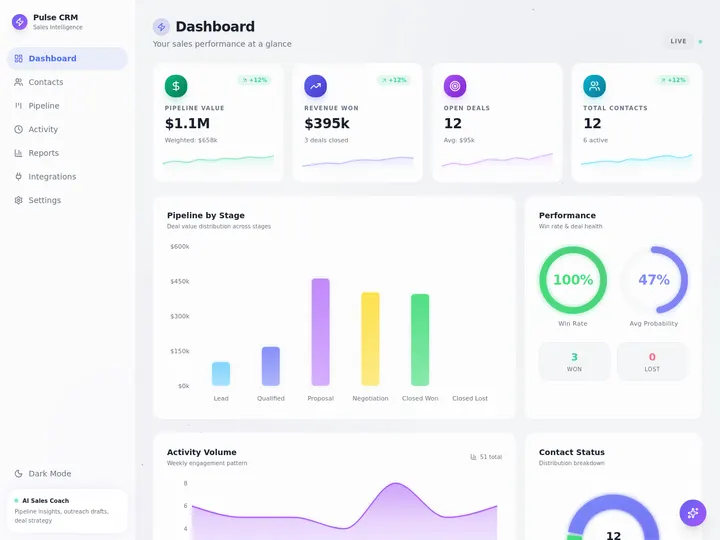
Where it shines. Operations apps that need to keep doing things: a client portal that routes requests, a CRM whose agent drafts follow-ups, an intake form that files, tags, and notifies. Real-time collaboration and role-based access from Owner to Viewer come with the workspace.
Watch out for. You do not get a React codebase to fork. A custom domain needs the Business plan. Apps publish to the web, not to the app stores.
Pricing. Free covers 2 members, 3 apps, and 1 agent, plus 6,000 credits across signup and your first build. Pro is $10/month billed annually ($20 monthly) for up to 10 seats with 50,000 credits a month. Business is $25/month billed annually.
Docs and learning curve. Help splits into a Learn help center for builders and developer docs for the API and MCP. The quickstart walks the whole workspace in about 30 minutes. The app itself arrives at step six. The first-app guide is the faster path. Starter prompts supply copy-paste prompts, and a glossary defines the terms.
Best for: teams that want a working system, not a repository.
2. Lovable
Lovable generates a React front end with a backend on Lovable Cloud, which is built on Supabase. It is the design-first leader in the category. The output is polished, the editor is approachable, and you can sync the code to GitHub and take it with you.
Key features
- Three modes: Chat to discuss, Plan to investigate, and Build to implement. Build mode was called Agent mode until 2026, and the docs still say so.
- Lovable Cloud provisions database, auth, storage, and backend functions from a prompt.
- Click-to-edit visual tweaks in the preview, with no prompt needed for text changes.
- Git sync with GitHub, GitLab, and Bitbucket, plus a large set of connector pages.
Where it shines. Landing pages, portfolios, SaaS front ends, and any project where design quality and owned code matter most.
Watch out for. Build mode is usage-based, so a large task costs more than one credit. The docs pause work at a 20-credit check-in by default, which helps, but heavy debugging sessions still drain credits. User reviews repeatedly mention fix-one-thing-break-another loops.
Pricing. Free gives 5 credits a day, capped at 30 a month. Pro starts at $25/month for 100 credits plus 5 a day, with custom domains. Business starts at $50/month and adds SSO. Enterprise adds SCIM.
Docs and learning curve. The best help center in this group. The quick start promises a published app in "about ten minutes" across 8 numbered steps, and every step carries a copy-paste prompt. Alternate prompts sit in a collapsed panel. There is a glossary, a 3-page prompting section, a debugging guide that pairs a bad prompt with a good one, and a daily changelog.
Best for: founders and designers who want a beautiful app and the code behind it.
3. Replit
Replit is the broadest platform in this comparison. Agent 4, launched on March 11, 2026, added an infinite design canvas, parallel agents that split a task into reviewable chunks, and connectors to tools like Linear and Notion. The same project can hold a web app, a mobile app, slides, or a data visualization.
Key features
- Agent 4 with parallel task execution and a review step before changes merge.
- Fully managed PostgreSQL, zero-setup Replit Auth, and object storage.
- Web and mobile build tracks, with deployments and custom domains.
- A real development environment underneath, for when you outgrow the prompt.
Where it shines. Builders who expect to grow into code, and teams that want web and mobile work in one place. Its first-app prompt is the best in the category: it tells the agent exactly what to leave out.
Watch out for. Effort-based pricing makes monthly cost hard to predict, and reviews on Trustpilot and G2 report surprise bills when the agent retries a failing task. The docs route you to an interactive demo instead of publishing a per-checkpoint price.
Pricing. Starter is free with one published app. Core is $20/month billed annually ($25 monthly) with $25 of monthly credits. Pro is about $100/month for teams of up to 15 builders. Enterprise adds SSO and SCIM.
Docs and learning curve. Two audiences share one site. The Chat, Build, Design, and Use Cases sections are written for beginners, and the first-app page ends with five next-step cards: add login, add a database, add payments, add integrations, publish. The Features reference covers .replit configuration files, packages, and ports, and nothing warns a beginner when a link crosses into it.
Best for: people who want to start with prompts and graduate to code.
4. Bolt
Bolt, from StackBlitz, builds full-stack projects in the browser and hosts them on Bolt Cloud, which includes a database, auth, file storage, server functions, and domains. It is the quickest route from a prompt to a hosted project you can inspect line by line.
Key features
- Two agents, Standard and Max. A third, Forge, entered research preview on September 14, 2026, running open-weight models with a larger monthly allowance.
- Bolt Cloud database, auth, storage, secrets, and hosting in one place.
- Integrations for Stripe, Supabase, Netlify, GitHub, Figma, and Expo for mobile.
- Visual edits, version history, and a plan mode before building.
Where it shines. Fast prototypes and developer-adjacent founders who like to watch the code as it is written. The free plan is generous enough to finish a small project.
Watch out for. Token burn during error loops is the most common complaint on Trustpilot, where Bolt rates poorly. A fix that fails can cost the same tokens as a fix that works. The built app has no agents or automations of its own. You build that logic in code.
Pricing. Free includes 1 million tokens a month, capped at 300,000 a day. Pro is $25/month for 10 million tokens with no daily cap and custom domains. Teams is $30 per seat per month.
Docs and learning curve. Compact and practical: 93 pages in 17 sections. Troubleshooting is split into six narrow pages (general, preview, publish, integrations, login, support), so a search for a symptom lands on the right page. The tokens page explains usage in plain language, and a glossary backs up the jargon.
Best for: fast, hosted prototypes you can open up and read.
5. Base44
Base44, acquired by Wix in June 2025, is the most all-in-one of the code-based builders. The backend, auth, payments, analytics, and domains are built into the product, so a solo builder rarely has to connect another service. Superagents, launched in March 2026, adds a separate autonomous-agent product.
Key features
- Built-in NoSQL backend with row- and field-level security and realtime updates.
- Email and social login, plus custom-identity-provider SSO on Enterprise.
- App-scoped AI agents, workflows, and Wix Payments or Stripe checkout.
- A mobile app for building and editing on your phone.
Where it shines. Solo founders who want one bill and zero integration work, and anyone who wants a custom domain on an entry-level plan.
Watch out for. The free plan's 25 message credits go quickly, and integration credits run on a second meter. Base44's own feedback board shows users running out of build credits mid-cycle.
Pricing. Free includes 25 message credits and 100 integration credits a month. Starter is $16/month billed annually ($20 monthly) with a custom domain. Builder is $40, Pro $80, and Elite $160, all billed annually.
Docs and learning curve. The largest help center here, at 576 English pages plus seven translated copies. About three quarters of those English pages are developer and API reference, so the beginner material is a small slice. Its prompt library pairs every prompt with a "why this works" line. The 45-item troubleshooting page is organized by symptom.
Best for: solo builders who want the whole stack in one product.
The Docs Test: How Each Builder Teaches a Non-Coder
The help center is where a non-technical builder goes when the AI gets stuck, which makes it part of the product, not an afterthought. We walked all five help centers on September 23, 2026, and scored each on its first-app guide, copy-paste prompts, troubleshooting depth, and whether the docs are structured for an AI assistant to read.
| Builder | First-app guide | Copy-paste prompts | Troubleshooting | AI-readable docs |
|---|---|---|---|---|
| Taskade | App at step 6 of the quickstart, or the dedicated first-app guide | Starter prompts page | App builds only | llms.txt |
| Lovable | 8 steps, "about ten minutes" | On every step, plus alternates | Debug guide with bad vs good prompts | llms.txt, markdown per page, docs MCP server |
| Replit | ~800 words, exact prompt with limits | Yes, with a "do not add yet" clause | Suggested diagnostic prompts | llms.txt, markdown per page, docs MCP server |
| Bolt | 8-part quickstart | Worked example prompt | 6 pages split by symptom | llms.txt, copy page as markdown |
| Base44 | 5 stages with screenshots, 12-question FAQ | Prompt library with rationale | 45 symptom items | llms.txt, markdown per page |
Three patterns stood out:
- All four competitors run on Mintlify. That one platform choice gives them search, an AI docs assistant, a copy-page button, and
llms.txtby default. The docs look alike because the platform is the same. - The best guides hand you the first sentence. Lovable and Replit never ask a beginner to invent a prompt. Replit goes further and says what to leave out: "Do not add login, a database, payments, or external integrations yet."
- Big docs are not beginner docs. Base44 has the most pages, but most of them serve developers. Bolt has the fewest pages and the easiest troubleshooting.
Next to these four, our own help center has one clear gap: no page offers a markdown copy for AI agents yet. The glossary defines terms like MCP, webhook, and credits in one place. If you are new, start with the first-app guide, then the prompt guide, and keep the troubleshooting guide open while you build.
What Happens After the Prompt?
The real split in this category is not design quality. It is what you are left holding once the first build finishes. Lovable, Bolt, Replit, and Base44 hand you source code plus a hosted backend, and every agent, job, or integration after that is another prompt. Taskade Genesis ships the app, data, agents, and automations as one running workspace.
Code builders are the right call when the code is the asset: you plan to hire engineers, extend the app by hand, or move it to your own cloud. A workspace builder is the right call when the workflow is the asset: the requests, records, follow-ups, and handoffs that run every day. We covered this split in depth in AI app builders vs AI workspace builders and why AI-generated apps break.
Pricing Compared: What Each Meter Actually Counts
Every builder here meters AI work. The unit is what changes, and the unit decides who pays for a failed attempt. Lovable and Base44 charge by the message, Bolt by the token, Replit by effort, and Taskade Genesis includes a flat monthly credit allowance with the plan, so a wrong turn costs the same as a right one.
| Builder | Meter | Entry paid plan | Custom domain from |
|---|---|---|---|
| Taskade | Monthly credits included with the plan | Pro $10/mo annual, 50,000 credits, up to 10 seats | Business, $25/mo annual |
| Lovable | Credits per message, Build mode priced by task size | Pro $25/mo, 100 credits + 5/day | Pro |
| Replit | Effort-based, drawn from plan credits | Core $20/mo annual, $25 credits | Published apps |
| Bolt | Tokens | Pro $25/mo, 10M tokens | Pro |
| Base44 | Message credits + integration credits | Starter $16/mo annual | Starter |
Two notes for a fair read. Base44 and Lovable reach a custom domain on a cheaper plan than we do. Our Pro plan is the only entry plan here that covers a team of up to 10 on one subscription. For a deeper cost breakdown, see AI app builder pricing.
Which One Should You Choose?
Pick the builder that matches what you plan to do in month two, not what looks best in minute two. To own and extend the source code yourself, choose Lovable, Replit, or Bolt. To let one vendor run the whole stack, choose Base44. To get a live app with agents and automations wired in, choose Taskade Genesis.
What do you want to own after the build?
│
├── The source code
│     ├── Design quality matters most ........... Lovable
│     ├── Web + mobile, room to grow into code .. Replit
│     └── Fastest hosted prototype .............. Bolt
│
├── One product that handles the whole stack .... Base44
│
└── A running workflow with agents + automations  Taskade
- Choose Lovable if you want the most polished front end and the code behind it.
- Choose Replit if you want web and mobile in one place and expect to learn code along the way.
- Choose Bolt if you want a fast, hosted full-stack prototype you can read line by line.
- Choose Base44 if you are a solo builder who wants one bill and no integrations to connect.
- Choose Taskade Genesis if the app has to keep working for a team: routing requests, updating records, and running follow-ups on its own.
Why We Built Taskade Differently
We started from a workspace, not a code editor. Before we shipped app building, teams already kept their projects, tasks, and knowledge here, with AI agents and automations already running on that data. A generated app is the interface on top of that system, so the data model, the agent, and the automation all exist on the first build.
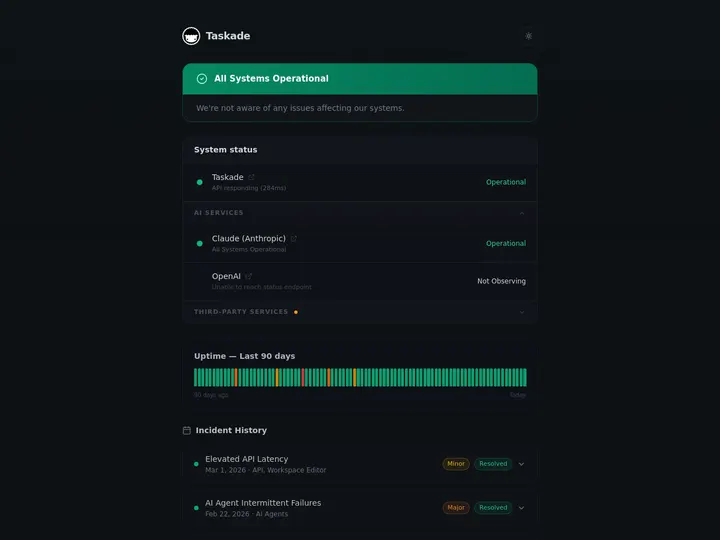
That choice has trade-offs, and we listed them above: no React codebase to fork, and custom domains start on Business. The payoff is that a non-technical team does not have to assemble a backend, a job scheduler, and an integration layer before the app becomes useful. You can see the result in the Community Gallery, where every app is a working system you can clone into your own workspace, or start from AI app templates.
Frequently Asked Questions
Which is better for non-technical users: Lovable, Bolt, Replit, Base44, or Taskade Genesis?
For a non-technical builder, the deciding question is what you have to maintain after the first build. Lovable, Bolt, and Replit generate source code plus a hosted backend, which is ideal if you want to own and extend the code. Base44 keeps more of the backend inside its own platform. Taskade builds the app inside a workspace, so the data, AI agents, and automations are already wired together.
What is the cheapest AI app builder in 2026?
Every one of the five has a free plan. On paid plans, Taskade Pro is $10/month billed annually and covers up to 10 seats. Base44 Starter is $16/month billed annually. Lovable Pro and Bolt Pro are $25/month. Replit Core is $20/month billed annually. The cheapest plan on paper is not always the cheapest in use, because each vendor meters AI work differently.
How do Lovable, Bolt, Replit, and Base44 charge for AI usage?
Lovable charges credits per message, with Build mode priced by the size of each task. Bolt charges tokens. Replit uses effort-based pricing that draws down the credits included in each plan. Base44 splits usage into message credits and integration credits. Taskade includes a monthly credit allowance with each plan.
Which AI app builder has the best documentation?
Lovable has the most complete help center of the four competitors: an 8-step quick start, copy-paste prompts on every step, a glossary, a prompting section, and a markdown copy of every page. Replit writes the best first-app prompt. Base44 has the best prompt library. Bolt has the tightest troubleshooting pages.
Do all of these AI app builders use the same documentation platform?
The four competitors do. Lovable, Bolt, Replit, and Base44 all publish their help centers on Mintlify, which is why they share command-K search, an AI docs assistant, a copy-page button, and an llms.txt index. Taskade runs its Learn help center and developer docs on its own site.
Can I put an app on my own domain with these builders?
Yes. Base44 includes custom domains from Starter, Lovable and Bolt from Pro, and Replit supports them on published apps. Taskade publishes every app to a public URL on every plan, including Free, and adds a custom domain on Business.
Which AI app builder includes AI agents and automations inside the app?
Taskade ships AI agents and automations in the same workspace as the app, with 100+ bidirectional integrations. Base44 offers app-scoped agents plus a separate Superagents product. Lovable adds scheduled jobs inside each project. Bolt and Replit expect you to build that logic in code, with the agent writing it for you.
Can app users sign in to apps built with these tools?
Yes, all five support end-user sign-in. Taskade includes App User sign-in on every plan, including Free. Sign-in confirms who a visitor is. If each user must see only their own records, you turn on row scoping and test it with a second account.
Is Replit harder to learn than Lovable or Bolt?
Replit covers more ground, so its docs are larger. Its Build section is written for beginners and gives exact prompts, but its Features reference covers configuration files and ports, and nothing marks the boundary. Lovable and Bolt keep most pages in plain language.
Should I use Taskade Genesis if I want to own the source code?
No. If owning and editing React source code is the goal, Lovable, Bolt, or Replit is the better fit. Taskade is for teams that want a running app with its data, agents, and automations in one workspace. You can export an app to GitHub as a portable bundle, but the bundle holds projects, agents, and automations, not a React codebase.
Related Reading
- Taskade vs Lovable
- Taskade vs Replit
- Taskade vs Base44
- Lovable review, Bolt review, and Replit review
- Best vibe coding tools and free AI app builders
- Vibe coding for non-developers
- Taskade Genesis vs Bolt vs Lovable vs v0 vs Cursor
▲ Memory ■ Intelligence ● Execution. Ready to see the workspace approach for yourself? Build your first app free and publish it on the Free plan.