






TL;DR: Open weights are not open-source code, and not "runs on my laptop" either: Kimi K3 is a 1.56 TB checkpoint, too big for an 8x H100 or 8x B200 GPU node. Use a builder that runs the model or takes your host key. Taskade Genesis runs DeepSeek V4 Pro on every paid plan, no key needed. Try it free →
The best AI app builder for open-source models in 2026 depends on who runs the model. Taskade Genesis runs DeepSeek V4 Pro, MiniMax M3 and Nemotron 3 Super on every paid plan with no API key, and Kimi K3 and GLM 5.3 on Max and Enterprise. Dify, n8n and Langflow connect the same models through your own host key or your own server.
Open-weight models closed much of the gap in 2026. Taskade's model docs rate Kimi K3 and GLM 5.3 at frontier intelligence, DeepSeek V4 Pro runs on every paid plan, and their weights are a download away on Hugging Face. That raises a practical question for anyone who builds apps without code: which builders let you pick an open-weight model, and how?
This guide answers it for eight tools, ranked by how directly a non-developer can put an open model to work. One note before the list, because search engines mix the two up: open weights are not open-source code. A builder whose code is open source can still call a closed model, and a closed builder can run an open-weight model. This post is about the second case: open-weight models inside hosted builders.
Every plan and model claim below was checked on the vendor's own docs or pricing page on October 20, 2026. Every model size, license and parameter count was read from the model's own Hugging Face repository on the same day, so you can check our arithmetic.
Here is what this guide covers, in the order most readers need it:
- The ranked list: eight builders, what each one is best at, and the open models to start with in each.
- A builder-by-model matrix: which tools run Kimi K3, DeepSeek, Qwen and GLM.
- A self-hosting sizing table: checkpoint size and the smallest GPU setup for twelve open-weight releases.
- A license table: which open models carry revenue or display clauses.
- Host speed and real build results: Artificial Analysis speed data and TSK-1 app-building rounds.
- A step-by-step walkthrough: building an app on an open-weight model in Taskade.
Open-Weight AI Builders at a Glance (2026)
| Tool | Best for | How open models connect | Starts at (checked 2026-10-20) |
|---|---|---|---|
| Taskade Genesis | Apps with agents and automations, no keys | Built in on credits, or a Together AI or Groq key | $10/mo billed annually (Pro) |
| Dify | LLM apps, RAG and chatflows | Official provider plugins, your key or self-host | Free Sandbox, or self-host |
| n8n | Workflow automation with AI steps | Dedicated chat model nodes, your key | €20/mo billed annually, or self-host |
| MindStudio | A hosted model catalog, no keys | Built in, at the provider's rate | $0 plus usage |
| Langflow | Free visual agent flows you host | Language Model component, Ollama, OpenAI-compatible | Free (MIT, self-host) |
| Kimi Build | Trying Kimi K3 in the lab's own builder | Kimi K3 only | See Kimi's pricing page |
| Dyad | Local desktop app building | Your key, or Ollama and LM Studio | Free (your key) |
| Bolt | Code-first apps, open-model preview | Bolt Forge agent (preview) | Free plan, Pro from $18/mo billed annually |
What does "open-weight" mean, and why run one inside a builder?
An open-weight model is a trained AI model whose weights anyone can download. You get the file, not a password to someone's API. That gives you three things a closed model cannot: price competition between many hosts, a choice of model per job, and no lock-in, because the same weights run on any provider that serves them.
The license still decides what you may do with the file, and it varies. DeepSeek V4 ships under MIT for code and weights. Qwen's smaller open models use Apache 2.0, and the 2.4T Qwen3.8 flagship uses a custom license. Kimi K3 uses Moonshot's own Kimi K3 License, which is not MIT (the earlier K2 line used a modified MIT). Our open-source LLM guide covers each license in detail.
Open weights vs open source: what you actually download
Most models people call "open source" in 2026 are open-weight models. You get the trained weights and usually the code to run them, but not the training data or the full training recipe. The Open Source Initiative's Open Source AI Definition, published in October 2024, asks for all of those pieces. Few frontier releases meet that bar, which is why this guide says "open-weight" when it means a model file you can download.
| Release type | Weights | Training code and data | License | Examples (October 2026) |
|---|---|---|---|---|
| Closed model | No, API only | No | Terms of service | GPT-6.1 Sol, Qwen 3.7 Plus and Max |
| Open weights, standard license | Yes | No | MIT or Apache 2.0 | DeepSeek V4, GLM 5.2, Qwen3.6, Qwen3.8-27B, gpt-oss |
| Open weights, custom license | Yes | No | Lab's own terms | Kimi K3, Qwen3.8 2.4T, GLM 5.3, MiniMax M3, Nemotron 3 Super |
| Fully open source AI | Yes | Yes, or detailed data information | OSI-approved | Rare at frontier scale |
For someone building an app, the license column matters more than the label. It decides whether a host may sell the model to you, and whether a large product must credit the lab. The open-source models wiki entry and our history of open-source LLMs trace how the terms drifted apart. This short explainer covers the same split from a developer's angle:
Open weights do not mean you can run the model. Kimi K3 has 2.8 trillion parameters (2.78T exact). Its checkpoint on Hugging Face is about 1.56 TB, in native MXFP4 weights with MXFP8 activations. Every byte of that must sit in GPU memory before the first token comes out. Here is the arithmetic:
CAN I RUN KIMI K3 MYSELF?            checkpoint ~1.56 TB, plus room for cache
────────────────────────────────────────────────────────────────────────────
Hardware                  GPU memory          Fits the weights?
────────────────────────────────────────────────────────────────────────────
Laptop or one RTX card    8 to 32 GB          no   (about 50x too small)
8x H100  (80 GB each)     640 GB              no   (less than half)
8x B200  (180 GB each)    1.44 TB             no   (short before any cache)
8x B300  (288 GB each)    about 2.3 TB        YES  (one node, ~0.7 TB left
                                                    for cache and batches)
Host API or a builder     someone else's      YES  (pay per token or plan)
────────────────────────────────────────────────────────────────────────────
Smaller open models are different: Qwen3.6-35B-A3B uses 3B parameters per
token and runs on a single consumer GPU.
So for most teams, the realistic paths are a hosted builder that buys tokens for you, or a builder that takes a key from a model host such as Together AI, Fireworks, OpenRouter or Baseten. The diagram shows the three paths:
| Path | Who bills the model | What you set up | Best for |
|---|---|---|---|
| Builder credits | The builder, inside your plan | Nothing, pick the model | Non-developers, fast start |
| Your host key | The host, per token | A host account and an API key | Teams that already buy tokens |
| Self-host | You, through hardware or cloud GPUs | Servers, an inference engine, updates | Strict data rules, steady volume |
Should you build on an open-weight or a closed model?
Choose an open-weight model when price, choice of host or control over data matters more than the last few points of quality on one task. Choose a closed model when a single job needs the strongest model of the month and you do not want to compare hosts. Most apps mix both. A builder that lets you pick a model per agent turns the either-or into a setting.
The flowchart walks the four questions that decide it for most teams:
The same trade-off, side by side:
                       OPEN-WEIGHT MODEL              CLOSED MODEL
──────────────────────────────────────────────────────────────────────────
Who can serve it       any host with enough GPUs      the lab and its partners
Price pressure         many hosts, one set of         one price list per lab
                       weights
Switch hosts           yes, same weights everywhere   no
Self-host              yes, if the GPUs fit           no
License                MIT, Apache 2.0 or custom      terms of service
Speed                  set by the host you pick       set by the lab
Best for               cost, choice, data control     one hard task, no setup
──────────────────────────────────────────────────────────────────────────
In Taskade the choice is per surface, not per workspace. One AI agent can run DeepSeek V4 Pro, another can run Kimi K3, and the builder chat can stay on Auto. Our guide to model routing explains how Auto picks a model for each request.
How we picked and checked these builders
We ranked each builder by how directly a non-developer can put an open-weight model to work in it. A tool that runs Kimi K3 or DeepSeek with no key scores higher on that test than one that needs a host account, and a tool that builds a full app scores higher than one that builds a single chat window. We still list key-based and self-hosted tools, because many teams prefer them.
| Criterion | What we checked | Why it matters |
|---|---|---|
| Open-model access | Built in on credits, a host key, or self-hosted only | Decides setup time and who gets the bill |
| Model breadth | Which of Kimi, DeepSeek, Qwen, GLM and MiniMax it reaches | Lets you switch when a better model ships |
| Output | App with data, agent, workflow or website | Decides what you can ship without a second tool |
| Price | Lowest paid plan, checked October 20, 2026 | Sets the floor before model usage |
| License and hosting | Builder license, self-host option, data path | Matters for resale and strict data rules |
We read each vendor's own pricing page, docs and support articles. We did not use third-party review scores. Where a vendor did not publish a fact, we say so instead of guessing.
The 8 Best No-Code Builders for Open-Weight Models
1. Taskade Genesis: Best for apps with agents and automations on open models, no keys needed
Taskade Genesis builds a working app from a prompt, with agents, automations and a database. Its model catalog offers frontier models from top AI labs. Auto is the default, and you can pin a model in the builder chat or on an agent.
On Taskade credits, no key:
- DeepSeek V4 Pro, MiniMax M3 and Nemotron 3 Super: every paid plan.
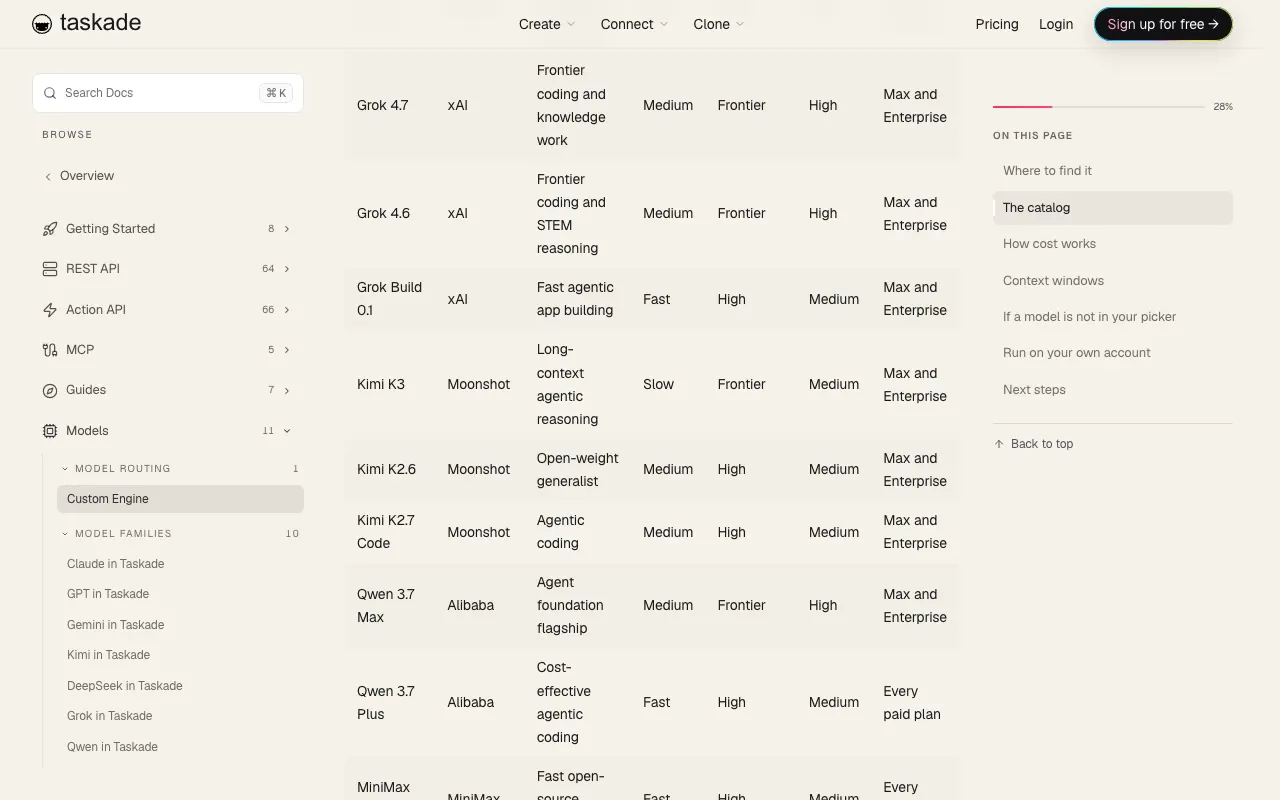
- Kimi K3, Kimi K2.7 Code and Kimi K2.6: Max and Enterprise. The Kimi docs rate K3 Slow, Frontier intelligence, Medium cost.
- GLM 5.3 and GLM 5.2: Max and Enterprise.
The Qwen 3.7 models in the picker are Alibaba's API-only tier, not open weights.
With your own key (BYOK), a Together AI key on Business and up serves Kimi K3, GLM 5.2, MiniMax M3 and Qwen 3.7 Plus to custom agents and Ask Agent, and a Groq key on the same plans serves gpt-oss. An agent chat on your key uses no Taskade credits. In automations, Groq and OpenRouter provider steps need Business and up, and each step uses one fixed step fee in Taskade credits. The key providers page lists what each key serves.
Open models to start with: DeepSeek V4 Pro for everyday builds and edits on Pro, because it runs on every paid plan with no key. Move one agent to Kimi K3 on Max or Enterprise when the job needs long-context reasoning and you can wait for a slower, more thorough build.
Strengths: open models on every paid plan with no key, beside your agents and automations. Trade-offs: Kimi K3 on credits needs Max ($100/mo billed annually), and Taskade Genesis app building and Taskade EVE chat stay on Taskade credits even with your key. Free starts with no AI credits. Pro is $10/mo billed annually (pricing).
2. Dify: Best for LLM apps, RAG and chatflows on any model provider
Dify is an open platform for LLM apps: chatbots, retrieval over your documents, and visual workflows. Model access comes through provider plugins. The official plugin repo on GitHub includes plugins for DeepSeek, Moonshot, Zhipu AI (GLM), Tongyi (Qwen), Ollama, Together AI, Fireworks, Groq, OpenRouter, SiliconFlow and a generic OpenAI-API-compatible plugin, plus Xinference and LocalAI for your own servers. Its compatible-plugin README lists deepseek-v4-pro, deepseek-v4-flash and kimi-k2.7-code as examples.
Dify Cloud has a free Sandbox plan with 200 message credits, a Professional plan at $590 per workspace per year, and a Team plan at $1,590 per workspace per year. Dify's pricing page says you can switch to your own API key when message credits run out. The self-hosted Community Edition is free.
Open models to start with: the DeepSeek plugin for a first chat or retrieval app, since the MIT-licensed V4 models are served by many hosts. Add the Tongyi plugin for Qwen, or the Together AI or Fireworks plugin to reach Kimi K3 and GLM through one host account.
Strengths: the widest provider list of any tool here, and real retrieval and workflow features for production chatbots. Self-hosting keeps every prompt on your own servers. Trade-offs: you bring the model key for open models, and the license is a modified Apache 2.0 that forbids running Dify as a multi-tenant service without a commercial license. Plan for that before you resell a Dify-based product. Dify focuses on LLM apps and chat interfaces, so a larger business app with its own screens needs another tool beside it.
3. n8n: Best for workflow automation with dedicated open-model nodes
n8n is a workflow automation tool with an AI Agent node and a set of chat model sub-nodes. The n8n docs list dedicated nodes for DeepSeek, Moonshot Kimi, Groq, OpenRouter, Mistral Cloud, Ollama, Qwen Cloud, MiniMax and NVIDIA Nemotron, among others. The DeepSeek node loads models from your account, so "you'll only see the models available to your account." The Ollama Chat Model node connects to a local or remote Ollama server.
n8n Cloud starts at €20/mo billed annually for 2,500 workflow executions on Starter, and €50/mo billed annually for 10,000 on Pro. The self-hosted Community Edition runs under n8n's Sustainable Use License, a fair-code license rather than an OSI open-source one. The pricing page notes that the self-hosted AI Assistant uses your own API key.
Open models to start with: the DeepSeek Chat Model node for low-cost text steps, and the Moonshot Kimi Chat Model node when an agent step needs a long context. For a model without its own node, the OpenRouter node reaches many open-weight models through one key.
Strengths: n8n plans count workflow executions, not individual steps, and its node library covers a wide range of business apps. Open-model nodes drop into any workflow, so one step can call DeepSeek and the next can write to your CRM. Trade-offs: you need a key from each model host, and n8n builds workflows, not apps with screens. The plain Ollama Model node lacks tool support, so use the Ollama Chat Model node with the AI Agent node.
4. MindStudio: Best for a hosted model catalog with no API keys
MindStudio is a no-code builder for AI agents and workflows with a very large hosted model catalog. On October 20, 2026 its models page listed Kimi K3 and Kimi K2.6, eleven DeepSeek models, thirty-eight Qwen models, Llama 4 Scout, and GPT OSS 120B and 20B served via Groq. The page says the models are available with "no API keys required."
Pricing is a plan plus usage. Free is $0 plus usage, with one agent and 1,000 runs per month. Individual is $20/mo, or $16/mo billed yearly, plus usage, with unlimited agents and runs. MindStudio's FAQ states that it does not mark up model costs: "You pay EXACTLY the same price as getting your own API keys directly from model providers." You can still bring your own keys if you prefer.
Open models to start with: run one prompt across Kimi K3, a DeepSeek model and a Qwen model, then keep the cheapest one that passes. Because model usage is passed through at the provider's rate, the test costs what the hosts charge. GPT OSS 120B on Groq is the speed option.
Strengths: the broadest open-model menu with zero key setup, and transparent pass-through model pricing. It is a good place to compare several open models on one prompt. Trade-offs: usage is billed on top of the plan, so a busy agent's bill tracks its token count. MindStudio builds agents and workflows rather than full apps with a shared database, and the catalog marks older models such as Kimi K2.7 Code as deprecated, so check status before you pin one.
5. Langflow: Best free visual agent builder you host yourself
Langflow is a visual builder for agents and retrieval flows, released under the MIT license. In Langflow 1.12, a core Language Model component supports many providers through a global Models setting. For anything not built in, you set the OpenAI Compatible provider to point at any OpenAI-compatible endpoint, which covers Together AI, Fireworks, OpenRouter and most other open-model hosts. Langflow also ships an Ollama bundle for local models and a DeepSeek bundle whose output can drive an Agent component.
Langflow is free to download and self-host. You pay for the server and for the model host behind each key. The project is very active on GitHub, with commits landing the day we checked.
Open models to start with: the DeepSeek bundle for a first agent flow, then the OpenAI Compatible provider pointed at Together AI or Fireworks for Kimi K3 or GLM. For a laptop test, the Ollama bundle runs gpt-oss-20b or a 4-bit Qwen3.6 build locally.
Strengths: an MIT license with no multi-tenant clause, and a clean drag-and-drop canvas that developers can extend in Python. The OpenAI-compatible route means a new open model works the day a host lists it. Trade-offs: one API key per provider, and that key must reach every model you plan to use. Langflow is a developer-leaning tool: you host it, secure it and connect it to a front end yourself.
6. Kimi Build: Best for trying Kimi K3 in the lab's own builder
Kimi Build is Moonshot's own app and website builder inside Kimi Agent, and Kimi's help center says it runs on Kimi K3. You describe a site in plain language, or upload a design mockup or a screen recording, and it builds a full-stack site with a backend, a database and sign-in. A visual database panel lets you view, edit and delete records.
Sites stay preview-only until you publish. Published sites get a subdomain on ok.kimi.link, and you can download a complete project package, front end and back end, to host yourself. The help center notes that Kimi account login and the cloud database do not move with exported code, so a self-hosted copy needs its own login system and database. The help article does not state which plan or quota you need, so read Kimi's membership page first.
Open models to start with: Kimi K3 is the only option, so the question is fit, not choice. Use Kimi Build to see what a 2.8-trillion-parameter open model makes from a mockup, then export the code if you want the site on your own host.
Strengths: the most direct way to see what Kimi K3 builds, from the lab that trained it, and multimodal input from a mockup or a screen recording. Code export gives you an exit. Trade-offs: one model family only, so you cannot switch to DeepSeek or GLM for a cheaper step. Kimi Build makes websites rather than a workspace of agents and automations, and plan details sit on a separate membership page.
7. Dyad: Best for local, private app building on your own machine
Dyad is a free desktop app that builds web apps from plain-language prompts. Project files stay on your disk, and the app runs with no account. Dyad supports your own keys for "OpenAI, Anthropic, Ollama, LM Studio, and more," and it works offline with local models through Ollama or LM Studio. Outside its src/pro/ folder, Dyad's code is licensed under Apache 2.0.
Free is $0 with your own key. Pro is $20/mo and adds Pro modes for large codebases and 200 credits per month. Max is $79/mo with 900 credits.
Open models to start with: gpt-oss-20b, whose 14 GB checkpoint fits a 16 GB GPU, or a 4-bit Qwen3.6-35B-A3B build on a 24 GB card through Ollama. For the large open models, add a key from a supported host and let the host run them.
Strengths: the simplest way on this list to build with a local open model and no internet at all, which suits private data and travel. A mid-size open model like Qwen3.6-35B-A3B fits a single consumer GPU. Trade-offs: local models are far smaller than Kimi K3 or DeepSeek V4 Pro, so expect simpler apps. You manage hosting and deployment for what Dyad builds. Your laptop does the model work, so speed and model size depend on your own hardware.
8. Bolt: Best for watching open models in a code-first builder
Bolt is a browser-based builder that writes full app code. On September 14, 2026 it launched Bolt Forge, an agent that runs only on open-source models: GLM 5.3 Flash (Bolt's recommended starting point), GLM 5.3, Kimi K3 and DeepSeek V4 Pro. Bolt's support page says Kimi K3 and DeepSeek V4 Pro use up Forge usage faster than the GLM models.
The preview ran from September 14 to October 14, 2026, with up to 50x more usage for individual Pro plans. Bolt's support page says Pro subscribers lose Forge access after October 14, and Lite subscribers ($9/mo, waitlist) who joined by then keep it. Forge is not available on Teams or Enterprise. Builders opt in to share de-identified sessions, which go into datasets licensed to AI developers, with Arcee AI as the first licensee (Bolt's Forge post). Bolt itself has a free plan, and Pro starts at $18/mo billed annually.
Open models to start with: GLM 5.3 Flash, Bolt's recommended starting point, which uses Forge usage slower than Kimi K3 and DeepSeek V4 Pro. If your Forge access has ended, Bolt's Standard and Max agents remain available for the same projects.
Strengths: Forge puts four open models in one agent picker next to Bolt's Standard and Max agents, so you can compare and switch back in one click. Bolt is open about the trade: its support page states which models use usage faster. Trade-offs: on October 20, 2026, Forge access depends on how you subscribed, and its usage is tied to training-data consent. Check Bolt's support page for the current lineup before you plan around it.
Not ranked: Flowise. Flowise stopped feature development on July 29, 2026, and announced its wind-down on August 13, 2026. The team archived its GitHub repository, and the core team's support ended on August 31, 2026. The code stays Apache 2.0, and the team encourages forks, but we do not recommend new projects on it.
Which AI app builders run Kimi K3, DeepSeek, Qwen and GLM?
Taskade Genesis, MindStudio and Bolt Forge offer Kimi K3 inside the product, and Dify, n8n and Langflow reach it through a host key. DeepSeek is the most widely supported open family: every builder in this guide except Kimi Build can use it. The matrix below sums up the ranked sections, as checked on October 20, 2026.
| Builder | Kimi | DeepSeek | Qwen | GLM |
|---|---|---|---|---|
| Taskade Genesis | K3, K2.7 Code, K2.6 on Max and Enterprise credits. K3 on a Together AI key (Business) | V4 Pro on every paid plan | Qwen 3.7 Plus and Max (API-only, not open weights) | GLM 5.3, 5.2 on Max and Enterprise credits. 5.2 on a Together AI key |
| Dify | Moonshot plugin, your key | DeepSeek plugin, your key | Tongyi plugin, your key | Zhipu AI plugin, your key |
| n8n | Moonshot Kimi Chat Model node | DeepSeek Chat Model node | Qwen Cloud node | Through OpenRouter |
| MindStudio | K3 and K2.6, no key | Eleven DeepSeek models | Thirty-eight Qwen models | Not listed in our check |
| Langflow | OpenAI Compatible host | DeepSeek bundle | Ollama or a compatible host | OpenAI Compatible host |
| Kimi Build | K3 only | No | No | No |
| Dyad | Through a host key | Through a host key | Local through Ollama | Through a host key |
| Bolt Forge | K3 (preview) | V4 Pro (preview) | No | GLM 5.3 and 5.3 Flash (preview) |
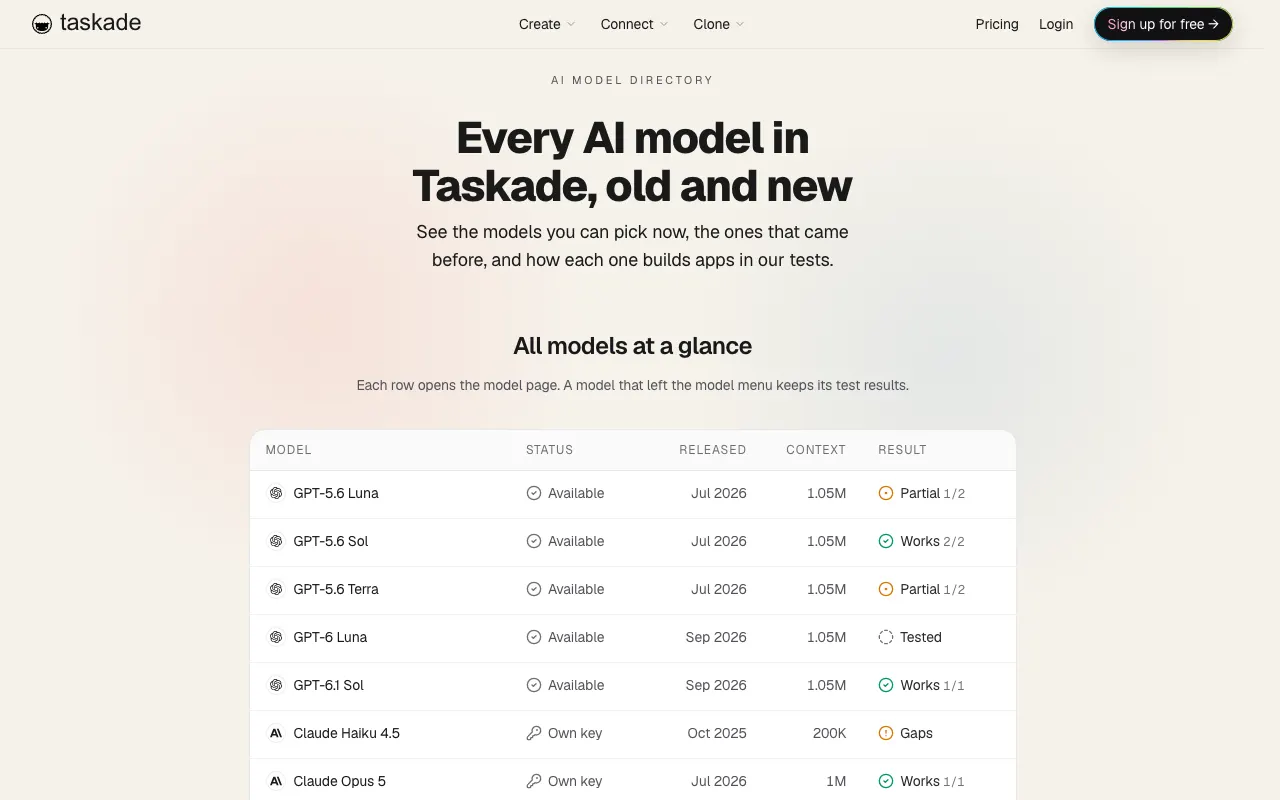
Two patterns stand out. First, "no key" and "open weights" rarely meet: only the hosted builders on credits let a non-developer pick Kimi K3 without a host account. Second, MiniMax M3 and Nemotron 3 Super are the quiet options: Taskade runs both on every paid plan, and n8n has dedicated MiniMax and NVIDIA Nemotron nodes. Each model has its own page in our model directory, for example MiniMax M3 and Nemotron 3 Super, with plan, status and the hosts that serve it.
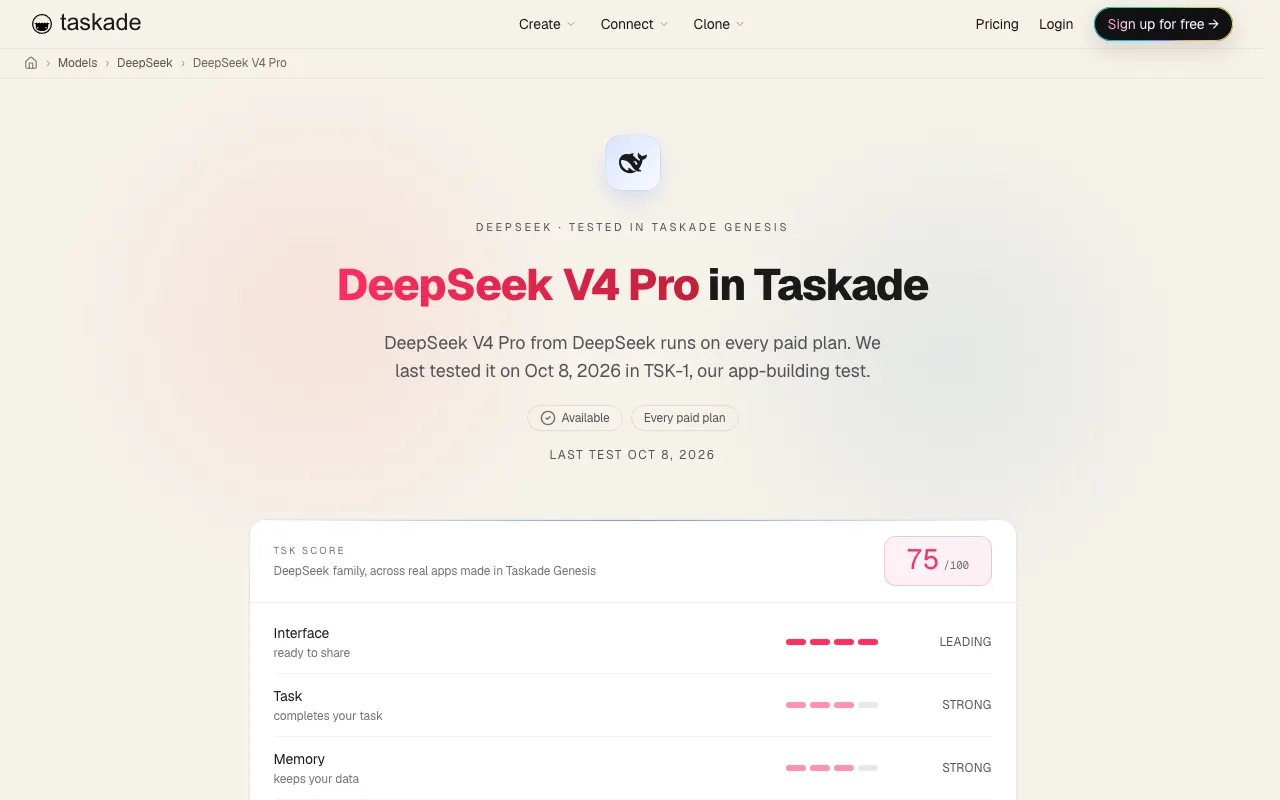
Open-weight models compared for building apps
The four open-weight families that matter most for app builders in 2026 are Kimi, DeepSeek, Qwen and GLM. They differ most on license and size, not on context: most now reach about 1 million tokens. The table uses the published model cards, our comparison pages and the models.dev catalog.
| Model | Lab and license | Size (total / per token) | Context | In Taskade |
|---|---|---|---|---|
| Kimi K3 | Moonshot, Kimi K3 License | 2.8T / about 104B | 1,048,576 | Max and Enterprise credits, or a Together AI key (Business and up) |
| DeepSeek V4 Pro | DeepSeek, MIT | 1.6T / 49B | 1M | Every paid plan |
| DeepSeek V4 Flash | DeepSeek, MIT | 284B / 13B | 1M | Not in the picker (saved picks run on TSK-Instant) |
| Qwen3.8 flagship (2.4T-A95B) | Alibaba, Qwen3.8-Max License | 2.4T / 95B | 262,144 (about 1M extended) | Not in the picker |
| Qwen3.8-27B | Alibaba, Apache 2.0 | 27B dense | 262,144 (1M with YaRN) | Not in the picker |
| Qwen3.6 open models | Alibaba, Apache 2.0 | 27B dense, or 35B / 3B | 262,144 | Not in the picker (Qwen 3.7 Plus and Max are API-only) |
| GLM 5.2 | Z.ai, MIT | 753B / not stated on the card | 1M | Max and Enterprise credits, or a Together AI key |
| GLM 5.3 | Z.ai, GLM-5.3 License | 753B / not stated on the card | 1M | Max and Enterprise |
| MiniMax M3 | MiniMax, MiniMax Community License | about 428B / 23B | 1M | Every paid plan, or a Together AI key |
| Nemotron 3 Super | NVIDIA, Nemotron Open Model License | 120B / 12B | 262,144 | Every paid plan |
| gpt-oss 120B / 20B | OpenAI, Apache 2.0 | 117B / 5.1B and 21B / 3.6B | 131,072 | A Groq key (Business and up) |
TSK-1, our build benchmark, adds behavior the spec sheets cannot show. On Kimi K3, the verdict reads: "Builds more than almost any model and finishes later than all of them." In one round (July 31, 2026), only 7.2% of its build actions failed, the most reliable result of that test. Reasoning is always on for K3, which adds tokens before each answer. In another round (August 6, 2026), DeepSeek V4 Pro built the richest workspace of that test: 8 automations and a record 60 fields. The Kimi results and the Moonshot lab page carry the dated record.
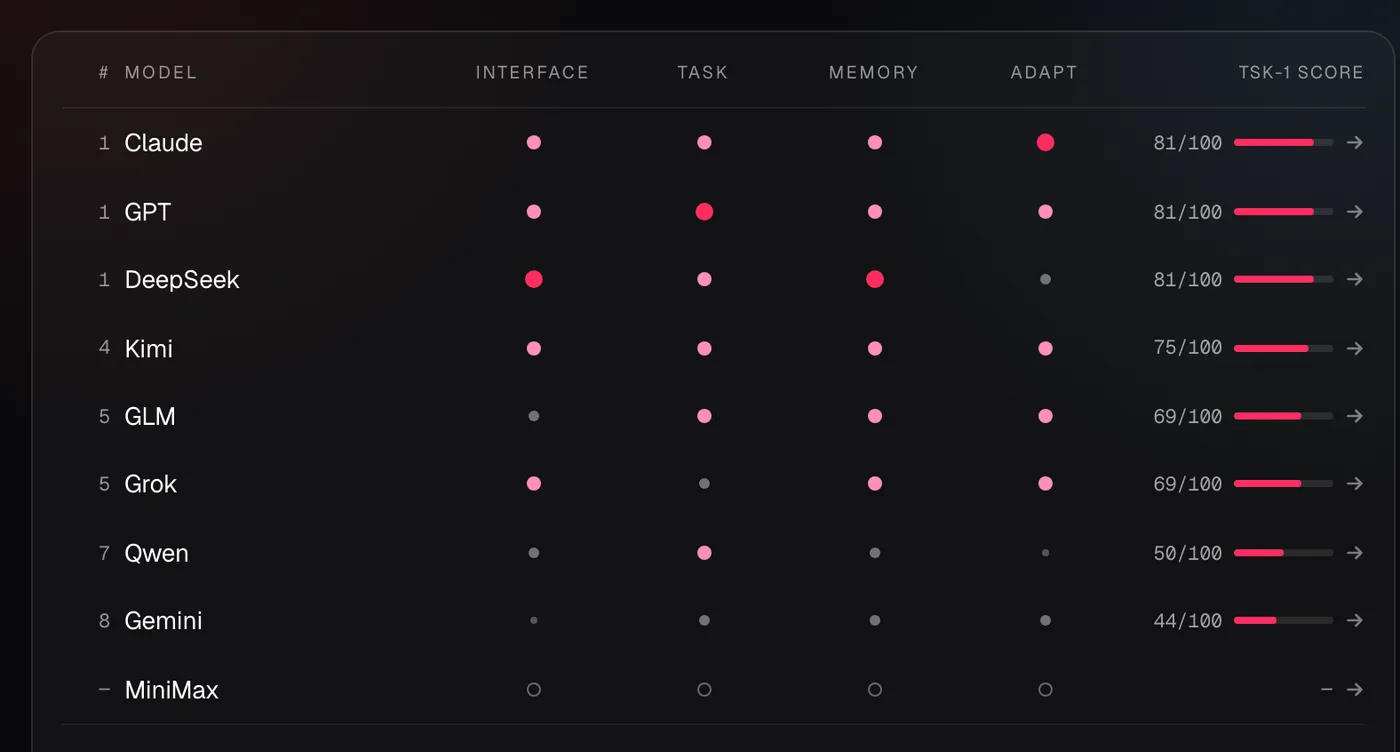
TSK-1: how each open-weight family builds real apps
In TSK-1, Taskade's hands-on app-building test, the DeepSeek family leads on design, Kimi K3 posted the most reliable round, GLM showed the best judgment on an unclear brief, and MiniMax M3 was not scored. Every result below comes from a dated round on the TSK-1 hub. We open and use each app before we rank it, so a build that reports success but does not run earns nothing.
| Family | TSK-1 best for | Headline result | Round date |
|---|---|---|---|
| DeepSeek | Polished apps with rich workspace data | V4 Pro built 8 automations and a record 60 fields | 2026-08-06 |
| Kimi | Rich apps that need patience | K3: only 7.2% of build actions failed, the most reliable of that test | 2026-07-31 |
| GLM | Good judgment when details are unclear | GLM 5.2 offered "Add Login" as a suggestion instead of adding an unasked sign-in screen | 2026-07-30 |
| Qwen | Value on long, detailed forms | Qwen 3.7 Plus took all 32 questions of a sign-up form and saved every answer | 2026-08-25 |
| MiniMax | Not scored | 47.2% of build actions failed, and it reported the app as ready | 2026-07-31 |
| Nemotron | Round pending | Wrote a plan for the app but built none in its one test | 2026-08-25 |
DeepSeek: the design leader with a delivery habit to watch
DeepSeek models build the most polished apps per credit in TSK-1. On August 1, 2026, DeepSeek V4 Flash won the design round: it was the only model whose app looked right in light and dark themes, ran without an error and laid out cleanly on a phone. DeepSeek V4 Pro builds the deepest workspaces, but in September it put two apps behind a sign-in screen and left a third without a page. In October it built a family intake form that saved every answer and both photos with no sign-in. Flash has since left the picker, and DeepSeek V4 Pro is the one to pin on any paid plan. The DeepSeek model docs list the current rows.
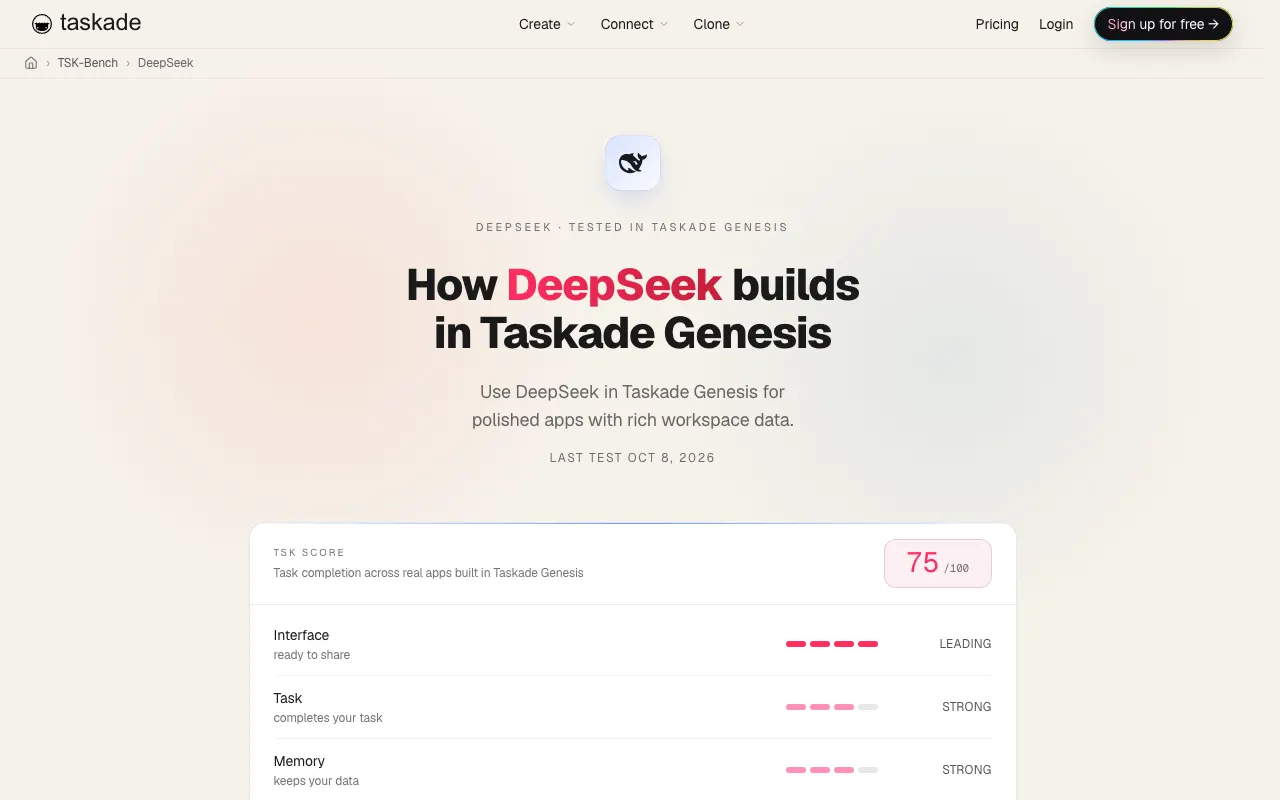
Kimi: rich apps, long builds
Kimi K3 builds more than almost any model and finishes later than all of them. On July 31, 2026 it was the most reliable model of the round: only 7.2% of its build actions went wrong, it needed the fewest actions, and its closing summary described the app accurately. On September 19 its sales CRM scoring automation ran eight times and scored all eight sample leads. The trade-off is time: three September tests reached the 40-minute limit before a closing summary. Reasoning is always on for K3, so plan for patience. The Kimi results page keeps the full record for K3, K2.6 and K2.7 Code.
GLM: the model that said no
GLM 5.2 is the open model that pushes back. On July 30, 2026 it thought about adding a sign-in screen, decided the brief had not asked for one, and offered "Add Login" as a suggestion instead. Its apps have saved real data since an August test, and on September 19 it finished a complete sign-up app with 31 of 32 questions word for word. GLM 5.3 built a richer four-page app in August but ran out of time before finishing, so its latest record is still open. See GLM 5.3 and GLM 5.2 for plan details.
Qwen, MiniMax and Nemotron: value, a warning and an open case
Qwen 3.7 Plus is the value pick for long forms, but it is not an open-weight model. It took all 32 questions of a client sign-up form and saved every answer at a fraction of the usual cost, then started two follow-up edits and finished neither. MiniMax M3 was not scored: on July 31, 2026, 47.2% of its build actions failed while it reported the app as ready, and its August build never opened. Nemotron 3 Super wrote a plan in its one August test and built no app, so its score stays open until a new round. These are reasons to test on your own app before you pin a model, not reasons to avoid a family for good.
Can you self-host it? Open-weight model sizing (2026)
Only the small open-weight models run on one consumer GPU. The flagships need a full 8-GPU server just to hold the weights. Kimi K3's checkpoint is about 1,561 GB and needs eight B300 GPUs. The 2.4T Qwen3.8 flagship is larger still: its FP8 build is about 2,496 GB and needs two 8x B300 nodes. DeepSeek V4 Pro's 865 GB needs eight H200 or B200 GPUs. gpt-oss-20b's 14 GB fits a single 16 GB card. We read every size below from the Hugging Face repository on October 20, 2026.
| Model | Params (total / per token) | Checkpoint on Hugging Face | Smallest setup for the weights | Context |
|---|---|---|---|---|
| Qwen3.8-2.4T-A95B | 2.45T / 95B | 4,892 GB (BF16), 2,496 GB (FP8 repo) | Two 8x B300 nodes (FP8 build) | 262,144 |
| Kimi K3 | 2.78T / about 104B | 1,561 GB (MXFP4) | 8x B300 | 1,048,576 |
| Kimi K2.6 | 1T / 32B | 595 GB | 8x H200 or 4x B200 | 262,144 |
| DeepSeek V4 Pro | 1.6T / 49B | 865 GB (FP8 mix) | 8x H200 or 8x B200 | 1,048,576 |
| DeepSeek V4 Flash | 284B / 13B | 160 GB (FP8 mix) | 2x H200 or 4x H100 | 1,048,576 |
| GLM 5.3 | 753B / not stated | 756 GB (FP8) | 8x H200 or 8x B200 | 1,048,576 |
| GLM 5.2 | 753B / not stated | 1,507 GB (BF16), 756 GB (FP8 repo) | 8x H200 (FP8 build) | 1,048,576 |
| GLM 5.3 Flash | 320B / 18B | 328 GB (FP8) | 4x H200 or 8x H100 | 1,048,576 |
| MiniMax M3 | about 428B / 23B | 854 GB (BF16), 444 GB (MXFP8 repo) | 4x B200 (MXFP8 build) | 1,048,576 |
| Nemotron 3 Super | 120B / 12B | 80 GB (NVFP4), 128 GB (FP8) | 1x B200, or 2x H100 for FP8 | 262,144 |
| gpt-oss-120b | 117B / 5.1B | 65 GB | 1x H100 (80 GB) | 131,072 |
| Qwen3.6-35B-A3B | 36B / 3B | 72 GB (BF16), 38 GB (FP8) | One 24 GB card with a 4-bit build | 262,144 |
| Qwen3.8-27B | 28B dense (with vision encoder) | 56 GB (BF16), 31 GB (FP8 repo) | 1x H100, or one 24 GB card with a 4-bit build | 262,144 |
| gpt-oss-20b | 21B / 3.6B | 14 GB | One 16 GB GPU | 131,072 |
"Smallest setup" is our arithmetic, not a vendor promise. We used the published GPU memory per card (H100 80 GB, H200 141 GB, B200 180 GB, B300 288 GB) and left at least about 15% free for the cache that every live request needs. Real deployments add more GPUs for speed and batch size. Community 4-bit builds are smaller than the official files, and their quality varies.
The chart puts the checkpoint sizes next to the memory of one 8x H100 node, the most common rental unit:
Four of the eleven official checkpoints in the chart are larger than a full 8x H100 node before any cache. The chart leaves out the 2.4T Qwen3.8 flagship for scale, because its 2,496 GB FP8 build is larger than one 8x B300 node. That single fact explains why most teams reach these models through a host or a builder. Read the same data as a ladder, from a laptop card to a rack:
GPU MEMORY LADDER  (official checkpoints, October 2026)
──────────────────────────────────────────────────────────────────────
GPU memory   Setup            Holds the weights of
──────────────────────────────────────────────────────────────────────
    16 GB    one 16 GB GPU    gpt-oss-20b (14 GB)
    24 GB    one 24 GB card   Qwen3.8-27B, Qwen3.6-27B or 35B-A3B, 4-bit
    80 GB    one H100         gpt-oss-120b (65 GB)
   160 GB    2x H100          Nemotron 3 Super, FP8 (128 GB)
   282 GB    2x H200          DeepSeek V4 Flash (160 GB)
   564 GB    4x H200          GLM 5.3 Flash (328 GB)
   720 GB    4x B200          MiniMax M3 MXFP8 (444 GB), Kimi K2.6 (595 GB)
 1,128 GB    8x H200          DeepSeek V4 Pro (865 GB), GLM 5.3 (756 GB)
 2,304 GB    8x B300          Kimi K3 (1,561 GB)
 4,608 GB    16x B300         Qwen3.8 2.4T flagship, FP8 (2,496 GB)
──────────────────────────────────────────────────────────────────────
Rule: weights use no more than about 85% of GPU memory.
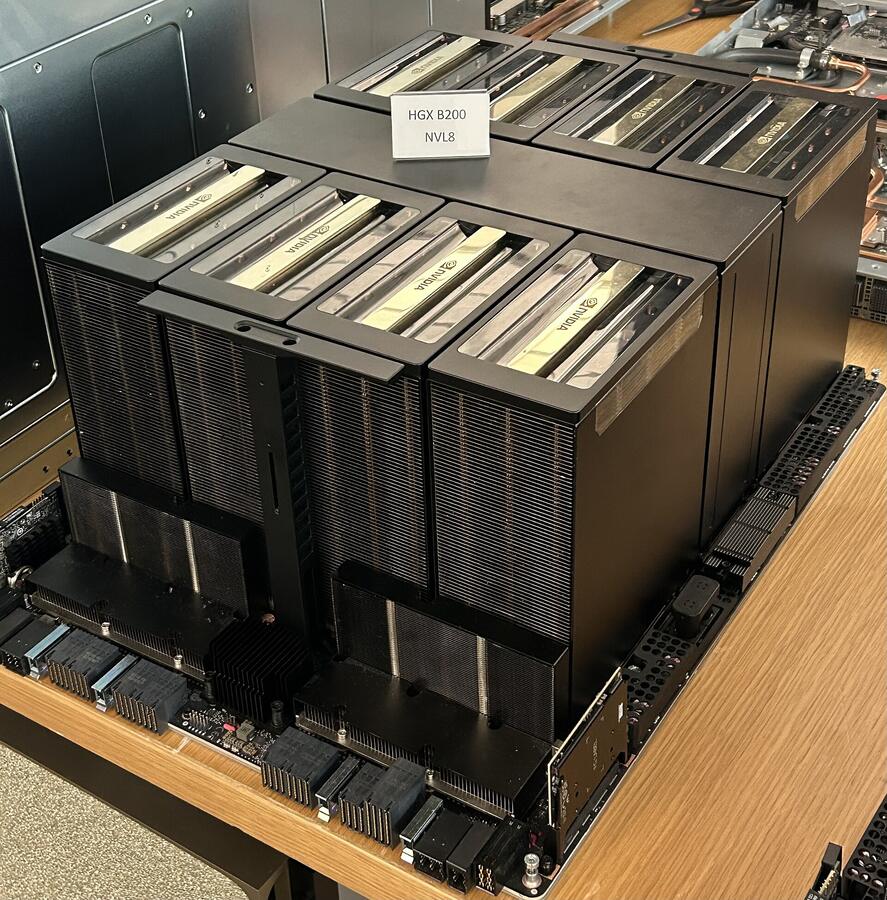
Photo: Pokiiri / Wikimedia Commons / CC BY-SA 4.0
Why total parameters, not active ones, set the memory bill
A mixture-of-experts model computes with a small slice of its weights per token but must keep every expert in GPU memory. Kimi K3 uses about 104 billion of its 2.78 trillion parameters for each token. At production batch sizes, though, different requests route to different experts, so every expert is busy at some instant. Swapping experts in and out of memory would break any latency promise. So total parameters set how many GPUs you need, and active parameters set how much math each token costs. Our mixture-of-experts entry shows the routing step by step.
Baseten's engineers walk through the same constraint for Kimi K3, along with how they split the model across eight GPUs with tensor and expert parallelism:
The two parallelism styles trade latency for throughput. Tensor parallelism (TP8) shards every layer across all eight GPUs, which gives the best single-user latency and the most traffic between GPUs. Tensor plus expert parallelism keeps attention sharded and places whole experts on specific GPUs, which raises throughput. Hosts also add or remove copies of busy experts at run time to balance load. None of this is visible to you in a builder, but it is why two hosts serve the same weights at very different speeds.
Can I run Kimi K3 without a GPU?
Yes, through a hosted builder or a host API, which is how almost everyone runs it. In Taskade, Kimi K3 runs on Taskade credits on Max and Enterprise, or on your own Together AI key on Business and up. Hosts such as Together AI, Fireworks, Baseten and Moonshot's own API serve it per token.
Running the weights on your own machine without GPUs is a different project. The official checkpoint needs about 1.56 TB of memory before any cache. ModelFit measured the smallest community build at 567 GB on July 28, 2026, and recommended a dual-socket server with 1 TB of RAM as the practical floor. Tools that stream experts from disk can start the model on far less memory, but each token then waits on storage, so speed drops sharply. This walkthrough shows those community methods:
For an app that real people use, a host gives you seconds-to-answer instead of minutes. Our AI inference guide explains where the time goes, and the memory bandwidth entry explains why decode speed tracks memory speed.
Open-weight licenses compared: what each one lets you do
Six open-weight releases in this guide ship under MIT or Apache 2.0 with no revenue clause: DeepSeek V4, GLM 5.2, GLM 5.3 Flash, Qwen3.6, Qwen3.8-27B and gpt-oss. Kimi K3, Kimi K2.6, the 2.4T Qwen3.8 flagship, GLM 5.3, MiniMax M3 and Nemotron 3 Super use custom licenses with extra conditions. We read each license file on Hugging Face on October 20, 2026. This is a plain-language summary, not legal advice.
| Model | License | What triggers an extra condition | What the condition asks |
|---|---|---|---|
| Kimi K3 | Kimi K3 License | A Model-as-a-Service business over $20M revenue in 12 months | A separate agreement with Moonshot AI |
| Kimi K3 | Kimi K3 License | A product over 100M monthly users or $20M monthly revenue | Show "Kimi K3" in the interface |
| Kimi K2.6, K2.7 Code | Modified MIT | Over 100M monthly users or $20M monthly revenue | Show the model name in the interface |
| Qwen3.8 2.4T flagship | Qwen3.8-Max License | A Model-as-a-Service or AI Work Assistant business over $50M revenue in 12 months | A separate license from Qwen before commercial use |
| Qwen3.8 2.4T flagship | Qwen3.8-Max License | A product over 100M monthly users or $20M monthly revenue | Show the model name in the interface |
| GLM 5.3 | GLM-5.3 License | A Model-as-a-Service business over $10B revenue in 12 months | Pass Z.ai's security review first |
| MiniMax M3 | MiniMax Community License | Any commercial use, and over $20M yearly revenue | Show "Built with MiniMax M3" and notify MiniMax, or get written approval above $20M |
| Nemotron 3 Super | NVIDIA Nemotron Open Model License | See NVIDIA's agreement | Read the terms linked on the model card |
| DeepSeek V4, GLM 5.2, GLM 5.3 Flash | MIT | None | Keep the copyright and license notice |
| Qwen3.6, Qwen3.8-27B, gpt-oss | Apache 2.0 | None | Keep the notices. Includes a patent grant |
Two details are easy to miss. The Kimi K3 License says its Model-as-a-Service definition does not cover "end-user products with model capabilities solely embedded within specific features or harnesses," and its two thresholds do not apply to internal use or to use through Moonshot's own products and certified inference partners. And the MiniMax Community License grants rights for non-commercial purposes by default, then sets the display and notice rules for commercial use.
A quick reference you can keep beside the license files:
LICENSE QUICK CHECK  (read the full text before you ship)
──────────────────────────────────────────────────────────────────
MIT or Apache 2.0    DeepSeek V4, GLM 5.2, GLM 5.3 Flash,
                     Qwen3.6, gpt-oss
                     → keep the notice. No revenue or user cap.Custom terms
Kimi K3            MaaS revenue over $20M a year → separate deal
100M MAU or $20M a month      → show "Kimi K3"
Kimi K2.6, K2.7    100M MAU or $20M a month      → show the model name
GLM 5.3            MaaS revenue over $10B a year → security review
MiniMax M3         any commercial use            → "Built with MiniMax M3"
+ notice to MiniMax
over $20M a year              → written approval
Nemotron 3 Super   NVIDIA Nemotron Open Model License
──────────────────────────────────────────────────────────────────
The histories behind these choices are worth a read: DeepSeek's MIT strategy, Alibaba's Qwen line and Moonshot's path to Kimi K3.
Why open-weight models are cheaper to serve
Open-weight models are often cheaper per token because of how they are built and how they are sold. Three design choices cut the compute per token, and open distribution lets many hosts compete on one set of weights. Kimi K3 shows all four effects at once. Our guide to AI inference explains each step in depth.
1. Mixture of experts: total parameters set memory, active parameters set compute. Kimi K3 has 896 routed experts. Each token goes to 16 routed experts plus 2 shared ones, about 104B parameters, or about 3.7% of the 2.78T total. So each token costs roughly what a 104B dense model costs to compute. The catch: at production batch sizes, every expert is busy at some instant, so all 2.78T must stay in GPU memory. That is why, in the sizing block near the top of this guide, only the 8x B300 node fits the weights.
2. Hybrid attention keeps the cache small. Kimi K3 has 93 layers. 69 use Kimi Delta Attention (KDA), a linear attention that keeps a fixed-size state per sequence (about 217 MB in BF16 across the model). 24 use Gated MLA, which keeps a per-token cache of about 13.5 KiB in FP8. A full 1,048,576-token window therefore needs about 13.5 GiB of per-token cache, far less than a model where every layer caches every token. The trade-off: a cached prompt prefix resumes exactly for MLA, but the KDA layers resume only from the nearest saved state, so prefix caching is coarser.
3. Speculative decoding raises per-user speed. A small draft model proposes several tokens, and the large model checks them in one pass. Baseten names EAGLE-3, DFlash and DSpark as speculator options for K3. A speculator trains on the target model's own hidden states, so it arrives after the model is live.
4. Same weights, many hosts. Because anyone can serve the weights, hosts compete. Artificial Analysis measured Kimi K3 output speed on October 20, 2026:
That is about a 10x spread for identical weights. Speed is a property of the host, not of the model, which is why a builder that can switch hosts or take your key gives you a lever a closed model does not. Our tokens-per-second guide explains what each number means for a user. The inference-as-a-service guide covers how hosts price and route this traffic, and the Moonshot and Kimi history covers how K3 got here.
The serving path looks like this inside a host:
Prefill (reading the prompt) and decode (writing the answer) run on separate worker pools, so a host can add prefill capacity for agent traffic with long prompts. Decode is limited by memory bandwidth, because each new token streams the cache from GPU memory. For cost tactics on top of this, see how to reduce LLM costs.
How each open-weight lab cuts the cost of a token
Most large open-weight releases of 2026 redesigned attention to make long contexts cheaper. Plain attention keeps a KV cache entry for every token in every layer, so memory grows with the context window. The labs below each attack that growth differently. The figures are the labs' own claims from their Hugging Face model cards.
| Model | Design choice | What the lab reports |
|---|---|---|
| Kimi K3 | Kimi Delta Attention (linear) in 69 of 93 layers, Gated MLA in 24, MXFP4 weights | A fixed-size state per sequence in the linear layers, and a 1,561 GB checkpoint for 2.78T parameters |
| DeepSeek V4 Pro | Hybrid Compressed Sparse Attention and Heavily Compressed Attention | At 1M tokens, 27% of the per-token compute and 10% of the KV cache of DeepSeek V3.2 |
| GLM 5.2 | IndexShare: one indexer reused across every four sparse attention layers | 2.9x fewer FLOPs per token at 1M tokens, and up to 20% longer speculative acceptance |
| GLM 5.3 Flash | Hybrid sparse plus linear attention, a first for GLM | Lower long-context serving cost (no figure on the card) |
| MiniMax M3 | MiniMax Sparse Attention (MSA) | 9x faster prefill and 15x faster decode than M2 at 1M tokens, 1/20 the per-token compute |
| Nemotron 3 Super | Mixture of experts with 12B of 120B active, NVFP4 release | An 80 GB checkpoint for a 120B model |
The pattern matters for builders. A cheaper token on the host side shows up as a lower credit band or a lower per-token price on your side. In Taskade's Custom Engine catalog, DeepSeek V4 Pro sits in the Low cost band and Kimi K3, GLM and MiniMax M3 in the Medium band, while several closed models sit in the High band. Our inference cost entry and the attention mechanism entry explain the mechanics in plain language.
Kimi K3 speed and latency by host (October 2026)
On October 20, 2026, Artificial Analysis listed 17 Kimi K3 endpoints, and the fastest was 10 times faster than Moonshot's own API. Speed is only half of the picture. Time to the first chunk decides how long a user stares at a blank chat, and cost per task decides your bill. The table shows twelve named hosts from the provider page, as 72-hour medians on a 10,000-token input workload.
| Host | Output speed (tokens/s) | First chunk (seconds) | Cost per task (USD) |
|---|---|---|---|
| LithosAI (Ultra Chat) | 422 | 0.70 | 3.93 |
| Parasail | 198 | 1.16 | 4.14 |
| Nebius | 192 | 1.07 | 9.22 |
| Amazon Bedrock | 142 | 1.33 | 1.87 |
| Modal | 141 | 0.93 | 3.48 |
| Databricks | 116 | 0.91 | 1.85 |
| Fireworks | 112 | 0.97 | 1.91 |
| Baseten | 96 | 0.95 | 2.42 |
| Makora | 63 | 1.20 | 1.18 |
| DigitalOcean | 58 | 1.09 | 1.90 |
| Together AI | 57 | 0.96 | 2.16 |
| Kimi (Moonshot API) | 42 | 3.69 | 2.00 |
Three lessons come out of this data. The fastest host is not the cheapest: Makora had the lowest cost per task at 63 tokens per second, while Nebius ran three times faster at almost eight times the cost per task. Most hosts start answering in about one second, so the first-chunk gap is small everywhere except the lab's own API. These numbers move every week, so a builder that can switch hosts, or take your key for the host you pick, protects you from a slow week at one provider. Is 40 tokens per second fast enough? For chat, yes, because people read slower than that. For agents that write long files, the faster hosts finish the same build sooner.
How to choose a builder for open-weight models
Pick by who pays the model and what you need to ship. A builder on credits is fastest for a non-developer. A key-based builder suits a team that already buys tokens. Self-hosting suits strict data rules and steady volume. The second question is the output: a chatbot, a workflow, a website, or a full app with a database and agents.
| If you need | Pick | Why |
|---|---|---|
| A full app with agents and automations, no keys | Taskade Genesis | Open models on credits, one workspace |
| A chatbot over your documents | Dify | Retrieval and widest provider list |
| AI steps inside business workflows | n8n | Dedicated open-model nodes |
| Many open models to compare, no keys | MindStudio | Large catalog at provider rates |
| A free, MIT-licensed canvas | Langflow | Self-host with no multi-tenant clause |
| A private, offline builder | Dyad | Ollama and LM Studio on your machine |
What it costs to run an open model in a builder
The software is often free or cheap. The model usage is where the bill grows. Each path below charges for open models in a different place, so compare the full monthly cost, not the plan price alone.
| Path | What you pay | Example, checked 2026-10-20 | What to watch |
|---|---|---|---|
| Builder credits | One plan that includes model usage | Taskade Pro $10/mo billed annually with 50,000 credits a month, Max $100/mo billed annually with 400,000 | Plan gates on the larger models |
| Pass-through usage | A plan plus usage at provider rates | MindStudio Individual $16/mo billed yearly, plus usage | The bill tracks token count |
| Your host key | The host per token, plus the builder plan | A Together AI key in Taskade on Business, $25/mo billed annually | Two bills and two sets of rate limits |
| Self-host | Hardware or GPU rental, plus engineering time | One 8x B300 node to hold Kimi K3 | Idle GPUs still cost money |
The self-host row hides the biggest variable: utilization. A rented GPU node costs the same per hour whether it serves one request or a thousand, so self-hosting pays off only at steady, high volume. Our inference-as-a-service guide works through the break-even math, and the AI app builder pricing guide compares plan prices across builders.
HOSTED BUILDER ON CREDITS            SELF-HOSTED OPEN WEIGHTS
─────────────────────────────────    ─────────────────────────────────────
Setup    pick a model in a menu      GPUs, inference engine, monitoring
Models   the builder's catalog       any weights your GPUs can hold
Updates  the builder adds models     you download and redeploy
Data     builder and host terms      stays on your own servers
Speed    the builder's host          your hardware and tuning
Bill     one plan                    hardware or rental + engineer time
─────────────────────────────────    ─────────────────────────────────────
If you plan to bring your own key anyway, our sister roundup of AI builders with bring your own key compares how each tool handles keys, plan gates and credits. For agent-first platforms, see the AI agent platforms and AI agent builders rankings, and the agent builders explainer. For app builders in general, see the best AI app builders and the free AI app builders.
How to build an app on an open-weight model in Taskade (step by step)
You can build a working app on DeepSeek V4 Pro in Taskade Genesis without an API key: pick a paid plan, describe the app, and pin the model in the builder chat. The steps below cover a first app. Kimi K3 and GLM 5.3 follow the same steps on Max or Enterprise, and a Together AI key on Business adds Kimi K3 to custom agents on your own account.
| Plan (billed annually) | Open-weight models on Taskade credits | Your own key |
|---|---|---|
| Free | None. Free starts with no AI credits | None |
| Pro, $10/mo | DeepSeek V4 Pro, MiniMax M3, Nemotron 3 Super | OpenAI, Anthropic and Google keys |
| Business, $25/mo | Same as Pro | Adds Together AI (Kimi K3, GLM 5.2, MiniMax M3) and Groq (gpt-oss) for agents |
| Max, $100/mo | Adds Kimi K3, K2.7 Code, K2.6, GLM 5.3, GLM 5.2 | Same as Business |
| Enterprise, $250/mo | Same as Max | Same as Business |
Step 1: Pick the plan that carries your model. DeepSeek V4 Pro, MiniMax M3 and Nemotron 3 Super run on every paid plan, starting with Pro. Kimi K3 and the GLM models need Max or Enterprise on Taskade credits. See pricing for the full plan list and the model credits guide for how usage is metered.
Step 2: Describe the app. Open Taskade Genesis and write what the app does, who uses it and what data it keeps. The first prompt guide and the prompt guide show prompts that build cleanly.
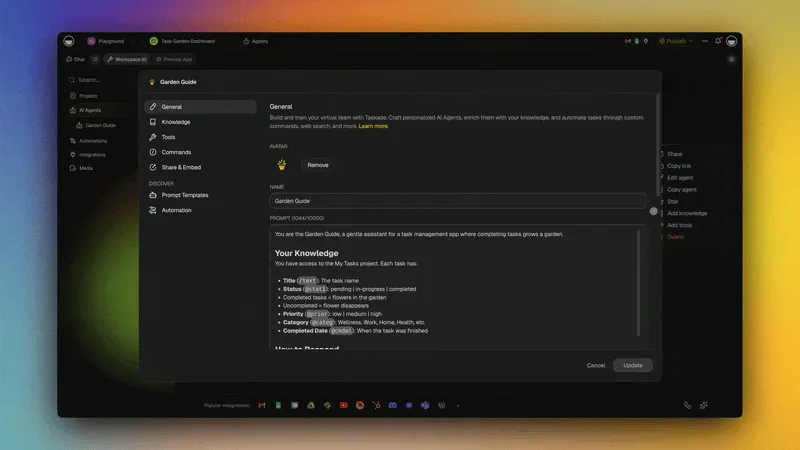
Step 3: Pin the open model in the builder chat. Open the model menu and choose More models. The list starts with the Taskade TSK models, then shows one group for each provider. Pick DeepSeek V4 Pro under DeepSeek. While the pinned model runs, its row reads Current Model. The AI models guide covers every picker.
Step 4: Give each agent its own model. In the agent editor, the same list appears under All Models. Put a fast model on a triage agent and Kimi K3 on a research agent that reads long documents. The custom agents guide shows the editor.
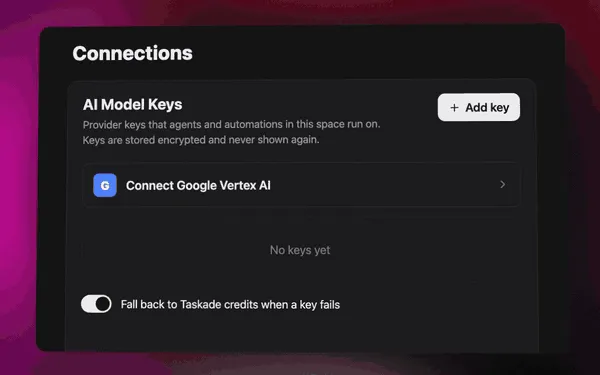
Step 5 (optional): Add your own host key. On Business and up, open the space, go to Connections, find AI Model Keys and click Add an AI key. Pick Together AI under Provider, paste the key and click Save key. Then pick the Kimi K3 row under Your keys in the agent model menu. An agent chat on your key uses no Taskade credits. The Bring Your Own AI Keys guide has every field, and the Together AI key page lists the models it serves.
Step 6: Run open models inside automations. The built-in AI step offers TSK-Auto and the TSK rungs on Taskade credits. To call an open model by name in a workflow, add a Groq or OpenRouter provider step on Business and up with your own key. Your provider bills the model call, and each step uses one fixed step fee in Taskade credits. The provider steps guide walks through the setup, and automations connect the result to 100+ integrations.
Step 7: Test the app, then compare models on real work. Submit a real record, check that it saves, and ask an agent about the data. The usage chip on each message shows the credits that turn used. If the result is weak, switch the pin to another model and rebuild one page, then compare. The TSK-1 guide explains how we test builds the same way.
OPEN-MODEL APP CHECKLIST
────────────────────────────────────────────────────────────
[ ] Plan carries the model (Pro: DeepSeek V4 Pro, Max: Kimi K3)
[ ] Builder chat pinned under More models → Current Model
[ ] Each agent pinned under All Models, or left on Auto
[ ] Optional: Together AI key saved under AI Model Keys
[ ] Automation AI steps on TSK rungs, or a provider step
[ ] A real record saved, and an agent answered from it
[ ] Usage chip checked on a long turn before you scale up
────────────────────────────────────────────────────────────
A pinned model is stored with the agent or chat, so it ages. The state diagram shows what happens to a pin over time, as described in the Custom Engine docs:
Nothing breaks when a model leaves the list. A saved DeepSeek V4 Flash pick, for example, now runs on TSK-Instant. The flow from prompt to live app looks like this:
Which open-weight model should you pick for each job?
Pick DeepSeek V4 Pro for everyday building, Kimi K3 for long-context agent work, and GLM 5.3 or Kimi K2.7 Code for autonomous coding. The table maps common jobs to a first model to try in Taskade, the plan it needs, and the reason, using the model docs bands and TSK-1 results.
| Job | Try first | Plan in Taskade | Why |
|---|---|---|---|
| Everyday app builds and edits | DeepSeek V4 Pro | Every paid plan | Fast, Low cost band, DeepSeek family leads TSK-1 design |
| Long documents and long agent runs | Kimi K3 | Max and Enterprise | 1M-token context, Frontier band, most reliable round |
| Autonomous coding inside an app | GLM 5.3 or Kimi K2.7 Code | Max and Enterprise | Docs rate them for autonomous and agentic coding |
| Fast, cheap generalist steps | MiniMax M3 or Nemotron 3 Super | Every paid plan | Fast band. Test on your app first (see TSK-1) |
| Long forms at low cost | Qwen 3.7 Plus (API-only) | Every paid plan | Took all 32 form questions in TSK-1 |
| Private, offline experiments | gpt-oss-20b or Qwen3.6 | Not in Taskade. Use Dyad or Langflow | Fits a 16 to 24 GB GPU |
The Kimi model docs, Qwen model docs, GLM model docs and MiniMax model docs list the current rows for each family. Each lab also has a directory page with every model it makes, for example Moonshot, DeepSeek, Z.ai, Alibaba, MiniMax and NVIDIA.
How open-weight models caught up in 2026
Open-weight models went from a step behind to a credible default for app building in about a year. Between August 2025 and October 2026, every major open lab shipped at least one model with a million-token context or a mixture-of-experts design built to be cheap to serve. The table lists the releases in this guide by the month their weights appeared on Hugging Face.
| Month | Release | Lab | Why it mattered for builders |
|---|---|---|---|
| Aug 2025 | gpt-oss-120b and gpt-oss-20b | OpenAI | Apache 2.0 weights from a closed-model lab, small enough for one GPU |
| Feb 2026 | GLM-5 | Z.ai | Set up the GLM 5.x line that 5.2 and 5.3 build on |
| Mar 2026 | Nemotron 3 Super | NVIDIA | 12B active of 120B, released in NVFP4 |
| Apr 2026 | Kimi K2.6, Qwen3.6, DeepSeek V4 Pro and Flash | Moonshot, Alibaba, DeepSeek | MIT-licensed 1M-token DeepSeek models, Apache 2.0 Qwen models for one GPU |
| Jun 2026 | MiniMax M3, Kimi K2.7 Code, GLM 5.2 | MiniMax, Moonshot, Z.ai | Sparse attention at 1M tokens, an MIT-licensed GLM |
| Jul 2026 | Kimi K3 (API July 16, weights July 27) | Moonshot | The first open model near 3 trillion parameters |
| Aug 2026 | Qwen3.8 2.4T flagship and Qwen3.8-27B, GLM 5.3 and GLM 5.3 Flash | Alibaba, Z.ai | A 2.4T open Qwen flagship, an Apache 2.0 27B model, and hybrid sparse plus linear attention in GLM 5.3 Flash |
| Sep 2026 | DeepSeek V4.1 Flash | DeepSeek | The economical DeepSeek that built the richest CRM in TSK-1 |
Moonshot's founder Zhilin Yang explains how the team scaled the Kimi K2.5 generation that led into K3 in his GTC 2026 keynote:
For the longer arc, read our histories of the context window, open-source LLMs and how large language models work.
Five mistakes teams make with open-weight models
Most problems with open-weight models in builders come from treating "open" as one thing. The model, the license, the host and the builder each change the result. These five mistakes show up again and again:
- Sizing hardware by active parameters. Kimi K3 computes with about 104B parameters per token, but all 2.78T must sit in GPU memory. Plan memory from the checkpoint size in the sizing table above, not from the "A3B" or "active" number.
- Reading "open source" as "any use allowed." MIT and Apache 2.0 have no thresholds, but Kimi K3, the Qwen3.8 flagship, GLM 5.3 and MiniMax M3 add revenue, user or display conditions. Read the license file before you host the weights.
- Judging a model by one slow host. The same Kimi K3 weights ran at 42 and at 422 tokens per second on October 20, 2026. A slow demo can be a host problem, not a model problem.
- Pinning a model and forgetting it. Models leave pickers. In Taskade a retired pin runs on TSK-Auto, so nothing breaks, but your agent is no longer on the model you chose. Check pins when the model list changes.
- Trusting a "done" message. In TSK-1, MiniMax M3 reported an app as ready while 47.2% of its build actions had failed. Open the app, save a record and use it before you ship.
A sixth, smaller one: assuming every model from an open lab is open. Qwen 3.7 Plus and Max are API-only, while Qwen3.6 and Qwen3.8 are open-weight. Our history of Alibaba's Qwen lays out which is which.
Why we built Taskade differently
Taskade treats the model as a setting, not as the architecture. The app, its data, its agents and its automations live in one workspace, and the model that powers each one can change without a rebuild. That matters more for open-weight models than for closed ones, because the best open model changes every few weeks.
Our design rests on Workspace DNA. Memory is your projects and data, Intelligence is your AI agents, and Execution is your automations with 100+ integrations. When a better open model ships, you pin it on one agent, keep Auto everywhere else, and compare results on real work. The model directory and TSK-1 record what each model did, so the choice rests on evidence rather than a launch post.
We also kept the key optional. Most people who want DeepSeek or Kimi do not want a host account, a billing alert and a rate-limit dashboard. They want the app to work. So the open models run on Taskade credits, and teams that already buy tokens from Together AI or Groq can add their key on Business and up. Browse live builds in the Community Gallery to see what these models produce.
▲ Memory holds your data. ■ Intelligence picks the model for each job, open or closed. ● Execution runs the work on a schedule, so the app keeps going while the model list moves.
Related Reading
- Kimi vs DeepSeek: license, size and TSK-1 results for the two largest open-weight families.
- Kimi vs Claude: an open-weight frontier model next to a closed one.
- Qwen vs DeepSeek: Apache 2.0 versus MIT, and which Qwen models are open at all.
Build your first app on an open-weight model. Pick DeepSeek V4 Pro on any paid plan, or Kimi K3 on Max or Enterprise, and let Taskade Genesis handle the hosting. Start building with Taskade Genesis →
Cover photo: Datacenter Server Racks by Carl Lender, Wikimedia Commons, CC BY 2.0.
Frequently Asked Questions
What is an open-weight AI model?
An open-weight model is a model whose trained weights anyone can download, for example Kimi K3, DeepSeek V4 Pro, GLM 5.2 or gpt-oss. Open weights are not the same as open-source code. The license decides what you can do with the weights, and it differs by model: DeepSeek V4 uses MIT, and Kimi K3 uses Moonshot's own Kimi K3 License. Qwen's smaller open models use Apache 2.0, and the 2.4T Qwen3.8 flagship uses a custom license.
Can I run Kimi K3 without a GPU?
Yes, through a hosted builder or a host API key. Kimi K3 is a 1.56 TB checkpoint that fits one 8x NVIDIA B300 node and does not fit 8x B200 or 8x H100. So most people run it through a host such as Together AI, Fireworks, Baseten or Moonshot, or through a builder that buys tokens from those hosts. In Taskade, Kimi K3 runs on Taskade credits on Max and Enterprise, or on your own Together AI key on Business and up.
Which no-code builder lets me build an app with DeepSeek?
Several. Taskade Genesis offers DeepSeek V4 Pro on Taskade credits on every paid plan, with no API key. MindStudio lists DeepSeek models in its catalog with no API keys required. Dify, n8n and Langflow connect DeepSeek through a DeepSeek node, plugin or component with your own key. Dyad connects it through a provider key or a local Ollama model.
Which AI app builder supports Kimi models?
Taskade runs Kimi K3, Kimi K2.7 Code and Kimi K2.6 on Taskade credits on Max and Enterprise, and a Together AI key on Business and up serves Kimi K3 to custom agents and Ask Agent. Moonshot's own Kimi Build makes full-stack websites on Kimi K3. MindStudio lists Kimi K3 and K2.6. n8n has a Moonshot Kimi Chat Model node, and Dify has an official Moonshot plugin.
Is open source the same as open weights?
No. Open-source code means you can read and change the software. Open weights means you can download the trained model file. A builder can be open source and still call a closed model, and a closed builder can run an open-weight model. This guide is about open-weight models inside hosted builders, not about open-source builder code.
Why are open-weight models often cheaper to run?
Three reasons. Most large open models are mixture-of-experts models, so each token uses only part of the weights: Kimi K3 uses about 104 billion of 2.8 trillion parameters per token. Hybrid attention keeps the memory cache small. And because anyone can host the same weights, many providers compete on price and speed for one model.
Is 40 tokens per second fast enough for an AI app?
For chat, yes. People read at a few words per second, so 40 tokens per second already outruns reading speed. For agents that write long files or run many steps, faster hosts matter more. On October 20, 2026, Artificial Analysis measured Kimi K3 at about 42 tokens per second on Moonshot's own API and about 422 on the fastest host, with the same weights.
Do I need my own API key to use open-weight models in Taskade?
No. DeepSeek V4 Pro, MiniMax M3 and Nemotron 3 Super run on Taskade credits on every paid plan, and Kimi and GLM models run on Taskade credits on Max and Enterprise. A key is optional. On Business and up, a Together AI key serves Kimi K3, GLM 5.2, MiniMax M3 and Qwen 3.7 Plus to custom agents and Ask Agent, and an agent chat on your key uses no Taskade credits.
What is the cheapest way to try open-weight models in a builder?
Self-hosted Dify, Langflow or Dyad cost nothing in software, but you pay for the model host or your own hardware. Taskade Pro is $10 per month billed annually and includes DeepSeek V4 Pro on Taskade credits. MindStudio passes model costs through at the provider's rate with no markup.
What is the best AI app builder for open-source models?
For a full app with agents, automations and a database, Taskade Genesis runs open-weight models such as DeepSeek V4 Pro, MiniMax M3 and Nemotron 3 Super on every paid plan with no API key, and Kimi K3 and GLM 5.3 on Max and Enterprise. For chatbots over documents, Dify has the widest provider list. For workflow steps, n8n has dedicated DeepSeek, Kimi and Qwen nodes. For a local, offline builder, Dyad runs models through Ollama.
How much GPU memory does DeepSeek V4 Pro need?
The official DeepSeek V4 Pro checkpoint on Hugging Face is about 865 GB for 1.6 trillion parameters, with 49 billion active per token. It does not fit an 8x H100 node with 640 GB of GPU memory. It fits an 8x H200 node with about 1,128 GB, or an 8x B200 node with 1.44 TB, with room left for the cache.
Can I build an AI app with Qwen without code?
Yes. The open Qwen3.8-27B and Qwen3.6 models (27B and 35B-A3B), all Apache 2.0, run locally through Ollama in Dyad or Langflow. Dify connects Qwen through its Tongyi plugin, n8n has a Qwen Cloud chat model node, and MindStudio lists Qwen models with no keys. Taskade offers Qwen 3.7 Plus on every paid plan and Qwen 3.7 Max on Max and Enterprise, but those two are Alibaba's API-only models, not open weights.
Is Kimi K3 open source?
Kimi K3 is open-weight. Moonshot published the weights on Hugging Face on July 27, 2026 under the Kimi K3 License, which is not MIT. The license allows use, change and resale, but a Model-as-a-Service business with more than 20 million US dollars of revenue in 12 months needs a separate agreement, and a product with more than 100 million monthly users or 20 million US dollars of monthly revenue must show "Kimi K3" in its interface.
Which open-weight model licenses have no revenue limits?
MIT and Apache 2.0 have no revenue or user thresholds. DeepSeek V4 Pro and V4 Flash, GLM 5.2 and GLM 5.3 Flash use MIT. Qwen3.6, Qwen3.8-27B and gpt-oss use Apache 2.0. Kimi K3, the 2.4T Qwen3.8 flagship, GLM 5.3, MiniMax M3 and Nemotron 3 Super use custom licenses with extra conditions, so read each license file before you host the weights yourself.
Can I run an open-source LLM on my laptop?
Only the small ones. gpt-oss-20b has a 14 GB checkpoint that fits a 16 GB GPU, and community 4-bit builds of Qwen3.6-27B or Qwen3.6-35B-A3B fit a 24 GB card. The large open-weight models do not: Kimi K3 is about 1,561 GB and DeepSeek V4 Pro about 865 GB, so they need an 8-GPU server or a hosted builder.
Why is the same open model faster on one host than another?
The weights are the same, but each host picks its own GPUs, parallelism, batch size and speculative decoding. On October 20, 2026, Artificial Analysis measured Kimi K3 at about 422 output tokens per second on the fastest host and about 42 on Moonshot's own API, roughly a 10x spread for one set of weights.
Which open-weight model builds the best apps in Taskade?
In TSK-1, Taskade's hands-on build test, the DeepSeek family leads on design and rich workspace data, Kimi K3 posted the most reliable round with only 7.2% of build actions failing, and GLM 5.2 showed the best judgment on an unclear brief. MiniMax M3 was not scored because 47.2% of its build actions failed. The dated results are on the TSK-1 hub.
Do open-weight models in Taskade work in automations?
The model menu of a built-in AI step in an automation offers TSK-Auto and the TSK rungs on Taskade credits, so a new step cannot pin an open-weight model. To call an open model inside an automation, add a Groq or OpenRouter provider step on Business and up with your own key. Your provider bills each model call, and each step uses one fixed step fee in Taskade credits.