






A BYOK AI app builder lets you bring your own API key, so your model provider bills the AI calls instead of the builder. Bring your own key sounds simple: paste an API key, pay your model provider directly. In an AI builder it is not simple, because a builder makes model calls in four different places, and most tools put your key in only one of them. We checked 14 tools against their own documentation on October 20, 2026, and sorted them by the place your key actually runs.
TL;DR: BYOK in an AI builder runs in one of four lanes: the builder agent, the agents and automations you build, the finished app, or a chat client. Dyad and Cursor put the builder on your key. Taskade and n8n put your agents and automations on it. Lovable and Replit put only the app on it. TypingMind is the chat pick.
Quick answer: The best BYOK AI app builder depends on what must run on your key. If the builder agent itself must run on your key, pick Dyad or bolt.diy. For no-code agents and automations on your own OpenAI, Anthropic or Google key, pick Taskade (Pro and up) or self-hosted n8n. For one chat window on every model, pick TypingMind or LibreChat.
This guide covers the four BYOK lanes, a ranked list of 14 tools, a provider-by-provider matrix, a cost calculator, a key-safety checklist, what happens when a key fails, and how the host behind an open-weight model changes its speed. Jump to the part you need:
| If you want to know | Read this section |
|---|---|
| Which tools run what on your key | The 14 best AI builders with BYOK, ranked |
| Which provider keys each tool accepts | Provider matrix |
| What BYOK really costs | Cost calculator |
| How to set it up in Taskade | BYOK inside Taskade |
| How to keep a key safe | Key safety checklist |
What does BYOK actually mean in an AI builder?
BYOK (bring your own key) means you paste an API key from a model provider, such as OpenAI or Anthropic, and the tool sends some model calls to that provider on your account. The provider bills those calls, not the tool. The question that matters is which calls, because an AI builder makes model calls in four places.
| Lane | What runs on your key | What stays on the vendor | Tools in this guide |
|---|---|---|---|
| A. The builder agent | The agent that writes or edits your app | Hosting, if the tool hosts | Dyad, Cursor (chat models), bolt.diy, OpenThorn |
| B. What you build | Your AI agents and automation steps | The app builder, if there is one | Taskade, n8n, Dify, Gumloop, Relevance AI, MindStudio |
| C. The finished app | Model calls your published app makes, from a stored secret | The builder agent and its credits | Lovable, Replit |
| D. Chat clients | Every message you send | Nothing model-related | TypingMind, LibreChat |
Vendor pages rarely separate these lanes, and the lanes explain most of the confusion in search results. "Lovable supports BYOK" and "Lovable does not support BYOK" are both true: your app can call a provider on your key (Lane C), but the Lovable agent that builds it cannot (Lane A).
Pick the lane first, then the tool. This tree covers most cases:
Which BYOK lane do you need?Must the BUILDER itself run on your key?
├── Yes ── Do you write code?
│          ├── Yes ──> Cursor, Dyad, bolt.diy             (Lane A)
│          └── No ───> Dyad, OpenThorn                    (Lane A)
└── No ─── Must your AGENTS or AUTOMATIONS run on your key?
├── Yes ──> Taskade, n8n, Dify, Gumloop,       (Lane B)
│           Relevance AI, MindStudio
└── No ─── Does only the FINISHED APP call a model?
├── Yes ──> Lovable, Replit         (Lane C)
└── No ───> TypingMind, LibreChat   (Lane D)
BYOK for AI models is not BYOK for encryption
BYOK in an AI builder means a model API key. The same acronym also names an older cloud-security practice, in which a company brings its own encryption key to protect stored data. Security teams often hear "BYOK" and think of the second meaning, so name the one you mean in every vendor call.
| Term | What you bring | What it controls | Where you meet it |
|---|---|---|---|
| BYOK in AI tools | An API key from a model provider | Which account pays for and logs each model call | AI app builders, agent platforms, chat clients, code editors |
| BYOK in cloud security | An encryption key that you create | The key that encrypts your data at rest in a vendor's cloud | Cloud key management services |
| HYOK (hold your own key) | An encryption key that stays in your own systems | Data the vendor can not read without your key | Regulated industries |
This guide covers only the first row. A model key decides who bills the call and whose rate limits apply. It does not change how the builder stores your projects, so ask about data storage as a separate question. For the basics of what a model call is, see how LLMs work and the large language models entry in our wiki.
Why teams ask for BYOK in the first place
Teams ask for BYOK for three reasons: the bill, the data path and the model choice. A provider account that procurement already approved keeps AI spend on one invoice. Traffic through your own provider account keeps the audit log where compliance expects it. And a key from a host such as Together AI reaches open-weight models that a builder does not list.
BYOK does not remove the platform fee. Every tool below that hosts something still charges for the plan, a step, or an orchestration fee. If the goal is a lower AI bill rather than control, read how to reduce LLM costs first, because model choice and caching often save more than a key does. For the wider market, see our guides to AI agent platforms and AI agent builders.
Each reason maps to one question you can ask a vendor. This table turns the three reasons, plus rate limits, into checks, with Taskade's answer as a worked example:
| Reason for BYOK | What to check in any tool | Taskade's answer |
|---|---|---|
| One AI invoice | Does the key cover the surface that spends the most? | Agent chats on your key use no Taskade credits. Taskade Genesis app building stays on credits |
| Data path and audit | Where is the key stored, and who can read it? | Stored encrypted. The list shows only the last four characters |
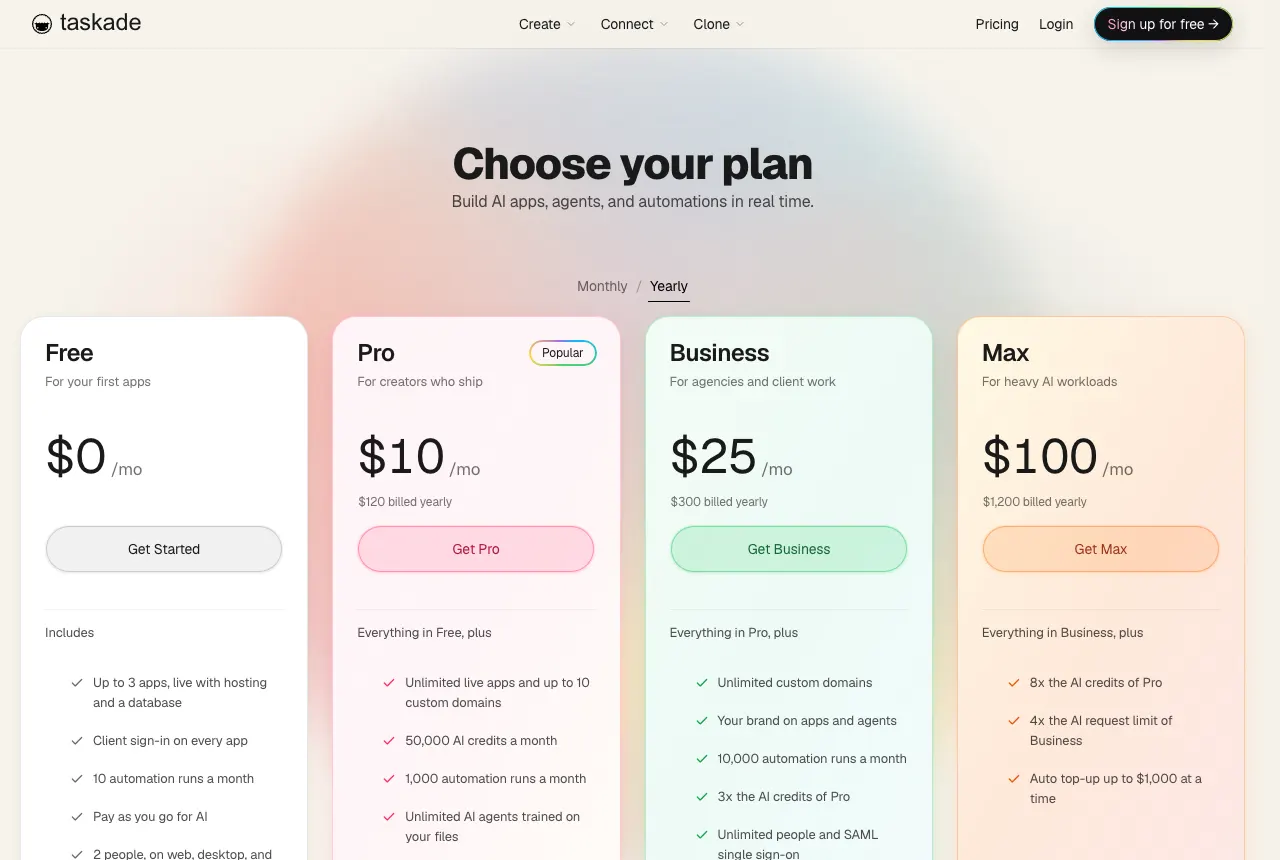
| Model choice | Which hosts and models can the key reach? | OpenAI, Anthropic and Google Vertex AI keys on Pro and up. xAI, Groq, Mistral and Together AI on Business and up |
| Rate limits | Whose limit applies on a busy day? | Your provider account sets the model limit. Taskade's daily AI request limit still applies |
If you are still deciding between a builder and a framework, our explainer on how agent builders work covers the trade-off, and the AI app builder pricing guide shows how plans and credits compare across the market.
How we picked and checked these tools
We started from a long list of app builders, agent platforms and chat clients that people compare for BYOK. We kept a tool only when its own documentation, pricing page or repository confirmed what runs on your key. We read each source on October 20, 2026 and link it in every entry. We do not print any model API price, because provider prices change often and your provider bills them, not the builder.
Three tools did not make the ranking:
| Tool | What we found | Source |
|---|---|---|
| v0 | The docs describe no setting that runs the builder on your key. Apps use AI SDK 6, and Vercel AI Gateway offers BYOK on its paid tier as a separate product. | v0 FAQ, AI Gateway BYOK |
| Lindy | The docs describe a shared credit balance. Lindy's Credentials feature stores keys for tools, and we found no setting for a model key. | Lindy docs index |
| Flowise | The open-source repository was archived on August 13, 2026 and is read-only. | Flowise on GitHub |
For every tool that stayed, we recorded the same six facts. The ranking weighs how well a tool serves its lane, not how many providers it lists:
| What we recorded | Why it matters to a buyer |
|---|---|
| Lane | Tells you which model calls leave the vendor's bill |
| Plan that unlocks BYOK | Some tools gate keys behind a paid tier |
| Providers the key can come from | Decides whether your existing contract fits |
| Fee that stays on your key | Plan fees, step fees or orchestration fees still apply |
| Key handling | Encryption, masking and who can add a key |
| Failure behavior | What a run does when the key is refused or out of funds |
Best AI Builders With BYOK at a Glance (2026)
| # | Tool | Lane | BYOK plan | Best for |
|---|---|---|---|---|
| 1 | Dyad | A | Free | A free, local app builder on your key |
| 2 | Taskade | B | Pro and up | No-code agents and automations on your key |
| 3 | n8n | B | Self-hosted, no credit limits | Self-hosted automation |
| 4 | Cursor | A | Not tied to a plan in the docs | Developers with a cloud AI contract |
| 5 | Dify | B | Cloud and self-hosted | Open-source LLM apps |
| 6 | bolt.diy | A | Free (MIT) | A model per prompt in the browser |
| 7 | Gumloop | B | Pro and up | Zero model credits on agent runs |
| 8 | Relevance AI | B | Pro, Team, Enterprise | Sales and ops agent teams |
| 9 | MindStudio | B | Free and Individual | BYOK on a free no-code plan |
| 10 | TypingMind | D | One-time license | A chat client you buy once |
| 11 | LibreChat | D | Free (MIT), self-hosted | Team chat on your servers |
| 12 | OpenThorn | A | Free | Websites with no subscription |
| 13 | Lovable | C | Own-key path through a secret | Polished apps where only the app needs a key |
| 14 | Replit | C | Secrets on any plan | Full-stack apps that keep keys in Secrets |
The 14 Best AI Builders With BYOK, Ranked
1. Dyad: Best free app builder that runs on your own key
Dyad is an open-source desktop app that builds web apps from plain-language prompts, and its builder agent runs on the key you paste in. Dyad calls itself "the open-source AI app builder on your desktop," and its Free plan lists "Bring your own API key" as a feature.
Lane: A. The agent that writes your app runs on your key.
Strengths:
- Free and open source, with no platform fee on your own key.
- Takes OpenAI, Anthropic and Google keys, plus local models through Ollama or LM Studio, so a laptop with a local model can build offline.
- You keep 100% of the source code, and the app runs on your machine while you build.
Trade-offs: Dyad writes code, so you host, secure and maintain the result. A database, agents and automations are things you add yourself. Dyad Pro ($20/month) and Dyad Max ($79/month) add Dyad's own AI credits and Pro modes for large codebases, so the paid plans serve people who want credits next to, or instead of, a key.
Key handling: You paste each key under its provider in Dyad's settings, and an OpenRouter key opens many models at once. Ollama and LM Studio models appear under Local Models with no key, and Dyad's guide says a ChatGPT or Claude Code subscription can stand in for an API key.
BYOK plan: Free.
Who it is for: developers and technical founders who want a prompt-to-app workflow with the model bill on their own account.
Source: dyad.sh, checked October 20, 2026.
2. Taskade: Best for no-code agents and automations on your own key
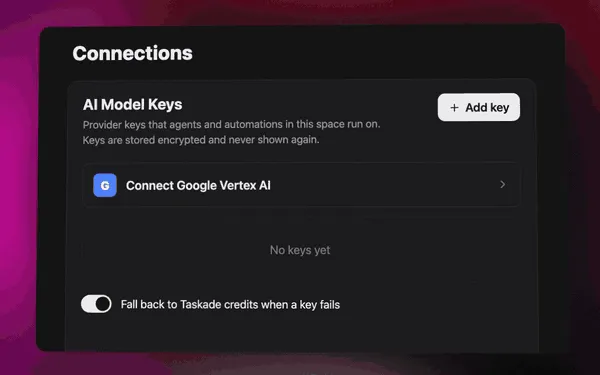
Taskade puts your key behind the agents and automations you build. Two separate places take a key. AI Model Keys, on a space's Connections page, run your custom AI agents, Ask Agent and the built-in Taskade AI automation steps. Provider steps in an automation call OpenAI, Anthropic Claude, Google Gemini, Groq or OpenRouter directly.
Lane: B. Your agents and automations run on your key.
Strengths:
- An agent chat on your key uses no Taskade credits. A provider step uses one fixed step fee in credits, the same for every model.
- OpenAI, Anthropic and Google Vertex AI keys work on Pro and up ($10/mo billed annually). xAI, Groq, Mistral and Together AI keys work on Business and up ($25/mo billed annually). See which models each key serves.
- The agents live next to projects, automations and 100+ integrations, so the key serves real work, not only a chat window.
Trade-offs: Taskade Genesis app building and Taskade EVE chat stay on Taskade credits. Claude runs only on your own Anthropic key. A built-in AI step uses your key only when you set a specific model, not TSK-Auto.
BYOK plan: Pro and up. Business and up for the xAI, Groq, Mistral and Together AI keys, and for Groq and OpenRouter steps.
Who it is for: teams that want agents and automations on a provider account finance already approved.
Source: AI Model Keys guide and provider steps guide.
3. n8n: Best self-hosted automation on your own key
n8n is a workflow automation tool in which every AI node takes a credential. For OpenAI, the docs tell you to create a secret key on OpenAI's site and "add it as the API Key in n8n." On a self-hosted instance, the n8n pricing page states: "You bring your own key (BYOK), so no credit limits apply."
Lane: B. Your workflows run on your key.
Strengths:
- Self-hosting puts the workflows, the keys and the servers under your control. The Community Edition is on GitHub.
- You set a credential once and pick it in each node that needs it.
- On n8n Cloud, nodes that support it let you skip your own key with "Use Gateway credits," which helps while you test.
Trade-offs: n8n is a builder for technical users, and you design each node by hand. A self-hosted instance needs updates, backups and monitoring. Cloud plans start at €20/month billed annually for Starter and €50/month for Pro, and they meter workflow executions.
Key handling: Each key lives in one credential that many nodes reuse. n8n ships chat model nodes for OpenAI, Anthropic, Google Gemini, Groq, Mistral, xAI Grok, OpenRouter and Ollama, among others, so one workflow can mix providers node by node.
BYOK plan: every plan. Self-hosted has no credit limits.
Who it is for: ops and engineering teams that want automation on their own infrastructure and their own model accounts.
Sources: n8n OpenAI credentials and n8n pricing, checked October 20, 2026.
4. Cursor: Best for developers with an existing cloud AI contract
Cursor is an AI code editor that accepts your own OpenAI, Anthropic, Google, Azure OpenAI and AWS Bedrock keys under Settings → Models. Its docs set a clear limit: "Custom API keys only work with chat models," and "Tab completion continues using Cursor's built-in models."
Lane: A, in part. Chat models run on your key. Tab completion does not.
Strengths:
- Five provider types, including Azure OpenAI and AWS Bedrock, which suits a company that already buys models through its cloud.
- On individual plans, the docs say your own key means "unlimited AI messages at your own cost."
- A full code editor, so the AI works on any codebase, not only a new app.
Trade-offs: Tab completion stays on Cursor's models. On Teams and Enterprise plans, "the Cursor Token Rate still applies" to requests on your key. The docs also warn that "Cursor's Zero Data Retention policy does not apply when you use your own API keys," so check that line with your security team.
BYOK plan: the docs name no plan requirement. Billing on your key depends on the plan.
Who it is for: developers and engineering teams that write code every day and want the editor's chat on their own model contract.
Source: Cursor API keys docs, checked October 20, 2026.
5. Dify: Best open-source platform for LLM apps and agents
Dify is an open-source platform for building LLM apps, agents and workflows. You add a key under Integrations → Model Provider, and "Dify checks the key before making the provider available." The docs say a key "works across the whole workspace and bills to your own account with that provider."
Lane: B. The apps and agents you build in Dify run on your key.
Strengths:
- Key and credits work together. The Usage Priority setting decides which one Dify uses first, so your key can take over when the Dify Cloud credits run out.
- Self-hosting runs on Docker Compose, and the repository lists a minimum of 2 CPU cores and 4 GiB of RAM.
- The repository describes "seamless integration with hundreds of proprietary / open-source LLMs from dozens of inference providers."
Trade-offs: Dify uses the Dify Open Source License, "based on Apache 2.0 with additional conditions," so read it before you resell a hosted version. Only workspace owners and admins can manage providers. The workflow canvas suits technical builders more than casual users.
Key handling: A provider can hold several keys, for example one for development and one for production. On the Professional and Team plans, load balancing rotates requests across keys and rests a key that hits its rate limit for a minute.
BYOK plan: Dify Cloud workspaces and self-hosted installs. The docs name no plan limit.
Who it is for: product and engineering teams that want an open-source LLM app platform they can run themselves.
Sources: Dify model configuration and Dify on GitHub, checked October 20, 2026.
6. bolt.diy: Best open-source browser builder with a model per prompt
bolt.diy is the community fork of Bolt.new. Its README calls it "the open-source AI developer workspace that lets you select your preferred LLM for every prompt." You enter API keys in the interface or in environment variables, and the agent that writes your app runs on them.
Lane: A. The builder runs on your key.
Strengths:
- MIT license, so you can run, change and host it yourself.
- The README lists support for "22+ model providers," including OpenAI, Anthropic, Gemini, Groq, xAI and DeepSeek, plus local models through Ollama and LM Studio. You can add "any provider supported by the Vercel AI SDK."
- You can switch the model for each prompt, which makes it a good bench for comparing models on the same app.
Trade-offs: bolt.diy is a community project, so support comes from GitHub issues and the forum, not a vendor. The WebContainers API it uses has "specific commercial licensing terms for enterprise deployment." You run the tool and host the apps yourself. The hosted Bolt.new is a separate product with its own plans.
Key handling: Keys you type under Settings → Providers are stored in your browser cookies. Keys in a .env.local file stay on the machine that runs bolt.diy. OpenRouter is on by default next to Anthropic, OpenAI and Google.
BYOK plan: free, self-run.
Who it is for: developers who like the Bolt workflow and want to pick the model and pay the provider for every prompt.
Source: bolt.diy on GitHub, checked October 20, 2026.
7. Gumloop: Best for zero model credits on agent runs
Gumloop is a no-code automation and agent platform. Its BYOK guide takes OpenAI, Anthropic, Google AI, Perplexity, xAI and Fireworks keys, and says plainly: "Model calls that the key can serve cost 0 credits." Image generation and transcription that the key covers are free of model credits too.
Lane: B. Your flows and agents run on your key.
Strengths:
- Six provider types, including Fireworks for open-weight models.
- Pro users add a key in personal Connectors or as a shared team key. Enterprise admins can set organization keys that override both, and route calls through their own proxy.
- The docs explain how to confirm the key works: run a short agent chat and check that the model credits in the chat header read 0.
Trade-offs: BYOK is not free of fees. The guide states: "Agent chats on BYOK use a 16% orchestration fee (instead of 8%) on the run's value." A key also covers only the models its provider serves, and the docs note that older organizations can have a different pricing policy.
BYOK plan: Pro and up.
Who it is for: operations and growth teams that run many agent workflows and want the model bill on their own account.
Sources: Gumloop BYOK guide and Gumloop AI models, checked October 20, 2026.
8. Relevance AI: Best for teams of sales and ops agents
Relevance AI builds teams of AI agents for sales, support and operations work. Its pricing splits into Actions, which count what your agents do, and Vendor Credits, which pay for models and tools. The pricing FAQ says you can "bring your own API keys to bypass them entirely."
Lane: B. Your agents run on your key.
Strengths:
- BYOK skips Vendor Credits completely, and any Vendor Credits you hold roll over while you stay subscribed.
- Setup is short: open Integrations & API Keys, pick OpenAI, Anthropic or Google, and enter your key. The docs state: "Once connected, you can use your own LLM account with your agents."
- The platform targets business teams that run several agents together, not single chatbots.
Trade-offs: BYOK starts at Pro: $19/month billed annually, or $29 monthly. Team costs $234/month billed annually. Actions still count against your plan when you use your own key. The docs state "The Free plan is retired for new signups and existing accounts," so there is no free way in.
BYOK plan: Pro, Team and Enterprise.
Who it is for: sales and operations teams that want several agents working together on a provider account they control.
Source: Relevance AI pricing docs, checked October 20, 2026.
9. MindStudio: Best free plan with BYOK for no-code agents
MindStudio is a no-code builder for AI agents. Its pricing page lists "Bring your own API keys if you prefer" on both the Free and the Individual plan. Without a key, the MindStudio Service Router connects you to "200+ AI models" with "no API keys required."
Lane: B. Your agents run on your key.
Strengths:
- BYOK on a free plan, which is rare in this list.
- The pricing FAQ states "MindStudio does NOT mark up the cost" of model usage, so the router and your own key bill the same model price.
- The paid Individual plan costs $20/month, or $16/month billed yearly, and keeps the same own-key option.
Trade-offs: Every plan adds model usage on top of the plan fee. Plan details for BYOK change often, so confirm the plan in the app before you commit. "Use your own AI models" on Business is a different feature, for private or fine-tuned models.
BYOK plan: Free and Individual, per the pricing page.
Who it is for: solo builders and small teams that want to try no-code agents on their own key before they pay for a plan.
Source: MindStudio pricing, checked October 20, 2026.
10. TypingMind: Best one-time-license chat client on your own key
TypingMind is a chat interface for AI models. Its docs describe it as a place where you "bring your own API keys (BYOK), connect any AI model." You add keys under Settings → Models, for OpenAI, Anthropic, Google and "any other provider you want to use."
Lane: D. Every message runs on your key.
Strengths:
- A one-time license instead of a subscription. The buy page states "All plans are one-time payments," and Standard starts at $39.
- The docs cover AI agents, plugins and MCP servers, so the chat can call tools.
- Several providers in one window, which suits people who compare models side by side.
Trade-offs: TypingMind is a chat client, not an app or automation builder, so nothing runs on a schedule or a trigger. The buy page notes that the price "does not include API costs and additional cloud storage." TypingMind Teams is a separate product with its own plans.
BYOK plan: every license.
Who it is for: individuals who want one chat window for every model and a provider bill they control.
Sources: TypingMind docs and TypingMind buy page, checked October 20, 2026.
11. LibreChat: Best self-hosted team chat on your own keys
LibreChat is an open-source chat app that you host. An admin can set a provider key on the server, or set it to user_provided "to allow users to provide their own API key from the WebUI." That choice lets each person bring a key, or lets the company pay for all of them.
Lane: D. Chat and chat agents run on your keys.
Strengths:
- MIT license, "Completely Open-Source & Built in Public."
- Providers include Anthropic, AWS Bedrock, OpenAI, Azure OpenAI, Google and Vertex AI, plus "any OpenAI-compatible API," which covers Ollama, Groq, Mistral and OpenRouter.
- Agents and Model Context Protocol (MCP) support, so a chat agent can call tools.
Trade-offs: You host it, and setup runs through environment variables and a librechat.yaml file. LibreChat is chat-first: it does not build apps or scheduled automations.
Key handling: LibreChat encrypts the credentials it stores in its database with two server secrets, CREDS_KEY and CREDS_IV. Its docs tell you to set fixed, unique values for production and share them across every replica.
BYOK plan: free and self-hosted.
Who it is for: IT teams that want one private chat app for the company, on provider contracts they already have.
Sources: LibreChat on GitHub and LibreChat environment variables, checked October 20, 2026.
12. OpenThorn: Best zero-subscription website builder on your key
OpenThorn is a free, browser-based AI website builder in which the builder runs on your key. Its FAQ states "The OpenThorn platform itself is free," and adds that "there is no subscription and no platform fee." You pay only your AI provider.
Lane: A. The builder runs on your key.
Strengths:
- The FAQ lists 12 providers: OpenAI, Anthropic, Google Gemini, DeepSeek, Mistral AI, Groq, xAI, Perplexity, OpenRouter, Ollama, Cerebras and NVIDIA NIM.
- "Saved API keys are encrypted before database storage," and OpenThorn does not use them for its own billing.
- You can download the code or push it to your own GitHub repository and host it anywhere.
Trade-offs: OpenThorn is young, and almost everything we could read about it comes from its own site and repository. Its terms make you responsible for the security of your keys, so set a spend limit at each provider. The FAQ says the code is open source but names no license.
Key handling: The repository describes multi-provider fallback: if one provider hits a rate limit, the agent switches to another provider and continues mid-run. Save keys from two providers to use it.
BYOK plan: free.
Who it is for: makers who want a website or small app from a prompt with no subscription, and who are fine with an early project.
Source: OpenThorn FAQ, checked October 20, 2026.
13. Lovable: Best for polished apps where only the app needs your key
Lovable builds full-stack web apps from a prompt, and it runs the builder agent on Lovable credits. For AI features inside your app, the docs state that the built-in connector "always runs through Lovable and bills your workspace credits." Your own key enters through a secret.
Lane: C. Only the finished app calls your key.
Strengths:
- Polished UI from a short prompt, with a backend, hosting and secrets handled for you.
- The built-in AI connector needs no key: Lovable "automatically generates and manages a
LOVABLE_API_KEYfor each project." - The own-key path is clear: ask Lovable to call the provider API from a backend edge function and store the key as a secret. The provider then bills those calls.
Trade-offs: The Lovable agent that plans, builds and edits your app does not run on your key. The docs keep the app's AI requests "separate from the Lovable agent that helps you build and edit your project." One credit balance pays for building, hosting and the built-in AI features.
BYOK plan: the own-key path is a secret in your project, not a plan feature.
Who it is for: founders who want a polished app fast and only need their own key for the app's AI features.
Sources: Lovable AI features and Lovable Cloud, checked October 20, 2026.
14. Replit: Best for full-stack apps that keep keys in Secrets
Replit builds and deploys full-stack apps with Replit Agent. For AI features, Replit AI Integrations bill model calls to your Replit credits "at the public API price set by the provider." The docs answer the BYOK question directly: "Yes. You can provide your own API key using Replit secrets."
Lane: C. The app calls your key. The agent does not.
Strengths:
- With your own key, "you're billed directly by the provider rather than through Replit credits."
- Replit Agent asks for the key and stores it as a secret when you say you want your own key. OpenRouter's Replit guide shows the prompt "Build a chat app that uses my own OpenRouter API key."
- A full IDE, database and deployment in one place.
Trade-offs: Replit Agent picks its models through its agent modes, and the Agent docs describe no own-key setting for the agent itself. "Replit AI Integrations requires a paid plan (Core, Pro, or Enterprise)," and "On the Starter plan, Replit AI Integrations is disabled," so a Starter app uses your own key or nothing.
BYOK plan: your key in Secrets. Managed AI Integrations need Core, Pro or Enterprise.
Who it is for: developers and technical founders who want a hosted IDE and keep provider keys in the app's Secrets.
Sources: Replit AI Integrations, Replit Agent and OpenRouter's Replit guide, checked October 20, 2026.
Which provider keys does each BYOK AI app builder accept?
Almost every BYOK AI app builder takes OpenAI, Anthropic and Google keys. The tools split on everything else: fast and open-weight hosts such as Groq, Mistral, xAI and Together AI, the OpenRouter aggregator, and local models through Ollama. This matrix uses each tool's own docs, repository or plugin list, checked October 20, 2026. "Not listed" means we found no mention, not that the tool refuses the key.
| Tool | OpenAI, Anthropic, Google | Groq, Mistral, xAI | OpenRouter, Together AI | Local models |
|---|---|---|---|---|
| Dyad | All three | Not listed. Reach them through OpenRouter | OpenRouter | Ollama, LM Studio |
| Taskade | Pro and up. Google connects as Vertex AI | Business and up, for agents | Together AI for agents. OpenRouter as an automation step. Both Business and up | No |
| n8n | All three | All three | OpenRouter | Ollama |
| Cursor | All three, plus Azure OpenAI and AWS Bedrock | Not listed | Not listed | No |
| Dify | All three, plus Vertex AI | All three | Both | Ollama |
| bolt.diy | All three | All three | OpenRouter | Ollama, LM Studio |
| Gumloop | All three | xAI | Not listed. Fireworks instead | No |
| Relevance AI | All three | Not listed | Not listed | No |
| MindStudio | Not itemized on the pricing page | Not itemized | Not itemized | Not itemized |
| TypingMind | All three | Any other provider, per its docs | Any other provider, per its docs | Not listed |
| LibreChat | All three, plus Vertex AI, Azure and Bedrock | Groq and Mistral through OpenAI-compatible endpoints | OpenRouter | Ollama |
| OpenThorn | All three | All three | OpenRouter | Ollama |
| Lovable | Any API your backend calls, from a secret | Any, from a secret | Any, from a secret | No |
| Replit | Any API your app calls, from Secrets | Any, from Secrets | Any, from Secrets | No |
Two patterns stand out. Open-source tools (Dify, n8n, bolt.diy, LibreChat, OpenThorn) accept the widest range of keys, because the community adds providers. Managed no-code platforms accept fewer, and in return they handle hosting, permissions and billing for you. If you plan to run open-weight models such as Kimi, GLM or Qwen, check the "OpenRouter, Together AI" column first, and read our list of no-code builders that run open-weight models.
Sources for the cells not quoted in the entries above: the n8n docs index, the Dify official plugins repository, and Dyad's BYOK guide.
What does BYOK really cost? A worked calculator
BYOK cost has three parts: the builder's platform fee, your provider's bill for every model call, and any fee the builder keeps on calls that run on your key. A tool with no platform fee is not always cheaper, because you pay for the servers and the time to run it. This calculator lays the three parts side by side for the tools that publish them.
BYOK monthly cost = platform fee + provider bill + fees that stay on your keyTool           Platform fee with BYOK              Fee that stays on your key

Dyad           $0 (Free plan)                      none
bolt.diy       $0 (MIT, you run it)                none, you host the apps
OpenThorn      $0                                  none
LibreChat      $0 (MIT, self-hosted)               none, you run the servers
n8n            $0 self-hosted                      none, you run the servers
MindStudio     $0 on Free, $16/mo yearly on        no markup on model cost
Individual
Taskade        $10/mo billed annually (Pro)        agent chat: 0 Taskade credits
AI step: 1 fixed step fee
Relevance AI   $19/mo billed annually (Pro)        Actions still count
Gumloop        Pro plan                            16% orchestration fee on
BYOK agent chats
TypingMind     from $39, one time                  none
Cursor         depends on the plan                 Teams and Enterprise: the
Cursor Token Rate applies
The provider bill is the same in every row, because the provider sets its own prices. What changes is the platform fee and the fee on top. To see where the money goes, take one example month with an assumed provider bill of $200. The $200 is a stand-in for your own usage, not a quote from any provider:
Example month, assumed provider bill: $200 Taskade Pro n8n self-hosted
Platform fee $10/mo billed annually $0, plus your servers
Provider bill $200, paid to the provider $200, paid to the provider
Agent chats 0 Taskade credits not applicable
Automation steps 1 fixed step fee each, none
from the 50,000 credits
Pro includes each month
Who keeps it up Taskade your team
The fees that stay on your key are the line most comparison posts skip. This table collects the ones the vendors publish:
| Tool or service | Fee that stays when you bring your own key | Source |
|---|---|---|
| Taskade | One fixed step fee in credits for each automation step on your key. Agent chats on your key use no credits. Lifetime plans pay no step fee | Provider steps guide |
| Gumloop | "Agent chats on BYOK use a 16% orchestration fee (instead of 8%) on the run's value" | Gumloop BYOK guide |
| Relevance AI | Actions still count against your plan | Relevance AI pricing docs |
| Cursor | On Teams and Enterprise, "the Cursor Token Rate still applies" | Cursor API keys docs |
| OpenRouter, with your provider keys stored in it | 5% of the normal OpenRouter price, after a free allowance of $25,000 a month in list-price usage on pay-as-you-go | OpenRouter BYOK docs |
Taskade credits still matter on a key. Free starts with no AI credits, Pro includes 50,000 credits a month, Business 150,000, and Max 400,000. Those credits pay for Taskade Genesis app building, Taskade EVE chat and step fees, while your key pays for agent chats. See how AI credits work and the plan matrix for the full table.
Hosts also compete on price for the same open model. On Artificial Analysis, blended prices for Kimi K3 varied up to 2.7x across providers on October 20, 2026. The video below explains why inference is priced the way it is, and our guide to inference as a service covers the same economics in writing. For the cost of one finished task rather than one call, see AI cost per task and AI agent cost optimization.
BYOK vs credits: which should you use?
Use credits when you want no setup and one predictable plan, and use BYOK when finance, compliance or model choice requires your own provider account. Many teams run both at once. In Taskade, credits pay for Taskade Genesis app building and Taskade EVE, and a key carries the high-volume agent chats.
| Situation | Better choice | Why |
|---|---|---|
| A solo builder testing ideas | Credits | No key rotation, no second bill |
| A team whose finance team approved one provider contract | BYOK | The AI bill lands on the invoice finance already pays |
| Compliance owns the data path | BYOK | Traffic flows through the provider account that holds your audit log |
| You want Claude in Taskade | BYOK | Claude runs in Taskade only on your own Anthropic key: Pro and up, with your own API key (BYOK) |
| You want an open-weight model on a fast host | BYOK | A Together AI key on Business and up reaches Kimi K3, GLM, MiniMax and Qwen for agents |
| You build apps with Taskade Genesis | Credits | App building and Taskade EVE run on Taskade credits either way |
How does BYOK work inside Taskade?
Taskade runs two BYOK lanes, and the plan rule differs for each one. This table is the short version of the two Learn guides linked in the Taskade entry above.
| Where the key goes | Providers | Plan | What runs on it | Billing |
|---|---|---|---|---|
| AI Model Keys | OpenAI, Anthropic, Google Vertex AI | Pro and up | Custom agents, Ask Agent, built-in AI steps | Agent chat: no Taskade credits. AI step: fixed step fee |
| AI Model Keys | xAI, Groq, Mistral, Together AI | Business and up | Custom agents and Ask Agent | Agent chat: no Taskade credits |
| Provider steps | OpenAI, Anthropic Claude, Google Gemini | Pro and up | That provider's automation steps | Provider bills the call, plus one fixed step fee |
| Provider steps | Groq, OpenRouter | Business and up | That provider's automation steps | Provider bills the call, plus one fixed step fee |
| Not on a key | None | Every plan | Taskade Genesis app building, Taskade EVE chat | Taskade credits |
AppSumo and PitchGround lifetime plans get the Pro-level keys and steps, and lifetime plans pay no step fee. Taskade checks a provider-step key against the provider before it saves it, then stores it encrypted and masked.
Two details catch people out. First, set a built-in AI step to a specific model, not TSK-Auto, or the step keeps running on credits. Second, Claude runs in Taskade only on your own Anthropic key: Pro and up, with your own API key (BYOK).
How to add your own AI key in Taskade, step by step
Adding an AI Model Key in Taskade takes about five minutes for each provider. Keys live on the Connections page of a space, and Taskade checks each key with the provider before it saves it.
- Open the space that you want the key to cover.
- Go to Connections and find AI Model Keys.
- Click Add an AI key, then pick your provider under Provider. A row with an upgrade badge needs a higher plan.
- Type a Key name, for example "Engineering key", and paste your API key. Google Vertex AI takes a service account key in JSON instead.
- Click Save key. The key shows as Active when the provider accepts it.
- Pin a model from that provider on one agent, send a message, and confirm that the call shows in your provider dashboard.
Space → Connections → AI Model Keys → Add an AI key
   │
   ├── Provider      OpenAI | Anthropic | Google Vertex AI     (Pro and up)
   │                 xAI | Groq | Mistral | Together AI        (Business and up)
   ├── Key name      "Engineering key"
   ├── API key       sk-...  (masked after save, last 4 shown)
   └── Save key ──> Taskade checks the key with the provider
                     └── Active ──> agents and AI steps in this space can use it
The 20-second video below shows the same flow from the agent side.
For automation provider steps, the key goes on the step instead. Add a step, pick OpenAI, Anthropic Claude, Google Gemini, Groq or OpenRouter, click Connect, and paste the key. One connection covers the whole workspace, so every step that uses that provider reuses it. The provider steps are Ask, Ask About an Image and Extract Structured Data, and OpenAI adds Generate Image. Groq and OpenRouter cover the two text steps. The full walkthroughs are Bring Your Own AI Keys and Bring Your Own AI Key for automations.
A provider step sits in an automation next to triggers, filters and the 100+ integrations, so a form submission can go to Claude on your key, and the reply can update a project and notify a teammate. See automations in Taskade and the Taskade AI step for the building blocks, and the MCP Client step for calling tools on a remote server.

Which models each Taskade key serves
Each provider key in Taskade serves the models that provider hosts, and the plan decides which providers you can add. This table summarizes the AI model key providers directory, which lists every model a key can pick:
| Provider key | Plan | What runs on it | Model families on the key |
|---|---|---|---|
| OpenAI | Pro and up | Custom agents, Ask Agent, built-in AI steps | GPT models |
| Anthropic | Pro and up | Custom agents, Ask Agent, built-in AI steps | Claude Sonnet, Opus and Haiku |
| Google Vertex AI | Pro and up | Custom agents, Ask Agent, built-in AI steps | Gemini |
| xAI | Business and up | Custom agents and Ask Agent | Grok |
| Groq | Business and up | Custom agents and Ask Agent | GPT OSS open-weight models |
| Mistral | Business and up | Custom agents and Ask Agent | Mistral Large, Medium and Small |
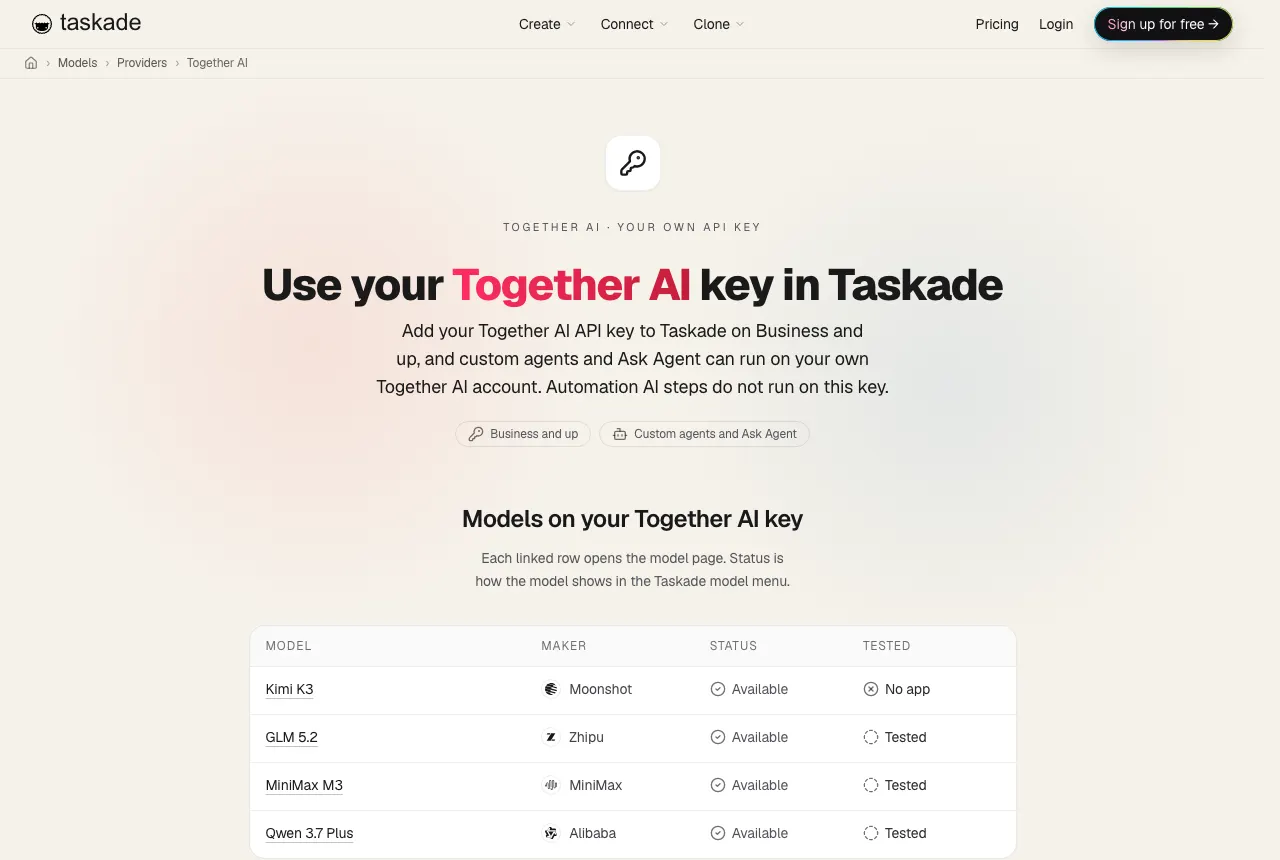
| Together AI | Business and up | Custom agents and Ask Agent | Kimi K3, GLM, MiniMax and Qwen |
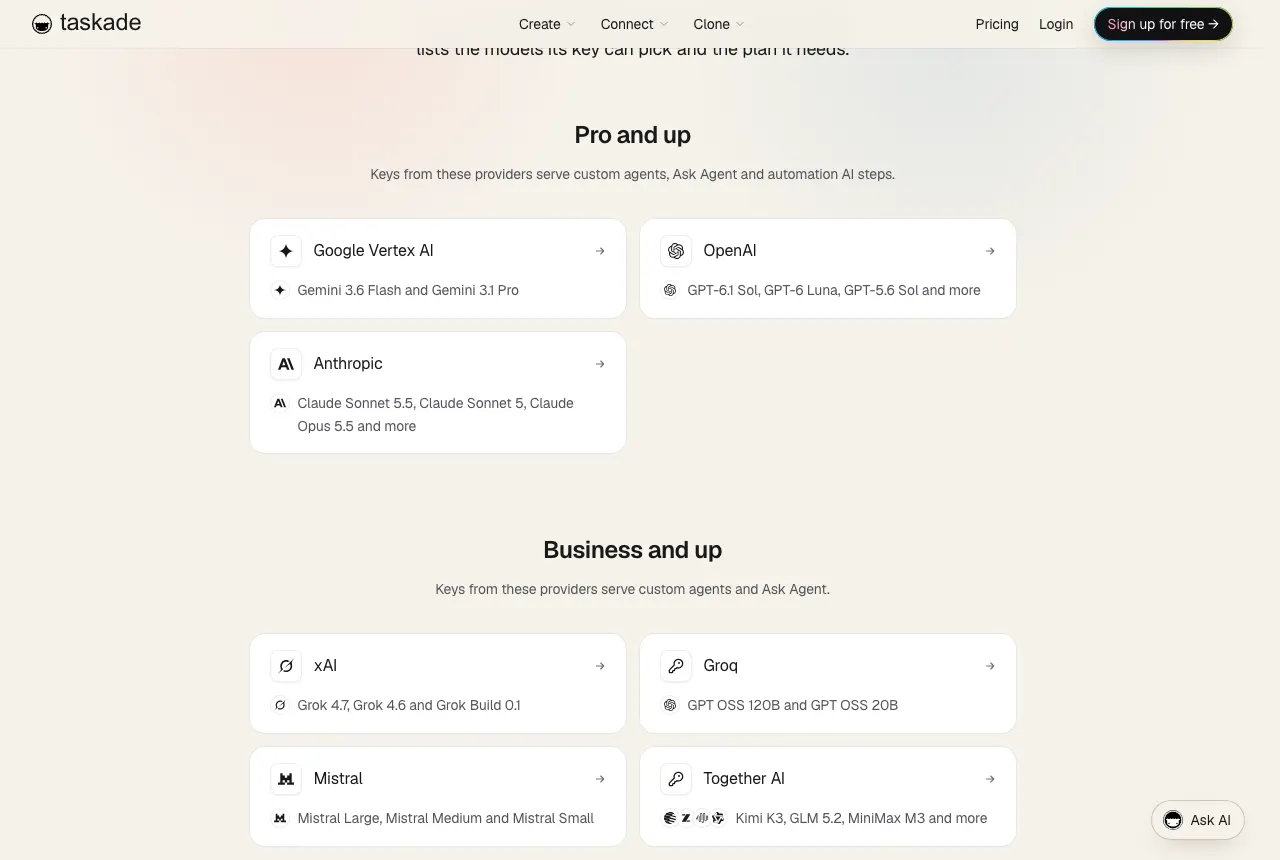
Gemini does not run on Taskade credits, so a Google key is the way to use Gemini in Taskade. Claude works the same way through an Anthropic key. For model-by-model guidance, see the developer docs for Claude in Taskade, GPT, Gemini and Grok, or the full model catalog.
Test your key before you switch a team over
A test call in your provider dashboard is the only proof that a key serves the work you expect. Test with a pinned model, because an agent on Auto can pick a model from another provider and run on credits.
| Test | What to do | You are done when |
|---|---|---|
| Agent chat | Pin a model from your provider on one agent and send a message | The call shows in your provider dashboard |
| Built-in AI step | Set one Ask AI step to a specific model, not TSK-Auto, and run it | The step's call shows in your provider dashboard |
| Provider step | Run one OpenAI, Claude or Gemini provider step | The provider bills the call, and one step fee shows in Taskade |
| Key status | Open AI Model Keys | The key reads Active |
Who controls the keys? Team governance for BYOK
In a team, BYOK raises three questions: who can add and rotate keys, which work each key reaches, and what members see. Tools answer these differently, and the answers decide whether a key stays under control after the person who added it leaves.
In Taskade, only workspace owners and members whose role lets them manage the workspace can add, replace or delete an AI Model Key. Other members do not see the Add an AI key button. The key's reach follows the space tree:
Three more rules shape the rollout. An OpenAI, Anthropic, Google Vertex AI or xAI key becomes the default for agents in its space with no key of their own. Groq, Mistral and Together AI keys are not a space default: you pick their row under Your keys in each agent's model menu. And when you rotate, Taskade uses the newest active key for each provider, so add the new key first and revoke the old one after.
| Tool | Who can add or change model keys | How keys are shared |
|---|---|---|
| Taskade | Workspace owners and members who can manage the workspace | Root keys reach subspaces. A subspace key of the same provider takes over |
| Dify | Workspace owners and admins | One set of providers for the whole workspace |
| Gumloop | Pro users for personal or team keys. Enterprise admins for organization keys | Organization keys override personal and team keys |
| LibreChat | The server admin | Either one server key for everyone, or user_provided so each person brings a key |
| Cursor | Each user, under Settings → Models | Per user. On Teams, the Cursor Token Rate still applies |
Pair key control with sign-in control. Most teams that need their own keys also need single sign-on with SAML, which is Business and up in Taskade, and a clear roles and permissions model with role-based access from Owner to Viewer. Our wiki entries on agent governance and agent permissions cover the wider policy questions.
How do you keep an API key safe in a BYOK builder?
An API key is a password that spends money. Anyone who holds it can run calls on your account until you revoke it, so treat every BYOK tool as a place that stores a payment credential. Use this checklist before you paste a key anywhere:
BYOK key safety checklist[ ] One key for each tool, so you can revoke one without breaking the rest
[ ] A spend limit or budget alert in the provider console
[ ] Separate keys for development and production
[ ] Only admins can add, rotate or delete keys in the tool
[ ] The tool encrypts the key at rest and masks it after you save
[ ] You know where the key lives: server database, browser cookie or .env file
[ ] You know what a run does when the key fails: fall back, switch keys or stop
[ ] Rotation plan: add the new key first, then revoke the old one
[ ] Data policy read: a vendor's retention promise can stop at your key
The last line is not hypothetical. Cursor's docs state that "Cursor's Zero Data Retention policy does not apply when you use your own API keys," because your calls then fall under your own provider agreement. Read your provider's data terms, not only the builder's.
| Tool | Where the key lives | Detail worth knowing |
|---|---|---|
| Taskade | Encrypted on the server. Only the last four characters show | Taskade checks each key with the provider before it saves it |
| Dify | Workspace model provider settings | Dify checks the key before it makes the provider available |
| LibreChat | Server environment, or entered by each user in the web app | Stored credentials are encrypted with CREDS_KEY and CREDS_IV |
| bolt.diy | Browser cookies, or a .env.local file |
Whoever runs the instance controls the keys |
| OpenThorn | Encrypted before database storage | Its terms make you responsible for the security of your keys |
| Gumloop | Personal Connectors, team keys or organization keys | Enterprise admins can route calls through their own proxy |
Providers give you controls too. OpenAI groups keys into projects, and Anthropic groups them into workspaces, so you can give each BYOK tool its own project or workspace and watch its spend apart from the rest. Every key in this guide moves through the same life cycle:
What happens when your API key fails?
A key fails for five common reasons: the provider rate-limits it, the account runs out of funds, someone revokes it, the provider has an outage, or the model it names is retired. Each tool reacts differently, and the difference decides whether a customer-facing agent goes quiet.
| Failure | What you usually see | What to do |
|---|---|---|
| Rate limit | Requests slow down or fail during busy hours | Raise the limit with the provider, spread load across keys, or keep a fallback on |
| Out of funds | Every call fails at once | Add funds at the provider. Taskade marks the key Key out of funds |
| Revoked or rejected key | Every call fails at once | Add a new key. Taskade marks the key Rejected |
| Provider outage | Calls fail or time out | Wait and test again. Taskade marks the key Unreachable |
| Retired model | One step fails with a model error | Pick a current model. Taskade's OpenAI image step warns about retired DALL-E names up front |
Tools that fall back keep work moving. This table lists the fallback each vendor documents:
| Tool | What happens when the key fails |
|---|---|
| Taskade | Use Taskade credits when a key fails is on by default. The reply runs on credits with a short notice. Public agents never fall back |
| OpenRouter | Falls back to shared OpenRouter capacity, unless you set "Never use shared capacity" for that provider |
| Dify | Usage Priority decides whether credits or your key go first, and the other takes over. Load balancing rests a limited key for a minute |
| OpenThorn | Switches to another saved provider and continues mid-run |
In Taskade, the switch applies to the whole workspace, and only owners and members who can manage the workspace can change it. An automation AI step falls back only when its key fails before the provider call. This is the flow for an agent chat:
Turn the fallback off when the AI bill must stay on the provider invoice. Leave it on when an agent answers customers and a pause costs more than a few credits. For the wider topic of agents that stop or loop, see agent failure modes.
Multi-model AI app builders: why one key is rarely enough
A multi-model AI app builder lets each agent, step or prompt use a different model, so you match the model to the job. That matters for BYOK, because the best model for planning and the best model for bulk tagging often come from different providers, and each provider needs its own key.
Each tool in this guide splits the choice at a different level:
| Tool | Where you pick the model | Default when you do not pick |
|---|---|---|
| Taskade | Each agent, each built-in AI step, each provider step | Auto |
| bolt.diy | Each prompt | Not stated in the README |
| n8n | Each node, through its credential | None. Each AI node needs a model |
| Dify | Each app or node, plus workspace defaults for reasoning, embedding, rerank, speech-to-text and text-to-speech | The workspace default for that job |
| TypingMind | Each chat | Not stated in the docs we read |
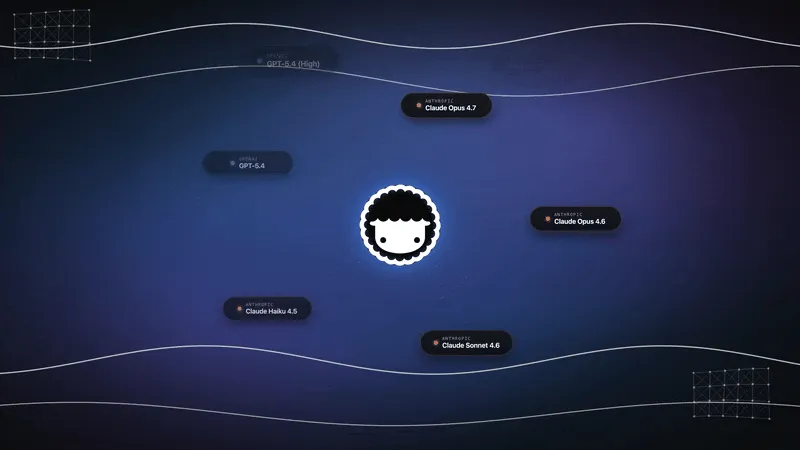
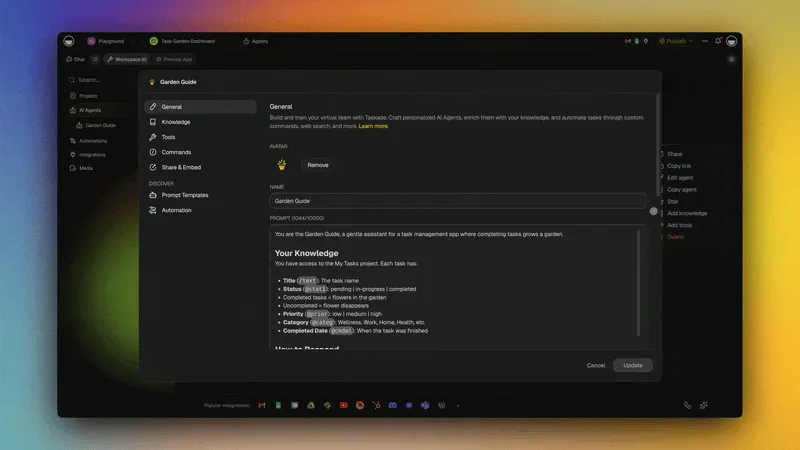
Taskade runs frontier models from top AI labs on credits, with Auto as the default, and adds your own keys as extra rows under Your keys in the model menu. You can keep most agents on Auto and pin one agent to a model on your key. For help choosing, see the best model for apps, reasoning models, model routing and context windows.
Same model, different host: why your key changes speed
The host behind your key sets the speed, not only the model. Kimi K3 shows this well. On October 20, 2026, Artificial Analysis measured the same Kimi K3 weights at about 42 output tokens per second on Moonshot's own API and about 422 on the fastest endpoint: roughly a 10x spread.
| API host | Median output tokens per second | Compared to Moonshot's API |
|---|---|---|
| Moonshot (first-party) | 42 | 1x |
| Together AI | 57 | 1.4x |
| Baseten | 96 | 2.3x |
| Fireworks | 112 | 2.7x |
| Amazon Bedrock | 142 | 3.4x |
| Nebius | 192 | 4.6x |
| LithosAI (fastest endpoint) | 422 | 10x |
Artificial Analysis lists 17 Kimi K3 endpoints from 13 companies, with a 10,000-token input as the default workload. These are live medians, so re-check them before you pick a host. For what a tokens-per-second number feels like in practice, see tokens per second, explained.
Why the same weights run at different speeds
Kimi K3 is large. The model card describes 2.8T total parameters with about 104B active per token: 16 of 896 routed experts plus 2 shared experts. Total parameters, not active ones, set the GPU memory, because at production batch sizes every expert is in use at some moment. The native MXFP4 checkpoint is about 1.56 TB. It fits one node of 8 NVIDIA B300 GPUs (288 GB each) but not 8 B200 GPUs (180 GB each). Baseten's launch write-up states: "Running Kimi K3 requires eight NVIDIA GB300 GPUs to fit the enormous model weights into VRAM."
Once the model fits, five choices separate a slow host from a fast one:
- Speculative decoding. A small draft model proposes several tokens, and the big model checks them in one pass. Baseten calls it a "lossless optimization" that "improves per-user TPS on decode." Draft models such as EAGLE-3 and DFlash train on the target model's hidden states, so they arrive after a model is already in production.
- Batch size. A host that packs more users onto each GPU earns more throughput and gives each user fewer tokens per second.
- Parallelism. Tensor parallelism splits every layer over 8 GPUs for the best single-user latency. Adding expert parallelism places whole experts on specific GPUs for better throughput.
- Prefix caching. Baseten writes: "The most consequential factor for a given replica's throughput is prefix cache hit rate."
- Prefill and decode on separate workers. Splitting the two phases lets a host match its compute to the traffic, and agent traffic with long prompts needs more prefill.
Decode is bound by memory bandwidth: each new token reads the model and its cache from GPU memory again. That is why a host's hardware generation shows up so plainly in tokens per second. Our explainer on AI inference covers the full serving stack, and our wiki entries on memory bandwidth, HBM, the KV cache and prompt caching explain each part. Baseten's talk below walks through how a host fits and serves a trillion-parameter model like Kimi K3.
Kimi K3 adds one more twist, because it is a hybrid model:
Kimi K3: 93 layers[KDA] [KDA] [KDA] [MLA]   x 23 blocks
[MLA]                     final layer
69 KDA layers   fixed-size state per sequence
24 MLA layers   cache that grows with every token
The 24 Gated MLA layers keep a cache for every token, so a cached prompt prefix can resume at the exact token. The 69 Kimi Delta Attention (KDA) layers keep a fixed-size state instead, and they can resume only from the nearest saved state checkpoint. Prefix caching is therefore coarser on a hybrid model, and two hosts with the same GPUs can see different cache hit rates.
What this means for your key in Taskade
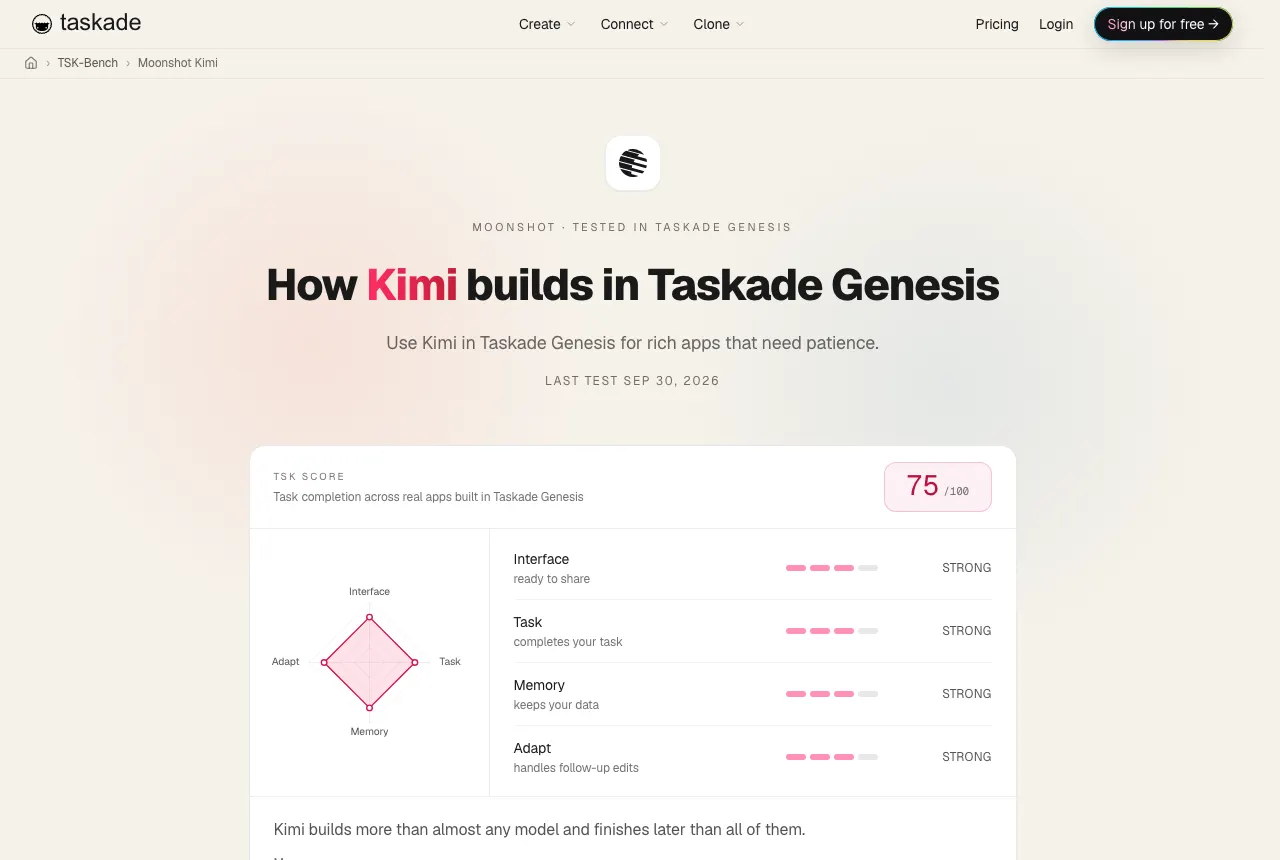
A Together AI key on Business and up can pick Kimi K3 for custom agents and Ask Agent, and the agent chat then uses no Taskade credits. On Taskade credits, Kimi K3 is available on Max and Enterprise, and the Kimi model docs rate it Slow, with Frontier intelligence and Medium cost. Reasoning is always on for K3.
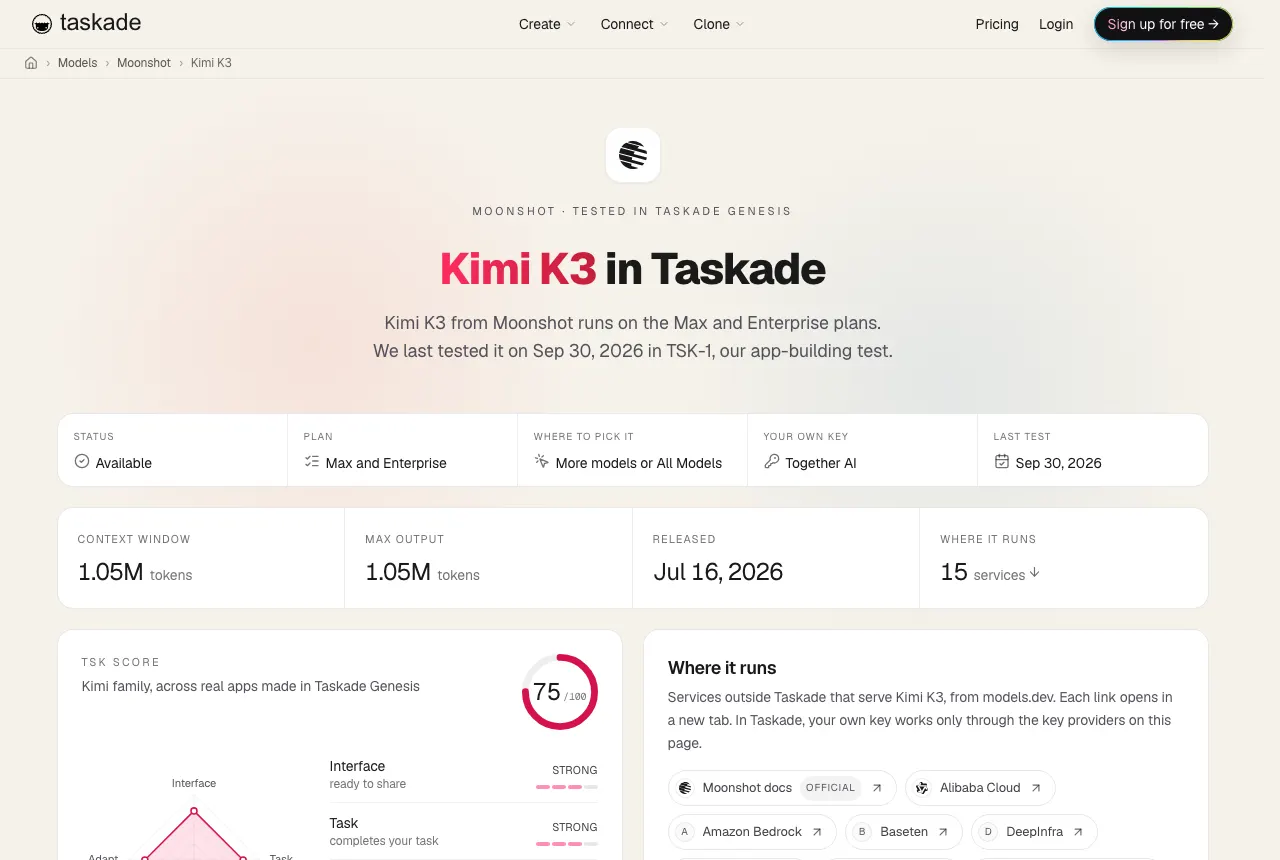
Our TSK-1 build test sums Kimi K3 up as "Builds more than almost any model and finishes later than all of them." In one round only 7.2% of its build actions failed, the most reliable result in that test. See the Kimi K3 model page, the Moonshot AI lab page and the Kimi build results. For the company story, read the history of Moonshot AI and Kimi. For other open-weight picks, see open-source LLMs and our companion list of no-code builders that run open-weight models.
How to pick a host for an open-weight model
Picking a host for an open-weight model means trading speed, price and features for the same weights. Once your builder accepts the host's key, five checks decide the pick. Run them in this order:
Picking a host for an open-weight model
- Does your builder accept this host's key?
└── No ──> stop. In Taskade, Kimi K3 on your key means Together AI.
- Is the output speed high enough for the job?
├── Chat with people ────────> favor speed and time to first token
└── Overnight batch steps ───> favor price
- Does the host serve the full context window you need?
- Does it support tool calls and JSON output for agents?
- Do its data terms and regions pass your review?
| Check | Why it matters | Where to look |
|---|---|---|
| Builder support | A fast host is useless if your builder can not take its key | Your builder's provider list, for example Taskade's provider directory |
| Output speed | Decides how long a long agent reply takes to finish | Artificial Analysis provider pages |
| Time to first token | Decides how fast a chat feels to start | Same source, latency chart |
| Context window | Kimi K3 supports 1,048,576 tokens, and a host can serve less | The host's model page |
| Tool calls and JSON mode | Agents need both to call tools and fill fields | Artificial Analysis lists both for each host |
| Data terms | Your prompts pass through the host | The host's privacy and data retention terms |
For a sense of what a tokens-per-second figure feels like, read tokens per second, explained. For the full picture of open models, see the history of open-source LLMs.
BYOK glossary
These terms come up in every BYOK setup. One definition each, in the sense this guide uses them:
| Term | Meaning |
|---|---|
| API key | A secret string from a model provider that authorizes calls and bills them to your account |
| Provider | The company that runs the model and bills the call, such as OpenAI, Anthropic or Together AI |
| Host | A provider that serves someone else's open-weight model, such as Together AI serving Kimi K3 |
| Lane | The place in a builder where your key runs: the builder agent, what you build, the finished app, or chat |
| Step fee | A fixed charge a builder keeps on each automation step that runs on your key |
| Orchestration fee | A percentage fee a builder keeps on a run that uses your key |
| Fallback | What a tool does when your key fails: switch to credits, to another key, or stop |
| Rate limit | The provider's cap on requests or tokens per minute for your account |
| Spend limit | A cap you set at the provider so a leaked key can not run up a large bill |
| Open-weight model | A model whose weights anyone can download and host, such as Kimi K3 |
| Inference | Running a trained model to produce output. See inference and inference cost |
For more terms, see the Taskade glossary and our wiki entry on mixture-of-experts models, the design behind Kimi K3.
Frequently Asked Questions
Which AI agent platforms let me use my own API keys?
Taskade, n8n, Dify, Gumloop, Relevance AI and MindStudio all run the agents or automations you build on your own model key. Taskade takes OpenAI, Anthropic and Google Vertex AI keys on Pro and up, and xAI, Groq, Mistral and Together AI keys on Business and up. n8n self-hosted runs on your keys with no credit limits. Gumloop takes keys on Pro and up, and Relevance AI on Pro, Team and Enterprise.
What does BYOK mean in an AI app builder?
BYOK means bring your own key: you paste an API key from a model provider such as OpenAI or Anthropic, and the tool sends some model calls to that provider on your account. In an AI builder the key can serve one of four lanes: the builder agent that writes the app, the agents and automations you build, the finished app only, or a chat client. Check which lane a tool supports before you pick it.
Does Lovable support BYOK?
Not for the builder. The Lovable agent that writes and edits your app runs on Lovable credits, and the built-in AI connector for your app always runs through Lovable and bills your workspace credits. Your app can still call a provider on your own key: ask Lovable to call the provider API from a backend edge function and store the key as a secret. Then the provider bills you for those calls.
Can I use my own OpenAI key in Taskade?
Yes, on Pro and up. Add the key under AI Model Keys on a space's Connections page, and your custom AI agents, Ask Agent and the built-in Taskade AI automation steps can run on it. An agent chat on your key uses no Taskade credits. You can also add an OpenAI provider step to an automation. Your OpenAI account bills each model call, and each step uses one fixed step fee in Taskade credits.
Does BYOK make an AI builder free?
No. Your provider bills every model call, and most builders still charge for the plan. In Taskade, AI Model Keys need Pro ($10/mo billed annually) or Business ($25/mo billed annually), each provider step uses a fixed step fee in Taskade credits, and Taskade Genesis app building and Taskade EVE chat stay on credits. Dyad, bolt.diy, OpenThorn and self-hosted n8n have no platform fee, but you still pay the provider.
Can I use Claude in Taskade with my own key?
Yes. Claude runs in Taskade only on your own Anthropic key: Pro and up, with your own API key (BYOK). Add the key under AI Model Keys to run custom agents and Ask Agent on Claude, or add an Anthropic Claude provider step to an automation. Taskade credits do not cover Claude.
Which AI app builder runs the builder agent on my own key?
Dyad, bolt.diy and OpenThorn run the agent that writes your app on your own key. Dyad is a free, open-source desktop app, bolt.diy is the MIT-licensed community fork of Bolt.new, and OpenThorn is a free browser builder. Cursor accepts your own keys for its chat models, but Tab completion stays on Cursor's models. Lovable, Replit Agent and v0 run their builders on their own credits.
Does Replit let me use my own API key?
Yes, for the app you build. Replit AI Integrations bill model calls to your Replit credits at the provider's public API price on Core, Pro and Enterprise plans. You can instead store your own key in Replit Secrets, and then the provider bills you directly. Replit Agent itself picks its models through its agent modes, and its docs describe no own-key setting for the agent.
Why is the same open model faster on one provider than another?
Each host runs the same weights on different hardware with different serving tricks: speculative decoding, batch size, parallelism and prefix caching. On October 20, 2026, Artificial Analysis measured Kimi K3 at about 42 output tokens per second on Moonshot's own API and about 422 on the fastest endpoint, roughly a 10x spread for the same model.
Where is my API key stored when I bring my own key?
Most builders encrypt the key and mask it after you save it. Taskade stores the keys for automation provider steps encrypted at the workspace level and masks them in the interface. Dify, n8n and Gumloop keep keys as workspace or account credentials. Revoke a key in your provider's dashboard to cut access off at once, and set a spend limit at the provider.
Which AI builders let me use my own OpenAI key?
Dyad, Taskade, n8n, Cursor, Dify, bolt.diy, Gumloop, Relevance AI, TypingMind, LibreChat and OpenThorn all take an OpenAI key. In Taskade, an OpenAI key on Pro and up serves custom agents, Ask Agent and the built-in AI automation steps. Lovable and Replit apps can call OpenAI from a stored secret.
Is BYOK cheaper than paying for AI credits?
It depends on your volume and on the fees that stay. With BYOK your provider bills every model call, and the builder still charges its plan and sometimes a fee on each run. Gumloop charges a 16% orchestration fee on BYOK agent chats. Taskade charges no credits for an agent chat on your key and one fixed step fee for each automation step on your key. Credits are simpler at low volume, and a key pays off when your provider contract beats the bundled rate. The cost calculator above lays out each part.
Is it safe to paste my API key into an AI builder?
It is as safe as the tool's key handling and your provider settings. Check that the tool encrypts the key, masks it after you save, and lets only admins add or rotate it. Taskade stores keys encrypted, shows only the last four characters, and lets only workspace owners and members who can manage the workspace add a key. Set a spend limit at the provider, use one key for each tool, and revoke a key when you stop using the tool.
What happens when my API key runs out of funds or hits a rate limit?
Each tool handles it differently. In Taskade, the switch Use Taskade credits when a key fails is on by default, so a reply that fails before it starts runs on Taskade credits with a short notice. Turn the switch off and the reply stops with a pointer to the key. Public agents never fall back. OpenRouter falls back to shared capacity unless you block it, and Dify can rotate requests across several keys on its Professional and Team plans.
Can one OpenRouter key cover every model?
One OpenRouter key reaches models from many labs, and Dyad, bolt.diy, n8n, Dify, OpenThorn and LibreChat all accept it. In Taskade, OpenRouter works as an automation provider step on Business and up, with Ask AI and Extract Structured Data steps. If you instead store your own provider keys inside OpenRouter, OpenRouter charges 5% of its normal price on those requests after a monthly allowance.
What is a multi-model AI app builder?
A multi-model AI app builder lets you pick a different model for each job instead of one model for everything. Taskade defaults to Auto and lets you pin a model on each agent, on Taskade credits or on your own key. bolt.diy lets you switch the model for every prompt, and n8n lets each node use its own credential. Use a fast model for routine steps and a stronger model for planning.
What is the difference between BYOK for AI models and BYOK for encryption?
The two share an acronym and solve different problems. BYOK in AI tools means you bring your own model API key, so your provider account bills the model calls. BYOK in cloud security means you bring your own encryption key, so you control the key that encrypts your stored data. Ask a vendor which one it means before you compare answers.
Can I run Kimi K3 in Taskade on my own key?
Yes. A Together AI key on Business and up can pick Kimi K3 for custom agents and Ask Agent, and the agent chat then uses no Taskade credits. On Taskade credits, Kimi K3 runs on Max and Enterprise. The host sets the speed: on October 20, 2026, Artificial Analysis measured Together AI at about 57 output tokens per second for Kimi K3, against about 422 on the fastest endpoint.
Does Bolt.new support bring your own key?
For BYOK, use bolt.diy, the MIT-licensed community fork of Bolt.new. You enter keys in its settings or in an environment file, and you can pick a model for every prompt from providers such as OpenAI, Anthropic, Google, Groq, xAI, Mistral and DeepSeek, plus local models through Ollama or LM Studio. The hosted Bolt.new is a separate product with its own plans. For the hosted alternatives, see our list of Bolt.new alternatives.
Why We Built Taskade Differently
Most BYOK tools answer one question: whose account pays for the model? We built Taskade around a second question: what does the model work on? A key is only useful when the agent behind it can read your projects, act on them and hand work to an automation.
That is the idea behind Workspace DNA. Memory is your projects, with the fields and documents your team keeps. Intelligence is your AI agents, which read that memory, on Taskade credits or on your own key. Execution is your automations across 100+ integrations, which write results back into memory. Your key decides who bills the model call. Workspace DNA decides what the call can do.
Taskade Genesis builds the app on top of that loop. Describe a client portal or an intake tracker, and Taskade Genesis builds a live app with its data, agents and automations in one workspace. Browse working examples in the Community Gallery, compare it with other prompt-to-app tools in our list of free AI app builders, and check every model and lab in the model directory and the TSK benchmark. Plans and credit allowances are on the pricing page.

▲ ■ ● Memory feeds Intelligence, Intelligence triggers Execution, and Execution creates new Memory, on your key or on ours.
Related Reading
- Kimi vs Claude: how Moonshot's open-weight model compares with Anthropic's on real builds.
- Taskade vs Lovable: a prompt-to-app builder with agents and automations, side by side with Lovable.
- Free n8n alternative: no-code automations with AI agents built in.
- Inference as a service: how API hosts price and serve open models.
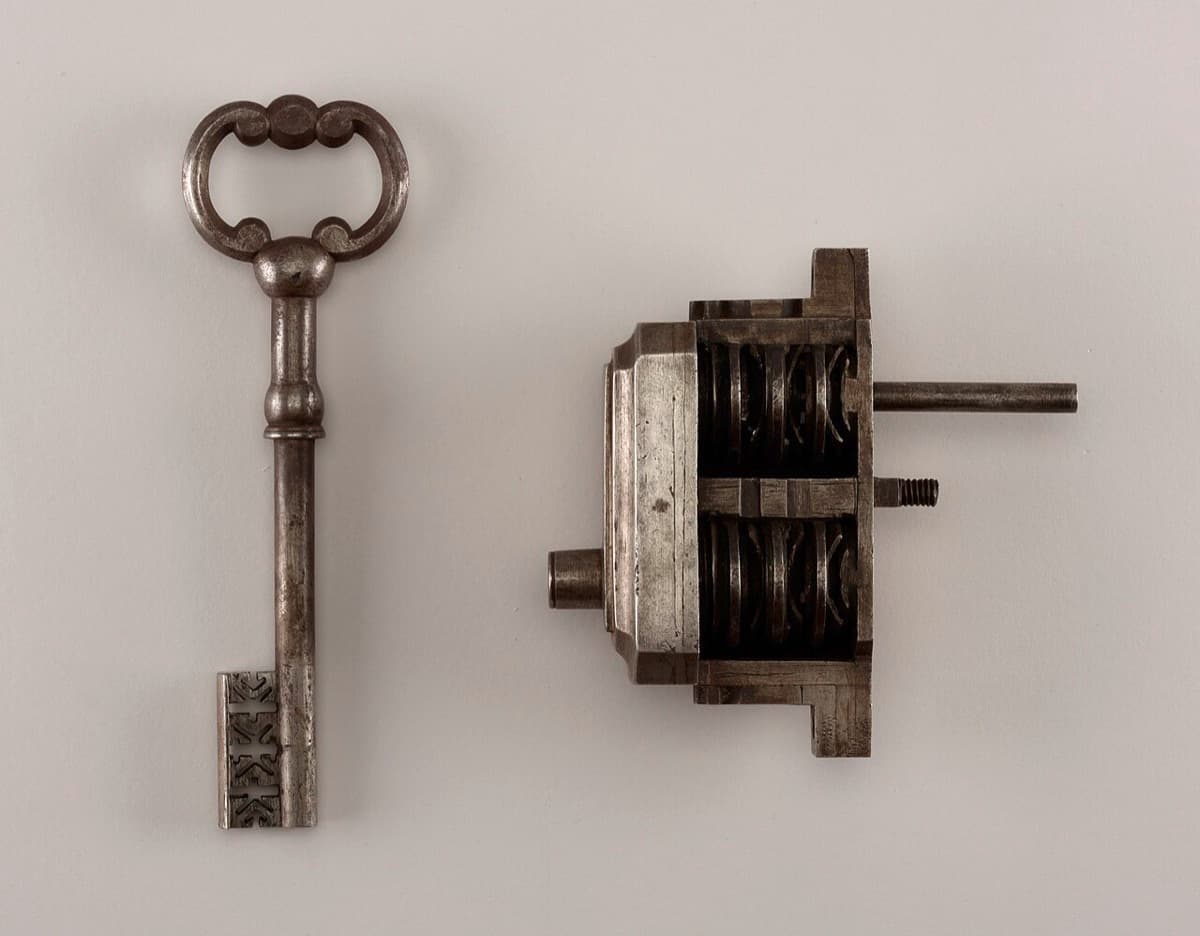
Cover photo: Key And Lock, Cooper Hewitt, Smithsonian Design Museum, via Wikimedia Commons (public domain).
Run your agents on your own key, or on ours. Build your first AI agent in Taskade →