






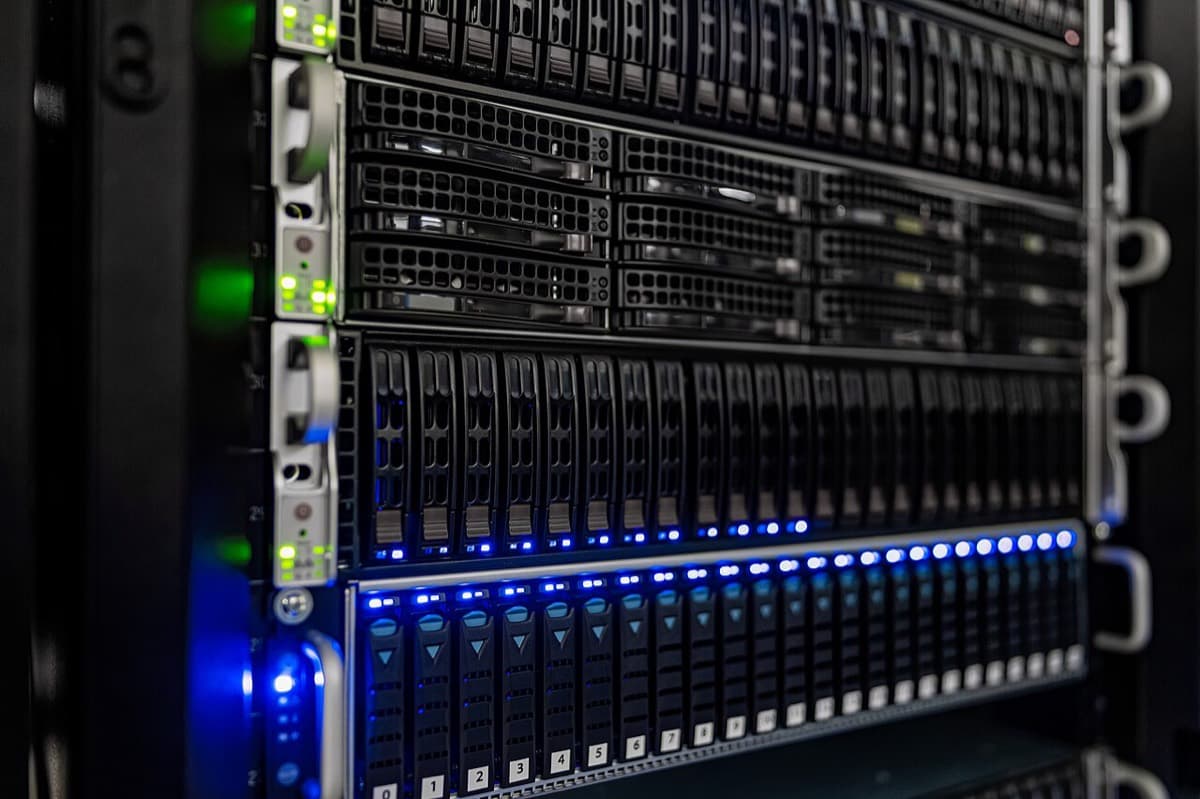
Every time you ask an AI a question, a machine in a data center does a few billion multiplications to write your answer, one small piece of a word at a time. That work has a name: inference. It is the step you pay for every day, long after a model has finished training.
Most people meet inference only as a price on a pricing page ("$0.50 per million output tokens") or as a pause before a chatbot starts to type. Both come from the same physics. This guide follows one request from your prompt to a GPU and back, then explains why the price of that work keeps falling, who sells it, and what it means for a team that has to pick AI tools and pay for them.
TL;DR: AI inference is the work a model does each time you use it: prefill reads your prompt, then decode writes the answer token by token. Cached input can cost 10 to 30 times less than fresh input, but cost per task decides your bill. Taskade runs no GPUs. Pro and up can bring their own key. See the models →
Quick answer: what is AI inference? AI inference is the step where a trained model answers new input. For a large language model, LLM inference runs in two phases: prefill reads the whole prompt at once, and decode writes the reply one token at a time while a KV cache keeps the work already done. Training happens once. Inference runs on every request, so it sets the speed and the cost of every AI tool.
In this guide: What inference is · Inference vs training · Types and places · Timeline · The request journey · Token by token · Prefill and decode · KV cache · Cost anatomy · Optimization · 2026 changes · Batching · Routing · Falling prices · Serving a 2.8T model · Who sells it · Open vs frontier · Choosing tools · BYOK · Glossary
🧠 What Is AI Inference?
AI inference is the act of running a trained AI model on new input to produce an output. For a language model, the input is your prompt and the output is text, written one token at a time. Every chatbot reply, every AI agent step and every AI automation is one or more inference calls, and each call is billed by the tokens it reads and writes.
A model has two lives. In training, engineers show it huge amounts of text and adjust its billions of weights until it predicts the next token well. That job runs once per model version and can take months. In inference, the finished model sits in GPU memory and answers requests, in seconds, all day. The inference wiki entry covers the formal definition. The table below covers the practical one.
| Training | Inference | |
|---|---|---|
| What it does | Builds the model by adjusting its weights | Uses the finished model to answer requests |
| How often it runs | Once per model version | Every prompt, every agent step, every day |
| What it optimizes | Model quality | Speed and cost per answer |
| Who pays | The AI lab | Every company and person that uses AI |
| Unit of cost | GPU-months for one large job | Price per million tokens, or per task |
| What you feel | Nothing directly | The wait before the first word, and the bill |
The short version: training decides how smart a model is, and inference decides how fast and how cheap each answer is. Because inference repeats for every use, it is the cost that grows with your team's adoption. The inference cost wiki entry and our guide to AI cost per task go deeper on the bill itself.
🧩 AI Inference Examples You Already Use
Every AI feature you touch in a day is an inference call, from a spam filter to a chat reply. Image recognition and fraud scores make one prediction per input. A large language model makes one prediction per token, so a single answer is hundreds of inference steps in a row.
| Everyday example | What the model infers | Kind of output |
|---|---|---|
| A chat assistant answers a question | The most likely next token, again and again | Generated text, streamed |
| An email filter flags spam | How much a message looks like known spam | One label |
| A phone finds "dog" in your photos | Which objects each image contains | Labels, on the device |
| A bank holds a card payment | How unusual this payment is for the card | One risk score |
| An AI agent updates a project | Which step to take next and what to write | Text plus a tool call |
| An automation summarizes a form reply | A short summary in a set format | Text, in the background |
The last two rows are where most teams meet inference at work. An AI agent runs many inference calls per task, and an automation runs them without anyone watching, so the cost per task matters more than the speed of one call. IBM Technology's short explainer covers the general idea, from training data to a live prediction:
🏋️ Inference vs Training: How Do Compute, Cost and Hardware Differ?
Inference vs training comes down to one big job against millions of small ones. Training a model runs once on a huge cluster for weeks. Inference runs a forward pass for every token of every answer, for as long as the model is in use. A common rule of thumb from the 2020 OpenAI scaling-laws paper puts training at about 6 × N × D operations and inference at about 2 × N per token, where N is the parameter count and D the number of training tokens.
The rule makes the trade-off easy to compute. Take a dense 70-billion-parameter model trained on 15 trillion tokens:
TRAINING VS INFERENCE COMPUTE  (rule of thumb, dense model)N = 70 billion parameters        D = 15 trillion training tokens
training  ≈ 6 × N × D  = 6 × 70e9 × 15e12   ≈ 6.3 × 10^24 operations, once
inference ≈ 2 × N      = 2 × 70e9           ≈ 1.4 × 10^11 operations per token
break-even = training ÷ inference per token
= 6.3e24 ÷ 1.4e11                ≈ 45 trillion tokens  (= 3 × D)
at   1 trillion tokens served per day  →  inference matches training in ~45 days
at 100 billion tokens served per day   →  ~450 days
For a mixture-of-experts model, use the ACTIVE parameters for the
per-token cost: Kimi K3 reads ~104B of its ~2.8T parameters per token.
The chart shows the same arithmetic over time. The flat line is the one-time training run. The bars are inference compute added up day by day at 1 trillion tokens a day.
Real fleets point the same way. Google researchers led by David Patterson reported in 2022 that inference used about three fifths of Google's machine learning energy, and training about two fifths, across sample weeks in 2019, 2020 and 2021. Reasoning models push the share further toward inference, because they spend extra test-time compute on hidden tokens before they answer.
| Training | Inference | |
|---|---|---|
| Compute per run | About 6 × N × D, in one long job | About 2 × N per token, in millions of short jobs |
| Hardware shape | Thousands of GPUs joined by fast links for weeks | One copy of the model on 1 to 8 GPUs, many copies |
| Number format | Mostly 16-bit and 8-bit math | 8-bit and 4-bit weights are common (FP8, MXFP4) |
| Main limit | Compute and the links between GPUs | Memory bandwidth in decode, compute in prefill |
| A failure costs | A restart from the last checkpoint | One slow or failed answer for one user |
| Goal | The lowest loss for the compute budget | The most good answers per GPU-hour |
The model training wiki entry covers the training side, and the scaling laws entry explains where the 6 × N × D rule comes from. The difference matters to a buyer for one reason: a lab pays for training once, but your team pays for inference on every use, through credits, a subscription or a provider bill.
🗺️ What Are the Types of AI Inference, and Where Does It Run?
AI inference comes in three delivery types and runs in four kinds of place. Real-time inference answers one request while a person waits. Streaming inference shows the answer as the model writes it. Batch inference processes many requests later, often at half the price. The place, from a cloud data center to a phone, sets the speed, the privacy and the bill.
| Type | How it works | Typical use | Price signal |
|---|---|---|---|
| Real-time (online) | One request in, one answer out, while a person waits | Chat, search, a live support agent | The provider's list price per token |
| Streaming | The answer arrives token by token while decode runs | Chat apps that show words as they appear | Same price as real-time, a faster feel |
| Batch | You submit many requests and collect the results later | Tagging a backlog, nightly reports, model evaluations | About 50% off at OpenAI and Anthropic (checked 2026-10-19) |
The batch discount is written into both labs' documentation. OpenAI's Batch API guide states a 50% discount against its synchronous API and a 24-hour completion window. Anthropic's Message Batches documentation states the same 50% and says most batches finish in less than an hour. A background job that nobody watches is the natural place to use it.
| Where it runs | Example | Strength | Limit |
|---|---|---|---|
| Cloud | A lab's API or an inference platform | The largest models, no hardware to buy | Data leaves your building, and cost grows with use |
| On-premise | A company's own GPU servers | Data stays inside, fixed cost at high volume | Upfront hardware and a team to run it |
| Edge | A server in a store, a factory or a cell site | Low latency close to the data | Smaller models and many sites to maintain |
| On-device | The AI unit inside a phone or laptop chip | Works offline, private, no per-token bill | Only small models fit in device memory |
| Chip | What it is | Where you meet it |
|---|---|---|
| GPU | A general parallel processor, the default chip for AI | Most cloud inference, for example NVIDIA H100 and B200 nodes |
| TPU | Google's custom AI accelerator | Google Cloud and Google's own models |
| NPU | A small AI unit built into a phone or laptop processor | On-device features such as photo search and dictation |
| Custom ASIC | A chip designed for one job | Inference-only chips such as the Groq LPU and the SambaNova RDU |
| FPGA | A chip that can be rewired after it ships | Specialized low-latency setups |
IBM's overview of AI inference lists the same five chip families. For almost every team that buys AI tools, inference means the cloud row and the GPU row, which is the case the rest of this guide follows. Our guide to how AI data centers work covers the buildings those GPUs sit in.
📅 AI Inference Timeline: Key Dates From 2017 to 2026
Modern AI inference took shape in under a decade, from the transformer paper in 2017 to a 2026 market where single providers serve tens of trillions of tokens a day. Most of the big cost drops came from serving software, not only from new chips. Continuous batching, paged KV memory and prefill/decode separation each changed what a GPU-hour can produce.
| Date | Event | Why it mattered for inference |
|---|---|---|
| Jun 2017 | Google researchers publish "Attention Is All You Need" | The transformer, and the attention keys and values that the KV cache later stores |
| Jun 2020 | OpenAI opens the GPT-3 API | Inference becomes a product sold per token |
| May 27, 2022 | FlashAttention paper (arXiv 2205.14135) | Attention computed in tiles, with far less memory traffic |
| Jul 2022 | Orca paper at OSDI 2022 | Iteration-level scheduling: requests join and leave a batch at every step, the basis of continuous batching |
| Nov 30, 2022 | ChatGPT launches | Consumer demand for inference arrives overnight |
| Mar 2023 | GPT-4 API opens at $0.03 per 1K input and $0.06 per 1K output tokens (8K context) | The price baseline for frontier inference: $30 and $60 per million tokens |
| Sep 12, 2023 | PagedAttention paper behind vLLM (arXiv 2309.06180) | KV cache stored in pages, and 2 to 4 times higher throughput at the same latency |
| Dec 2023 | SGLang paper (arXiv 2312.07104) | RadixAttention keeps shared prompt prefixes in a cache tree, the basis for agent-friendly serving |
| Jan 2024 | DistServe paper (arXiv 2401.09670, OSDI 2024) | Prefill and decode on separate GPUs, each sized for its own latency target |
| Jun 24, 2024 | Mooncake paper from Moonshot AI (arXiv 2407.00079) | The serving platform behind Kimi splits prefill and decode into separate clusters |
| Mar 2025 | DeepSeek publishes its inference system numbers in Open Source Week | 56.3% of input tokens hit its KV cache in one 24-hour window |
| Mar 12, 2025 | Epoch AI publishes its inference price trends analysis | Price to reach a fixed performance level fell 9 to 900 times per year |
| Mar 18, 2025 | NVIDIA open-sources Dynamo at GTC | A disaggregated, cache-aware serving framework for multi-node inference |
| May 20, 2025 | Red Hat launches llm-d with CoreWeave, Google Cloud, IBM Research and NVIDIA | Open-source, cache-aware routing for GPU fleets on Kubernetes |
| Aug 2025 | OpenAI releases the gpt-oss open-weight models | Mixture-of-experts weights shipped in 4-bit MXFP4, so the larger model fits on one 80 GB GPU |
| Dec 9, 2025 | Menlo Ventures enterprise AI report | Open-source models at 11% of enterprise LLM usage, down from 19% |
| Dec 24, 2025 | Groq and NVIDIA sign a non-exclusive licensing agreement | Inference-chip design becomes a strategic asset. Groq stays independent |
| Apr 16, 2026 | "Prefill-as-a-Service" paper (arXiv 2604.15039) | Long-context prefill proposed to run in another data center |
| Jul 2026 | Fireworks AI raises a $1.5B Series D at a $17.5B valuation | Its CEO says it serves about 40 trillion tokens a day |
| Jul 27, 2026 | Moonshot AI publishes the Kimi K3 open weights | A 2.8-trillion-parameter model that needs eight 288 GB GPUs for each copy |
| Oct 2026 | OpenAI lists GPT-6 Luna at $0.10 per million input and $0.50 per million output tokens | 300 times below the GPT-4 launch input price, on a smaller model tier |
| Oct 17, 2026 | Taskade ships bring your own key on Pro and up | Teams can run agents and automation AI steps on their own provider account |
Two cautions about this table. First, a falling price per token is not the same as a falling bill. The section on cost per task explains why. Second, the 40 trillion figure is the company's own statement, reported by CNBC in July 2026, and no third party has measured it.
🛤️ How Does an AI Request Travel From Your Prompt to a GPU?
An AI request passes through six stops: your app, a provider's API, a router, a queue, a GPU that runs prefill and decode, and a stream back to your screen. The first word you see marks the end of prefill. Every word after it is one turn of the decode loop. Most of what you pay for happens inside the GPU stop.
Here is the whole journey in one diagram. Read it top to bottom.
YOUR SCREEN
   │  "Summarize this contract in five bullets"  (+ the contract, + app instructions)
   ▼
APP (for example, an AI workspace)
   │  adds system instructions, picks a model, sends an API call
   ▼
PROVIDER API ──────────────► bills you per million tokens in and out
   │
   ▼
ROUTER ── which copy of the model has room, and which one already
   │      holds this prompt's start in its KV cache?
   ▼
QUEUE ── waits for a free slot in the next batch
   │
   ▼
GPU NODE (weights already loaded in high-bandwidth memory)
   │  1. TOKENIZE   text  ──►  token IDs
   │  2. PREFILL    read every prompt token at once     (compute-bound)
   │  3. KV CACHE   store keys and values for each token (memory)
   │  4. DECODE     write 1 token, append, repeat        (memory-bound)
   │       └─ loop runs once per output token
   ▼
STREAM ── tokens turn back into text and appear on screen
             wait before the first word  = TTFT  (time to first token)
             speed after the first word  = tokens per second
The same flow as a timed exchange shows where each wait comes from.
Two facts fall out of this picture. A long prompt makes you wait longer before the first word, because prefill must read all of it. A long answer makes the request take longer and cost more, because decode runs once per output token. That is why a pricing page lists input and output tokens separately.
For the hardware under the GPU stop, our guide to how AI data centers work follows the power from the grid to the rack. For the deep serving mechanics, including the break-even math a provider runs per GPU node, read the companion guide Inference-as-a-Service (IaaS).
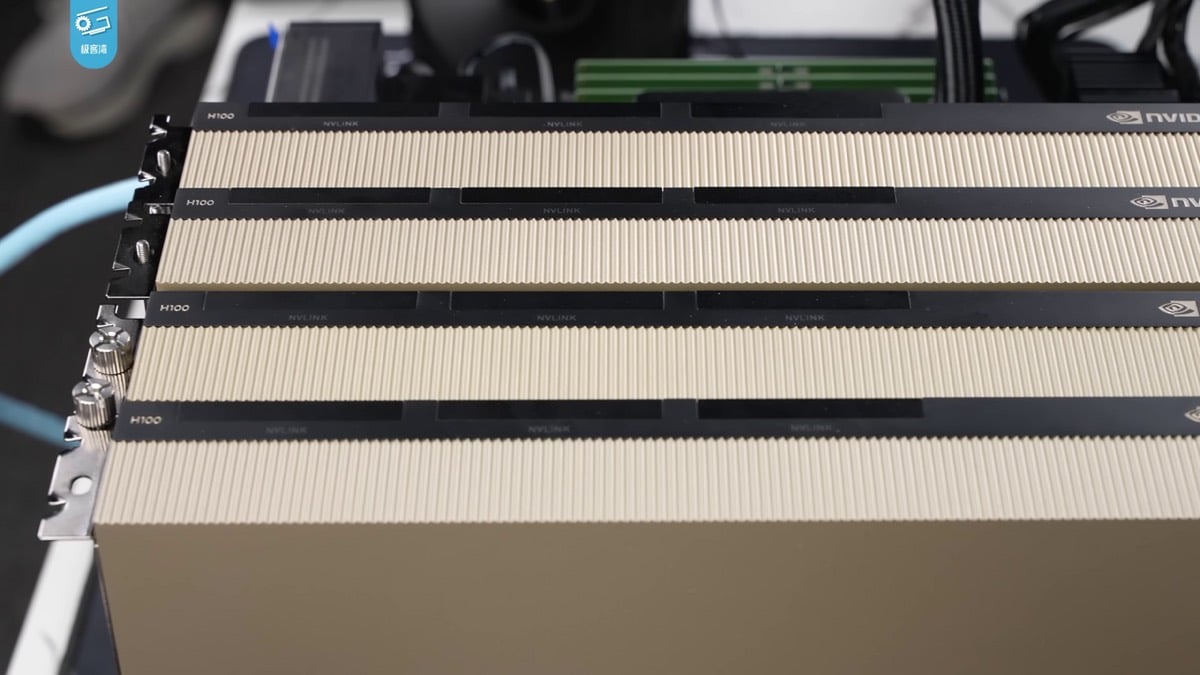
The machines at the GPU stop: NVIDIA H100 accelerators. The memory stacked next to each chip, more than the math units, decides how many people one card can serve at once. Photo: Wikimedia Commons / 极客湾Geekerwan / CC BY 3.0
⏱️ How Does LLM Inference Work? One Request, Token by Token
LLM inference works as a short prefill followed by a long loop: the model reads the whole prompt once, then repeats one decode step per output token until it writes a stop token. To make that concrete, this section follows one request with real timings. The numbers come from the Lambda benchmark cited below: an 8-GPU NVIDIA HGX B200 node with vLLM, 32 users at once, 8,192 input tokens per request, a mean 1,186 ms to the first token and 28.50 tokens per second per user.
The request: an operations lead pastes a contract and asks for five bullets. With the app's instructions and the contract, the prompt is 8,192 tokens. The answer will be 400 tokens. One decode step at 28.50 tokens per second takes about 35 milliseconds.
| Step | What happens | Clock time |
|---|---|---|
| 1. Tokenize | The text becomes 8,192 token IDs from the model's vocabulary | A few milliseconds on a CPU |
| 2. Route and queue | The provider picks a model copy and waits for a slot in the next batch | Part of the first-token wait |
| 3. Prefill | All 8,192 tokens pass through every layer in parallel. Keys and values for each token go into the KV cache | Part of the first-token wait |
| 4. First token | The last position's output becomes a score for every vocabulary token, and the sampler picks one | 1.19 s after send (TTFT) |
| 5. Decode loop | Each step feeds the newest token through every layer, reads the whole KV cache and the weights, and samples the next token | About 35 ms per token |
| 6. Stop | The model writes its end token or reaches the output limit | 15.2 s after send |
| 7. Bill | The provider reports 8,192 input and 400 output tokens | After the stream ends |
ONE REQUEST, TOKEN BY TOKEN   (Lambda B200 benchmark rates, 32 users per node)t = 0.000 s   send 8,192-token prompt
t = 1.186 s   token   1  appears          ← TTFT: queue + prefill
t = 1.221 s   token   2                   ← every later token ≈ 35 ms apart
t = 1.502 s   token  10
t = 4.661 s   token 100
t = 8.171 s   token 200
t = 15.19 s   token 400  + end token      ← end-to-end latency
time spent before the first word   ≈  1.2 s   ( 8% of the request)
time spent writing the answer      ≈ 14.0 s   (92% of the request)
The split surprises most people. The prompt was 20 times longer than the answer, yet 92% of the clock time went to writing the answer, because prefill handles thousands of tokens in one parallel pass and decode handles one token per pass. The cumulative clock looks like this:
🔬 What Happens Inside One Decode Step?
One decode step pushes a single new token through every layer of the model, then turns the last layer's output into a probability for every token in the vocabulary. In each layer, the attention part compares the new token with every earlier token through the KV cache, and the feed-forward part (or the chosen experts, in a mixture-of-experts model) transforms it. At the end, a sampler picks the next token, guided by settings such as temperature.
Three details explain behavior people notice. First, the model never "plans" the whole answer in one step: it commits to one token at a time, which is why next-token prediction is the right mental model. Second, the sampler is why the same prompt can give different answers: at a temperature above zero, it draws from the probabilities instead of always taking the top one. Third, a tokenizer splits text into sub-word pieces, so "tokens per second" is not "words per second": an English word averages about 1.3 tokens.
Grant Sanderson of 3Blue1Brown walks through attention, the part of each step that reads the KV cache, with the clearest visuals available:
📏 The Five Numbers That Describe Inference Speed
Inference speed is described by five numbers, and each one answers a different question. The worked request above produces all five. Vendors quote different ones, so it pays to know which number a benchmark reports before you compare two hosts.
| Metric | Question it answers | Value in the example |
|---|---|---|
| TTFT (time to first token) | How long until the first word appears? | 1.19 s |
| TPOT or ITL (time per output token, inter-token latency) | How far apart are the words after that? | About 35 ms |
| End-to-end latency | How long until the answer is complete? | 15.2 s for 400 tokens |
| Throughput | How many tokens does the whole node write per second? | 911.92 tokens per second |
| Goodput | How much of that throughput meets the speed targets? | Depends on the TTFT and TPOT targets you set |
NVIDIA's inference glossary defines goodput as throughput measured while the system keeps its TTFT and TPOT targets. A provider can always raise raw throughput by packing more users into a batch, so goodput counts only the tokens that arrived fast enough to be useful.
⚡ What Are Prefill and Decode?
Prefill and decode are the two phases of every AI answer. Prefill reads the whole prompt in one parallel pass and is limited by compute. Decode writes the answer one token at a time and is limited by memory bandwidth, because each new token needs another read of the model's weights. The pause before the first word is prefill. The steady typing after it is decode.
An analogy helps. Prefill is a reader who scans a whole page at once. Decode is a writer who must reopen a heavy reference book before every single word. The writer is slow, not because thinking is hard, but because fetching the book takes time. On a GPU, "the book" is tens or hundreds of gigabytes of weights in high-bandwidth memory.
| Prefill | Decode | |
|---|---|---|
| What it does | Reads every prompt token at once | Writes one output token per step |
| Bottleneck | Compute (math units) | Memory bandwidth (moving weights) |
| What you feel | The wait before the first word (TTFT) | The writing speed after it |
| Grows with | Prompt length | Answer length |
| Price signal | Input tokens, usually cheaper | Output tokens, usually several times more |
A real benchmark shows both numbers at once. Lambda ran DeepSeek-V4-Pro with vLLM on one NVIDIA HGX B200 node (8 GPUs), with 32 requests in parallel, 8,192 input tokens and 2,048 output tokens each. It measured 911.92 output tokens per second in total, 28.50 tokens per second per user, and a mean wait of 1,186 milliseconds before the first token. The same node writes about 32 times faster in total than it does for any one person, because it serves 32 people at once.
That gap between per-user speed and per-server speed is the whole economics of inference in one line. A person feels the per-user number. The provider pays rent with the per-server number. Our tokens per second wiki entry explains both measures and how vendors quote them.
Citation capsule: In Lambda's benchmark of DeepSeek-V4-Pro on one 8-GPU NVIDIA HGX B200 node with vLLM, 32 parallel requests produced 911.92 output tokens per second in total but 28.50 tokens per second for each user, with a 1.19-second mean time to first token. Per-server throughput pays for the hardware, and per-user speed is what a reader sees.
🧮 Why Is Decode Memory-Bound? The Back-of-Envelope Math
Decode is memory-bound because every new token requires reading every active weight from GPU memory, and a GPU can do math far faster than it can move those bytes. A one-line formula gives the ceiling on per-user speed for a single user with nobody else in the batch: memory bandwidth divided by the bytes read per token.
DECODE SPEED CEILING, ONE USER ALONE ON THE GPUmax tokens per second  ≈  memory bandwidth  ÷  bytes of weights read per token
70B dense model in FP8 (1 byte per weight)  →  ~70 GB read per token
  1 × H100   3.35 TB/s  ÷ 70 GB  ≈   48 tokens per second, at best
1 × B300   8.0  TB/s  ÷ 70 GB  ≈  114 tokens per second, at best
the same model in FP4 (0.5 byte per weight)  →  ~35 GB per token
1 × B300   8.0  TB/s  ÷ 35 GB  ≈  228 tokens per second, at best
Real speeds land below the ceiling: the KV cache is read too,
and kernels never reach 100% of peak bandwidth.
The same formula explains why batching is so cheap. With 32 users in a batch, the GPU still reads the 70 GB of weights once per step, but it writes 32 tokens instead of 1. The math units, which sat idle while bytes arrived, finally have work to do. Engineers call this raising the arithmetic intensity: more operations for each byte moved. It is also why HBM, the stacked memory beside each GPU, matters more for inference than raw compute does.
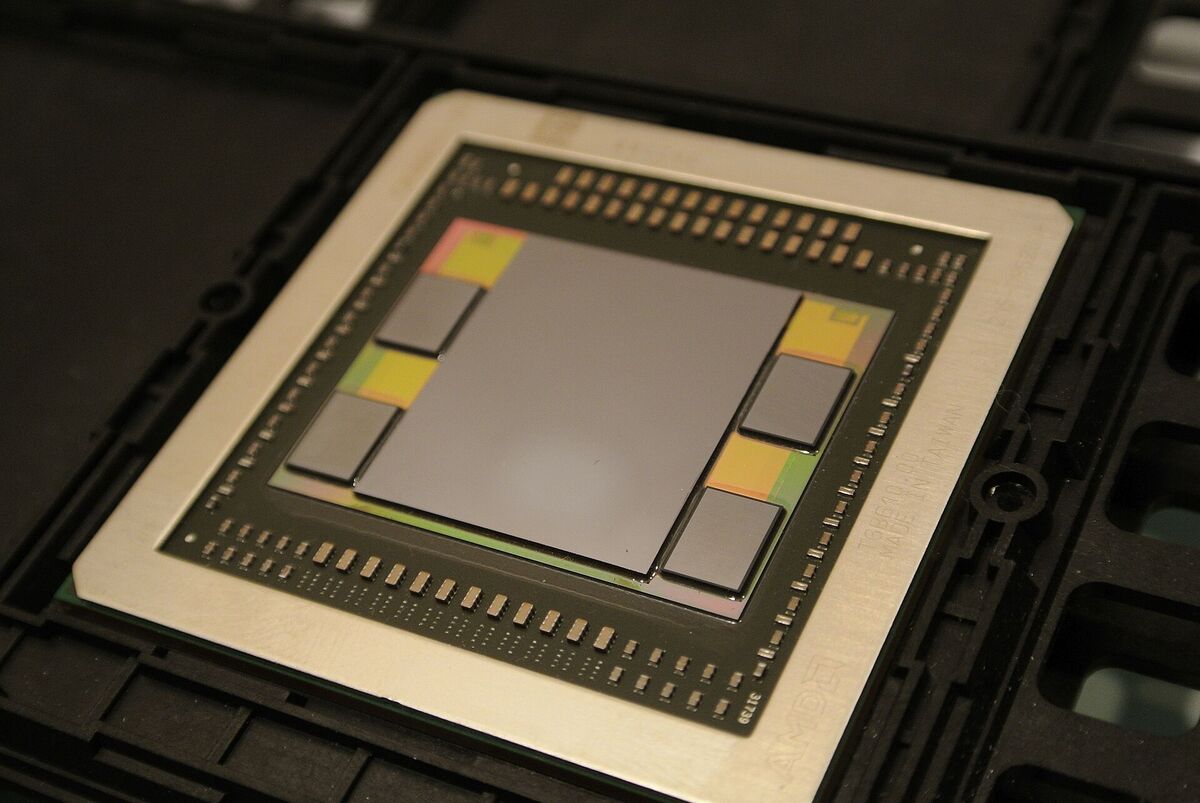
High-bandwidth memory stacks sit right next to the GPU die so that decode can read weights fast. Photo: C. Spille/pcgameshardware.de / Wikimedia Commons / CC BY-SA 4.0
Mark Moyou of NVIDIA explains the same prefill and decode workload, and how batch size and sequence length change it, in this PyTorch conference talk:
🏎️ How Hosts Raise Per-User Speed: Speculative Decoding
Speculative decoding raises per-user speed by letting a small draft model guess several tokens ahead, which the large model then checks in a single pass. Decode is slow because every token needs another read of the weights and the cache from memory. If the large model accepts four guessed tokens in one step, the reader gets four tokens for about the price of one memory read. The answer does not change, because the large model throws away any guess it would not have written itself.
| Speculator method | Paper | How the draft works |
|---|---|---|
| EAGLE-3 | arXiv 2503.01840 (2025) | A light draft layer predicts the next tokens from the target model's own hidden states |
| DFlash | arXiv 2602.06036 (2026) | A block-diffusion drafter proposes a whole block of tokens at once |
| DSpark | arXiv 2607.05147 (2026) | A semi-autoregressive drafter schedules its guesses by how confident it is |
All three methods train the draft on the target model's hidden states. That means a host builds its best speculator after the model is already serving real traffic, which is one reason a host's speed on a new model can keep rising after launch day. Baseten lists all three as speculator options in its day-zero write-up on Kimi K3.
Same weights, different speed. On 2026-10-20, Artificial Analysis listed median output speeds for Kimi K3 on selected hosts. LithosAI's Ultra Chat endpoint led at about 422 tokens per second. Nebius ran about 192, Amazon Bedrock about 142, Fireworks about 112, Baseten about 96, Together AI about 57, and Moonshot's own API about 42. That is a ten-times spread between the fastest host and the lab itself, for identical weights. The chips, the parallelism, the batch sizes and the speculators make the difference. These are live figures that change week to week, so re-check them before you pick a host. Our tokens per second guide explains what each speed feels like to a reader.
🗄️ What Is the KV Cache, and Why Does Caching Cut the Bill?
The KV cache is the stored result of the work a model has already done on the tokens it has read. It keeps the attention "keys" and "values" for each token in GPU memory, so the model does not recompute them for every new word. When a new request starts with exactly the same text as an earlier one, a provider can reuse that cache and charge the repeated input tokens at a deep discount.
Without a KV cache, the model would reread your entire prompt before every word it writes. With it, the model reads the prompt once, then each decode step adds one entry. The KV cache wiki entry shows the mechanics. What matters for cost is the second trick, prompt caching: keeping the cache after a request ends, labeled by the exact text that produced it.
AI tools resend the same opening text constantly. A chat app resends the whole thread on every turn. An agent resends its instructions and tool list on every step. A team assistant opens every conversation with the same company instructions. If the start of the prompt matches, the provider skips most of the prefill. Here is what that discount looked like on public price lists, checked on 2026-10-18:
| Provider and model | Fresh input price | Cached input price | Discount |
|---|---|---|---|
| OpenAI GPT-6 Luna | $0.10 per 1M tokens | $0.01 per 1M tokens | 10 times cheaper |
| OpenAI GPT-6.1 Sol | $2.00 per 1M tokens | $0.10 per 1M tokens | 20 times cheaper |
| DeepSeek V4 Pro (peak hours) | $1.32 per 1M tokens | $0.044 per 1M tokens | 30 times cheaper |
| Anthropic Claude (most models) | Base input price | 0.1 times base input | 10 times cheaper, writes cost 1.25 times base for a 5-minute cache |
The provider's side of the same story is just as large. In its Open Source Week write-up, DeepSeek reported that over one 24-hour window, 342 billion of its 608 billion input tokens, or 56.3%, hit its on-disk KV cache. More than half of the reading work was already done before the request arrived.
One rule makes or breaks caching: the match is exact, from the first token. Change one word at the very start of a prompt, such as a timestamp in the instructions, and everything after it becomes fresh input again. Good AI tools keep the stable part of a prompt first and the changing part last. Our guides to prompt caching and how to reduce LLM costs show how to structure prompts so that the cache hits.
📐 KV Cache Explained in Numbers: How Big Does It Get?
A KV cache grows by a fixed number of bytes for every token in the conversation, so its size is a simple product. For a standard transformer, multiply 2 (one key and one value) by the number of layers, the number of key-value heads, the size of each head and the bytes per number. Then multiply by the tokens in the conversation and by the users in the batch.
Meta's Llama 3 70B is a good worked case, because its configuration is public: 80 layers, 64 query heads but only 8 key-value heads (a design called grouped-query attention, or GQA), and a head size of 128.
KV CACHE SIZE  =  2 × layers × KV heads × head size × bytes per value × tokensLlama 3 70B, 16-bit cache:
2 × 80 × 8 × 128 × 2 bytes   =  327,680 bytes  ≈ 320 KiB per token
  one   8,192-token chat        ≈  2.5 GiB
one 128,000-token document    ≈ 40   GiB   (half of one H100's memory)
How many 8,192-token chats fit beside the weights on 8 × H100 (640 GB)?
640 GB − ~70 GB of FP8 weights  ≈ 570 GB free
570 GB ÷ 320 KiB per token      ≈ 1.7 million tokens of cache
1.7 million ÷ 8,192             ≈ 210 chats at the same moment
That last line is the real limit on batch size, and therefore on price. Each design trick that shrinks the per-token cache lets one node serve more people at once. Grouped-query attention cut Llama 3 70B's cache eight times, compared with giving every one of its 64 query heads its own keys and values. Multi-head latent attention (MLA), which DeepSeek introduced and Kimi K3 uses on 24 of its layers, stores one compressed vector per token instead.
The full multi-head figure is a what-if for the same 70B shape with 64 key-value heads. The Kimi K3 figure covers only its 24 MLA layers. Its other 69 layers keep a fixed state instead, which the next section explains. The context window wiki entry and our history of the context window show why longer contexts made this arithmetic the center of serving design.
🧮 Hybrid Models Keep Two Caches
A hybrid model such as Kimi K3 keeps two kinds of cache, because it mixes two kinds of attention layer. Of its 93 layers, 24 are Gated MLA (multi-head latent attention) layers, full attention that keeps a compact per-token cache like the one above. The other 69 are Kimi Delta Attention (KDA) layers, a form of linear attention that keeps one fixed-size state per conversation, however long the conversation grows. The stack repeats three KDA layers, then one MLA layer.
| 24 Gated MLA layers | 69 KDA layers | |
|---|---|---|
| Kind of attention | Full attention over every earlier token | Linear attention with a fixed-size memory |
| What it stores | A small latent entry for every token | One running state per conversation |
| Grows with context | Yes, in a straight line | No, same size at 10 tokens or 1M |
| Prefix reuse | Exact, to the token | From the nearest saved checkpoint |
KIMI K3: CACHE MEMORY FOR ONE CONVERSATION24 MLA layers  ── per-token cache ── 576 values per layer per token
≈ 13.5 KiB per token in FP8
≈ 13.5 GiB at the full 1,048,576-token context
69 KDA layers  ── fixed state ────── ≈ 217 MB in BF16 for the whole model
≈ 27 MB per GPU when split 8 ways (TP8)
the same at token 10 and at token 1,000,000
The two caches change how prompt caching works. An MLA cache can resume at the exact token where two prompts stop matching. A KDA state is a running summary, so it cannot be cut at an arbitrary token. The engine saves copies of the state at checkpoints, and a cached prefix resumes from the nearest checkpoint before the mismatch, then rereads the gap. Caching still skips most of the prefill, but it is coarser than on a pure-attention model, and the serving engine runs two memory allocators side by side, one for each kind of cache.
KDA is the latest step in a short line of linear attention research. Katharopoulos and colleagues in 2020 swapped softmax for a simple feature map, so each attention head keeps one fixed d × d state. DeltaNet added the delta rule, which edits the value stored under a key instead of only adding to it. Yang and colleagues made that rule train in parallel (NeurIPS 2024, arXiv 2406.06484). Gated DeltaNet added a forget gate (ICLR 2025, arXiv 2412.06464). KDA (arXiv 2510.26692, October 2025) lets each channel of the state forget at its own rate. The payoff is a cache that stays small at a million tokens, which is why Moonshot uses it for most of the stack.
📦 What Is Batching, and Why Does It Make Tokens Cheap?
Batching means one GPU serves many requests in the same decode step. Each step reads the model's weights from memory once, and that one read can produce a token for one user or for dozens. Because the memory read is the slow part, adding users to a batch costs little until the GPU runs out of memory or compute. Batching is the main reason a token costs fractions of a cent.
Early servers used static batches: a group of requests started together and the GPU waited until the longest one finished. In July 2022 the Orca paper at OSDI introduced iteration-level scheduling. Requests join and leave the batch at every single step, so a finished answer frees its slot at once. That idea, now called continuous batching, is standard in open-source servers such as vLLM. In September 2023, the PagedAttention paper behind vLLM added a second gain: it stores each request's KV cache in small fixed pages, the way an operating system pages memory, and reported 2 to 4 times higher throughput than earlier systems at the same latency.
The limit is memory. Every user in the batch needs their own KV cache in GPU memory for the life of their request. The model weights take their share first, and only what is left holds caches. When it fills, new requests wait in the queue. That is why newer chips often add memory and bandwidth rather than raw math.
Batching also explains why scale matters so much to a provider. Here is an illustration with round numbers, not any company's real costs. Assume an 8-GPU node rents for $6 per GPU-hour ($48 per hour) and the provider earns $7 for every million output tokens it serves, counting the input tokens that come with them. Revenue per hour then depends only on throughput:
At the 912 tokens per second of the Lambda benchmark above, this node would earn about $23 an hour against $48 of rent. It breaks even only near 1,900 tokens per second of steady demand, roughly twice that output, every hour of the day. The gap closes through bigger batches, more cache hits, faster kernels and fewer idle hours. That is the margin game every inference provider plays, and it is why the companion deep dive spends a full section on it.
🔀 What Does Routing Mean in AI Inference?
Routing in AI inference means choosing where a request goes, and the word covers three different choices. A model router picks which model answers. A provider router picks which company serves a given model. A replica router picks which copy of one model, on which GPU server, handles the request. Each choice changes speed, price and cache hits, so it helps to keep them apart.
The replica level is where caching meets routing. A plain load balancer spreads requests evenly across servers. For AI, that wastes work: your second message can land on a server that never saw your first, so the whole conversation is prefilled again from scratch. A cache-aware router sends you back to the server that already holds your prompt's start in its KV cache, unless that server is full. The open-source llm-d project, launched by Red Hat with CoreWeave, Google Cloud, IBM Research and NVIDIA in May 2025, does this on Kubernetes. Its site cites its own benchmarks of up to 3 times higher output throughput and 2 times faster time to first token.
A non-technical team only ever touches the top level. When an AI tool offers an Auto model setting, it is a model router: it decides which model fits each task so you do not have to read benchmark tables. The other two levels sit with the tool and its providers. They still show up in your experience as speed and as the price the tool can afford to charge.
🛠️ Which Techniques Make LLM Inference Faster and Cheaper?
LLM inference gets faster and cheaper through a dozen techniques that each attack one bottleneck: compute in prefill, memory bandwidth in decode, or memory size for the KV cache. None of them changes what the model knows. They change how many bytes move per token, how many tokens share each byte, and how much work is skipped. Most serving engines turn on several of them at once.
| Technique | What it cuts | Phase it helps | Trade-off |
|---|---|---|---|
| Quantization (FP8, FP4) | Bytes per weight and per cache entry | Decode most, prefill too | Can lose accuracy unless the model was trained for it |
| FlashAttention | Memory traffic inside attention | Prefill and long contexts | None for output, it is exact math |
| Continuous batching | Idle GPU slots between requests | Throughput | Each user gets a little slower |
| PagedAttention | Wasted cache memory | More users per GPU | Engine complexity |
| Chunked prefill | Long prompts that stall other users | Steadier decode for everyone | A slightly later first token for the long prompt |
| Prefix caching | Repeated prefill on the same prompt start | TTFT and input cost | Needs a stable prompt start and cache-aware routing |
| Speculative decoding | Decode steps per output token | Per-user speed | A draft model to train and serve |
| GQA and MLA | KV cache size per token | Batch size and long contexts | Built into the model, not added later |
| Mixture of experts | Weights read per token | Decode speed | All experts must still fit in memory |
| Distillation | Model size | Everything | A smaller student is less capable |
| Prefill/decode disaggregation | Interference between the two phases | TTFT and steady decode at scale | Moving the cache between machines |
| Tensor and expert parallelism | Memory per GPU | Fitting giant models | Traffic between GPUs |
Quantization deserves a closer look, because it shows up on model cards as "FP8" or "MXFP4". It stores each weight in fewer bits. A 70-billion-parameter model needs about 140 GB in 16-bit form, 70 GB in 8-bit form and 35 GB in 4-bit form. Fewer bytes mean faster decode and more room for the cache, which is why Kimi K3 trained with 4-bit weights from the fine-tuning stage onward instead of shrinking them after training. Model distillation takes the other route: it trains a smaller student model to copy a larger teacher.
🔄 What Happens to a Request Inside a Serving Engine?
A serving engine such as vLLM moves each request through a short life: it waits in a queue, gets scheduled into a batch, prefills, decodes, and ends in one of three ways. The scheduler re-plans the batch at every step. If GPU memory for the cache runs out, the engine can pause a running request, free its cache and put it back in the queue, a step called preemption.
🧰 Which Inference Engines Do Providers Use?
Most AI inference in 2026 runs on a handful of open-source serving engines, tuned by each provider. The engine sits between the model weights and the API and runs the batching, caching and parallelism described in this guide.
| Engine | Who builds it | Known for | Typical use |
|---|---|---|---|
| vLLM | Open source, started at UC Berkeley | PagedAttention and continuous batching | General serving on GPU clusters |
| SGLang | Open source, started by the LMSYS team | RadixAttention, a prefix-cache tree | Agents and workloads with shared prompts |
| TensorRT-LLM | NVIDIA | Kernels tuned for NVIDIA GPUs | Peak speed on NVIDIA hardware |
| NVIDIA Dynamo | NVIDIA, open source since March 2025 | Disaggregated prefill and decode, cache-aware routing | Multi-node serving at scale |
| llama.cpp | Open source community | Runs quantized models on laptops and CPUs | Local and on-device inference |
KodeKloud's walkthrough connects these pieces, from the GPU to vLLM to the llm-d router, in one sitting:
📉 Why Do AI Tokens Keep Getting Cheaper?
AI tokens get cheaper because four levers move at once: serving software, hardware, model efficiency and competition. Epoch AI found in March 2025 that the price to reach a fixed level of performance fell between 9 and 900 times per year, depending on the task. Sticker prices fell too: GPT-4 launched in March 2023 at $30 per million input tokens, and in October 2026 OpenAI listed GPT-6 Luna at $0.10.
| Lever | What changes | Example |
|---|---|---|
| Serving software | More tokens from the same GPU-hour | Continuous batching, PagedAttention, prompt caching, FlashAttention |
| Hardware | More memory bandwidth and capacity per chip | Each GPU generation, plus inference-only chips from Groq and Cerebras |
| Model efficiency | Fewer weights read per token, fewer tokens per task | Mixture-of-experts models, smaller tiers, lower-precision weights |
| Competition | Many providers sell the same open weights | DeepSeek, Qwen, Kimi and GLM served by many hosts at once |
The price drop is easy to see on a chart. These are list prices per million tokens for three OpenAI models, from the March 2023 GPT-4 launch to the price list checked on 2026-10-18. The tiers differ in capability, so read this as the cost of entry, not a like-for-like comparison.
Mixture-of-experts deserves a special note because it attacks the decode bottleneck directly. A mixture-of-experts model has many weights in total but reads only a fraction of them for each token. Less memory traffic per token means more tokens per second from the same chip. Most large open-weight models in 2026 use this design.
Fireworks AI CEO Lin Qiao put a number on the next stretch. On the 20VC podcast in July 2026, she forecast roughly a 10 times cost reduction over three years that would drive far higher usage. Treat it as a forecast from a seller of inference, recorded days after a funding round in which the podcast's own fund invested. The more useful part of her argument was the unit: she said the industry should "evaluate the token economy per task", because one model can be twice as cheap per token and twice as wordy, and then the two cost the same.
🧱 Total Parameters, Not Active Ones, Set the GPU Bill
A mixture-of-experts model saves memory traffic on each token, but it does not save GPU memory: the total parameter count, not the active count, decides how many GPUs a host must rent. Kimi K3 has about 2.8 trillion parameters and uses about 104 billion of them, roughly 3.7%, on each token. Each token picks 16 of 896 routed experts plus 2 shared experts. A host still keeps all 896 experts loaded.
Batching is the reason. One user's token touches only 16 experts, but a production batch holds tokens from many users at once, and across that batch nearly every expert is busy at some point. Swapping experts in and out of GPU memory on demand would add a slow read to a decode step that should take milliseconds, and the host would miss the latency it promises. So the rule of thumb is: active parameters set the speed per token, total parameters set the hardware bill.
| Kimi K3 number | Value | What it decides |
|---|---|---|
| Total parameters | About 2.8 trillion (2.78T exact) | GPU memory, so the number of GPUs per copy |
| Active per token | About 104 billion, about 3.7% | Memory traffic per decode step, so speed |
| Routed experts | 896, with 16 used per token | How load spreads across GPUs |
| Shared experts | 2, used on every token | A fixed slice of work that every token pays |
💸 Does a Cheaper Token Mean a Cheaper AI Bill?
A cheaper token does not guarantee a cheaper bill, because the bill is cost per task, not cost per token. Cost per task is the price per token multiplied by the tokens one job uses, plus retries and failed attempts. Reasoning models and AI agents can spend many more tokens on one job, so the price per token falls while the cost per finished task can rise.
Three numbers move in different directions at once:
- Sticker price per token has fallen on most tiers since 2023, as the chart above shows.
- Price per unit of intelligence has collapsed. Epoch AI's 9 to 900 times per year is the cost of holding a fixed benchmark score.
- Tokens per task have grown. A reasoning model thinks in hidden tokens before it answers, and an agent runs many steps, each with its own prompt.
COST PER TASK  =  [ (input tokens × input price)
                  + (cached tokens × cached price)
                  + (output tokens × output price, including hidden reasoning) ]
               ×  (attempts until the task is done)Example shape for one agent job:
10 steps × 20,000 input tokens   = 200,000 input   (most of it cacheable)
10 steps ×  1,000 output tokens  =  10,000 output
1 retry                          =  ×2 if nothing is cached
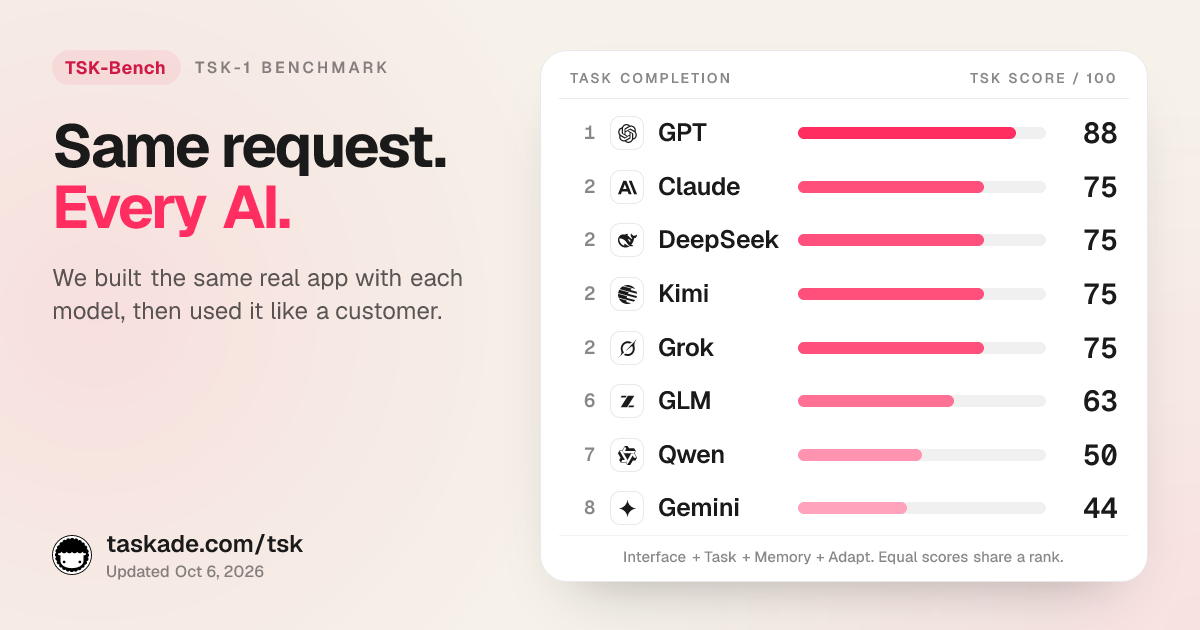
This is why the AI cost per task guide recommends a 20-task test on your own work before you compare tools, and why our TSK benchmark scores models on real builds instead of on price lists. A model that finishes a job in one try at a higher token price often beats a cheaper model that needs three tries.
🧾 AI Inference Cost: What Is Inside the Price of One Token?
AI inference cost has two sides: what a provider spends to make a token, and what a customer pays per finished task. On the provider side, GPU time dominates, and everything that keeps a GPU busy with paying work lowers the cost of each token. On the customer side, the price list is only the start: caching, output length, reasoning tokens and retries decide the bill.
🏗️ The Provider Side: Where the Money Goes
Providers do not publish their cost breakdowns, so this table lists the parts of the cost and the lever that moves each one, not invented percentages. Our Inference-as-a-Service deep dive runs the break-even math for one node.
| Cost part | What it is | Lever that lowers it per token |
|---|---|---|
| GPU capital or rent | Buying or renting accelerators, the largest line | More tokens per GPU-hour: batching, caching, faster kernels |
| Power and cooling | Electricity for chips and the systems that cool them | Newer chips that write more tokens per watt, efficient data centers |
| Network and storage | Links between GPUs, and disks for cached prefixes | Better placement of experts and caches |
| Idle and peak capacity | GPUs kept ready for busy hours and launches | Batch jobs and discounts that fill quiet hours |
| Engineering | Kernels, schedulers, speculators for each new model | Shared open-source engines such as vLLM and SGLang |
| Free tiers and promotions | Tokens served below cost to win users | A price list that charges for long outputs |
| Margin | What is left, often thin for open-weight models | Scale and better utilization |
🧮 The Customer Side: A Worked Bill for One Agent Job
The same agent job can cost more than 50 times as much in one setup as in another, depending on the model and on caching. Here is one job priced on the OpenAI list prices checked on 2026-10-18: GPT-6.1 Sol at $2.00 per million input tokens, $0.10 cached and $10.00 output, and GPT-6 Luna at $0.10, $0.01 and $0.50. The job has 10 steps, reads 200,000 input tokens in total and writes 10,000 output tokens.
ONE 10-STEP AGENT JOB   (200,000 input tokens, 10,000 output tokens)GPT-6.1 Sol, no cache hits
input   200,000 × $2.00 / 1M   = $0.400
output   10,000 × $10.00 / 1M  = $0.100
total                          = $0.500
GPT-6.1 Sol, 90% of input cached (instructions and history reused)
fresh    20,000 × $2.00 / 1M   = $0.040
cached  180,000 × $0.10 / 1M   = $0.018
output   10,000 × $10.00 / 1M  = $0.100
total                          = $0.158   (3.2× cheaper)
GPT-6 Luna, 90% cached           = $0.0088
GPT-6 Luna, 90% cached, 3 tries  = $0.026   (still 6× under Sol cached)
The cheap model wins only if it finishes the job.
If it fails the task, its cost per FINISHED task is unbounded.
Two lessons fall out of the bill. Output dominates once the input is cached: in the cached Sol case, the 10,000 output tokens cost more than the 200,000 input tokens. And retries double everything, which is why a model that gets the job right the first time can be the cheaper choice at a higher price per token. Our TSK benchmark measures exactly that, and the best model for apps guide applies it to app building.
Scale the job to a team and the gap becomes a budget line. At 50 such jobs a day for 22 working days, the cached Sol case costs about $174 a month, the uncached Sol case about $550, and the cached Luna case under $10. The AI agent cost optimization guide covers the habits that keep a team in the cheap rows.
🖥️ What Does It Take to Serve a 2.8-Trillion-Parameter Model?
Serving a 2.8-trillion-parameter model such as Kimi K3 takes eight NVIDIA B300-class GPUs with 288 GB each for every copy, because its 1.56 TB checkpoint does not fit in eight B200 or eight H100 GPUs. Moonshot AI opened Kimi K3 on its API on July 16, 2026, and published the open weights and a technical report (arXiv 2607.24653) on July 27, 2026, under its custom Kimi K3 License. Anyone can download the weights. Only a host with the right hardware can serve them.
The Kimi K3 model card on Hugging Face lists the parts that drive the hardware bill: 93 layers (69 KDA and 24 Gated MLA, described in the hybrid cache section), 896 routed experts, a 1,048,576-token context, and native MXFP4 weights with MXFP8 activations, with quantization-aware training from the fine-tuning (SFT) stage onward. It also replaces the plain residual sum between layers with Attention Residuals (arXiv 2603.15031). Our Moonshot AI and Kimi history covers how the lab got here.
| One 8-GPU node | Memory per GPU | Memory per node | Holds the 1.56 TB checkpoint? |
|---|---|---|---|
| 8 × NVIDIA H100 | 80 GB | 640 GB | No, about 0.92 TB short |
| 8 × NVIDIA B200 | 180 GB | 1.44 TB | No, about 0.12 TB short |
| 8 × NVIDIA B300 | 288 GB | About 2.3 TB | Yes, with about 0.74 TB left for cache |
Memory size is only half of the story. Each B300 reads its memory at about 8 TB per second, against 3.35 TB per second on an H100, and decode speed follows memory bandwidth. A host could split the model across two or more older nodes, but every decode step would then cross the slower links between machines. Baseten, which served Kimi K3 on day zero, runs it on NVIDIA GB300 NVL72 systems with eight GPUs per replica (Baseten, July 27, 2026).
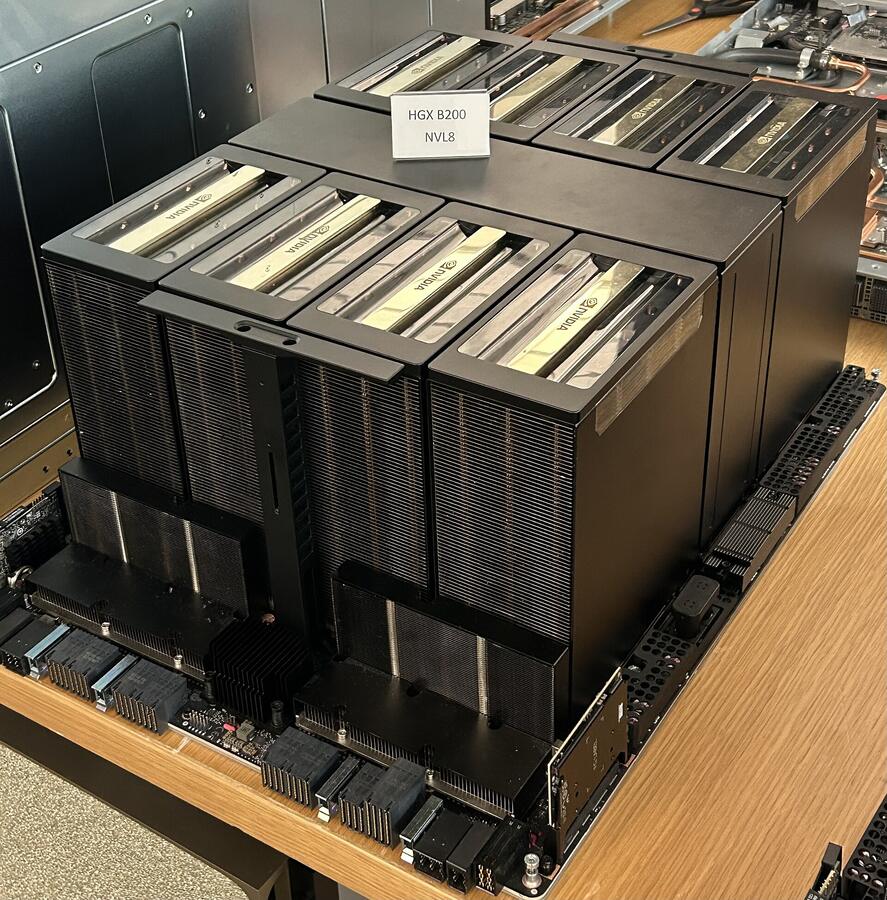
An 8-GPU NVIDIA HGX B200 board. Its 1.44 TB of memory is about 0.12 TB short of one Kimi K3 copy, which is why hosts moved to 288 GB B300-class parts. Photo: Pokiiri / Wikimedia Commons / CC BY-SA 4.0
Baseten's engineers explain why total parameters set the GPU count, and how tensor and expert parallelism split a trillion-parameter model, in this talk:
Here is roughly how one of those eight GPUs spends its memory, per Baseten's walkthrough:
ONE B300 GPU SERVING KIMI K3  (1 of 8 · 288 GB of HBM3e)model weights, 1/8 share      ██████████████████████████ ≈ 198 GB
(183 GB experts + 9 GB attention + 6 GB other)
free for MLA cache, KDA       ████████████               ≈  90 GB
state and working buffers
total   = 288 GB
The ≈ 90 GB of free memory sets how many conversations, and how
much context, one copy of the model can hold at the same time.
✂️ How Do Hosts Split One Model Across Eight GPUs?
Hosts split a giant model across GPUs in two main ways: tensor parallelism slices every layer, and expert parallelism places whole experts on specific GPUs. The choice trades one user's latency against the total tokens a node serves.
| TP8 (tensor parallelism) | TP + EP (tensor plus expert parallelism) | |
|---|---|---|
| Attention layers | Sliced across all 8 GPUs | Sliced across all 8 GPUs |
| Experts | Every expert sliced across all 8 GPUs | Whole experts placed on specific GPUs |
| Best at | The lowest latency for one user | More tokens per second per node |
| Main cost | The most traffic between GPUs, after every layer | A popular expert can overload the GPU that holds it |
In plain words, TP8 is eight people each reading one eighth of every page, then comparing notes after every page. It is fast for one reader, but the note-passing never stops. TP + EP keeps that split for attention, then hands each person their own chapters of the expert library, so a token visits only the GPUs that hold the experts it picked.
TP + EP brings a new problem: hot experts. If many tokens in a batch pick experts that live on one GPU, that GPU sets the pace and the other seven wait. Expert load balancing watches which experts are busy and adds or removes extra copies of hot experts at run time, in the spare memory of the other GPUs.
Large hosts also split prefill and decode into separate pools of workers, the design Moonshot's own Mooncake paper described in 2024. Agent and long-context traffic sends long prompts and short answers, so hosts tend to add prefill capacity for it. The companion deep dive on Inference-as-a-Service runs the break-even math for nodes like these, and the Kimi vs DeepSeek comparison sets K3 beside its closest open-weight rival.
Citation capsule: Moonshot AI's Hugging Face model card lists Kimi K3 at 2.8 trillion parameters, 104 billion active per token, 93 layers and a 1,048,576-token context, stored as MXFP4 weights. The checkpoint is about 1.56 TB, more than eight B200 GPUs hold, so each copy needs eight 288 GB B300-class GPUs. Baseten serves it on GB300 NVL72 with eight GPUs per replica.
🏭 Who Sells AI Inference? The Four Kinds of Provider
Four kinds of company sell AI inference: hyperscale clouds, GPU clouds, full-stack inference platforms and custom-chip companies. The AI labs also sell inference on their own models through their own APIs. Clouds treat inference as one more product. Inference platforms and chip companies make it their whole business, which is why they compete hardest on price and speed.
| Type | Examples | Main business | What they compete on |
|---|---|---|---|
| AI labs (first party) | OpenAI, Anthropic, DeepSeek, Moonshot | Training models and serving their own | Model quality, and serving tuned before launch |
| Hyperscale clouds | AWS, Microsoft Azure, Google Cloud, Oracle | Compute and enterprise accounts | Contracts, compliance, one bill |
| GPU clouds | CoreWeave, Nebius, Lambda, Crusoe | Renting GPU clusters | Price per GPU-hour |
| Inference platforms | Fireworks AI, Together AI, Baseten, DeepInfra | Serving many models through one API | Price per token, speed, uptime |
| Custom-chip companies | Groq, Cerebras, SambaNova | Inference on a chip they designed | Per-user speed |
Inference platforms mostly serve open-weight models that anyone can download, which sounds like a commodity. Their edge is the work the earlier sections described: caching, batching, custom GPU kernels and scheduling, all of which turn the same weights into cheaper or faster tokens. Fireworks AI, one of the largest, raised $1.5 billion at a $17.5 billion valuation in July 2026, and its CEO told CNBC it handles about 40 trillion tokens a day.
Custom chips take a different path. Groq's design keeps the model in fast on-chip memory and fixes the whole schedule at compile time, which gives very high speed per user. In December 2025 Groq signed a non-exclusive licensing agreement with NVIDIA for its inference technology and said it would continue to operate as an independent company. The trade-off for custom chips is support: a new model architecture can take time to run well on them.
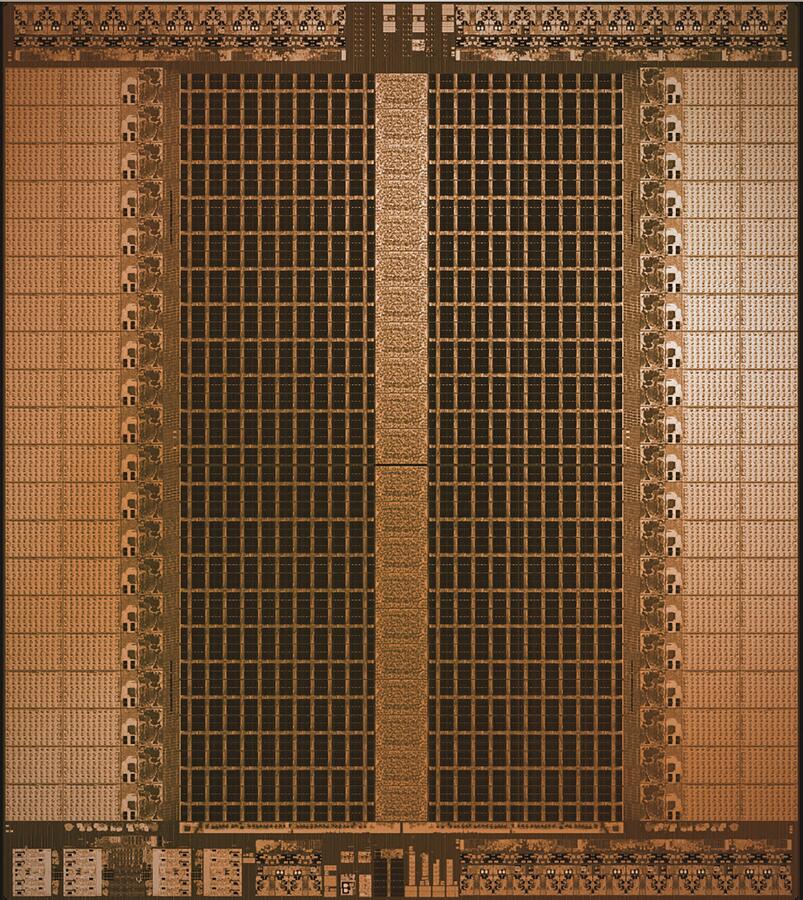
The Groq LPU v1 die. Custom inference chips trade flexibility for per-user speed. Photo: Avivweinstein / Wikimedia Commons / CC BY-SA 4.0
🏷️ Why Is the Lab's Own API Often the Cheapest?
A lab's own API is often the cheapest place to run its model because the lab tunes its serving before the model ships. It knows the model's exact shapes and precision, writes its GPU code in advance, and runs at a scale that keeps batches full. A third-party host must learn those details after the weights are public, then compete with the lab's price and with every other host.
DeepSeek is the clearest case on the public record. In its Open Source Week write-up, it reported that each H800 GPU node averaged about 73,700 input tokens per second in prefill (cache hits included) and 14,800 output tokens per second in decode. It also computed a theoretical cost-profit margin of 545%, but only "if all tokens were billed" at its reasoning-model price, on an assumed $2 per H800 GPU-hour. DeepSeek itself said actual revenue was substantially lower, because of cheaper models, free services and night-time discounts. Treat the 545% as a ceiling for an ideal week, not a profit report.
Third parties still win business on first-party models. They win on consistency: a lab that cannot buy enough GPUs for its own demand can slow down or pause signups, while a host with spare capacity keeps serving. They win on speed, where custom chips lead. And they win on contracts: a company that already buys from one cloud often prefers to keep AI spending on the same bill.
⚖️ Open-Weight vs Frontier Models: Which Should Your Team Use?
Open-weight models are cheaper and portable because many providers compete to serve them, while frontier models from the top labs usually lead on the hardest tasks. Most businesses still buy closed frontier models: Menlo Ventures reported in December 2025 that open-source models held 11% of enterprise LLM usage, down from 19% a year earlier. The right choice depends on the task, not on a single winner.
| Open-weight models | Closed frontier models | |
|---|---|---|
| Who can serve it | Any provider that downloads the weights | The lab and its cloud partners |
| Price | Low, set by competition between hosts | Set by the lab, with cheaper and pricier tiers |
| Hardest tasks | Close behind, and the gap moves month to month | Usually the leaders |
| Portability | Switch hosts without changing the model | Switch only by changing the model |
| Customization | Fine-tuning on your own data is possible | Mostly prompts, files and retrieval |
| Examples | DeepSeek, Qwen, Kimi, GLM | OpenAI GPT, Anthropic Claude, Google Gemini |
The same Menlo report found that prompt design remains the dominant technique, followed by retrieval-augmented generation (RAG), and that fine-tuning and reinforcement learning were still niche. For most teams, the leverage is not training a model. It is giving a good model the right context: your documents, your projects and your past decisions.
A practical rule for a non-technical team: use a frontier model for judgment-heavy work, an open-weight model for high-volume routine steps, and let the tool route between them. Our history of open-source LLMs covers where the open models came from.
🔭 What Changes in AI Inference in 2026?
AI inference in 2026 changes in six ways: hybrid attention shrinks the cache, native 4-bit weights shrink the model, speculators arrive after launch, prefill and decode move to separate fleets, routers follow the cache, and agents multiply the tokens per task. Each shift moves cost or speed by a large factor, and most of them come from the model's design, not only from new chips.
| Shift | What changed | Where you see it |
|---|---|---|
| Hybrid attention | Most layers use linear attention with a fixed-size state, a few keep full attention | Kimi K3: 69 KDA layers and 24 MLA layers, a 1,048,576-token context |
| Native low precision | Models train with 4-bit weights instead of being shrunk after training | OpenAI's gpt-oss (August 2025) and Kimi K3 ship MXFP4 weights |
| Speculators after launch | Hosts train a draft model on the target model's hidden states once it serves traffic | EAGLE-3, DFlash and DSpark, and host speeds that rise after day zero |
| Disaggregated serving | Prefill and decode run on separate pools of GPUs, sized per workload | Mooncake, DistServe, NVIDIA Dynamo, and the 2026 "Prefill-as-a-Service" proposal |
| Cache-aware routing | Routers send a request to the replica that already holds its prefix | llm-d on Kubernetes, and cheaper cached input on most price lists |
| More tokens per task | Reasoning models and multi-step agents read and write far more per job | Cost per task rising on some jobs while the price per token falls |
The first two shifts attack memory: a hybrid cache stays a fixed size on most layers, and 4-bit weights halve the bytes read per decode step. The third, covered in the speculative decoding section, is why a model can get faster on one host months after release.
The last shift is the one a team feels on its bill. A reasoning model writes hidden thinking tokens before its answer, and the reasoning effort setting decides how many. An agent runs many steps, each with a long prompt. Both push work toward decode and toward long contexts, which is exactly where the other five shifts save money. Our guides to reasoning models and to AI agents in production cover what that means for real workloads.
🧭 What Does Inference Mean for a Team Choosing AI Tools?
For a team choosing AI tools, inference shows up in three places: what each finished task costs, how fast answers start and stream, and whose account pays the provider. Ask about all three before you sign up. A tool that hides the model, ignores caching or bills every retry can cost several times more than a tool with a lower headline price.
| Question to ask | Why it matters | Good answer looks like |
|---|---|---|
| What does one finished task cost? | Cost per token hides retries and long prompts | A usage view per task or per app, not only a monthly total |
| Which model ran, and can I pick it? | Different tasks need different models | An Auto setting plus a manual choice per agent |
| How fast is the first word? | Long waits break the flow of work | Streaming answers, short waits on routine tasks |
| Does the tool reuse context well? | Cached input costs a fraction of fresh input | Stable instructions, and no rereading of the whole workspace every time |
| Can I bring my own key? | Your provider bills you, with your limits and contract | BYOK for agents and automations, on a plan you can afford |
| What happens when a provider is slow or down? | Lab APIs can be congested | Fallback options, and clear errors instead of silent failure |
Speed deserves a closer look, because two different numbers hide behind the word. Time to first token decides whether a tool feels responsive in chat. Tokens per second per user decides how long a long answer or a long document takes to finish. For automations that run in the background, neither matters much, and cost per task is the only number to watch. For a support agent answering customers live, the first-token wait matters most.
🔑 How Does Bring Your Own Key (BYOK) Change the Math?
Bring your own key (BYOK) lets a tool send AI requests to a model provider on your own account, so the provider bills you directly and the tool takes no markup on those tokens. You keep your own contract, rate limits and data terms with the provider. The tool still supplies the workspace, the agents and the automations around the model.
BYOK changes who carries the inference risk. Without it, a tool buys tokens and resells them, usually as credits, and has to price in every cache miss and retry. With it, your team pays the provider's list price, including its cache discounts, and can pick a provider that suits your workload or your compliance needs. The trade-off is that your requests are only as reliable as your provider account.
In Taskade, BYOK works like this (from the BYOK help article and the key providers page):
| Item | How it works in Taskade |
|---|---|
| Plans | Pro and up: OpenAI, Anthropic and Google Vertex AI keys. Business and up: also xAI, Groq, Mistral and Together AI keys |
| Where keys apply | OpenAI, Anthropic and Google Vertex AI keys: custom AI agents, Ask Agent and automation AI steps. xAI, Groq, Mistral and Together AI keys: custom AI agents and Ask Agent only |
| Credits | An agent chat on your key uses no Taskade credits. A built-in AI automation step on your key uses a fixed step fee in credits, and it must name a specific model, not TSK-Auto. Your provider bills the tokens |
| Provider steps in automations | OpenAI, Anthropic Claude and Google Gemini steps on Pro and up. Groq and OpenRouter steps on Business and up. Your provider bills each call, and each step uses one fixed step fee in Taskade credits |
| Claude | Claude runs on your own Anthropic key in custom agents on Pro and up |
| Taskade EVE | Does not run on a customer key |
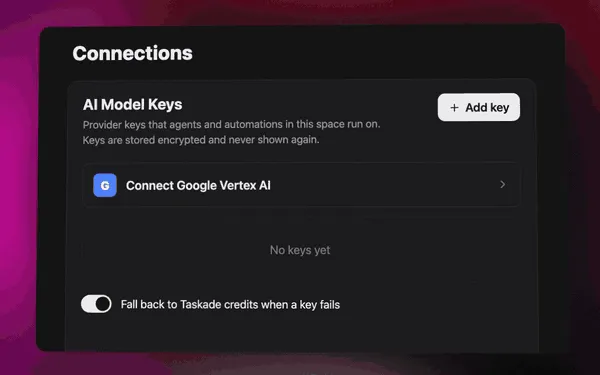
| Where to add a key | Connections → AI Model Keys, for a whole space or for one agent |
What happens when a key fails depends on the surface, so here is the safe summary:
If your key is rejected or out of quota, Taskade can switch that agent to Taskade credits when the fallback setting is on. Automation AI steps follow their own settings, so check the automation BYOK guide before you rely on a fallback there. The developer docs page on Custom Engine shows how to pin a model and pick a key for one agent.
🧬 How Does Taskade Use Inference Without Owning GPUs?
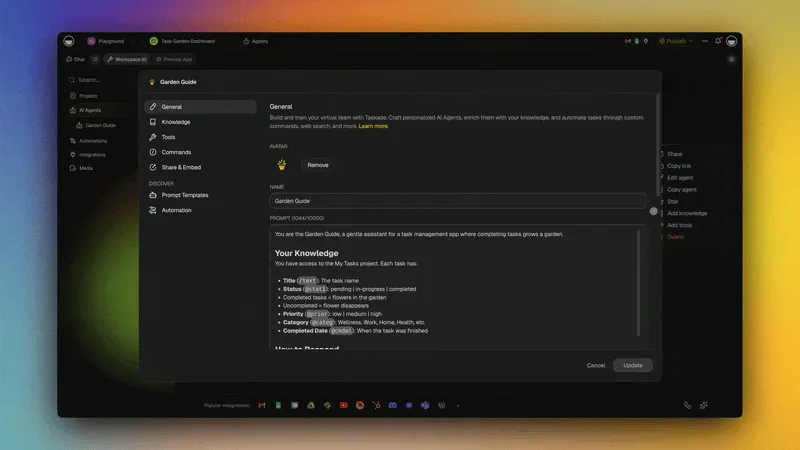
Taskade sends AI requests to model providers and runs no model servers of its own. Those providers run frontier models from top AI labs, from OpenAI GPT to open-weight models such as DeepSeek and Qwen. Taskade focuses on the layer people actually use: projects, AI agents, automations and Taskade Genesis apps. Auto is the default model setting, so a team does not have to pick a model for every task.
That split follows the economics in this guide. Serving tokens is a business with thin margins and fierce competition, run by companies that tune GPUs all day. Taskade's value sits one layer up, in Workspace DNA: Memory (your projects and documents), Intelligence (agents that use that context) and Execution (automations that act on it). The same projects, agents and automations work whichever model or key serves the tokens.
What that looks like in practice: you describe a dashboard, a client portal, a form or a tracker to Taskade EVE in chat, and one prompt builds a live Taskade Genesis app with its own database. AI agents with knowledge and tools work inside the app or on their own, and automations connect it to 100+ integrations: triggers pull events in, actions push data out. You can also clone a ready-made kit from the app gallery, share it with a link, and add a custom domain on Pro and up. The Taskade Genesis wiki explains each part.
Three places in Taskade make inference visible instead of hidden:
| Where | What you learn |
|---|---|
| Model directory | Which models Taskade runs today, and which were retired |
| TSK benchmark | How models score on real app builds, the cost-per-task view of model choice |
| Key providers | Which models each of your own keys can serve |
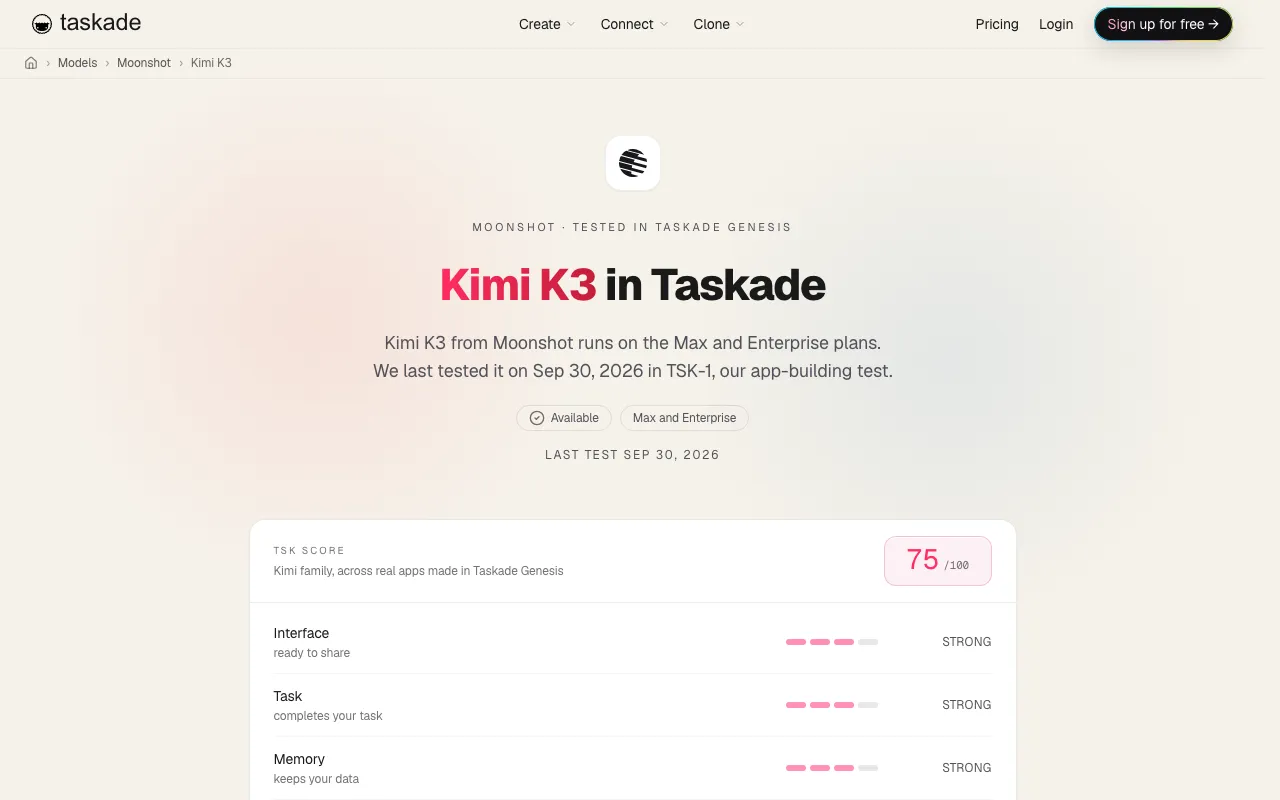
Speed follows the same split. Taskade buys tokens from hosts, so the per-user speed you see is a property of the host that serves the model, not of the workspace. The Kimi models page rates Kimi K3 Slow, with frontier intelligence and medium cost, on Taskade credits for Max and Enterprise. With BYOK, a Together AI key on Business and up can run Kimi K3 in custom agents and Ask Agent. The TSK results for Kimi put it plainly: K3 "builds more than almost any model and finishes later than all of them." In one TSK-1 round, only 7.2% of its build actions failed, the most reliable result of that test. Slow and reliable is a fair trade for a background build. It is a poor one for a live chat.
Our roundup of AI builders with bring your own key compares how other tools handle keys, and the guide to no-code builders for open-weight models covers the open side.
On pricing, the plan decides how much AI work Taskade runs on its credits. Free includes 3 Taskade Genesis apps and 1 AI agent, and starts with no AI credits: you earn credits through referrals and invites, or buy a credit pack on any plan. Pro is $10 per month billed annually and Business is $25 per month billed annually, with full details on the pricing page. Teams that bring their own key on Pro and up pay their provider for those tokens instead: agent chats on the key use no credits, and automation steps use a fixed step fee. Taskade Genesis app building and Taskade EVE chat stay on Taskade credits either way. Our TSK benchmark leaderboard post explains how the scores are built.
Build an AI app on top of any model →
📖 AI Inference Glossary: Terms in Plain English
These definitions stand alone, so each one can be read without the rest of this guide. They use the words that appear on pricing pages, in benchmarks and in AI tool settings.
| Term | Plain-English definition |
|---|---|
| Inference | Running a trained AI model on new input to produce an answer |
| Token | A small piece of text, about three quarters of an English word, that models read and write |
| Prompt | Everything sent to the model: your message, instructions, files and chat history |
| Prefill | The first phase of an answer, when the model reads the whole prompt at once |
| Decode | The second phase, when the model writes the answer one token at a time |
| KV cache | Stored keys and values for tokens already read, so the model does not redo that work |
| Prompt caching | Keeping the KV cache after a request so that a repeated prompt start is billed at a discount |
| TTFT | Time to first token: the wait before the first word appears |
| Tokens per second | Writing speed, quoted per user or for a whole server |
| P95 latency | The wait that 95 of every 100 requests beat, a fairer speed number than the average |
| Batch inference | Sending many requests at once for results later, usually at a discount |
| Edge inference | Running a model close to the data, on a local server or device, instead of in a distant cloud |
| NPU | A small AI unit built into a phone or laptop chip for on-device inference |
| Batching | Serving many requests in the same model step to share each memory read |
| Continuous batching | Letting requests join and leave a batch at every step instead of waiting for the slowest |
| Memory bandwidth | How fast a chip moves data from memory to its math units, the limit on decode speed |
| Mixture of experts | A model design that reads only part of its weights for each token |
| Open-weight model | A model whose trained weights are public, so any provider can serve it |
| Frontier model | A leading model from a top AI lab, usually served only by that lab or its partners |
| Inference provider | A company that runs models on its hardware and sells access by the token |
| Router | Software that picks a model, a provider or a GPU server for each request |
| BYOK | Bring your own key: a tool sends requests to a provider on your own account |
| Cost per task | What one finished job costs, including every step and retry |
| TPOT / ITL | Time per output token, or inter-token latency: the gap between words after the first one |
| Goodput | Throughput counted only while answers still meet their speed targets |
| Quantization | Storing weights or cache entries in fewer bits, for example FP8 or FP4, to move fewer bytes |
| Speculative decoding | A draft model guesses several tokens and the main model checks them in one pass |
| GQA | Grouped-query attention: several query heads share one set of keys and values, so the cache shrinks |
| MLA | Multi-head latent attention: the cache stores one compressed vector per token |
| Linear attention | Attention that keeps a fixed-size state instead of a per-token cache |
| Chunked prefill | Splitting a long prompt into pieces so other users keep getting tokens |
| Disaggregated serving | Running prefill and decode on separate pools of GPUs |
| Serving engine | The software that loads the weights and runs batching and caching, for example vLLM |
🚧 Limitations: When Taskade Is Not the Right Fit
Taskade is the wrong tool if your goal is to serve models yourself. Taskade does not host your own model weights, does not offer GPU capacity, and does not fine-tune models. If you need to run a custom fine-tune at scale, tune batch sizes, or deploy an open-weight model in your own cloud account, an inference platform or a GPU cloud from the provider table above fits better.
Taskade is also not a raw API. A developer who wants the lowest possible price per token for a single, fixed task, with no workspace around it, can call a provider directly. And Taskade EVE, the agent that builds Taskade Genesis apps, runs on Taskade credits, not on a customer key. Taskade fits teams that want AI agents, automations and apps on top of the models, with the model choice handled for them or set per agent.
🔗 Related Reading
- Inference-as-a-Service (IaaS): How AI Is Sold: the technical deep dive on serving, kernels and GPU break-even math
- AI Cost per Task: what AI work really costs to run, with a 20-task test
- How to Reduce LLM Costs: prompt caching, model routing and batching in practice
- How AI Data Centers Work: from the power grid to one AI answer
- KV cache · Tokens per second · Prompt caching · Inference cost
- AI Builders With Bring Your Own Key: which AI builders let you run agents on your own provider key
- No-Code Builders for Open-Weight Models: no-code builders that run open-weight models
- Moonshot AI and Kimi History: the lab behind Kimi K3, from K2 to the 2.8-trillion-parameter release
- Bring Your Own AI Keys (BYOK) · AI model directory · Explore community apps
💬 Frequently Asked Questions About AI Inference
What is AI inference?
AI inference is the work a trained AI model does each time you use it. The model reads your prompt as tokens, runs them through its network on a GPU or another accelerator, and writes the answer one token at a time. Training builds the model once. Inference runs it again for every question, agent step and automation, so it is the recurring cost of any AI product.
What are the types of AI inference?
AI inference comes in three delivery types. Real-time inference answers one request while a person waits. Streaming inference shows the answer token by token as it is written. Batch inference processes many requests later, and OpenAI and Anthropic both list a 50% discount for batch jobs. Inference also runs in four kinds of place: the cloud, on-premise servers, edge servers and on-device chips.
What is the difference between AI training and inference?
Training is a large, slow job that adjusts a model's weights by showing it huge amounts of data, and it runs once per model version. Inference is the use of the finished model: it answers requests in seconds, millions of times a day. Training decides how smart a model is. Inference decides how fast and how cheap each answer is.
What are prefill and decode in AI inference?
Prefill and decode are the two phases of every AI answer. In prefill, the model reads the whole prompt at once in parallel, which is limited by compute and causes the pause before the first word. In decode, the model writes one token at a time, and each step reads the weights from memory, so decode is limited by memory bandwidth.
What is a KV cache?
A KV cache is the stored work a model has already done on the tokens it has read. It holds the attention keys and values for each token, so the model does not redo that work for every new word. When a new request starts with the same text as an earlier one, a provider can reuse the cache and bill those input tokens at a large discount.
Why do output tokens cost more than input tokens?
Output tokens cost more because the model writes them one at a time, and each one needs a full pass over the weights in memory. Input tokens are read in one parallel burst. On October 18, 2026, OpenAI listed GPT-6 Luna at $0.10 per million input tokens and $0.50 per million output tokens, a five-times gap.
Why are AI tokens getting cheaper?
Tokens get cheaper because serving software improves, chips gain memory bandwidth, models become more efficient, and many providers compete to serve the same open-weight models. Epoch AI measured in March 2025 that the price to reach a fixed level of performance fell between 9 and 900 times per year, depending on the task.
Does a cheaper price per token mean a cheaper AI bill?
Not always. The bill depends on cost per task: the price per token multiplied by the tokens a task uses, plus retries. Reasoning models and agents can use many more tokens for one job, so a cheaper token can still produce a bigger bill. Measure one finished task on your own work before you compare tools.
What is the difference between open-weight and frontier models?
An open-weight model publishes its weights, so any provider can serve it and many companies compete on its price. A frontier model is usually closed and served by its lab or the lab's partners. Menlo Ventures reported in December 2025 that open-source models held 11% of enterprise LLM usage, down from 19% a year earlier.
What does tokens per second measure?
Tokens per second measures how fast a model writes. Per-user tokens per second is the speed one person sees. Per-server tokens per second is the total output across everyone a server handles at once, which pays for the hardware. A good AI tool needs a short wait before the first word and a steady speed after it.
Why can't Kimi K3 run on one GPU?
Kimi K3 has about 2.8 trillion parameters, and its MXFP4 checkpoint is about 1.56 TB. One NVIDIA B300 GPU holds 288 GB, so the weights alone fill more than five of them, and hosts serve each copy on one eight-GPU node, about 2.3 TB, which leaves room for the cache. Eight B200 GPUs hold only 1.44 TB, and eight H100 GPUs hold 640 GB. Only about 104 billion parameters work on each token, but across a production batch every expert is busy at some moment, so all of them must stay in GPU memory.
Why does the same model run at different speeds on different providers?
Each host serves the same weights with its own chips, parallelism, batch sizes, caching and speculative decoding. On October 20, 2026, Artificial Analysis listed Kimi K3 at about 422 tokens per second on the fastest host and about 42 on Moonshot's own API, a ten-times spread for one model. A tool that buys tokens from a host inherits that host's speed.
What does BYOK mean in AI tools?
BYOK means bring your own key. You add an API key from an AI provider to a tool, and the tool sends requests to that provider on your account, so the provider bills you directly. In Taskade, Pro and up can add OpenAI, Anthropic and Google Vertex AI keys for custom agents, Ask Agent and automation AI steps, and Business and up can add more providers. An agent chat on your key uses no Taskade credits, and an automation AI step uses a fixed step fee.
What is LLM inference?
LLM inference is the process of running a trained large language model to generate text from a prompt. The model splits the prompt into tokens, reads them in one prefill pass that fills a KV cache, then writes the answer one token at a time in a decode loop. Each output token needs another read of the weights from GPU memory, which is why long answers take longer and cost more.
How does LLM inference work step by step?
A request is tokenized, routed to a copy of the model and queued for the next batch. Prefill reads every prompt token and fills the KV cache. The model then samples the first token, streams it, and repeats the decode step until it writes a stop token. In Lambda's benchmark of an 8,192-token prompt on an 8-GPU B200 node, the first token came after about 1.2 seconds and later tokens about 35 milliseconds apart.
How much does AI inference cost?
AI inference is priced per million tokens, with output several times dearer than input. On October 18, 2026, OpenAI listed GPT-6 Luna at $0.10 input and $0.50 output per million tokens, and GPT-6.1 Sol at $2 and $10. A ten-step agent job that reads 200,000 tokens and writes 10,000 costs about 50 cents on GPT-6.1 Sol with no caching, and about 16 cents when 90% of the input is cached.
Is inference more expensive than training?
One answer costs far less than training, but inference repeats for every request, so over a model's life it often costs more. A rule of thumb puts training at about 6 × parameters × training tokens and inference at about 2 × parameters per token. By that rule, a model matches its training compute after serving about three times as many tokens as it trained on. Google reported that inference used about three fifths of its machine learning energy in 2019 to 2021.
How big is a KV cache?
A KV cache stores a key and a value per layer, per key-value head, per head dimension, for every token. Llama 3 70B has 80 layers, 8 key-value heads and a head size of 128, so a 16-bit cache needs about 320 KiB per token, or about 40 GiB for one 128,000-token conversation. Kimi K3 needs about 13.5 KiB per token on its 24 MLA layers, plus a fixed state on its 69 linear attention layers.
What is speculative decoding?
Speculative decoding writes several tokens per decode step. A small draft model guesses the next few tokens, and the large model checks all of them in one pass, keeping only the ones it would have written itself. The answer stays the same, but each memory read of the large model can produce several tokens. EAGLE-3, DFlash and DSpark are recent speculator methods.
Does Taskade run its own GPUs?
No. Taskade runs no GPUs of its own. It sends each AI request to a model provider that runs frontier models from top AI labs, and it focuses on the workspace around the model: projects, AI agents, automations and Taskade Genesis apps. Auto is the default model setting, and Claude runs on your own API key in custom agents on Pro and up.
🧾 Sources
Prices and figures were checked on 2026-10-18 unless a date is given.
- OpenAI API pricing (GPT-6 Luna, GPT-6.1 Sol) and the GPT-4 research announcement (March 2023 pricing)
- Anthropic prompt caching documentation (cache read and write multipliers)
- DeepSeek API pricing page, and DeepSeek
open-infra-index, Open Source Week day 6 inference system overview - Lambda, DeepSeek-V4-Pro vLLM benchmark on NVIDIA HGX B200
- OpenAI Batch API guide and Anthropic Message Batches documentation (50% batch discount, checked 2026-10-19)
- IBM Think, "What is AI inference?" (hardware families for inference, checked 2026-10-19)
- Yu et al., "Orca: A Distributed Serving System for Transformer-Based Generative Models", OSDI 2022
- Kwon et al., PagedAttention and vLLM, arXiv 2309.06180 (2023). Dao et al., FlashAttention, arXiv 2205.14135 (2022)
- Qin et al., Mooncake, arXiv 2407.00079 (2024), and "Prefill-as-a-Service", arXiv 2604.15039 (2026)
- Epoch AI, "LLM inference prices have fallen rapidly but unequally across tasks" (March 12, 2025)
- Menlo Ventures, "2025: The State of Generative AI in the Enterprise" (December 2025)
- Red Hat llm-d launch announcement (May 20, 2025) and llm-d.ai
- Groq newsroom, Groq and NVIDIA licensing agreement (December 24, 2025)
- CNBC on the Fireworks AI Series D (July 16, 2026), and 20VC with Lin Qiao (July 20, 2026)
- Moonshot AI, Kimi K3 model card and config.json on Hugging Face (parameters, layers, experts, context, MXFP4), and the Kimi K3 technical report, arXiv 2607.24653 (July 27, 2026)
- Baseten, "How to build a day-zero API for Kimi K3" (July 27, 2026), and Baseten, "How trillion-parameter AI models work and how to serve them" (video)
- Artificial Analysis, Kimi K3 provider speeds (median output speed, fetched 2026-10-20)
- Kimi Linear and KDA, arXiv 2510.26692 (2025). Attention Residuals, arXiv 2603.15031 (2026). Katharopoulos et al., "Transformers are RNNs" (2020). Yang et al., parallel delta rule, arXiv 2406.06484 (2024). Gated DeltaNet, arXiv 2412.06464 (2025)
- EAGLE-3, arXiv 2503.01840 (2025). DFlash, arXiv 2602.06036 (2026). DSpark, arXiv 2607.05147 (2026)
- NVIDIA H100, B200 and B300 product specifications (memory per GPU and memory bandwidth)
- Kaplan et al., "Scaling Laws for Neural Language Models", arXiv 2001.08361 (2020): about 6N operations per training token and 2N per inference token
- Patterson et al., "The Carbon Footprint of Machine Learning Training Will Plateau, Then Shrink", IEEE Computer (2022): inference at about three fifths of Google's machine learning energy, 2019 to 2021
- Meta, Llama 3 70B configuration on Hugging Face (80 layers, 64 attention heads, 8 key-value heads, head size 128)
- NVIDIA glossary, "What Is AI Inference?" (TTFT, TPOT and goodput definitions, checked 2026-10-20)
- Zheng et al., SGLang, arXiv 2312.07104 (2023). Zhong et al., DistServe, arXiv 2401.09670 (OSDI 2024). NVIDIA Dynamo announcement (GTC, March 2025). OpenAI gpt-oss model card (August 2025)
- Videos: IBM Technology, "AI Inference: The Secret to AI's Superpowers". Mark Moyou (NVIDIA), "Understanding the LLM Inference Workload". Grant Sanderson, "Visualizing transformers and attention". KodeKloud, "AI Infrastructure Explained". Baseten, "How trillion-parameter AI models work and how to serve them"
Featured photo: Wikimedia Commons / NOIRLab/NSF/AURA/T. Slovinský / CC BY 4.0
Inference is the meter that runs under every AI tool. Read the meter by cost per finished task, keep your prompts cache-friendly, and pick tools that let you choose the model and the key. Then spend your attention on the work the model does for you: ▲ Memory, ■ Intelligence, ● Execution.