Best AI Script Generator 2026: 15 Tools by Script Type
The best AI script generator for each format: 15 tools for screenplays, movie scripts, YouTube and social video. Free tiers and prices checked November 7, 2026.
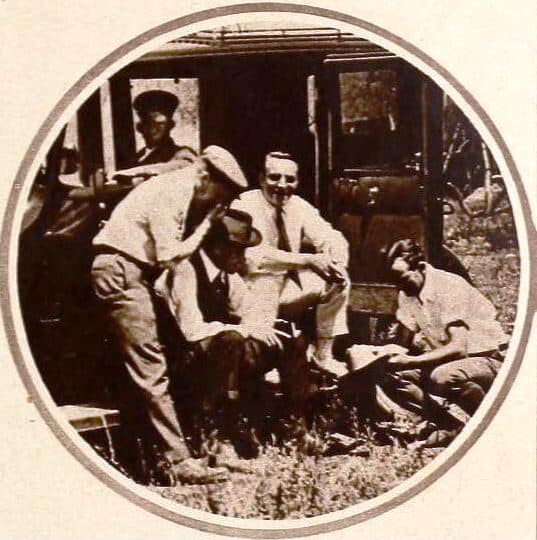
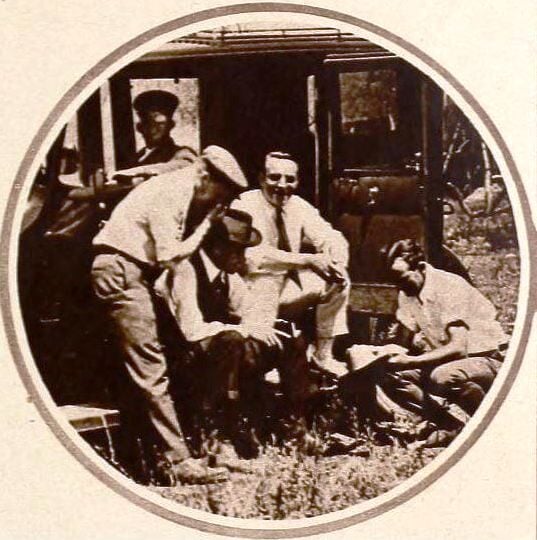
In 1919, on the set of the silent film Soldiers of Fortune, a script existed mostly as a continuity outline that a director, camera operator, and crew improvised around. There was no dialogue to format, because there was no recorded dialogue at all. The strict industry screenplay, with its scene headings, centered character names, and page-per-minute pacing, only hardened into a standard once sound arrived a decade later.
In 2026, you can type "a two-minute YouTube script about morning routines" or "a feature screenplay about a heist gone wrong" and get a draft back in seconds. The catch is that "script generator" now means two different jobs. A produced screenplay follows a rigid format built for a crew to read at a glance. A YouTube or ad script is closer to plain, spoken prose. Pick a tool built for one when you need the other, and the output looks wrong from the first page.
TL;DR: We sorted 15 AI script generators by what they actually format: industry screenplays (Squibler, Arc Studio, WriterDuet, Celtx, Final Draft, Trelby), video and social scripts (Restream, Teleprompter.com, Subscribr, Descript, Jasper), and free general assistants (Claude, Gemini, ChatGPT). Prices and free tiers re-checked November 7, 2026. Draft the scene plan first with the free AI movie script generator.
Quick Answer: The Best AI Script Generator by What You Need
The right AI script generator depends on whether you need a formatted screenplay, a video script, or a first draft in any format. Squibler is the one screenplay editor here that also drafts scenes with AI. Arc Studio and WriterDuet format what you write and export Fountain and Final Draft files. For a free video script with no sign-up, Restream is fastest. For the outline before any of them, Taskade's generators are free.
Free scene-by-scene plan, plus logline, beat sheet, and outline tools
What Is an AI Script Generator?
An AI script generator is any tool that turns a written prompt into a script, but "script" splits into two formats that rarely overlap. An industry screenplay uses a rigid layout built for a crew: scene headings, action lines, and centered, capitalized character names, all timed to roughly a page per minute of screen time. A video script for YouTube, TikTok, a podcast, or an ad has no such standard. It is closer to a spoken essay, written to be read aloud or displayed on a teleprompter.
A third category sits underneath both: the outline and beat sheet that should exist before either kind of script gets written. Most comparisons skip this stage entirely and jump straight to prose generation.
WHAT YOU GET BACK                     EXAMPLE TOOLS                        FORMAT
────────────────────────────────      ──────────────────────────────       ────────────────────
An AI-drafted screenplay              Squibler                             PDF / DOCX (paid plans)
A formatted screenplay you write      Arc Studio, WriterDuet               Fountain / FDX / PDF
A script-to-production suite          Celtx, Final Draft                   FDX / PDF, no AI drafting
A free, open editor with no AI        Trelby                               FDX / Fountain / PDF
A YouTube or social video script      Restream, Subscribr, Teleprompter    Plain text, timed to length
A script tied to your video edit      Descript                             Doc synced to the timeline
A brand-safe marketing script         Jasper                               Plain text
A first draft in any format           Claude, Gemini, ChatGPT              Plain text or markdown
The outline before any of the above   Taskade generators                   Logline, beat sheet, outline
What a Script Actually Is, Before AI Writes One
A script, of any kind, is a plan for what happens in order: who does what, in what setting, saying what. That is true whether the output is a two-hour screenplay or a ninety-second TikTok script. The part that makes a script work is decided before the prose gets written: the logline, the beat sheet, and the scene list. Skip that and a generator writes the average of every script it has seen, which is the flat, familiar feeling readers describe as "obviously AI."
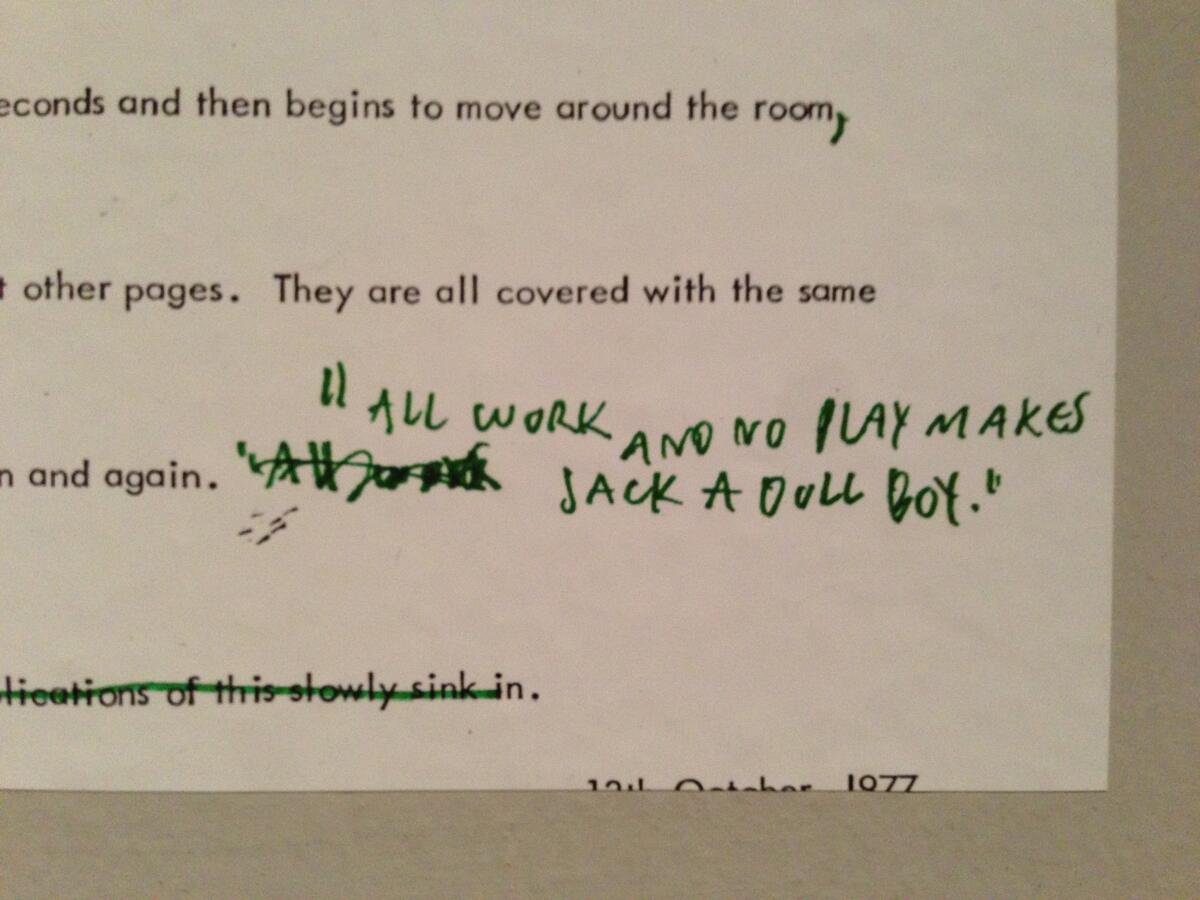
A typewritten screenplay page prop from The Shining, photographed at a Stanley Kubrick exhibit. The industry screenplay format existed decades before any of it was AI-generated. Photo: William Beutler / Wikimedia Commons / CC BY 2.0.
Most tools in this list start at step five. Arc Studio and Final Draft give you a beat board to arrange cards on, but none of them write the beat sheet for you, which is the gap the closing section of this article covers.
The length of the draft follows two rules of thumb, one for each format:
SCRIPT LENGTH CARD                        (verified 2026-09-24)
────────────────────────────────────────────────────────────────
SCREENPLAY  about 1 page per minute of screen time
            a 90-minute feature  ≈  90 pages
            a 22-minute episode  ≈  22 pages

VIDEO / VOICEOVER  spoken words, per Teleprompter.com presets
            30 seconds  →    75-80 words
            1 minute    →  150-160 words
            3 minutes   →  450-480 words
            5 minutes   →  750-800 words
            10 minutes  → 1,500-1,600 words
────────────────────────────────────────────────────────────────
Ask a generator for "a 3-minute script" and check the word count.
Is the Free Tier Actually Free?
Most script generators advertise a free tier, but what it produces varies sharply between screenplay editors and video-script tools. Here is what each free tier includes, checked against vendor pricing pages on November 7, 2026 (ChatGPT row: September 24, 2026).
Tool
Free tier (in the vendor's own terms)
Sign-up required?
Entry paid tier
Squibler
500 AI credits/month, forever
Yes
Plus $29.99/mo, or $15.83/mo billed annually
Arc Studio
2 scripts, watermarked PDF export, plus a 7-day Pro trial
No card required
Essentials $69/year
WriterDuet
3 projects, read-only collaborators, no watermark
Yes
Plus $9.99/mo, or $89.88/year
Celtx
A permanent free plan with 1 project, plus a 7-day trial of paid tiers
Yes
Not published on the pricing page
Final Draft
No free plan. 5-day free trial of the Suite subscription
Yes
Suite $99.99/year ($69.99 in a November 2026 sale), or $16.99/mo as of 2026-09-24
Trelby
Unlimited, forever, no account
No
No paid tier exists
Restream
Unlimited script generation, no account
No
No paid consumer tier found
Teleprompter.com
Free and unlimited, "No Sign Up" in the page title
No
Not published
Subscribr
Free plan with 3 idea batches a month, but no script credits
Yes
Growth $99/mo with 60 script credits
Descript
60 minutes of media/month, 100 one-time AI credits
Yes
Hobbyist $16/mo billed annually, $24 monthly
Jasper
No free plan. 7-day trial of the Pro plan
Yes, no card for the trial
Pro $59/mo billed annually, $69/mo monthly
Claude
Artifacts on the free plan
Yes
Pro $17/mo billed annually, $20 monthly
Gemini
Canvas on the free plan
Yes
Google AI Plus $4.99/mo, Google AI Pro $19.99/mo
ChatGPT
Inline writing and code blocks on the free plan
Yes
Paid ChatGPT plans
The pattern: the tools with genuinely free, unlimited drafting are the video-script generators and the general assistants, not the screenplay editors. Screenplay software earns its price with formatting, revision tracking, and production tools.
Script Format and Export, by Tool
Fountain is a plain-text screenplay format, and FDX is Final Draft's native file format — most other screenwriting software imports and exports both to stay compatible. Video and social script tools have no such standard; they output plain text.
Tool
Exports to
Imports from
Free-plan watermark
Squibler
PDF, DOCX (paid tiers)
Final Draft, Word, Google Docs
Not published
Arc Studio
Fountain, Final Draft (FDX), PDF
Final Draft, Word, PDF, Fountain
Yes, on PDF exports
WriterDuet
Final Draft, Fountain, PDF
Final Draft, Fountain, PDF
No
Final Draft
FDX (the format others target), PDF
Final Draft, Fountain
No
Trelby
PDF, formatted text, HTML, RTF, FDX, Fountain
FDX, Celtx, Fountain, Adobe Story, Fade In
No, and no paid tier exists
The video and social tools here export plain text or a synced doc, not a screenplay format. Nobody films a TikTok script from a slug line.
Who Owns What You Make?
Ownership terms differ by category, and screenplay editors raise no AI-ownership question at all, because you own everything you type into them, the same as any word processor.
Tool
Free-tier rights
Paid-tier rights
Squibler
Full ownership per its terms of service, including on the free plan
Same
Jasper
No free plan
Full ownership and commercial rights, stated in its terms of service
Arc Studio, WriterDuet, Final Draft, Trelby
You own everything you write; these are editors, not generators
Same
Claude, Gemini, ChatGPT
Standard consumer terms grant you rights to outputs, subject to each vendor's usage policies
AI is not a writer. AI-generated material is not literary material or source material, so it cannot cut a writer's credit
WGA 2023 contract (MBA)
2023
A studio must disclose AI-generated material it hands to a writer, and cannot require a writer to use AI
The state chart follows the Copyright Office's January 2025 guidance in simplified form. It is not legal advice, and the Office decides each registration case by case.
How We Compared These Tools
We are a vendor too, so every price and limit here traces to a vendor page, first read on September 24, 2026 and re-read on November 7, 2026.
What we checked
How we checked it
Where it shows up
Price and free tier
The vendor's own pricing page, read on 2026-09-24 and re-read on 2026-11-07
Free-tier table, cost chart, every tool section
Export and import formats
Vendor help center or product page
Format and export table
Output ownership
The vendor's terms of service, plus the 2025 Copyright Office report
Ownership tables and state chart
What the tool looks like today
A headless screenshot of the public page, September 2026 (Descript: March 2026)
The tool sections
Fit
Grouped by what the tool formats, not scored on one scale
The three tool categories
We did not run one identical prompt through every tool, because a screenplay editor and a TikTok script generator do different jobs. Taskade appears last, in the outline category, because that is where it fits.
What Changed in 2026: Stale Claims We Corrected
Several claims that still circulate in script-tool roundups no longer match the vendor pages. These are the ones we found while checking each tool on 2026-09-24 and 2026-11-07:
Tool
What older guides say
What the vendor page says
ChatGPT
Draft long scripts in the Canvas side panel
Canvas removed from GPT-5.5 models on 2026-05-28. Writing blocks in chat on every plan
Subscribr
A $7 trial that renews at $299/year
A free plan with no script credits. Growth costs $99/month for 60 script credits
Arc Studio
AI screenwriting app
AI table reads, character images, and a research assistant, sold as credits. No AI scene drafting
Final Draft
$249.99 one-time license
$199.99 sale price (list $249.99), or the Suite at $99.99/year ($69.99 in a sale on 2026-11-07), or $16.99/month as of 2026-09-24
Squibler
1,000 free AI credits a month
500 free AI credits a month on 2026-11-07
Trelby
Windows and Linux only
v2.4 downloads for Windows, macOS, and Linux
Gemini
Paid plans start at $19.99/month
Google AI Plus at $4.99/month is the entry paid tier
Screenplay and Film/TV Format Tools
These tools format an industry-standard screenplay. Squibler adds AI drafting on top of the format. Arc Studio sells AI table reads and research as credit add-ons. The other four format and plan the script you write, with no generation feature.
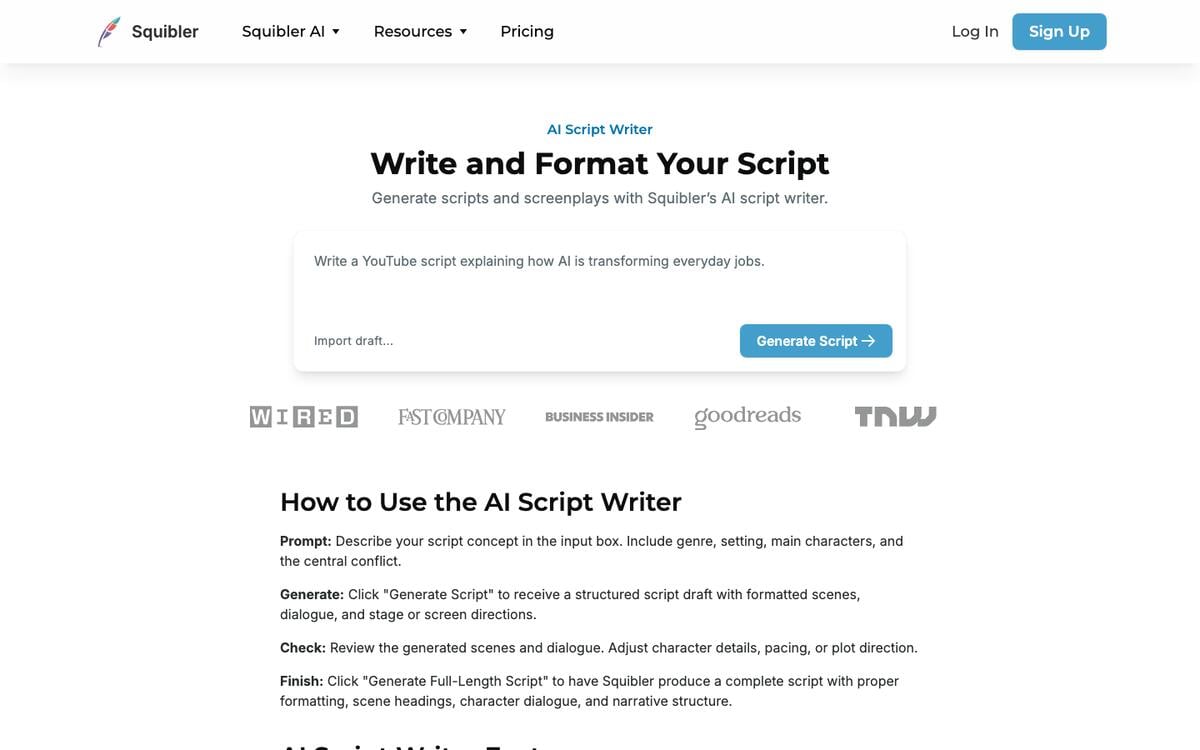
Squibler combines an AI writing assistant with a dedicated screenplay mode that formats dialogue, action lines, scene headings, and transitions to the standard the industry expects. A separate script generator page drafts movie scripts, TV pilots, stage plays, and short video scripts with no account.
Squibler AI Script Writer page, captured September 2026.
Key features: AI-assisted drafting inside a proper screenplay mode; import from Microsoft Word, Final Draft, and Google Docs; a combined book-and-script writing environment.
Free plan (checked Nov 7, 2026): 500 AI credits a month, forever, with no time limit on the free tier itself. Squibler listed 1,000 on September 24, 2026. Heavy AI use outgrows the credit allowance quickly.
Pros:
The only screenplay editor here that both drafts scenes and formats them as a real screenplay
Squibler's terms of service grant users full ownership of what they create, including on the free plan
Genuinely free, ongoing access to the writing environment, not just a trial
Cons:
500 monthly credits run out fast if you rely on AI for full scenes
Export to PDF and DOCX is reserved for paid tiers
Pricing (checked Nov 7, 2026): Plus $29.99/month, or $15.83/month billed annually ($189.96/year), with 20,000 AI credits a month. Pro $89.99/month, or $49.17/month billed annually ($588/year), with unlimited AI credits.
Bottom line: the best starting point if you want AI to draft scenes inside real screenplay formatting.
2. Arc Studio: Best Free Screenwriting App With Real Formatting
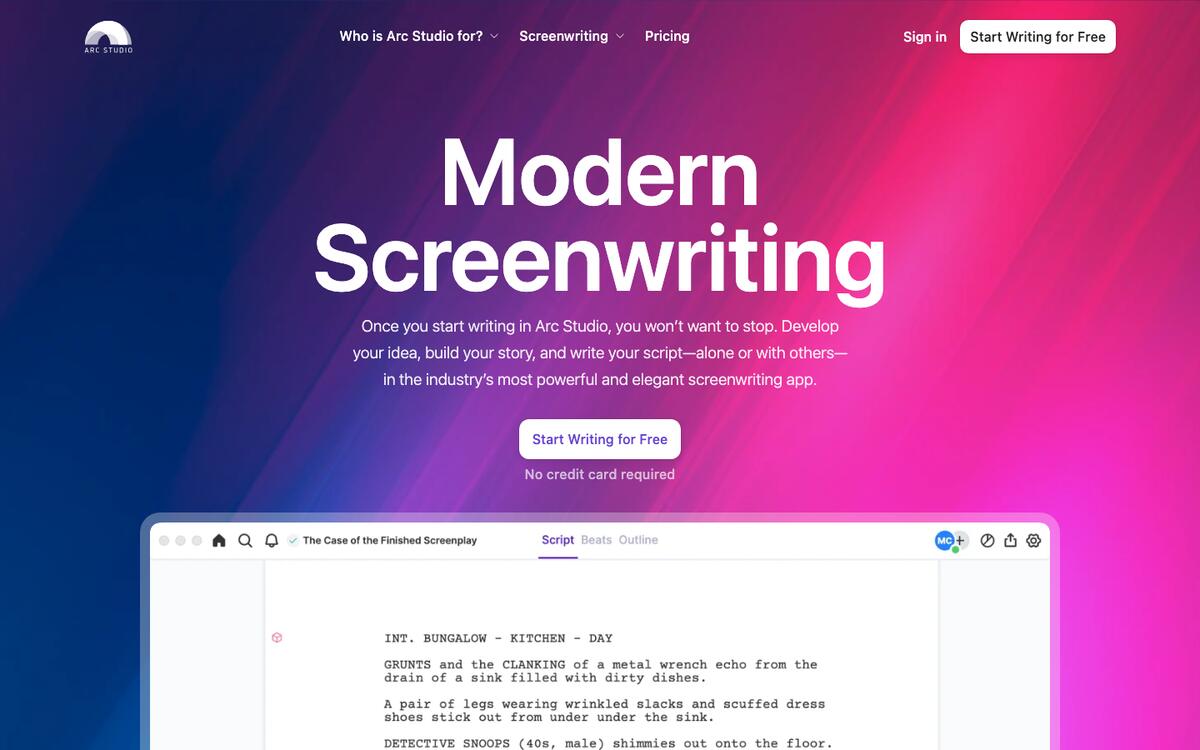
Arc Studio is a modern screenwriting editor built around outlining and a visual plot board, alongside standard formatting. It bills annually only, which keeps its entry price well under most monthly subscriptions in this category.
Arc Studio homepage, captured September 2026.
Key features: automatic screenplay formatting; a plot board for outlining before you write; revision tracking and version history; Fountain and Final Draft export; AI table reads, character images, and a research assistant, paid for with separate credits.
Free plan (checked Nov 7, 2026): two scripts, with a watermark on PDF exports, plus a 7-day Pro trial. No credit card required to sign up.
Pros:
No payment info needed to start, and the free plan is genuinely usable, not a countdown trial
Fountain and Final Draft export means your work is never locked into Arc Studio alone
Outlining and plot-board tools built in, not bolted on
Cons:
The free plan caps you at two scripts and stamps a watermark on exports
No monthly billing option; you commit to a year at a time
Pricing: Essentials $69/year. Pro $99/year, with $70 off Pro for students with a .edu address. AI add-on credits cost extra.
Bottom line: the best free way to try real screenwriting software before you commit to a year.
3. WriterDuet: Best for a Free Plan With No Watermark
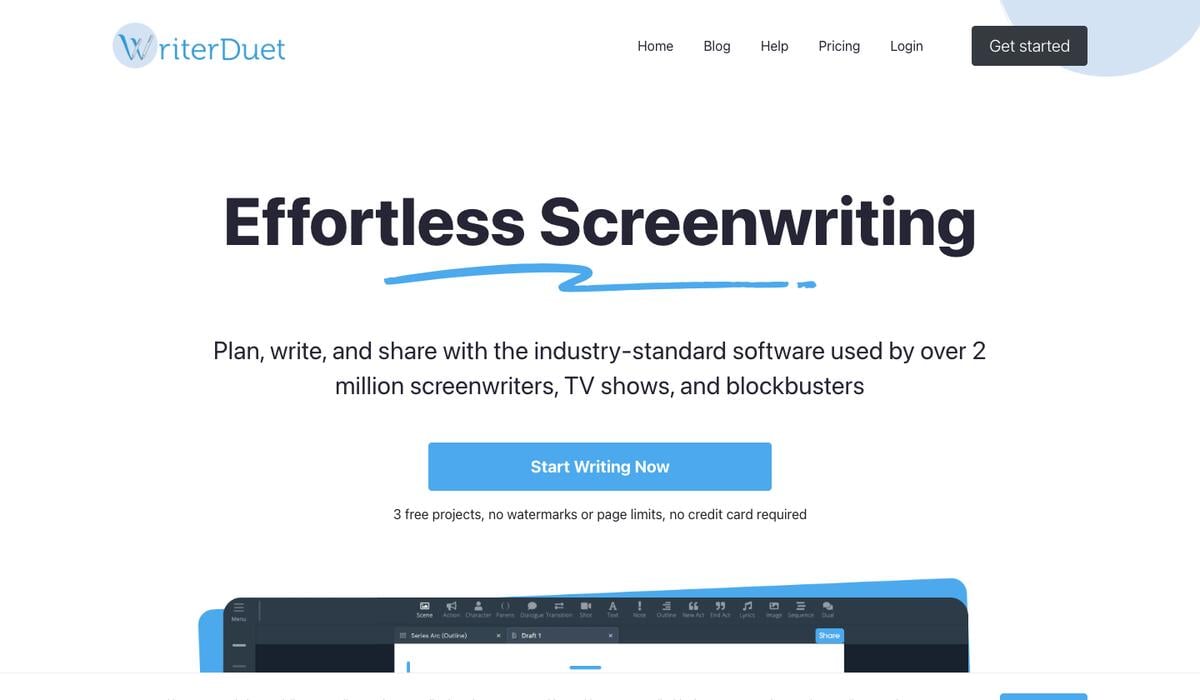
WriterDuet is built around real-time collaborative writing, and unusually for this category, its free plan carries no watermark and no time limit.
WriterDuet homepage, captured September 2026.
Key features: industry-standard formatting; real-time co-writing (as a guest on a paid user's project when both of you are free); cloud backups to Google Drive and Dropbox; import and export of Final Draft, Fountain, and PDF files.
Free plan (checked Nov 7, 2026): 3 projects, one document each, with read-only collaborators and no watermark on exports.
Pros:
No watermark on the free plan, unusual in this category
Export formats match the industry standard on every tier, including free
Real-time collaboration is available as a guest even on the free plan
Cons:
Two free-plan users cannot co-write together as hosts; one side needs a paid plan
No AI drafting; WriterDuet formats and organizes what you write
Pricing: Plus $9.99/month or $89.88/year. Pro $11.99/month or $107.88/year. Premium $13.99/month or $125.88/year.
Bottom line: the cleanest free screenwriting environment if collaboration matters more than AI drafting.
4. Celtx: Best for Planning Past the Script Into Production
Celtx extends past the script itself into pre-production: shot lists, storyboards, and scheduling sit in the same product as the screenplay editor, aimed at teams shooting what they write.
Key features: script editor with industry formatting; storyboard and shot-list tools; scheduling and call-sheet features for a shoot; team plans for a full crew.
Free plan (checked Nov 7, 2026): a permanent free plan limited to 1 project, separate from a 7-day free trial of paid features. After the trial, the account reverts to the free tier rather than losing access.
Pros:
The only tool here that plans the shoot, not just the script
A genuine free tier exists after the trial ends, not just a locked-out account
Education and student pricing for classroom use
Cons:
The pricing page lists plans but no prices, so you compare costs only after you sign up
No AI script drafting; Celtx formats and plans, it does not generate
Pricing: Writer, Writer Pro, and Team (3 to 15 members) plans, with prices shown after sign-up; Education and Student plans through sales.
Bottom line: the right pick when the script is step one of an actual shoot, not the whole project.
5. Final Draft: Best for the Format the Industry Already Expects
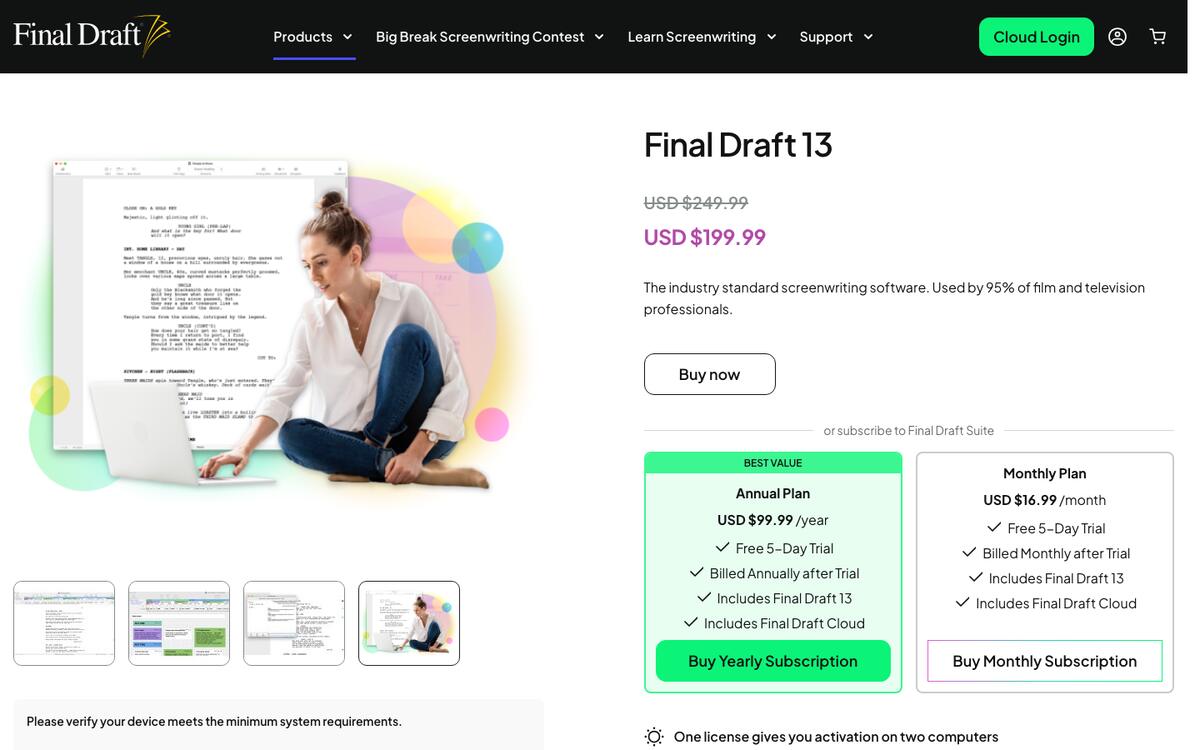
Final Draft is the screenwriting software most film and television productions still expect by default, and its FDX file format is the one every competing tool in this list exports to for compatibility. Final Draft 13 adds writing-goal tracking, a redesigned Navigator, and Structure Lines for outlining, but it has no AI text generation.
Final Draft 13 product page, captured September 2026.
Key features: automatic industry-standard formatting; Beat Board and Outline Editor for structure; production reports; Final Draft Cloud for browser and mobile access alongside the desktop app.
Free plan (checked Nov 7, 2026):none. A 5-day free trial is available on the Suite subscription.
Pros:
The format readers, agents, and productions expect by default
Structure and planning tools (Beat Board, Outline Editor) built for the writing process, not just formatting
Final Draft Cloud keeps a script accessible across desktop, tablet, and browser
Cons:
No free plan and no AI drafting of any kind
The one-time license lists at $249.99, the highest up-front cost among the screenplay editors here
Pricing (checked Nov 7, 2026): Final Draft Suite at $99.99/year, shown at $69.99/year in a "Black Friday early access" sale. The pricing page showed only yearly Suite pricing on November 7, and the $16.99/month rate is from our September 24, 2026 check. A one-time Final Draft 13 license lists at $249.99 and was on sale for $199.99.
Bottom line: the safe choice when the format itself has to be beyond question.
6. Trelby: Best Completely Free, Open-Source Screenwriting App
Trelby is free, open-source software with no paid tier at all, and unusually broad format support: it imports Final Draft, Celtx, Fountain, Adobe Story, and Fade In files, and exports to PDF, formatted text, HTML, RTF, Final Draft, and Fountain.
Key features: industry-standard formatting; a built-in, configurable PDF generator; identical output on Windows, macOS, and Linux (v2.4); the widest import/export format list in this comparison.
Free plan (checked Nov 7, 2026): everything, forever, with no account, no watermark, and no paid tier to upgrade to.
Pros:
Genuinely free forever, not a free tier inside a paid product
Open source, so the software outlives any company's decisions
The broadest file-format compatibility here, in both directions
Cons:
No AI drafting whatsoever
The desktop interface looks dated next to newer cloud editors, and its feature list names no real-time co-writing
Pricing: free, permanently.
Bottom line: the only tool on this list with nothing to upgrade to, and nothing to lose if the company disappears.
Video, YouTube & Social Script Generators
These tools write plain-text scripts for a camera or a microphone, not an industry screenplay.
7. Restream: Best Completely Free Script Generator, No Sign-Up
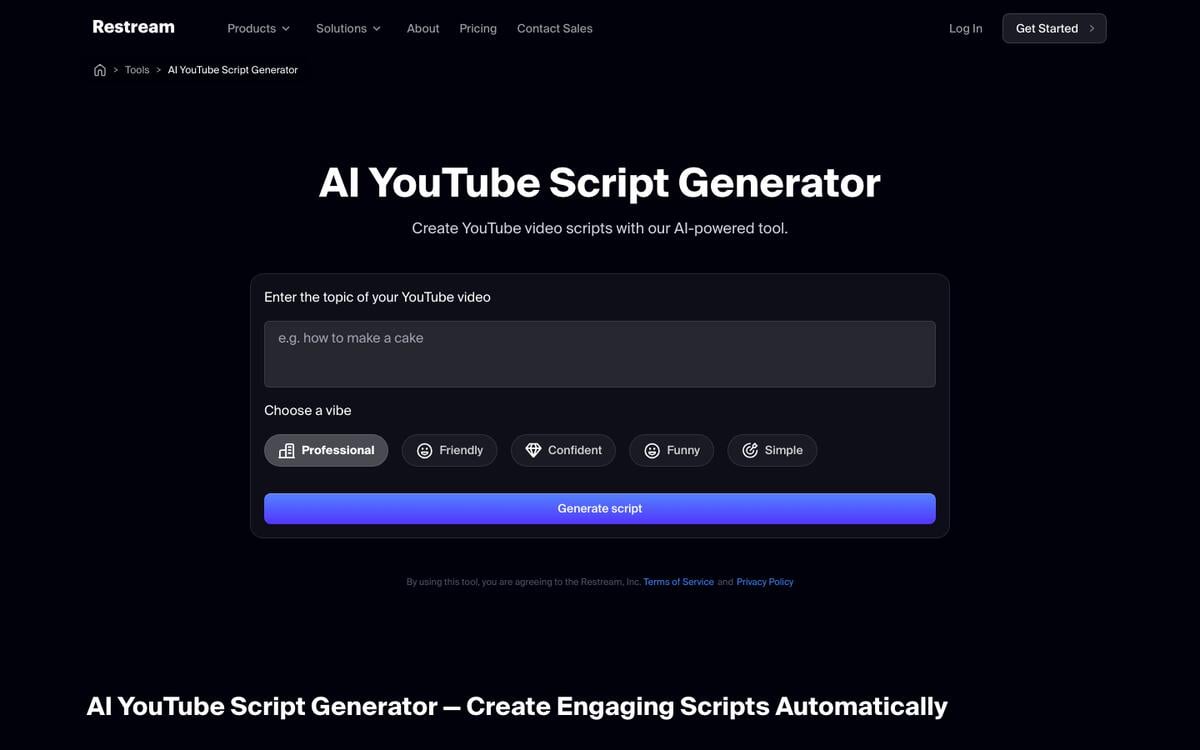
Restream's YouTube script generator asks for a topic, audience, and tone, and returns a usable draft with no account required. Restream's main product streams live video to several platforms at once, and the script generator is one of the free tools on its site, useful for planning what you say on that stream or in a recorded video.
Restream AI YouTube Script Generator, captured September 2026.
Key features: topic-to-script generation; five tone presets (Professional, Friendly, Confident, Funny, Simple); no sign-up, no credit card, no published cap.
Free plan (checked Nov 7, 2026): unlimited script generation, free, with your session data deleted after your visit rather than stored.
Pros:
Genuinely free with zero friction: no account, no card, no limit found
Fast enough for a same-day draft
No data retained after your session
Cons:
Scripts are generic compared to purpose-built YouTube tools, with no channel-specific SEO or retention data
No integration with titles, tags, or thumbnails
Pricing: free.
Bottom line: the fastest zero-commitment way to get a video script draft today.
8. Teleprompter.com: Best Free Script Generator Built for Reading on Camera
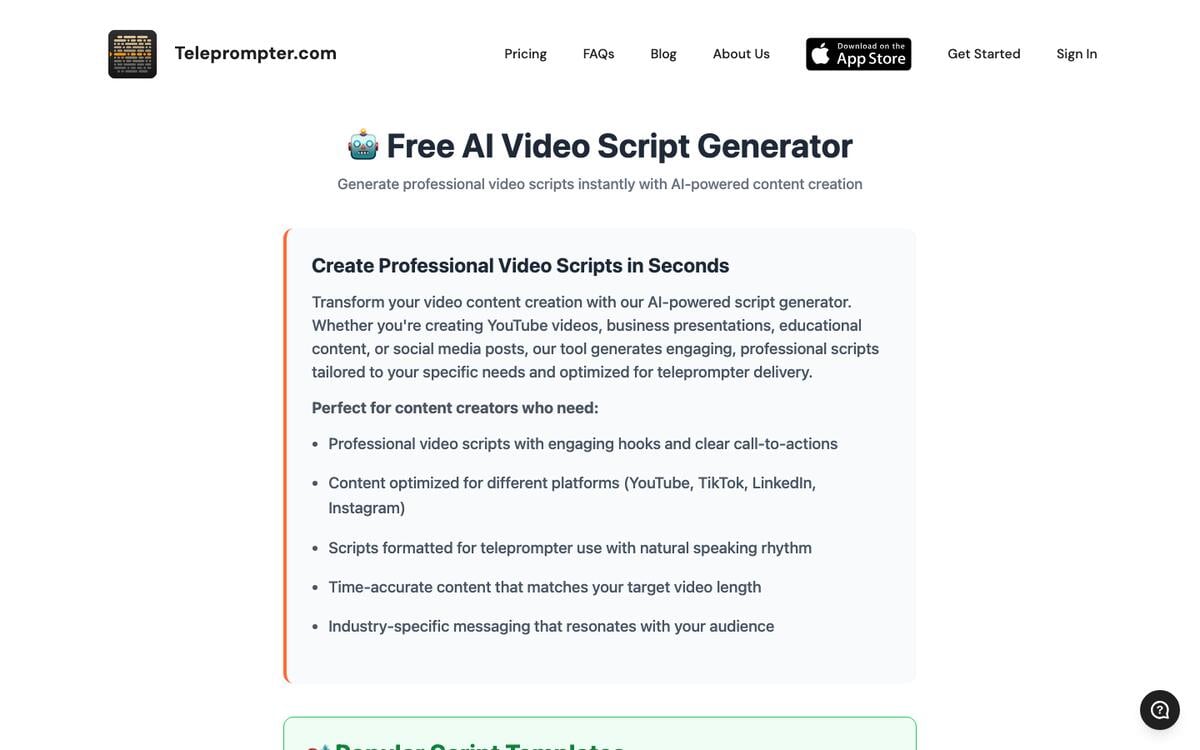
Teleprompter.com's script generator produces video scripts for YouTube, social platforms, presentations, and product demos, timed by target length, then opens directly in the site's own teleprompter tool.
Teleprompter.com script generator, captured September 2026.
Key features: six length presets from 30 seconds (75-80 words) to 10 minutes (1,500-1,600 words); natural pause points written into the script for on-camera delivery; a direct "open in teleprompter" handoff; copy and download options.
Free plan (checked Nov 7, 2026): free and unlimited, with "No Sign Up" in the page title. The site's own teleprompter app, which the script opens into, has its own sign-in.
Pros:
Scripts are written for spoken delivery, with pacing built in
Direct handoff into a teleprompter, useful if you actually plan to film
Covers more than YouTube: presentations and product demos too
Cons:
Tone and structure controls are thinner than in a dedicated YouTube tool
No screenplay or long-form support
Pricing: not published beyond the free tool.
Bottom line: the best free option when the script's final destination is a camera, not a page.
9. Subscribr: Best for YouTube-Specific Hooks and Retention Data
Subscribr is built specifically for YouTube scriptwriting, using competitor and trending-content analysis to shape a script's hook and pacing, rather than generating generic prose. Its paid plans now also generate finished video and thumbnails from the script.
Key features: YouTube-specific script generation; competitor and trend research; thumbnail generation; video generation priced per minute of finished video.
Free plan (checked Nov 7, 2026): a permanent free plan with 1 channel, 3 idea batches a month, and 10 research searches a month, with no card. It includes no script credits, so AI scripts start on Growth.
Pros:
Purpose-built for YouTube retention, not a repurposed general writing tool
Competitor research is a genuine differentiator versus the free generic tools
The free plan lets you test the idea and research side before you pay
Cons:
The cheapest plan with AI script credits costs $99 a month, the highest monthly entry price in this list
Older roundups still quote a $7 trial and a $299 yearly plan that the pricing page no longer shows
Pricing: Growth $99/month (60 script credits), Pro $249/month (180), Max $499/month (300), with two months free on annual billing.
Bottom line: worth the price only when a channel's growth data matters more than a free draft.
10. Descript: Best for Turning a Script Into an Edited Video
Descript is a video and podcast editor whose text-based editing treats a transcript as the timeline, and its AI co-editor, Underlord, can brainstorm, rewrite, or draft a script or outline directly inside that same document.
Descript homepage, captured March 2026.
Key features: text-based video and audio editing; Underlord AI for script and outline drafting; transcription; screen recording.
Free plan (checked Nov 7, 2026): 60 minutes of media a month, 100 one-time AI credits, 720p export, no credit card required.
Pros:
The script and the edit live in the same tool, so revising the text revises the video
A genuine, card-free free plan, not just a trial
Transcription and text-based editing remove a whole manual step for talking-head content
Cons:
60 minutes a month is tight for anything beyond occasional use
AI credits on the free plan are one-time, not monthly, so heavy Underlord use needs a paid tier
Pricing: Hobbyist $16/month billed annually or $24 monthly, Creator $24/month billed annually or $35 monthly, Business $50/month billed annually or $65 monthly.
Bottom line: the right tool when the script is inseparable from the video you are about to cut.
11. Jasper: Best for On-Brand Marketing Scripts at Scale
Jasper offers a dedicated Video Script AI Agent that keeps scripts aligned with a brand's voice and knowledge base, aimed at marketing teams producing many scripts rather than a single creator producing one.
Key features: a Video Script AI Agent for ads, demos, and promotional video; brand-voice grounding through Jasper IQ; workflows that scale one script into a full episode library.
Free plan (checked Nov 7, 2026):no permanent free plan. A 7-day trial of the Pro plan is available with no credit card required to start.
Pros:
Jasper's terms of service grant customers full ownership and commercial rights to generated output
Built for consistency across many scripts, not just one
No card required for the trial itself
Cons:
The cheapest ongoing plan, Pro, costs $59 a month billed annually
Overkill for a single creator who needs one script, not a marketing team's pipeline
Pricing: Pro $59/month billed annually, or $69/month billed monthly.
Bottom line: the right tool for a team producing scripts at volume, not a solo creator's first draft.
Free General AI Assistants That Can Write a Script
General AI assistants draft a workable first pass of almost any script on their free plans, though none of them format an industry screenplay.
12. Claude: Best Free Assistant for Drafting and Revising a Script in Chat
Claude drafts dialogue, scenes, and full video scripts directly in chat, and its Artifacts feature can hold a longer script as an editable document you revise across a conversation. Code execution and file creation must be switched on in Settings for Artifacts to work.
Key features: conversational script drafting and revision; Artifacts for holding a full script as a living document; memory across conversations on every plan, including free.
Free plan (checked Nov 7, 2026): Artifacts are listed on the Free plan, alongside web search, memory across conversations, and limited usage that resets every 5 hours and every week. Public sharing of an Artifact is available on Free, Pro, and Max.
Pros:
Free plan access to the same drafting and revision quality as paid tiers, with lower usage limits
Artifacts keep a long script as one editable document instead of scattered chat replies
Strong at matching tone and voice across a long back-and-forth revision
Cons:
No screenplay-specific formatting; output is plain text you would still reformat for Final Draft
Usage limits on the free plan can interrupt a long drafting session
Pricing (checked Nov 7, 2026): free. Pro is $17/month billed annually ($200 up front) or $20 monthly. Max starts at $100/month.
Bottom line: the strongest free option for iterating on dialogue and structure through conversation.
Gemini's Canvas feature drafts and edits documents, including scripts, directly in a live preview, and Canvas is included on Gemini's free plan with no separate unlock required.
Key features: live document editing in Canvas; version history within a Canvas session; full Google Workspace integration for moving a script into Docs.
Free plan (checked Nov 7, 2026): Canvas is included on the free plan; overall usage is compute-based and resets on a rolling window rather than a hard daily cap.
Pros:
Canvas is a genuine free-plan feature, not a paid unlock
Google Workspace integration makes it easy to hand a script to a collaborator in Docs
A low-cost upgrade path: Google AI Plus costs $4.99/month if you outgrow free
Cons:
Same lack of screenplay formatting as every general assistant here
No published hard cap makes it harder to plan a heavy drafting session in advance
Pricing: free; Google AI Plus $4.99/month and Google AI Pro $19.99/month for more usage.
Bottom line: a strong free alternative to Claude, especially inside the Google ecosystem.
14. ChatGPT: Best for a Quick First Draft in Any Format
ChatGPT drafts scripts directly in chat. On May 28, 2026, OpenAI removed the Canvas side panel from its GPT-5.5 models in favor of inline writing and code blocks on every plan, including Free, which preview and revise longer text in place.
Key features: in-chat script drafting; writing and code blocks for editing longer documents inline; broad familiarity, since most people have already used it for something else.
Free plan (verified Sep 24, 2026): writing and code blocks are available on the Free plan. OpenAI does not publish an exact cap on how much you can generate before hitting a usage limit.
Pros:
No account friction beyond the standard free sign-up
Writing blocks make revising a long script easier than scrolling chat history
Handles nearly any script type: video, ad, sales pitch, or a scene of dialogue
Cons:
Zero screenplay formatting; you are copying plain text into a real editor afterward
Canvas's removal in May 2026 means older guides describing it are now out of date
Pricing: free, with paid ChatGPT plans for higher limits and newer models.
Bottom line: the most familiar free starting point if you just need words on a page fast.
Script Outlines and Beat Sheets
15. Taskade: Best for the Outline Before You Write the Script
Taskade is not a screenwriting editor, and it does not format an industry screenplay the way Final Draft or Arc Studio does. It fits one stage earlier: the logline, the beat sheet, and the outline, plus AI agents that keep a show bible consistent once a project has more than one writer.
Free plan (checked Nov 7, 2026): a free account includes 3 Taskade Genesis apps, 1 AI agent, and 10 automation runs per billing period, with no credit card. Free starts with 0 AI credits. On Free, you earn free AI credits with referrals and invites, and you can upgrade any time.
Pros:
Drafts the outline stage that the other tools leave to you
One workspace for the logline, the beat sheet, the team, and the production plan
Free generators for sales, service, and social scripts too
Cons:
No Fountain or FDX export, and no industry screenplay formatting
You still need a dedicated screenplay editor or video tool to produce the final file
Pricing (checked Nov 7, 2026): Pro $10/month billed annually ($20 monthly) for unlimited apps and agents.
Kit to clone: the Video Script Outline kit in the Taskade App Factory builds timed outlines for YouTube videos and Shorts. On November 7, 2026, its page listed 2 projects, 1 AI agent, and 1 automation. The kit is free to open and preview. Cloning it needs a paid plan, because it holds an automation and Free blocks the import of any kit that holds automations.
Bottom line: the best place to write the outline before any generator on this list writes the script.
Every Free Script Leaf Taskade Offers
Taskade's free script generators go well beyond the movie script tool, across three groups, plus AI agents that hold a voice steady across a series.
The screenplay tools with the most trusted formatting, Final Draft, Arc Studio, WriterDuet, and Trelby, write no scenes for you, and that is a choice, not an oversight. Squibler is the exception: a general writing app with a screenplay mode, not a screenwriting tool built AI-first. Arc Studio's AI reads your script aloud and answers research questions, but leaves the writing to you.
A screenplay's value is structural: the three-act arc, a want colliding with a need, dialogue that reveals character through what is left unsaid. A model trained on millions of scripts produces the average of that structure, which reads as competent and forgettable at once. The video-script side made the opposite bet. A fifteen-second hook or a two-minute demo has far less structure to average away, which is why Restream, Subscribr, and Jasper lead with generation.
Production crew of Soldiers of Fortune (1919): head cameraman H. Lyman Broening, assistant director James P. Hogan, director Allan Dwan, and assistant director Arthur Rosson. The industry screenplay format these tools now automate did not fully standardize until sound arrived a decade later. Photo: Mayflower Photoplay Corp., via Shadowland magazine (1919) / Wikimedia Commons / Public domain.
The format itself moved slowly for a century, then the tools around it changed in three years:
Write the structure first, in a plain outline, and both kinds of script generator produce better output on the first try.
What AI Script Generators Cost
Entry paid tiers for screenplay and video-script tools span a wide range, from about six dollars a month to ninety-nine. This chart uses only prices confirmed on each vendor's own pricing page on November 7, 2026. Every bar is the entry plan billed yearly at its list price, divided by twelve, so the seven tools compare on the same basis.
Arc Studio's $69-a-year Essentials plan works out to about $6 a month. WriterDuet Plus is $89.88 a year, about $7.49 a month. Final Draft's bar is the Suite subscription at its $99.99-a-year list price, about $8.33 a month, not the one-time license. In the sale on November 7, 2026, the Suite cost $69.99 a year, about $5.83 a month. Claude Pro is $200 a year billed up front, about $16.67 a month. Subscribr is off the chart because its $99 Growth plan is quoted monthly only. Trelby, Restream, and Teleprompter.com have no paid tier.
The billing term changes the real cost more than the headline price does. This table is our own arithmetic from the same vendor pages, for twelve months of the entry plan:
Tool
12 months billed monthly
12 months billed yearly
What yearly billing saves
Squibler Plus
$359.88
$189.96
$169.92
Jasper Pro
$828.00
$708.00
$120.00
Descript Hobbyist
$288.00
$192.00
$96.00
Final Draft Suite
$203.88 (monthly rate from 2026-09-24)
$99.99 list ($69.99 sale)
$103.89 at list
Claude Pro
$240.00
$200.00
$40.00
WriterDuet Plus
$119.88
$89.88
$30.00
Arc Studio Essentials
Not offered
$69.00
Annual only
Two more numbers change the decision. Final Draft's one-time license, at its $199.99 sale price, costs the same as two years of the Suite at list price, so it pays for itself in year three. At the $249.99 list price, that point moves to two and a half years. Subscribr's Growth plan works out to $1.65 per script credit at $99 for 60 credits.
BUDGET CHEAT SHEET                          (prices checked 2026-11-07)
───────────────────────────────────────────────────────────────────────
$0, no account      Restream · Teleprompter.com · Squibler generator
                    Trelby (editor only, no AI)
$0, free account    Claude · Gemini · ChatGPT
                    WriterDuet (3 projects) · Arc Studio (2 scripts)
                    Celtx (1 project) · Descript (60 min of media)
Under $10 a month   Arc Studio $69/yr · WriterDuet $89.88/yr
                    Final Draft Suite $99.99/yr ($69.99 sale)
$15 to $20 a month  Squibler Plus $190/yr · Descript Hobbyist $192/yr
                    Claude Pro $200/yr
$50 and up          Jasper Pro $59/mo yearly · Subscribr Growth $99/mo
One-time            Final Draft 13 license, $199.99 sale ($249.99 list)
───────────────────────────────────────────────────────────────────────
Any tool in this list, with the beat sheet attached
Why We Built the Outline Side Differently
Every generator in this list starts at the draft, and Taskade starts one step earlier, at the outline a team edits together. A beat sheet gives the generator something it cannot average away: your character's specific want, the scene that turns the story, the joke that only works because of what happened two scenes earlier. The same principle holds for a worldbuilding document, a design brief, and the fiction prompts in our writing prompt generators comparison: attached structure beats a cleverer prompt.
So Taskade put the outline stage in a shared workspace instead of a single-shot prompt box. Each generator drafts one part of the plan into a project your team can edit, and AI agents hold the voice steady as scenes get added. When the outline is ready, hand it to Squibler, Arc Studio, or Claude, and the first generation starts from your story instead of from nothing.
For a project with more moving parts than a single document, Taskade Genesis, the AI app builder, turns a prompt into a live app: a production tracker, a table-read scheduler, or a script-to-shot-list board that keeps a crew aligned as a script moves toward filming. Browse what people have built in the Taskade App Factory, automate the handoff to production with automations, or start your script's outline free →.
AI Script Generator FAQ
What is the best AI script generator in 2026?
It depends on the script. For a screenplay drafted with AI, Squibler is the only editor in this comparison that writes scenes inside a real screenplay mode. For formatting and export, Arc Studio, WriterDuet, and Final Draft lead, and Final Draft's FDX file is still the format productions expect. For a free YouTube script with no sign-up, Restream and Teleprompter.com are the fastest. For the plan that comes first, Taskade's free AI movie script generator and script outline generator draft the scene list.
What is the best free AI movie script generator?
Squibler's AI script generator page works without an account, and its free plan adds 500 AI credits a month for the full screenplay editor. Taskade's free movie script generator drafts a scene-by-scene plan and first pass you can edit with a team, and the screenplay outline generator builds the act structure first. Trelby, a free open-source editor, then formats the result and exports Fountain and Final Draft files. Claude and Gemini also draft scripts on their free plans.
Is there a free AI script generator with no sign-up?
Yes. On November 7, 2026, Restream's YouTube script generator and Teleprompter.com's script generator both stated on their own pages that they are free, unlimited, and need no account. Squibler's script generator page also drafts a script without signing up. Trelby needs no account either, but it is a formatting editor and writes no AI drafts.
Can AI write a full movie script?
AI can produce a full first draft in minutes, formatted with scene headings, action lines, and dialogue. What it does less well is the structure that makes a script work: a three-act arc, character goals that pay off, and dialogue that sounds like one person rather than an average of every script the model has seen. Give the model a specific character voice, a concrete want, and a constraint, then revise against a real beat sheet.
What is the best AI screenplay formatter?
Arc Studio, WriterDuet, Final Draft, and Trelby format a screenplay automatically as you type, with scene headings, action lines, and centered character names. To convert text you already have, save it as Fountain, a free plain-text screenplay format that all four can import. Taskade's free screenplay format generator turns a scene description into screenplay layout as a first pass.
What is the best AI YouTube script generator?
For a free draft, Restream and Teleprompter.com need no account, and Teleprompter.com times the script to presets from 30 seconds to 10 minutes. For scripts shaped by channel and competitor data, Subscribr's Growth plan costs $99 a month with 60 script credits. If you edit the video yourself, Descript keeps the script and the timeline in one document. Taskade's video script generator and video script prompt are free starting points.
What is the best AI voiceover script generator?
A voiceover script is measured in spoken words, about 150 to 160 words a minute according to Teleprompter.com's length presets. Teleprompter.com and Restream draft one free, Descript keeps the script synced to the recorded audio, and Taskade's free voiceover script generator and voice-over script writer agent draft narration you can edit with a team before recording.
Can AI write a TV show script?
Yes, as a first pass, and Squibler's generator lists TV pilots among its formats. A series also needs a show bible that keeps characters consistent, where a shared outline and an AI agent with project memory help. Under the 2023 WGA contract, AI-generated material is not literary or source material.
Which AI script generators export to Fountain or Final Draft format?
Arc Studio exports Fountain and Final Draft files on every plan, with a watermark on free-plan PDFs. WriterDuet imports and exports Final Draft, Fountain, and PDF files on every plan, including free. Trelby, a free open-source editor, imports and exports Final Draft and Fountain and also exports PDF, HTML, and RTF. Final Draft's own FDX format is the file the others target. Squibler exports PDF and DOCX on paid plans.
Can I copyright or sell a script written with AI?
You can usually sell it, but copyright covers only the human part. The US Copyright Office stated in January 2025 that prompts alone do not make you the author of AI output, while your own writing, edits, and creative arrangement stay protectable. Squibler's and Jasper's terms grant you ownership of output, and editors such as Arc Studio and Final Draft never claim what you type.
Is ChatGPT good for writing scripts?
ChatGPT can draft a workable first pass of a video script, a scene, a stage play, or dialogue. OpenAI removed Canvas from its GPT-5.5 models on May 28, 2026, and replaced it with writing blocks inside chat on every plan, including free. ChatGPT does not produce industry screenplay formatting, so a produced screenplay still needs a dedicated editor such as Arc Studio or Final Draft.
Does Taskade write scripts?
Taskade is not a screenwriting editor and does not compete with Final Draft or Arc Studio on formatting. It fits one stage earlier: free generators for a movie script, a script outline, a video script, a beat sheet, an advertising script, and sales or cold-call scripts, plus AI agents that keep a show bible or pitch consistent, and Taskade Genesis for turning a finished script into a production tracker.
The Verdict
For an AI-drafted screenplay, Squibler leads. For a formatted screenplay with Fountain and Final Draft export, Arc Studio and WriterDuet lead. For the format productions still expect by default, Final Draft remains the standard, though it writes nothing for you. For a free video script with zero friction, Restream is hard to beat, and Trelby is the only tool here with nothing to upgrade to and nothing to lose.
▲ ■ ● The screenplay format outlasted a hundred years of new technology because the structure underneath it never got easier. Write the beat sheet, then let the machines draft the pages. Memory feeds Intelligence, Intelligence triggers Execution. Outline your script free →