






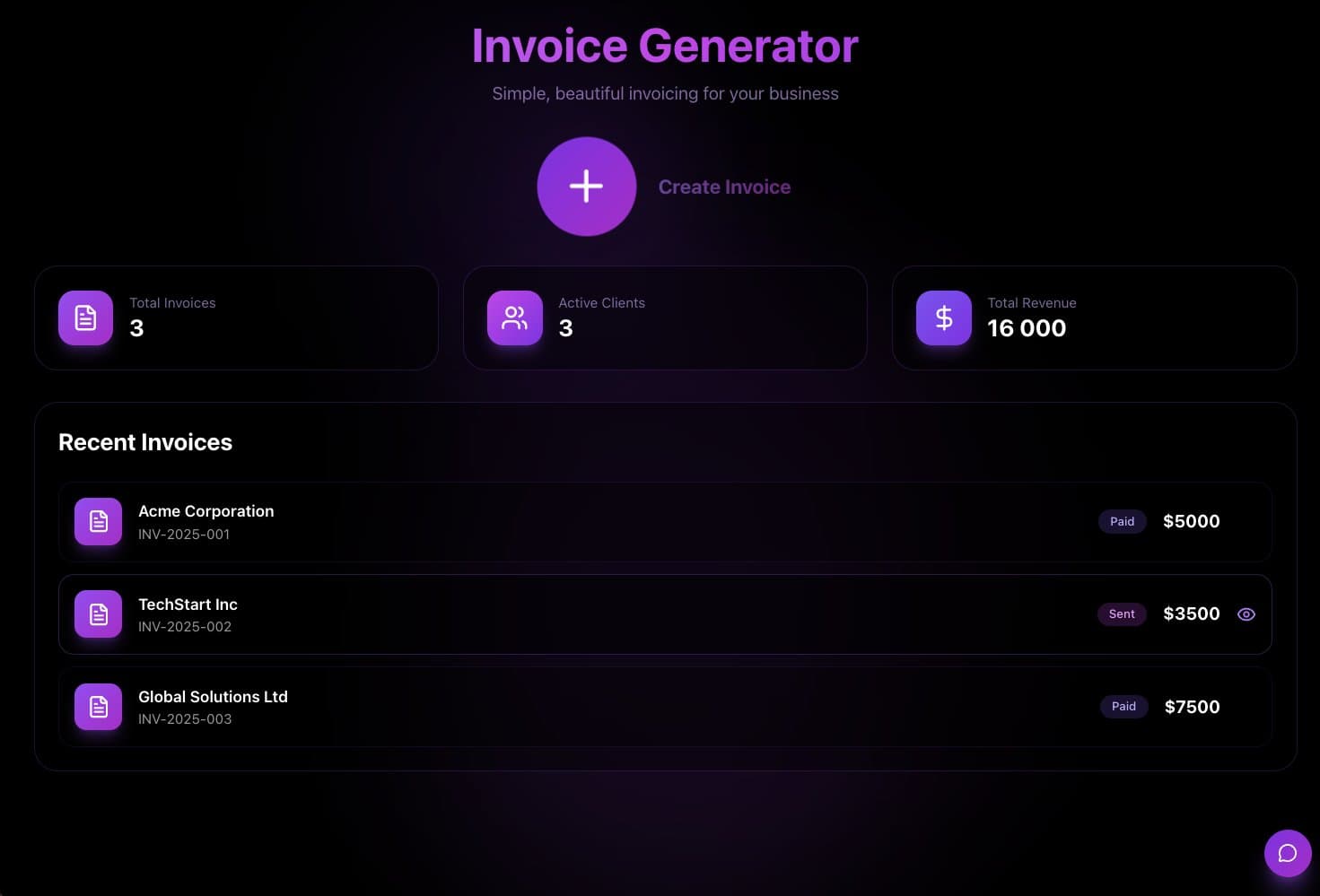
A quote and invoice app does one job: you make quotes with line items, get them approved, and turn them into invoices. This guide shows one way to build it in Taskade Genesis, three other ways, and when each one is the better fit. To compare the tools side by side, read the best AI invoice generators.
TL;DR: To build an invoice app without code, list what a quote holds and the statuses it moves through, then let a builder make the form, the approval step and the invoice. Taskade Genesis is one way: clone a working invoice app and add one automation. Free has 3 apps. Pro is $10 a month billed yearly. See plans and prices
Quick answer
You can build a quote and invoice app without code the same day. Each quote holds a client, line items, tax and a total. When the client approves it, an automation turns it into an invoice and emails it. In Taskade, Gmail, Google Drive and Stripe steps need Pro or higher. The setup is in Automate Invoices and Receipts.
Build it in Taskade
Taskade Genesis builds the app as a live system: a quote form, tables for clients, quotes and invoices, an AI agent, and automations. The fastest start is a copy of a working invoice app. A copy counts as 1 of the 3 apps on the Free plan. Prompts that build or change the app use AI credits. Free starts with no AI credits, and Pro includes 50,000 a month.
Step 1: Clone the invoice app
Clone the invoice app and pick a workspace. Taskade copies the Invoice Generator, its projects and its agent into that workspace. To start from a blank page instead, describe your quoting process in Create.

Step 2: Add your line items and the approval statuses
Open the quotes project in Table view. Add your common line items with a unit price, and set the tax rate you charge. Set the statuses a quote moves through: Draft, Sent, Approved, Invoiced and Paid. You can make these edits by hand, so they use no AI credits.
Step 3: Turn approved quotes into invoices
Open Automations. Add a rule that runs when a quote moves to Approved. The rule creates the invoice with the same line items, gives it the next invoice number and emails it to the client. Add a second rule that saves a copy to Google Drive and a third that sends a reminder when an invoice is 7 days overdue. Gmail, Google Drive and Stripe steps need Pro or higher.
Quote (Draft) --> Sent --> Approved by the client
                              |
                              v
                 Invoice created, number assigned
                              |
                 +------------+-------------+
                 v                          v
        Email to the client        Copy saved to Google Drive
                 |
                 v
     Reminder if unpaid after 7 days --> Paid
When you are done, a test quote that you move to Approved shows up as an invoice in the invoices table. Then publish the app and give each client a login. Match each client's quotes to that login, and test it with a second account.
Other ways to build a quote and invoice app
Three other tools do the same job, and each one is the better fit for a different business. Prices were checked on each vendor's pricing page on 2026-10-18.
| Option | Free plan | Paid from | Better fit when |
|---|---|---|---|
| Zoho Invoice | Yes, 500 invoices a year | Free only | You want free, standard invoices and payment reminders |
| Wave | Yes, unlimited invoices and estimates | $19 a month (Pro) | You also want simple bookkeeping for a very small business |
| QuickBooks Online | Yes, 1 user and 2 invoices a month | $38 a month (Simple Start) | Your accountant works in QuickBooks and you need the books, not only the invoices |
| Taskade Genesis | Yes, 3 apps and no AI credits to start | $10 a month (Pro, yearly) | Quotes, approvals, invoices and client work live in one app |
Zoho Invoice is the cheapest start, because it is free. Wave adds bookkeeping, and it charges a card fee on each online payment (2.9% + $0.60 on Starter). QuickBooks is the safer pick when tax time matters more than the quote workflow, because accountants already know it.
A custom app earns its place when the quote is part of a larger job. A contractor, for example, quotes a job, gets approval, schedules the crew, and invoices on completion. Those steps live in one Taskade app, with the AI agent that drafts each quote and the automations that move it forward. Trades businesses can read the estimate to invoice workflow for that shape.
Limitations: when a Taskade invoice app is not the right fit
A Taskade Genesis invoice app is a strong fit for a service business that wants quotes, approvals and invoices in one app. Pick a different tool in these cases:
- You need accounting: a ledger, bank feeds, payroll or tax filing. QuickBooks, Wave or Xero do that, and a Taskade app does not.
- You must follow e-invoicing rules in your country. Some countries require a certified e-invoice format. Use a tool that is certified for your country.
- You want online card payments on the Free plan. Stripe steps in automations need Pro or higher.
- You only send a few invoices a month and want no setup. Zoho Invoice is free and works out of the box.
Sources
- Zoho Invoice pricing: https://www.zoho.com/us/invoice/pricing/ (checked 2026-10-18)
- Wave pricing: https://www.waveapps.com/pricing (checked 2026-10-18)
- QuickBooks Online pricing: https://quickbooks.intuit.com/pricing/ (checked 2026-10-18)
- Taskade plans: pricing (checked 2026-10-18)
Related reading
- AI quoting software and AI proposal generators
- AI invoice automation
- CRM, invoice generator and client portal in one workspace
- How to build a CRM without code
- How to build a client portal without code
- How to build a booking system without code
- Invoice templates, the invoice generator and bookkeeping automations
Start from a working app in the Community Gallery, see what else Taskade Genesis can build, or go back to the Taskade home page.
▲ ■ ● Memory · Intelligence · Execution. Your quotes, your agent and your invoices in one app.
Frequently Asked Questions
How do I build an invoice app without code?
List what a quote holds (client, line items, tax, total) and the statuses it moves through, such as Draft, Sent, Approved, Invoiced and Paid. Then use a builder that turns that list into a form, a table and automations. In Taskade Genesis, clone the Invoice Generator app, add your line items, and add an automation that turns an approved quote into an invoice.
Can a quote turn into an invoice on its own?
Yes. In a Taskade Genesis app, an automation runs when a quote moves to Approved. It creates the invoice record with the same line items, gives it the next invoice number and emails it to the client. Gmail, Google Drive and Stripe steps need Pro or higher.
Is there a free way to make invoices?
Yes. Zoho Invoice is free for up to 500 invoices a year, and Wave has a free Starter plan. The Taskade Free plan holds 3 apps, and a clone of the invoice app counts as one. Free starts with no AI credits, so you edit the clone by hand.
Is a Taskade invoice app accounting software?
No. A Taskade Genesis invoice app handles quotes, approvals, invoices and reminders. It does not keep a double-entry ledger, reconcile bank feeds or file taxes. If your accountant needs those, keep QuickBooks, Wave or Xero for the books, and send the invoice data to them.
Can clients approve a quote online?
Yes. Publish the app and give each client a login, which works on every plan, Free included. Sign-in confirms who the client is. You match their quotes to that login, and you test it with a second account. The client then opens the quote and marks it approved.
What does an invoice app cost on Taskade?
The Free plan holds 3 apps and starts with no AI credits. Pro is $10 a month billed yearly ($20 monthly), with 50,000 AI credits and 1,000 automation runs a month for up to 10 people, plus up to 10 custom domains. Business is $25 a month billed yearly. The full table is on the pricing page.