






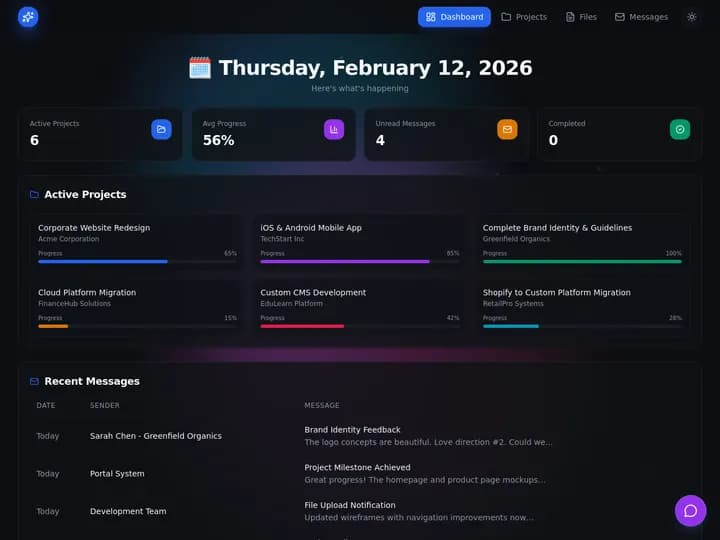
You can ship a landing page in an afternoon with a free AI app builder. Running a shop on Monday needs more: customer records, client logins, follow-up automations, and a board your team actually opens. Taskade Genesis closes that gap by generating ops systems, not just demos. This guide shows when to graduate and which ops kits to generate first.
TL;DR: Code builders win forkable React when engineers will host production. Taskade Genesis wins when the business must run on a living system this week. Start free at /create or pick a kit below.
Related: Taskade Genesis vs AI app builders for ops, ops dashboard builders, Housecall Pro alternative for small crews.
Competitor figures below are public list prices as of July 2026. Builders reprice often, so confirm live numbers before you buy anything.
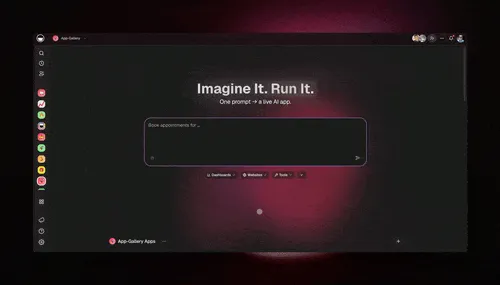
🧭 What Operators Actually Need After the Demo
An AI app builder answers one question well: what could this look like? An ops system answers five questions every week, and none of them are visual. Who owns this job. What is overdue. Which client can see this row. What happened last time. What runs tonight without me.
That gap is not a bug in code builders. It is the difference between a rendering and a runtime.
| Monday question | What a demo export gives you | What an ops system gives you |
|---|---|---|
| Where is the truth? | A hardcoded array or empty table | Projects holding real customers and jobs |
| Who owns this job? | A field you still wire | Assignee with role-based access behind it |
| What can the client see? | Auth you build or buy | App Users scoped per client login |
| What ran last night? | Nothing runs | Automations logging every touch |
| What happened last time? | No history layer | Record history beside the current row |
| Who fixes the schema Friday? | You, in a repo | You, by chatting with Taskade EVE |
If four of those five rows are unanswered on your current build, you do not have an ops system yet. You have a very convincing screenshot.
🕳️ The Demo Trap
Most AI app builder journeys look the same:
- Describe an app in plain language
- Get a polished UI or GitHub repo in minutes
- Realize auth, data, SMS, and client permissions are still on you
- Rebuild the same screens in spreadsheets while the repo sits idle
The trap is confusing speed to screen with speed to operations. Operators need the second. The loop below is the one that eats months, and it closes on the same spreadsheet you were trying to escape.
Related failure analysis: why AI-generated apps break and AI app builders with memory.
📜 Where the Builder-to-Ops Gap Came From
The gap is a side effect of how the category was built, not a vendor failing.
Code builders optimized for the first five minutes. The demo that wins a signup is a beautiful screen generated from one sentence. Every product in the category tuned for that moment, because that moment is the marketing. Nothing in that incentive rewards role-based visibility or a Tuesday reminder.
The hard parts moved, they did not disappear. Auth, hosting, backups, per-client visibility, and scheduled jobs used to be a developer's first week. In 2026 they are still a developer's first week. Generating the frontend faster does not shrink them.
Operators are not the buyer the category was designed around. A product team with an engineer can absorb a repo. A four-person HVAC shop, a solo listing agent, or a two-person agency cannot absorb a deploy pipeline, and they were never going to.
Spreadsheets kept winning by default. A sheet has no auth, but it also has no setup. When the generated app needs a week of wiring and the sheet needs zero, the sheet wins the tie. That is why so many teams have a gorgeous idle repo and a load-bearing spreadsheet.
Taskade Genesis takes a different bet: generate the runtime, not the rendering. Related reading on that shift: prompt to ops dashboard, Google Sheets to ops app, and Excel job log to dispatch app.
🧬 What an Ops System Actually Includes
Taskade Genesis assembles four layers in one workspace:
| Layer | What it holds | Operator question |
|---|---|---|
| Projects (memory) | Customers, jobs, clients, milestones | Where is the truth? |
| Agents (intelligence) | Draft follow-ups, summarize notes | Who chases the next step? |
| Automations (execution) | Reminders, status changes, alerts | What runs without me? |
| App UI (interface) | Boards, portals, mobile views | What does the team open daily? |
AI app builders often ship only the interface row. Taskade Genesis ships the whole stack.
Three Workspace DNA pillars drive it, and the loop is what makes the board sharper over time:
| Pillar | Component | Job on an ops board |
|---|---|---|
| Memory | Projects | Customers, jobs, milestones, notes, history |
| Intelligence | AI Agents | Triage intake, draft follow-ups, flag overdue work |
| Execution | Automations | Notify, escalate, remind, update status |
Records feed the agent, the agent proposes the next step, the automation delivers it, and the outcome writes back into records. Agents ship with built-in tools, the board renders in any of the project views (List, Board, Calendar, Table, Mind Map, Gantt, Org Chart), and 100+ bidirectional integrations connect the systems you keep. Deeper background: custom AI agents without code and the AI workflow generator.
🗂️ The Data Model You Get Instead of an Empty Table
A demo hands you components. An ops kit hands you related records, which is the part that takes a developer a week.
The nouns change by trade. Field crews read JOB as a work order, coaches read it as a session, agencies read it as a deliverable, and closing coordinators read it as a milestone. The shape holds, which is why one kit family covers five business types.
Rename any of it by chatting with Taskade EVE. Reshaping a field is a conversation, not a migration. Step-by-step: Learn Taskade on custom agents and table view.
💵 2026 Pricing Reality: Builders vs a Running Ops System
Two numbers matter, and plan cards only show the first one. The sticker is what you pay the builder. The real cost is the sticker plus the hosting, the auth service, and the hours somebody spends wiring both.
| Tool | Public entry price (July 2026) | Meter shape | You still host? |
|---|---|---|---|
| Lovable | $25/mo | Credit-metered | Yes |
| Bolt.new | $25/mo | Token-metered | Yes |
| v0 | $20/mo | Token-metered | Yes |
| Replit | $20/mo annual | Seat plus usage pool | Hosted, with limits |
| Base44 | ~$16/mo | Credit-metered | Partly |
| Softr | $49/mo annual | Flat per workspace | Hosted |
| Retool | $10/user/mo annual | Per seat plus usage | Hosted |
| Taskade Genesis | Free, then $10/mo billed annually | Workspace plan | Hosted runtime |
Confirm all competitor figures live. The category reprices in weeks, and a credit-metered $25 plan and a flat $25 plan are not the same purchase. Full 23-tool breakdown: the 2026 AI app builder pricing index.
Taskade pricing, stated plainly. Free is $0 and includes live apps, agents, and automations. On Free, you earn free AI credits with referrals and invites, and you can upgrade any time. Pro is $10/mo billed annually or $20 billed monthly, and adds the custom domains client portals use. Business is $25/mo billed annually or $50 billed monthly. Pricing scales per workspace plan instead of per-seat field-service tax. Current detail lives on pricing.
🚦 When to Graduate from Builder to Ops
Stay in prototype mode when you are exploring layout ideas, pitching investors, or learning prompt patterns with throwaway data.
Generate an ops kit when:
- Clients or customers ask for logins
- You copy-paste the same follow-up email daily
- Dispatch and billing live in different tabs
- A new hire cannot find "the system"
- You are paying per-seat SaaS for fields you cannot rename
That is the handoff from builder curiosity to business runtime. Each trigger maps to a specific first kit.
| Trigger you feel this week | Generate this first | Deep dive |
|---|---|---|
| Techs text you for today's jobs | Dispatch board | field dispatch you own |
| Contracts renew and nobody notices | Service agreement tracker | recurring service agreements |
| Clients ask "any update?" weekly | Client status portal | Softr alternative portal |
| Scope creep eats retainer margin | Retainer scope tracker | agency retainer tracker |
| Leads go cold before you call back | Speed-to-lead CRM | speed-to-lead text-back |
| Closing dates slip past everyone | Closing checklist portal | closing checklist portal |
| Cohort progress lives in a sheet | Cohort ops board | student enrollment portal |
🛟 Who Should Stay on a Code Builder
This is the honest half. Code builders are excellent at things Taskade Genesis does not attempt, and pretending otherwise would waste your month.
Stay on Lovable, Bolt.new, v0, Replit, or Cursor when:
- You want forkable source with git history. A repo you own, review, and diff is a real asset. Taskade Genesis gives you a hosted runtime, not a React codebase to fork.
- Pixel-level design is the product. Marketing sites, consumer onboarding flows, and brand-critical UI belong where you control every component and can pull the npm ecosystem.
- You need arbitrary server code. Custom cryptography, a specific database engine, a region-pinned deployment, or a compliance posture your auditor already recognizes are jobs for infrastructure you control.
- An engineer is already on the team. If someone will happily own hosting, auth, and backups, the ceiling in a code builder is higher than any generated runtime.
| Constraint you refuse to drop | Lean this way |
|---|---|
| Forkable React source you host | Lovable, Bolt.new, Replit, Cursor |
| Pixel-perfect marketing site | Webflow or Framer class tools |
| Internal tool on an existing SQL warehouse | Retool class tools |
| Packaged vertical modules on day one | The incumbent SaaS in your trade |
| Board, portal, agents, automations this week | Taskade Genesis |
Nobody should switch categories to save a subscription. Switch when the constraint you refuse to drop changed. Longer version: Taskade Genesis vs AI app builders for ops systems.
🧰 Ops Kits: Pick Your Shape
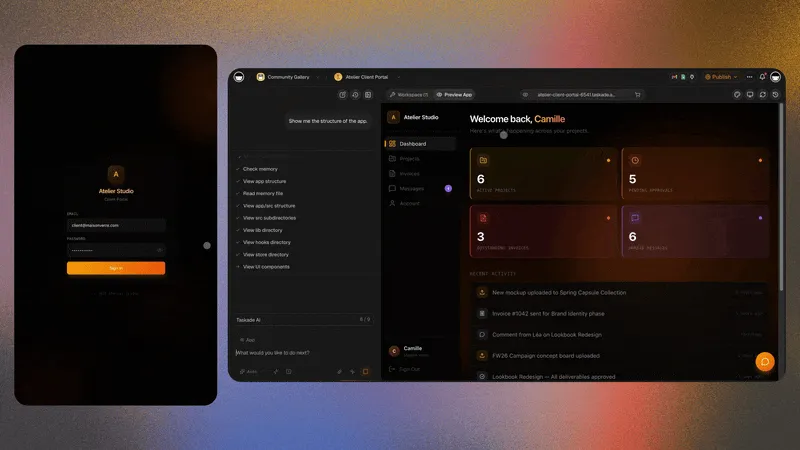
Each kit below is a generate leaf you can open today. All link to the same Taskade Genesis pattern: projects plus portal plus optional agents.
| Business shape | Noun you cannot lose | Start here |
|---|---|---|
| Field service and trades | Jobs | Dispatch board |
| Maintenance and facilities | Work orders | Work order board |
| Coaching and cohorts | Clients | Coaching portal |
| Tutoring and exam prep | Scores | Exam score board |
| Agency retainers | Scope | Retainer scope tracker |
| Real estate closings | Milestones | Closing checklist portal |
Field service and trades
Small crews outgrow per-seat dispatch tools when schema rigidity and seat fees hurt.
- Housecall Pro alternative dispatch board
- Recurring service agreement tracker
- Preventive maintenance schedule board
- Crew work order board
Honest gap: Taskade Genesis does not include native fleet GPS or offline truck apps today. Its strength is the office side: owning the dispatch board, customer history, and the client portal.
Deep dive: Housecall Pro alternative for small crews, recurring service agreements for field ops, preventive maintenance software small crews, HVAC dispatch board you own, Jobber alternative dispatch board, estimate to invoice workflow.
Coaching and exam prep
Course platforms charge LMS fees for businesses that deliver live sessions, not pre-recorded video libraries at scale.
Honest gap: Taskade Genesis does not host a full LMS video library. Embed Loom, Vimeo, or links beside client records.
Deep dive: coaching CRM without Kajabi fees, exam prep score tracker no code, Kajabi alternative for the ops portal, study planner dashboard.
Agency retainers
Retainer margin dies when "one small ask" never hits a visible scope board.
Pair with accounts receivable aging when overdue invoices need chase workflows beside delivery.
Deep dive: agency retainer tracker for scope creep, Float alternative for agency utilization.
Real estate closings
Transaction suites target brokerage compliance. Solo agents and coordinators often need a checklist portal both sides can see after contract.
Honest gap: no MLS or IDX listing search. Use Taskade Genesis post-contract for milestones and document chase, and keep lead gen in your existing CRM.
Deep dive: buyer seller closing checklist portal, transaction coordinator dashboard, Follow Up Boss alternative for solo agents, kvCORE alternative for solo realtors.

🕗 A Day in the Life on a Generated Ops System
07:35 Yesterday's unfinished jobs are already sorted by age and priority. No scroll through group chat to reconstruct the day.
08:10 A customer texts about a broken unit. Intake becomes a job record. An agent proposes priority and the likely tech based on history on that address. A human confirms in one tap.
09:00 The tech opens the board on a phone, sees the run sheet, and starts the first call. No separate app to install, no license to buy for a seasonal hire.
11:40 Job closes with notes and photos. An automation notifies the customer. The address gains a history row that the next visit will read.
13:15 The client portal shows one account its own rows only. The "any update?" call that used to happen at 13:20 does not happen.
15:30 A renewal flag fires 30 days ahead of an expiring service agreement. The renewal conversation happens before the contract lapses instead of after.
17:00 The owner opens one board. Open count, waiting-on-parts count, overdue follow-ups, and unbilled work are all visible without exporting anything.
None of that day needs GPS breadcrumbs or a parts ledger. It needs one board people trust.
🏗️ What Taskade Genesis Owns vs What You Pair
Honest boundaries matter more than feature checklists.
| Job on your stack | Owned in Taskade Genesis | Pair an outside tool |
|---|---|---|
| Daily dispatch or milestone board | Yes, generated and reshapeable | — |
| Client and customer portals | Yes, App Users scoped per account | — |
| Follow-up and renewal automations | Yes, beside the records | — |
| Agent triage and drafting | Yes, built-in tools | — |
| Fleet GPS and telematics | No | Keep your telematics vendor |
| MLS or IDX listing search | No | Keep your real estate CRM |
| Full video course hosting | No | Loom, Vimeo, or your LMS |
| Payroll, accounting, card payments | No | QuickBooks, Stripe, your processor |
| Enterprise pricebooks at suite depth | No | The vertical suite you already run |
Taskade Genesis connects the paired systems through automations, webhooks, and 100+ bidirectional integrations. A hosted MCP server on every paid plan also lets outside AI tools read your workspace. Choose bundled SaaS when you hate wiring integrations. Choose owned when fields must match your trade, retainer tier, or closing checklist.
If any pitch tells you a generated ops system replaces fleet GPS, IDX, or a full LMS on day one, that is overselling. Walk away from it no matter who is making the claim, including us.
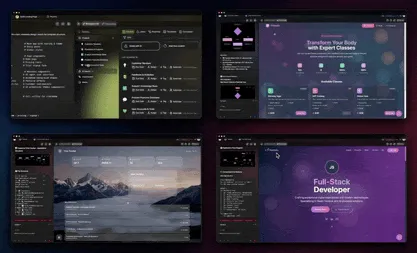
📋 Migration Checklist: Demo Repo to Running Ops System
Use a two-week parallel run. Do not cut over during a busy week.
Week 0: decide the nouns
- Name the four nouns you cannot lose (customer, job, owner, due date)
- Note optional nouns (agreement, invoice, milestone, score)
- Write down what stays where it is: payroll, GPS, accounting, video
- Export CSV from Airtable, Supabase, or the sheet you are leaving
Week 1: generate and load truth
- Generate the kit that matches your shape from the table above
- Import five to twenty real records, never demo placeholders
- Rename fields to the words your team already says out loud
- Invite the people who run the board before everyone else
- Publish one pilot login using App Users
Week 2: portal, automation, agent
- Turn on exactly one automation (renewal flag, overdue ping, or nudge)
- Add a second surface only if a real person asked for it
- Add an agent after the board holds real data, never before
- Freeze the old sheet for new rows and keep it read-only for history
| Day | Focus | Done looks like |
|---|---|---|
| 1 | Pick and generate the kit | Columns match how you talk |
| 2 | Import real records | Every open item has an owner |
| 3 | Rename fields | Nobody asks what a column means |
| 4 | One pilot portal login | A client or tech logs in and sees only the rows you matched |
| 5 | One automation | A reminder fires without you |
| 6-7 | Team feedback | One confusing field renamed |
| 8-10 | Optional agent | Agent drafts, human sends |
| 11-14 | Parallel quiet | Old sheet gains zero new rows |
Parallel-run billing or CRM on the old stack if needed. Move operational truth first, and make one system the authority for each noun so nobody double-enters. Import mechanics: CSV import in Learn Taskade. Automation mechanics: triggers.
🆚 Side-by-Side: Builder Demo vs Taskade Genesis Ops
| Question | Typical AI app builder output | Taskade Genesis ops kit |
|---|---|---|
| Who hosts production? | You or a paid deploy tier | Taskade Genesis runtime in workspace |
| Client logins | Build auth or buy a second tool | App Users scoped per client |
| Follow-up emails | Wire yourself | Agents plus automations beside records |
| Data model | You design tables | Projects generated from prompt |
| Views of the same data | Whatever you code | Multiple project views out of the box |
| Access control | Roles you implement | Role-based access from Owner to Viewer |
| Reshaping a field Friday | Code change and redeploy | Chat with Taskade EVE |
| Best buyer | Product team with engineers | Operator who runs the business |
| Honest gap | Ops wiring still on you | No native GPS, IDX, or full LMS |
Use the row that matches your constraint, not the tool with the flashiest demo GIF.
🗓️ A One-Week Graduation Plan
Day 1: Pick one kit from the list above that matches your weekly pain.
Day 2: Import five real customers, clients, or jobs from CSV. No demo sandboxes.
Day 3: Rename fields to match how your team already talks.
Day 4: Invite one pilot client or tech to an App User login.
Day 5: Turn on one automation: invoice reminder, renewal flag, or homework nudge.
Week 2: Add an agent that drafts the follow-up you still type manually.
Parallel-run billing or CRM on the old stack if needed. Move operational truth first.
💳 From Free Tier to Production
The free AI app builder comparison shows which platforms ship deployed apps at $0. The Taskade Genesis free tier includes live apps, agents, and automations with workspace pricing that scales flat instead of per-seat field-service tax.
Production checklist:
- Custom domain on Pro plans at $10/mo billed annually for client portals
- Role visibility from Owner to Viewer so clients see only their rows
- Email sign-in for outside users through Taskade Genesis Auth
- Automations that log touches so the team does not double-nag
- CSV import from the tool you are leaving
- App analytics once the portal has real traffic
You do not need to rebuild every integration on day one. Wire QuickBooks, Stripe, DocuSign, or SMS beside the board as week-two tasks. Browse live shapes in the Community Gallery before you generate yours, and read the Taskade Genesis FAQ for runtime specifics.
❓ FAQ
I already built a UI in Lovable or Bolt. Do I start over?
Not necessarily. Export data to CSV, generate the closest ops kit, import records, and rebuild automations inside Taskade Genesis. You gain integrated runtime. You may rebuild UI polish. See Taskade Genesis vs AI app builders for the full tradeoff.
Which kit should I generate first?
Match the noun you cannot lose: jobs (dispatch), clients (coaching portal), scores (exam tracker), scope (agency retainer), or milestones (closing checklist). One kit with real data beats five empty demos.
Can non-developers run this?
Yes. That is where operators get the most value. Describe the business in plain language, reshape fields by chatting with Taskade EVE, publish App Users without writing auth code.
How does this relate to the free AI app builder guide?
The free AI app builder guide ranks zero-cost entry points. This guide answers what comes after the demo: a running ops system with prebuilt ops kits instead of another blank shell.
What does it cost to run an ops system here?
Free is $0 with live apps, agents, and automations. On Free, you earn free AI credits as you go, and you can upgrade any time. Pro is $10/mo billed annually or $20 billed monthly and adds custom domains for client portals. Business is $25/mo billed annually or $50 billed monthly.
Do I get the source code?
No. Taskade Genesis gives you a hosted runtime you reshape by conversation, not a React repo you fork. If forkable source with git history is non-negotiable, that is a legitimate reason to stay in a code builder and host it yourself.
How long before the team actually uses it?
Plan two weeks with a parallel run. Day one is the generated board, day five is one live automation, and week two is the point where the old spreadsheet stops gaining rows. Teams that skip the parallel period usually revert during the first busy week.
Can clients and techs see different things?
Yes. Invite outside people as App Users, then match each login to its own rows so it opens only those, and use role-based access from Owner to Viewer for internal access. Details in Learn Taskade on App Users.
What if my trade needs a field nobody thought of?
Rename or add it yourself by chatting with Taskade EVE. That is the difference between owning a schema and renting one, and it is the reason shops leave rigid per-seat tools in the first place.
📚 Related Reading
- Taskade Genesis vs AI app builders for ops systems
- The 2026 AI app builder pricing index
- Best AI ops dashboard builders
- Why AI-generated apps break
- Field service dispatch software you own
- UpKeep alternative for small maintenance teams
- MaintainX alternative for small shops
- ServiceTitan alternative for small crews
- Relay.app alternatives
- AI agents for solopreneurs
- Taskade Community Gallery
Ready to graduate from demo to ops? Generate a Housecall Pro-style dispatch board, open any ops kit from /create, or start with coaching client progress portal if education ops is your shape.
Memory ▲ Intelligence ■ Execution ● — one board, one portal, one automation is where a demo stops being a demo.