






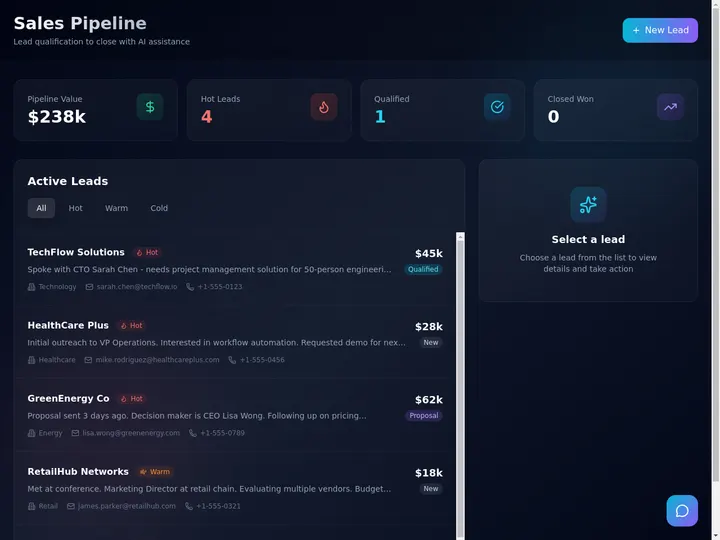
Taskade Genesis is field service dispatch software you own: a crew board, customer records, and client portal generated from one prompt, with automations and AI agents in the same workspace instead of per-tech rental seats. This guide ranks owned vs packaged dispatch honestly for 2026.
TL;DR: Jobber and ServiceTitan win packaged rental dispatch. Taskade Genesis wins operators who want to own and reshape the system, and Retool wins internal tools that engineers own. Taskade Free has 3 apps. Pro is $10 a month billed yearly. See plans and prices
See ServiceTitan alternative for small crews, Jobber alternative dispatch board, and ops dashboard builders.
Quick answer
Field service dispatch software does one job: field teams fill a form on site, and office staff dispatch work orders and get a completion report. You can build that board without code the same day. A Taskade Genesis dispatch board runs in the browser, not as an offline truck app. Plan limits are on the pricing page.
Build it in Taskade
The fastest start is a copy of a working work order app. A copy counts as 1 of the 3 apps on the Free plan. Prompts that build or change the app use AI credits. Free starts with no AI credits, and Pro is $10 a month billed yearly with 50,000 AI credits a month.
Step 1: Clone the work order app
Clone the work order app and pick a workspace. Taskade copies the Maintenance Tracker, its projects and its agent into that workspace.
Step 2: Add the on-site form and your crews
Ask Taskade EVE to add a public form that a technician fills on site: job number, notes, parts used and sign-off. Add each crew as an assignee, and import your open jobs from a CSV.
Step 3: Dispatch the job, then send the completion report
Move each work order to a crew on the Board view. Add an automation that emails the customer a completion report when the technician submits the form. Email and calendar steps such as Gmail and Google Calendar need Pro or higher.
Every vendor figure below is an approximate public range as of July 2026. Confirm live pricing on each vendor site before you sign anything — field service suites re-tier often, and quote-based products vary by region and module mix.
🚚 What Operators Actually Need From Dispatch Software
Most three-to-fifteen-tech shops do not need a full field service management suite. They need six things to be true every morning, and a system that answers them without a group chat archaeology dig:
- A customer record with site notes the tech will actually read on the driveway.
- A job with a priority and an arrival window the office can defend on the phone.
- A crew assignment that survives the 9 a.m. reshuffle.
- A status the whole shop reads the same way ("Waiting parts" means one thing).
- An invoice row created the moment the job closes, not on Friday.
- A client-visible update so nobody calls to ask "is he coming today?"
That spine is a dispatch board. It is not a fleet telematics platform, and it is not an accounting system. Confusing those three is how shops end up paying for a suite and still running the day out of a spreadsheet.
| Daily need | Packaged FSM default | Owned board in Taskade Genesis |
|---|---|---|
| Open jobs today | Native dispatch module | Board view with status columns |
| Customer + site history | CRM object | Linked customer records in Projects |
| Crew assignment | Scheduler grid | Assignee field + board view |
| Arrival windows | Calendar module | Calendar view on the same rows |
| Status language | Vendor-defined stages | Whatever your techs already say |
| Invoice on close | Native billing (upper tiers) | Job-to-invoice board |
| Client visibility | Vendor portal | Home services portal |
| Truck GPS breadcrumbs | Vendor or partner add-on | Not available. Keep your telematics |
| Who changes a field | Vendor templates + support ticket | You, in a chat with Taskade EVE |
If your week is the six items above, you are shopping for ownership of the board. If your week is price-book maintenance, membership billing, and multi-branch payroll, a packaged suite is genuinely the right purchase.
📜 Origin: Why Dispatch Became a Seat-Tax Problem
Field service software priced itself per technician because that is how the value used to arrive. The vendor funded a rugged mobile app, a GPS trail, a price book, and a payments rail — and every tech needed a licensed login to touch any of it. Per-seat pricing was an honest match to packaged depth.
Three things changed for small shops between 2020 and 2026.
Everyone became a user. The office manager, the part-time dispatcher, the owner's spouse doing invoices on Sunday, the sub who covers refrigeration — all of them need write access to the same board. Vendors added free "requester" or "read-only" tiers, which helped, but paid full seats still stack the moment three people need to change a status.
Chat and spreadsheets became the real system of record. Most shops already coordinate in SMS and a shared sheet. Buying a full license for someone who updates two rows a day feels like a tax on visibility rather than a purchase of capability.
Generating a working app got cheap. In 2026 an owner can describe a dispatch board in a sentence and get a running app with a database, statuses, and automations behind it. That moves the buying question from "which suite?" to "do we rent a schema or own one?"
The seat tax is not a moral failing at Jobber or ServiceTitan. It is a business model matched to a product with real depth. Operators feel it at a specific moment: when the entry tier fits four people and hurts at eleven, or when the one feature they need lives two tiers up.
That loop is what owned dispatch is for. Parts warehouses and GPS trails are adjacent systems that should stay adjacent.
💵 2026 Pricing Reality: Jobber, ServiceTitan, Housecall Pro, Retool
Treat this as a budget sketch, not a quote. Ranges are approximate public figures as of July 2026 — confirm live before you buy.
| Product | Shape | Approximate 2026 range | What pushes the bill up | Fit note |
|---|---|---|---|---|
| Jobber | Packaged FSM for small trades | ~$39-$249/mo across entry to growth tiers | Plan tier + team size + add-ons | Common and reasonable default for small crews |
| ServiceTitan | Enterprise FSM suite | Quote-based, commonly ~$245-$500+ per tech/mo | Per tech + modules + implementation | Oversized until you have real office staff |
| Housecall Pro | Homeowner-facing FSM | ~$59-$199+ base, add-ons extra | Plan + GPS, proposals, price book add-ons | Strong if polished consumer UX is the priority |
| Retool | Internal-tool builder | Seat + usage, quote-shaped at scale | Editor seats, end users, self-host tier | Needs an engineer on staff to be cheap |
| Spreadsheets | DIY | $0 | Free until one double-booking costs a callback | Fine at one truck, painful at four |
| Taskade Genesis | Owned ops app platform | Free plan, then Pro $10/mo billed annually | Workspace plan, not per-tech field seats | Own the board, pair GPS and parts elsewhere |
Rough monthly math by crew size
| Techs | Enterprise suite (~$300 avg/tech) | Packaged mid-tier | Owned board |
|---|---|---|---|
| 3 | ~$900+ | ~$99-$199 | Workspace plan, not per tech |
| 6 | ~$1,800+ | ~$149-$299 | Workspace plan, not per tech |
| 10 | ~$3,000+ | ~$199-$399 | Workspace plan, not per tech |
| 15 | ~$4,500+ | ~$249-$449+ | Workspace plan, not per tech |
Cheaper does not automatically win. A shop with a full-time dispatcher, a marketing budget, and membership billing can justify an enterprise suite easily. The question is narrower: should your sixth truck cost another software license before it books its first job?
Taskade pricing in full. Free is $0. Pro is $10 per month billed annually, or $20 billed monthly. Business is $25 per month billed annually, or $50 billed monthly. On Free, you earn free AI credits with referrals and invites, and you can upgrade any time. Paid plans include a monthly credit allowance. Custom domains for a client portal start on Pro. Published app end users and credit usage follow plan rules, so check billing details against your headcount.
⚖️ Owned vs Rental Dispatch: Pick Your Constraint
| Path | You get | You accept |
|---|---|---|
| Rental SaaS (Jobber, ServiceTitan) | Fast defaults, SMS, payments | Seat tax, rigid schema |
| Owned Taskade Genesis app | Custom board, portal, agents | You configure integrations |
| Eng-built (Retool, Lovable) | Full control | Hosting and maintenance |
Most three-to-ten-tech shops sit in the first row until seat math or schema pain pushes them into the second.
🧭 Who Should Switch to Owned Dispatch
Switch, or dual-run, when several of these are true:
- Three to fifteen people touch jobs, and none of them is a full-time systems administrator.
- Your real dispatch tool today is a spreadsheet plus a group chat, and the pain is triage and history, not payments.
- You want fields for your trade — refrigerant type, roof zone, panel amperage, gate code — without a vendor ticket.
- You need a client-visible status more than you need a consumer booking marketplace.
- Payments already work somewhere you trust, and you do not want to migrate them to switch boards.
- Seat quotes are climbing faster than any efficiency gain you can actually measure.
Good fits: independent HVAC, plumbing, and electrical shops; property maintenance crews; specialty repair with a handful of high-value assets; commercial cleaning; small install teams.
Start points that already exist:
- Field service ops dashboard — the general board
- Small crew work order tracker — narrowest useful start
- ServiceTitan alternative dispatch board — when leaving an enterprise suite
- Housecall-style dispatch board — residential-heavy mix
- Technician daily run sheet — print-and-go crews
- Work order status dashboard — owner's one-screen view
- Excel to dispatch board — direct spreadsheet escape
Template mirror: /templates/maintenance/work-order-dispatch-board
🛟 Who Should Stay on Jobber or ServiceTitan
This is the section most vendor comparisons skip. Three genuine strengths worth staying for:
Jobber's quoting-to-payment rail is genuinely good. Quote, approve, schedule, invoice, and collect live in one product with consumer-grade polish. If your close rate depends on a homeowner tapping "approve" on a phone at the kitchen table, that integrated flow is real value you would be rebuilding by hand.
ServiceTitan's depth is not marketing. Price books, membership billing, call recording tied to job records, capacity planning, and financial reporting that a lender will accept — that is years of domain work. Shops past roughly twenty techs with a dedicated dispatcher and a marketing spend usually get their money back.
Housecall Pro owns the homeowner experience. Booking widgets, review requests, and branded reminders are tuned for residential conversion. If your growth engine is repeat homeowners and online reviews, that packaging matters.
Stay put, too, if you are mid-rollout with training sunk and adoption finally sticking. Ripping out a system your techs just learned costs more than any seat line.
| Constraint you refuse to drop | Lean this way |
|---|---|
| Integrated quote → approve → pay in one product | Jobber or Housecall Pro |
| Price books, memberships, lender-grade reporting | ServiceTitan |
| Live GPS breadcrumbs and route optimization | Keep your telematics vendor |
| Certified offline mobile app for dead zones | Packaged FSM mobile client |
| Own the schema, the agents, and the automations | Taskade Genesis |
| Engineers on staff who will maintain internals | Retool or a code generator |
🧬 Workspace DNA on a Dispatch Board
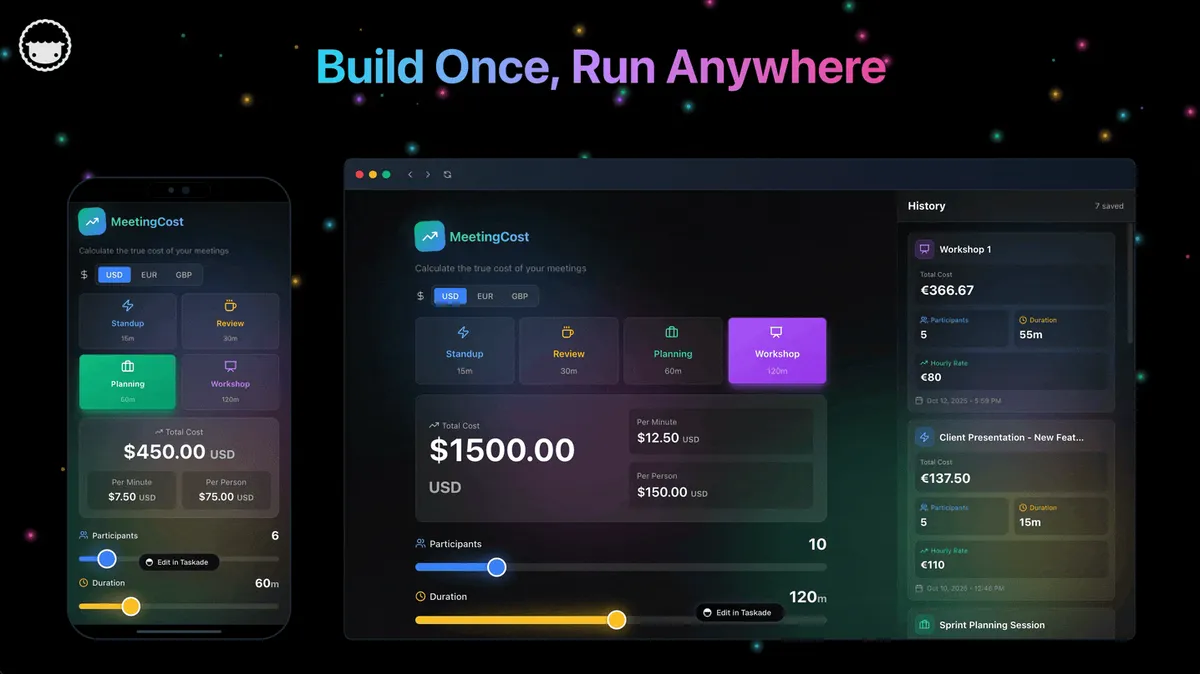
Taskade Genesis apps are not static templates. They run on Workspace DNA — Memory, Intelligence, and Execution feeding each other.
| Pillar | Component | Role on a dispatch board |
|---|---|---|
| Memory | Projects | Customers, jobs, assets, notes, photos, invoice rows |
| Intelligence | AI Agents | Triage intake, draft close-out notes, flag stalled jobs |
| Execution | Automations | Chase invoices, escalate emergencies, notify clients |
The loop closes on itself: an inbound call writes Memory, an agent proposes priority and assignee, an automation notifies the tech, and the closed job writes Memory again. The board gets sharper the more you dispatch from it. Read the concept in Workspace DNA and the broader idea in living software.
Practical build order, learned the hard way by shops that skipped step one:
- Customers and jobs first. Generate the app and load real records, not sample rows.
- Statuses second, in the exact words your techs already say out loud.
- Automations third — one reminder, not nine.
- Agents last. An agent on empty demo rows is theater. Agents ship with built-in tools and read the same Projects your dispatcher reads.
Browse finished patterns in the Community Gallery before you generate your own.
🗄️ The Dispatch Data Model You Should Own
Most dispatch pain is a modeling problem wearing a software costume. Five entities cover almost every shop:
The relationship worth naming explicitly is JOB ||--o{ JOB — a callback is a job linked to its parent job. Shops that model callbacks as brand-new unrelated tickets lose the one piece of context that prevents a second failed visit. Model it once, in a table view you control, and warranty history becomes free. See database projects for how linked records work.
🏗️ What Taskade Genesis Owns vs What You Pair
Honest boundaries beat feature checklists.
Strong fit today:
- Dispatch boards, crew assignment, and status workflows
- Customer and site records with searchable history
- Client portals with per-client scoping via App Users
- Work-order intake forms like a quote request form
- Invoice and AR aging boards linked to closed jobs
- Agents grounded on your own Projects, plus 100+ bidirectional integrations
- Multiple project views on the same rows — List, Board, Calendar, Table, Mind Map, Gantt, Org Chart
Honest gaps — say these out loud before you switch:
| Gap | What to do instead |
|---|---|
| No GPS or fleet telematics | Keep your existing telematics vendor |
| No certified offline truck app | Packaged FSM mobile client for dead zones |
| Not a full parts inventory suite | Pair a parts inventory board or your existing system |
| No native card-present payments rail | Keep processing where it already works |
| No subcontractor compliance tracking | Keep certificates and insurance where they live |
| No agent that dials an MCP server on its own | Put the MCP Client step in an automation, on every plan including Free, and let the agent hand it the call |
If anyone — including us — tells you an owned board replaces GPS tracking and a parts warehouse on day one, walk away from that pitch.
📋 Migration Checklist: Spreadsheet or FSM to Owned Dispatch
Run a two-week parallel period. Never cut over on a Monday emergency.
Week 0 — decide the nouns
- Name the five you cannot lose: customer, site, job, assignee, status
- Note the optional ones: asset, arrival window, callback parent, invoice number
- Write down what stays put: payments, payroll, GPS, accounting
- Export customers and open jobs to CSV from the incumbent
Week 1 — generate and load truth
- Generate the dispatch board
- Import the CSV — 15 to 30 real open jobs, no "Customer A"
- Mirror your spoken status language exactly
- Set permissions using role levels, Owner through Viewer
- Invite the office and leads first, techs second
Week 2 — portal, money, automation
- Publish a client portal, scoped per client
- Link an invoice board to closed jobs
- Turn on one automation — overdue ping or emergency escalation
- Add AR aging once invoices flow
- Add a dispatch triage agent only after statuses are trusted
- Freeze the old sheet for new work; keep it read-only for history
| Day | Focus | Done looks like |
|---|---|---|
| 1 | Generate the board | Columns match how you talk |
| 2 | Import customers and open jobs | Every open job has an owner |
| 3 | Site notes and gate codes | Two techs find notes without asking |
| 4 | Arrival windows on calendar | Tomorrow is visible in one screen |
| 5 | One automation | Overdue jobs ping a channel |
| 6-7 | Tech feedback | Rename one confusing field |
| 8-9 | Client portal | One friendly client sees status |
| 10-11 | Invoice linkage | Closed job creates an invoice row |
| 12-14 | Parallel quiet | Old sheet has zero new rows |
Cutover rules. New work enters the owned board only. Emergencies may still page by phone, but the record lands on the board within the hour. Payments and GPS stay in their systems; paste references into job notes. One system is the authority per noun — the board owns job status, accounting owns the ledger.
Coming from a spreadsheet specifically? Excel to dispatch walks the same path with sheet-shaped starting data, and sheets to ops covers the wider pattern.
🆚 Side-by-Side: Choosing Dispatch Software
| Question | Jobber | ServiceTitan | Retool | Taskade Genesis |
|---|---|---|---|---|
| Product shape | Packaged small-trade FSM | Enterprise FSM suite | Internal-tool builder | Owned ops app platform |
| Pricing model | Plan tier + team size | Per tech + modules | Seats + usage | Workspace plan |
| Own the schema? | Limited | Limited | Yes, with engineers | Yes, by chatting |
| Time to first board | Hours | Weeks with onboarding | Days to weeks | Minutes |
| Who changes a field | Vendor settings | Vendor + admin | Your developer | You |
| Native payments | Yes | Yes | No | Pair yours |
| GPS / telematics | Add-on | Yes | No | Pair yours |
| AI on your own data | Vendor features | Vendor features | You build it | Agents on your Projects |
| Client portal | Yes | Yes | You build it | Publish from the same records |
| Best for | Small residential trades | 20+ tech operations | Eng-owned internals | Owner-operators who reshape |
Feature depth vs ownership
| Capability | Packaged FSM | Owned board |
|---|---|---|
| Dispatch and assignment | Excellent | Excellent when modeled |
| Quote to payment | Excellent | Pair a processor |
| Price book and memberships | Enterprise strength | Not a strength |
| Offline rugged mobile | Vendor strength | No parity today |
| Custom fields for your trade | Configuration inside vendor rules | First-class: change the app |
| Callback-to-parent linkage | Varies by product | Model it yourself |
| Cross-department reuse | Field-service shaped | Field service + adjacent ops in one workspace |

🧪 A Day in the Life on an Owned Dispatch Board
06:50 The overnight after-hours log shows two callouts. Both are already jobs with priority and site notes, not voicemails to transcribe.
07:30 Morning huddle runs off one filtered view: today's jobs, unassigned emergencies, overdue invoices on active sites. A run sheet agent drafted the summary overnight.
09:15 A no-heat call comes in. Intake becomes a job. The triage agent proposes "emergency / heating / Zone 3" and a nearest-available tech. A human confirms — always a human.
11:40 A tech marks "waiting parts" and notes the model number. A parts risk agent flags that the same part stalled two jobs last month.
14:20 Job closes with photos. An automation notifies the client through the portal and creates the invoice row. Cash flow tracks completion instead of trailing it by a week.
16:45 The owner opens one screen. Open count, waiting-parts count, tomorrow's windows, and AR over thirty days — no export, no pivot table.
17:30 A callback arrives on last week's job. It links to the parent, so the tech sees the full history before leaving the shop. That single link is the difference between a warranty visit and a lost customer.
None of that requires GPS breadcrumbs or a parts ledger inside the board. It requires a board people trust.
🌦️ Seasonal Demand, Warranty, and Subs
Trades swing seasonally, and owned boards absorb that without a vendor release cycle. Add a "storm response" status in October, a winter maintenance column in November, retire both in April. Ask Taskade EVE to add a freeze-risk checklist to every boiler job this week and it is done before the next call.
Warranty and callbacks need visible linkage to the original job so techs see history on site. Model the parent link once, then a callback queue board and a callback agent do the chasing. Clients see continuity in the portal instead of re-explaining the problem.
Subcontractor handoffs should show prime vs sub assignment and an external contact on the job row. Compliance certificates stay where they already live — visibility alone prevents most missed coordination.
Parts and photos without over-engineering: a text field and a checkbox on the job row prevents most return trips. Add a parts inventory board only when stockouts actually cost you money. Starting narrow gets you dispatching sooner.
Recurring work — maintenance agreements, quarterly filter changes, seasonal tune-ups — belongs on a PM schedule board with recurring tasks, not a calendar one person owns privately. Recurring service agreements covers the revenue side.
📈 The Long-Term Ownership Thesis
Rental dispatch cost rises with headcount. Owned dispatch cost rises with customization time, which flattens once the board matches your trade. Pick the curve that matches your five-year hiring plan.
Three trucks planning for fifteen benefit most from owning the schema early, because the migration nobody wants is the one you do at twelve techs during peak season. The shops that regret switching are the ones who switched for price alone and discovered mid-January that they had traded away a payments rail they depended on.
⚠️ Common Mistakes
- Portal before internal board. Clients see chaos in real time. Board first, always.
- Ignoring automations. A board without reminders is a prettier spreadsheet that still needs manual nagging.
- Demo data at launch. Load real jobs or nobody trusts the board by Thursday.
- Nine automations in week one. Turn on one. Earn the second.
- Modeling callbacks as new tickets. You lose the history that prevents the second failed visit.
- Switching to save money mid-season. Migrate in your slow month, not during the first cold snap.
- Franchise blind spot. Franchisees with mandated corporate systems may not choose freely. Read your agreement before migrating off a rental suite; independent locations in loose networks are the sweet spot.
❓ FAQ
What is the best field service dispatch software you own?
Taskade Genesis for prompt-to-app dispatch that an owner-operator can reshape without tickets. Retool for teams with engineers who will maintain internal tools. Jobber or Housecall Pro when packaged quoting and payments win. ServiceTitan past roughly twenty techs with a dedicated dispatcher.
Can I white-label client portals?
Yes. Custom domains are available on Pro plans and above. App Users work on every plan, and you match each one to their own jobs. Sign-in uses email-based access, so there is no password sprawl for homeowners.
How do templates compare to generators?
/templates/maintenance/work-order-dispatch-board names a proven shape you can clone. /generate/dashboards/field-service-ops-dashboard captures prompt intent and builds around your description. Use the template to see the destination, the generator to get your version of it.
Can a small crew afford owned dispatch software?
Yes. Taskade is free to start, and on Free, you earn free AI credits with referrals and invites, and you can upgrade any time. Paid plans include a monthly credit allowance. Pro is $10 per month billed annually ($20 month to month) and Business at $25 per month billed annually ($50 month to month). Pricing is flat per workspace, so techs are not billed like SaaS seats.
Do I need to code to build a dispatch board?
No. You describe the board, Taskade Genesis generates it, and you reshape fields by chatting with Taskade EVE. Custom fields for your trade — refrigerant type, panel amperage, gate code — are edits you make yourself in a table view.
How long does migrating off Jobber actually take?
Plan two weeks of parallel running. Week one is the board and real open jobs; week two is the portal, invoice linkage, and one automation. Keep payment processing where it works during the transition and cancel nothing until the board has been the authority for a full quiet week.
Do field service agents help with dispatch?
Yes, after the board holds real data. A work order agent drafts close-out notes, an invoice agent preps billing from closed jobs, and an after-hours agent summarizes overnight callouts. Browse them all under field service agents.
What if we also run internal facility maintenance?
Keep the customer dispatch board and add a separate maintenance surface rather than forcing one schema to do both badly. UpKeep alternative for small maintenance teams and MaintainX alternative for small shops cover that side.
Does phone-lead speed matter for dispatch?
Enormously. Most missed jobs are missed calls, not missed schedules. Wire telephony first, then the board, then the portal. Missed call text-back and speed to lead cover the intake half, and a missed-call text-back board plugs into the same records dispatch uses.
Where should I start on Taskade?
Open the field service ops dashboard or the work order dispatch board template, import real jobs, add the client portal second, then enable invoice reminders. First app walks the setup end to end.
📚 Related Reading
- ServiceTitan alternative for small crews
- Jobber alternative dispatch board
- Housecall Pro alternative
- HVAC dispatch board you own
- Ops dashboard builders ranked
- Estimate to invoice and AR aging tracker
- PM schedule board for recurring maintenance work
- Crew scheduling alternatives
- From builder to ops and Taskade Genesis vs code builders
- Taskade Community Gallery
🚀 Own the Board, Pair the Rest
Jobber, ServiceTitan, and Housecall Pro earned their place by making field service software approachable for shops that had nothing. Operators still deserve a second question in 2026: are we buying a dispatch suite, or renting seats for a board we could own?
If you need integrated payments, a price book, memberships, and a rugged offline app, stay packaged and negotiate seats with clear eyes. If you need open jobs, crew assignment, client visibility, and agents on your own schema, generate the board and keep GPS and payments in their lanes.
Open /create with a plain-language prompt — "dispatch board for six HVAC techs with a customer portal" — or start from the field service ops dashboard. Memory ▲ Intelligence ■ Execution ● stay in one workspace, which is what makes an owned board get better instead of going stale.