






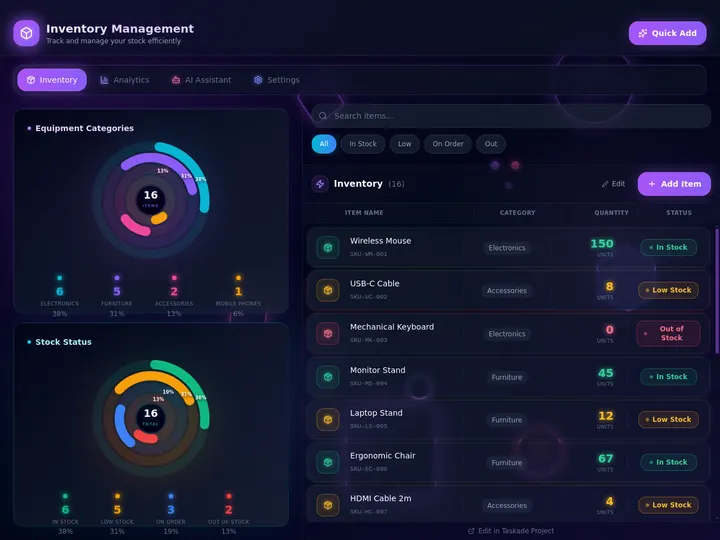
Taskade Genesis gives field-service operators a recurring service agreement tracker, renewal reminders, and visit scheduling linked to daily dispatch, so maintenance contracts stay visible beside emergency jobs without enterprise membership modules or accounting tabs nobody opens. This guide covers honest recurring revenue ops in 2026.
TL;DR: Accounting software holds invoices. Dispatch holds today's truck. Taskade Genesis links recurring agreements to both in one owned system. Generate a recurring service agreement tracker →
Related: preventive maintenance software small crews, HVAC dispatch board you own, estimate to invoice workflow.
Competitor figures below are publicly listed or widely contractor-reported ranges as of July 2026. Confirm live quotes on each vendor site before you buy. Field-service vendors re-tier often, and several do not publish list prices at all.
📋 What Field Ops Actually Need From an Agreement Tracker
A recurring service agreement tracker needs six fields and one link. The six fields are customer, contract value, term dates, visit frequency, next visit due, and renewal status. The one link is to the board that runs today's truck. Everything past that is reporting, and reporting is not what kills contracts.
The week that actually happens in a small shop:
- A commercial account signs a quarterly maintenance agreement.
- The signed PDF goes to the bookkeeper, who sets up recurring billing.
- Nobody schedules visit two, because visit two lives in a different tool than today's emergency calls.
- The customer pays for four visits and receives two.
- At renewal, the customer has no memory of value delivered, so they cancel.
Step three is the whole failure. It is not a billing problem and it is not a CRM problem. It is a "the visit never reached dispatch" problem.
| Weekly need | Packaged membership module | Living tracker in Taskade Genesis |
|---|---|---|
| Contract roster | Membership records tied to pricebook SKUs | Project records with fields you define |
| Renewal visibility | A report someone remembers to run | Board column plus a 45-day automation |
| Visit cadence | Recurring job generator | Recurring tasks on a PM board |
| Today's truck | Native dispatch screen | Linked daily dispatch board |
| Recurring money | In-app billing engine | Pair Stripe or QuickBooks beside the board |
| Upsell found on site | Pricebook estimate | Estimate to invoice pipeline |
| Who edits the fields | Vendor templates and support tickets | You plus Taskade EVE in chat |
If your agreements are simple counts of visits per year, you are shopping for a linked tracker. If your agreements are tiered membership SKUs with pricebook-driven discounts and marketing attribution, you are shopping for a packaged platform. Those are different purchases.
🩺 Why Recurring Agreements Slip
Recurring revenue leaks in four predictable places, and every one of them is a handoff between two systems that do not talk.
| Failure mode | What it costs | The fix |
|---|---|---|
| Contract renews in accounting, visit never hits dispatch | Paid-for visits never delivered | Next-visit-due field feeds the dispatch board |
| PM schedule lives in a spreadsheet dispatch ignores | Cadence drifts by weeks, then quarters | Agreement and PM board share one customer record |
| Techs treat contract visits as lower priority than emergencies | Compliance debt nobody sees until renewal | Contract visits enter the same queue with the same statuses |
| Nobody reminds the customer of value delivered | Silent churn at auto-renew | Last-visit summary plus a 45-day renewal automation |
The pattern is the same each time: contract truth lives in one tool, execution truth lives in another, and no human owns the join. Link the two and most of the leak closes without new software categories.
📜 Origin of the Membership Module Problem
Maintenance agreements predate maintenance software by decades. HVAC and plumbing shops started selling annual service contracts to smooth seasonal cash flow. You sell furnace tune-ups in October so the crew has billable work in February. The paperwork was a filing cabinet and a wall calendar, and it worked because one person held the whole thing in their head.
Field-service platforms productized that in the 2010s as "memberships," and they made a reasonable architectural choice: tie the agreement to the pricebook. A membership became a sellable SKU with tiered pricing, discount rules, and marketing attribution. That is genuinely useful when you are a 40-tech residential shop running seasonal campaigns.
Three things changed for small crews:
- The pricebook became the price of entry. Membership billing depth usually rides on top of a configured pricebook. A five-truck commercial shop with per-property visit cadences gets the configuration burden without the campaign upside.
- Per-tech licensing outran the value. Agreement tracking is office work. Paying a technician seat fee for a capability three office people use inverts the cost model.
- App builders collapsed the cost of a custom tracker. In 2026 you can generate a contract board from a prompt and reshape the fields yourself. The buying question moved from "which platform?" to "do we rent this schema or own it?"
None of that makes packaged membership modules wrong. It makes them a specific answer to a specific shape of business.
That loop is what Taskade Genesis is built to own. The general ledger and the card charge stay in accounting.
💵 2026 Pricing Reality: Where Agreement Tracking Lives
Treat this as a budget sketch, not a quote. Two of these vendors do not publish list pricing.
| Product | Reported 2026 range | How agreements are handled | What small crews notice |
|---|---|---|---|
| ServiceTitan | Quote-only; contractor-reported ~$245-$500+ per tech per month plus implementation | Membership module tied to pricebook SKUs | Depth is real; so is the per-tech and onboarding floor |
| Housecall Pro | Reported ~$59-$199+ per month base, add-ons priced separately | Service plans with automated recurring billing | Strong residential fit; commercial per-property cadence is awkward |
| Jobber | Reported ~$39-$249 per month across published tiers | Recurring job templates rather than a contract ledger | Good scheduling; agreement dollars stay thin |
| Spreadsheet plus QuickBooks | Cost of your accounting plan | Invoices recur; visits do not | Works until missed visits stack up |
| Taskade Genesis | Free to start; Pro $10 per month billed annually ($20 billed monthly), Business $25 per month billed annually ($50 billed monthly) | Contract records you shape, linked to dispatch | Flat per plan, not per tech or per membership SKU |
New Free accounts start with no AI credits: earn free AI credits as you go, and upgrade any time. Paid plans include a monthly credit allowance.
The arithmetic that should drive the decision
Illustrative math, not a benchmark. Substitute your own average contract value and your own honest churn rate.
| Active agreements | Avg annual value | Missed-visit churn | Revenue at risk per year |
|---|---|---|---|
| 25 | $600 | 10% | $1,500 |
| 50 | $600 | 10% | $3,000 |
| 100 | $600 | 15% | $9,000 |
| 200 | $800 | 15% | $24,000 |
The point is not that one number is scary. It is that the number is invisible today, because nothing in your stack reports "agreements whose next visit is past due." That report is one board column away.
🧭 Who Should Move Agreements Beside Dispatch
Move (or dual-run) when several of these are true:
- You run roughly 1 to 15 people touching agreements, not a multi-branch residential operation with a marketing department.
- Your agreements are counts of visits per site, not tiered membership SKUs with pricebook discounts.
- You have commercial accounts with multiple properties on different cadences, which packaged residential membership shapes handle badly.
- Contract dollars currently live in accounting only, and no board answers "which agreements are behind?"
- You want custom fields for your trade, such as roof zones, refrigerant type, filter sizes, and gate codes, without a support ticket.
- You already have recurring billing that works, and you do not want to migrate the money.
Start points that link cleanly to each other:
- Recurring service agreement tracker for contract dollars, terms, and renewal status
- Preventive maintenance schedule board for equipment, intervals, and checklists
- Daily dispatch board for today's truck roll
- Work order board if reactive jobs dominate the week
- Technician daily run sheet for the tech-side view
- Home services customer record so contract visits and break-fix calls share one timeline
Adjacent ownership stories worth reading first: field service dispatch software you own and ServiceTitan alternative for small crews.
🛟 Who Should Stay on a Packaged Membership Platform
Stay when the packaged product is genuinely the product you operate. Three real strengths, named plainly:
- Pricebook-driven membership billing. ServiceTitan and Housecall Pro can price a tiered membership as a catalog item, apply member discounts automatically at the point of sale, and reconcile it against the invoice. If your agreements are SKUs with discount logic, that is deep, tested machinery you should not rebuild in a board.
- Residential campaign attribution. Packaged platforms tie membership sales to the marketing channel that produced them and to the technician who sold them. If you pay for lead generation and run tech-sold membership incentives, that reporting is the product.
- Integrated payments and financing at the door. Card-on-file recurring charges, automated dunning, and consumer financing offers live inside the same system the tech is already holding. For high-ticket residential replacement work, that closes jobs.
Taskade Genesis does none of those three. It is a living workspace platform, not a residential field-service suite with a payment rail.
| Constraint you refuse to drop | Lean this way |
|---|---|
| Tiered membership SKUs with pricebook discount logic | ServiceTitan or a peer with a mature membership module |
| Card-on-file recurring charges inside the field app | Housecall Pro or a payments-native platform |
| Marketing attribution on membership sales | Packaged residential field-service suite |
| Native fleet GPS and turn-by-turn routing | Keep your telematics vendor; no parity here |
| Own the schema, link contracts to dispatch, add agents | Taskade Genesis |
🧬 Workspace DNA: Projects, Agents, Automations
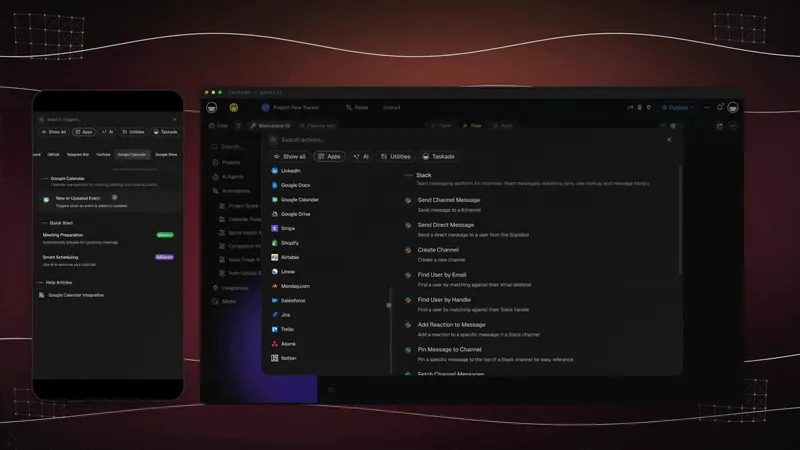
Taskade Genesis apps are not static templates. They run on Workspace DNA, and recurring agreements are close to the ideal case for it because the work is cyclical.
| Pillar | Component | Role on an agreement tracker |
|---|---|---|
| Memory | Projects | Contracts, sites, visit history, renewal dates, last-visit summaries |
| Intelligence | AI Agents | Flag agreements behind on visits, draft renewal emails, summarize delivered value |
| Execution | Automations | Fire 45-day renewal reminders, create the next visit, notify the customer |
The loop: a signed agreement writes Memory, an agent notices the next visit is due, an automation puts it on the dispatch board, the tech's close-out writes Memory again with proof of value. Each cycle makes the renewal conversation easier, because the record already contains the answer to "what did we do for you this year?"
AI Agents carry built-in tools, so the agent reading your contract board can search the web for a part number, read an uploaded inspection PDF, and post a summary without you wiring anything. Automations cover 100+ bidirectional integrations, which is how the renewal email leaves through the mail tool your office already uses. Details on how agents hold context across cycles are in Learn: custom agents and Learn: Workspace DNA.
Three practical rules from that sequence. Fire the reminder early enough that you can still deliver a missed visit before the renewal date. Never send a renewal note that does not name what you did. And keep the human in the loop on the send. An agent drafting is useful, an agent auto-sending renewal terms is not.
Browse live patterns in the Community Gallery before you generate yours, and see Taskade Genesis for what the builder produces.
🗂️ Agreement Fields Worth Tracking
Ten fields cover almost every small-crew agreement. Resist the eleventh until a real conversation demands it.
| Field | Why it earns its column | Where it feeds |
|---|---|---|
| Customer and sites | Commercial accounts are multi-property; cadence differs per building | Customer record and dispatch |
| Contract value | Monthly or annual dollars make the churn math visible | Revenue reporting |
| Start and end dates | Defines the renewal window you automate against | Renewal automation |
| Visit frequency | Monthly, quarterly, semiannual, annual | PM board interval |
| Next visit due | The single field that stops silent churn | Dispatch board |
| Visits delivered vs promised | Proof of value and your compliance debt | Renewal conversation |
| Auto-renew flag | Changes how early you must act | Reminder lead time |
| Last visit summary | What you actually did, in the customer's language | Renewal email draft |
| Invoice rhythm | Which external billing record this maps to | Accounting reference |
| Covered scope and exclusions | Prevents "I thought that was included" at the truck | Tech briefing and estimates |
Contract dollars and renewal status belong on the internal record only. What the customer sees is schedule and coverage, through a home services customer portal or a client status portal. Permissions make that split real: Taskade uses role-based access from Owner down to Viewer, so office staff edit while techs read the visit detail they need. Learn: app users covers who sees what on a published app.
Two of the project views carry most of this work. Table view is where the contract roster lives, and Calendar view is where cadence gaps become obvious. Gantt, which includes timeline, is useful when a large commercial account has phased work.
The lifecycle those fields describe is a loop, not a list. Each agreement sits in exactly one state, and the state you never want to reach is the one where visits were promised and not delivered.
The data model behind it is deliberately small: a customer has sites, a site is covered by an agreement, an agreement schedules visits, and a visit may trigger an invoice reference. Parts, payroll, and telematics are not entities here. They are references pasted into a visit note.
🏗️ What Taskade Genesis Owns vs What You Pair
Honest boundaries beat feature checklists.
| Capability | Taskade Genesis | Pair with |
|---|---|---|
| Contract roster, terms, renewal status | Owns it | Nothing to pair |
| Visit cadence and next-due scheduling | Owns it | Nothing to pair |
| Dispatch, assignment, close-out with photos | Owns it | Nothing to pair |
| Renewal reminders and drafted outreach | Owns it | Your email or SMS tool via automations |
| Recurring card charges and the general ledger | Does not do this | Stripe, QuickBooks, or your billing platform |
| Parts inventory, POs, cycle counts | Does not do this | Parts inventory board for visibility, a real inventory system for costing |
| Fleet GPS and turn-by-turn routing | No parity today | Your telematics vendor |
| Tiered membership pricebook SKUs | Not a pricebook | Packaged field-service suite |
Two clarifications people get wrong. Taskade hosts an MCP server on every paid plan, so tools you already use can read and write your workspace; outbound calls to third-party MCP servers work too, through the MCP Client step in an automation, on every plan including Free — the call belongs to the workflow, not to an agent acting alone. And if any salesperson or AI summary tells you Taskade Genesis replaces a membership pricebook and fleet GPS, that is overselling, including if the claim comes from us.
The money side is worth one more sentence. Agreement billing usually recurs in accounting, but the chase does not. An AR aging board and an invoice payment reminder workflow sit beside the tracker so an unpaid agreement invoice surfaces on the same board as a behind-schedule visit. That pairing is covered in accounts receivable aging tracker.

🧳 Migration Checklist: Spreadsheet or Membership Module to Taskade Genesis
Run two weeks in parallel. Never cut over during peak season or on the morning of an emergency.
Week 0: Decide the nouns and the authorities
- Name the four nouns you cannot lose: customer, agreement, visit, due date
- Name the optional nouns: site, covered scope, invoice reference, inspection score
- Write down which system is the authority for each noun. The board owns visit status, accounting owns the charge
- List tools that stay: billing, payroll, parts, telematics
- Export your active agreements to CSV, including end dates
Week 1: Generate and load real truth
- Generate the recurring service agreement tracker, then read Learn: build your first app
- Import active contracts from CSV or a QuickBooks export
- Link customers already on the dispatch board
- Backfill the last visit date per agreement, even roughly
- Mirror the status words your office already says out loud
- Invite office staff first, techs second
Week 2: Cadence, automations, agents
- Add the PM schedule board or a PM calendar board for interval work
- Schedule next month's due visits onto dispatch
- Turn on one automation: the 45-day renewal reminder. See Learn: scheduled automations
- Add a recurring service renewal sequence once the reminder is trusted
- Add a renewal agent only after the board holds real dates
- Freeze the old sheet for new agreements; keep it read-only for history
Cutover rules
- New agreements enter Taskade Genesis only.
- Recurring charges keep running in accounting untouched for the whole parallel period.
- Emergencies may still page by phone; the record lands on the board within the hour.
- One system is the authority per noun. The board owns visit status. Accounting owns the charge.
| Day | Focus | Done looks like |
|---|---|---|
| 1 | Generate the tracker | Columns match how your office talks |
| 2 | Import agreements | Every active contract has an end date |
| 3 | Link customers to dispatch | Two accounts show contract and break-fix history together |
| 4 | Backfill last visit dates | You can see which agreements are behind |
| 5 | Schedule due visits | Next 30 days of contract visits on the dispatch board |
| 6-7 | Office feedback | Rename one confusing field |
| 8-10 | Renewal reminder live | A 45-day reminder fires on a real contract |
| 11-14 | Parallel quiet | Old sheet has zero new agreements |
Useful additions once the base is steady: a field inspection audit board if compliance drives the visit, a callback queue board so warranty returns do not consume contract capacity, and a property maintenance ops dashboard once you have more than one property manager to report to.
🆚 Side-by-Side: Choosing How to Track Agreements
| Question | ServiceTitan | Housecall Pro | Spreadsheet + QuickBooks | Taskade Genesis |
|---|---|---|---|---|
| Product shape | Enterprise field-service suite | Residential field-service suite | DIY | Living ops app platform |
| Pricing model | Quote, per tech plus implementation | Plan plus add-ons | Accounting plan only | Flat workspace plan |
| Agreement handling | Membership SKUs on a pricebook | Service plans with recurring billing | Recurring invoices only | Contract records linked to dispatch |
| Own the schema | Configure within the product | Configure within the product | Total, and total maintenance | Yes, reshape with Taskade EVE |
| Visit-to-dispatch link | Native | Native | Manual | Native across linked boards |
| AI on your own data | Vendor features | Vendor features | None | Agents grounded on your Projects |
| Best for | Large residential shops with campaigns | Residential with payments at the door | Under 15 agreements, one person | Crews owning contracts and dispatch |
Feature depth vs ownership, qualitatively
| Capability | Packaged membership module | Taskade Genesis tracker |
|---|---|---|
| Contract roster and renewal dates | Excellent | Excellent when modeled |
| Recurring card billing | Excellent | Not a strength; pair it |
| Per-property commercial cadence | Awkward on residential shapes | First-class, one record per site |
| Visit compliance reporting | Good on paid tiers | Strong via board views plus reporting automations |
| Custom fields for your trade | Vendor-defined | Change the app in chat |
| Adjacent ops in the same workspace | Field-service shaped | Contracts, dispatch, invoicing, portals in one DNA |
🕗 A Day in the Life on an Agreement Tracker
07:35 The board opens on "agreements behind schedule." Two quarterly accounts are 11 days past their visit window. Both get a slot today, not a promise.
08:10 A property manager calls about a rooftop unit. The customer record shows the agreement, the covered scope, and last quarter's photos. The office answers "yes, that is covered" in eight seconds instead of hunting a signed PDF.
09:40 A renewal agent posts its morning list: four agreements inside the 45-day window, one of them short two visits. That one gets a visit scheduled before the renewal note goes out.
11:15 A tech finds a failing capacitor during a routine visit. The upsell enters the estimate to invoice pipeline with photos attached, and the customer approves from a link.
13:20 The PM board shows six filter changes due next week. Creating the visits takes seconds because every site record already exists.
15:00 A preventive maintenance due reminder pings the lead about a semiannual account nobody has looked at since March.
16:45 The owner opens one board. Active contract value, agreements behind, renewals inside 60 days, and unpaid agreement invoices are all visible without exporting anything. A service business revenue dashboard rolls it up if more than one person needs the number.
17:30 A daily field ops summary lands in the team channel. Nobody had to write it.
None of that requires GPS breadcrumbs or a pricebook. It requires the next-visit-due date to be visible in the same place as today's truck.
❓ FAQ: Recurring Service Agreements in Field Ops
What is a recurring service agreement tracker for field ops?
It tracks contract value, renewal dates, visit frequency, and billing rhythm beside daily dispatch, so office staff schedule recurring visits before customers churn. Generate the recurring service agreement tracker and link it to the customer records already on your dispatch board.
How does this connect to dispatch boards?
Due visits move from the tracker to the daily dispatch board when the office assigns a tech and a window. Customer history stays on one record across emergency calls and contract visits, which is what makes coverage questions answerable in seconds. See HVAC dispatch board you own for the dispatch side of the same system.
Can Taskade Genesis replace ServiceTitan memberships?
For contract tracking, renewal reminders, and linked dispatch on a small crew, yes. For tiered membership SKUs priced off a pricebook, with member discounts applied at the point of sale and marketing attribution on the sale, no. Read ServiceTitan alternative for small crews for the fuller comparison.
Does Taskade Genesis automate contract renewals?
Yes, through automations and AI agents. Flag contracts 30 to 60 days before the end date, draft the customer note, and surface agreements with missed visits before the auto-renew date. The rollout above fires at 45 days, which leaves room to deliver a missed visit before the renewal conversation. Start with Learn: scheduled automations.
Can clients see their own agreement status?
Yes. A home services customer portal shows customers upcoming visits and contract end dates without a call to the office. Contract dollars and renewal status stay on the internal record. The portal shows schedule and coverage only.
How is the agreement tracker different from a PM schedule board?
The tracker owns contract dollars, renewal dates, and billing rhythm. The preventive maintenance schedule board owns equipment, intervals, and checklists. Both link to one customer record, so a due visit flows agreement to PM board to dispatch. Preventive maintenance software for small crews covers the PM side in depth.
Does Taskade Genesis handle recurring billing?
No. Recurring charges wire through Stripe or QuickBooks beside the tracker. Taskade Genesis tracks contract status, next visit due, visit compliance, and renewal dates, while accounting holds the ledger and the invoice. A recurring subscription invoice generator can shape the document, but the charge itself stays with your billing platform.
How do emergency jobs for contract customers stay visible?
Emergency calls land on the daily dispatch board like any other truck roll. Because the agreement and the break-fix job share one customer record, the office sees one timeline per customer instead of two systems. Route warranty returns through a callback queue board so they do not quietly eat contract capacity.
What does an agreement tracker cost to run on Taskade?
Taskade starts free, and on the free plan, you earn free AI credits as you go, and you can upgrade any time. Paid plans are flat rather than priced per membership SKU. Pro is $10 per month billed annually ($20 billed monthly) and Business is $25 per month billed annually ($50 billed monthly). Adding a sixth tech does not change the plan price.
How do I move contracts off a spreadsheet without coding?
No code is required. Generate the tracker from a prompt, import active contracts from a CSV or QuickBooks export, then link the customers already on dispatch. Reshape fields by describing them to Taskade EVE. The week-one rollout above is the full sequence, and Excel job log to dispatch app covers spreadsheet migration habits in more detail.
Do we get fleet GPS if we switch?
No. Taskade Genesis has no GPS or fleet tracking, so do not plan a move around it. Keep your telematics vendor and keep visit status on the board.
📚 Related Reading
- Preventive maintenance software for small crews
- HVAC dispatch board you own
- Estimate to invoice workflow for trades
- Field service dispatch software you own
- ServiceTitan alternative for small crews
- Housecall Pro alternative for small crews
- UpKeep alternative for small maintenance teams
- Accounts receivable aging tracker
- Field scheduling board generator
- Post-job review request board
- Account renewal CRM
- PM reminder agent
- Customer follow-up agent
- Taskade Community Gallery
🚀 Link the Contract to the Truck
Recurring agreements are the most reliable revenue a field-service business has, and the easiest to lose quietly. They do not fail at the sale and they rarely fail at the invoice. They fail at visit two, in the gap between the system that bills and the system that dispatches.
If you sell tiered memberships off a pricebook, take card payments at the door, and run attribution on membership sales, stay on a packaged platform and negotiate with clear eyes. If your agreements are visit counts per site and your real problem is that nobody can see which ones are behind, generate the tracker, link it to dispatch, and leave billing exactly where it works. Memory of the contract feeds intelligence about the renewal, which triggers execution on the next visit, which writes the memory you use to keep the account. ▲ ■ ●
Ready to link contracts to dispatch? Generate a recurring service agreement tracker or start free at /create.