Introducing TSK-1Introducing TSK-1—Taskade's intelligence layer.
taskade
PricingHelpDashboard →Dashboard →
PricingLoginSign up for free →Sign up for free →
Dashboard →Dashboard →
Sign up →Sign up →
Loved by 1M+ users·Hosting 100K+ apps·Deploying 500K+ AI agents·Running 1M+ automations·Backed by Y Combinator·Powered by TSK-1
TaskadePricingFeaturesContact usIntegrationsMCP ServerDeveloper APIChangelogPressLearnAbout
ConnectProductivityKitsVideosReviewsFAQ
VibeVibe AppsVibe AgentsVibe CodingVibe WorkflowsVibe Marketing
Vibe DashboardsVibe CRMVibe AutomationVibe PaymentsVibe DesignVibe SEOVibe Tracking
Community
FeaturedQuick AppsToolsDashboardsWebsites
WorkflowsProjectsFormsCreators
DownloadsAndroidiOSMacWindows
ChromeFirefoxEdge
Compare
vs Cursorvs Boltvs Lovablevs V0vs Windsurf
vs Replitvs Emergentvs Devinvs Claude Codevs ChatGPTvs Claudevs Perplexityvs GitHub Copilotvs Figma AIvs Notionvs ClickUpvs Asanavs Mondayvs Trellovs Jiravs Linearvs Todoistvs Evernotevs Obsidianvs Airtablevs Basecampvs Mirovs Slackvs Bubblevs Retoolvs Webflowvs Framervs Softrvs Glidevs FlutterFlowvs Base44vs Adalovs Durablevs Gammavs Squarespacevs WordPressvs UI Bakeryvs Zapiervs Makevs n8nvs Jaspervs Copy.aivs Writervs Rytrvs Manusvs Crewvs Lindyvs Relevance AIvs Wrikevs Smartsheetvs Monday Magicvs Codavs TickTickvs Any.dovs Thingsvs OmniFocusvs MeisterTaskvs Teamworkvs Workfrontvs Bitrix24vs Process Streetvs Toggl Planvs Motionvs Momentumvs Habiticavs Zenkitvs Google Docsvs Google Keepvs Google Tasksvs Microsoft Teamsvs Dropbox Papervs Quipvs Roam Researchvs Logseqvs Memvs WorkFlowyvs Dynalistvs XMindvs Whimsicalvs Zoomvs Remember The Milkvs Wunderlist
Taskade GenesisVideo GuideApp BuilderVibe CodingAgent BuilderDashboard Builder
CRM BuilderWebsite BuilderForm BuilderWorkflow AutomationWorkflow BuilderBusiness-in-a-BoxAI for MarketingAI for Developers
AI Agents
FeaturedProject ManagementOperations Intelligence AgentsProductivityMarketing
TranslatorContentWorkflowResearchPersonalSalesSocial MediaTo-Do ListCRMTask AutomationCoachingCreativityTask ManagementBrandingFinanceLearning and DevelopmentBusinessCommunity ManagementMeetingsAnalyticsDigital AdvertisingContent CurationKnowledge ManagementProduct DevelopmentPublic RelationsProgrammingHuman ResourcesE-CommerceEducationLegalEmailSEODeveloperVideo ProductionDesignFlowchartDataPromptNonprofitAssistantsTeamsCustomer ServiceTrainingTravel PlanningUML DiagramER DiagramMath TutorLanguage LearningCode ReviewerLogo DesignerUI WireframeFitness CoachLead EnrichmentFounder OSSales DevelopmentBookkeepingRecruitingWebsite MonitoringField ServiceAll Categories
Automations
FeaturedBusiness-in-a-BoxOperations Intelligence AutomationsInvestor OperationsEducation & Learning
Healthcare & ClinicsReal EstateStripeSalesE-commerceContentMarketingEmailCustomer SupportHubSpotProject ManagementAgentic WorkflowsBooking & SchedulingCalendarReportsSlackWebsiteFormTaskWeb ScrapingWeb SearchChatGPTText to ActionYoutubeLinkedInTwitterGitHubDiscordMicrosoft TeamsWebflowRSS & Content FeedsGoogle WorkspaceManufacturing & OperationsAI Agent TeamsMulti-Agent AutomationNotion AutomationsAgentic AutomationProposalBookkeeping & ExpensesClient OnboardingAll Categories
Wiki
Taskade GenesisAI AgentsAutomation
ProjectsLiving DNAAutonomous Workspaces, Agents & AppsQuantum AI & Taskade Genesis QuantumPlatformIntegrationsProductivityMethodsProject ManagementAgileScrumAI ConceptsCommunityTerminologyFeatures
Templates
FeaturedChatGPTOperations Intelligence TemplatesTablePersonal
Project ManagementSalesFlowchartTask ManagementEngineeringEducationDesignTo-Do ListMarketingMind MapGantt ChartOrganizationalPlanningMeetingsTeam ManagementStrategyGamingProductionProduct ManagementStartupRemote WorkY CombinatorRoadmapCustomer ServiceLegalEmailBudgetsContentConsultingE-CommerceStandard Operating Procedure (SOP)Human ResourcesProgrammingMaintenanceCoachingSocial MediaHow-TosResearchMusicTrip PlanningCRMClient OnboardingEmployee OnboardingSOPBug TrackerRecruitment TrackerFormSales PipelineContent CalendarMarketing PlanProduct RoadmapBusiness PlanSWOT Analysis30-60-90 Day PlanInterviewNotion AlternativeKPIStrategic PlanMeeting AgendaInvoiceRisk RegisterIT Asset ManagementKanban BoardChange ManagementCommunication PlanRFPScope of WorkStatement of WorkHelpdeskKnowledge BaseCreative BriefGoal SettingExecutive SummaryGap AnalysisBooking SystemEvent ManagementPortfolio TrackerCustomer Onboarding PortalsClient PortalAgency OperationsFinance TrackingAll Categories
Generators
AI SoftwareNo-Code AI AppAI AppAI WebsiteAI Dashboard
AI Operations Intelligence GeneratorsAI FormAI AgentAI Client Portal BuilderAI WorkspaceAI ProductivityAI To-Do ListAI WorkflowsAI EducationAI Mind MapsAI FlowchartAI Scrum Project ManagementAI Agile Project ManagementAI MarketingAI Project ManagementAI Social Media ManagementAI BloggingAI Agency WorkflowsAI ContentAI Software DevelopmentAI MeetingAI PersonasAI OutlineAI SalesAI ProgrammingAI DesignAI FreelancingAI ResumeAI Human ResourceAI SOPAI E-CommerceAI EmailAI Public RelationsAI InfluencersAI Content CreatorsAI Customer ServiceAI BusinessAI PromptsAI Tool BuilderAI SEOAI Gantt ChartAI CalendarsAI BoardAI TableAI ResearchAI LegalAI ProposalAI Video ProductionAI Health and WellnessAI WritingAI PublishingAI NonprofitAI DataAI Event PlanningAI Game DevelopmentAI Project Management AgentAI Productivity AgentAI Marketing AgentAI Personal AgentAI Business and Work AgentAI Education and Learning AgentAI Task Management AgentAI Customer Relations AgentAI Programming AgentAI SchemaAI Business PlanAI Pitch DeckAI InvoiceAI Lesson PlanAI Social Media CalendarAI API DocumentationAI Database SchemaAI Marketing PlanAI Sales Pipeline GeneratorAI Course BuilderInternal ToolsBooking SystemReal Estate CRMInventory ManagementAI CRM BuilderAI TimesheetAI DispatchAI NewsletterAI Clinic OperationsAI Directory BuilderAll Categories
Converters
AI Featured ConvertersAI PDF ConvertersAI CSV ConvertersAI Markdown ConvertersAI Prompt to App Converters
AI Data to Dashboard ConvertersAI Workflow to App ConvertersAI Idea to App ConvertersAI Flowcharts ConvertersAI Mind Map ConvertersAI Text ConvertersAI Youtube ConvertersAI Knowledge ConvertersAI Spreadsheet ConvertersAI Email ConvertersAI Web Page ConvertersAI Video ConvertersAI Coding ConvertersAI Task ConvertersAI Kanban Board ConvertersAI Notes ConvertersAI Education ConvertersAI Language TranslatorsAI Business → Backend App ConvertersAI File → App ConvertersAI SOP → Workflow App ConvertersAI Portal → App ConvertersAI Form → App ConvertersAI Schedule → Booking App ConvertersAI Metrics → Dashboard ConvertersAI Game → Playable App ConvertersAI Catalog → Directory App ConvertersAI Creative → Studio App ConvertersAI Agent → Agent App ConvertersAI Audio ConvertersAI DOCX ConvertersAI EPUB ConvertersAI Image ConvertersAI Resume & Career ConvertersAI Presentation ConvertersAI PDF to Spreadsheet ConvertersAI PDF to Database ConvertersAI PDF to Quiz ConvertersAI Image to Notes ConvertersAI Audio to Notes ConvertersAI Email to Tasks ConvertersAI CSV to Dashboard ConvertersAI YouTube to Flashcards ConvertersURL to NotesVideo → SummaryAI Receipts to Expense Tracker ConvertersAI Docs to Knowledge Base ConvertersAI Form to Client Portal ConvertersSpreadsheet to CRMAll Categories
Prompts
Client PortalsDocument IntakeField Service
Operations Intelligence PromptsCRMAdvertisingDesignInvoicing and PaymentsSocial MediaCodingBooking and SchedulingConsultingCustomer SupportNonprofitPatient IntakeBlog WritingBrandingPersonal FinanceHuman ResourcesPublic RelationsTeam CollaborationProduct ManagementSupportAgencyReal EstateMarketingResearchSalesCopywritingContentProject ManagementWebsite CreationStrategyE-commerceEngineeringSEOEducationEmail MarketingUX/UIProductivityInfluencer MarketingAnalyticsEntrepreneurshipLegalVibe CodingRecruitingAll Categories
Blog
Introducing Taskade TSK-1: The System Kernel Behind Every App (2026)Estimate to Invoice Workflow for Trades (2026): One Pipeline You OwnHousecall Pro Alternative for Small Crews (2026): Own Your Dispatch Board
How LLMs Got Hands: The History of Tool Use and Function Calling (2026)HVAC Dispatch Board You Own (2026): Daily Jobs Without Enterprise PricingTaskade Genesis vs AI App Builders for Ops Systems (2026)From 4K to 1M: The History of the Context Window (2026)Missed Call Text-Back for Speed-to-Lead (2026 Playbook)Accounts Receivable Aging Tracker for Agencies (2026 Honest Ranked)Field Service Dispatch Software You Own (2026 Ranked Guide)Follow Up Boss Alternative for Solo Agents (2026 Honest Ranked)The History of the Model Context Protocol: How AI Got a Universal Plug (2026)How to Automate 99% of Nonprofit Operations with AI in 2026Speed-to-Lead CRM: Text-Back System That Closes in Minutes (2026)Student Enrollment Portal Without Kajabi (2026 Ranked)Transaction Coordinator Dashboard Without IDX (2026 Honest Guide)How to Automate 99% of Real Estate Work with AI Agents (2026)Jobber Alternative: Dispatch Board You Own (2026 Ranked)ServiceTitan Alternative for Small Crews (2026): Own Your Dispatch BoardRun Your Whole Business in One App with Taskade Genesis (June 2026)
AIAutomationProductivityProject ManagementRemote WorkStartupsKnowledge ManagementCollaborative WorkUpdates
Changelog
File Uploads for Your Apps & Saved Originals (Jul 26, 2026)Scans and Photos Become Text in Automations (Jul 25, 2026)Named Cards at a Glance & Complete Reports (Jul 25, 2026)
AI Steps Run on the Prompt Alone (Jul 24, 2026)Single Sign-On Setup Tells You What to Fix (Jul 23, 2026)Project Outlines for Taskade EVE & Reliable Runs (Jul 22, 2026)MCP Connections Do More & Signed Webhooks (Jul 21, 2026)
Wiki
Taskade GenesisAI AgentsAutomation
ProjectsLiving DNAAutonomous Workspaces, Agents & AppsQuantum AI & Taskade Genesis QuantumPlatformIntegrationsProductivityMethodsProject ManagementAgileScrumAI ConceptsCommunityTerminologyFeatures
Prompts
Client PortalsDocument IntakeField Service
Operations Intelligence PromptsCRMAdvertisingDesignInvoicing and PaymentsSocial MediaCodingBooking and SchedulingConsultingCustomer SupportNonprofitPatient IntakeBlog WritingBrandingPersonal FinanceHuman ResourcesPublic RelationsTeam CollaborationProduct ManagementSupportAgencyReal EstateMarketingResearchSalesCopywritingContentProject ManagementWebsite CreationStrategyE-commerceEngineeringSEOEducationEmail MarketingUX/UIProductivityInfluencer MarketingAnalyticsEntrepreneurshipLegalVibe CodingRecruitingAll Categories
© 2026 Taskade
PrivacyTermsSecurity
Made withTaskade AIforBuilders
BlogAISpeed-to-Lead CRM: Text-Back…

Speed-to-Lead CRM: Text-Back System That Closes in Minutes (2026)

Leads go cold in five minutes. A speed-to-lead CRM with text-back automation beats a bloated sales suite. Here is how to build one you own in 2026.

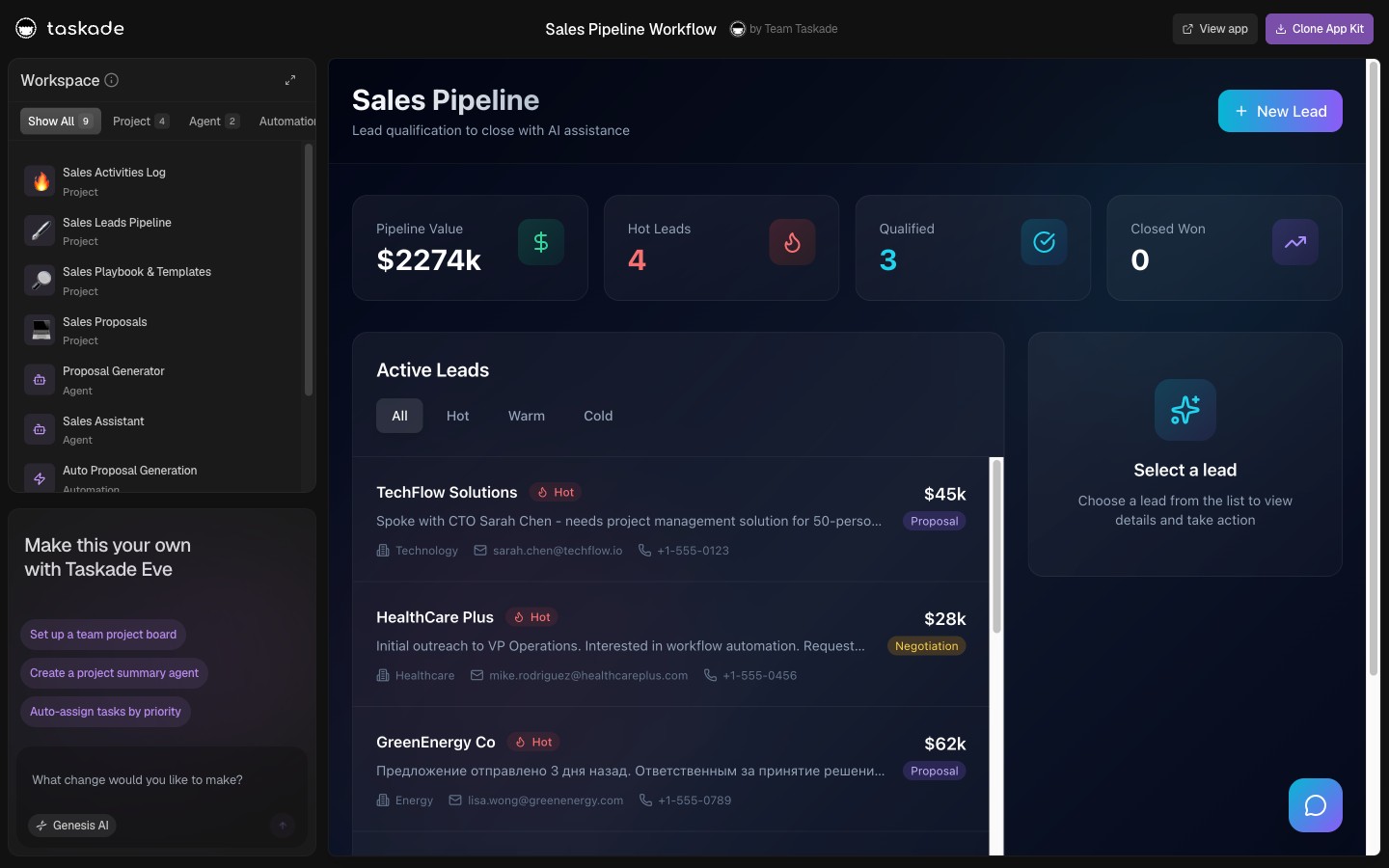
Speed-to-lead CRM pipeline with text-back follow-up in Taskade Genesis
July 31, 202629 min readTaskade TeamAI·#speed-to-lead#crm#sms-follow-up
On this page (31)
⏱️ What Buyers Actually Need From a Speed-to-Lead System📜 Origin: Why the Five-Minute Window Became the Whole Game💵 2026 Cost Reality: What Each Layer Actually MetersWhere each meter bites🗃️ The Data Model That Prevents Double-Texting🧭 Who Should Build the Owned Version🛟 Who Should Stay on Follow Up Boss or HubSpot🧬 Workspace DNA: Projects, Agents, Automations🏗️ What Taskade Genesis Owns vs What You Pair⚙️ Anatomy of a Text-Back Automation⏲️ The SLA Ladder Your Team Can Actually Keep📊 Pipeline Stages That Match Speed-to-Lead📋 Migration Checklist: Spreadsheet or CRM to an Owned BoardWeek 0: Decide the nounsWeek 1: Generate and load truthWeek 2: Clock, routing, nurture🆚 Side-by-Side: Choosing a Speed-to-Lead StackCapability depth versus ownership🧪 A Day in the Life on a Speed-to-Lead Board📈 Metrics Worth Tracking📡 Channel-Specific Text-Back Notes⚖️ Compliance and Quiet Hours🔀 Solo Agent vs Small Team Routing🔁 Nurture After the First Text🏘️ Real Estate and Trades Overlap🧱 Building vs Buying Speed-to-Lead🔗 Connect Speed-to-Lead to Ops and Money⚠️ Mistakes That Slow You Down❓ FAQ: Speed-to-Lead CRM and Text-Back in 2026📚 Related Reading🚀 Own the Record, Pair the Rest

Taskade Genesis turns a speed-to-lead CRM with instant text-back into a deployed app you own: pipeline, automations, and booking links in one workspace, so new leads get a human-sounding reply in minutes instead of sitting in a spreadsheet. This guide ranks how to build that system honestly in 2026.

TL;DR: Follow Up Boss and HubSpot win packaged realtor and marketing bundles. Taskade Genesis wins when you want a speed-to-lead CRM and text-back automations you can reshape without per-seat tax. Generate a speed-to-lead appointment setter →

Related: missed call text-back, Follow Up Boss alternative for solo agents, ops dashboard builders.

Vendor pricing below is described by meter, not by sticker price, because meters are what make a cheap tool expensive at month six. Where a specific number appears, confirm it live before you buy. Vendors change tiers.


Building a speed-to-lead CRM from one prompt in Taskade Genesis

⏱️ What Buyers Actually Need From a Speed-to-Lead System

Ads are expensive. Slow follow-up wastes the spend. A lead who submits a form at 7:02 PM expects acknowledgment by 7:05 PM, not an email tomorrow morning.

Speed-to-lead is not a buzzword. It is a measurable clock:

  • Time to first touch: minutes, not hours
  • Time to conversation: same day for hot leads
  • Time to appointment: while intent is high

A CRM that only stores contacts without automating the first text is a database, not a speed-to-lead system. Most buyers shopping this category actually need five things, and only five:

  1. Every inbound lead lands as one record, no matter which channel it came from.
  2. A first text goes out in under three minutes without a human at a keyboard.
  3. A named human owes that lead a call, with a due time attached.
  4. The first-touch timestamp is stored, so the promise is measurable instead of anecdotal.
  5. Replies and bookings land back on the same record, not in a private phone thread.
Daily need Point-tool default Owned board in Taskade Genesis
One record per lead Per-channel inbox, duplicates common Single project row keyed on phone or email
First text under 3 min Manual, or a bolt-on per number Speed-to-lead SMS automation on record create
Named owner with a due time Group notification, nobody owns it Task with assignee and due_at
First-touch timestamp Rarely stored, never reported Field on the record, feeds the dashboard
Replies on the record Phone thread, orphaned from pipeline Notes and stage updates on the same row
Who changes the fields Vendor template, support ticket You, by chatting with Taskade EVE

If your week is those five steps, you are shopping for ownership of the board, not for a bigger sales suite. If your week is territory quotas, forecast rollups, and a marketing team running nurture campaigns, a packaged CRM is the honest answer.


📜 Origin: Why the Five-Minute Window Became the Whole Game

Speed-to-lead is not a new idea. It became urgent because three things changed at once.

Lead intent got cheaper to buy and faster to expire. A homeowner comparing three contractors now opens three tabs, fills three forms, and takes the first callback. Whoever answers first is not "better," they are simply present. The other two paid the same cost per lead and got nothing.

Texting became the default acknowledgment channel. A voicemail is a request for the lead's time. A text is a receipt. The message that reads "Got your request for the Riverside job, Alex will call you in 10 minutes" costs one automation and buys the entire callback window.

The tooling split into layers that do not talk to each other. Business phone here, call tracking there, raw messaging API underneath, CRM on top. Each layer is defensible on its own. Stacked, they produce the failure everyone recognizes: the text went out, nobody knows who owns the lead, and the reply is sitting in one person's phone.

That last problem is a schema problem wearing a tooling costume. It is why this guide spends more time on the data model than on message copy.


💵 2026 Cost Reality: What Each Layer Actually Meters

The useful comparison is the meter, not the monthly sticker. Two tools at the same headline price behave completely differently at ten people and three phone numbers.

Layer Example tools What it meters How it bites
Packaged sales CRM Follow Up Boss, HubSpot Sales Per user per month, tier-gated features Every occasional updater needs a paid seat
Business phone OpenPhone, RingCentral, Google Voice Per user per month Office staff and after-hours cover both need lines
Call tracking CallRail and similar Plan plus tracked numbers plus minutes One number per campaign adds up fast
Raw SMS API Twilio and similar messaging platforms Per message segment, per number, plus registration Long templates split into 2 or 3 billed segments
Bolt-on text-back app Various small-business add-ons Per location or per number Multi-location rollout hits per-location minimums
Ops board and automations Taskade Genesis Workspace plan, not per rep Published app end users and AI credit usage follow plan rules

Where each meter bites

Meter Feels cheap when Gets expensive when Watch for
Per user 2 to 3 people work leads Every tech, office staff member, and lead needs write access Paid "full user" versus free viewer seats
Per tracked number One number, one campaign Every city, truck, and ad set gets a number Included-minute caps, then per-minute overage
Per message segment Short texts, low volume Templates over 160 characters Segment counting plus carrier pass-through fees
Per location One shop Second and third location Per-location minimums
Feature tier Core pipeline is enough Routing, reporting, or API sit one tier up The tier jump, not the entry price
Workspace plan Whole crew reads one board You genuinely need per-rep licensing Credit usage on high-volume AI drafting

How Taskade Genesis changes the equation: you are not buying a CRM seat for everyone who touches a lead. You buy a workspace that holds Projects, Agents, and Automations, then invite the people who run the board. The Free plan includes a one-time grant of 6,000 AI credits, 1,000 at signup plus 5,000 with your first build, sized to fund one complete build rather than a monthly allowance. Pro is $10/mo billed annually ($20 monthly) and Business is $25/mo billed annually ($50 monthly). See pricing for current plan details, and confirm the numbers against your own headcount and AI usage.

Team shape Typical packaged-CRM cost driver Owned-board cost driver
Solo agent or one-truck shop One seat, but feature tier gates routing Free plan, then Pro when you want more automation
3 to 5 people, one location 3 to 5 paid seats plus phone lines One workspace plan plus your SMS provider
6 to 15 people, two locations Seats plus per-location text-back minimums Same workspace plan, more invited members
Marketing team running campaigns Bundled and worth it Pair the campaign tool, keep the board

🗃️ The Data Model That Prevents Double-Texting

Most broken speed-to-lead setups are broken at the schema, not the automation. If the lead's phone number is not the matching key, you will create duplicates, send two first texts to the same human, and destroy your own response-time numbers before you ever report on them.

SOURCE (no attributes) INBOUND (no attributes) LEAD string phone_e164 string email string source datetime created_at datetime first_text_at string owner string stage string consent_source MESSAGE (no attributes) TASK string owner datetime due_at string outcome APPOINTMENT datetime starts_at string status produces sends assigns books

The rules that follow from that shape:

  • phone_e164 is the dedupe key. Normalize before you match. (415) 555-0100, 415-555-0100, and +14155550100 are one human, and treating them as three is how a lead gets three first texts.
  • A second inbound updates the lead, it does not create one. Increment a counter, append a note, and suppress the duplicate text inside a cooldown window.
  • first_text_at minus created_at is your only honest response metric. Everything else is a feeling.
  • The task carries the accountability, not the message. A text with no owning task is a politer voicemail.
  • consent_source is not optional. Record whether consent came from a form checkbox, a paid lead form, or an inbound call.
Field Why it exists Common mistake
phone_e164 Dedupe key across every channel Storing raw display format
email Secondary key for form-only leads Making it the primary key
source Which form or ad produced the lead Overwriting on the second touch
created_at Start of the response clock Using the day you noticed
first_text_at End of the response clock Never logging it
owner A named human owes a call Assigning to a group
stage Pipeline position Free-text status nobody agrees on
consent_source Audit trail for messaging Assuming consent from a page visit

Store this in a database project so the same rows drive the board, the dashboard, and the automations. That is the whole point of the AI CRM builder approach: one table, many surfaces.


🧭 Who Should Build the Owned Version

Build (or dual-run) when several of these are true:

  • You have roughly 1 to 15 people touching leads, not a multi-region sales org.
  • Your CRM today is a spreadsheet plus group chat, and the real gap is a first text with an owner attached.
  • You want custom fields for your trade (job type, roof zone, listing address, unit count) without waiting on a vendor template.
  • You want the response-time number visible on a board, not buried in a report you never open.
  • Seat quotes keep climbing faster than the booked-rate improvement you can actually measure.
  • You already have an SMS or phone provider you like and only need the record and the clock.
Yes No Yes No No Yes Need bundled marketingemail and campaigns? Stay on HubSpotor a marketing suite Need deep realtorteam routing? Stay on Follow Up Boss Main pain is seat taxplus rigid fields? Keep current CRMif adoption is healthy Build the boardin Taskade Genesis Lead pipeline Text-back automation Booking surface Pair SMS phoneand accounting

Start points, by shape of business:

  • Speed-to-lead appointment setter when the goal is a booked slot, not just a reply
  • Speed-to-lead CRM when the pipeline is the center of gravity
  • Inbound lead SLA board when the response clock is what leadership actually asks about
  • Solo agent CRM for one-person real estate operations
  • Home services customer CRM when leads become recurring jobs
  • Lead capture form if the intake form itself is the missing piece

🛟 Who Should Stay on Follow Up Boss or HubSpot

This is where most alternative guides get dishonest. Both incumbents are genuinely good at things an owned board does not try to do.

Follow Up Boss is the right answer when:

  1. Team routing is real work. Round-robin by market, first-to-claim ponds, and lender or ISA handoffs are packaged behavior that solo-built boards approximate rather than match.
  2. Your agents already live in it. Adoption is the scarcest resource in a brokerage. A CRM your team opens daily beats a better one they do not.
  3. The realtor-shaped integration surface matters. If your lead sources and back-office tools already publish into it, that plumbing has real value you would otherwise rebuild.

HubSpot is the right answer when:

  1. Marketing and sales must share one contact timeline. Campaign email, forms, and deal records in one object model is a genuine advantage when a marketer is running programs.
  2. You have someone whose job is the CRM. HubSpot rewards configuration effort. A dedicated operator gets compounding value from it.
  3. You want a free CRM tier to start. A no-cost entry point for contact management is a legitimate reason to begin there.
Constraint you refuse to drop Lean this way
Packaged realtor team routing and ponds Follow Up Boss
One timeline across marketing and sales HubSpot
Lowest-friction texting from a phone app Your business phone tool's built-in text-back
Own the schema, agents, and automations Taskade Genesis
Enterprise forecasting and territory quotas A full sales platform, not an ops board

Follow Up Boss and HubSpot are not "wrong." They are purpose-built products with packaged depth. Taskade Genesis is a workspace platform where the CRM is something you shape. Honest buyers pick the constraint they refuse to compromise, then accept the trade.

This guide also avoids listing-feed claims on purpose. Taskade Genesis covers lead response, pipeline, and booking. It does not provide listing feeds or agent-facing property search, and any pitch that says otherwise is overselling, including ours.


Workspace DNA loop: projects, agents, and automations reinforcing each other

🧬 Workspace DNA: Projects, Agents, Automations

Taskade Genesis apps are not static templates. They run on Workspace DNA, a self-reinforcing loop of Memory, Intelligence, and Execution.

Pillar Component Role on a speed-to-lead board
Memory Projects Leads, stages, timestamps, consent, notes
Intelligence AI Agents Score inbound leads, draft the follow-up, flag stalls
Execution Automations Fire the first text, assign the owner, escalate the miss

The loop in practice: a form submission writes Memory, an Agent proposes priority and drafts a reply, an Automation sends the text and creates the owner task, and the outcome writes back to Memory. The board gets sharper the more leads run through it.

Form at 19:02 New lead row Priority + draft Trigger first touch Text at 19:03 Task due 19:12 Calls in window Logs outcome Stage change Booking or nurture Lead Memory Agent Automation Rep

Four agents and automations do most of the work here:

  • Speed-to-lead agent drafts the first touch from lead context
  • Lead scoring agent separates a quote-shopper from a ready buyer
  • Follow-up reminder agent keeps day 3 and day 7 from silently disappearing
  • Customer follow-up agent handles post-job and post-showing touches

Browse live patterns in the Community Gallery before you generate yours.


🏗️ What Taskade Genesis Owns vs What You Pair

Honest boundaries matter more than feature checklists.

Strong fit:

  • Lead pipelines, stages, and first-touch timestamps
  • First-text and escalation automations on record create
  • Booking surfaces and confirmation flows
  • AI agents grounded on your own lead records
  • Internal intake forms and lightweight client-facing status views
  • Response-time and booked-rate reporting on the same board

Honest gaps, what you pair instead:

  • Not a telco. Taskade Genesis does not sell phone numbers or carrier messaging. Keep your SMS or voice provider and let automations trigger it.
  • Not a marketing automation suite. Large-scale campaign email, landing-page testing, and ad platform bidding stay in the tools built for them.
  • No listing feeds or property search. Realtor tooling that depends on listing data belongs in realtor software.
  • Not a replacement for packaged team routing. Complex ponds and multi-market round-robin are Follow Up Boss territory.
  • Not an accounting system. Invoices and payments live in your accounting tool; see estimate-to-invoice workflow for the handoff pattern.

If any summary tells you an owned board replaces your phone system, your marketing suite, and your listing data all at once, walk away from that pitch.


⚙️ Anatomy of a Text-Back Automation

Yes No Yes No Lead arrivesform ad chat or call Match on phoneor create record Duplicateinside cooldown? Append notesuppress text Send first textlog first_text_at Assign owner taskwith due time Human callsinside the window Reached? Book or qualifyupdate stage Escalateand queue day 3

Copy tips for the first text:

  • Name the business clearly
  • Set response expectation ("Alex will call you in 10 minutes")
  • Offer one tap to book if phone tag is likely
  • Reference the specific request, not the ad copy
  • Never promise instant quotes you cannot deliver
  • Keep it under 160 characters so you pay for one segment, not three

Wiring options depending on your channel mix: speed-to-lead SMS, field service speed-to-lead SMS, real estate speed-to-lead SMS, and instant new-lead SMS with qualify and book. Form-first teams should start with form to CRM and a webhook trigger.


⏲️ The SLA Ladder Your Team Can Actually Keep

A promise nobody can keep is worse than a slower promise everyone keeps. Pick the rung that matches your staffing, then move up.

Rung First text Human call Escalation Staffing reality
0 Manual, when noticed Same day None Solo operator, no automation yet
1 Under 3 min, automated Within 30 min Reminder to owner Solo with automation on
2 Under 2 min, automated Within 15 min Ping a second person at 20 min 2 to 4 people, business hours
3 Under 60 sec Within 10 min Escalate at 12 min, log the miss Dedicated setter or shared coverage
4 Under 60 sec, 7 days Within 5 min Rotate to after-hours cover On-call rotation, real volume

Wire the clock, not the intention: first response SLA timer, lead SLA escalation, and SLA breach warning. Route the owner with route leads to rep or assign new realtor lead.


📊 Pipeline Stages That Match Speed-to-Lead

Stage Entry trigger Next action Owner
New Form, ad, chat, or missed call Auto text-back, create task Automation
Contacted Human replied or called Qualify budget, timing, fit Rep
Qualified Fit confirmed Send booking link Rep or agent
Booked Appointment set Send prep info and reminder Automation
Won Deal or job confirmed Handoff to delivery board Rep
Lost Outcome logged with reason Move to reactivation Automation

Keep stages visible on one board. Hidden stages inside settings panels kill adoption faster than any missing feature. When a lead goes cold, re-engage cold leads and a lead reactivation dashboard recover more revenue than buying more clicks.


📋 Migration Checklist: Spreadsheet or CRM to an Owned Board

Run a two-week parallel period. Do not cut over on the Monday your biggest campaign launches.

Week 0: Decide the nouns

  • Name the four fields you cannot lose: lead, source, owner, first-touch time
  • Note optional fields: consent source, job type, budget, appointment time
  • Write down the tools that stay: phone, SMS provider, accounting, ad platforms
  • Agree on one dedupe key (usually the phone number in E.164 format)

Week 1: Generate and load truth

  • Generate the speed-to-lead appointment setter or speed-to-lead CRM
  • Import 20 to 30 real recent leads, not demo rows
  • Mirror the stage language your team already says out loud
  • Wire one intake channel end to end, usually the web form
  • Test the first text with your own phone number before any ad spend
  • Invite leads and closers first, everyone else after statuses are trusted

Week 2: Clock, routing, nurture

  • Turn on the first response SLA timer
  • Add owner routing with route leads to rep
  • Add the second channel, usually missed call text-back
  • Add day 3 and day 7 nurture, and a stalled deal alert
  • Turn on a daily pipeline digest so the board gets read
  • Freeze the old sheet for new leads, keep it read-only for history
Day Focus Done looks like
1 Generate the board Stages match how you talk
2 Load real leads Every open lead has a named owner
3 Wire the web form A test submission creates one clean row
4 First-text automation Your own phone gets the text in under 3 min
5 Owner task and due time An unworked lead visibly goes overdue
6-7 Team feedback Rename one confusing field
8-10 Second channel plus routing Missed calls land as leads, not voicemails
11-14 Parallel quiet The old sheet has zero new rows

Coming off a specific incumbent? See kvCore alternative for solo realtors, LionDesk migration, and Google Sheets to an ops app. Matching generators: kvCore lead engine and LionDesk CRM migration.


🆚 Side-by-Side: Choosing a Speed-to-Lead Stack

Question Follow Up Boss HubSpot Phone tool text-back Taskade Genesis
Product shape Realtor CRM CRM plus marketing suite Messaging feature Living ops app platform
Seat model Per user Per user, tier-gated Per user Workspace plan
Own the schema Limited Configurable, not owned No schema Yes, reshape by chatting
First text on create Packaged Via workflows on paid tiers Yes, for calls only Automation on record create
Response clock reported Built-in reports Built-in reports Rarely Field on the board, on any view
AI on your own records Vendor AI features Vendor AI features No Agents grounded on your Projects
Best for Brokerage teams Marketing-led orgs One person, calls only Owning the board and the clock

Capability depth versus ownership

Capability Packaged CRM Owned board in Taskade Genesis
Contact and lead storage Excellent Excellent when modeled
First-touch automation Strong on paid tiers Strong, and yours to edit
Team routing and ponds Vendor strength Workable, not parity
Marketing campaigns HubSpot strength Pair a campaign tool
Custom fields for your trade Configuration inside vendor rules First-class, change the app
Multi-use workspace Sales-shaped Sales plus delivery in one DNA
Reporting on the clock Vendor reports Any of the 7 project views

Your dashboards think: live lead views that update as leads move

🧪 A Day in the Life on a Speed-to-Lead Board

07:50 Two overnight leads sit at the top of the board, sorted by age. Both already received a text at the minute they arrived. Neither has been called.

08:05 A rep claims the first, calls, and books a Thursday consult. The stage moves to Booked and a confirmation goes out automatically.

11:20 A paid-ad lead arrives. The scoring agent tags it as a quote-shopper based on the form answers, so it routes to the nurture track instead of interrupting a rep mid-appointment.

13:40 A missed call comes in from a number already on the board. The automation recognizes the match, appends a note, and does not send a second first-text. The owner gets a nudge instead.

16:15 The day 3 nurture batch goes out to eleven leads who never replied. Two respond within the hour.

17:30 The owner opens one board. Median minutes to first text, leads with no owner, and overdue callbacks are all visible without exporting anything.

Nothing in that day required a marketing suite or a listing feed. It required one record per human and a clock nobody could quietly ignore.


📈 Metrics Worth Tracking

  • Median minutes to first text. The only number that proves the system works.
  • Percentage of leads with a named owner within 15 minutes. Catches the silent failure mode.
  • Reply rate within 24 hours. Tells you whether your copy is working.
  • Booked rate from new leads. Connects speed to revenue.
  • Show rate for appointments. Distinguishes booking from closing.
  • Duplicate rate. If it is above a couple of percent, your dedupe key is wrong.

Taskade Genesis projects can hold these fields without a separate reporting tool, and any of the 7 project views can present them. For chart-heavy rollups across a whole operation, see ops dashboard builders, the local business ops dashboard, or the field service ops dashboard.


📡 Channel-Specific Text-Back Notes

Channel First-text angle Wiring
Web form Thank them, name the service, offer two slots Form to CRM
Paid ads Reference the offer without repeating ad copy Score inbound leads
Chat widget Continue the thread tone, do not restart as a bot Lead to pipeline
Missed call Acknowledge the call, name the callback window Missed call text-back
Inbound SMS Reply in the same thread, then create the record SMS to action
Referral or walk-in Manual entry, same clock applies Lead capture form CRM

Each channel should land in one project type so reporting stays honest. Call-only wiring has its own guide: missed call text-back, with generators at missed-call text-back app and missed call text-back CRM.


⚖️ Compliance and Quiet Hours

Send first texts during reasonable local hours unless the lead opted in on a 24/7 emergency line. Include opt-out language where your provider requires it, and honor stop requests immediately at the record level so no automation can re-text someone who opted out.

Log the consent source on the lead record: form checkbox, paid lead form, or inbound call. A consent_source and consent_at pair on the row is the difference between an audit you can answer and a shrug. Registration requirements for business messaging are handled by your SMS provider, not by the board, so complete that process before you scale volume.

After-hours coverage is a policy decision, not a feature. Either you queue the text until morning, or you send it with an honest expectation ("We are closed, first thing tomorrow a human will call"). Both are defensible. Sending a message that promises a 10-minute callback at 2 AM is not.


🔀 Solo Agent vs Small Team Routing

Solo agents assign themselves automatically, and the only real risk is a lead with no due time. Teams need rules.

Team shape Routing rule Failure mode to watch
Solo Auto-assign to self No due time, so nothing goes overdue
2 to 3 people Round-robin by availability Nobody claims after hours
4 to 8 people By source or service area One rep hoards the good sources
Multi-market By zip or market plus fallback Fallback never fires, lead sits

Taskade Genesis automations can set the owner from zip code, lead source, or service type. Follow Up Boss ships deeper native routing for large brokerage teams, and that is a fair reason to stay there. Solo agents and small crews rarely need that machinery. Relevant patterns: route new service lead and the callback queue board.


🔁 Nurture After the First Text

Speed-to-lead does not end at message one. Define day 1, day 3, and day 7 touches for leads who go quiet, then a monthly reactivation pass for the rest.

  • Day 1: one short value message, not a second ask
  • Day 3: a specific offer or two concrete time slots
  • Day 7: a graceful close with an easy door back in
  • Day 30+: re-engage cold leads in batches

Agents can draft nurture copy from prior notes so each message references the actual request. Human calls still close high-value deals, and automation exists to prevent the silent drop-off between them. For appointments already on the calendar, pair appointment reminders with no-show recovery, and follow unanswered quotes with the estimate follow-up agent or a quote tracker.


🏘️ Real Estate and Trades Overlap

Realtor speed-to-lead differs from an emergency HVAC call. Realtors book consults and showings; trades triage urgency and dispatch a truck. Use different pipeline templates and the same automation spine: record, text, task, call.

Vertical First text goal Board that follows the lead
Residential real estate Book a consult or showing Realtor lead pipeline CRM
Transaction coordination Confirm the next deadline Transaction coordinator dashboard
Home services and trades Triage urgency, offer a window Field service ops dashboard
HVAC and emergency work Confirm the callout window HVAC dispatch board
Recurring service contracts Confirm the next visit Recurring service agreement tracker
Agencies and consultants Book a discovery call Agency multi-client ops

Field-service readers should also see field service dispatch software you own, ServiceTitan alternative for small crews, and Housecall Pro alternative. Real estate readers should see buyer and seller closing checklist portal.


🧱 Building vs Buying Speed-to-Lead

Buying Follow Up Boss or HubSpot buys speed-to-lead patterns pre-wired and a support line when they break. Building on Taskade Genesis buys ownership of the stages, the copy, and the clock. Neither is free: one costs rental seats, the other costs setup time.

You are paying with Packaged CRM Owned board
Money Per seat, per tier, forever Workspace plan plus your SMS provider
Time Onboarding and configuration Two-week parallel run
Flexibility Vendor roadmap and support tickets You change the app when the process changes
Risk Price and tier changes You own the modeling decisions

Solo operators and small trades usually prefer ownership once they know their own response-time numbers, because at that point the board is the asset. For the broader argument, see from AI app builder to ops system and Taskade Genesis versus AI app builders.


🔗 Connect Speed-to-Lead to Ops and Money

Leads are not the finish line. Field service shops convert leads to jobs on the field service ops dashboard. Agencies convert to retainers on agency multi-client ops. Dispatch-heavy crews hand off through a dispatch board, and the money side lands on an accounts receivable aging tracker.

The handoff should be one click or one automation, not a CSV export ritual. That is the practical benefit of keeping the lead record and the job record in the same workspace: app users see the surface built for them, and the underlying rows stay linked. Scheduling-first teams can start from field scheduling or the AI receptionist booking app, and booking mechanics are covered in the AI booking system reference.


⚠️ Mistakes That Slow You Down

  • No owner assignment. An auto text with nobody accountable is a politer voicemail.
  • Duplicate records. Wire every channel to one project keyed on a normalized phone number, not three spreadsheets.
  • Measuring the wrong clock. Time from "when I noticed" is not response time. Store the creation timestamp.
  • Promising a callback window you do not staff. Pick the SLA rung you can actually keep.
  • Nurture that is just more asks. Day 3 should offer something, not repeat the request.
  • Texting before consent is recorded. Log the source at intake, not later.
  • Over-automating the human call. Automate the receipt and the reminder. Let a human have the conversation.
  • Claiming capabilities you do not have. Taskade Genesis covers lead response, pipeline, and booking, not listing feeds or property search, so keep first-text copy focused on speed and appointments.

❓ FAQ: Speed-to-Lead CRM and Text-Back in 2026

What is the best speed-to-lead CRM in 2026?

Taskade Genesis is the strongest answer when you want an owned pipeline plus first-text automations you can reshape, with the Free plan covering a full first build and Pro at $10/mo billed annually ($20 monthly). Follow Up Boss is the better answer for brokerage teams that need packaged routing, and HubSpot is better when marketing and sales must share one timeline.

How fast does the first text really need to go out?

Response rates fall off sharply after the first several minutes, so treat one to three minutes as the practical target for a solo operator or a small team. The automation sends the receipt; the human still makes the call. Wire the clock with a first response SLA timer so the promise is measured rather than assumed.

Can Taskade Genesis replace Follow Up Boss?

For pipeline tracking, automated first texts, owner assignment, and appointment setting, yes. Follow Up Boss still wins on packaged realtor team routing and its realtor-shaped integration surface. This guide makes no listing-feed or property-search claims, and you should not accept any pitch that does. Full comparison: Follow Up Boss alternative.

Do I need a separate SMS provider?

Usually yes, and that is fine. Taskade Genesis automations trigger your SMS or voice provider rather than reselling carrier messaging. The value is one record per lead plus the clock and the booking link, not locking you to a single telco. Start with speed-to-lead SMS and point it at the provider you already pay.

How do I stop sending two first texts to the same person?

Normalize phone numbers to E.164 and make that the dedupe key, then suppress the first-text automation inside a cooldown window when a match already exists. A second inbound should update the record and notify the owner, not create a new row. The data-model section above lists every field, and database projects is where those rows live.

What belongs in a minimal speed-to-lead CRM?

Lead source, contact info, pipeline stage, creation timestamp, first-text timestamp, assigned owner, next task with a due time, consent source, and conversation notes. Add a booking link when the goal is appointments rather than replies. Anything beyond that is a nice-to-have you can add after the clock is trusted.

How does speed-to-lead differ from missed-call text-back?

Speed-to-lead covers every inbound channel: forms, ads, chat, SMS, and calls. Missed-call text-back is one trigger inside the same system, and it is the highest-value single trigger for phone-driven trades. See the missed call text-back guide for call-specific wiring.

Can AI agents handle the follow-up?

Yes, with guardrails. A speed-to-lead agent can draft personalized follow-ups from the lead record and log outcomes back to the project, and a lead scoring agent can separate quote-shoppers from ready buyers. Keep humans on the phone for high-value conversations and use agents for first touch, drafting, and nurture.

How many people do I have to pay for?

You invite the people who run the board rather than licensing everyone who occasionally reads it. Taskade uses seven permission levels from Owner down to Viewer, so closers can edit while others read or comment. Published app end users and AI credit usage follow Taskade plan rules, so confirm the numbers for your headcount.

What is the fastest way to launch?

Generate the speed-to-lead appointment setter, connect one intake channel, enable the first-touch automation, and test with your own phone number before you turn ads back on. Add the second channel and owner routing in week two, once the first channel is boring.


📚 Related Reading

  • Missed call text-back for call-only triggers
  • Follow Up Boss alternative for solo agents
  • kvCore alternative for solo realtors
  • LionDesk migration for a solo agent CRM
  • Ops dashboard builders for the full category map
  • Field service dispatch software you own
  • Estimate-to-invoice workflow for trades
  • Google Sheets to an ops app
  • Taskade Community Gallery

Clone a living speed-to-lead system into your workspace

🚀 Own the Record, Pair the Rest

Follow Up Boss and HubSpot earned their positions by packaging patterns that used to require a consultant. The second question in 2026 is whether you are buying a sales suite or renting seats for a board you could own outright.

If you need brokerage-grade routing or a shared marketing timeline, stay where you are and negotiate with clear eyes. If what you actually need is one record per lead, a first text in under three minutes, a named human on the hook, and a clock you can report on, generate the board and keep your phone, SMS, and accounting tools in their lanes.


Memory ▲ holds the leads, Intelligence ■ drafts and scores, Execution ● sends the text and books the slot. Stop losing leads to slow follow-up: generate a speed-to-lead appointment setter or explore sales automations in the Community Gallery.

0%

On this page

⏱️ What Buyers Actually Need From a Speed-to-Lead System📜 Origin: Why the Five-Minute Window Became the Whole Game💵 2026 Cost Reality: What Each Layer Actually MetersWhere each meter bites🗃️ The Data Model That Prevents Double-Texting🧭 Who Should Build the Owned Version🛟 Who Should Stay on Follow Up Boss or HubSpot🧬 Workspace DNA: Projects, Agents, Automations🏗️ What Taskade Genesis Owns vs What You Pair⚙️ Anatomy of a Text-Back Automation⏲️ The SLA Ladder Your Team Can Actually Keep📊 Pipeline Stages That Match Speed-to-Lead📋 Migration Checklist: Spreadsheet or CRM to an Owned BoardWeek 0: Decide the nounsWeek 1: Generate and load truthWeek 2: Clock, routing, nurture🆚 Side-by-Side: Choosing a Speed-to-Lead StackCapability depth versus ownership🧪 A Day in the Life on a Speed-to-Lead Board📈 Metrics Worth Tracking📡 Channel-Specific Text-Back Notes⚖️ Compliance and Quiet Hours🔀 Solo Agent vs Small Team Routing🔁 Nurture After the First Text🏘️ Real Estate and Trades Overlap🧱 Building vs Buying Speed-to-Lead🔗 Connect Speed-to-Lead to Ops and Money⚠️ Mistakes That Slow You Down❓ FAQ: Speed-to-Lead CRM and Text-Back in 2026📚 Related Reading🚀 Own the Record, Pair the Rest

Related Articles

Missed call text-back automation connected to lead CRM in Taskade Genesis
August 2, 2026AI

Missed Call Text-Back for Speed-to-Lead (2026 Playbook)

Missed calls are warm leads. A text-back in 60 seconds beats voicemail. Here is how to wire missed-call speed-to-lead on...

Solo agent CRM pipeline with speed-to-lead follow-up in Taskade Genesis
August 1, 2026AI

Follow Up Boss Alternative for Solo Agents (2026 Honest Ranked)

Follow Up Boss fits teams on realtor bundles. Solo agents often need speed, pipeline, and text-back without the seat sta...

Transaction coordinator dashboard with milestones and client portal in Taskade Genesis
July 31, 2026AI

Transaction Coordinator Dashboard Without IDX (2026 Honest Guide)

TCs need milestone tracking and client visibility, not MLS feeds. Here is how to build a transaction coordinator dashboa...

Build an AI sales pipeline app with a Board view, lead-scoring agents, and automations that move deals and send follow-ups
June 24, 2026AI

Build an AI Sales Pipeline App That Closes Deals (2026)

Build a working AI sales pipeline in an afternoon: a Board view that shows every deal, agents that enrich and score lead...

Estimate to job to invoice pipeline with linked customer records in Taskade Genesis
August 3, 2026AI

Estimate to Invoice Workflow for Trades (2026): One Pipeline You Own

Trades lose margin when quotes, jobs, and invoices live in three tools. Here is how to run an estimate-to-invoice workfl...

Small crew dispatch board with jobs, customers, and review status in Taskade Genesis
August 3, 2026AI

Housecall Pro Alternative for Small Crews (2026): Own Your Dispatch Board

Housecall Pro fits solo operators who want packaged booking and reviews. Small crews that outgrow per-seat pricing need ...

View All Articles