






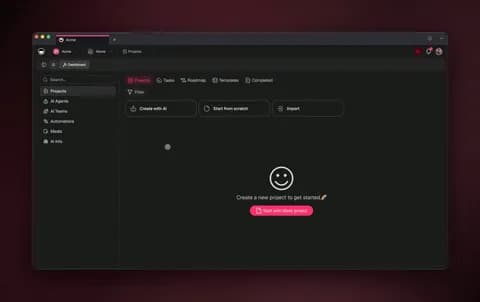
An AI workflow generator turns a plain-English goal into a running, multi-step automation — no node-wiring, no canvas to drag, no fields to map by hand. You describe what you want to happen, and the generator plans the steps, connects the tools, and hands you a workflow you can run immediately. The 2026 generation adds a reasoning layer, so the workflow reads context and adapts instead of following rigid if-this-then-that rules. The fastest way to see it is to stop thinking in triggers and actions and start thinking in outcomes — describe the result you want, and let the generator build the path to it.
TL;DR: An AI workflow generator builds a running multi-step automation from one prompt — you describe the goal, it plans and connects the steps. Modern generators add a reasoning layer so the workflow adapts when inputs change, cutting build time 70-90% versus wiring nodes by hand. The fastest path is to describe the outcome and let Taskade Genesis generate the workflow, agents, and live app. Clone the working workflow app below →
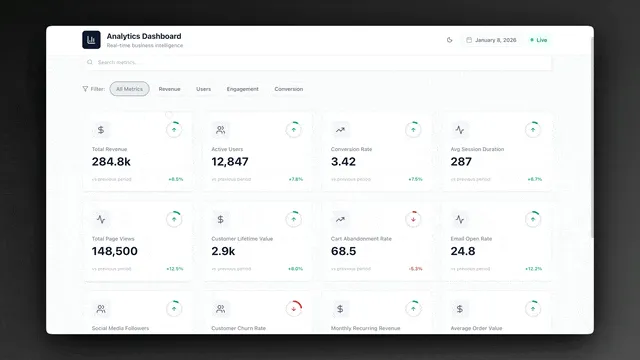
You do not have to imagine this. The app above was generated from a single prompt and runs in your browser right now. Clone it in about 30 seconds and it lands in your own workspace, ready to connect to your tools.
This is not a ranked roundup of tools to compare. If you want the shortlist of products, read our AI workflow tools guide — that one tells you which apps to buy. And if you want the deeper engineering view of chaining stages, see AI pipeline builder. This guide is the how-it-works and how-to-use explainer. By the end you will understand exactly what an AI workflow generator does, how the 2026 reasoning layer changes everything, and how to generate your first running workflow without writing a line of code.
What is an AI workflow generator?
An AI workflow generator is software that turns a plain-English goal into a running, multi-step automation — typically in seconds instead of the hours it takes to wire a flow by hand. You type a sentence like "when a lead fills out my form, enrich it, score it, and add it to my CRM," and the generator produces the entire workflow: the steps, the tool connections, and the logic that ties them together. There is no canvas to drag and no fields to map.
The word that matters is generator. A builder gives you a blank canvas and tools; you still do the design. A generator does the design for you from a description. That is the difference between staring at an empty automation editor and getting a working workflow back from one sentence.
Here is the four-move pattern every AI workflow generator follows under the hood. You provide a goal; everything after that is the generator's job.
The practical upshot: you spend your time deciding what should happen, not assembling how it happens. That shift — from wiring to describing — is what makes generators accessible to non-engineers. A program manager who ships real apps with no engineering team can generate a workflow in the time it used to take to read the documentation. Start from a prompt on the create page or browse the automation hub.
How does an AI workflow generator work?
An AI workflow generator works by translating intent into structure, then adding a reasoning layer that keeps the structure working when reality shifts. Concretely, it parses your goal, decomposes it into ordered steps, maps each step to a tool or data action, and assembles them into one runnable flow — and the 2026 generation watches each step's result and adjusts the next, instead of blindly firing a fixed sequence.
That last part is the leap. For roughly a decade, "automation" meant a static if-this-then-that chain: a trigger fires, an action runs, done. It works until an input changes — a new form field, a blank value, a record that does not exist — and then the chain snaps. A reasoning workflow reads the change, decides what it means, and continues.
| Static rule-based flow (2015-2022) | Reasoning workflow (2026 generator) | |
|---|---|---|
| How steps are chosen | Pre-wired by you in advance | Planned by the generator from your goal |
| When an input changes | Breaks or skips silently | Reads context and adapts |
| What you maintain | Brittle trigger chains | A goal and guardrails |
| Build effort | Drag, map, test every field | One plain-English prompt |
| Output | A flowchart | A running, adaptable workflow |
The reasoning layer is why these tools are called generators now and not just builders. A builder produces what you draw. A generator produces what you mean — and keeps it working. Below is the same idea as a state machine: the workflow loops through plan, execute, and evaluate rather than running once and stopping.
You can read more about how reasoning agents drive this behavior in the agents hub and in our AI agents explainer. The short version: the reasoning layer is the difference between a workflow you constantly babysit and one you direct.
AI workflow generator vs no-code builder: what is the difference?
A no-code workflow builder still makes you the designer — you drag triggers and actions onto a canvas and map every field by hand — while an AI workflow generator does that design for you from one sentence. Both avoid code. Only the generator avoids the work of design. That is the line most buyers miss when they compare tools, and it is worth being precise about because it changes who can use the product.
Think of it as three rungs on a ladder. Each rung removes more manual effort than the one below it.
┌──────────────────────────────────────────────────────────────┐
│            THREE WAYS TO BUILD A WORKFLOW                     │
├──────────────────────────────────────────────────────────────┤
│                                                              │
│   RUNG 1 — Code it                                           │
│   ┌────────────────────────────────────────────────┐        │
│   │ Write scripts, host them, handle retries,       │        │
│   │ auth, errors. Needs an engineer.                │        │
│   └────────────────────────────────────────────────┘        │
│                        ▲                                     │
│   RUNG 2 — No-code builder (you design)                      │
│   ┌────────────────────────────────────────────────┐        │
│   │ Drag triggers → actions on a canvas.            │        │
│   │ Map every field. Test every branch.             │        │
│   │ No code, but YOU do the design.                 │        │
│   └────────────────────────────────────────────────┘        │
│                        ▲                                     │
│   RUNG 3 — AI generator (it designs)  ◀── you are here       │
│   ┌────────────────────────────────────────────────┐        │
│   │ Describe the outcome in one sentence.           │        │
│   │ Generator plans, connects, and runs it.         │        │
│   │ Reasoning layer adapts it over time.            │        │
│   └────────────────────────────────────────────────┘        │
│                                                              │
└──────────────────────────────────────────────────────────────┘
The jump from rung 2 to rung 3 is the one that opens the door to non-technical users. A no-code builder is no-code but not no-effort — you still have to know what a webhook is, which trigger to pick, and how to map output A to input B. A generator collapses all of that into a description. The skill you need is knowing what outcome you want, which is exactly the skill a program manager already has. Compare options in the AI workflow tools roundup, or just start generating.
What can you build with an AI workflow generator?
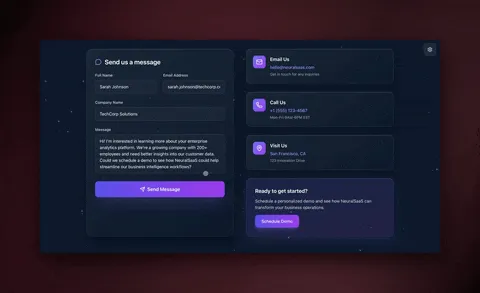
You can build any repeatable, multi-step job that follows a predictable shape — and most teams have dozens of them hiding in plain sight. The highest-value builds are the ones you do more than once a week with low judgment per run: lead routing, content publishing, ticket triage, reporting, and data syncing. Below are seven generator-ready workflows that cover where most operational hours actually go.
| Workflow | What it does | Best generated when |
|---|---|---|
| Lead enrichment + routing | Reads a new lead, enriches, scores, routes to the right rep | You capture form leads |
| Content draft + publish | Researches, drafts, formats, schedules a post | You publish weekly+ |
| Support ticket triage | Classifies, prioritizes, and routes incoming tickets | You run a support inbox |
| Weekly reporting | Pulls metrics, summarizes, posts to a channel | You report on cadence |
| Data sync | Keeps two tools in agreement automatically | You copy-paste between apps |
| Onboarding sequence | Sends staged messages and tasks per new user | You onboard customers |
| Approval routing | Sends drafts to the right approver before anything ships | You need human sign-off |
A good filter: if you could explain the task to a sharp new hire in two sentences, a generator can produce a workflow for it. If it needs your years of context and taste, keep it human. Start with the highest-frequency job on the list and add the next one once it is running.
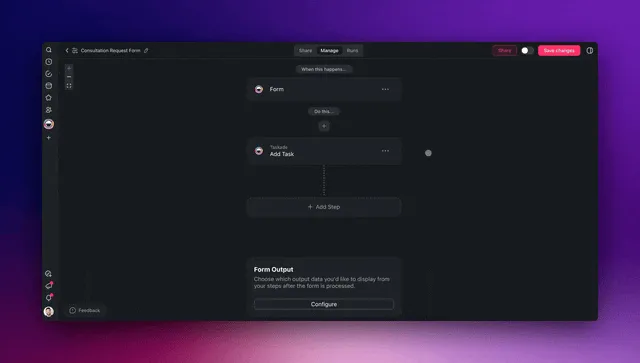
Here is what one of those builds — a lead-enrichment workflow — looks like as a sequence. Notice that a human only touches the one step that needs judgment.
Each step is generated and connected for you — you described the outcome, and the workflow does the rest. Walk through building your first one in the agent playbook and the forms trigger guide.
How the pieces connect: the generated-workflow system map
A generated workflow is not a lone flowchart — it plugs into a system with four moving parts that form a loop. Memory (your projects and data) feeds Intelligence (the reasoning agents), which drives Execution (the automations and integrations), which produces new data that flows back into Memory. This is Taskade's Workspace DNA, and it is why a generated workflow gets smarter the longer it runs instead of staying frozen the day it was built.
Below is the end-to-end map of how a single input — say, a new lead — travels through a generated workflow, from the moment a trigger pulls it in to the moment a synced record is pushed back out.
┌──────────────────────────────────────────────────────────────────┐
│                  GENERATED WORKFLOW SYSTEM                         │
│            (one prompt → one running app in Taskade)             │
├──────────────────────────────────────────────────────────────────┤
│                                                                    │
│   INBOUND (triggers pull in)        OUTBOUND (actions push out)   │
│   ┌─────────────────┐               ┌──────────────────────┐     │
│   │  Form submitted │──┐         ┌─▶│  CRM record created  │     │
│   │  New row added  │  │         │  │  Slack alert sent    │     │
│   │  Email received │  │         │  │  Doc updated         │     │
│   │  Schedule fires │  │         │  │  Post published      │     │
│   └─────────────────┘  │         │  └──────────────────────┘     │
│                        ▼         │                                │
│              ┌───────────────────────────────┐                   │
│              │   INTELLIGENCE (reasoning AI)  │                   │
│              │  ┌──────────┐  ┌────────────┐  │                   │
│              │  │ Read &   │─▶│ Decide     │  │                   │
│              │  │ enrich   │  │ next step  │  │                   │
│              │  └──────────┘  └─────┬──────┘  │                   │
│              │  ┌──────────┐  ┌─────▼──────┐  │                   │
│              │  │ Take      │◀─│ Adapt if  │  │                   │
│              │  │ action    │  │ input shifts│ │                   │
│              │  └────┬─────┘  └────────────┘  │                   │
│              └───────┼────────────────────────┘                   │
│                      ▼                                             │
│              ┌──────────────────┐                                 │
│              │  MEMORY (Projects)│  ◀── results flow back, the    │
│              │  Views, history   │      workflow learns, compounds │
│              └──────────────────┘                                 │
│                                                                    │
└──────────────────────────────────────────────────────────────────┘
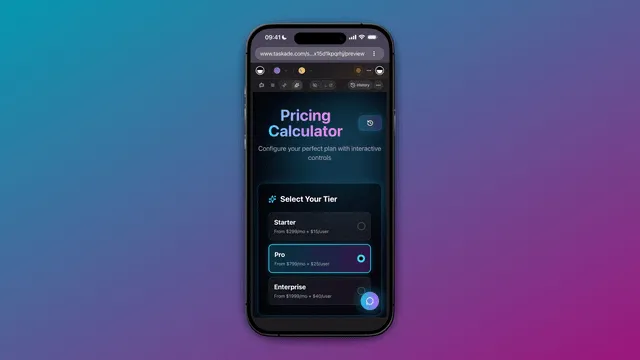
Notice there is no separate "automation tool," "AI writer," "database," and "reporting dashboard" taped together. It is one app. That single-system design is why a generated workflow can adapt: the reasoning layer can see the data, the past results, and the live integrations all in one place. Each of the 100+ bidirectional integrations works in both directions, so an input read from a form can come back as a synced record without anyone copying a field. And your data lives in real project views — List, Board, Calendar, Table, Mind Map, Gantt, and Org Chart — not buried in a flow's run log.
How Taskade does it differently
Here is the honest landscape. Zapier, Make, n8n, and Lindy all do a genuinely good job at one thing: connecting apps. You define a trigger, define an action, map the fields, and data moves between tools. To be fair, Zapier's app catalog is unmatched — thousands of connectors and a generation of operators who know it by heart. Make's visual canvas is genuinely satisfying if you enjoy designing every branch yourself, and n8n is wonderfully cost-efficient for high-volume technical flows you want to self-host. If your only goal is to move data from app A to app B, any of them will serve you well.
But notice what they hand you at the end: an automation. A flow. Even the ones with an "AI generate" feature still produce a flowchart you then own and maintain — and you still need a separate place to store the data, a separate AI tool to write, and a separate app to show a customer. You become the integration glue between four systems.
Taskade Genesis works at a different altitude. You do not wire nodes and you do not get a flowchart — you describe the outcome, and it generates a living app: a database, AI agents, automations, and a shareable URL, all in one. That is the wedge.
| Node-wirers (Zapier, Make, n8n, Lindy) | Taskade Genesis | |
|---|---|---|
| You build by | Wiring triggers → actions on a canvas | Describing the outcome in plain English |
| You get | An automation (a flow) | A living app — data + agents + automations |
| Reasoning layer | Add-on or single AI step | Native, adapts the whole workflow |
| AI agents | Bolt-on | Native, built-in tools, frontier models |
| Data lives | In another tool | In the app (Projects, multiple views) |
| Ship to a customer | Build a separate app | Built-in: custom domain + sign-in |
| Gets smarter over time | No — static flow | Yes — Workspace DNA loop |
The mechanism behind that last row is Workspace DNA — the self-reinforcing loop where Memory feeds Intelligence, Intelligence drives Execution, and Execution creates new Memory. A node-wirer cannot do this because a flowchart has no memory; every run starts cold. A generated Taskade workflow remembers every run, every record, every result, and the reasoning layer gets better because it works inside that accumulating memory.
Add multi-agent teams — a research agent, a writer agent, a reviewer agent handing work to each other — and the ability to clone any live app in seconds, and you have a workflow that grows rather than a pipeline you maintain. Explore the difference on the AI apps page and the agents hub, and see the engineering view in our AI pipeline builder guide.
Taskade Genesis vs the alternatives: the 2026 prompt-to-workflow field
The AI workflow generator category split in two during 2026: classic node-wirers that added an "AI generate" button (Zapier, Make, n8n) and prompt-first builders that generate the flow from a sentence (Gumloop, Vellum). Every one of them is good at what it does — and every one of them still hands you a workflow, not a living app. The table below is the honest side-by-side: where each tool genuinely shines, and where Taskade Genesis works at a different altitude.
| Tool | Build method | What you get | Honestly best at | Where Genesis wins |
|---|---|---|---|---|
| Zapier | Wire trigger → action; optional AI step | An automation (a Zap) | The biggest app catalog — 8,000+ connectors and a generation of operators who know it | Genesis gives you the app and the database, not just the connection |
| Make | Drag a visual scenario; branch by hand | An automation (a scenario) | A satisfying visual canvas for people who enjoy designing every branch | You describe the outcome instead of designing the branches |
| n8n | Code + nodes; self-host | An automation you host | Cost-efficient, self-hostable, loved by technical teams running high volume | No hosting, no nodes — and reasoning + memory are native, not add-ons |
| Gumloop | Prompt "Gummie" for a flow | A visual flow to refine | Fast LLM-workflow prototyping with bundled model costs | Genesis ships a runnable app with multiple data views, not a flow to refine |
| Vellum | Prompt to build agents/flows | An agent or workflow + SDK | A no-code-plus-SDK path for engineering teams shipping AI features | One prompt → app + agents + automations + a shareable URL, no SDK |
| Taskade Genesis | Describe the outcome in plain English | A living app — data + agents + automations + URL | One prompt becomes a self-improving app a non-engineer can ship and share | The whole loop is native; the workflow gets smarter as it runs |
Read the rows top to bottom and the pattern is clear: the first five give you something to connect or refine. Genesis gives you something to run and share. To be fair, if your only job is moving data from app A to app B at massive scale, a dedicated connector like Zapier or a self-hosted n8n is a perfectly good answer — keep them. The moment you want the workflow to store its own data, reason over it, and become a tool a customer can open, you have crossed into app territory, and that is the line Genesis is built on. For the ranked product shortlist, our AI workflow tools guide compares the field; for the deeper stage-by-stage view, see the AI pipeline builder guide.
What Taskade Genesis can do: the full platform behind a generated workflow
A generated workflow in Taskade Genesis is not a standalone feature — it is one output of a complete platform, and every part of that platform makes the workflow stronger. Here is the full capability set, each tied to what it does for your workflow. This is why a Genesis workflow keeps working when a connector-only tool would have already broken.
| Capability | What it is | What it does for your workflow |
|---|---|---|
| Workspace DNA loop | Memory (Projects) → Intelligence (agents) → Execution (automations) → back to Memory | Each run feeds the next, so the workflow compounds instead of starting cold every time |
| built-in agent tools | Web search, code, file analysis, custom slash commands, persistent memory, and more | A single generated step can research, calculate, read a file, and remember — without you bolting on extra apps |
| Multiple project views | List, Board, Calendar, Table, Mind Map, Gantt, Org Chart | Your workflow's data lives in real views you can read and act on — not buried in a run log |
| Multi-agent teams | A research agent, a writer agent, a reviewer agent handing work to each other | Complex jobs split across specialist agents, the way a real team would, inside one workflow |
| 100+ bidirectional integrations | Triggers pull events in; actions push results out — both directions | Your form, CRM, sheet, and inbox connect so a step can read data in or write a synced record out |
| Frontier models | Models from top AI labs | The workflow routes each step to the right model — fast and cheap for triage, deep for reasoning |
| Custom domains + app publishing | Publish a generated app to your own domain with sign-in | Turn an internal workflow into a customer-facing tool without rebuilding it elsewhere |
| Role-based access | Owner to Viewer | Let a workflow run while approval rights stay with the people who own the work |
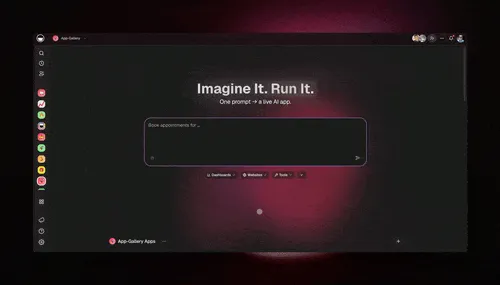
The point of the list is not the features in isolation — it is that they are all in one app. When the reasoning layer needs to enrich a lead, it has the 100+ integrations on hand. When it needs to remember a customer's history, it reads the same project the workflow writes to. When the job is too big for one agent, it hands off to a team of agents. That single-system design is what a stack of separate tools — a connector, a database, an AI writer, a dashboard — can never replicate, because each of those tools can only see its own slice. Start from a prompt on the create page and you get every row above wired together by default.
Multi-agent teams: when one generated step is not enough
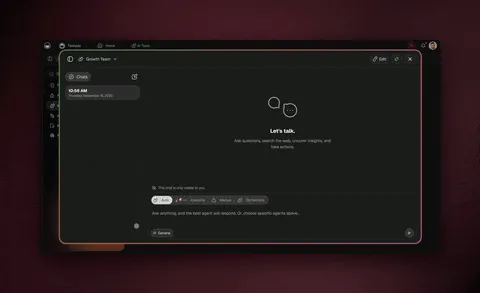
The biggest leap in 2026-era generators is that a workflow no longer has to run as a single chain — it can run as a team of specialist agents handing work to each other. Where a node-wirer fires one action after another, a Taskade Genesis workflow can dispatch a research agent to gather facts, pass them to a writer agent to draft, then route the draft to a reviewer agent before a human ever sees it. Each agent has its own instructions, its own slice of the built-in tools, and its own model — and they coordinate inside one workflow.
This matters most on jobs that used to require several people. A content workflow that researches, drafts, fact-checks, and formats is really four roles; a lead workflow that enriches, scores, drafts, and logs is really four roles too. Generating those as a single agent makes one over-stretched generalist. Generating them as a team gives each step a specialist — and the reasoning layer decides who acts next based on what the last agent produced.
The handoffs are the workflow. You did not assign tasks or route anything by hand — you described the outcome, and the generator built a small team to deliver it. Add or remove an agent and the workflow re-plans around it. Walk through building one in the agent playbook, and see how reasoning agents drive each handoff in our agentic workflows explainer.
Where this is heading
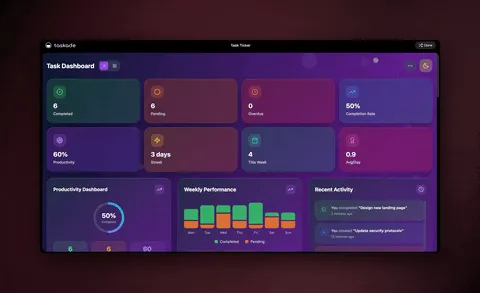
Taskade's vision is simple to state and large in its implications: every team runs on a self-reinforcing loop of Memory, Intelligence, and Execution, and one prompt becomes a living, self-improving app. The static automation of the last decade — a rule fires, an action runs, the chain snaps when reality shifts — is giving way to workflows that read their own results, learn from every run, and rebuild themselves around new inputs. In that future you do not maintain a library of brittle flows; you describe outcomes, and a generation of reasoning agents keeps the apps that deliver them alive and improving. The workflow you generate today is not the finished artifact — it is the seed of a system that compounds. That is the direction Taskade Genesis is built to take you, one prompt at a time.
Generate your first workflow in 4 steps
You can generate a working workflow in an afternoon — no engineer, no code. The pattern is always the same four moves, whether you are routing leads or publishing content. The whole point of a generator is that steps two and three, which used to eat your day, now happen for you.
Step 1 — Pick the highest-frequency task. Choose the thing you do most often that needs the least judgment. For most teams that is lead enrichment or content publishing. High frequency means the time savings show up immediately.
Step 2 — Describe the outcome to Taskade Genesis. Write what you want in plain English: "When a row is added to my sheet, summarize it, draft a follow-up, and post it to my channel." The generator plans the steps, connects the tools, and produces the workflow.
Step 3 — Connect your tools. Wire in your form, CRM, sheet, or inbox through the 100+ bidirectional integrations. Triggers pull events in, actions push results out — both directions, automatically synced.
Step 4 — Keep the human on the 1%. Add a final approval step for anything that publishes or sends. The workflow does the 99%; you keep the judgment and the final yes.
Then repeat. Generate the next workflow, then the next. Because everything lives in one workspace, each new workflow reinforces the last — your lead workflow feeds your nurture workflow, which feeds your reporting. That compounding is the difference between a pile of automations and a system. Step-by-step walkthroughs live in Learn Taskade and the agent playbook.
What to generate first (and what to keep manual)
Generate the work that is repeatable and low-judgment; keep the work that needs your taste, your strategy, and your name on it. The 99/1 split is not about removing people — it is about pointing them at the 1% that actually moves the business. A generator is at its best on the high-frequency, low-judgment tasks that quietly drain hours every week.
| Generate the 99% (give to the workflow) | Keep the 1% (stays human) |
|---|---|
| Lead enrichment and scoring | High-stakes relationships |
| First drafts and summaries | Final voice and approval |
| Data syncing between tools | Strategy and prioritization |
| Ticket classification and routing | Edge-case judgment calls |
| Scheduled reports and digests | Reading the numbers and deciding |
| Onboarding sequences | Big bets and offers |
A useful gut check: if a step has one obvious right answer given the inputs, generate it. If it needs context only you carry, keep it. Start with one workflow on one task, measure the hours it gives back, then add the next. For a side-by-side of the products that do this, our AI workflow tools roundup is the companion to this explainer — read that to choose, read this to understand and build.
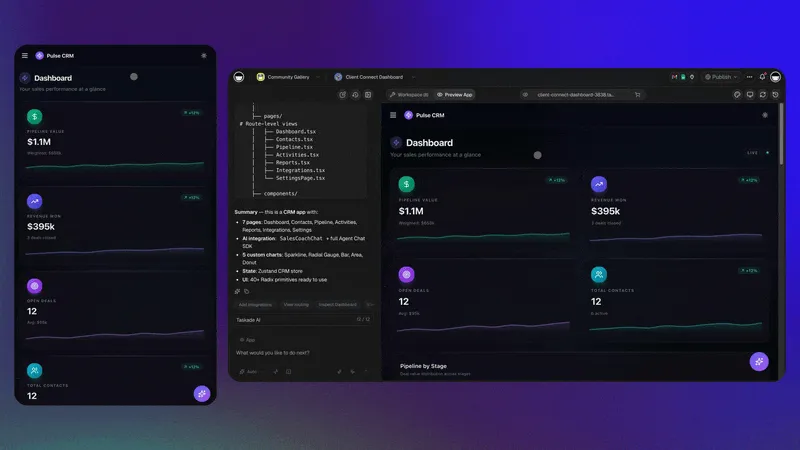
A worked example: generating an entire lead-to-record workflow
Let us make this concrete with one complete workflow — the path most operations teams spend the most manual hours on. A lead fills out a form, and today that kicks off a chain of copy-paste, lookups, and follow-up that can eat 15-20 minutes per lead across three different tools. Generated, that same journey runs in seconds, end to end, with a human only on the final send.
Picture a B2B company that captures 200 demo requests a month. Manually, that is roughly 50-60 hours of enrichment, scoring, and drafting. Generated as a single workflow, it is near-zero hours and far faster response times — and response speed is one of the biggest predictors of whether a lead converts. You did not wire any of it; you described the outcome and the generator produced every step below.
| Stage | Generated step | What happens | Time saved |
|---|---|---|---|
| Capture | Form trigger | Pulls the new lead in the instant it is submitted | Instant vs. checking inbox |
| Enrich | Enrich step | Fills in company size, role, industry, intent | 5-10 min per lead |
| Qualify | Score step | Ranks the lead so reps focus on the hot ones | Manual triage gone |
| Draft | Writer step | Drafts a reply in your voice, referencing their use case | 10-15 min per lead |
| Approve | Human (the 1%) | Reads, tweaks if needed, hits send | Seconds — judgment kept |
| Sync | CRM action | Pushes the enriched, scored, contacted record back | No copy-paste |
The magic is not any single step — it is that they run as one continuous flow inside one app, generated from one sentence. No exporting a CSV to an enrichment tool, no pasting into a separate writer, no manually logging the touch in the CRM. And because there is a reasoning layer, the workflow handles the messy middle: a lead with a missing company field does not break the flow — the enrich step figures it out and keeps going.
Here is the lead-enrichment step doing its job in a real workspace:
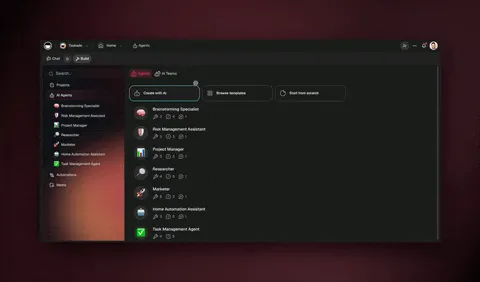
Generate this once and it runs forever. Then point the same four-move pattern at your next job — onboarding sequences, weekly reports, ticket triage — and your system grows one workflow at a time. The full step-by-step is in the agent playbook and the automation triggers guide.
A second build: the always-on content workflow
Want something narrower to start? A great first generation is a content workflow — a single focused chain that researches a topic, drafts a post in your voice, and queues it for approval. It is a great first build because it does one job extremely well, and you can see exactly what a generated, reasoning workflow feels like before you build a bigger one.
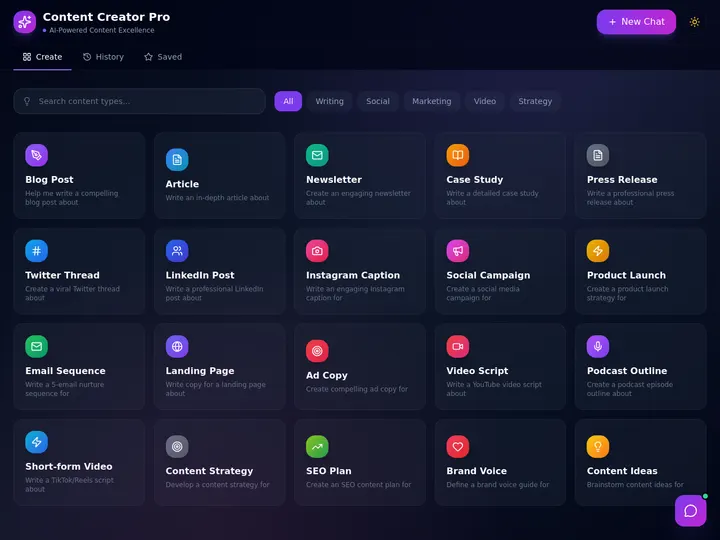
Clone this kind of workflow, give it your brand guidelines and past content as memory, and it becomes a tireless drafter that already knows your voice. From there, add a reviewer step and a scheduling action and you have the full research → draft → review → publish loop — generated one piece at a time. Browse more cloneable apps or start your own from a prompt.
The numbers: how much time a generated workflow gives back
Generating a workflow from a prompt cuts build time by 70-90% versus wiring the same flow node-by-node — and the savings compound as each new workflow reinforces the last. The single largest cost in classic automation is not running the flow; it is the hours spent designing, mapping fields, and testing every branch before it ever runs once. A generator removes almost all of that up-front cost, because the design is the prompt.
The chart below compares the rough up-front effort to stand up the same multi-step workflow three ways: hand-coded, wired in a no-code builder, and generated from a prompt. The hours are illustrative of a typical mid-complexity flow — a lead-enrichment or content-publishing job with five to seven steps and a couple of integrations.
Three things drive that gap. First, design moves to the prompt — you state the outcome once instead of dragging and mapping every step. Second, the reasoning layer absorbs the edge cases that used to require extra branches; a missing field no longer means a new condition to wire, because the workflow figures it out at run time. Third, and most important over months, each workflow compounds: because everything lives in one workspace, your lead workflow feeds your nurture workflow, which feeds your reporting workflow, so the marginal cost of the next one keeps falling.
| Cost area | Hand-coded | No-code builder | AI generated |
|---|---|---|---|
| Design the steps | Hours of architecture | You design on a canvas | The prompt is the design |
| Map fields + auth | Manual, error-prone | Field-by-field by hand | Generated and connected |
| Handle edge cases | Write more code | Add more branches | Reasoning layer adapts |
| Maintain over time | Ongoing dev work | You patch the flow | The workflow self-adjusts |
| Add the next workflow | Start over | Start over | Compounds on the last |
Consolidation adds a second, quieter saving. Because one Genesis app replaces a separate automation tool, AI writer, database, and reporting dashboard, most teams cut total software spend after moving into one generator — and pricing starts free, with Pro at $10/month on annual billing, Business at $25, Max at $100, and Enterprise at $250. For the operational view of running these at scale, see our automate operations guide, and for the full product shortlist, the AI workflow tools roundup.
Keep your team in the loop with the right roles
Generating workflows does not mean losing control — it means setting the right guardrails. Taskade uses role-based access (Owner to Viewer) so you can let a workflow run while keeping approval rights with the people who own the work. Your ops lead can be an Editor who must approve outputs; a contractor can be a Checker who works assigned items but cannot publish.
That governance is what makes "generate the 99%" safe at a real company. The workflow does the volume; the roles make sure nothing ships without the right human sign-off. Pair it with the multi-agent review loop and you get speed and accountability — the combination most teams thought they had to choose between. Learn more in the workspace roles guide.
Frequently asked questions
How do I generate my first workflow today?
Pick your single most-repeated task, then describe the outcome to Taskade Genesis in plain English. It generates the steps, connects the tools, and produces a running workflow — no code, no wiring. Start free and add one workflow at a time. Most teams ship their first one in an afternoon.
What is the best AI workflow generator in 2026?
The best fit is a generator that pairs a reasoning layer with reliable automations and a place to store your data — not just an app-connector. Taskade Genesis does all three from one prompt, with built-in agent tools and frontier models from top AI labs. For a ranked product comparison, see our AI workflow tools guide.
Can an AI workflow generator replace Zapier or Make?
For pure app-to-app data movement, Zapier and Make are excellent and worth keeping. A generator like Taskade Genesis goes further: instead of a flowchart, you get a living app with a database, reasoning agents, and automations from one prompt — and the workflow adapts when inputs change rather than running fixed rules.
Do AI-generated workflows actually adapt, or do they just look smart?
They adapt. The reasoning layer reads each step's result and decides the next move, so a workflow handles a missing field or unexpected value instead of breaking. This is the real difference between 2026 generators and 2015-era rule chains. See how reasoning agents work in our AI agents explainer.
How is this different from an AI pipeline builder?
A pipeline builder is the engineering view — chaining defined stages with inputs and outputs. An AI workflow generator is the outcome view — you describe the goal and it produces the pipeline for you. Taskade Genesis sits on the generator side: one prompt, a running workflow, no stage-by-stage wiring required.
How much can a generated workflow save my team?
Teams typically cut workflow build time 70-90% by generating from a prompt instead of wiring nodes, and reduce software spend by consolidating a separate automation tool, AI writer, and database into one Taskade system. Savings compound as each new generated workflow reinforces the last.
Can I try a real generated workflow before building my own?
Yes. Clone a live workflow app from the Community Gallery in about 30 seconds and run it in your own workspace, or start from a prompt. The workflow app embedded above was generated from a single prompt and is cloneable today.
How is Taskade Genesis different from Gumloop, Vellum, and n8n?
Gumloop and Vellum are prompt-first but still hand you a workflow plus a separate database and AI tool; n8n is powerful and self-hostable but node-based and built for technical teams. Taskade Genesis produces a living app — data in multiple project views, agents with built-in tools, automations, and a shareable URL — from one prompt, and the workflow improves as it runs.
Can a generated workflow use multiple AI agents at once?
Yes. A workflow can run as a team of specialist agents — research, writer, reviewer — handing work to each other, with the reasoning layer deciding who acts next. Each agent has its own tools and model. See how the handoffs work in our agentic workflows explainer.
Ready to generate your first workflow? Start free with Taskade Genesis — describe the outcome you want, and watch it generate the steps, connect your tools, and ship a running app you can use today. Explore the automation hub, browse cloneable apps, or compare the field in our AI workflow tools guide.
▲ ■ ● Memory, Intelligence, Execution — describe the outcome, and Taskade Genesis remembers your data, reasons over it, and runs the workflow across every tool. That is the difference between a flowchart you maintain and a generated workflow that adapts on its own.