






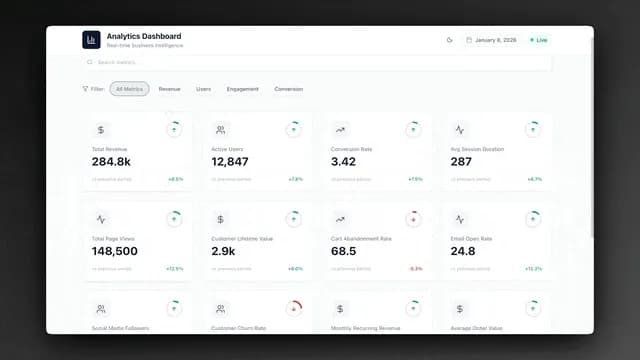
The best AI ops dashboard builders in 2026 do not stop at pretty charts. They give operators a place to run the day: jobs, pipeline, invoices, and client status on one living surface. This guide ranks ten options for that job, from prompt-to-app runtimes to packaged field-service SaaS, internal-tool platforms, portal builders, and code generators.
TL;DR: Taskade Genesis leads for operators who want a live ops system (jobs + CRM + portal) from one prompt, free to start, paid from $10/mo billed annually. Jobber wins packaged field service. Retool wins eng-owned internals. Softr wins Airtable portals. Lovable wins when you want React to host yourself. Build a field-service ops dashboard →
This is not another BI list. For chart-only tools see guides like Bruin's AI dashboard tools roundup. For CRM-only builders see our AI CRM builders. For cloneable kit galleries see AI ops dashboards for lean teams. Here the ranking question is simpler: can a non-engineer run the business on it this week?
What Is the Best AI Ops Dashboard Builder in 2026?
Taskade Genesis is the best AI ops dashboard builder for most small operators in 2026 because it ships a deployed app with a database, AI agents, and automations from a plain-language prompt, instead of a chart you still have to wire to five tools. That said, "best" depends on the constraint:
- Need SMS, routing, and payments out of the box → Jobber
- Engineers will own Retool apps forever → Retool
- Data already lives in Airtable → Softr
- You want forkable React + Supabase → Lovable or Bolt.new
- You only need warehouse charts → Power BI / Looker (not ops builders)
The 10 Best AI Ops Dashboard Builders at a Glance
| Rank | Tool | What you get | Best for | Starts |
|---|---|---|---|---|
| 1 | Taskade Genesis | Live app: DB, agents, automations, portals | Operators owning ops | Free; paid from $10/mo billed annually |
| 2 | Jobber | Packaged FSM screens | Home services wanting defaults | ~$69+/mo plans |
| 3 | Retool | Internal tools on your DB | Eng-led ops tooling | Free tier; seat pricing |
| 4 | Softr | Portals on Airtable/Sheets | Data already in tables | Free tier; paid seats |
| 5 | Lovable | React + Supabase code | Teams that will host code | Free tier; Pro paid |
| 6 | Bolt.new | Browser code sandbox | Devs prototyping UIs | Credit-based |
| 7 | SuiteDash | Client suite (portal + billing) | Agencies wanting fixed suite | Paid plans |
| 8 | Power BI | BI charts + Copilot | Microsoft warehouses | Per-user |
| 9 | Looker | Semantic-layer BI | Data teams | Enterprise |
| 10 | Grafana | Infra / time-series | DevOps monitoring | Free OSS; cloud paid |
Prices move. Confirm on each vendor site before you buy. Taskade figures: free plan available; Pro from $10/mo billed annually with custom domains; Business from $25/mo billed annually for App Users at scale.
1. Taskade Genesis - Best overall for operators
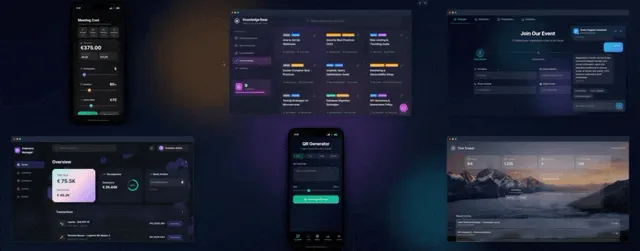
Taskade Genesis turns one prompt into a living ops system: Projects for memory, AI agents for intelligence, and automations for execution. You are not stitching a chart to a CRM to a portal. You get the connected spine.
Why it ranks #1 for this list: service businesses (field service, agencies, education, real estate ops) need ownership and speed, not another seat tax. Taskade Genesis matches that with cloneable generators and flat workspace pricing.
Start here (new 2026 generator pages):
- Field service ops dashboard
- Work order crew board
- Home services customer portal
- Agency multi-client ops dashboard
- Realtor lead pipeline CRM
- Student and parent portal
Template mirrors, if you would rather clone a named shape than describe one: field service ops, work order dispatch, HVAC service call log, buyer-seller pipeline.
Also strong: CRM dashboard generator, SaaS dashboard generator, client portals hub, Jobber alternative compare.
Skip if: you refuse to customize anything and only want a fixed FSM SKU with native SMS today.
2. Jobber - Best packaged field-service SaaS
Jobber wins when the business wants scheduling, quoting, invoicing, and payments with almost no build. The suite ships a dispatch calendar, a quote-to-invoice path, a client hub, and appointment reminders already configured, so a residential trade with standard job shapes can be dispatching by the end of the week.
Two of its strengths are genuinely hard to replicate on a builder. Card collection sits inside the same screen as the invoice, with no provider selection and no reconciliation project. And client communication (booking confirmations, on-my-way texts, follow-ups) works on install day rather than after somebody designs an automation.
The tradeoff is schema rigidity plus seat-capped tiers with per-extra-user fees, so the bill moves when you hire a seasonal tech or add a second office admin. Fields are vendor templates: you configure inside their rules rather than renaming a status or adding a compliance checklist yourself.
For operators who want the same outcomes without renting the schema, pair this section with Taskade's free Jobber alternative and the field-service ops dashboard generator.
3. Retool - Best for engineering-owned internal tools
Retool is excellent when SQL-fluent builders sit between your warehouse and ops. You drag components onto a canvas, bind them to your own Postgres, REST, or GraphQL resources, and drop JavaScript into a binding when the interface needs logic. Self-hosted deployment is offered, which keeps records inside your own network and is why regulated teams shortlist it.
Two real strengths. It is the shortest path to an internal tool that both reads and writes production data with real permissions behind it. And it asks you to migrate nothing, because the database you already run stays the system of record.
The limits are organizational, not technical. Pricing meters builders and end users, so a tool everyone opens costs more than a tool three people open. And every field change is a ticket queued behind whoever owns the app. It is the wrong default for a three-truck shop with no engineering bench, where the owner-operator has to rename a status on a Tuesday. Choose Retool when IT will own the app for years; choose Taskade Genesis when the owner-operator must change the board by chatting.
4. Softr - Best portal front-end on existing data
Softr (and peers like Glide) shine when Airtable or Sheets already hold truth and you need client logins on top. You assemble pages from prebuilt blocks (lists, charts, forms, detail views), then gate them with user groups and conditional visibility so each client sees only their own rows.
Two strengths worth naming. Row-level visibility is a first-class concept rather than a bolted-on plugin, which is exactly the feature portals live or die on. And the block library is genuinely usable by a non-technical operations lead, which is rarer in this category than the marketing suggests.
The honest limit is that Softr is a presentation layer with no data layer of its own. You inherit the record limits, automation quotas, and pricing of whatever sits underneath, and you carry two subscriptions and two places to look when a renamed field breaks a page. See also our client portal builders comparison. If you do not already have that data layer, generating the portal and the database together in Taskade Genesis is usually faster.
5. Lovable - Best code-first dashboard UI
Lovable ships polished React + Supabase from a prompt, with a GitHub sync so the repository is genuinely yours. Its default design taste is a real advantage: generated screens usually look shippable rather than like a scaffold you have to restyle.
Two strengths. Source ownership means no ceiling, because a developer can open the repo and hand-edit whatever the prompt got wrong. And the Supabase pairing gives you real sign-in and a real database on day one instead of a mocked backend that has to be replaced before launch.
You own the deploy burden too: environment variables, migrations, dependency upgrades, and whoever gets paged when a build breaks. Agents and automations become libraries you add and maintain, not runtime you inherit. Great for product teams that wanted a codebase anyway. Weak for operators who need agents and automations inside the running app without a hosting pipeline.
6. Bolt.new - Best browser sandbox for prototypes
Bolt.new runs an entire development environment inside the browser tab: install packages, start a dev server, click the app, export it out. Nothing to install locally, which makes it the fastest loop from idea to clickable prototype on this list.
Its strengths are speed and reversibility. You can throw away three versions of a dispatch screen in an hour and lose nothing but time, and the export path means a good experiment can graduate into a real repository instead of dying as a screenshot in a design file.
The costs show up on the second day. Iteration is metered by credits, so long refactor conversations get expensive in a way a flat plan does not. Production ops still needs auth, durable data, backups, and on-call maintenance. Use Bolt to explore the shape of a board; use Taskade Genesis when the dashboard must run the business tomorrow.
7. SuiteDash - Best fixed client-suite bundle
SuiteDash packs a white-label client portal, CRM-shaped records, billing, file exchange, and course delivery into one suite, and prices it flat rather than per user. That combination is unusual. Most portal products bill by client or by seat, so a flat plan is a real structural advantage for an agency carrying many small accounts.
The second strength is the single client login. Your customer signs in once and finds files, invoices, and messages in the same branded place, instead of you assembling three tools and then explaining which link is which.
The tradeoff is that you take their process. The suite is broad rather than deep, and the configuration surface is large enough that setup is a project rather than an afternoon. Fine when your delivery looks the same for every account. Weak when each client needs a different delivery shape. Agencies that outgrow suites often move to a multi-client agency ops hub plus per-client portals.
8. Power BI - Best Microsoft BI layer
Power BI is the strongest pick when your data already lives in the Microsoft estate. You model once, write measures in DAX, and surface the result inside Teams, SharePoint, and Excel where people already work. Power BI Copilot helps analysts ask questions of Microsoft estates in plain language against that model.
Two genuine strengths. Per-user licensing is inexpensive relative to enterprise BI peers, so wide read access is affordable rather than a budget conversation. And the modeling layer is powerful enough that one well-built semantic model retires a folder of spreadsheets nobody trusted anyway.
It is still a read layer. Power BI visualizes what a warehouse already knows. It does not replace a work-order board or client login, hold a job status, or give a customer a way to see their own visit window. That is not a criticism of the product, only of buying it for a job it never claimed. Use it above Taskade Genesis or Jobber, not instead of them.
9. Looker - Best semantic-layer enterprise BI
Looker is for governed metrics at company scale. Its differentiator is LookML: you define what a metric means once, in version-controlled code, and every dashboard, embedded report, and API call inherits that definition instead of re-deriving it.
Two strengths. When "revenue" has to mean the same thing in ten places and survive an audit, that governance layer is the entire product, and nothing on this list matches it. And the embedding story is strong, so a software company can put governed analytics inside its own customer-facing app rather than screenshotting charts into a QBR deck.
It also needs an owner. Somebody maintains the model, and enterprise contracts assume a data team already exists to do that. Ops SMBs almost never start here. It appears on this list because a search for "AI dashboard" returns warehouse BI next to operational systems, and the two solve different problems.
10. Grafana - Best infrastructure monitoring
Grafana remains the right tool for time-series and DevOps: dashboards and alert rules over Prometheus, Loki, InfluxDB, and dozens of other sources, unified in one pane of glass.
Two strengths. Its alerting engine is the part most people underrate, because catching a threshold breach at 3am is worth more than any chart anyone will look at the next morning. And the core is genuinely open source and self-hostable, so a team can run it for years without a vendor conversation and move to the hosted tier only when running it stops being interesting.
None of that helps with HVAC dispatch or invoice chase. Grafana assumes machines emit numbers on a schedule; ops assumes humans update rows at unpredictable times, then argue about what a status means. It is the wrong tool for HVAC dispatch and invoice chase. It is here to mark that boundary clearly, because "dashboard" is one word covering two unrelated jobs.
Which Layer Are You Actually Buying?
Every tool on this list covers a different slice of the same four-layer stack, and most buyer regret comes from paying for a layer-4 product to do a layer-2 job. Records sit at the bottom. The operator surface sits on them. The client surface and the analytics layer both read from there, and neither can exist without the two below it.
The practical test: if you cannot name where layer 1 lives after a demo, you were shown a skin. Softr expects Airtable underneath. Retool, Lovable, and Bolt expect a database you supply and maintain. Power BI, Looker, and Grafana expect a warehouse somebody else already filled.
How Each Builder Meters You
The pricing model predicts your bill in three years better than the sticker price predicts it today, because the model decides what happens when the business grows. Confirm live figures on each vendor site before you commit.
| Tool | You pay for | The bill grows when | Read or write |
|---|---|---|---|
| Taskade Genesis | Workspace plan | You want Pro-tier features like custom domains | Write: records, agents, automations |
| Jobber | Seat-capped tiers plus extra users | You hire a tech or add an office admin | Write: jobs, quotes, invoices |
| Retool | Builders and end users | More people open the tool | Write: back into your own database |
| Softr | App plan plus the data tool underneath | Logins and records climb on two bills at once | Write: into Airtable or Sheets |
| Lovable | Prompt credits plus your own hosting | You iterate a lot, or traffic grows | Write: your Supabase database |
| Bolt.new | Prompt and token credits | Refactor conversations run long | Write: whatever you deploy yourself |
| SuiteDash | Flat plan | Rarely, which is the point of it | Write: portal, CRM, invoices |
| Power BI | Per user | Every additional reader | Read only |
| Looker | Enterprise contract | Platform usage and seat classes | Read only |
| Grafana | Free self-hosted, or cloud usage | Metric volume and retention window | Read only |
Two patterns fall out. Anything metered per human punishes growth in headcount, which is the shape service businesses grow in. Anything metered per credit punishes iteration, which is the shape a new app grows in for its first month. Flat workspace pricing trades a higher floor for a predictable ceiling, and that is the trade most owner-operators say they wanted after a year of surprise invoices.
How to Choose in 15 Minutes
- Write the four nouns your business cannot lose: usually customers, jobs, money, and client visibility.
- Pick the constraint: packaged defaults (Jobber), existing Airtable (Softr), eng-owned (Retool/Lovable), or own the live app (Taskade Genesis).
- Generate or clone one spine, not ten tools. On Taskade, start with /generate/dashboards/field-service-ops-dashboard or /generate/client-portals.
- Add the portal second. Internal boards without client login still create "any update?" calls. Use /generate/client-portals/home-services-customer-portal.
- Automate one chase. Invoice reminders and status nudges beat a prettier chart. See /generate/invoice and /automate.
Ops Shapes These Builders Must Cover
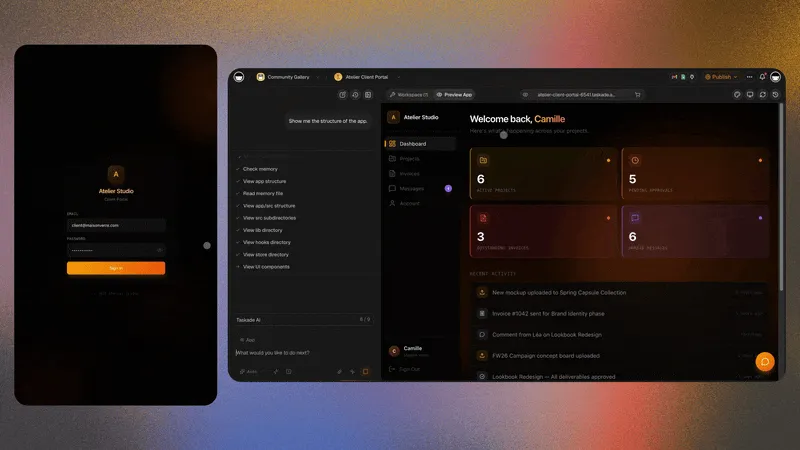
The business shapes where an ops dashboard pays off fastest, and where to start for each:
| Shape | Generator to open | Template mirror |
|---|---|---|
| Field service / trades | /generate/dashboards/field-service-ops-dashboard | /templates/maintenance/field-service-ops-dashboard |
| Dispatch / crews | /generate/dispatch/work-order-crew-board | /templates/maintenance/work-order-dispatch-board |
| Client login | /generate/client-portals/home-services-customer-portal | /templates/client-portals/home-services-customer-portal |
| Real estate ops | /generate/crm/transaction-coordinator-crm | /templates/crm/transaction-coordinator-dashboard |
| Realtor pipeline (no IDX) | /generate/crm/realtor-lead-pipeline-crm | /templates/sales-pipeline/buyer-seller-lead-pipeline |
| Education / parents | /generate/education/student-parent-portal-generator | /templates/education/student-parent-portal |
| Agency roll-up | /generate/agency-workflows/multi-client-agency-ops-hub | /templates/agency-operations/multi-client-ops-dashboard |
Related reading: run your whole business, AI for agencies, Taskade Genesis vs Bolt vs Lovable, AI app builders for business, construction ops dashboard.
Common Mistakes
- Buying BI when you needed ops. Charts do not schedule crews.
- Starting with code generators for back-office. Lovable and Bolt are strong; they still leave hosting and auth to you.
- Portal without the jobs database. Clients logging into empty status is worse than no portal.
- Expecting GPS truck tracking or IDX listing feeds. Taskade Genesis does not do those today. Its strength is the office side: dispatch boards, lead pipelines, customer history, and client portals.
- Ignoring credits vs seats. Packaged SaaS often taxes every tech; confirm whether your builder bills end users on published apps.
FAQ
What is the best AI ops dashboard builder in 2026?
For operators who need a live jobs, CRM, and portal system, Taskade Genesis. For packaged field service, Jobber. For eng-owned internals, Retool. For Airtable portals, Softr. For code ownership, Lovable.
Can I build a SaaS-style metrics dashboard too?
Yes. Use the AI SaaS dashboard generator when the job is product metrics, and keep the field-service ops path when the job is crews and work orders.
Where do templates fit versus generators?
Can I try one before I commit?
Yes. Every template and generator page embeds a live, working app you can click through before cloning — real boards, real records, real views. If it fits, one click copies it into your workspace.
Ready to own the board instead of renting it? Generate a field-service ops dashboard or browse live apps in the Community Gallery.